Inspiration
Traditional STEM education is stuck in 2D. We learn complex 3D concepts like trigonometry, kinematics, and spatial geometry on flat whiteboards. A student learning projectile motion stares at a textbook equation, memorizes it, passes the test, and forgets it three weeks later because they never felt it.
With the launch of the Logitech MX Ink, our team, Squirtle Squad, saw an opportunity to shatter that paradigm. While others looked at the stylus and saw a paintbrush, we saw a micrometer. We wanted to turn the physical world into a mathematically precise laboratory, building a Mixed Reality experience that feels like a professional CAD tool but plays like a fast-paced arcade game. We didn't just want students to solve equations; we wanted them to become the equation.
What it does
MaXangle XR is a gamified Mixed Reality platform where players solve complex math and physics challenges using the Logitech MX Ink as a precision scientific instrument.
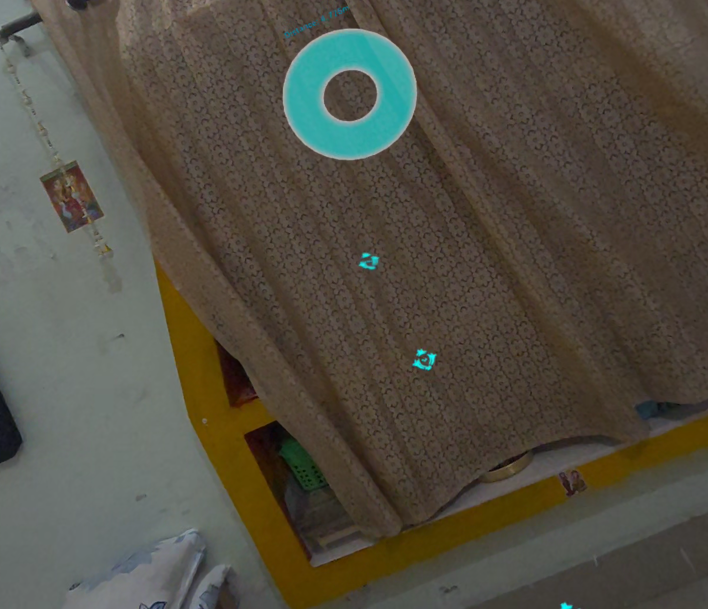
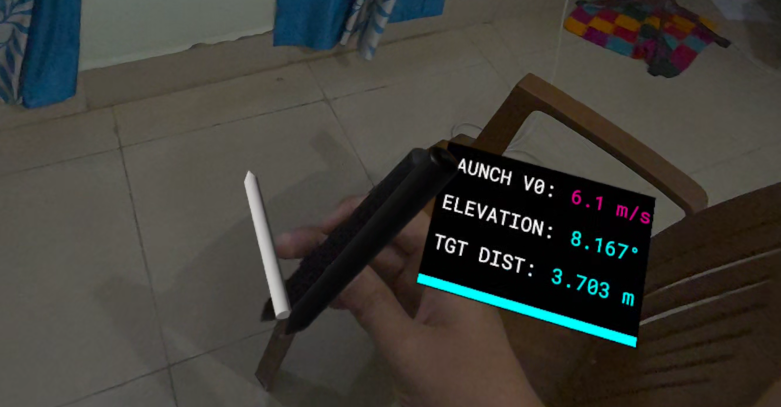
Module A: Angle Sniper (Tactical Kinematics): Floating holographic drone targets spawn across your physical room. The UI provides the exact distance to the target. Players must use the kinematic formula to calculate their required angle: $$d = \frac{v_0^2 \sin(2\theta)}{g}$$ You press the MX Ink nib against your real desk. Light pressure equals a slow lob; a hard press calculates a high-speed sniper laser. You tilt your wrist until the Holographic Protractor floating on the pen tip reads your calculated angle, pull the trigger, and watch the physics projectile bounce off your real walls via Meta's MRUK room mesh to obliterate the target. This is not a simulation—the ball obeys the exact equation you just solved.
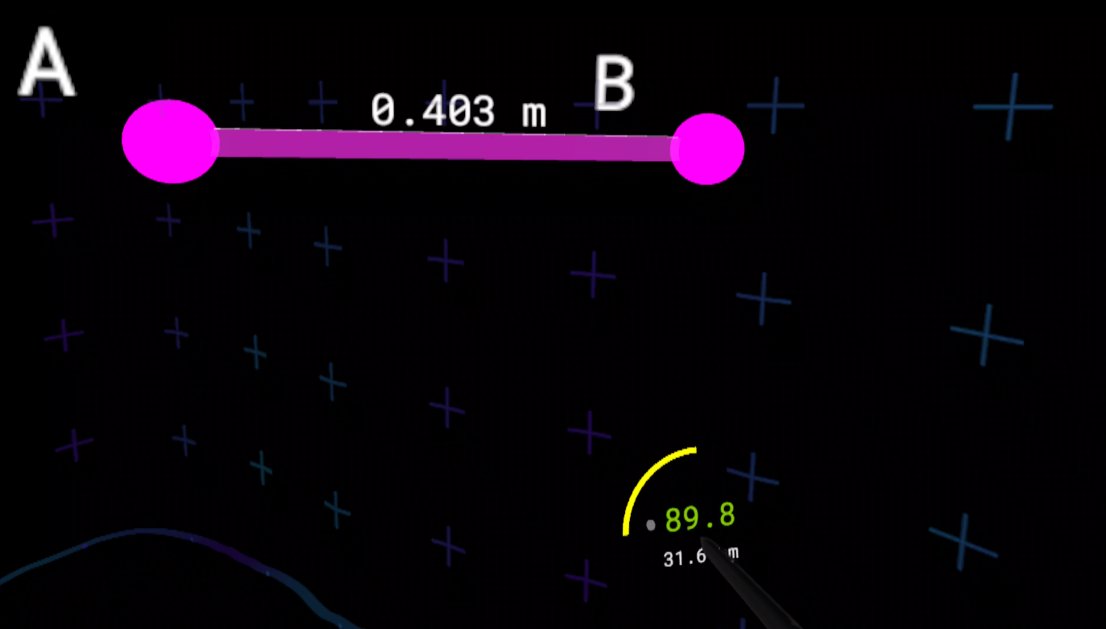
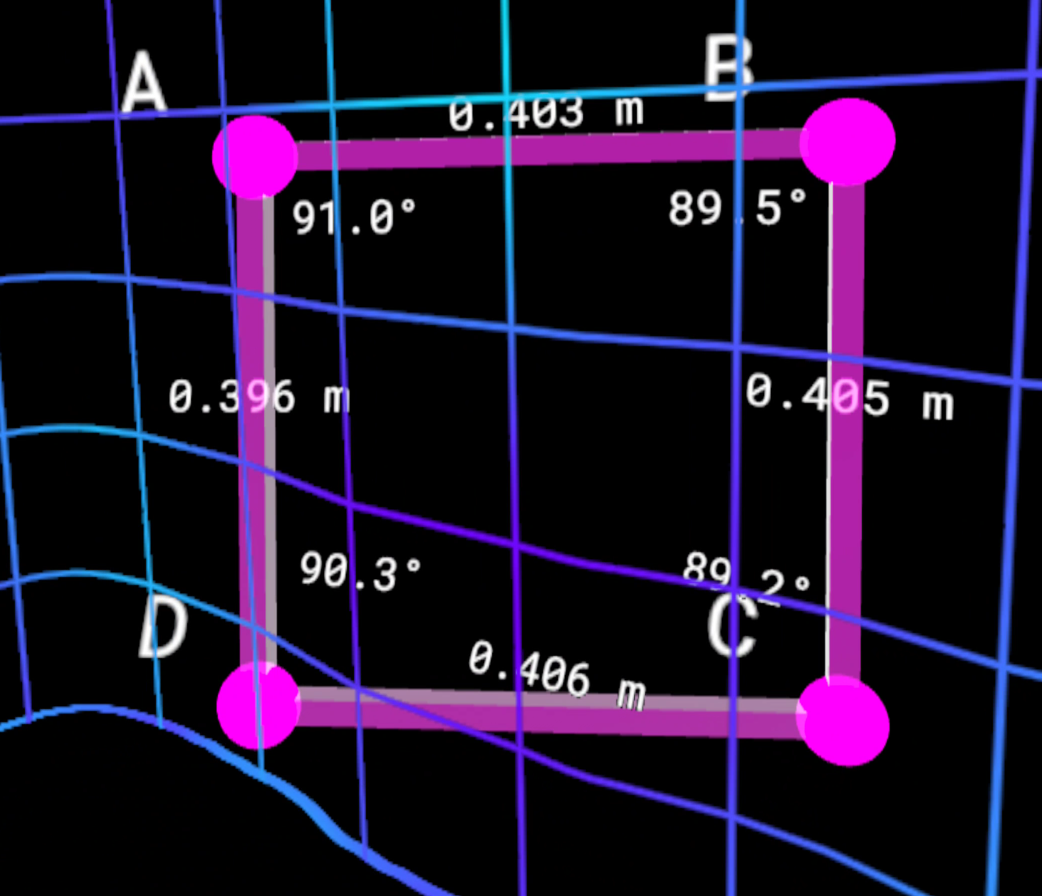
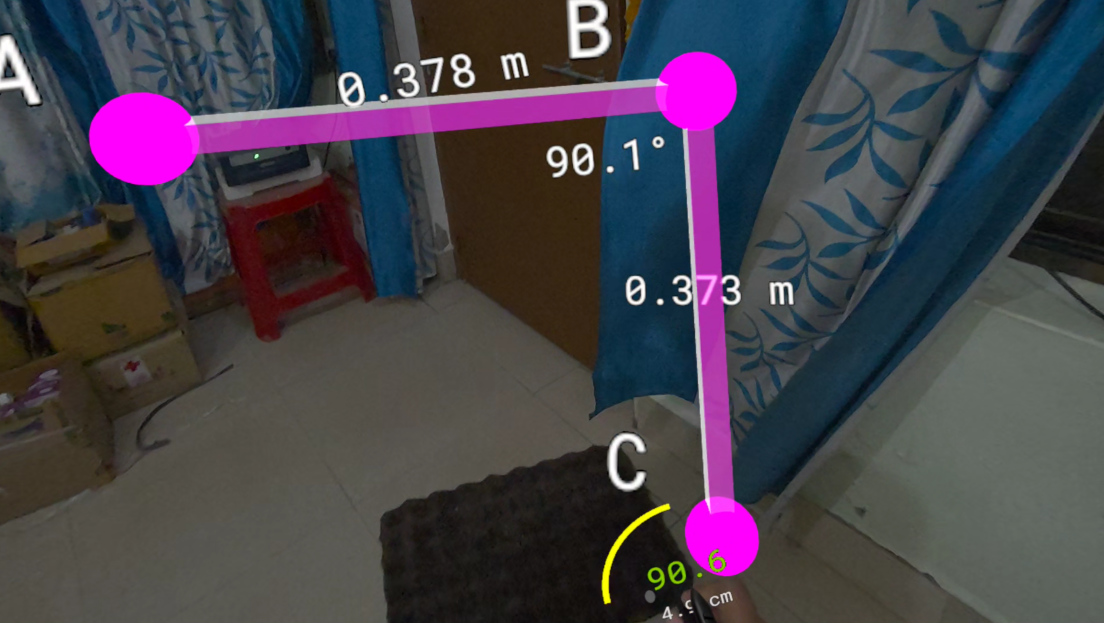
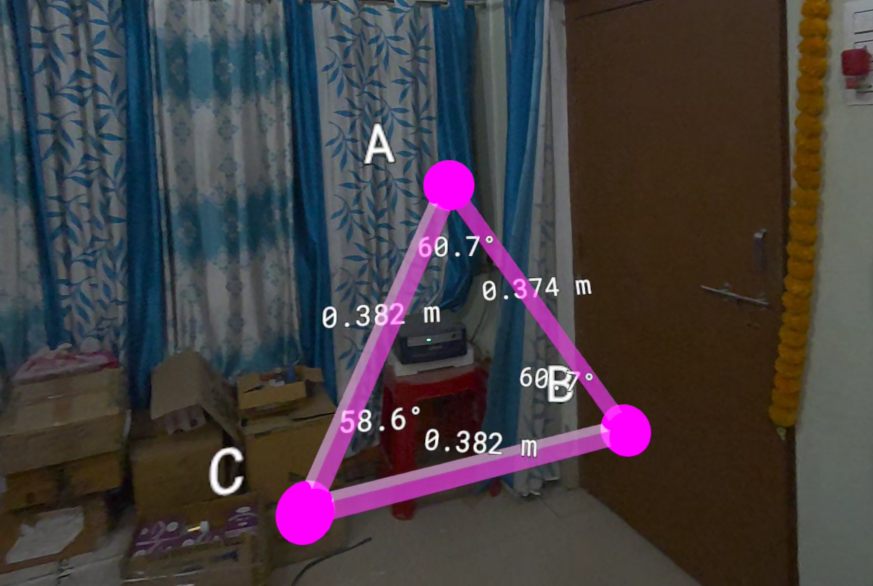
Module B: Geometry Builder (Procedural Construction): Construct 3D shapes in mid-air using the stylus as a spatial compass. Our custom tolerance engine enforces a strict $1^\circ$ validation system. The target angle is computed from the polygon's interior angle formula, where $n$ is the number of sides: $$\theta_{target} = \frac{(n-2) \times 180^\circ}{n}$$ The exact millisecond the user closes a geometrically perfect shape, the UI triggers a "Snap" color shift, a haptic click fires in the stylus, and a holographic measurement spawns locked to the shape's true geometric centroid. No rounding. No hand-holding.
Module C: The "Juice" (Haptics & Audio): We mapped custom Haptic Effect Curves directly to the stylus. Pressing the pen down initiates a micro-haptic charge rumble, while successfully validating an angle fires a heavy, satisfying recoil kick directly in the MX Ink. High-tech UI hums and success chimes are spawned exactly at the pen's 3D coordinates for flawless spatial audio panning.
How we built it: The Hybrid Architecture
VR demands a flawless 90 FPS on the Quest 3's Snapdragon XR2 Gen 2 processor. Real-time 6DOF spatial math at that framerate is a non-trivial engineering problem. We engineered a strict Hybrid execution model to ensure absolute stability:
The Heavy Lifter (C++ Math Backend):
We offloaded 100% of the intense 6DOF tracking math, tolerance validation, and Newell's Method polygon calculations into a custom UMaXangleMathLibrary.
Hardware sensor drift causes native Acos functions to receive values outside $[-1, 1]$ and silently return NaN, which crashes the physics engine. Our backend applies a strict FMath::Clamp before every angle calculation. We also reimplemented signed angle detection using the Cross Product against the World Up Axis, allowing the engine to detect clockwise versus counter-clockwise stylus torque.
The Fast Iteration Layer (Blueprint Spline Engine):
Because the heavy math is safely isolated in C++, the Blueprint simply polls the backend. We drive our visual projectile arcs using UE5's Predict Projectile Path By Trace Channel node, dynamically stretching Spline Meshes to create glowing laser beams that bend with gravity in real-time.
Challenges we ran into (The Hardware Hack)
We built our entire architecture in Unreal Engine 5, only to discover midway through development that there was no official UE5 integration for the MX Ink. We faced a binary choice: abandon our C++ math backend and rebuild in Unity from zero, or reverse-engineer the hardware ourselves. We chose to fight.
Through systematic testing, we mapped the MX Ink's legacy inputs directly into UE5's Enhanced Input System:
- Tip Pressure (analog) mapped to Thumbstick X-Axis
- Front Button mapped to Grip Axis
- Middle Cluster truncated to Trigger (digital)
We forced the hardware to talk to the engine, and we shared our mapping documentation back with the Logitech development team to assist future UE5 developers. We turned a critical blocker into a contribution to the ecosystem.
Accomplishments that we're proud of
We successfully ripped out standard VR controls to wire our modules directly into the MX Ink’s core hardware. A standard VR controller's pivot point is inside the palm, which feels fundamentally wrong for precision tools. We utilized the GetTrueTipLocation function so every projectile, spline, and geometric edge originates exactly at the physical plastic nib.
We transformed intimidating 3D math into a visceral, hardware-driven experience. The physical torque of the wrist and the analog pressure against a real desk now dictate the exact variables of an active physics engine.
What we learned
We learned that hardware limitations are design opportunities. The absence of an official plugin forced us to understand the hardware at a lower level than any SDK would have allowed.
We also learned that STEM education's real failure is not the curriculum, but the embodiment. When a student presses a nib against a desk and watches a parabola form in their living room, they are not learning projectile motion. They are experiencing it. The equation becomes memory because it was first a tactile sensation.
What's next for MaXangle XR
This prototype is just the foundation of a Comprehensive Spatial STEM Ecosystem. Our roadmap includes:
- Spatial AI Co-Pilot: Integrating a multimodal LLM assistant that "sees" what the player is building in mixed reality, providing real-time diegetic voice guidance and holographic visual hints when a tolerance fails.
- Native OpenXR Plugin: Engineering a custom C++ OpenXR plugin to manually expose the native
XR_LOGITECH_mx_ink_stylus_interactionprofile inside Unreal. - Precision Engineering: An industrial module where players repair virtual CAD structures with sub-millimeter error margins.
- The Equation Portal: An algebraic sandbox where players solve functions (like $y = x^2$) by physically graphing them in 3D space to unlock portals.
- Global Multiplayer Workshops: Allowing students from across the globe to collaborate on the same 3D geometric blueprint in a shared Mixed Reality space.
Built With
- blender
- blueprints
- c++
- logitech-mx-ink
- meta
- meta-quest-3
- meta-xr
- meta-xr-sdk
- unreal-engine


Log in or sign up for Devpost to join the conversation.