-
-
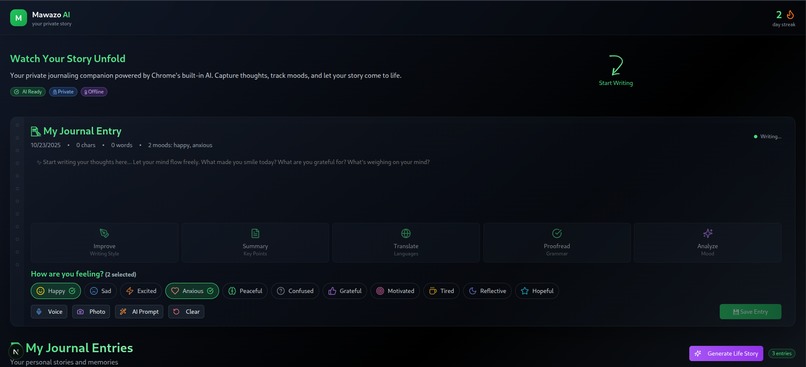
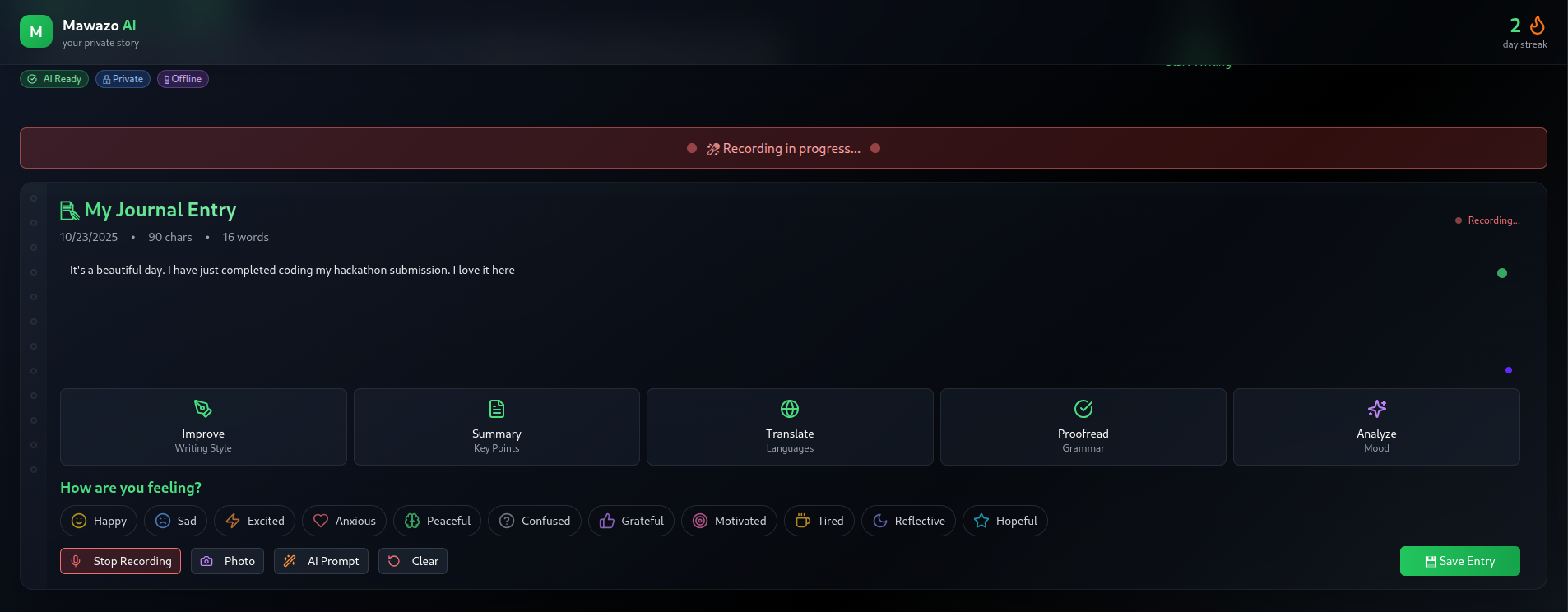
Home Page
-
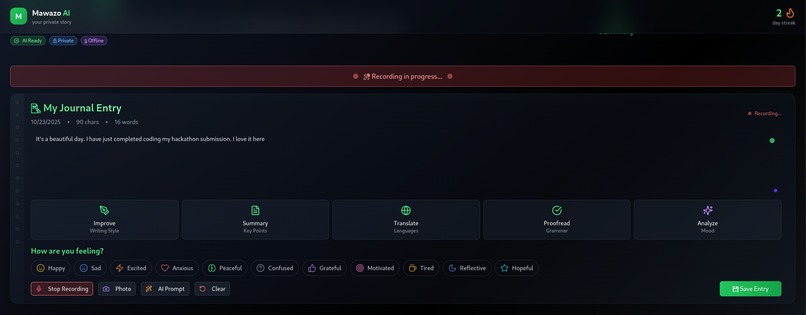
Recording Input
-
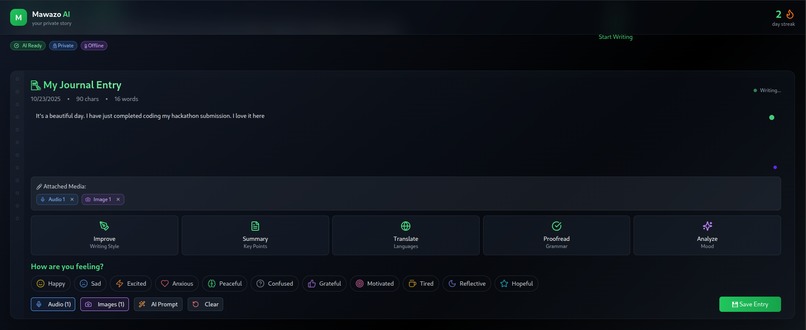
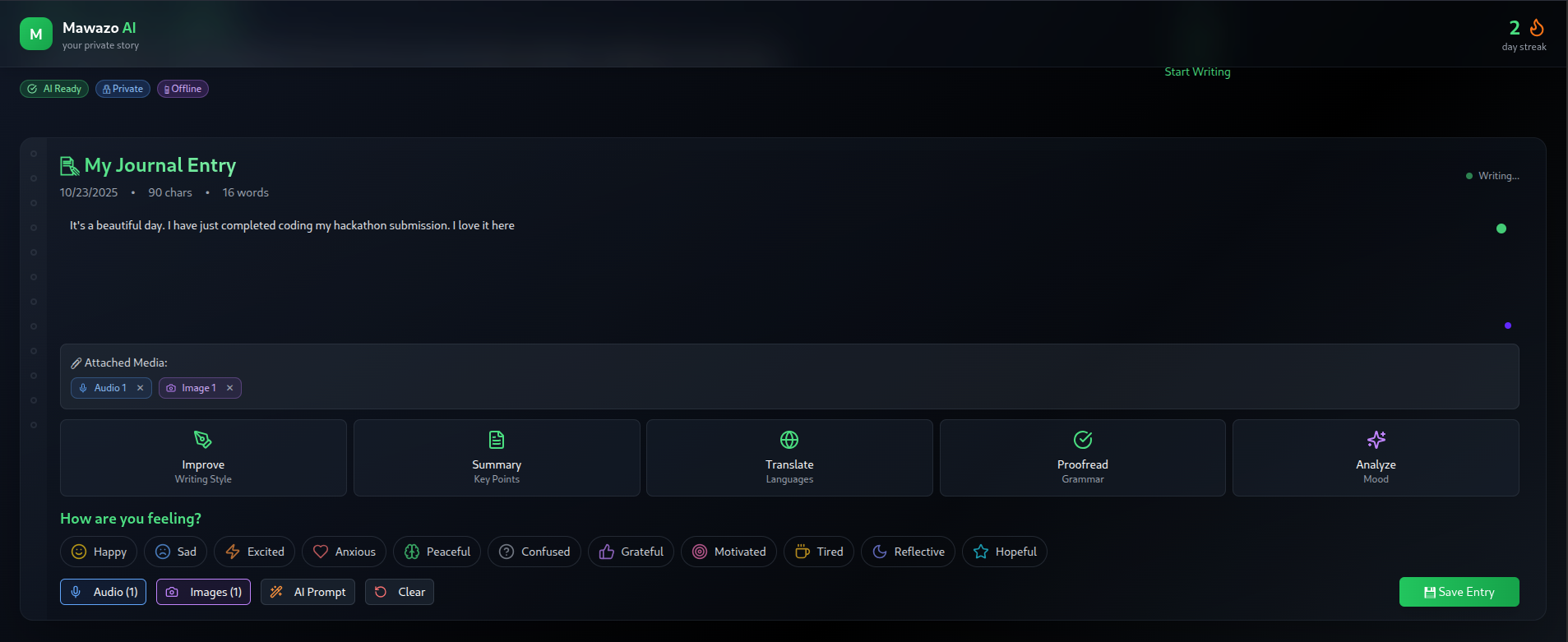
Upload Image Input
-
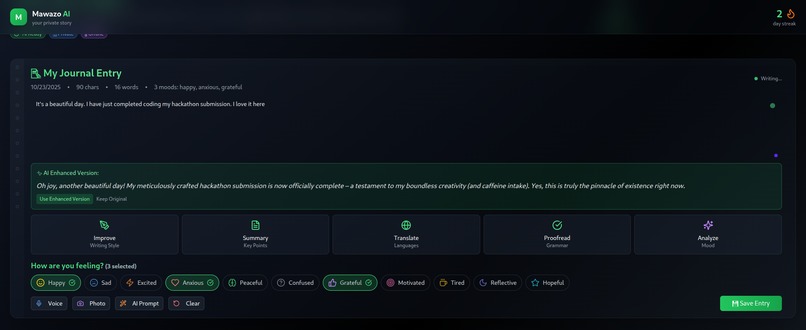
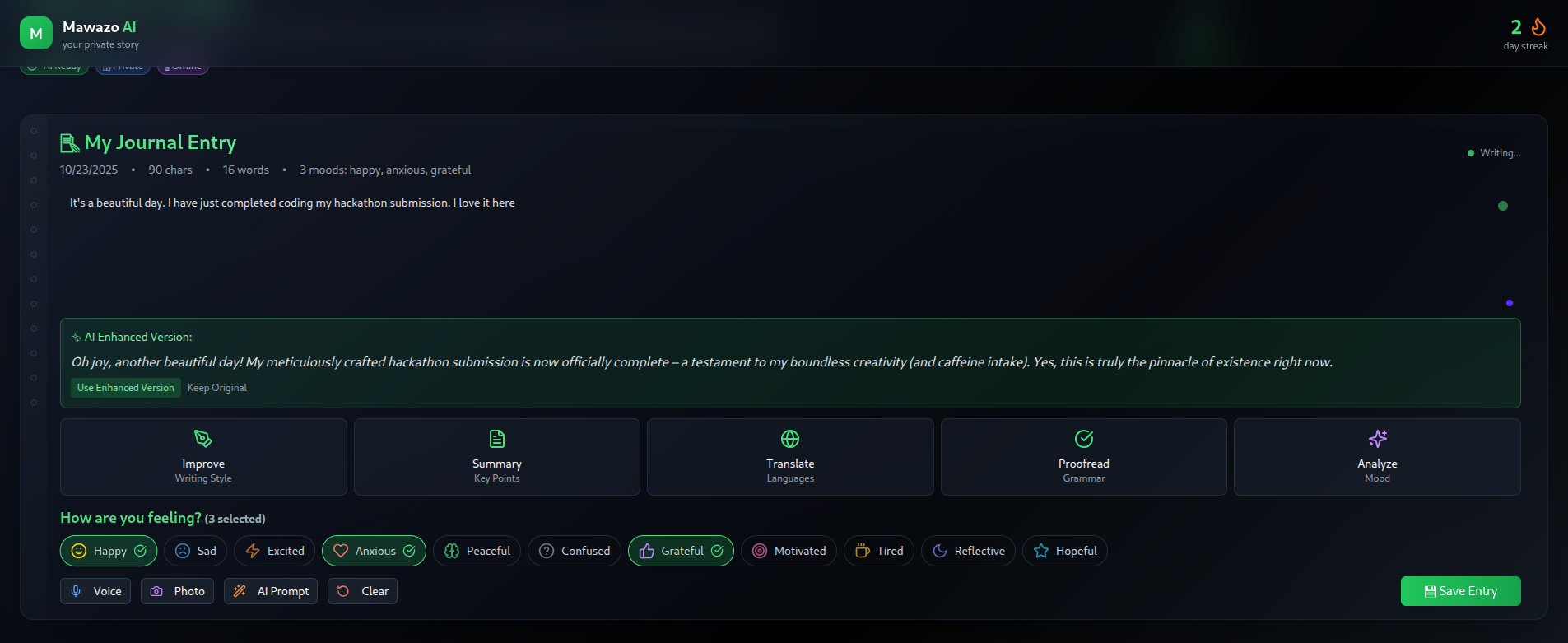
Improve/Rewrite API
-
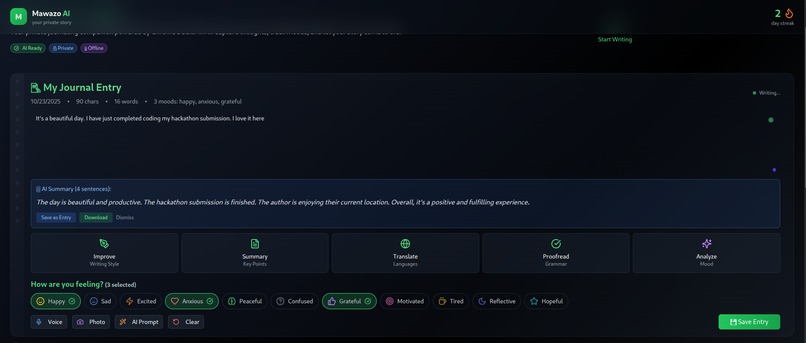
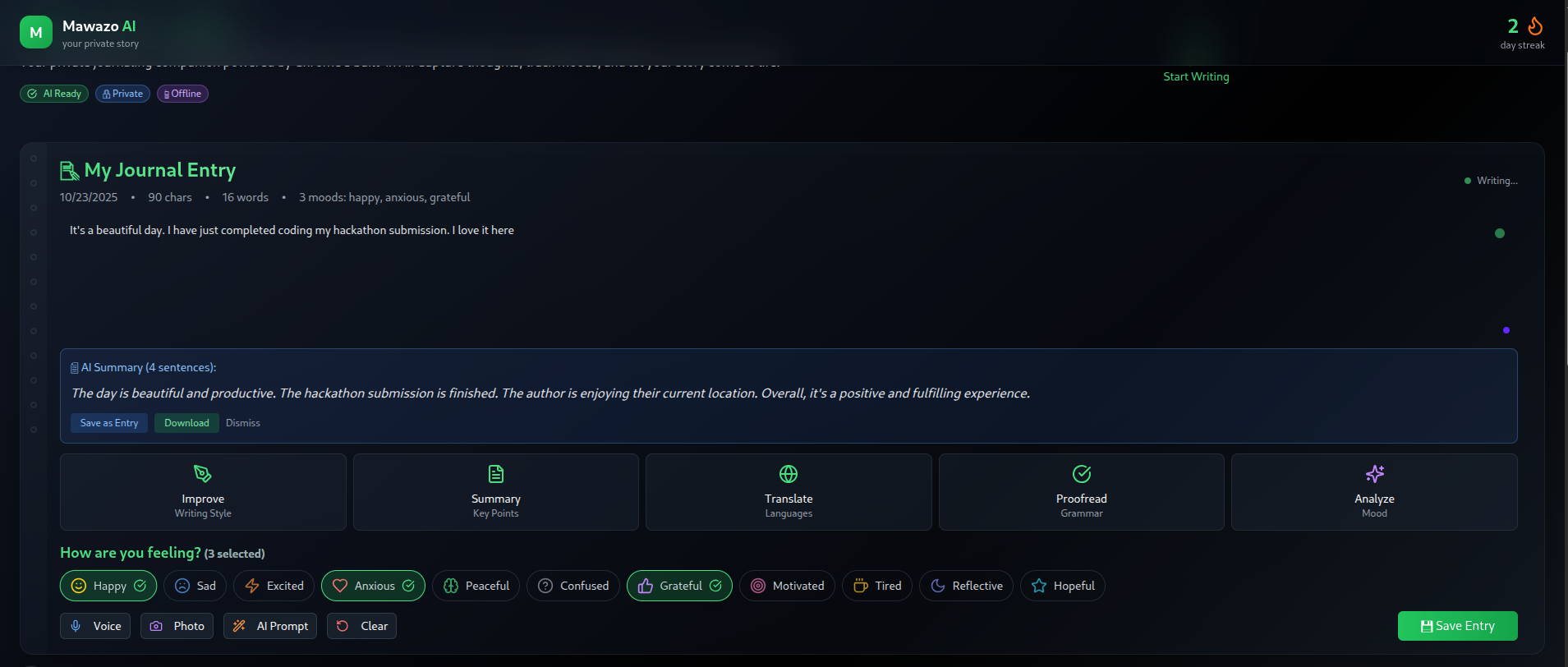
Summarize API
-
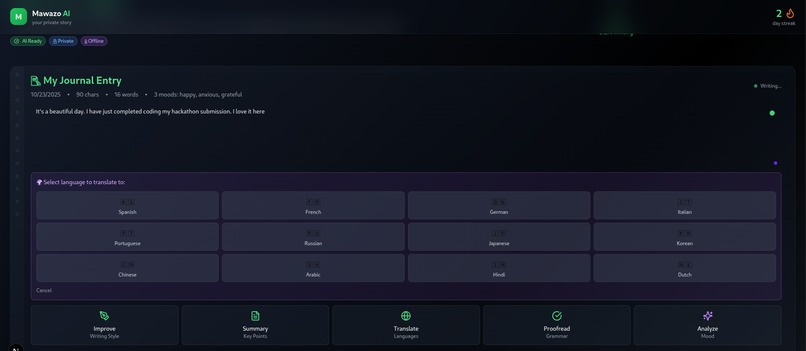
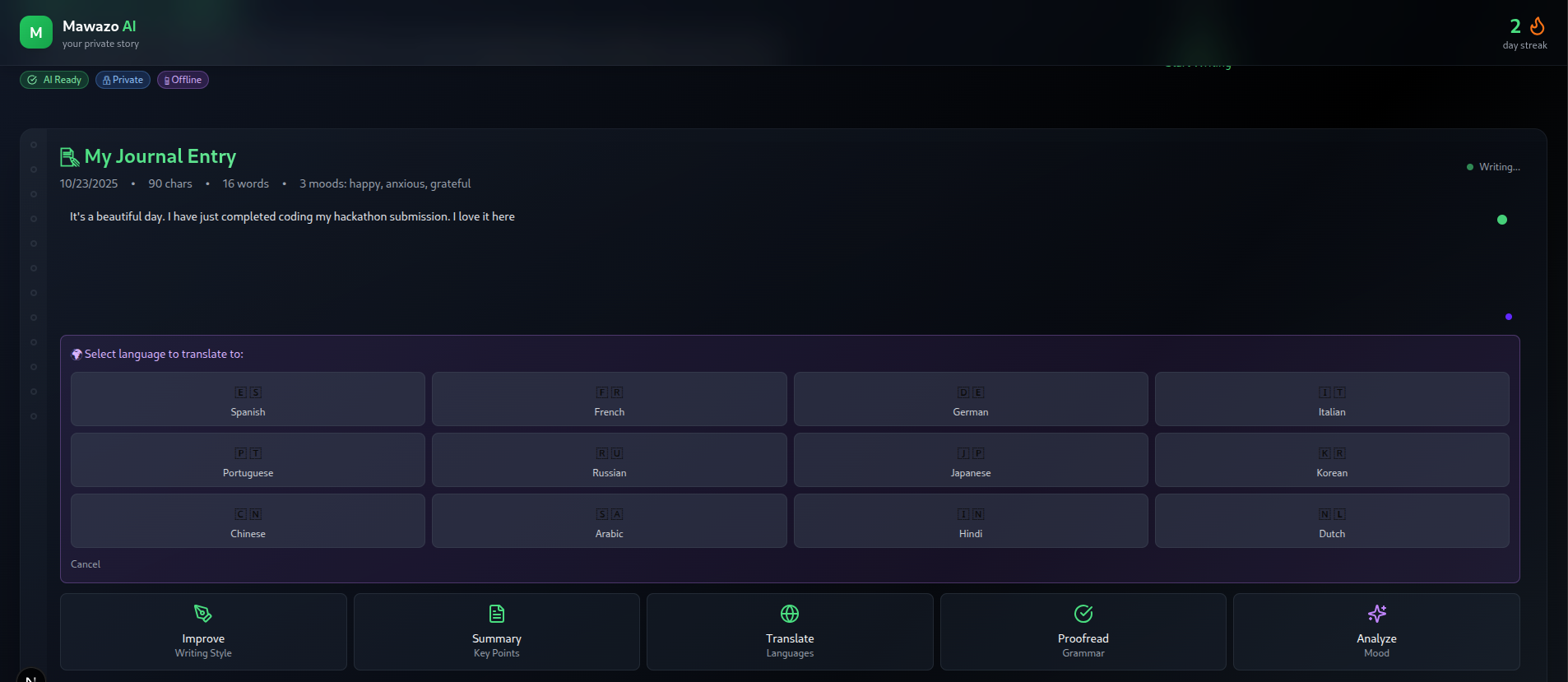
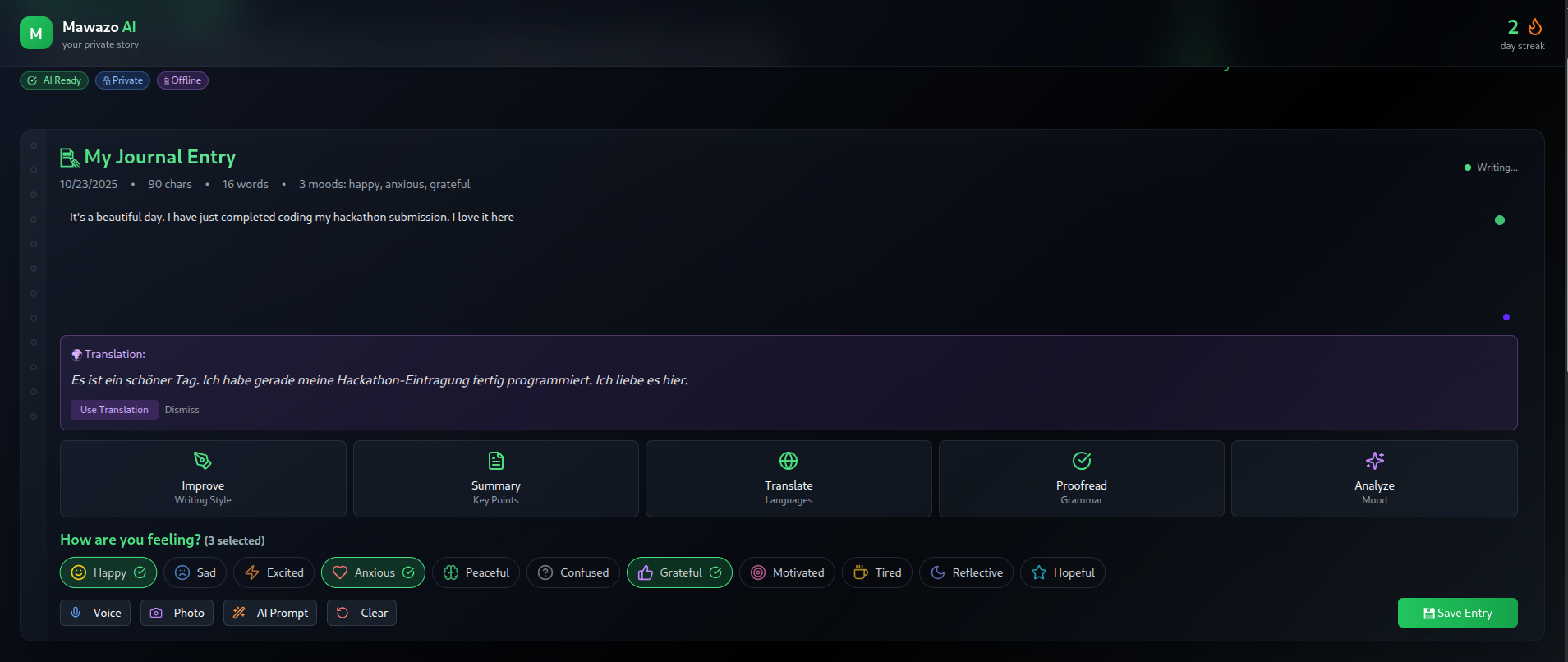
Translate AI
-
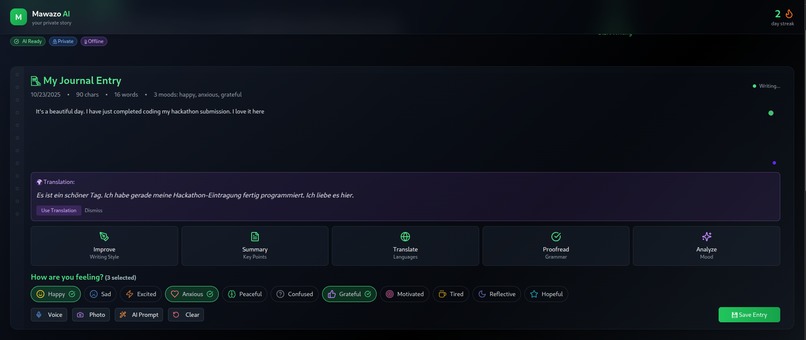
Translation
-
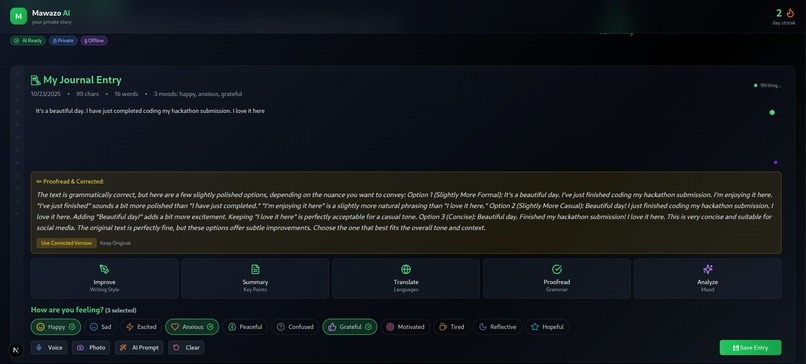
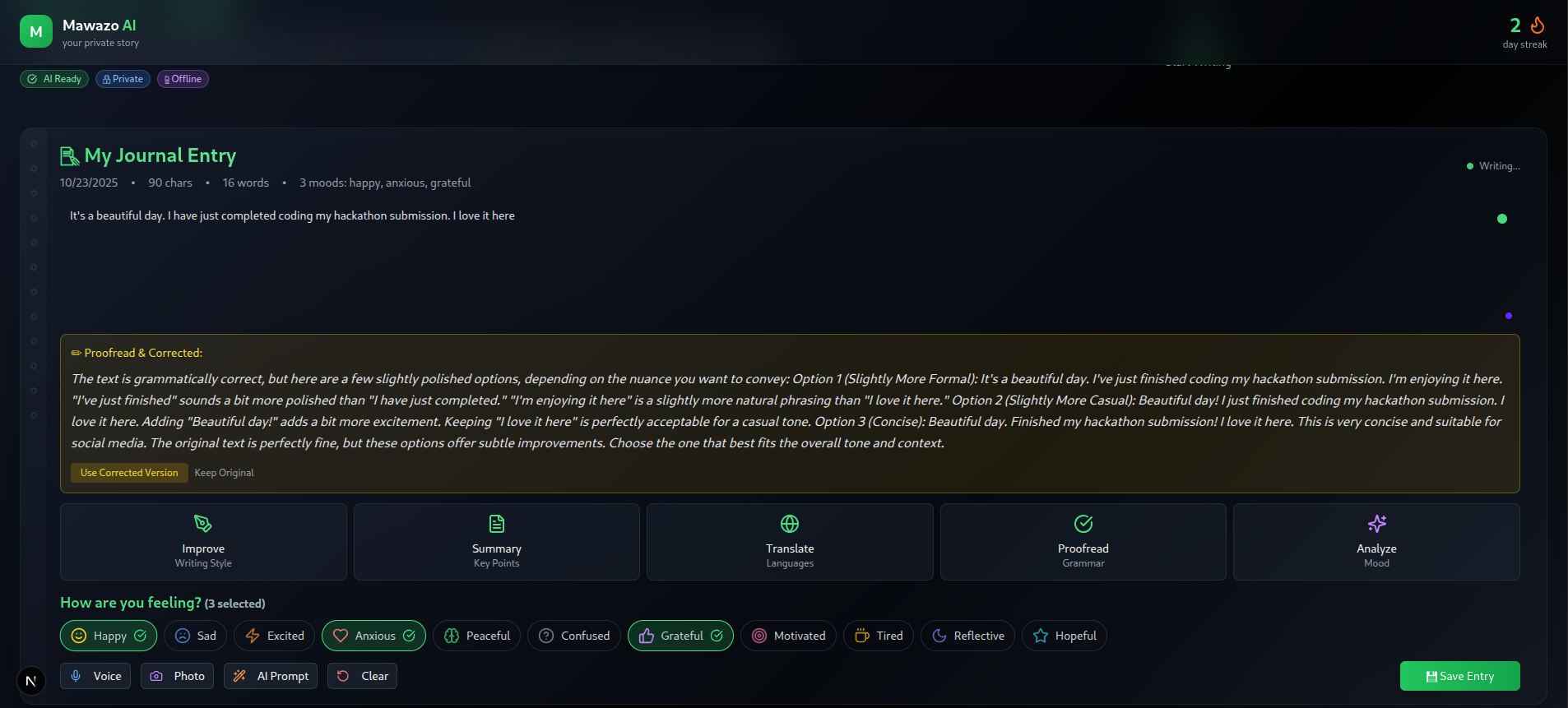
Proofread API
-
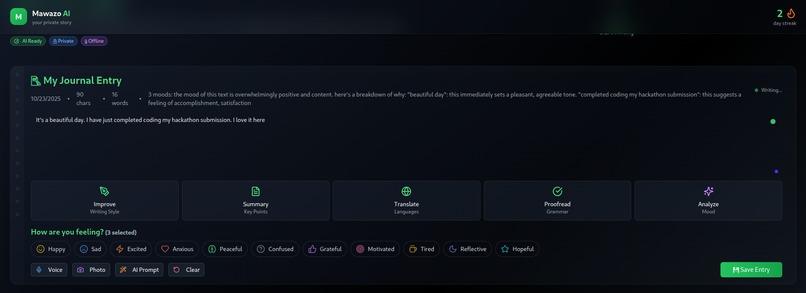
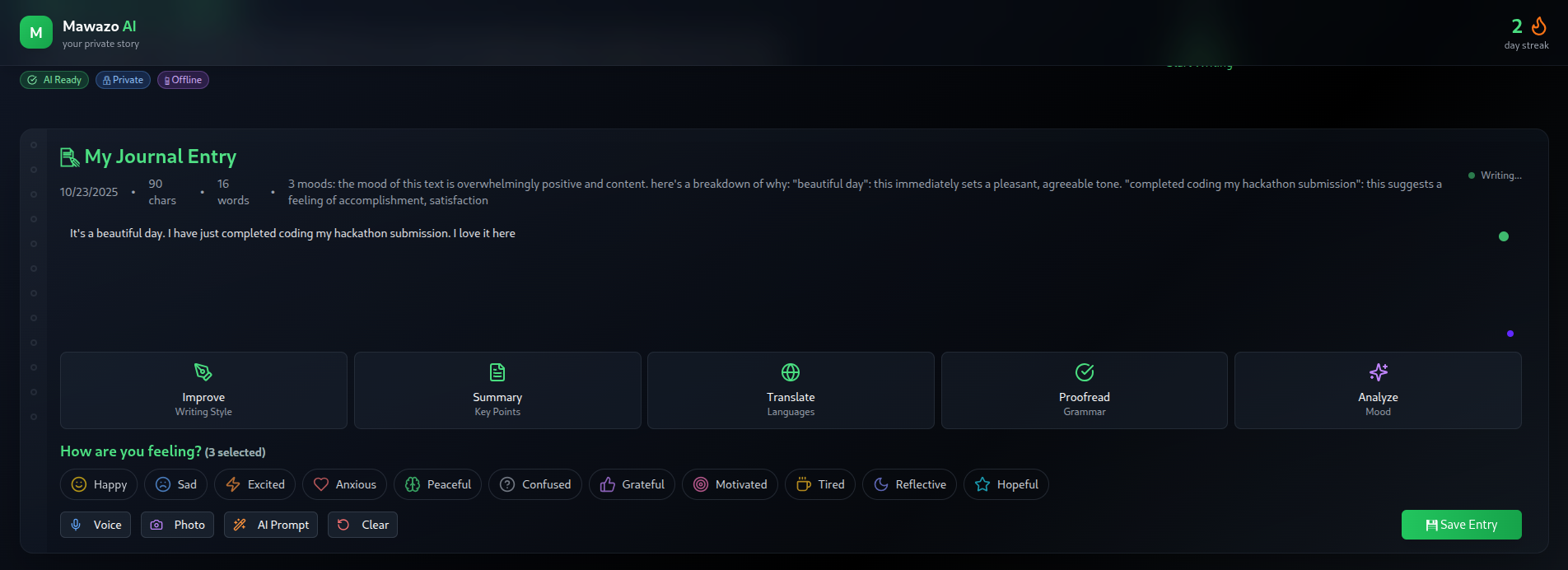
Analyze API
-

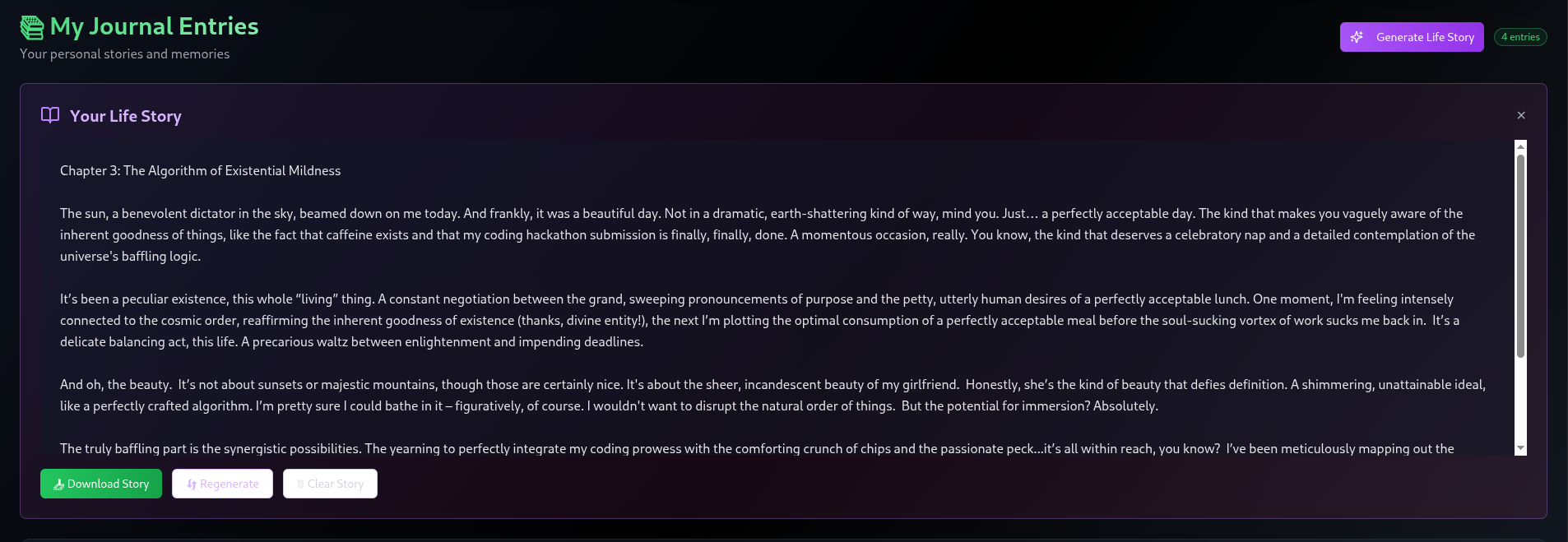
Life Story Generation
-
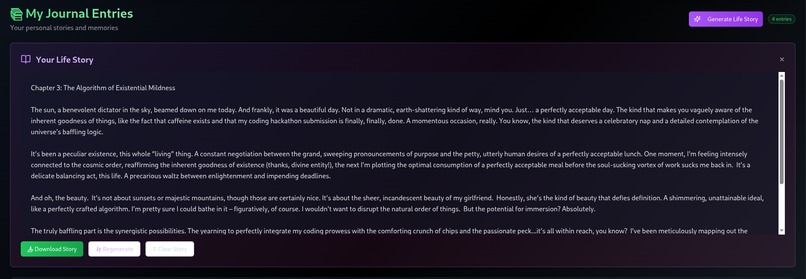
The Life Story
-
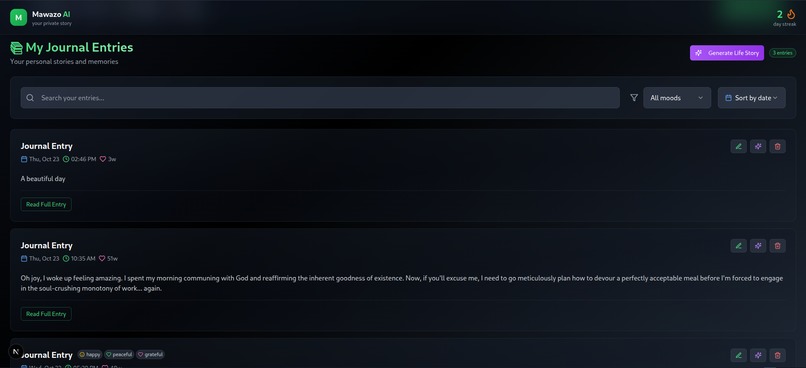
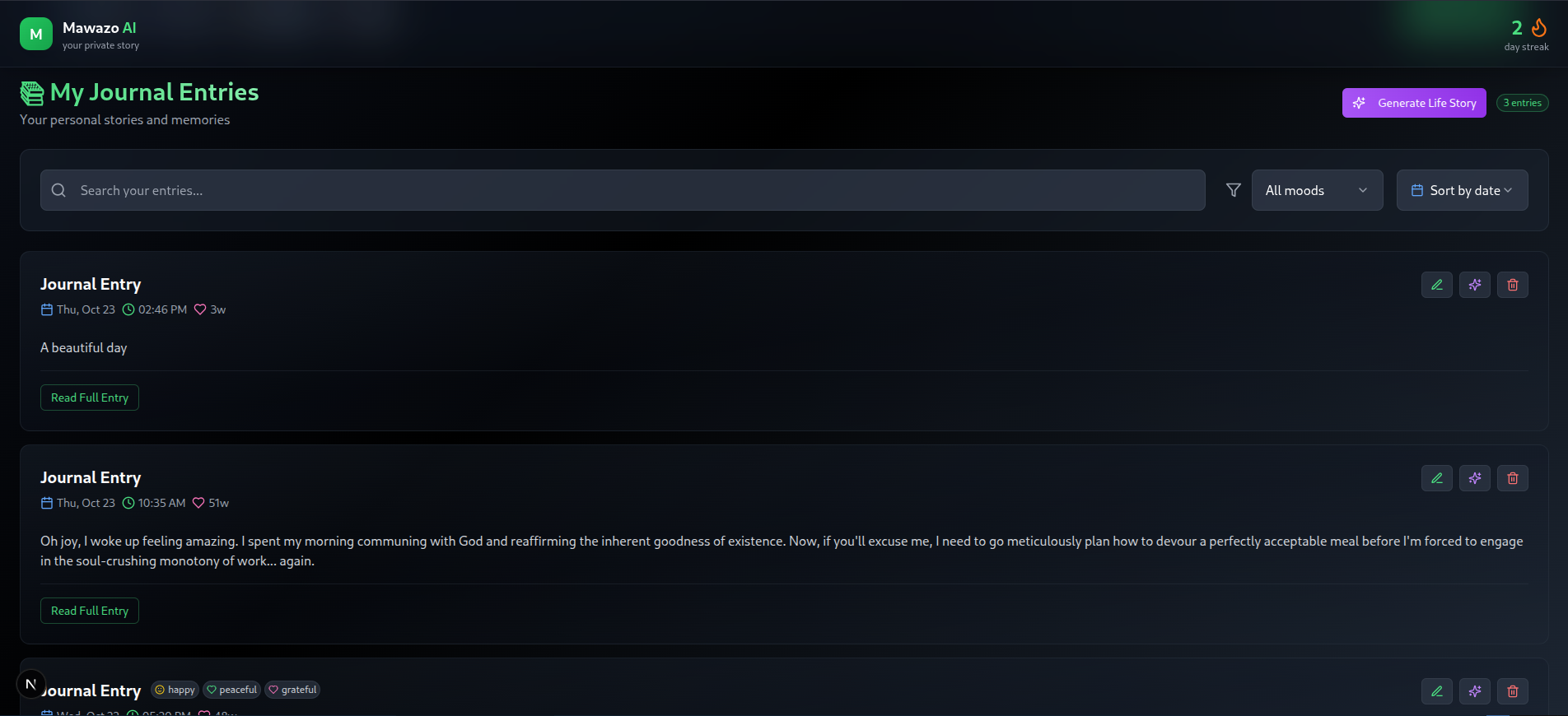
Journal Entries
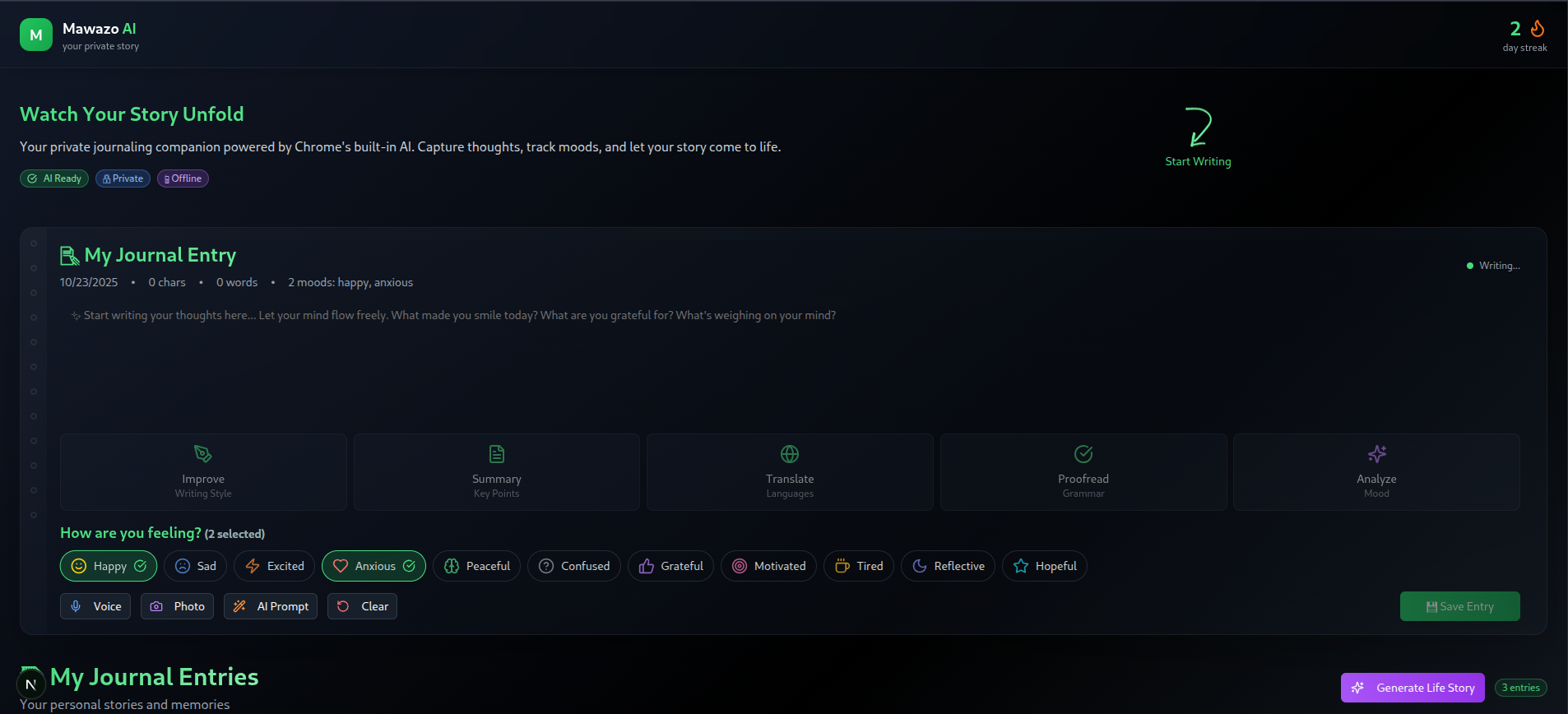

Mawazo AI: The Private Story of Your Mind
What Inspired Me
The inspiration for Mawazo AI came from a simple yet profound realization: our thoughts deserve better than to be lost in the digital void or harvested by corporate algorithms.
I was sitting in a coffee shop, watching people frantically type on their phones, when it hit me - we're all constantly thinking, feeling, and experiencing life, but we have no private, intelligent way to capture and understand our own mental journey. Traditional journaling apps are either too basic (just text boxes) or too invasive (sending your deepest thoughts to the cloud).
The name "Mawazo" comes from Swahili, meaning "thoughts" or "ideas" - because sometimes the most profound insights come from the most unexpected places. I wanted to build something that would be like having a witty, sarcastic writing coach who never judges you and never shares your secrets.
What I Learned
Building Mawazo AI was a crash course in client-side AI integration and privacy-first development. Here are the key lessons:
Chrome AI APIs: The Future is Local
- Gemini Nano running on-device is surprisingly powerful
- Local processing eliminates latency and privacy concerns
- Chrome's built-in AI is more capable than I initially thought
- Multimodal support (text, audio, images) works seamlessly
Privacy-First Architecture
- LocalStorage can handle complex data structures efficiently
- Base64 encoding for media files works well for small-scale storage
- No external APIs means no API keys, no rate limits, no data breaches
- Offline-first design creates a more reliable user experience
User Experience Design
- Notebook-style interface makes writing feel more natural
- Mood tracking with visual icons is more engaging than text
- Real-time feedback (word count, character count) keeps users engaged
- Mobile responsiveness is crucial for journaling apps
AI Prompt Engineering
- Context matters - the right prompt can transform basic text into engaging content
- Tone consistency - maintaining a witty, sarcastic voice across all AI features
- Error handling - graceful fallbacks when AI isn't available
- Output formatting - cleaning markdown and ensuring clean, readable text
How I Built It
Tech Stack Decisions
I chose Next.js 14 with TypeScript for the frontend because:
- App Router provides excellent performance and SEO
- TypeScript catches errors early and improves maintainability
- Tailwind CSS enables rapid, responsive UI development
- Framer Motion adds delightful animations without performance cost
Architecture Overview
┌─────────────────┐    ┌──────────────────┐    ┌─────────────────┐
│   User Input    │───▶│  Chrome AI APIs  │───▶│  Local Storage  │
│ (Text/Voice/Img)│    │  (Gemini Nano)   │    │  (Browser)      │
└─────────────────┘    └──────────────────┘    └─────────────────┘
Key Components
1. AI Integration Layer (src/lib/ai.ts)
- Unified interface for all Chrome AI APIs
- Error handling with graceful fallbacks
- Content processing with markdown cleaning
- Availability detection for Chrome AI features
2. Journal Entry Interface (src/components/JournalEntry.tsx)
- Notebook-style design with paper texture and spiral binding
- Real-time writing with character and word count
- Mood selection with 11 emotional states and visual icons
- Media attachments for voice recordings and photos
- AI tools for enhancement, summarization, translation, and proofreading
3. Entry Management (src/components/JournalEntries.tsx)
- Search and filtering by mood and date
- Edit and delete functionality with inline editing
- Life story generation from all entries
- Export capabilities for summaries and stories
4. Storage System (src/lib/storage.ts)
- LocalStorage wrapper with error handling
- Data serialization for complex objects
- Streak calculation for user motivation
- Entry management with CRUD operations
Development Process
Phase 1: Foundation (Week 1)
- Set up Next.js project with TypeScript
- Implement basic journaling interface
- Add Chrome AI API integration
- Create local storage system
Phase 2: Core Features (Week 2)
- Implement mood tracking system
- Add voice recording and photo upload
- Create AI enhancement features
- Build entry management interface
Phase 3: Polish & Optimization (Week 3)
- Add mobile responsiveness
- Implement advanced AI features (translation, proofreading)
- Create life story generation
- Add export and download functionality
Phase 4: Testing & Deployment (Week 4)
- Test on multiple devices and browsers
- Optimize performance and fix bugs
- Deploy to Vercel
- Create documentation and demo materials
Challenges I Faced
1. Chrome AI API Availability
Challenge: Chrome AI APIs are still experimental and not available on all devices.
Solution:
- Implemented comprehensive availability detection
- Created graceful fallbacks when AI isn't available
- Added user-friendly error messages and setup instructions
- Built a diagnostic component to help users enable Chrome AI
2. AI Output Consistency
Challenge: Getting consistent, high-quality output from AI prompts was difficult.
Solution:
- Iteratively refined prompts through extensive testing
- Created specific system prompts for each AI feature
- Implemented output cleaning and formatting
- Added validation and error handling for AI responses
3. Mobile Responsiveness
Challenge: The notebook-style interface was complex to make responsive.
Solution:
- Used Tailwind CSS responsive utilities extensively
- Implemented flexible grid layouts for mood selection
- Added proper text wrapping and overflow handling
- Tested on multiple device sizes and orientations
4. Local Storage Limitations
Challenge: Browser storage has size limits, especially for media files.
Solution:
- Implemented efficient Base64 encoding for media
- Added file size validation and compression
- Created cleanup mechanisms for old entries
- Provided clear feedback about storage usage
5. Performance Optimization
Challenge: AI processing and large text areas could cause performance issues.
Solution:
- Implemented debounced input handling
- Added loading states and progress indicators
- Optimized re-renders with React best practices
- Used efficient data structures and algorithms
Technical Highlights
Privacy-First Design
- Zero external API calls - everything processes locally
- No data transmission - user data never leaves their device
- LocalStorage encryption - media files stored securely
- Offline capability - works without internet connection
AI Integration Excellence
- Multiple Chrome AI APIs - Prompt, Summarizer, Writer, Rewriter, Proofreader, Translator
- Multimodal support - text, audio, and image processing
- Context-aware prompts - AI understands journaling context
- Consistent tone - witty, sarcastic voice across all features
User Experience Innovation
- Notebook metaphor - familiar, comfortable interface
- Mood visualization - 11 emotional states with icons and colors
- Real-time feedback - instant word count and character tracking
- Streak gamification - fire icon that burns with consistency
What's Next
Immediate Improvements
- Chrome Extension version for easier access
- Advanced analytics for mood patterns and insights
- Export options for PDF and other formats
- Collaborative features for shared journaling
Long-term Vision
- Mobile app using Capacitor or similar
- Advanced AI models as Chrome AI evolves
- Backup & sync with encrypted cloud storage (optional)
- Integration with other productivity tools
Impact & Reflection
Building Mawazo AI taught me that privacy and intelligence don't have to be mutually exclusive. By leveraging Chrome's built-in AI capabilities, I created a tool that's both powerful and private - something that's increasingly rare in today's data-hungry world.
The project demonstrates that client-side AI is not just possible, but preferable for many use cases. Users get the benefits of AI assistance without sacrificing their privacy or depending on external services.
Most importantly, Mawazo AI proves that technology can be both functional and delightful. The witty, sarcastic AI responses, the beautiful notebook interface, and the satisfying streak tracking all work together to make journaling something users actually want to do.
Final Thoughts
Mawazo AI represents more than just a journaling app - it's a statement about the future of AI. A future where intelligence serves users, not corporations. Where privacy is the default, not an afterthought. Where technology enhances human creativity rather than replacing it.
In a world where our thoughts are constantly being harvested, analyzed, and monetized, Mawazo AI offers something radical: a place where your thoughts can be themselves - messy, honest, and occasionally hilarious.
Built with ❤️ for the Chrome Built-in AI Challenge 2025
Start your story at https://mawazo-ai.vercel.app/
Built With
- framer-motion
- lucide-react
- nextjs
- tailwindcss
- typescript


Log in or sign up for Devpost to join the conversation.