-
-
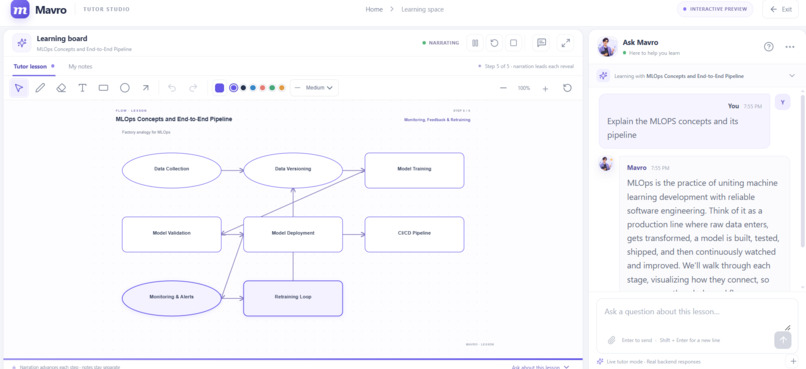
Demo 1 Image
-
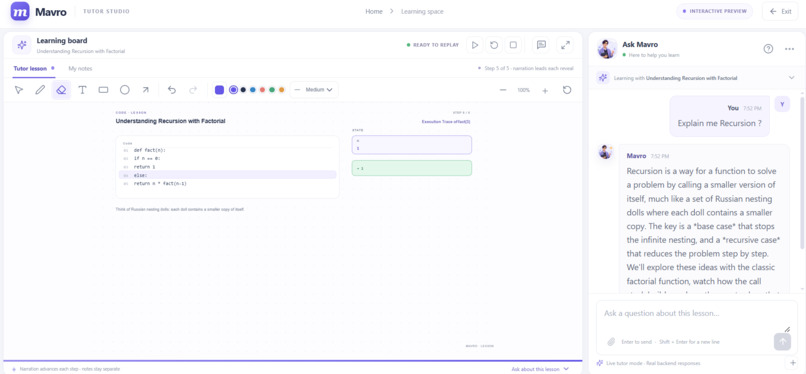
Demo 2 Image
-
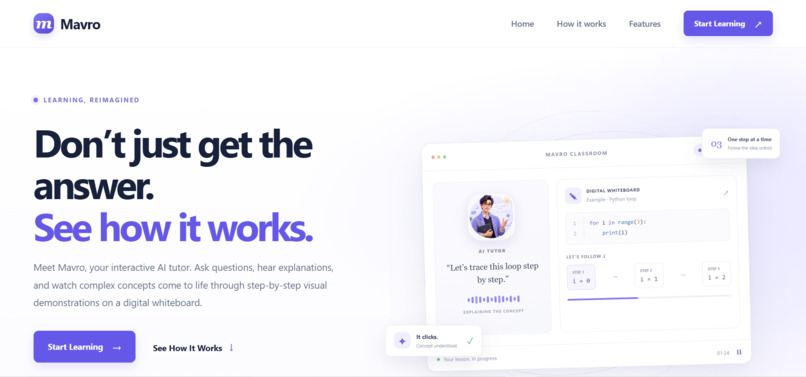
Landing Page
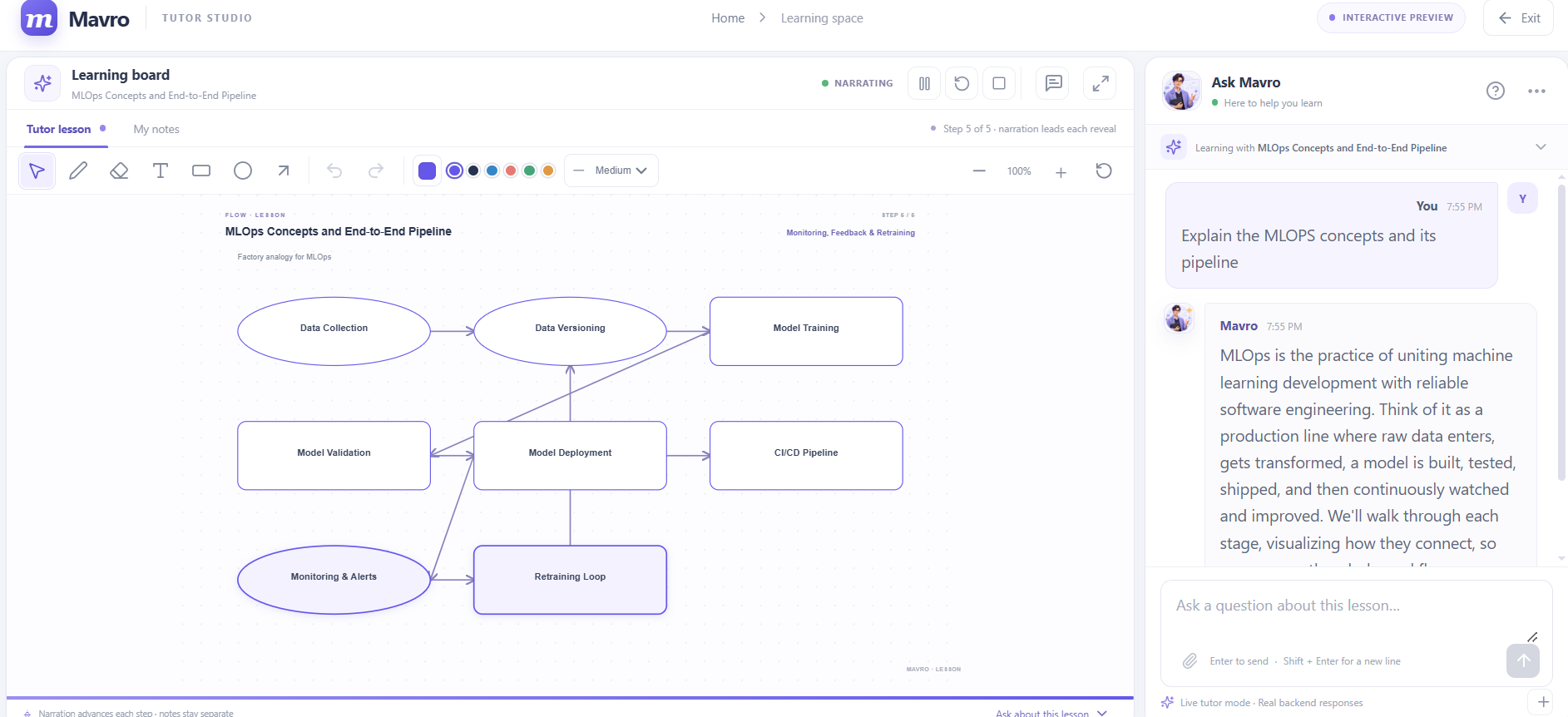
Project Story
About the Project
Inspiration
I have always felt that one of the biggest problems with learning is that getting an answer does not necessarily mean understanding it.
Today, AI tools can answer almost any question, generate code, and solve mathematical problems in seconds. But sometimes, students are still left wondering: Why does this work? How did we get this answer? What actually happens behind the scenes?
I wanted to build something that goes beyond simply giving answers. I wanted to create a learning experience where students can ask questions naturally, see concepts being explained visually, and understand the reasoning step by step.
That is how Mavro was born.
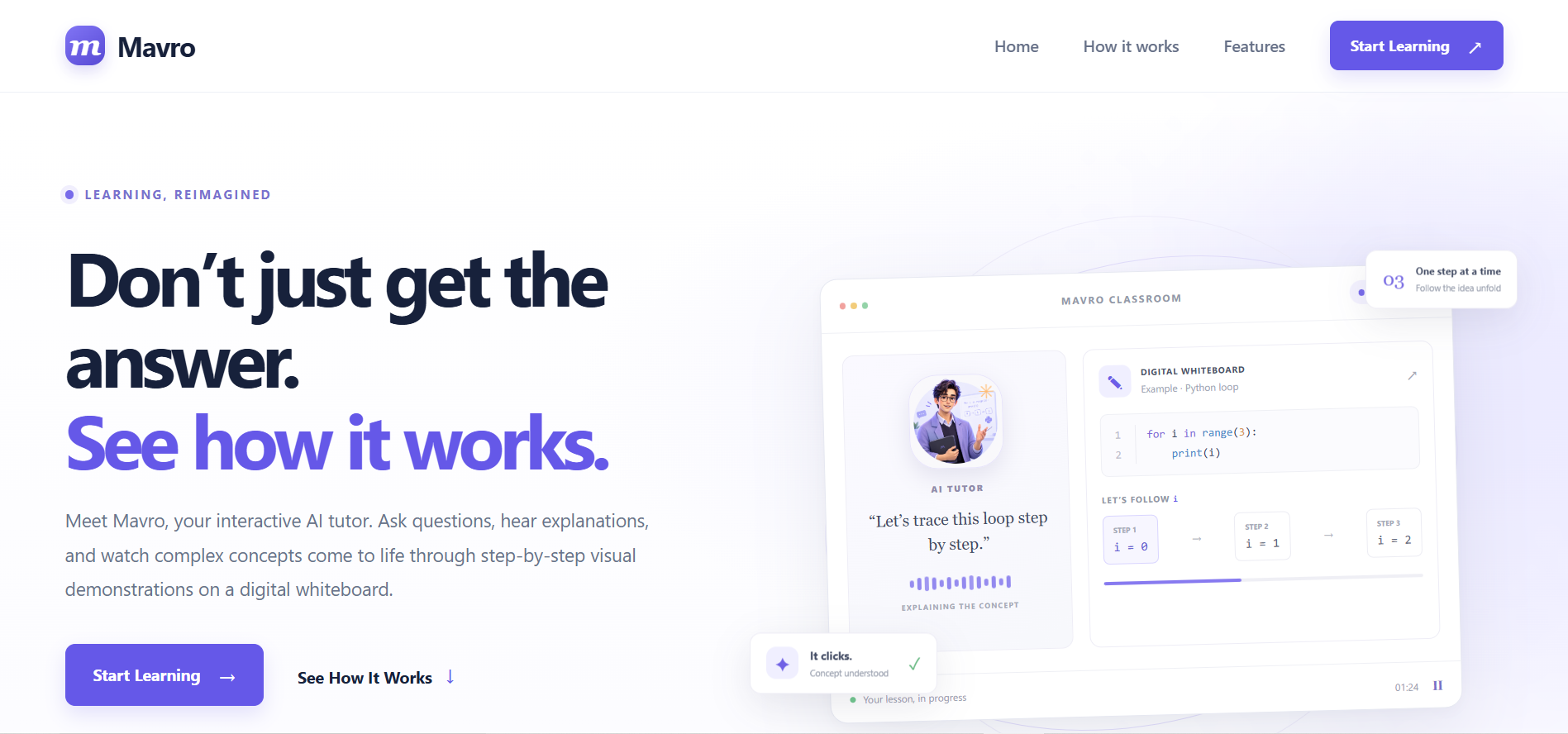
Mavro is an interactive AI tutor built around one simple idea: students should not just read an explanation; they should be able to see it, question it, and understand it.
What it does
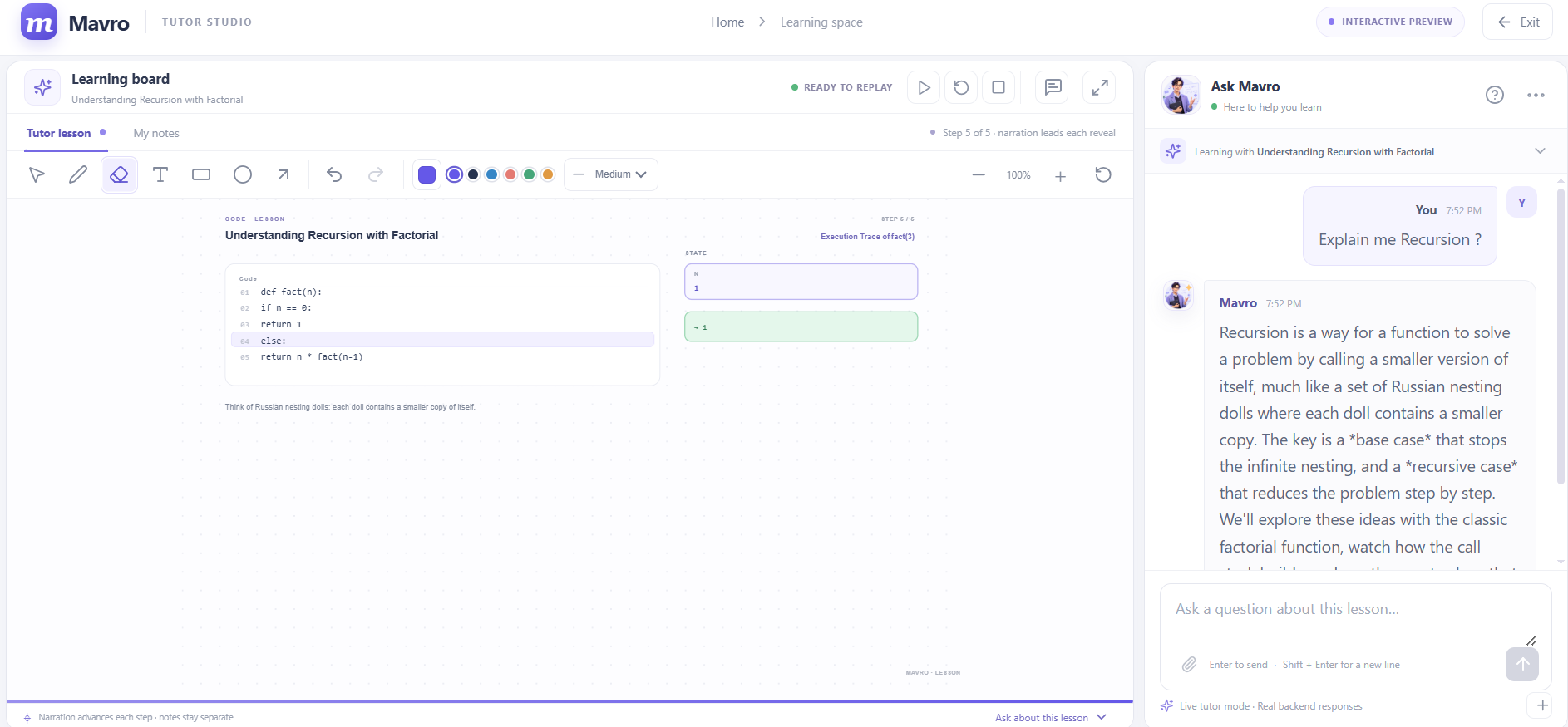
Mavro turns learning into an interactive experience by combining AI-powered explanations with voice interaction, a tutor avatar, and a dynamic digital whiteboard.
Students can ask questions and receive explanations while watching the relevant concepts appear visually on the whiteboard. Instead of presenting everything at once, Mavro breaks complex topics into manageable steps.
For coding questions, the goal is to help students understand the logic behind the code, follow its execution, and see how variables and outputs change. For mathematics, Mavro can break a problem into smaller steps, explain the reasoning behind calculations, and use visual representations where appropriate.
One of the most important features is follow-up interaction. Students can interrupt the explanation, ask why something happened, or request clarification. Mavro uses the context of the ongoing conversation to respond to the follow-up and update the relevant part of the explanation instead of treating every question as an entirely new lesson.
The goal is simple: See the idea. Understand the why.
How I built it
I built Mavro by combining a modern frontend with a Python backend and an existing large language model.
The frontend uses React and TypeScript to create the learning interface, including the chat panel, tutor avatar, voice controls, and interactive whiteboard. The backend uses FastAPI to handle requests and communicate with the language model through Groq.
One of the most important architectural decisions was to make the AI return structured output instead of plain text alone.
Rather than asking the model to generate an explanation that the frontend has to interpret, I designed a structured response containing the teaching steps and whiteboard actions. Using Pydantic, I defined and validated the expected response structure. The frontend can then use those actions to render text, code, highlights, diagrams, arrows, variable values, and output in a controlled way.
This separates the AI's job of deciding what to teach from the frontend's job of deciding how to display it.
I also implemented a lightweight conversation memory using a simple Python dictionary. It keeps relevant information from the current lesson, including conversation messages and a summary of the whiteboard, so the model can respond to follow-up questions with the necessary context.
For the prototype, I explored text-to-speech to make explanations more accessible and conversational. The overall architecture is designed to support a more synchronized experience between the tutor's explanation and the visual content.
Challenges I ran into
One of the biggest challenges was synchronizing the AI's explanations with the visualizations.
Generating a good explanation is one thing; turning that explanation into clear, correctly ordered visual steps is another. Whiteboard elements such as boxes, arrows, labels, code blocks, and other visual components need to appear in the right order and remain readable. If the layout is not handled carefully, elements can overlap, connections can become confusing, and the visualization can lose its educational value.
I approached this by separating the model's structured teaching instructions from the frontend rendering logic. Instead of relying entirely on free-form AI-generated content, the frontend receives defined actions that it can render in a predictable way. This makes the visualization easier to control and debug, although complex layouts still require careful handling.
Another major challenge was maintaining conversation context without building a complicated memory system.
When a student asks a follow-up such as "Why does the loop stop here?", the model needs to understand which loop, which previous explanation, and which part of the whiteboard the student is referring to. Sending only the latest question would lose important context, while relying on an unstructured conversation could make the model's responses inconsistent.
My solution was to use a simple Python dictionary to maintain the current lesson's conversation history and a summary of the whiteboard state. Relevant context can then be included in subsequent model requests. This lightweight approach helped me preserve continuity between questions without needing to introduce a database or a complex memory infrastructure for the initial version.
I also had to think carefully about how to make the model's responses predictable enough for the frontend to use. Structured output and Pydantic validation helped define the expected format and made it easier to handle teaching instructions programmatically.
These challenges taught me that building an AI tutor is not just about connecting an application to an LLM. The real work lies in making the model's output useful, consistent, understandable, and synchronized with the learning experience.
Accomplishments that I am proud of
What I am most proud of is turning the idea of an interactive AI tutor into a working application rather than stopping at a chatbot or a static prototype.
Some of the accomplishments I am especially proud of are:
- Building a complete learning interface with a chat panel, tutor avatar, and digital whiteboard.
- Connecting the frontend to a Python backend and an LLM API.
- Designing structured AI responses that can be translated into visual teaching actions.
- Implementing lightweight conversation memory so follow-up questions can retain lesson context.
- Creating a foundation for step-by-step explanations rather than displaying only a final answer.
- Bringing voice interaction and visual learning together in one experience.
Most importantly, this project helped me explore how different parts of an AI application must work together. The language model, backend, frontend, memory, and visualization system all need to cooperate to make learning feel natural.
What I learned
The biggest lesson I learned is that using an LLM is easy compared with building a reliable experience around it.
A model can generate a detailed explanation, but that does not automatically make the explanation easy to understand or suitable for a frontend to render. Structured output showed me how to turn an LLM's response into data that an application can actually use. By defining a schema and validating the response, I could make the connection between AI reasoning and visual rendering more predictable.
I also learned how useful a simple dictionary can be for lightweight conversational memory. A database is not always necessary when building an initial prototype. By maintaining the conversation history and a compact summary of the current lesson and whiteboard, I could provide relevant context for follow-up questions with a relatively simple design.
Another important lesson was that visualization is not just a design feature; it is part of the teaching process. A diagram must be correct, readable, and connected to the explanation. Otherwise, it can confuse the student instead of helping them learn.
Building Mavro also taught me to think about an AI application as a complete system: how information flows from the user to the model, how the response is validated, how the interface renders it, and how the next question uses the previous context.
These are lessons I will carry into my future AI and machine learning projects.
What's next for Mavro?
Mavro is an initial step toward a more complete personalized learning platform, and there is still a lot I want to build.
My next goal is to introduce a database so students can save lessons, revisit previous explanations, and continue learning across sessions instead of losing their progress when the current session ends.
I also want to improve the synchronization between voice narration and whiteboard animations so that visual elements appear at the exact moment they are discussed. The visualization system will continue to evolve, with better automatic layouts, more interactive diagrams, clearer mathematical representations, and more detailed code execution traces.
Other planned improvements include:
- Persistent learning history: Save lessons and allow students to resume where they left off.
- Stronger personalization: Adapt explanations to a student's learning level and previous difficulties.
- Better visual teaching: Add richer mathematical graphs, coding traces, flowcharts, and interactive examples.
- Improved voice interaction: Make conversations more natural and allow students to interrupt and clarify explanations smoothly.
- Progress tracking: Help students identify which concepts they understand and which need more practice.
- Broader subject support: Expand the teaching experience to more topics and types of problems.
My long-term vision is to make Mavro an AI tutor that does more than answer questions. I want it to help students build real understanding, one question and one visual explanation at a time.

Log in or sign up for Devpost to join the conversation.