MathPilot: A Course-Aware AI Teaching Assistant for College Mathematics
Inspiration
AI can solve almost any math problem. But can it teach a student how to solve that problem independently?
As a college mathematics instructor and tutor, I see two recurring challenges. Students need individual guidance when they get stuck, while instructors spend enormous amounts of time answering similar homework questions.
General-purpose AI tools can produce solutions quickly, but getting an answer is not the same as understanding the mathematics behind it.
We created MathPilot with a different goal: build an AI teaching assistant that supports instructors, understands the structure of a mathematics course, and guides students toward understanding rather than simply giving them answers.
What It Does
MathPilot brings instructor tools and student learning support together in one platform.
For instructors:
- Select a mathematics course and topic.
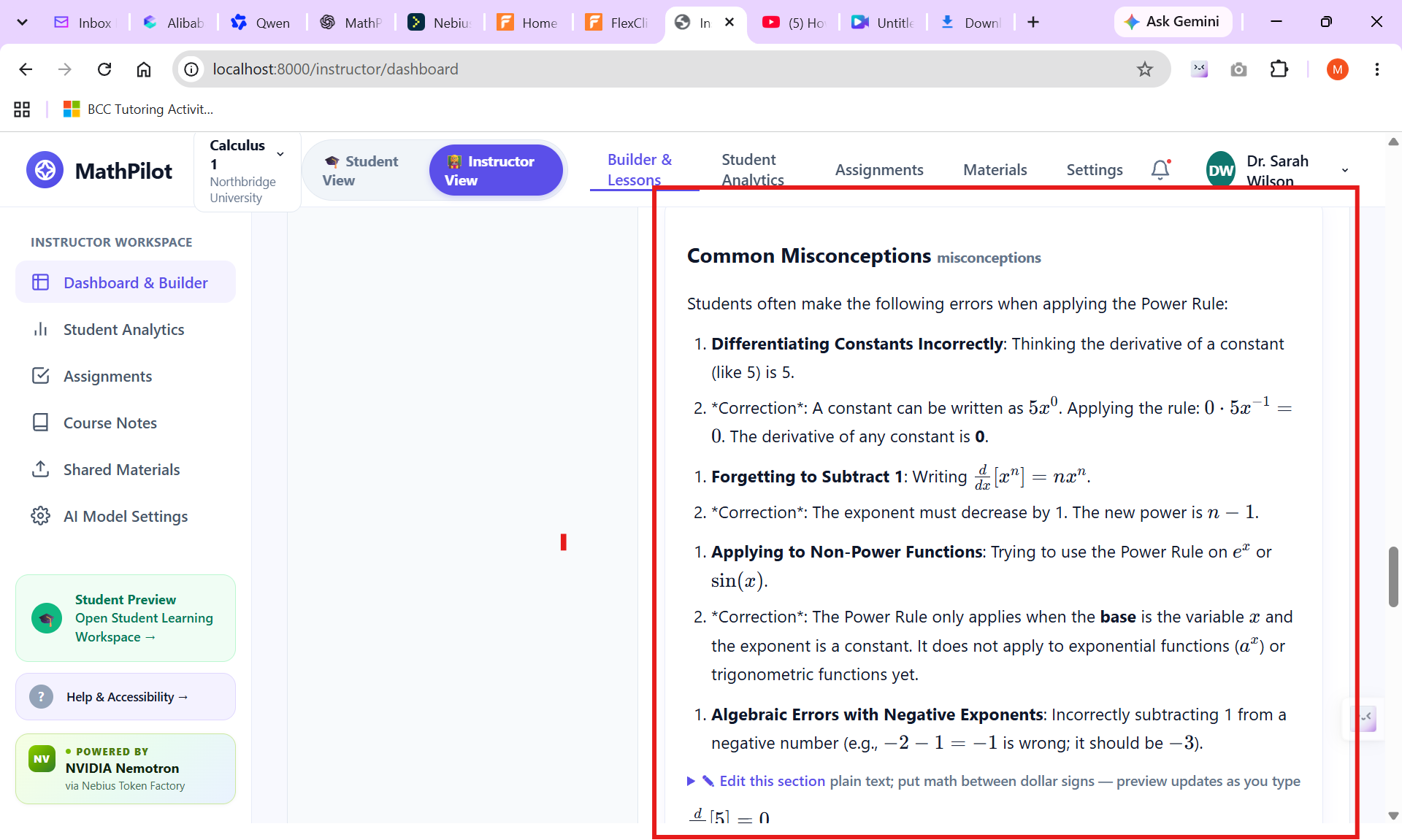
- Generate course-aligned lessons and assignments.
- Review and edit generated materials before publishing.
- Save drafts and organize instructional content.
- Make learning materials available to students.
For students:
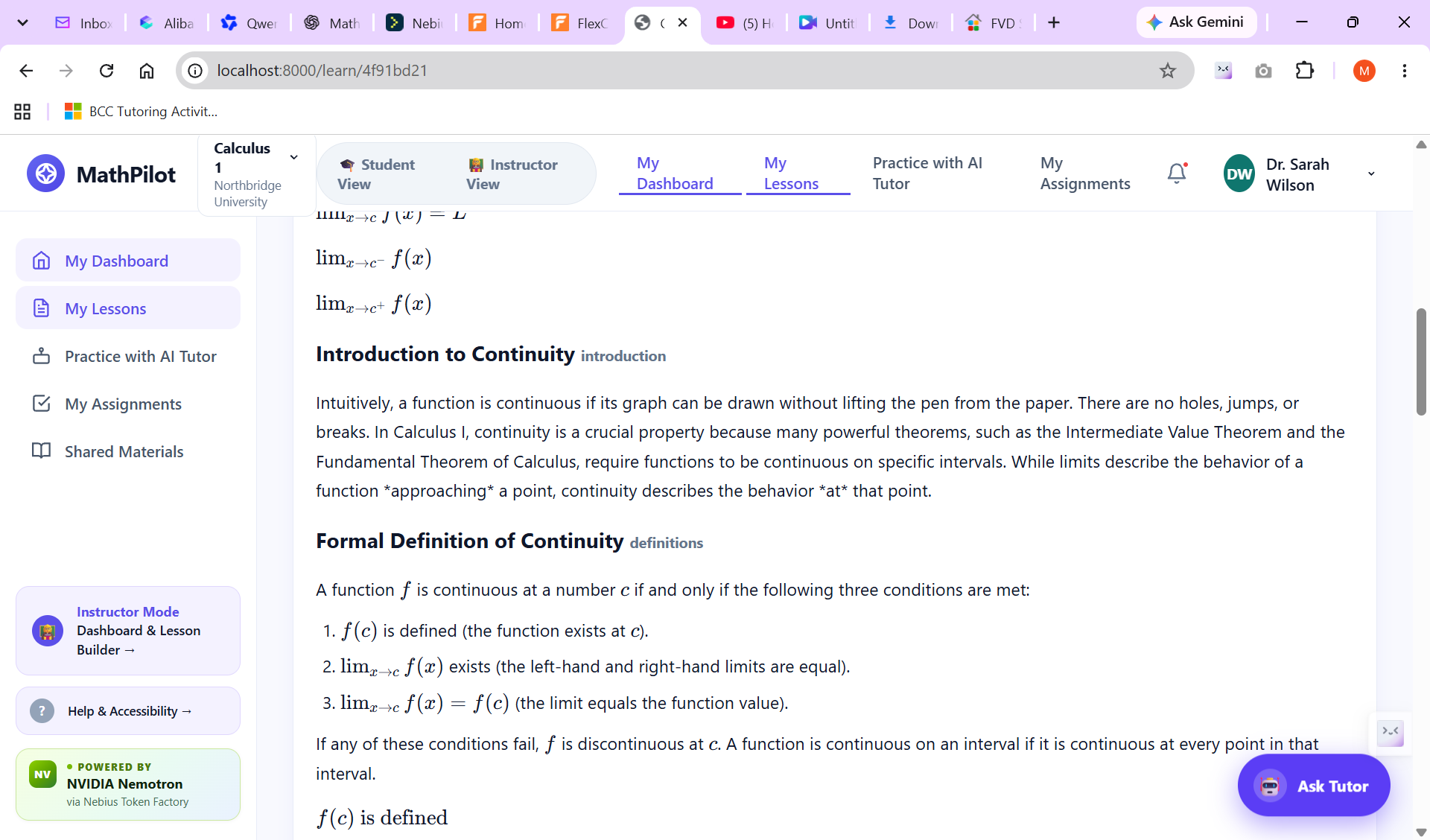
- Access instructor-provided lessons and assignments.
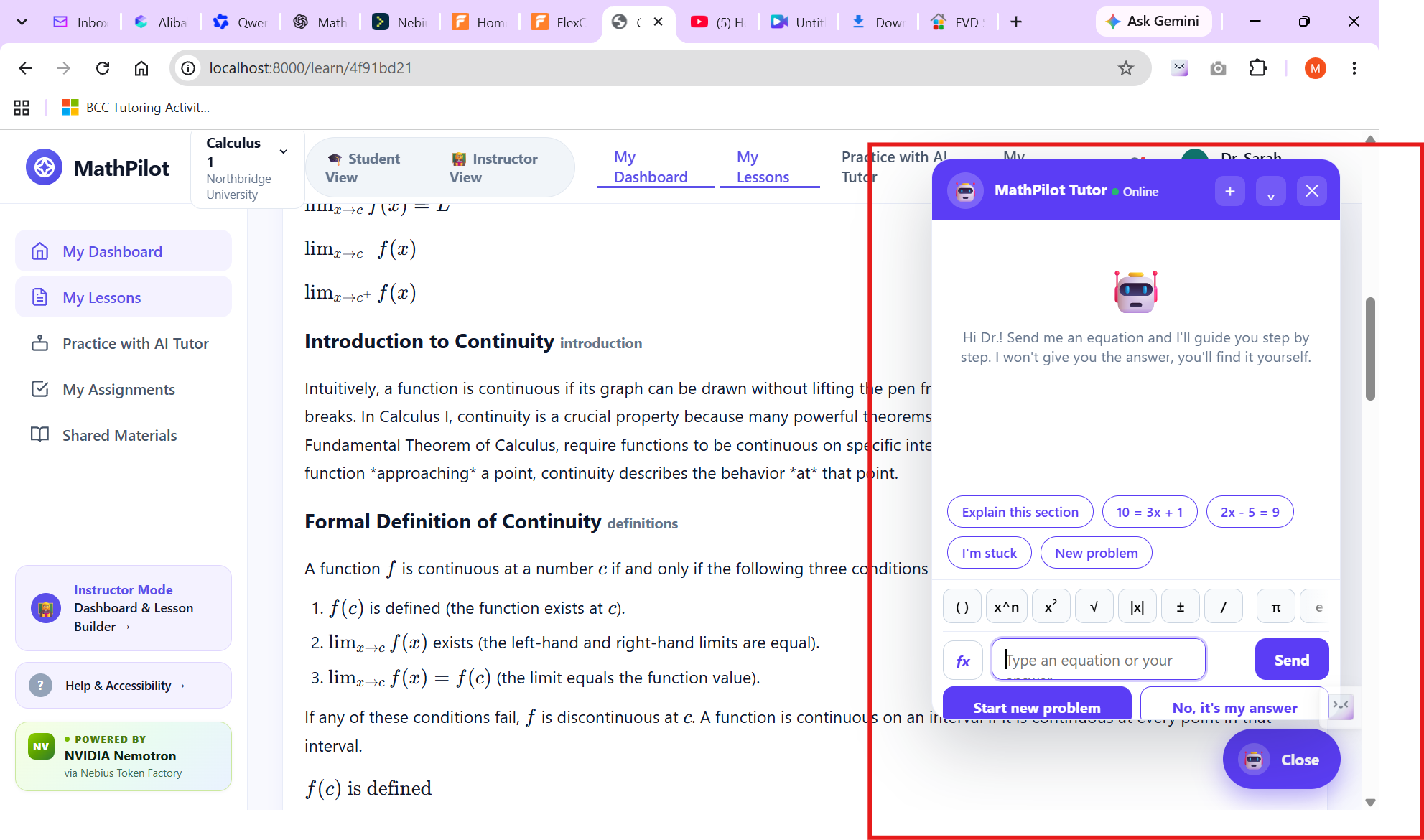
- Practice mathematics with an AI tutor.
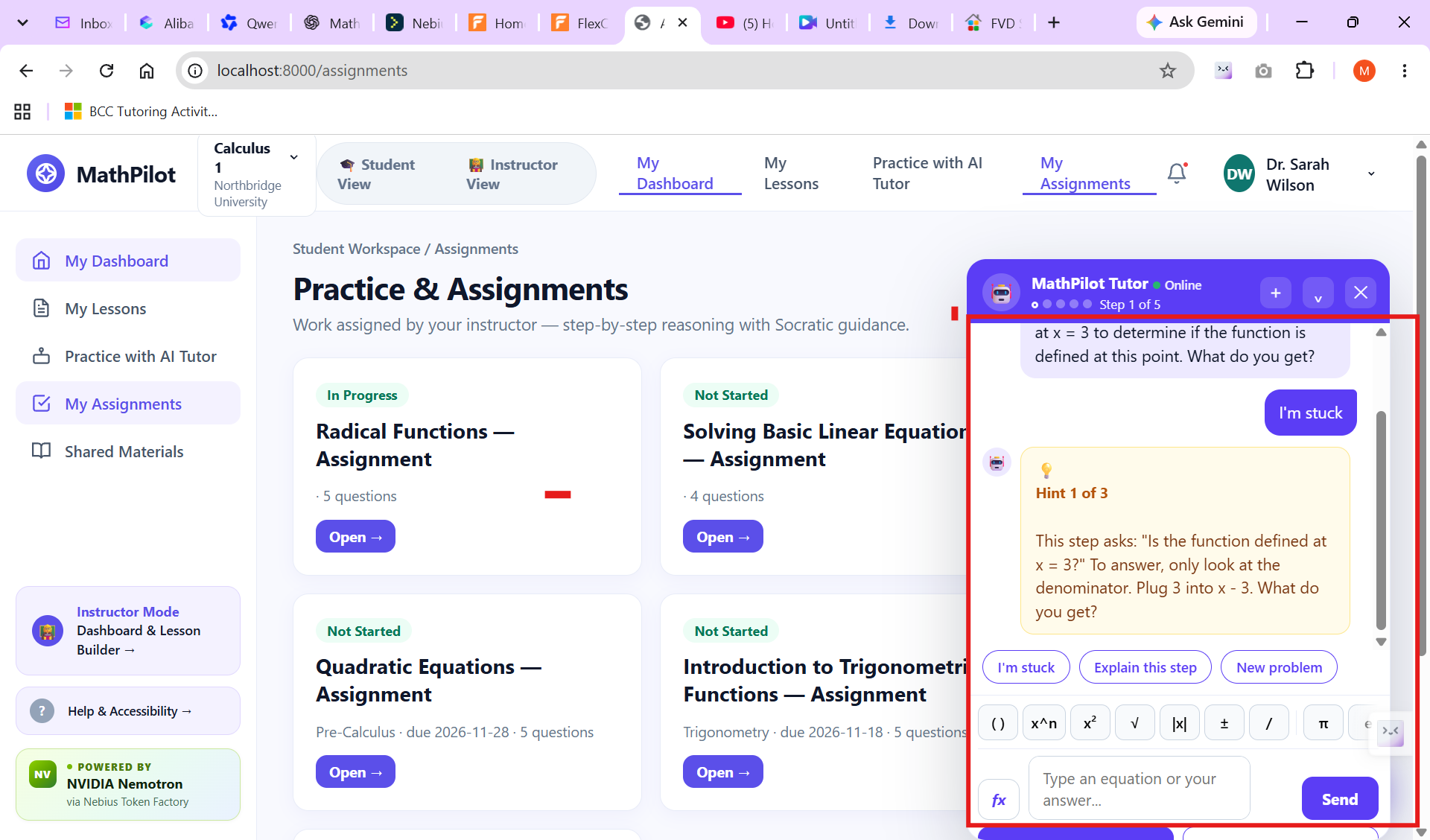
- Receive guided questions, explanations, and hints rather than immediately receiving complete solutions.
- Work through mathematical problems step by step.
The central idea is to connect AI tutoring to the actual course experience instead of treating every student question as an isolated conversation.
How We Built It
MathPilot is a web application that combines agentic AI, open-source language models, and mathematical computation.
For the hackathon, we integrated NVIDIA Nemotron through Nebius Token Factory to power the AI tutoring experience. Nemotron helps generate instructional explanations, guide students through mathematical problems, and support the tutoring workflow.
However, we don't rely on the language model alone for mathematical correctness.
We integrated SymPy, a symbolic mathematics library, as an independent mathematical computation and verification layer. This allows MathPilot to check supported mathematical operations and results separately from the AI-generated explanations.
The application combines these technologies with:
- A course-aware instructor workflow for generating and publishing lessons and assignments.
- A student workspace for accessing course materials and practicing mathematics.
- Guided AI tutoring designed to encourage step-by-step reasoning.
- Mathematical notation and symbolic computation capabilities.
Our core architectural principle is:
Let AI guide the student. Let mathematical tools verify the mathematics. Let instructors remain in control of learning.
By combining Nebius infrastructure, NVIDIA open models, and deterministic mathematical computation, MathPilot demonstrates a practical approach to building more reliable AI-powered educational software.
Challenges We Ran Into
One of our biggest challenges was designing an AI tutor that behaves like a tutor rather than an answer generator.
Students need guidance when they make mistakes, but revealing the complete solution too early can undermine the learning process.
We also faced the challenge of handling mathematical notation and correctness. Unlike ordinary text applications, mathematics requires careful treatment of expressions, equations, equivalent answers, and multi-step reasoning.
Finally, bringing instructor content creation, student learning, and AI tutoring into one coherent application required careful attention to the different needs of teachers and students.
Accomplishments That We're Proud Of
We built a working MathPilot application that brings together:
- An instructor dashboard and content-building workflow.
- AI-assisted lesson and assignment generation.
- Draft saving, review, and publishing workflows.
- A student learning workspace.
- An AI math tutoring experience designed around guided learning.
- Integration of open AI models through Nebius infrastructure and specialized mathematical tools.
We are especially proud of the direction behind MathPilot: using AI to extend the support instructors can provide without replacing the instructor's role.
What We Learned
Building MathPilot reinforced an important lesson: educational AI requires more than a powerful language model.
A good tutoring response is not always a long explanation or a complete solution. Sometimes the most useful response is one carefully chosen question that helps a student recognize the next step.
We also learned the importance of combining AI with specialized tools, particularly when mathematical accuracy matters.
Most importantly, we learned to design around the learning process—not simply the speed of generating answers.
What's Next for MathPilot
MathPilot is an evolving project, and our longer-term goal is to make it useful at the department level.
Our next priorities include:
- Deeper integration with learning management systems such as Canvas through LTI 1.3.
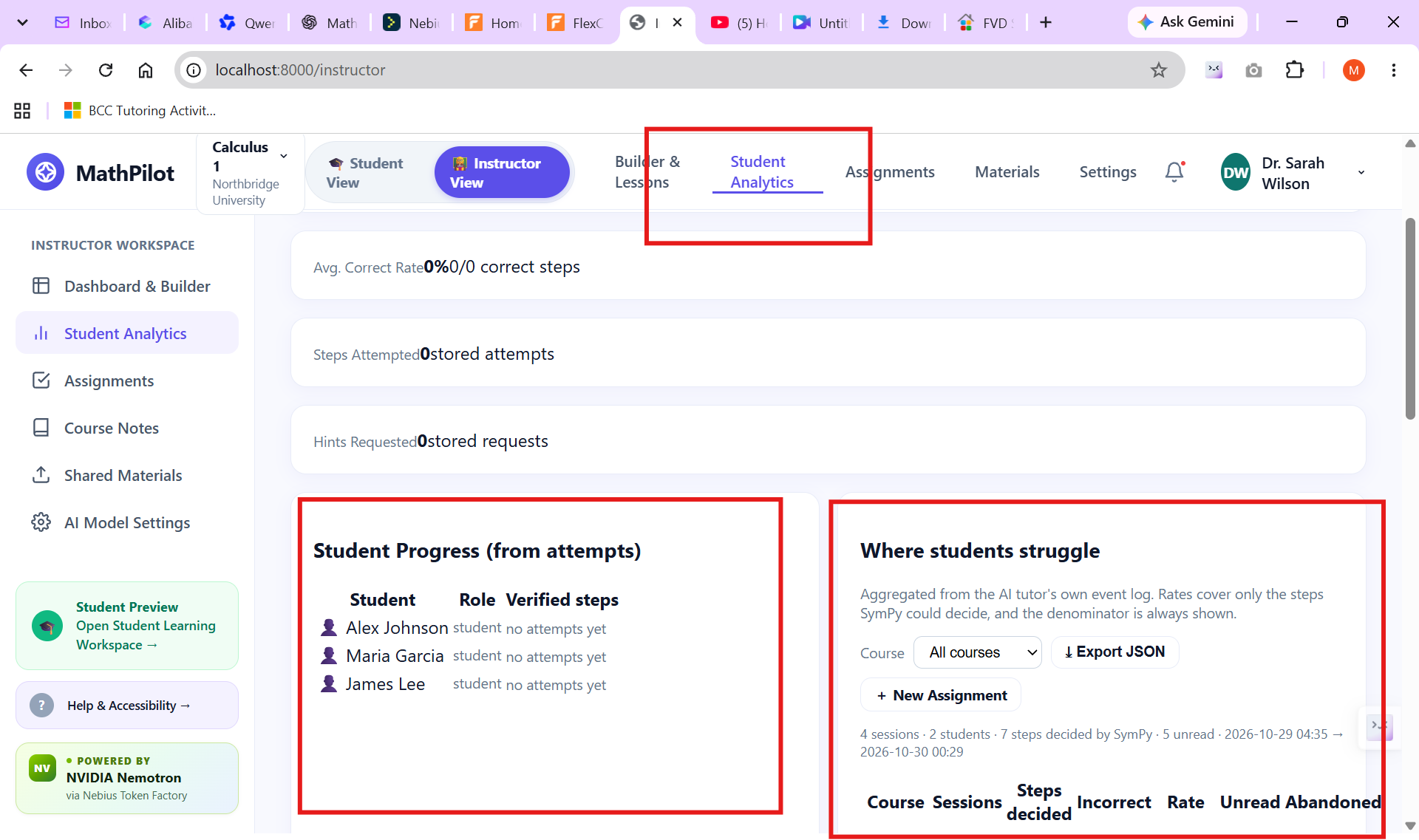
- More advanced instructor analytics and student progress tracking.
- Expanded course-material integration.
- More robust mathematical verification.
- More personalized tutoring based on student performance.
- Support for additional college mathematics courses.
We envision MathPilot becoming an AI teaching assistant that mathematics departments can use to support instructors and help students build lasting mathematical understanding.
MathPilot — Less Answer-Giving. More Understanding.
Additional Demo Video
A YouTube version of our project demonstration is provided above as required by the hackathon submission guidelines.
For viewers who would like to see the demonstration in its original, higher-quality resolution, an additional version is available here:
🚀 Quick Start — Explore MathPilot in 3 Minutes
Welcome to MathPilot! Follow these steps to experience the complete instructor and student workflow.
👨🏫 Part 1 — Explore the Instructor Experience
- The application would open the Instructor Dashboard: Explore the tools available to manage mathematics courses and learning materials
- **Head to 'Instructor View" from the top tab.
- Create a Lesson: Navigate to Lesson Builder, select a course and topic, and generate an AI-powered lesson.
- Upload Learning Materials: Instructors can upload their own source materials, lecture notes, or supplementary resources for students to study. They can also provide additional assignment materials he can upload and share .
- Save Your Lesson: Save the generated lesson as a draft.
- Review & Publish: Review the lesson, approve it, and publish it through the Lesson Builder workflow.
- Assign to Students: Navigate to the Saved Drafts tab, locate your published lesson, and use the assignment workflow to make it available to students.
You can follow a similar workflow to create, save, review, and publish mathematical assignments.
🎓 Part 2 — Explore the Student Experience
- Open the Student Dashboard.
- Explore the available lessons, assignments, and instructor-provided learning materials.
- Select a mathematical topic and start practicing.
- Open the AI Math Tutor and work through a problem step by step.
🤖 Part 3 — Experience the AI Tutor
Try solving a mathematical problem with MathPilot's AI Tutor. There are two tutors ; Practice wit AI Tutor "on the left bar , and the floating tutor on the bottom right. Unlike conventional AI chatbots that simply provide answers, MathPilot is designed to guide students through mathematical reasoning using hints, explanations, and step-by-step questions.
Our philosophy: Less Answer-Giving. More Understanding.
Enjoy exploring MathPilot!
Our core vision
MathPilot helps mathematics departments reduce instructors' repetitive workload while improving student learning.
Our central philosophy:
- Don't simply give students answers.
- Guide students through problems using Socratic questioning.
- Help students understand why mathematical steps work.
- Support instructors rather than replace them.
- Make course content, lessons, assignments, and tutoring work together.
- Main application components Component Purpose Instructor Dashboard Manage courses, sections, and teaching materials Lesson Builder Generate structured lessons based on course topics Assignment Builder Create mathematical assignments and questions Saved Drafts Save and manage generated lessons and assignments Student Dashboard Access lessons, assignments, and learning resources AI Math Tutor Provide step-by-step Socratic tutoring
- Technology and development Our development approach has centered on:
- Codex / Claude Code + GitHub — development workflow.
- Vercel — deployment.
- Nebius AI / Nemotron — AI infrastructure and model integration.
- LaTeX / KaTeX — mathematical notation.
- MathLive — mathematical input experience we discussed integrating.
Built With
- fastapi
- katex
- latex
- nebius-token-factory
- next.js
- nvidia-nemotron
- python
- react
- sympy
- tailwind-css
- typescript
- vercel
