-
-
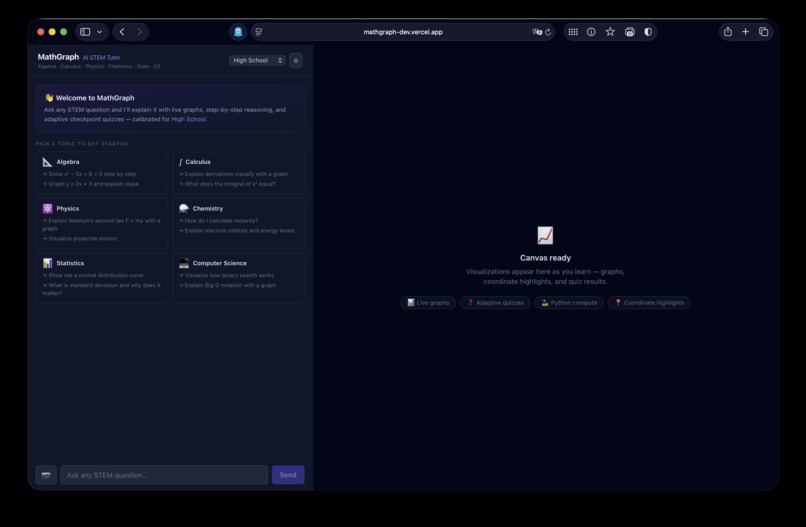
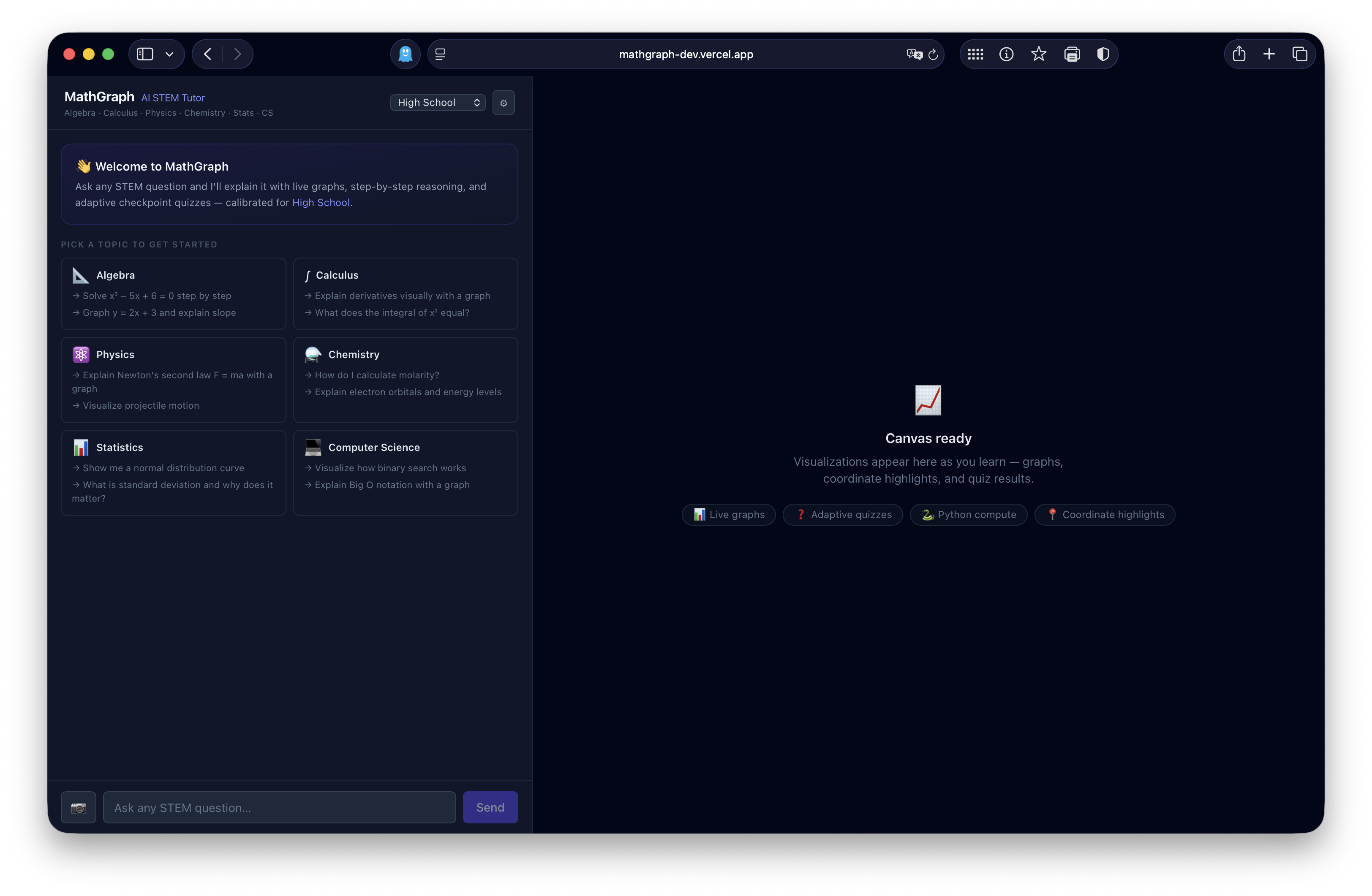
Main page
-
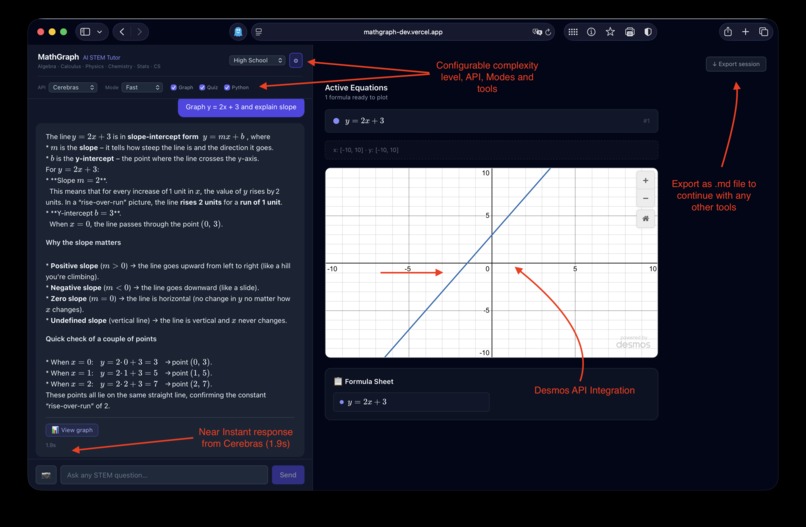
Feature Breakdown
Inspiration
We wanted to build an AI tutor that doesn't just explain math like every other boring chatbot, it shows you. Static equations on a screen only get you so far. When you're trying to understand derivatives or how sine behaves, a live graph speaks louder than words.
What it does
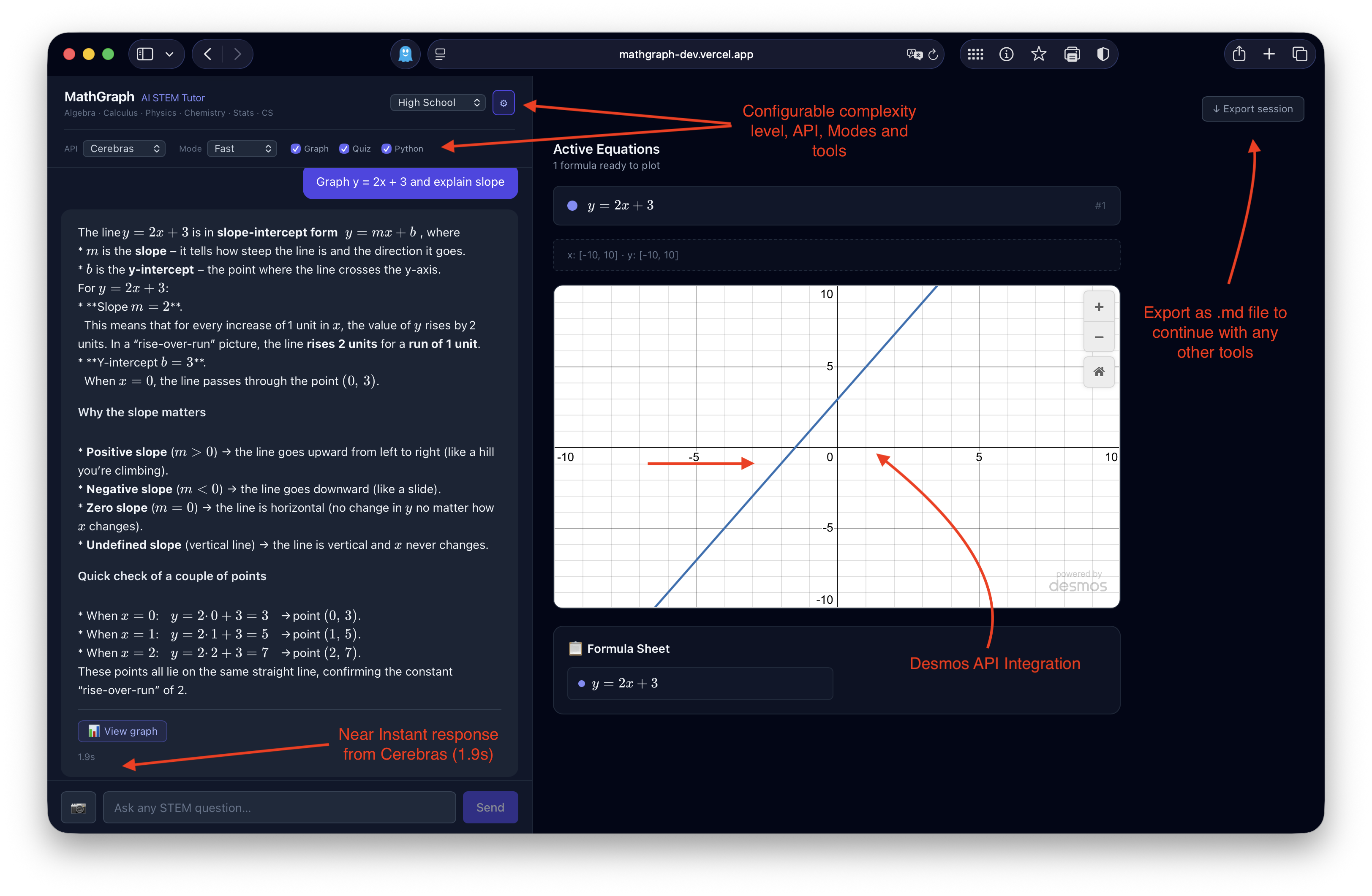
MathGraph is an AI-powered STEM tutor that combines conversational AI with interactive graphing. Ask a question like "Explain derivatives visually" and you get a step-by-step explanation paired with a live Desmos graph and the ability to run physics simulations.
Features include multi-step reasoning, interactive graphs via Desmos, physics simulations (projectile motion, pendulum, harmonic motion), checkpoint quizzes with AI-generated practice problems, multiple AI provider support (Featherless and Cerebras), and difficulty levels from middle school through college.
How we built it
The project is built on Next.js 15 with an App Router. The /api/chat endpoint handles streaming AI completions with tool-calling, while /api/debug-log provides request/response logging. Authentication is handled via /api/auth/* with cookie-based sessions, and middleware.ts protects API routes.
For AI, we use Featherless (Qwen 3.6 27B) with native OpenAI tool-calling using the provided free link, but also Cerebras (gpt-oss-120b), since featherless tends to yeild slow responses. both work with text-parsed tool calls via RENDER_GRAPH() format. The canvas uses the Desmos API for graphing calculator integration.
Challenges we ran into
AI-generated UI components always had slightly off margins and spacing that required manual CSS tuning. We also attempted to build a custom graphing calculator from scratch but realized the Desmos API was better and switched mid-prototype.
Deploying to Vercel for the first time took longer than expected since we had to figure out where environment variables live in the dashboard. Tool dispatch coordination also required several iterations of prompt engineering.
Accomplishments that we're proud of
We're proud that the entire toolchain is free. No paid services—everything from code editing to AI inference to hosting is free tier. We implemented streaming responses so users can see AI thinking in real-time. We built a clean abstraction layer that lets users seamlessly switch between two different AI backends. And we successfully deployed a complex full-stack app with auth, streaming, and external API integration.
What we learned
Browser auth is tricky because the WWW-Authenticate header triggers native browser dialogs that are hard to control—cookie-based auth is more user-friendly. AI-generated code needs manual refinement since Copilot and AI assistants are great for boilerplate but struggle with fine-tuning UI pixel-perfectly, which is why the codebase is approximately 80% AI, 20% Human (including prompts). We also learned that Desmos API integration via iframe is powerful but requires careful state management.
What's next for Mathgraph.dev
We want to improve the auth UX with maybe OAuth with GitHub or Google. There's more graph interaction to add like pan and zoom and point highlighting which is currently disabled. We're considering collaborative workspaces to share graph sessions with other students, mobile optimization for touch-specific interactions, additional physics simulations like harmonic motion and electric fields, better LaTeX rendering throughout the chat, and session persistence to save chat history across browser sessions. Additionally, we might consider adding better integration to other apps so that this can be used by teachers as well as students.
Built With
- cerebras
- featherless
- github
- minimax
- nextjs
- opencode
- tailwind
- typescript
- vercel


Log in or sign up for Devpost to join the conversation.