-
-
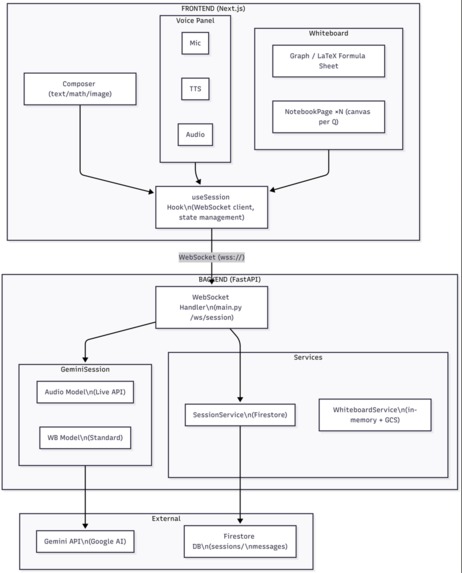
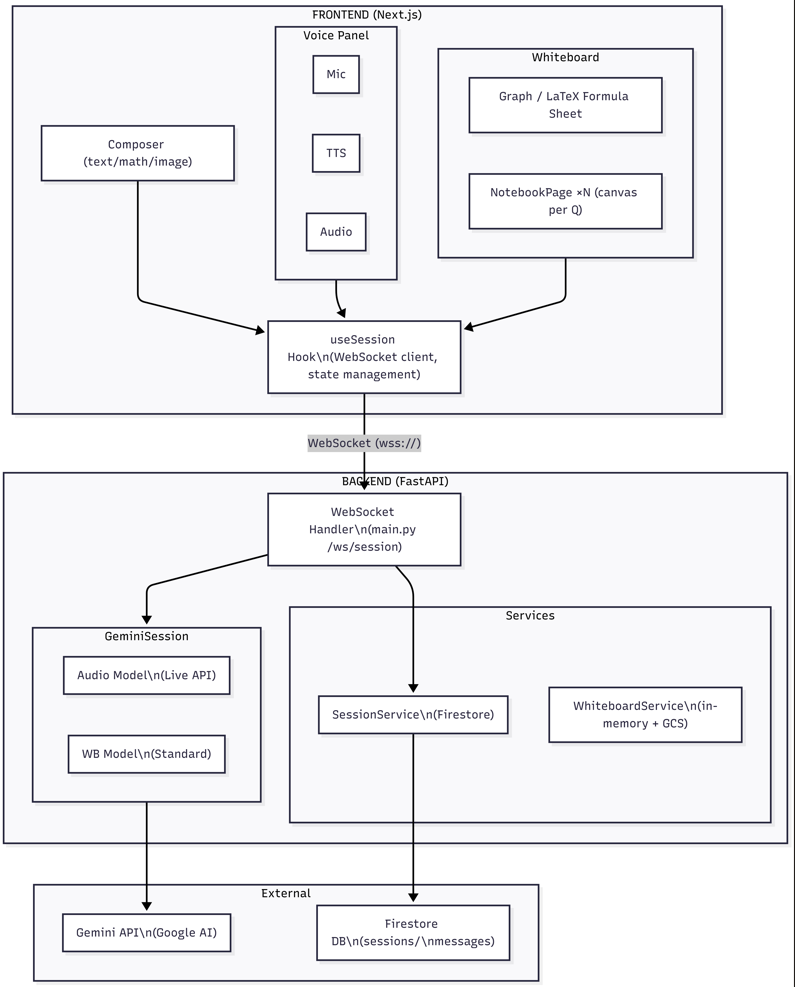
Architecture Diagram
-
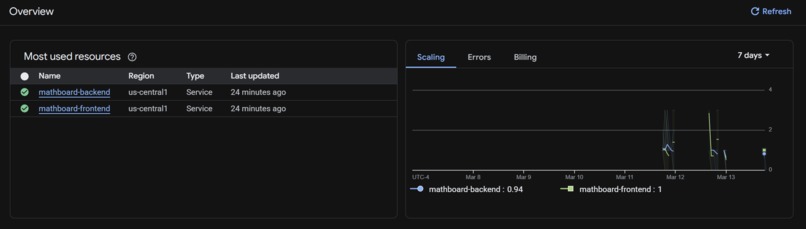
Deployment
-
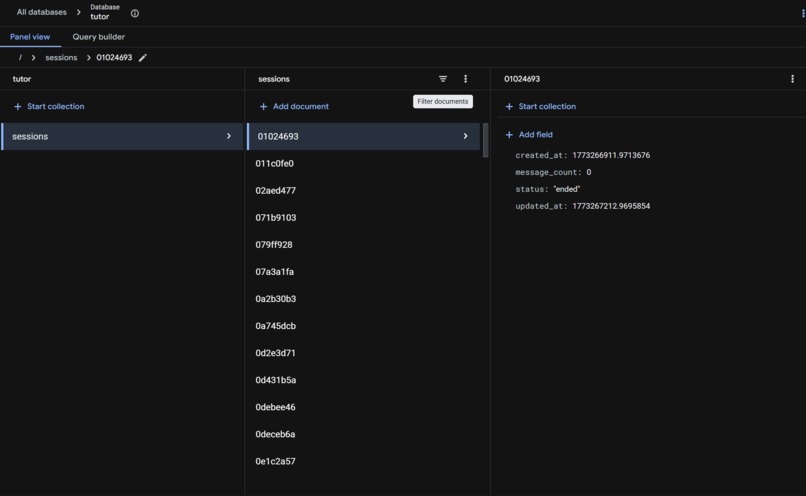
Past Sessions
MathBoard — AI Math Tutor with Live Whiteboard
Inspiration
Every kid deserves a patient tutor who's available 24/7 — but not every family can afford one. We've all seen the moment when a child gets stuck on a math problem at 9 PM and there's no one around to help. Traditional AI chatbots can solve equations, but they output walls of text and LaTeX that look nothing like what a teacher would draw on a whiteboard.
We asked: what if an AI tutor could actually show its work the same way a human tutor does — drawing step-by-step on a whiteboard while talking through the solution?
That question became MathBoard: an AI math tutor that listens to students speak, watches their homework photos, and draws animated solutions on a live digital whiteboard — available anytime, anywhere.
What it does
MathBoard is a real-time AI math tutor powered by Google's Gemini Live API. Students interact in three ways:
- 🎙️ Voice — Speak naturally ("How do I solve \(2x + 3 = 7\)?") and the AI responds with spoken explanations while simultaneously drawing on the whiteboard
- 📷 Photo upload — Drag-drop a photo of homework and the AI reads, grades (✓/✗), and solves each problem
- ⌨️ Text — Type questions for quick answers
What makes it special is the live animated whiteboard. Instead of dumping a block of LaTeX, the AI calls drawing tools (draw_latex, draw_graph, step_marker, draw_line) in real-time. You literally watch the solution being written out step-by-step with color-coded steps — just like sitting with a human tutor.
Key features
- Multi-color steps — Each solution step gets a distinct neon color (cyan → purple → pink → amber → emerald)
- Graph plotting — Animated function graphs with labeled axes for concepts like \(\sin(x)\), polynomials, etc.
- Barge-in — Interrupt the AI mid-explanation and it adjusts instantly
- PDF export — Download your whiteboard session for studying later
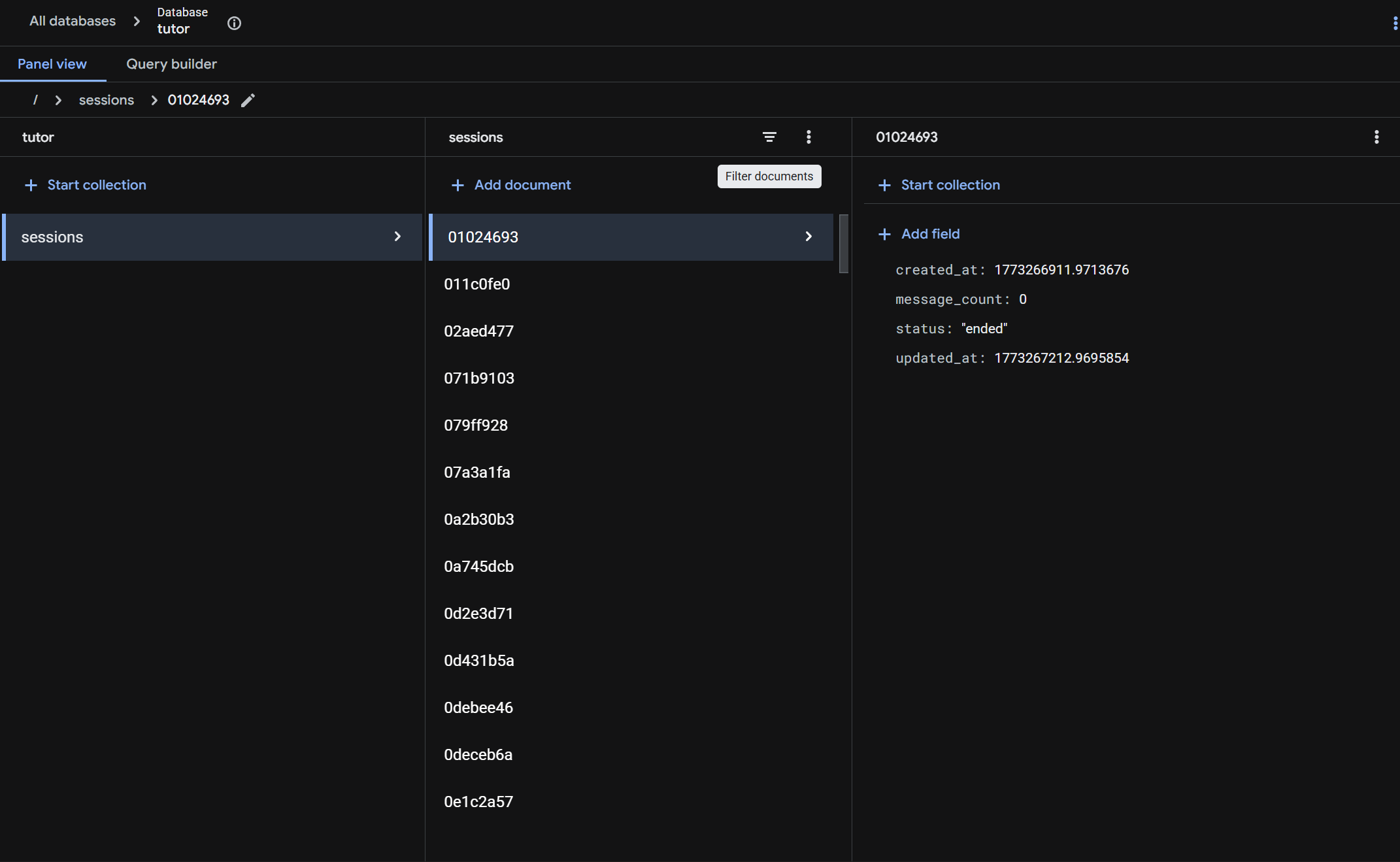
- Session history — All past tutoring sessions are saved and reviewable
- Homework grading — Upload a photo and get instant ✓/✗ grading with an overall score
How we built it
Architecture: Dual-Model Gemini Design
MathBoard uses a dual-model architecture that was a key design decision:
| Channel | Model | Why |
|---|---|---|
| Voice + Whiteboard | gemini-2.5-flash-native-audio via Live API |
Real-time bidirectional audio streaming with function calling for whiteboard commands |
| Text + Image | gemini-2.5-flash-lite via Standard API |
Fast, cost-efficient for text-only questions and image analysis |
This separation lets voice conversations stream seamlessly over WebSockets while text/image queries get instant responses without touching the Live API connection.
The Whiteboard Pipeline
Student speaks → 16kHz PCM audio via WebSocket → Gemini Live API
                                                      ↓
                                               AI responds with:
                                               • Audio (24kHz PCM)
                                               • Function calls (draw_latex, draw_graph, step_marker, ...)
                                                      ↓
                                         Frontend renders commands on HTML5 Canvas
                                         with animated drawing + writing-hand cursor
We defined 6 whiteboard tool functions that Gemini calls in real-time:
| Tool | What it draws |
|---|---|
step_marker |
Numbered step headings with accent colors |
draw_text |
Plain text labels and explanations |
draw_latex |
Math expressions (auto-converted to human-readable notation) |
draw_line |
Lines, underlines, arrows for diagrams |
draw_graph |
Animated function plots with axes and labels |
clear_whiteboard |
Fresh board for a new problem |
Each command is animated on the canvas — text types character-by-character, graphs draw curve-by-curve, and a glowing writing-hand cursor follows along. It genuinely feels like watching someone write on a whiteboard.
Tech Stack
| Layer | Technology |
|---|---|
| Frontend | Next.js 15, React, TailwindCSS, HTML5 Canvas, Web Audio API |
| Backend | Python 3.12, FastAPI, WebSockets |
| AI | Gemini 2.5 Flash (Live API + Standard API), Google GenAI SDK |
| Cloud | Cloud Run, Cloud Firestore, Cloud Storage, Secret Manager, Cloud Logging |
| DevOps | Docker, GitHub Actions CI/CD |
Google Cloud Services
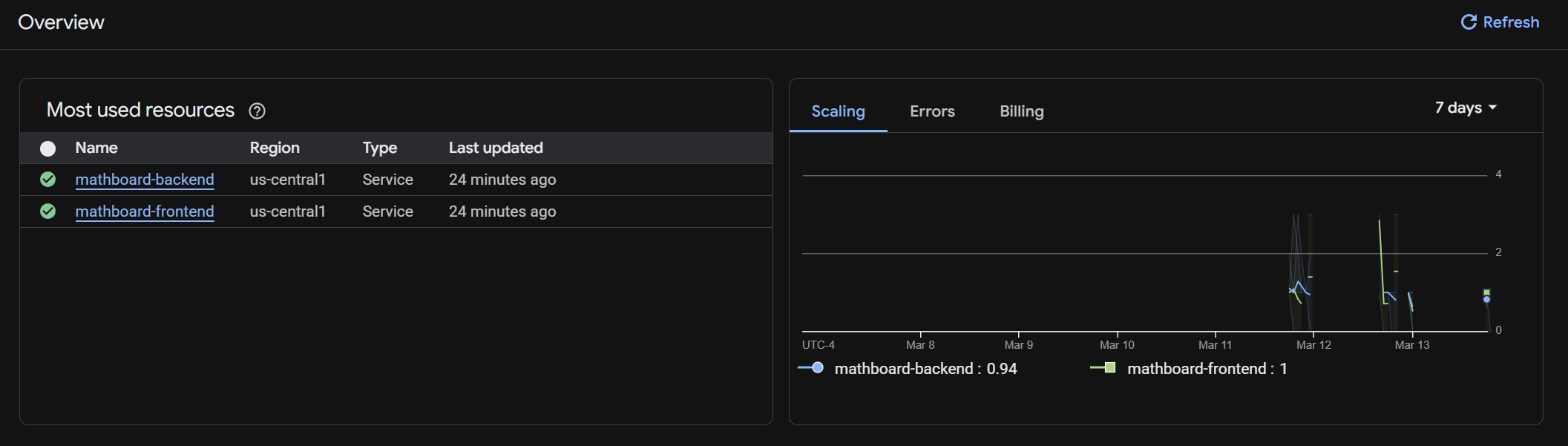
- Cloud Run — Hosts both frontend and backend as containerized services
- Cloud Firestore — Persists every tutoring session (questions, messages, whiteboard state)
- Cloud Storage — Stores whiteboard PDF/JSON exports with signed download URLs
- Secret Manager — Secures API keys in production (falls back to
.envlocally) - Cloud Logging — Structured logging across all backend services
Challenges we ran into
Gemini Live API connection management — The Live API WebSocket can drop under load. We implemented exponential backoff reconnection with a
_closedflag pattern to prevent reconnect storms, and anasyncio.Eventto queue messages during reconnection.Canvas context loss under memory pressure — On mobile devices, the browser can evict GPU-backed canvas contexts. We added
contextlost/contextrestoredevent handlers that automatically redraw all completed commands when the context comes back.Whiteboard layout collisions — When Gemini sends multiple drawing commands rapidly, they can overlap. We built a layout engine that tracks each command's bounding box and enforces minimum vertical gaps, X-clamping for text near edges, and auto-circle-to-pill fitting around highlighted expressions.
Zoom glitches — Our first zoom implementation applied a CSS
transform: scale()to the entire whiteboard, which caused visual glitches and janky scrolling. We switched to per-page CSSzoomso each section scales independently while the page layout stays stable.Audio worklet backpressure — Streaming 16kHz PCM audio can overwhelm the AudioWorklet buffer on slower devices. We added a ring-buffer with a 64,000-sample cap that drops the oldest samples when full, preventing memory leaks.
Math expression security — The whiteboard evaluates math expressions for graph plotting. We hardened the evaluator with a strict regex allowlist (
[0-9x+\-*/().,%^ \t]) and validated it with 27 security tests covering injection attempts.
Accomplishments that we're proud of
- The "wow" moment — Watching the AI draw a quadratic equation solution step-by-step with animated colors while explaining it aloud. It genuinely feels magical.
- Real-time voice + whiteboard sync — Audio and drawing commands arrive simultaneously over the same WebSocket, creating a seamless tutoring experience.
- 27/27 security tests passing — We take the math evaluator seriously with comprehensive injection prevention.
- Mobile-responsive design — Full mobile support with a drawer sidebar, touch-optimized toolbar buttons, and an onboarding flow with sample questions.
- Production-ready on Cloud Run — Fully deployed with CI/CD via GitHub Actions, health checks, and auto-scaling.
What we learned
- Gemini's function calling is incredibly powerful for creative UIs — Instead of just generating text, having the AI call
draw_latexanddraw_graphtools lets it "think in whiteboard" and produce visual explanations naturally. - The Live API enables truly real-time interaction — Bidirectional audio streaming with barge-in support makes conversations feel natural, not turn-based.
- Canvas animation makes AI output feel human — The same math content feels completely different when it's animated character-by-character versus dumped as a block of text.
- Dual-model architectures are worth the complexity — Using the Live API for voice and the Standard API for text/images gives the best of both worlds in latency and cost.
What's next for MathBoard
- Collaborative tutoring — Multiple students sharing the same whiteboard in real-time
- Handwriting recognition — Let students draw on the whiteboard and have Gemini read their work
- Curriculum alignment — Map solutions to specific grade-level standards
- Progress tracking — Track concept mastery over time with spaced repetition
- More subjects — Physics diagrams, chemistry equations, and beyond
Built by
Ayham Hasan, Raj Shah & Suriya Nagappan


Log in or sign up for Devpost to join the conversation.