-
-

-
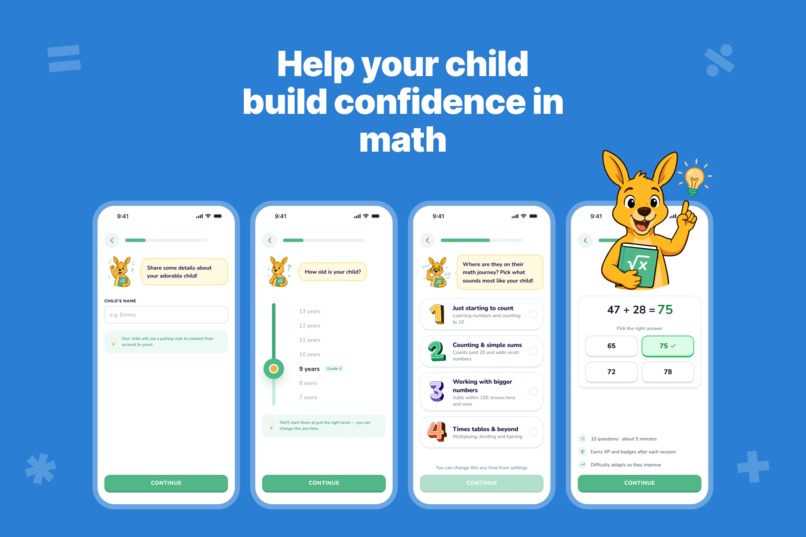
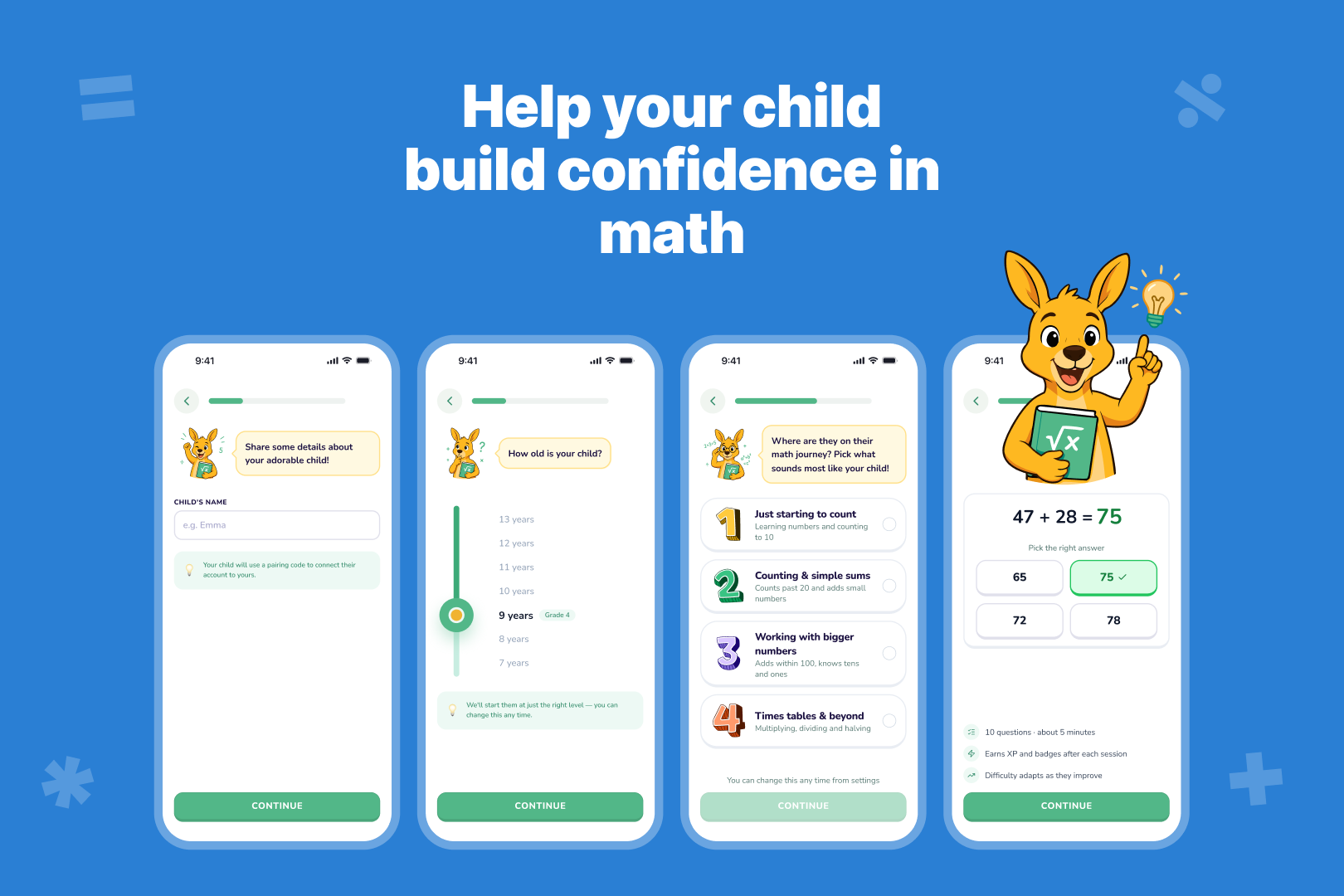
Parents enter their child's age and pick a difficulty, and Matharoo builds tasks tuned to exactly where they're at.
-
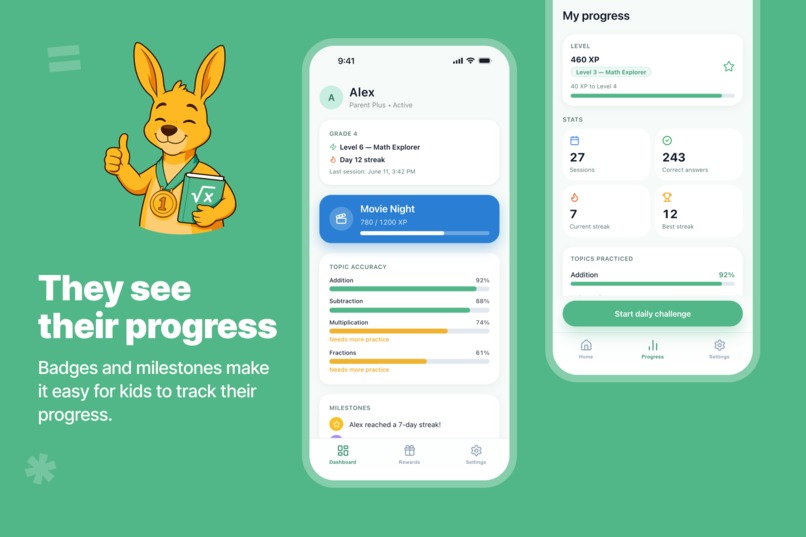
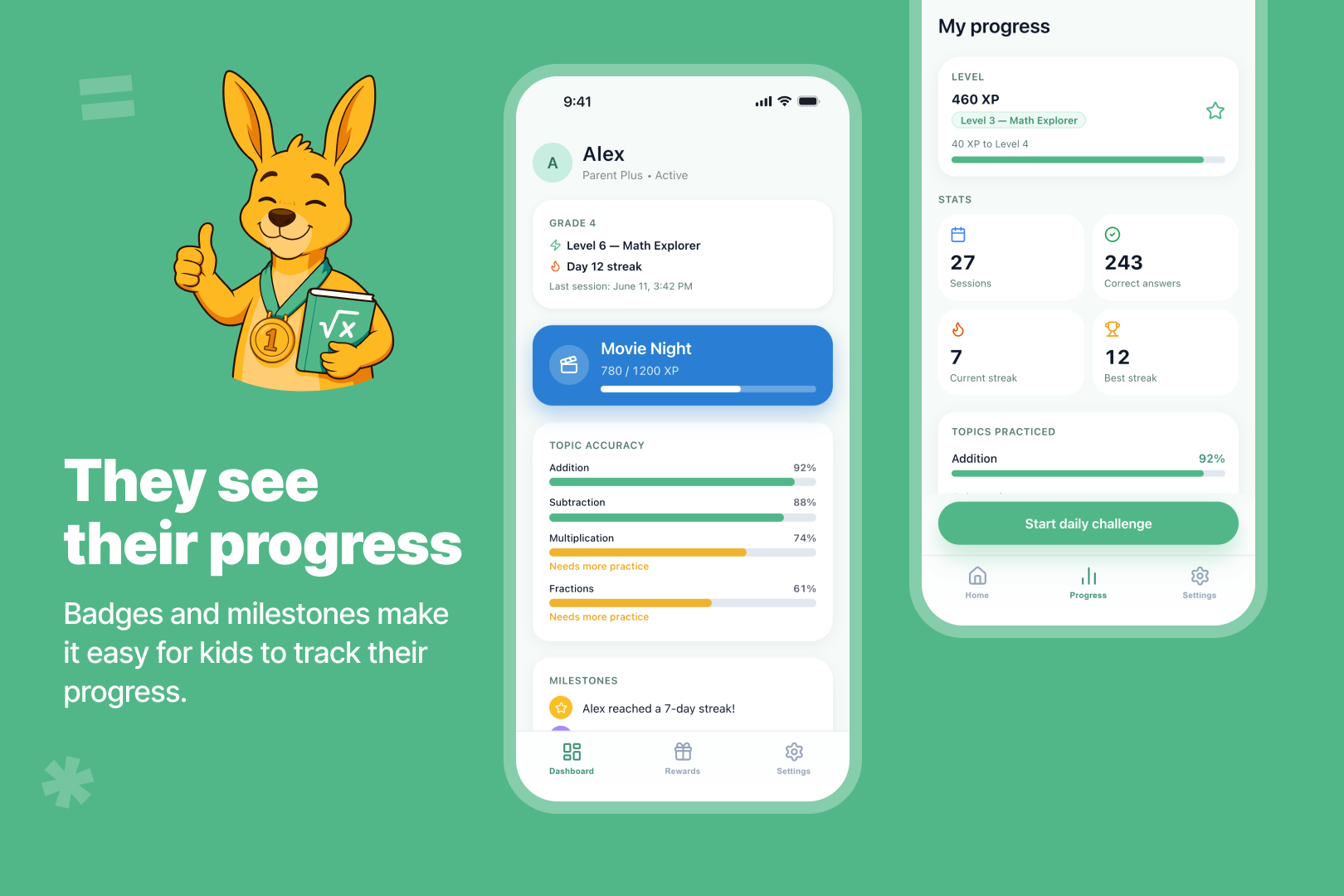
A dashboard shows parents which math topics their child has mastered and which ones still need extra practice.
-
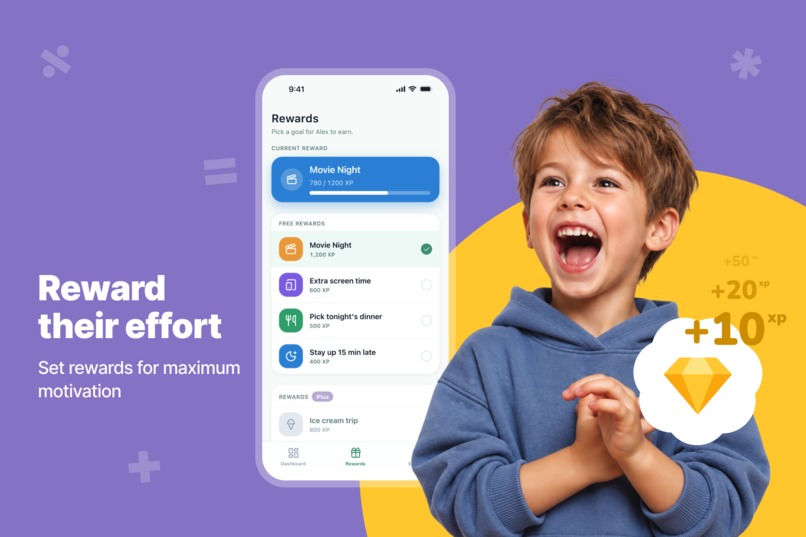
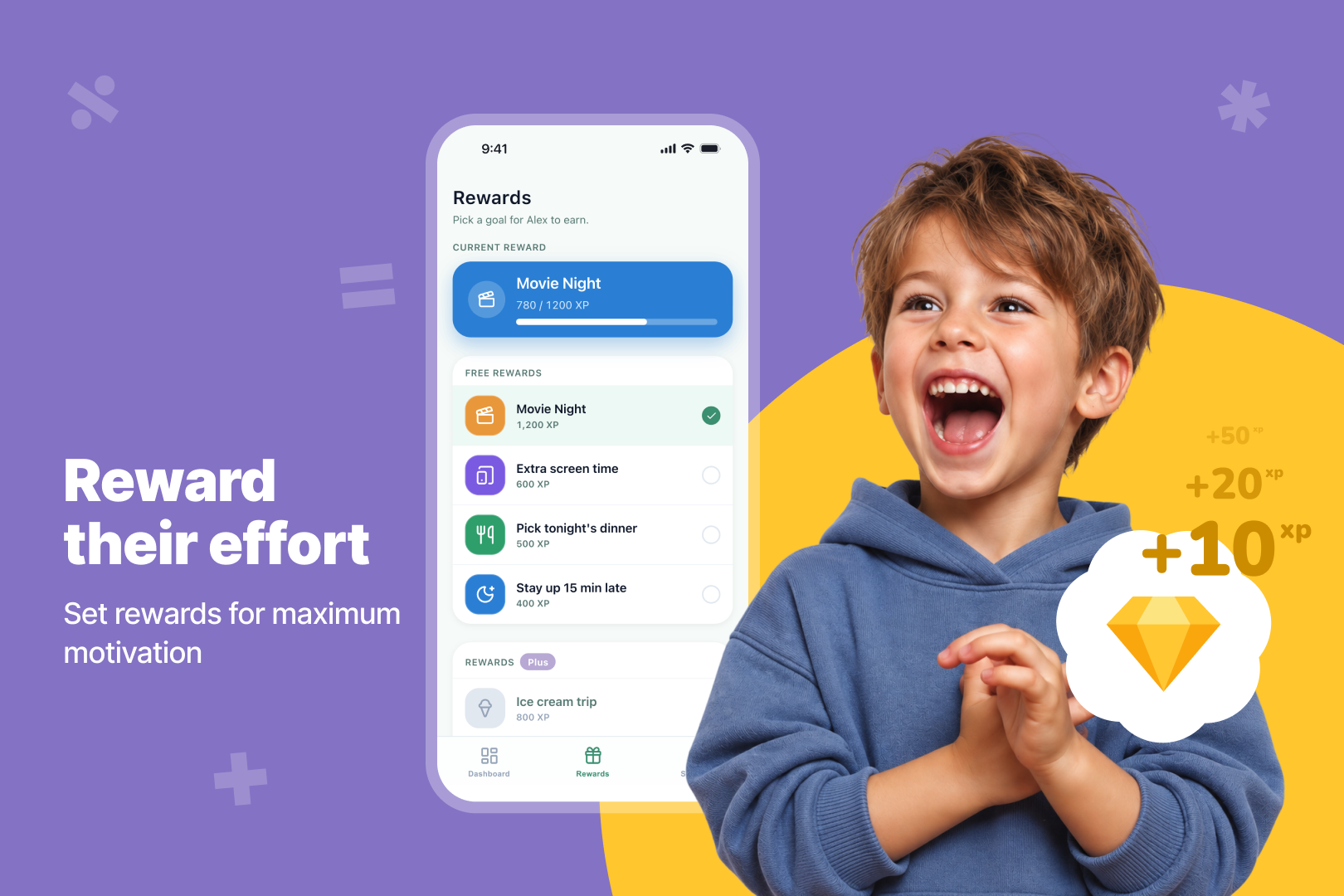
Parents attach real rewards to specific goals, turning every completed task into extra motivation to keep going.
-
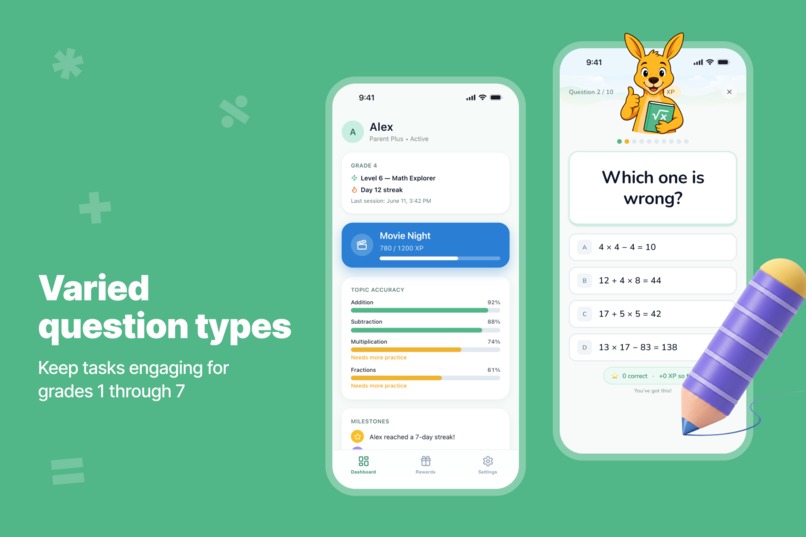
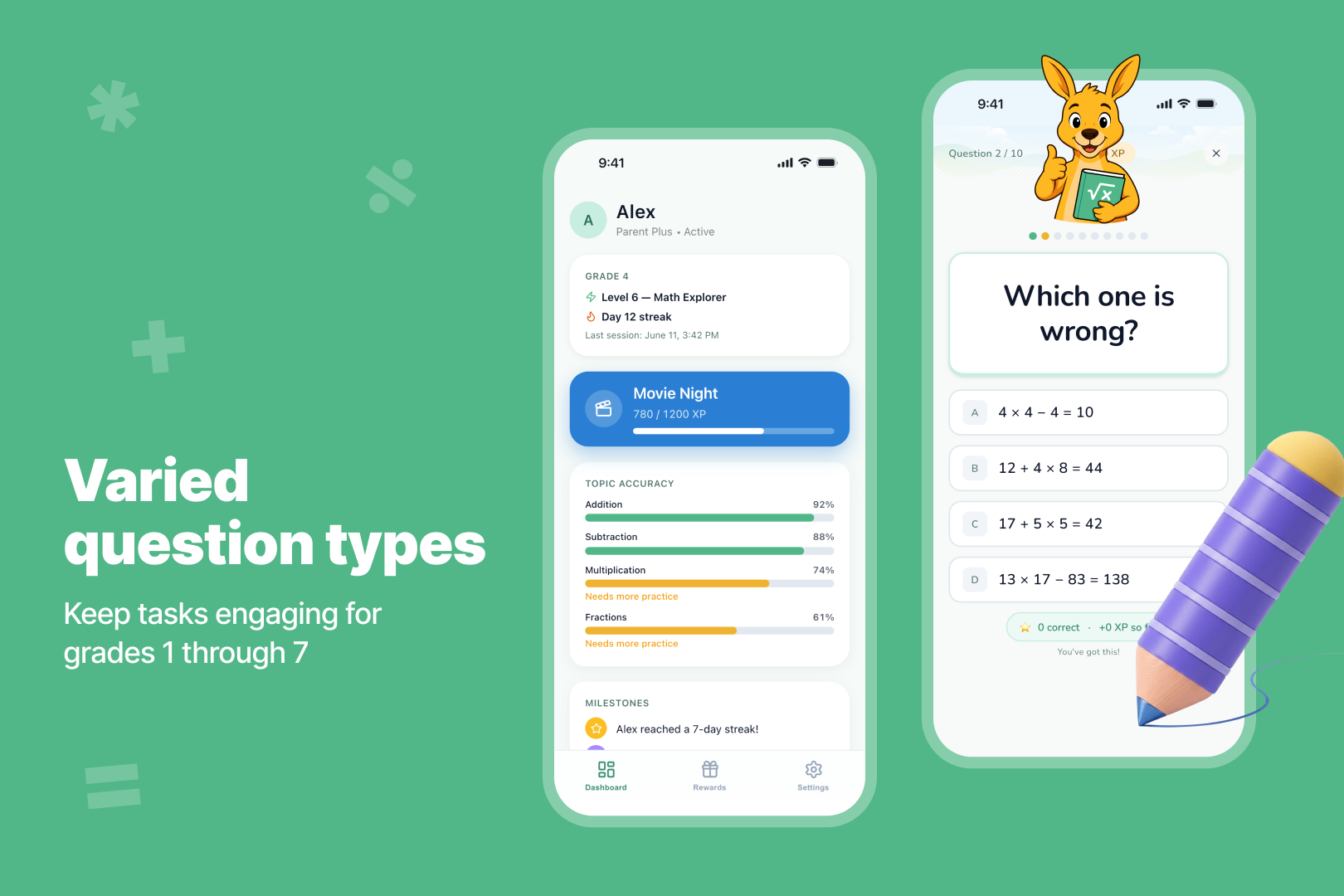
Multiple question types keep kids engaged, so practice feels more like play than the same old drill.

Inspiration
Most math apps for kids fall into one of two traps: they're either dressed-up homework that kids resist, or they're so game-ified that "practice" turns into an unrelated arcade session with math bolted on. Parents are left choosing between a fight at the kitchen table and an app that doesn't actually teach anything.
We wanted a third option — something a kid could open for five minutes, get something real out of, and put down without a battle. That's the gap Matharoo is built for: a quick, low-pressure daily habit instead of a long, anxiety-inducing session, with just enough structure (adaptive difficulty, instant feedback, visible progress) that both the kid and the parent trust it's working.
What it does
Matharoo runs on a simple loop: a parent sets up the account, adds a child by age, and the two devices pair through a one-time code. From there, the child gets one focused daily math challenge, calibrated to their age and current skill level, with immediate feedback on every answer instead of a grade at the end. The parent, meanwhile, gets a dashboard — today's activity, weekly streaks, accuracy, and recent achievements — plus the ability to set up rewards tied to progress.
The free tier covers one reward slot and the core activity/streak view; Premium adds unlimited rewards and a breakdown of which topics need more attention versus which are already strong — turning "is this working?" from a guess into something parents can actually see.
How we built it
The app is split cleanly between a mobile client and a backend on Google Cloud Platform: the API runs on Cloud Run against a managed PostgreSQL instance (Cloud SQL), which gave us a straightforward path to scale without managing servers directly.
Identity runs through Firebase Authentication, layered with Sign in with Apple and Google Sign-In so parents can onboard with whatever account they already trust. Push notifications go through Firebase Cloud Messaging — timed deliberately, so the parent is asked for notification permission once a child is added, and the child is asked only after finishing their first session, rather than front-loading both permission prompts before anyone has seen any value.
For everything after launch, we wired in Firebase Analytics and Crashlytics for usage and stability, Singular for install attribution and marketing analytics (respecting App Tracking Transparency), RevenueCat on top of StoreKit to handle subscriptions and entitlements, and Brevo to send the welcome email once a parent registers. Getting the store presence right was its own project in parallel — ASO keyword research scored dozens of candidate terms across iOS and Android difficulty/traffic before we settled on the app's positioning and metadata, alongside the usual checklist of privacy policy, terms, store screenshots, and paywall configuration in RevenueCat.
Challenges we ran into
The hardest bugs weren't in the math engine — they were in the five seconds where a parent's device and a child's device try to agree they're the same family.
Our QA pass on the pairing flow surfaced a cluster of related problems. When a child mistypes the six-digit code, the input field freezes on the rejected digits instead of clearing, so a single typo turns into a string of failed attempts — in measurement, the large majority of failed attempts never recovered into a successful pairing. Compounding that, every time the parent re-opens the pairing screen — reachable from six different places in the app — it silently issues a fresh code and invalidates the one already on screen, so a parent who steps away and comes back is unknowingly showing their child a dead code. We also found cases where pairing actually succeeded on the server but failed to persist locally, so the parent saw success while the child saw an unrecoverable error for the same event.
Underneath all of that was a quieter problem: our analytics couldn't tell these failure modes apart. Anything that wasn't a simple wrong/used/expired code collapsed into a single "unknown" bucket, hiding timeouts, offline devices, possible rate-limiting, server errors, and local storage failures behind one undifferentiated label. We couldn't fix what we couldn't see clearly, which became a bug in its own right.
What we learned
The biggest lesson was that reliability problems in a flow like this are rarely one bug — they're several independent failure modes that happen to look identical from the outside until you instrument for them specifically. Collapsing edge cases into "unknown" felt harmless when we set analytics up, but it directly slowed down every fix that came after, because we were debugging blind. Splitting failure reasons into distinct, queryable dimensions should have been there from day one, not added after the fact.
We also learned to be more deliberate about recovery paths. A flow that depends on exactly one mechanism — one manually typed code, no invite-link fallback, no way out once a device is already marked paired — has no slack in it, so a single stuck state becomes a dead end instead of a retry. And on the polish side, small platform details matter more than they seem: an auto-advancing intro screen that felt intentional on a large phone read as broken on a smaller one, and a paywall video that looked fine on most devices had a child's face partially hidden behind the notch/dynamic island on others. None of these are complex fixes, but each one only surfaces when you actually test across a wide device matrix rather than trusting the happy path.
What's next for Matharoo
The immediate roadmap is fixing what our own QA surfaced: stop the pairing code field from freezing on a rejected entry, stop silently invalidating a parent's code the moment they reopen the pairing screen, and give families a second way to pair — an invite link a child can simply tap, rather than betting the entire flow on one manually typed code. Alongside that, we're splitting our analytics' catch-all "unknown" failure bucket into distinct, queryable reasons (timeout, offline, rate-limited, server error, local save failure), so the next round of issues shows up as a clear signal instead of noise. Smaller polish items are queued too — fixing the video crop behind the notch/dynamic island on the paywall, and slowing down the child-facing intro flow on smaller screens.
Beyond stability, there's a marketing and growth track already underway: finishing the Meta integration (app, ad account, pixel, and domain verification) and standing up Matharoo's Instagram and Facebook presence, so we can start acquiring families beyond organic App Store search.
Longer-term, we want to lean further into the thing that makes Matharoo different: turning the "which topics need more attention" insight from a Premium-only nicety into the core of the product — surfacing specific skill gaps as they emerge, not just after a week has passed — and expanding beyond arithmetic into the other early-math domains (fractions, word problems, geometry) parents ask about most, all still inside the same five-minutes-a-day, low-pressure model the app is built around.
Built With
- alembic
- brevo
- cloud-run
- dart
- docker
- fastapi
- fastlane
- firebase
- flutter
- google-cloud
- ios
- jwt
- postgressql
- pydantic
- python
- restapi
- revenue-cat
- riverpod
- singular
- sqlalchemy
- terraform

Log in or sign up for Devpost to join the conversation.