-
-
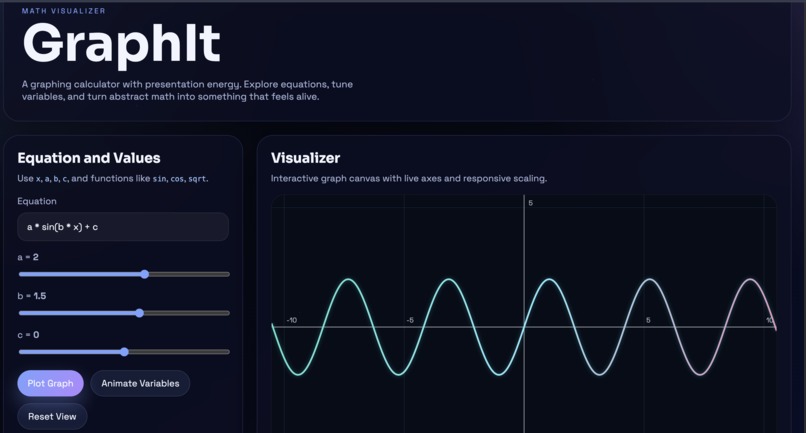
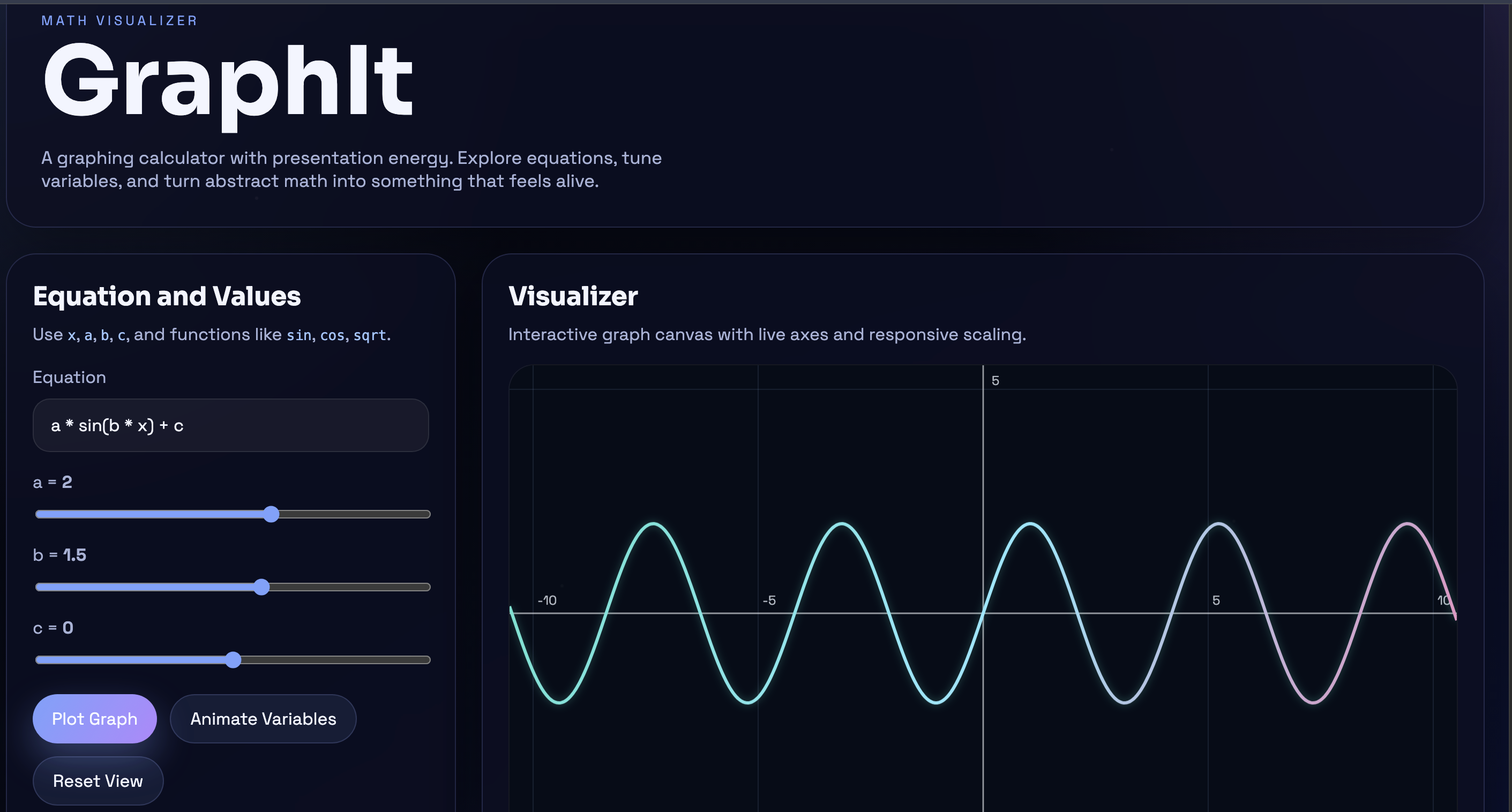
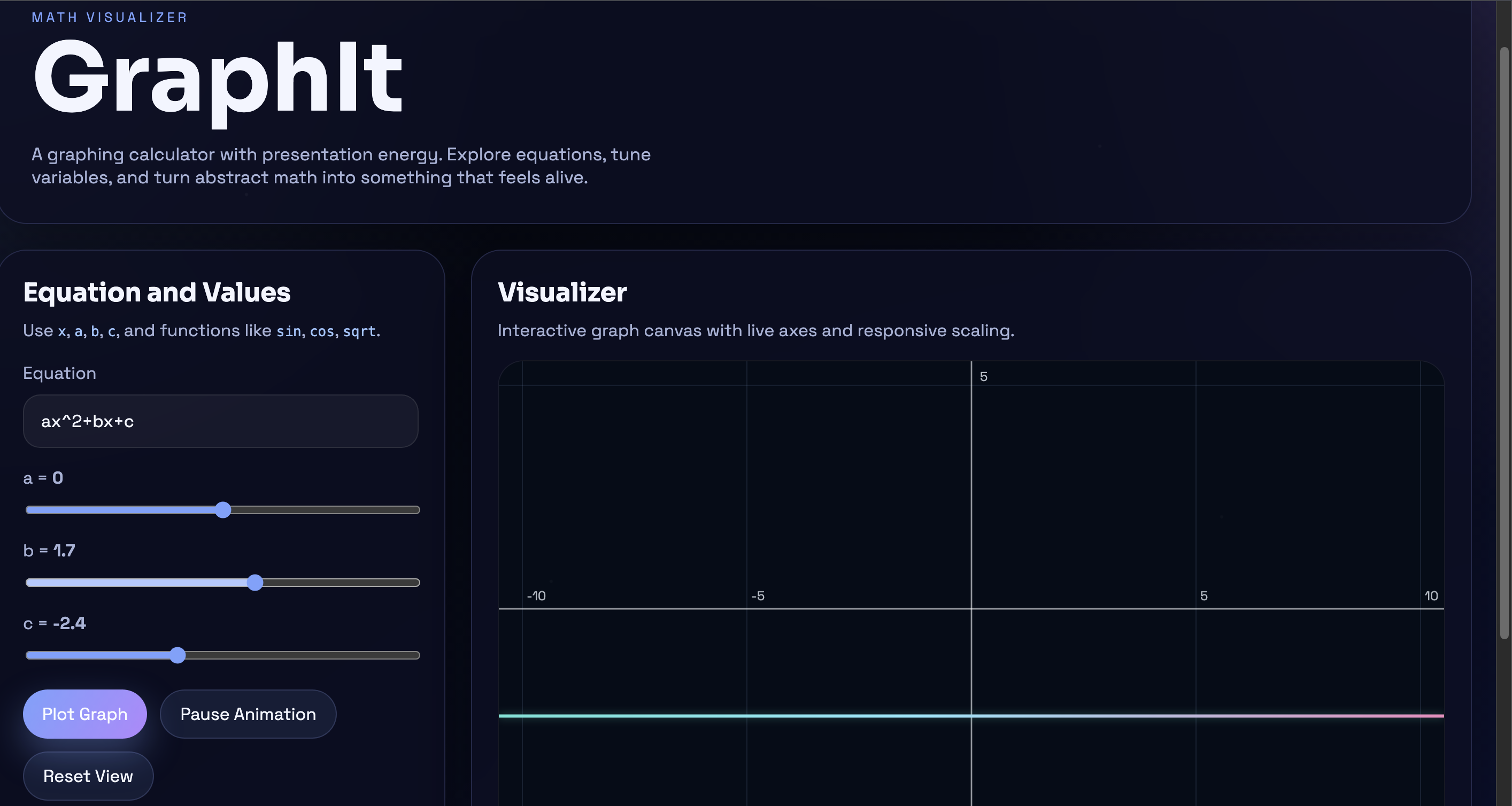
The full homepage.
-
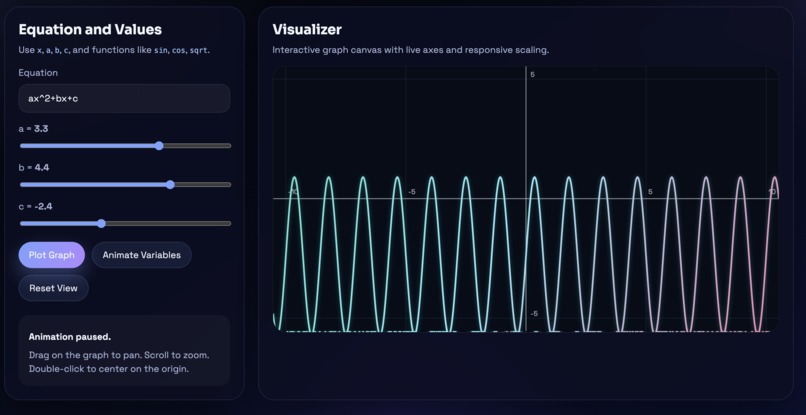
The graph and controls.
-
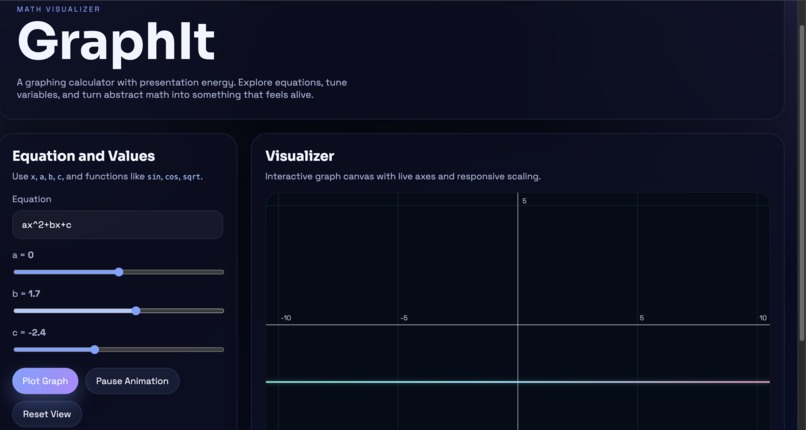
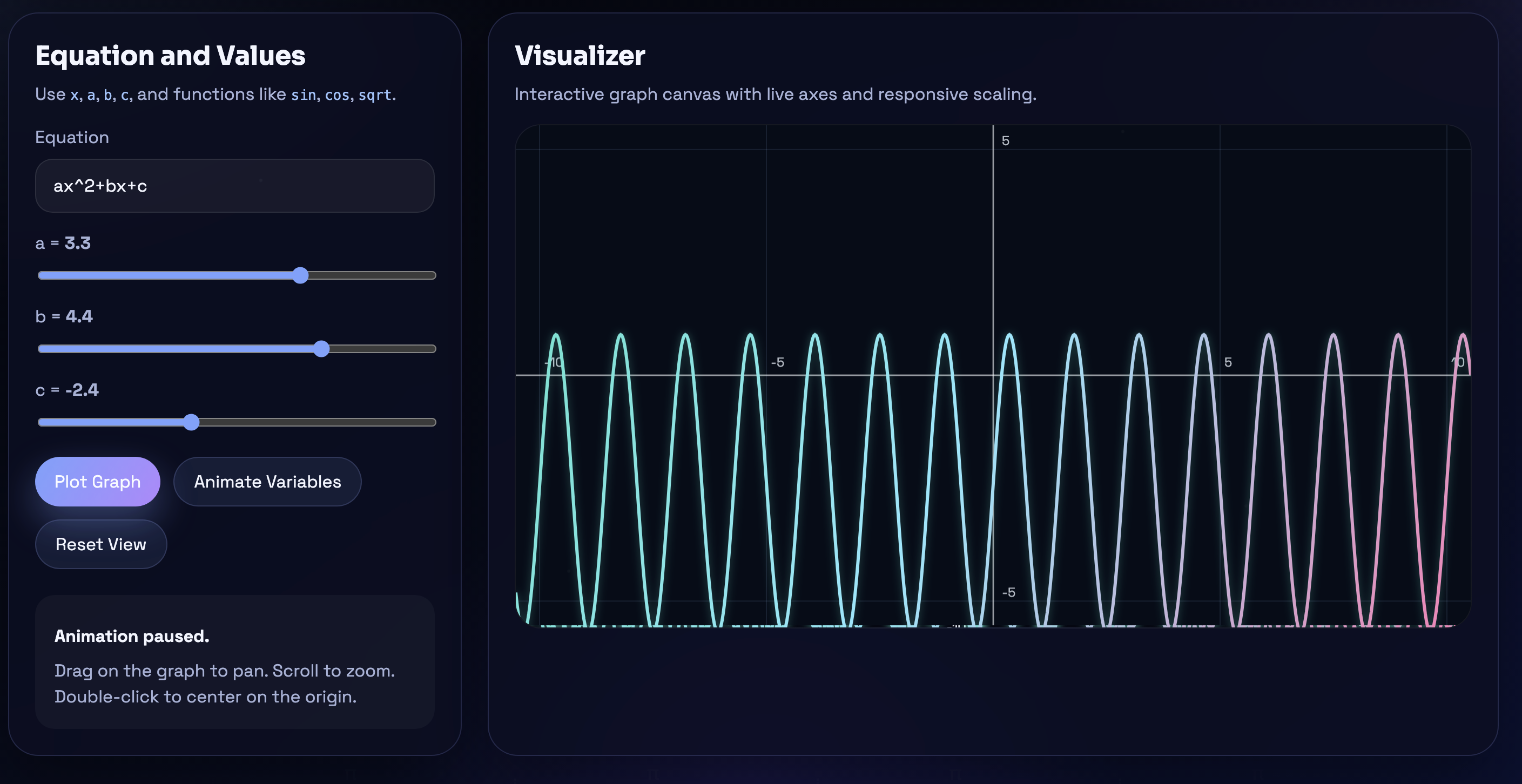
An equation plotted and sliders changed.
Inspiration
I'm a higher-level math student, so it is evident that I am familiar with a wide range of graphing tools. I have come to a realization that many graphing tools can be highly complex to use and having a difficult math equation and a difficult website is not an effective combination; you'll end up confused, not knowing what to do, and in a stressful position. This led me to aim to address this issue for users with similar needs so they are provided with a go-to graphing tool that is easy to use and engaging. Numerous graphing tools are useful, but they can appear very technical or visually unappealing. This inspired me to create a more engaging and intuitive interface. The aim of GraphIt is to develop a math visualizer that enables users to clearly visualize equations and dynamically visualize them instead of entering them into complex calculators with non-intuitive interfaces.
What it does
GraphIt is a web-based mathematical visualization tool that allows users to enter equations and see their graph on an animated coordinate system as soon as they enter it. Users have the option to zoom in and out of any part of the graph to see the entire graph or to see the details, as well as use sliders to change the parameters (such as a, b, or c), animate the changes to the parameters and see real time changes in the graph as the parameters change. GraphIt's design is intended to be a model worked on by one platform and able to access that model from any device with an internet connection.
How we built it
To create the GraphIt app, I developed it as a lightweight web application with a Java Server as the backend and an HTML/CSS/JavaScript frontend. The user interface for graphing uses the HTML canvas to render mathematical equations, axes and provide an interface for the user to interact with the graphs. In addition, I wanted to make the overall design and user interface feel polished with a math-themed inspired by space - creating something different from the standard calculator's user interface.
Challenges we ran into
One of the biggest challenges I faced was creating an easy way for users to type their equations into the input field. Most people use large amounts of white space when typing their expressions into a typical calculator; for example, instead of typing in -ax^2 + bx + c and putting in multiplication signs between each variable, they will actually use the more natural typing style of -ax^2 + b(x)(c). To create an application that users want to use, I had to develop better input handling methods for these types of questions and create a smooth interface for users to enter their equations while keeping the look of the application simple but still somewhat impressive and not overly complex.
Accomplishments that we're proud of
The successful creation of a custom-made mathematics input system capable of understanding typical, natural mathematical scripts such as ax^2 has meant that users do not need to input additional symbols. In addition, I am very pleased with a real-time, continually updating graphing engine that displays the results of a user’s adjustments to the sliders and modifications to a given equation as they happen. Finally, I have developed a space theme to the design which makes my product appear more visually-appealing than the traditional electronic calculators yet maintains the same sense of professionalism.
What we learned
I have learned many lessons while taking a concept and developing it through to a working product in order for it to be able to be used by other people in an online setting. I have also gained knowledge on how to handle mathematical expressions within a web browser, as well as how to design visually expressive interactive products and deploy the product publicly (making it available).
What's next for Math Visualizer: GraphIt
GraphIt has the potential to offer new and improved graph types, enhanced mobile interaction capabilities, the ability to save graphs for future use, and guided learning functions that will allow GraphIt to serve as a calculator as well as an educational tool in the coming months.
Built With
- ai-assistance
- canvas
- css
- html
- java
- javascript
- netlify

Log in or sign up for Devpost to join the conversation.