-
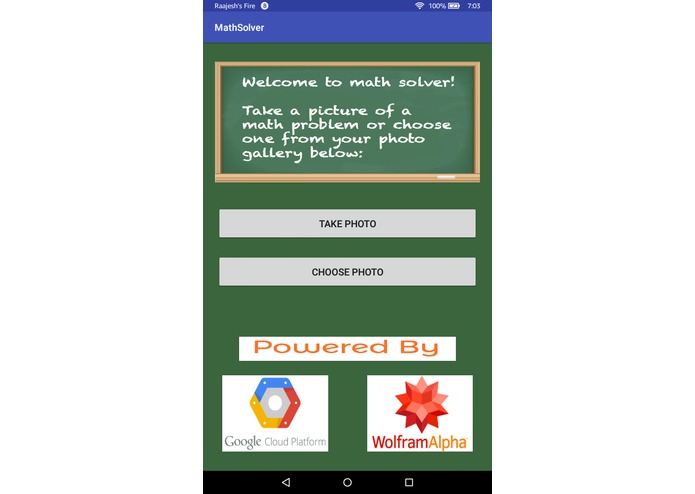
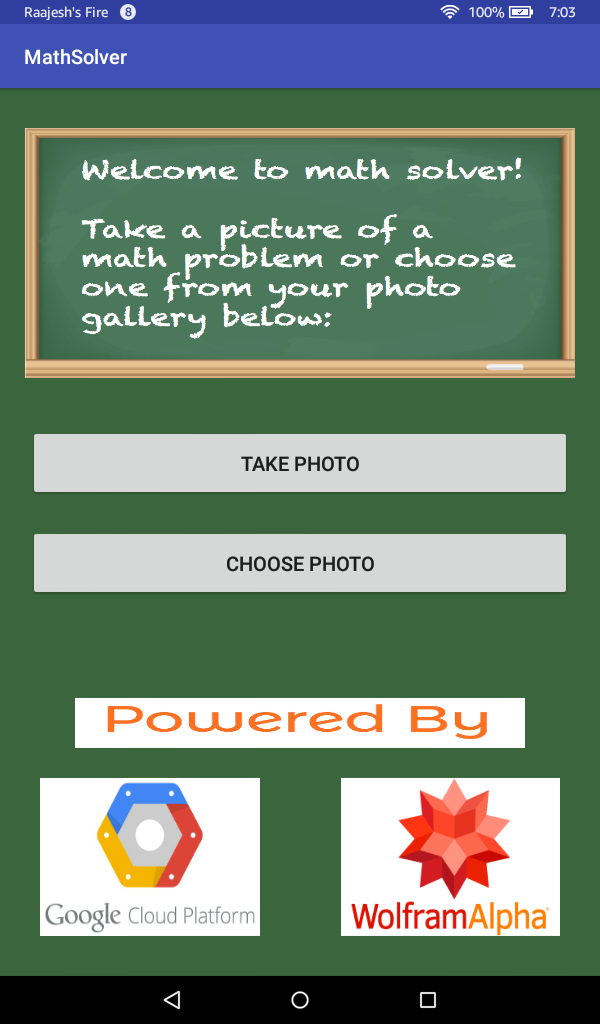
The Home Page of the App.
-
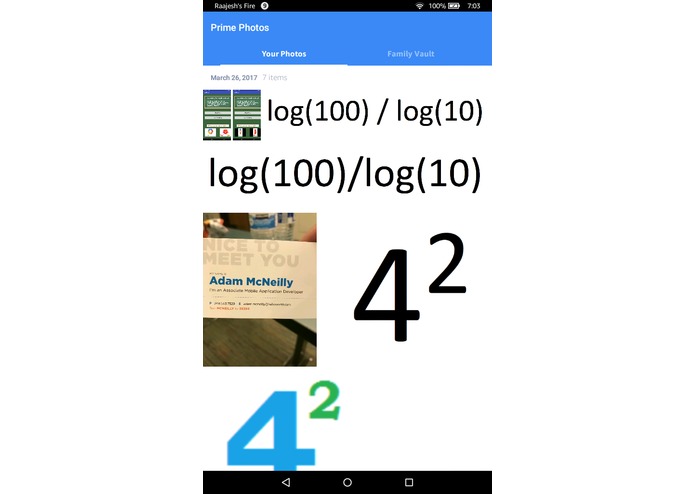
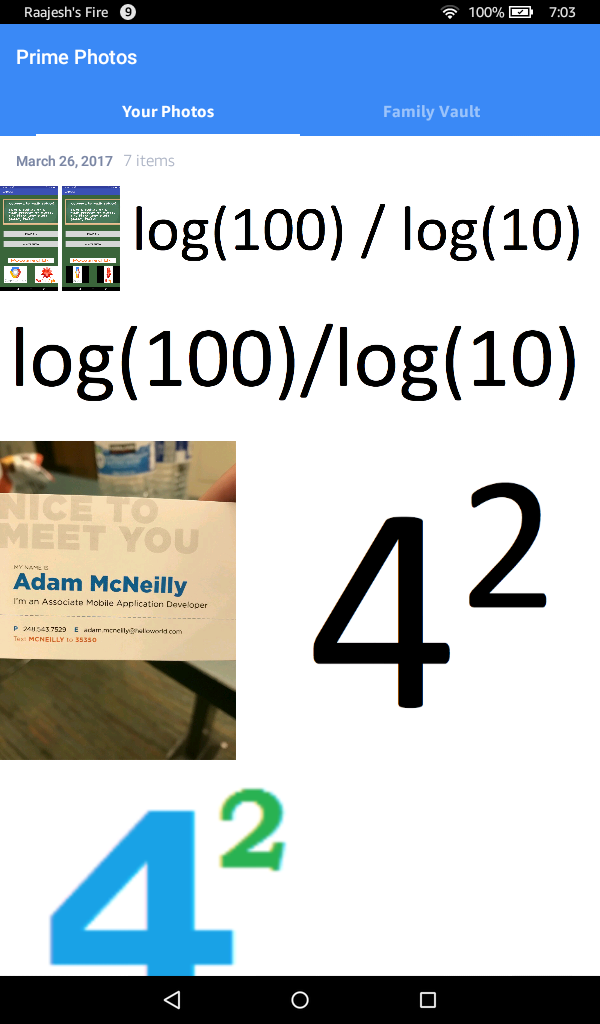
When Choose Photo is clicked, the Photo Gallery opens.
-
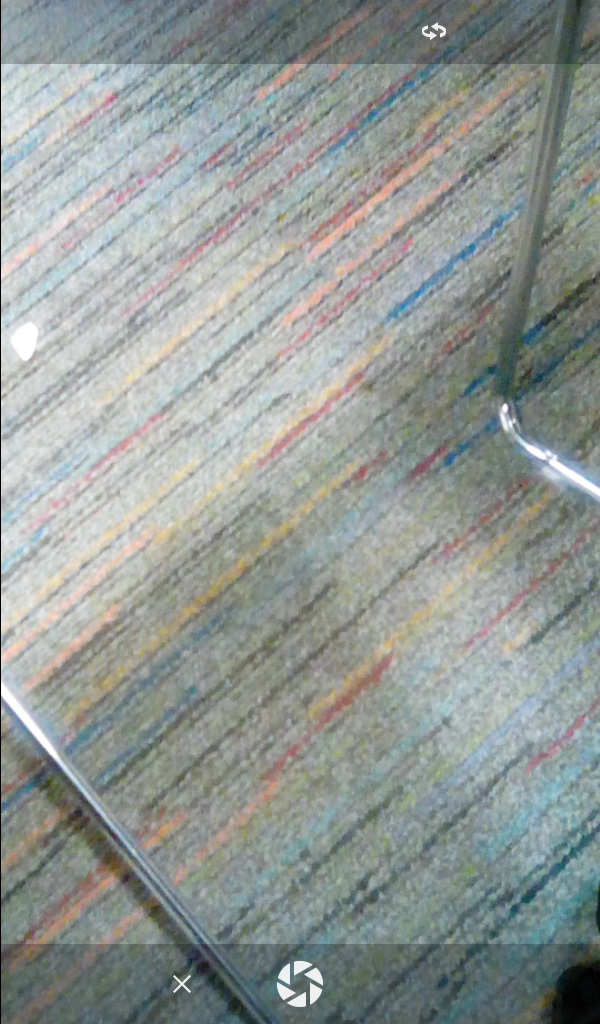
When Take Photo is clicked, the camera opens.
-
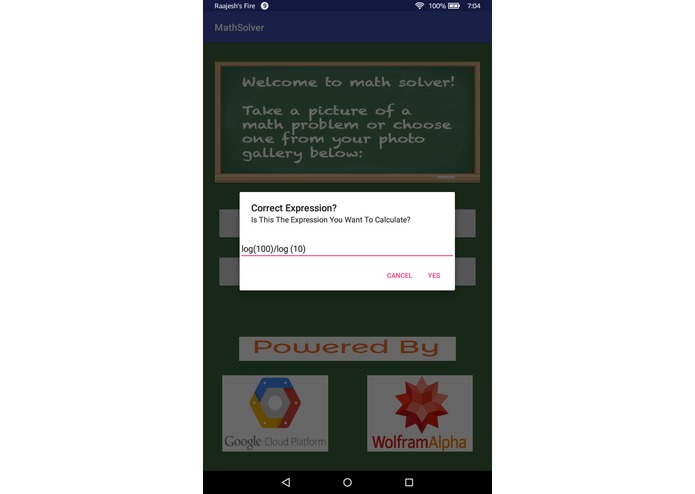
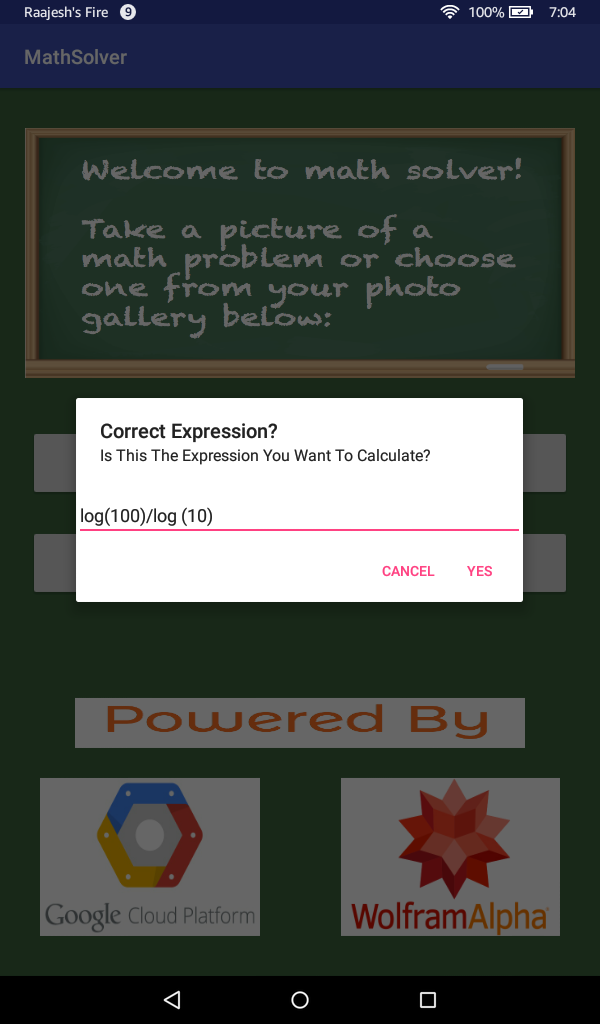
The OCR displays its results when it has completed its process and asks for verification
-
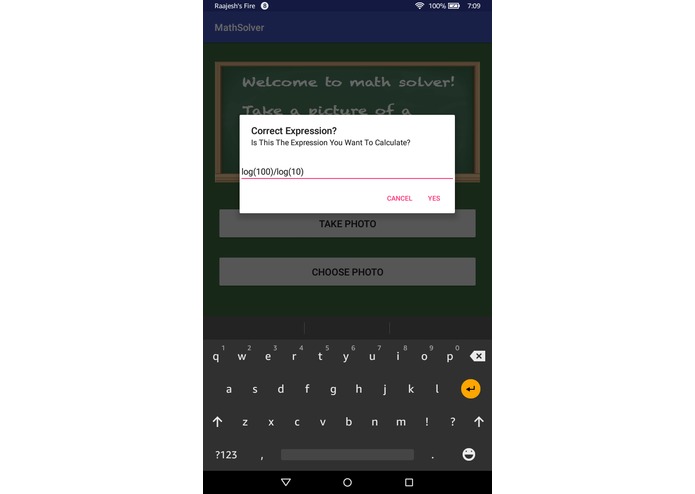
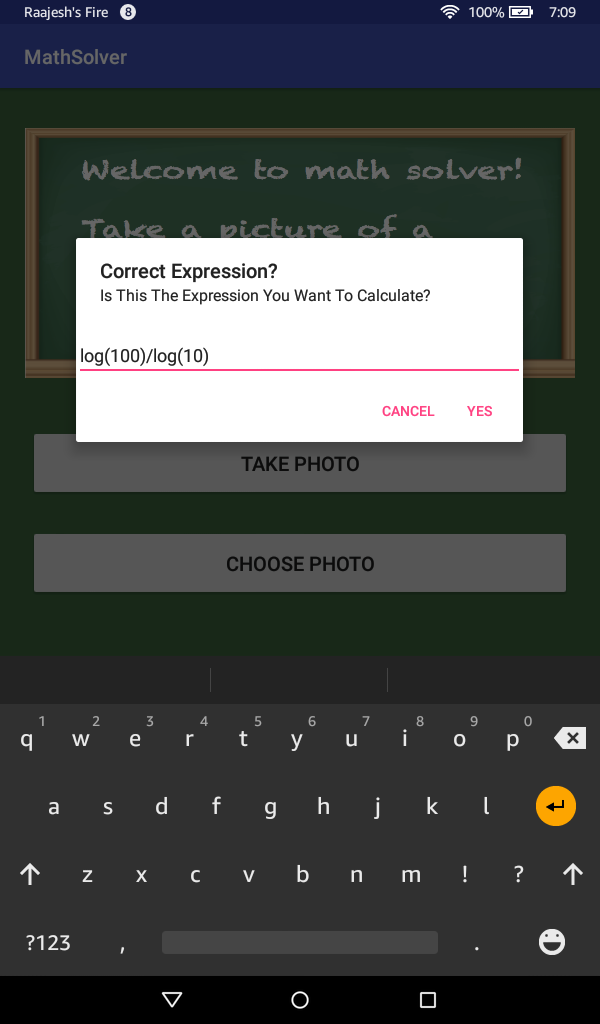
In the Verification process, the keyboard pops up and you can edit the mathematical expression to make sure it is right.
-
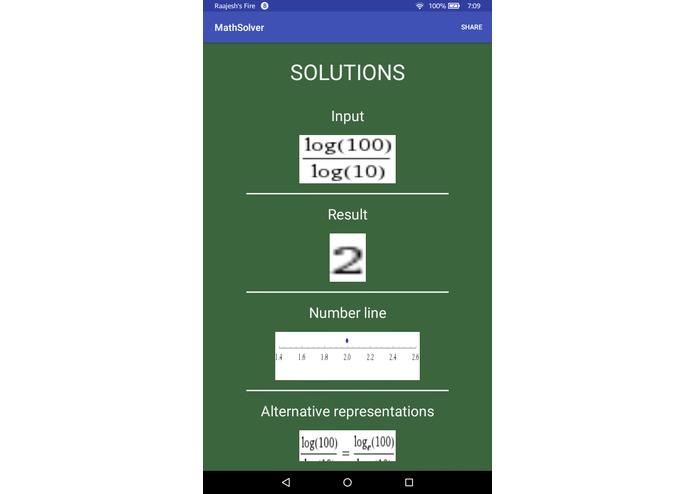
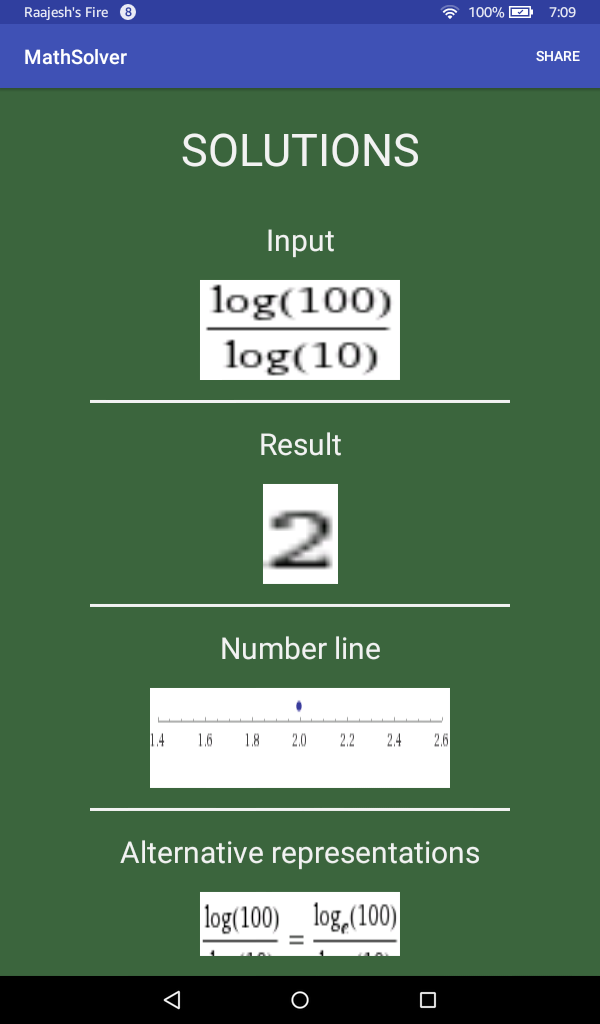
Then the solutions are loaded from the Wolfram Alpha API. This is the first solutions image
-
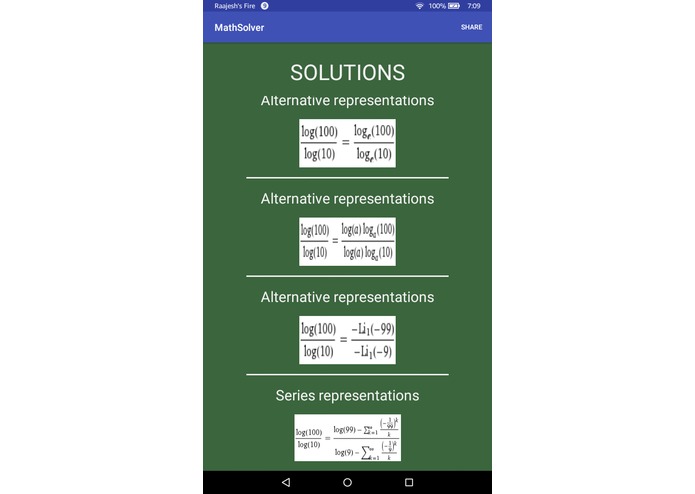
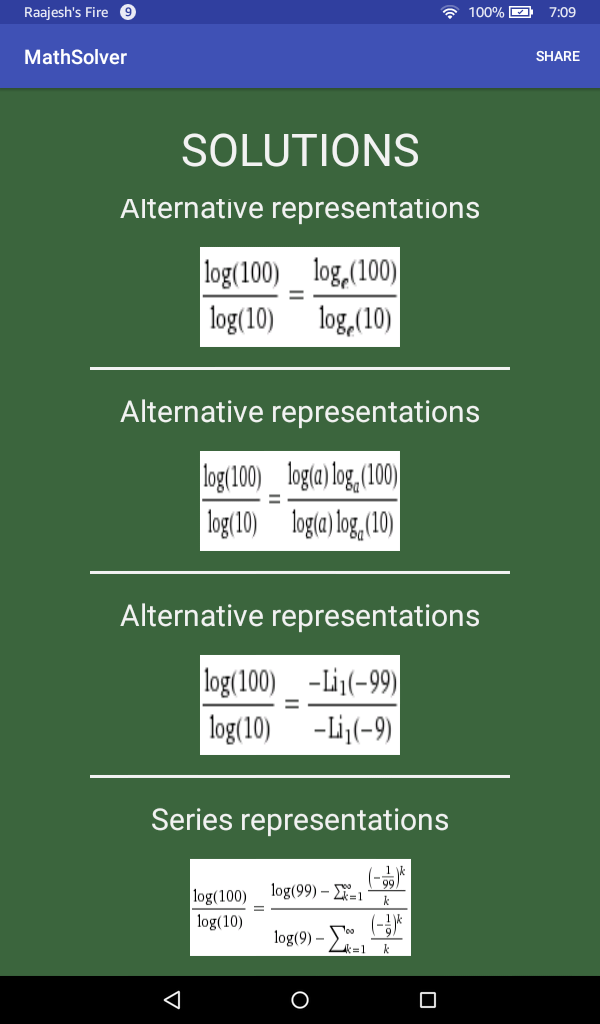
The second solutions image.
-
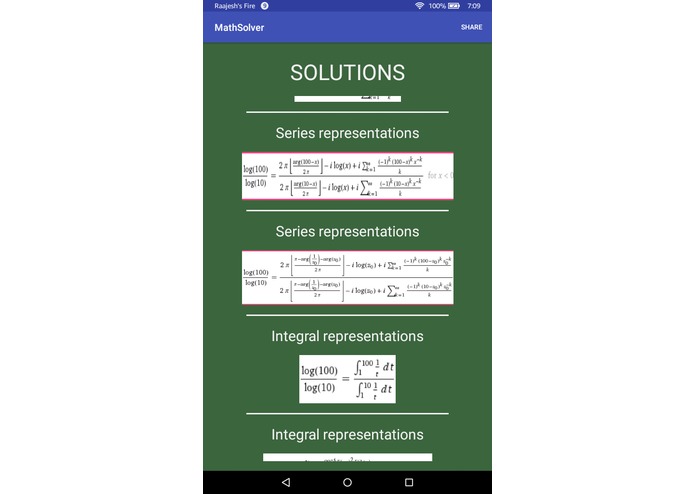
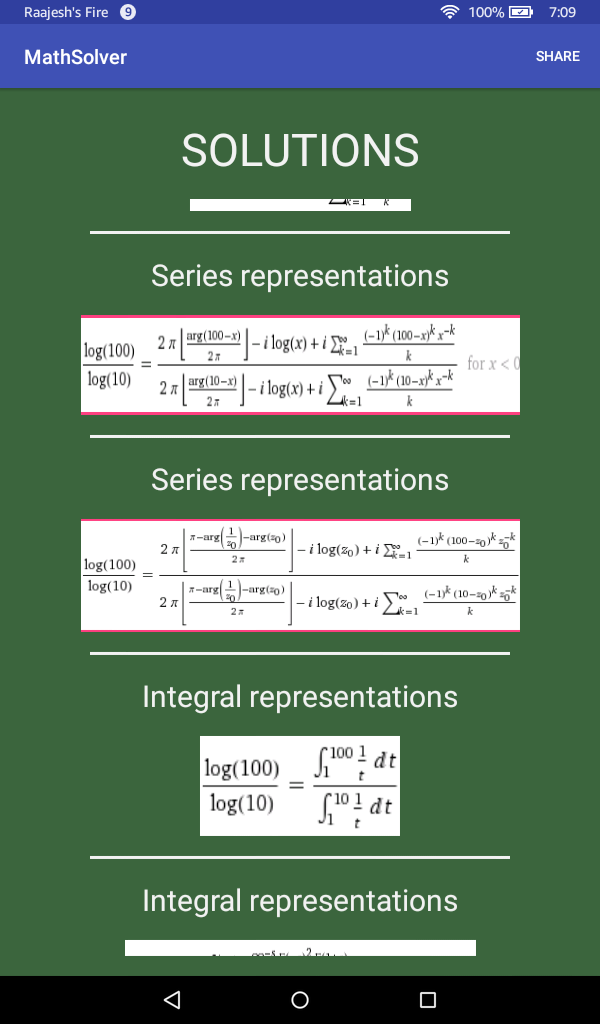
The third solutions image.
-
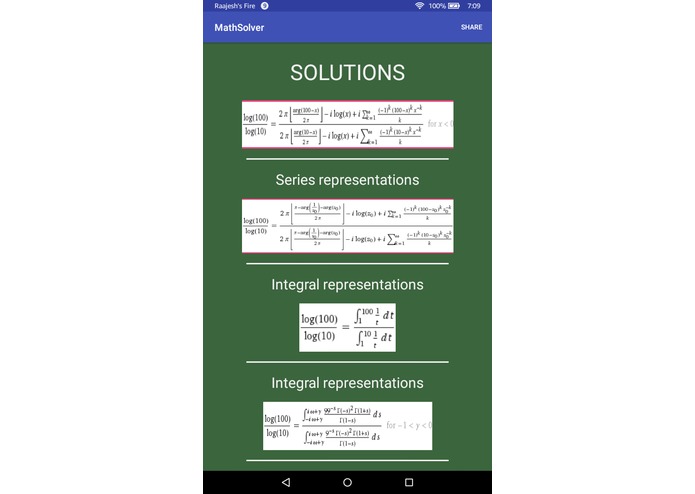
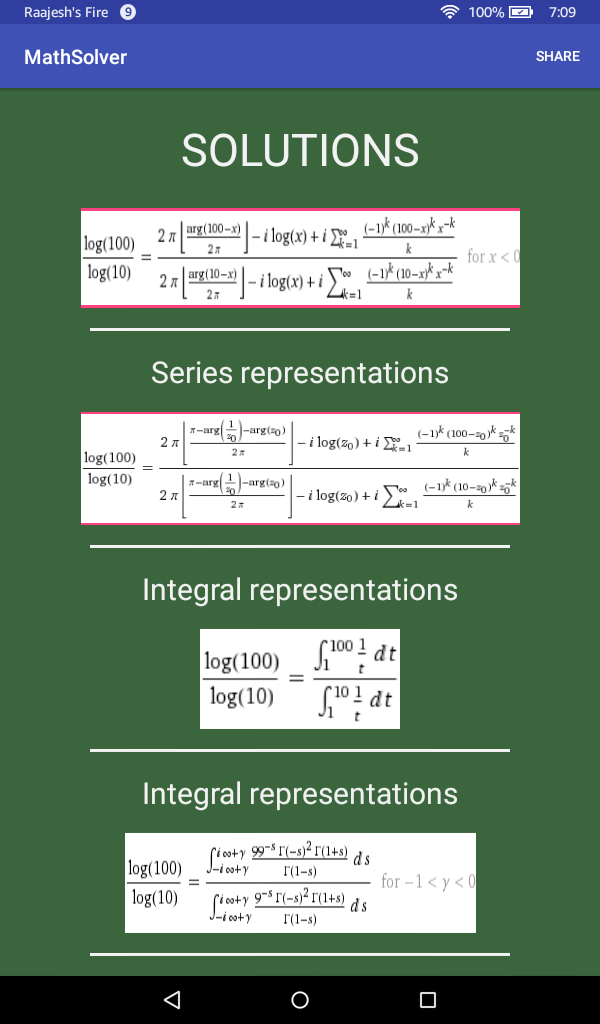
The fourth solutions image.
-
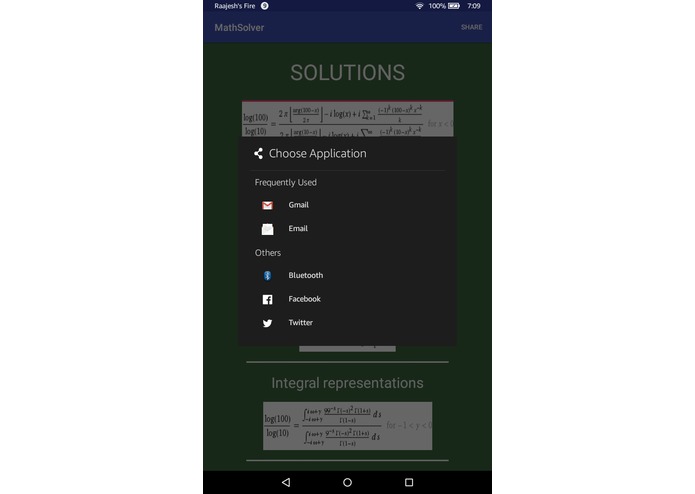
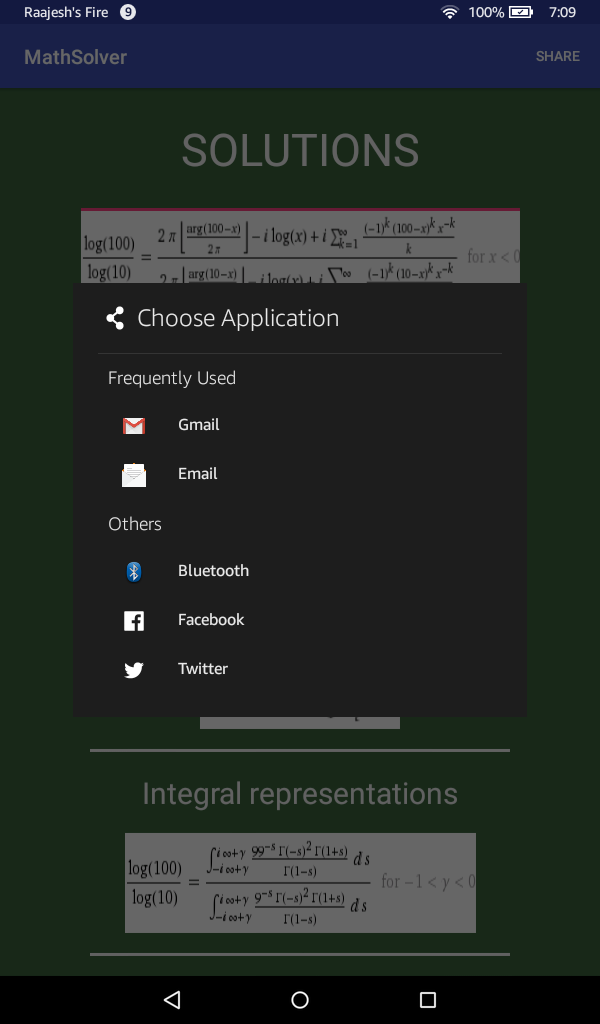
When the Share button in the top right corner is clicked, these are the options that pop up.
-
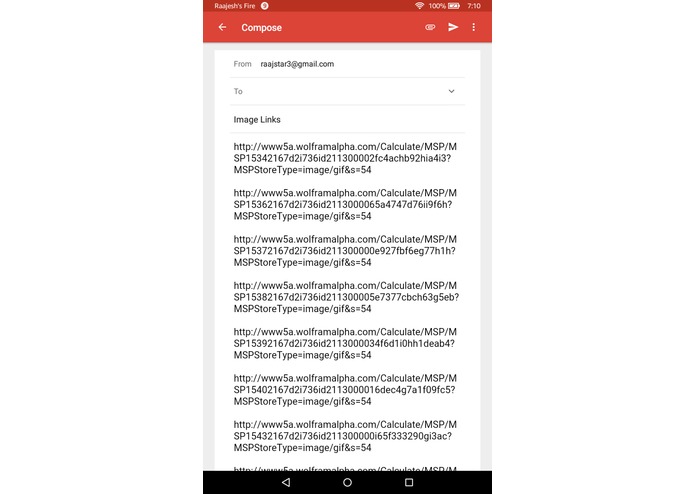
When Gmail is chosen for example, the links for the images that the API sent back as solutions are automatically added to the email body.

Inspiration
Being heavily involved with math throughout our academic careers and learning about the Wolfram Alpha API at MHacks, we saw a way to present solutions, graphs, alternate forms, and other help to students that needed help on solving math problems. Furthermore, we had both seen the power of OCR in past hackathons by allowing users to simply take pictures of text, so we saw the great opportunity to combine OCR capabilities in mobile technology with the Wolfram Alpha API to allow quick access to solutions and help on math problems.
What it does
At the home screen, the user is prompted to either take a live picture or use an existing image from their Android device's photo gallery of the text of a math problem. An AlertDialog box then opens up asking them to verify the OCR recognition on their image and allowing them to make changes if necessary. When they hit yes on the AlertDialog, it takes processes the text of their math problem through the Wolfram Alpha API (converting the plain text to the input text for the API) and then it opens up another screen where it displays the input, result, alternate forms, graphs, etc. for the user to see. The user can then click on the share button in the top right Corner and can share the resulting images from Wolfram Alpha through email, Facebook or other means by sharing the image URLs.
How we built it
We used Android Studio to build the design as well as the logic of the app of making API requests, getting data back, processing the data, etc.
Some important API's for us were the Google Cloud Vision API which we used for our OCR Text Recognition and the Wolfram Alpha API which we passed the decoded OCR text into (after converting it to the proper style of input for Wolfram Alpha) and which sent us back the images of the results of the input among other data.
As far as libraries, we used Google's Gson library to serialize the resulting JSON from the Wolfram Alpha API. Another useful library was Picasso, which we used to load and resize images from the internet to ImageViews within our layouts in our apps.
Challenges we ran into
We initially used Google's Mobile Vision Library for OCR, but we quickly midway through that it was not effective at decoding mathematical expressions. As a result, we had to change our course and we began using the Google Cloud Vision API, which took several hours for us to configure and switch to during the middle of development. We also had to learn a lot about how to use multithreading to preserve the UI in our app while running other processes. We created several AsyncTasks in order to run Network operations on a separate thread to keep the app running. In addition, coordinating all the data being sent between the API's and classes such as the Asyntasks, the Recyclerview Adapters, and the Activities took quite a long time. Another big challenge for us was configuring the options for the user to either take a photo or select an image from the gallery and be able to pass this specified image to our API.
Accomplishments that we're proud of
We are proud of having been able to integrate the OCR to successfully read the user's image, and then for the API's to seemlessly communicate and send data between each other and back to our other classes and UI components to allow the user a great and easy experience while using our app. We are also proud of our UI Design as it has great ease of use as the user simply has to choose a photo or take a photo, and the rest of the work is done for he/she. We are also proud of our responsive design aspects as well as our color scheme to emulate a classroom and chalkboards similar to how and where math is taught and learned.
What we learned
We learned a lot about serializing complex JSON, performing processes on other threads, communicating between API's and UI, as well as creating a UI design that is the most useful and easily usable by the user. Furthermore, learning the constraintLayout, recyclerView, AlertDialog, and other UI Design components in Android was a great learning experience for both of us.
What's next for Math Solver
We would love to keep improving the OCR Text Recognition to recognize more kinds of mathematical expressions as well as to integrate a higher level version of the Wolfram Alpha API that provides more detailed step by step feedback to give the user even more knowledge about how to solve the problem. Both of these will make the app even easier and more accurate to use, which would be a huge plus of any users of the app.


Log in or sign up for Devpost to join the conversation.