-
-
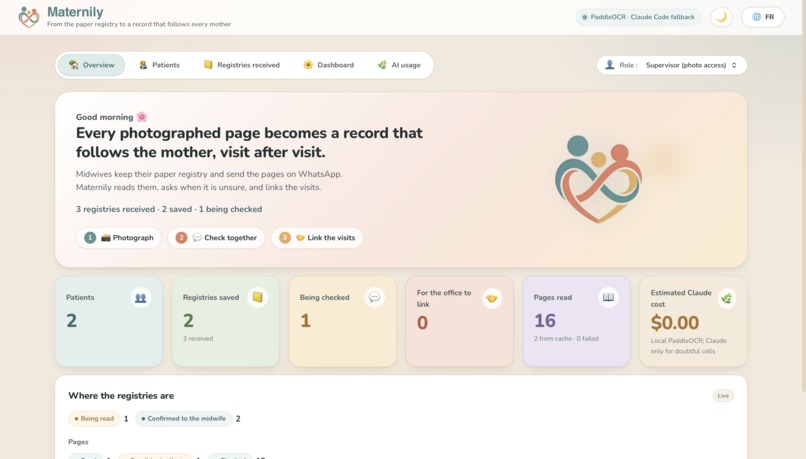
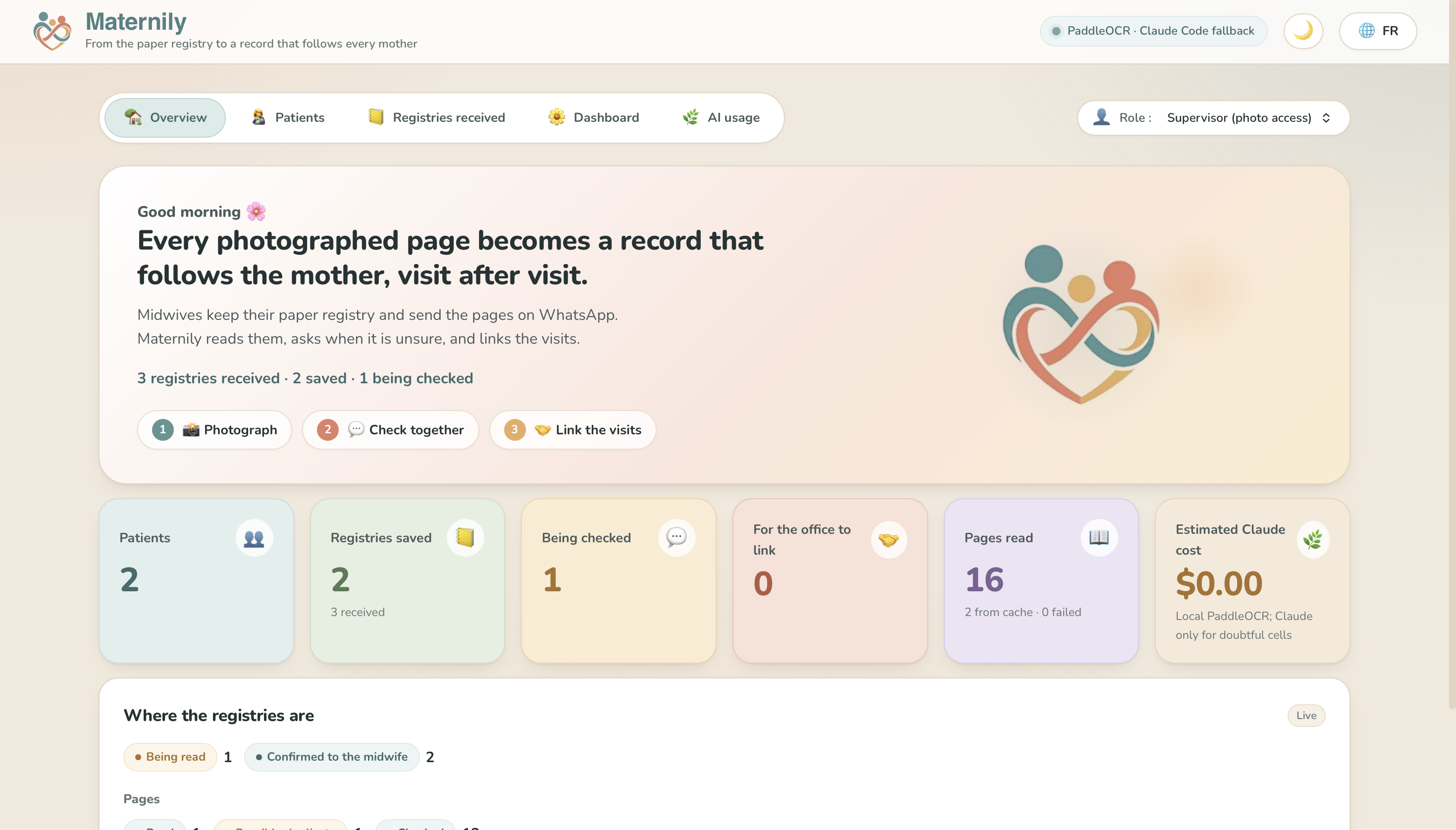
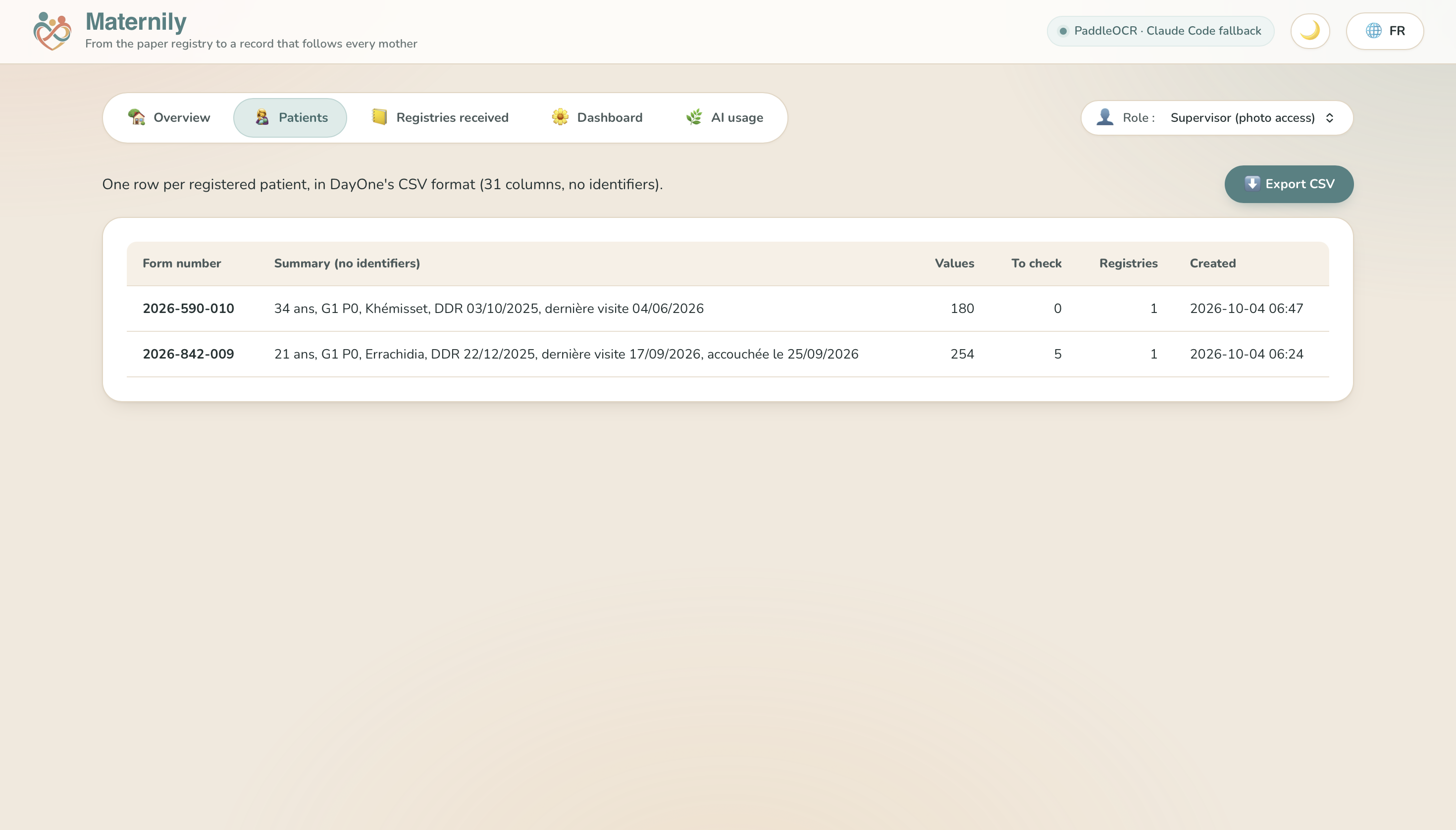
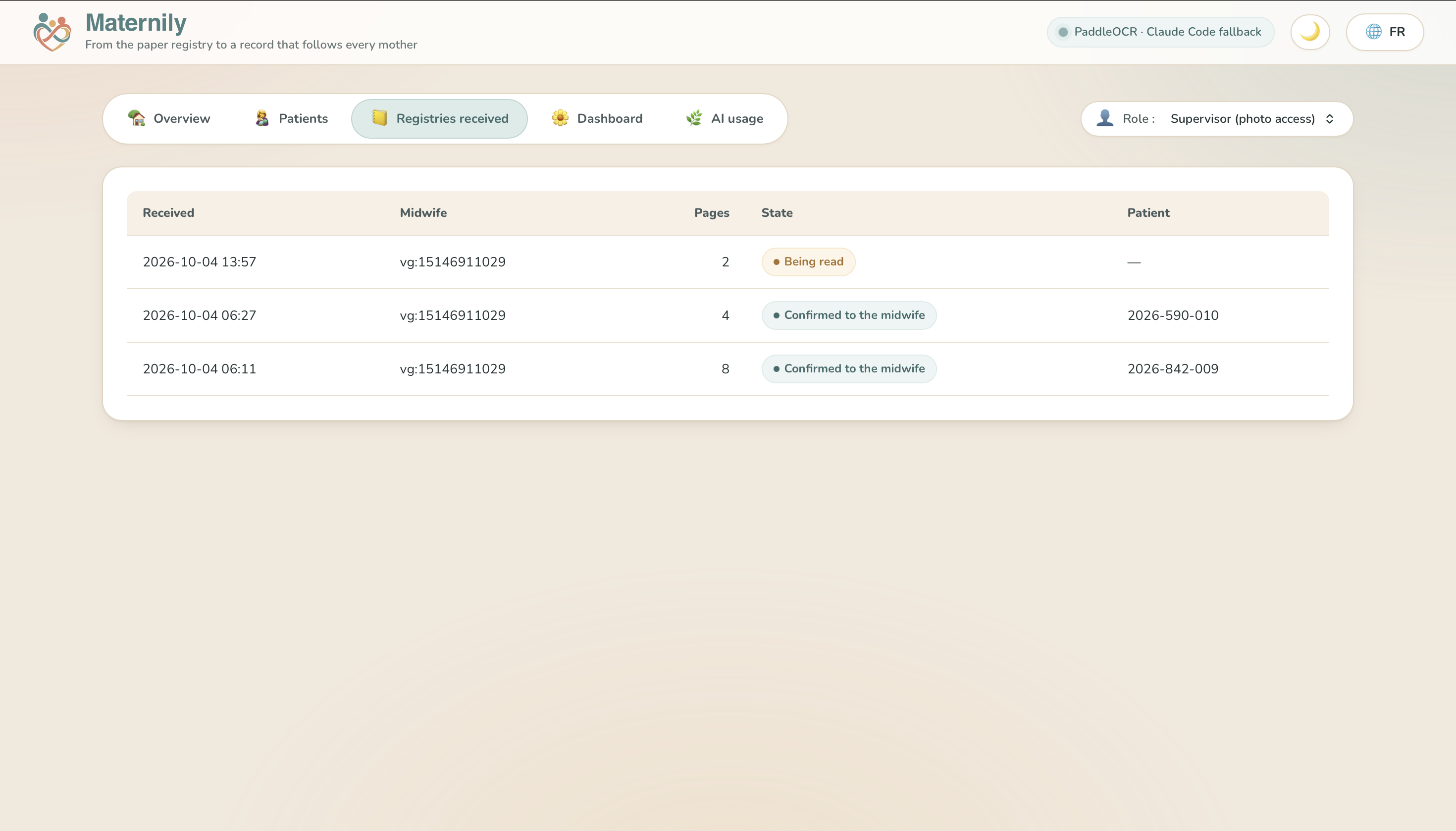
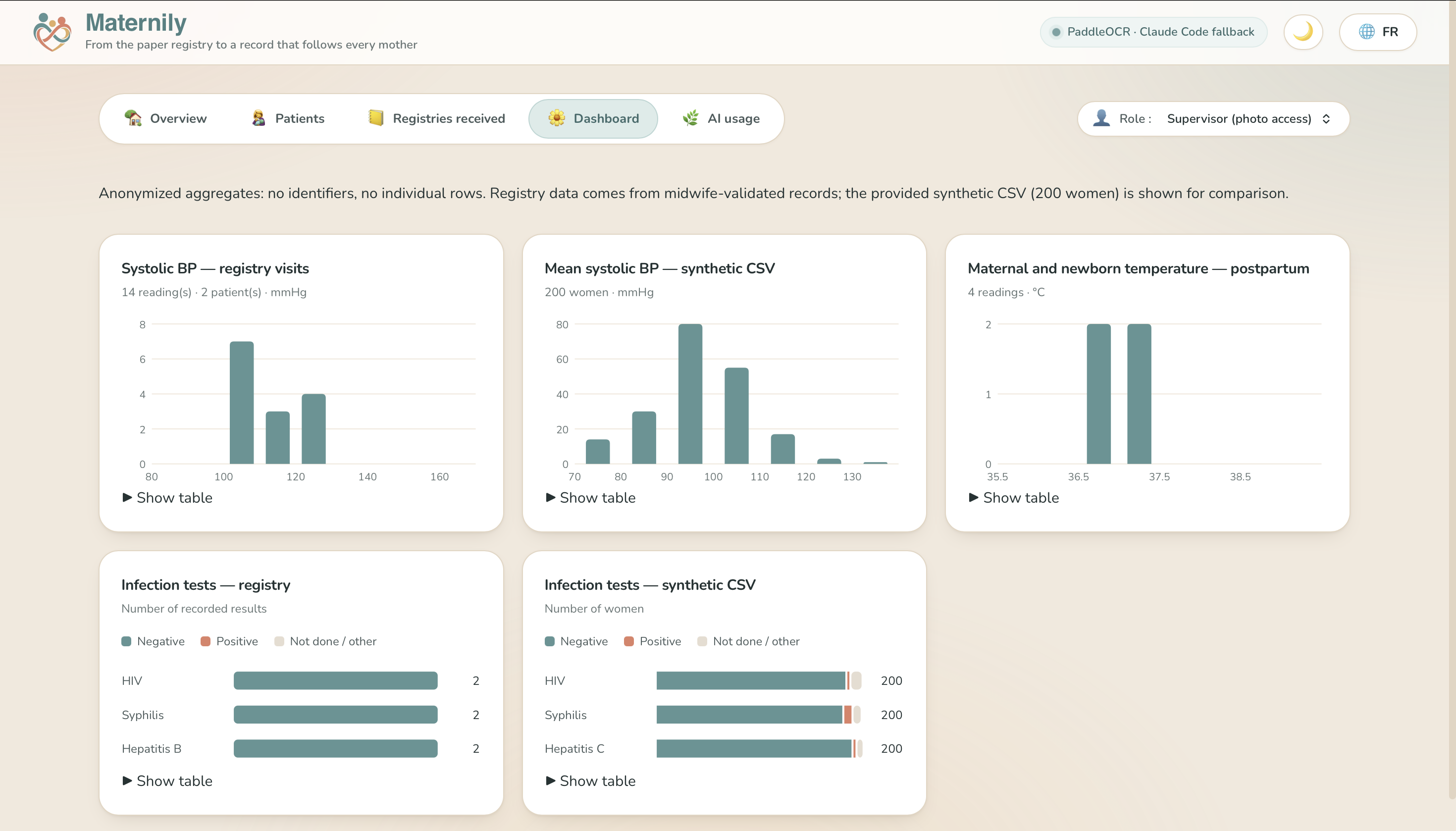
DayOne's Dashboard
-
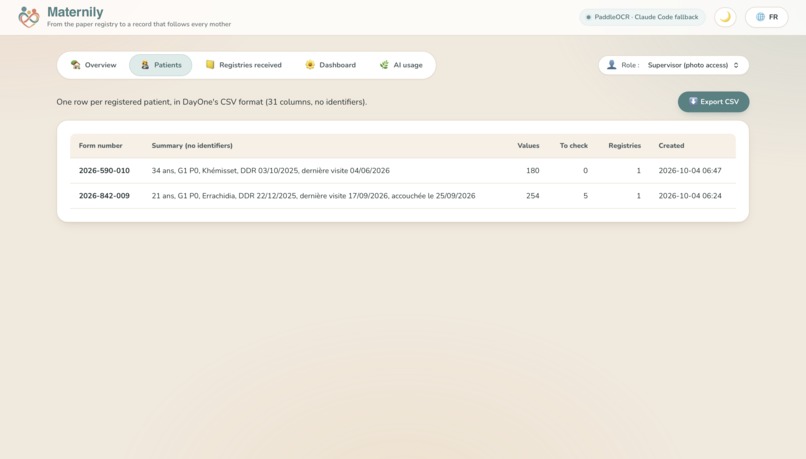
Patient lists - anonymized
-
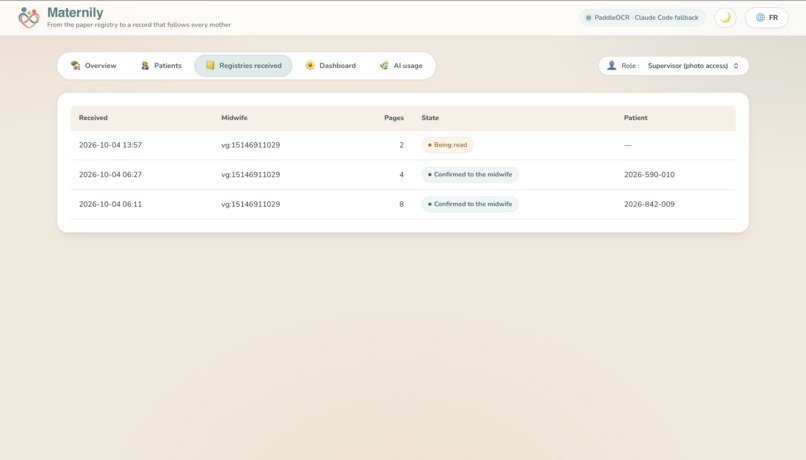
Registries Received from midwives - Shows status
-
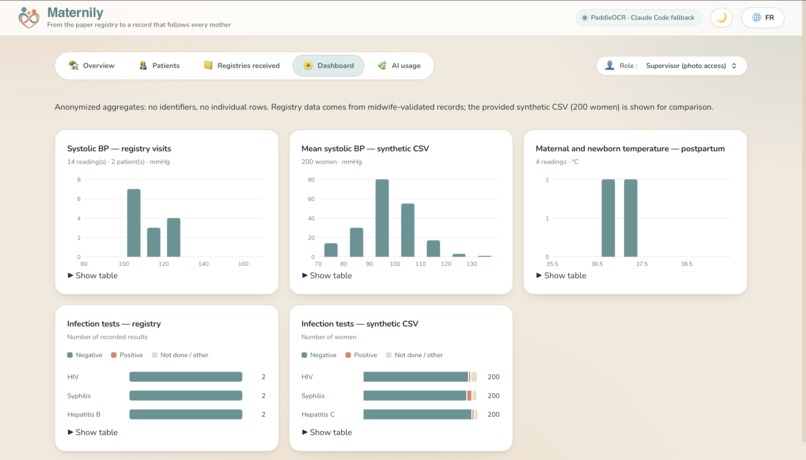
Anonymized aggregates for health data
-
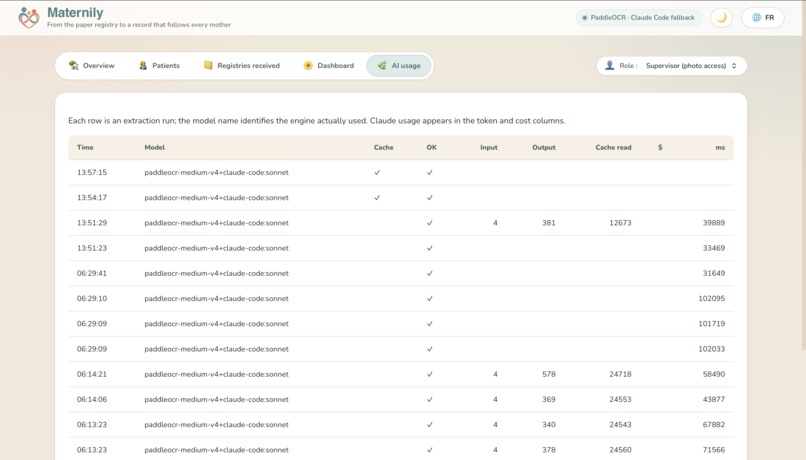
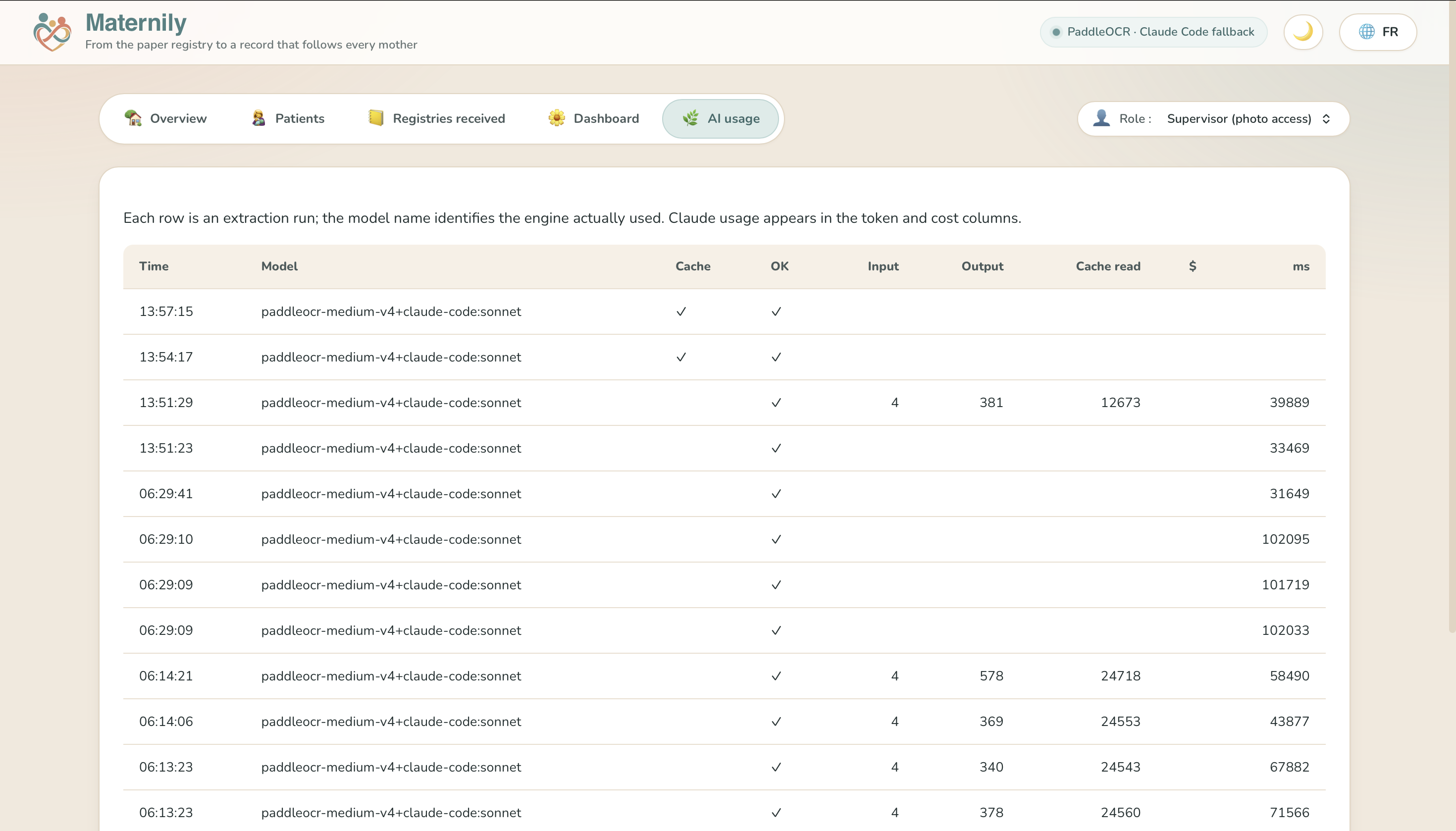
AI usage for cost-monitoring
-
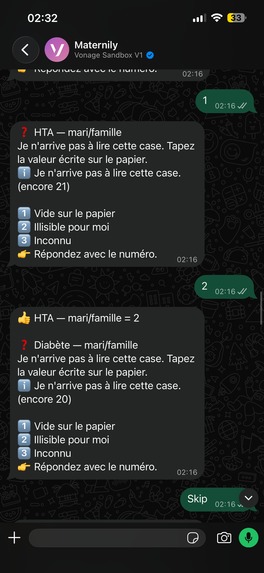
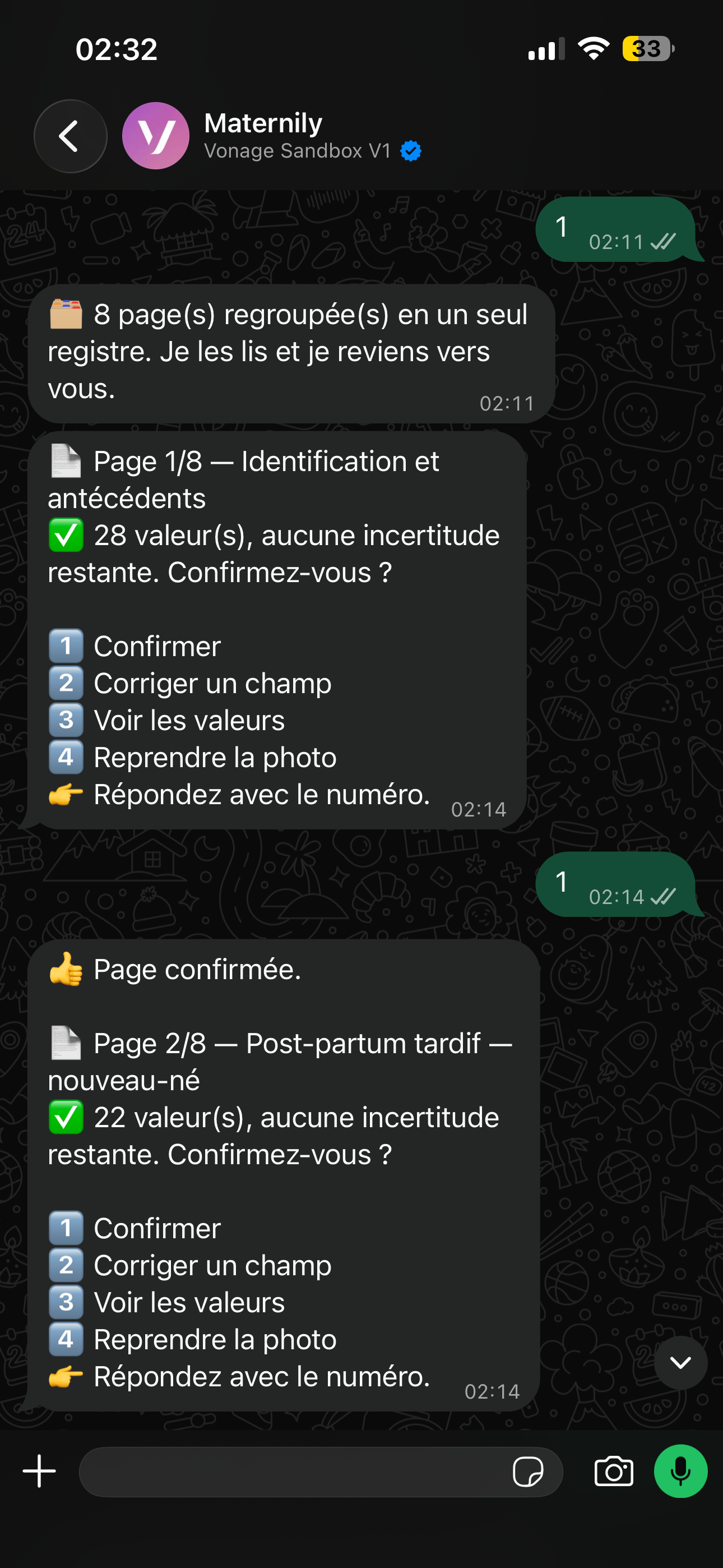
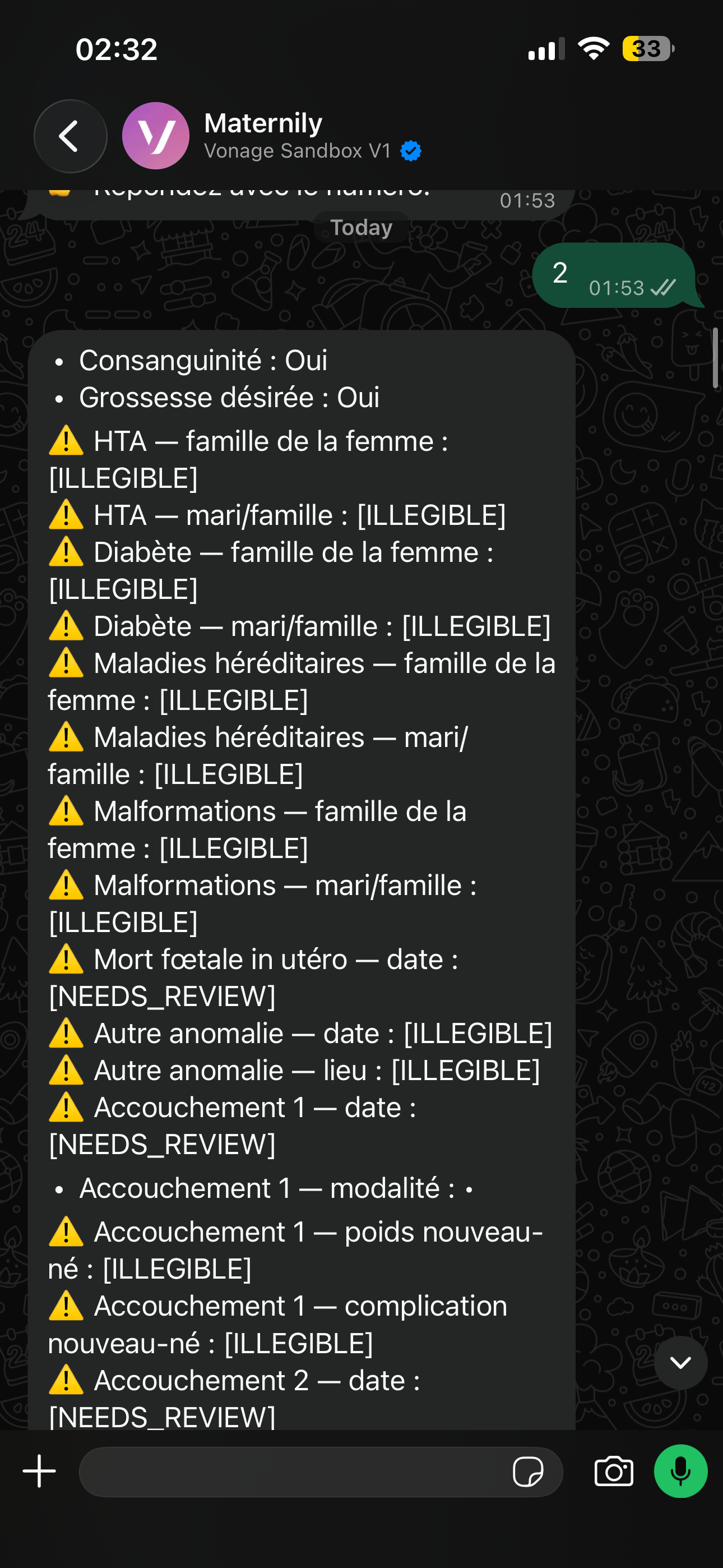
Data verification
-
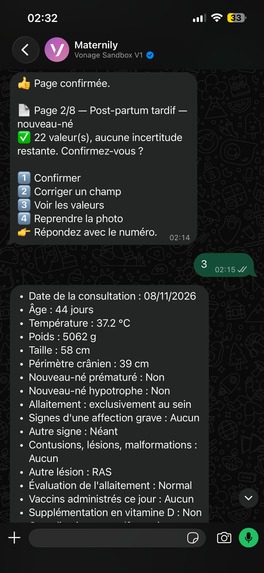
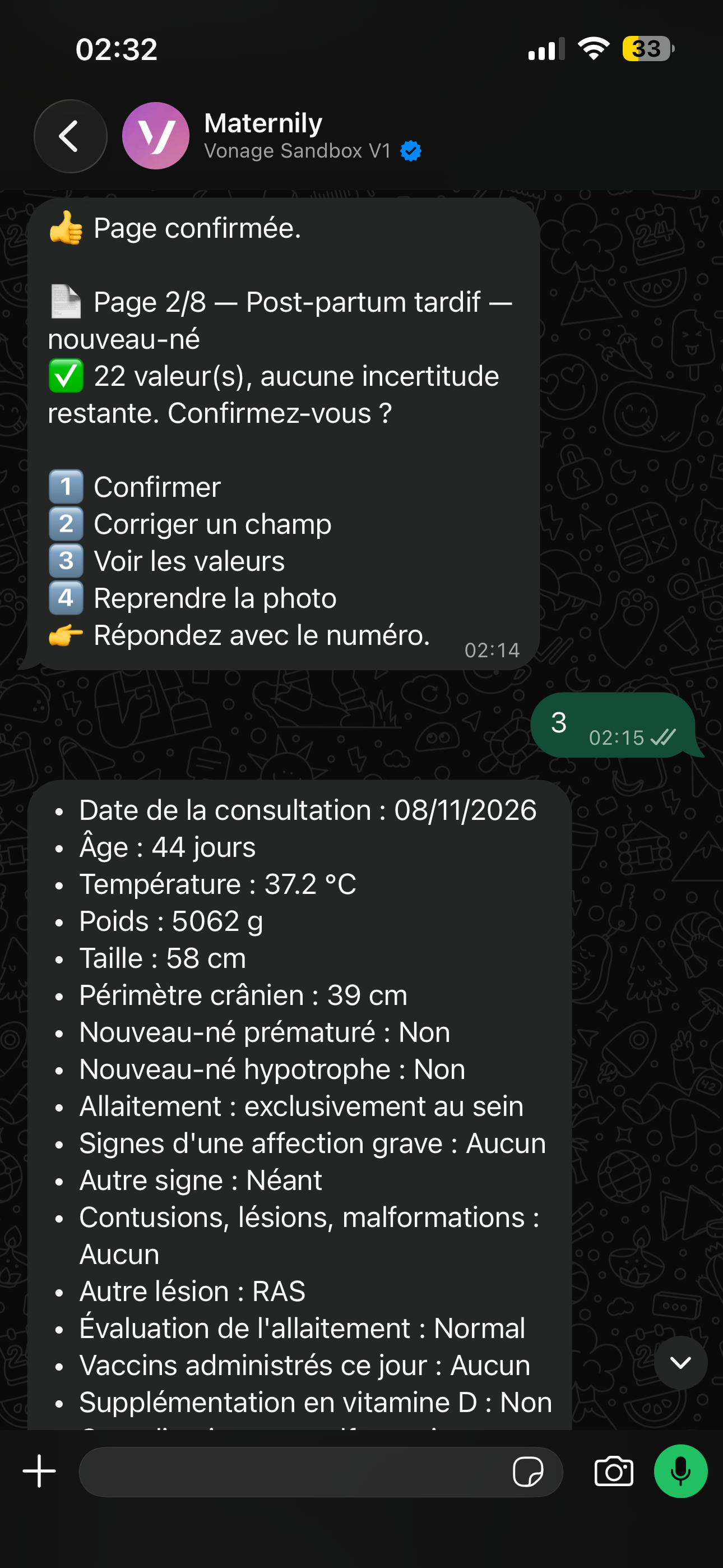
Listing the metrics
-
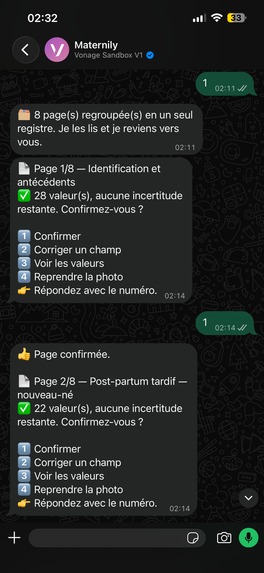
Confirming the data
-
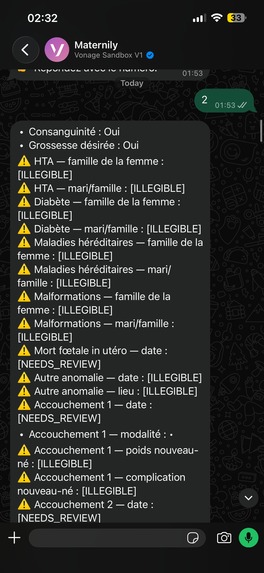
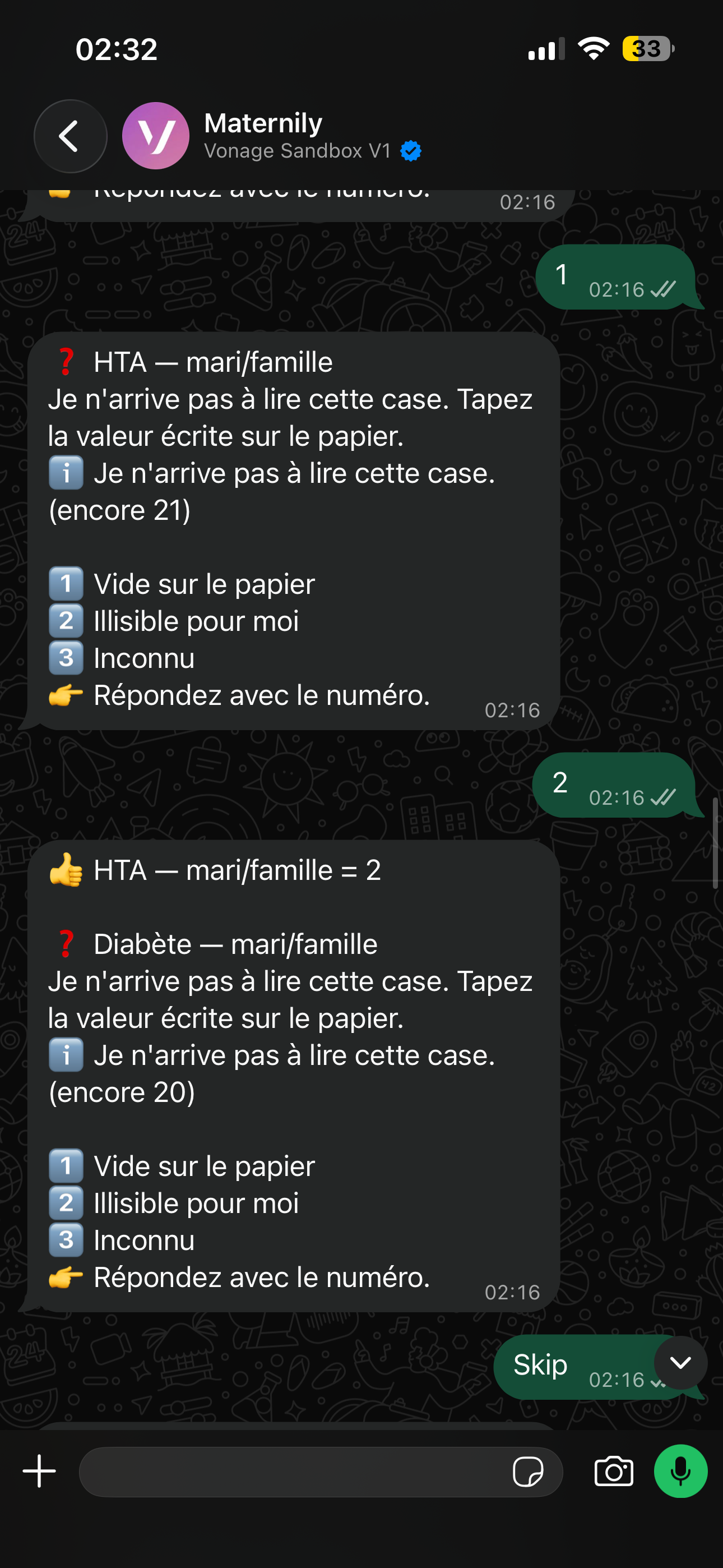
Unreadable Data
-
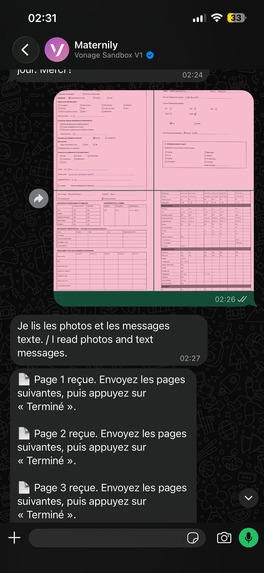
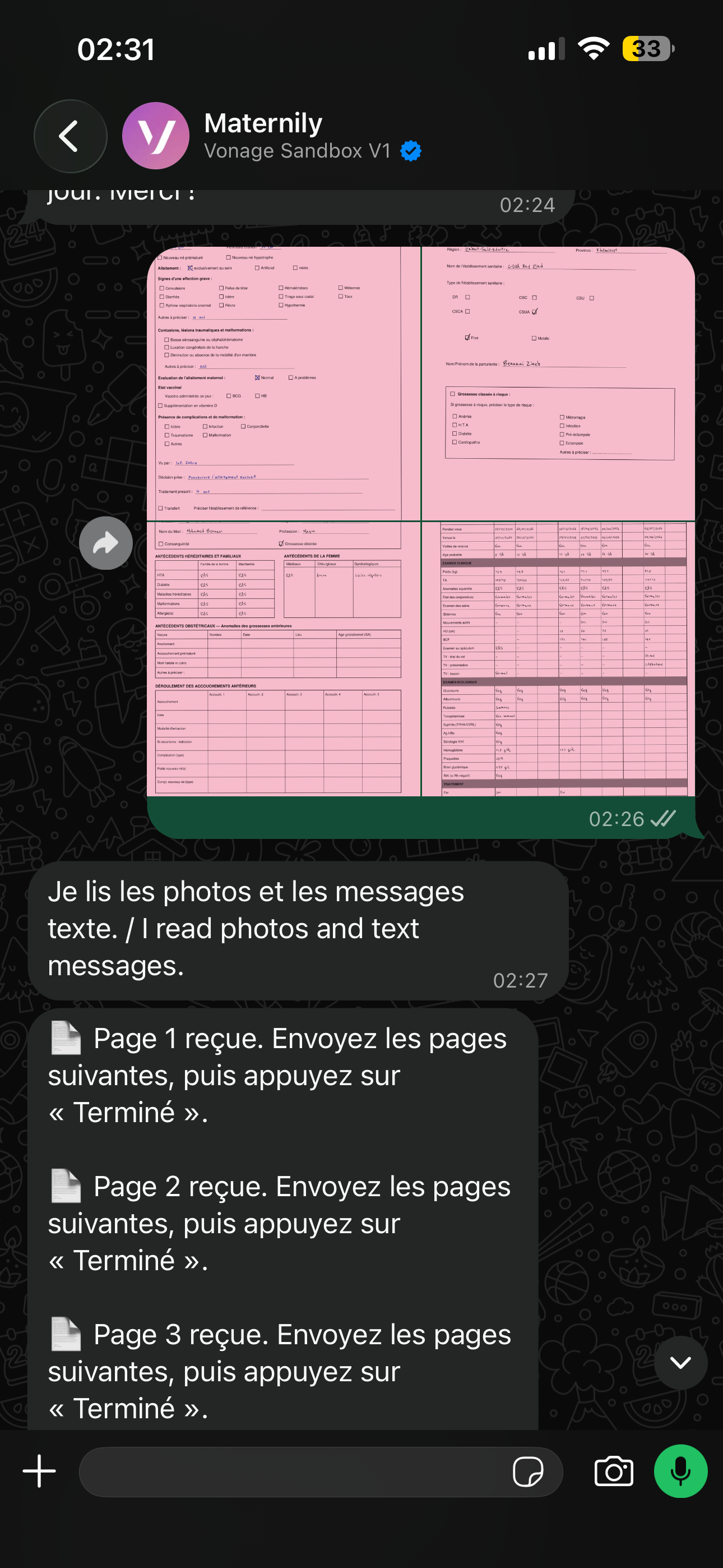
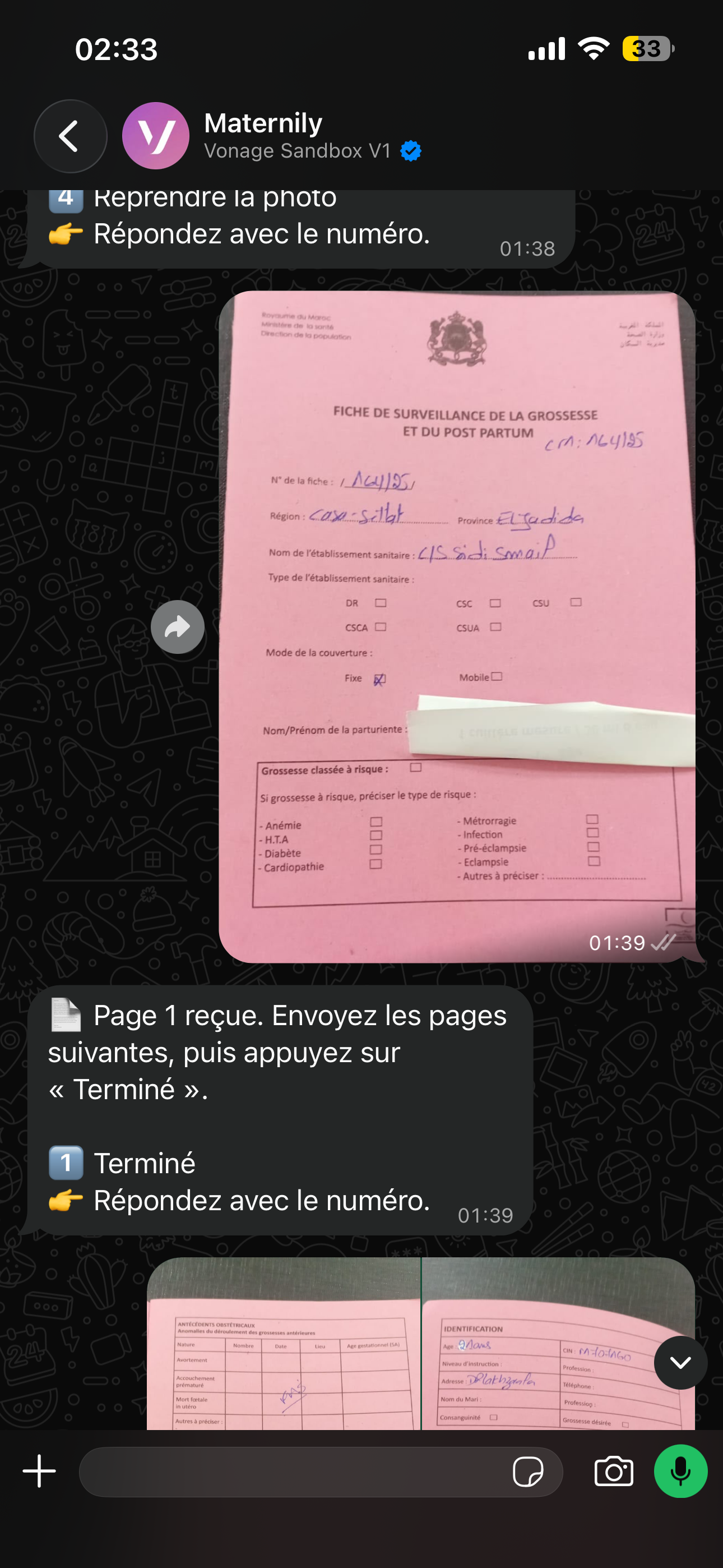
Image uploading
-
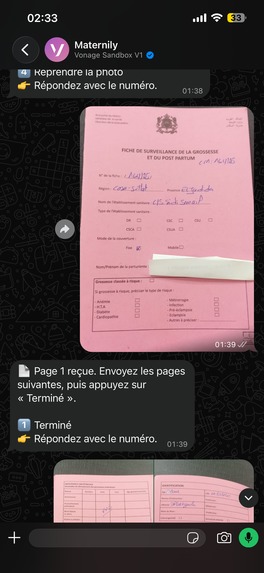
Real data test
-
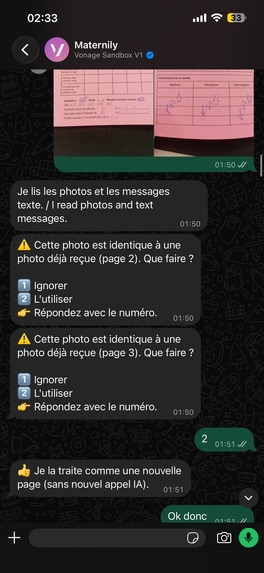
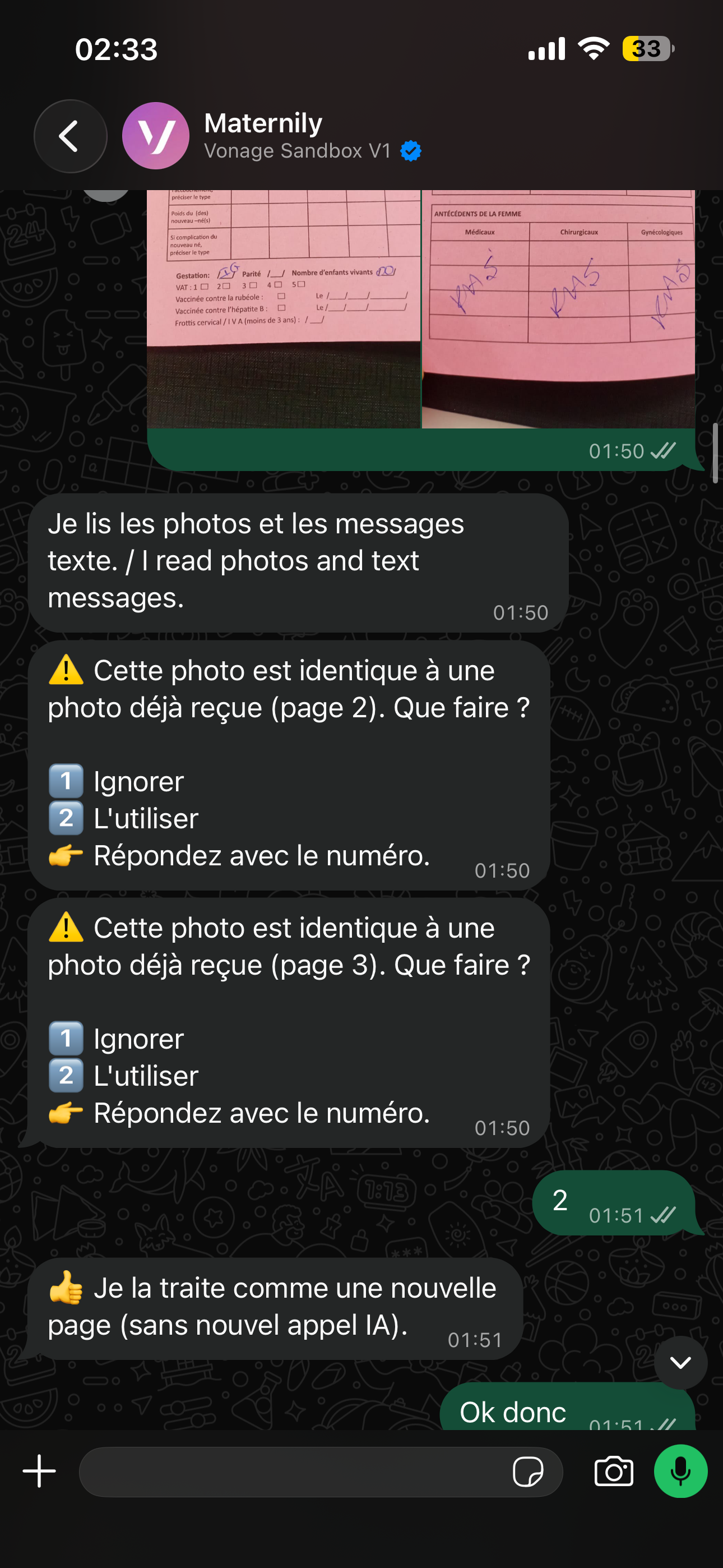
managing duplicate images
Inspiration
A midwife records every prenatal visit, delivery and postpartum check-up by hand. Those papers are usually the only copy. They can be lost, they can't be searched, and the next midwife who sees the same woman starts from nothing.
The challenge from DayOne asked a simple question: what if a midwife could just take a photo and store it online? Midwives already use WhatsApp, sometimes with a weak connection. We wanted a tool that meets them there, with nothing new to install and nothing new to learn, and that protects the woman's privacy.
What it does
Maternily turns a photo of a paper registry page into a structured digital record.
- Photograph. The midwife sends one page or the whole registry, then says "terminé" (done).
- Answer the doubts. The app reads the handwriting. Where it is unsure, it asks one short question with three big buttons: Correct, Fix it, or Illegible on paper. It never guesses silently, and the midwife always has the last word.
- Done. The record is saved and linked to the woman's earlier visits, with no names or phone numbers stored. The midwife confirms who she is from a short list.
It also works offline, handles blurry or duplicate photos, shows what changed when a registry is photographed twice, and gives supervisors an office console and a dashboard of anonymous totals. It never diagnoses, scores risk or gives treatment advice. It only flags data-quality problems, such as "this value looks out of range, please check the reading." The interface also comes in French and English.
On 40 pages it had never seen, it read 98.1% of 1,230 handwritten values correctly, at near $0 per page. About 3 in 4 of its mistakes were turned into questions for the midwife.
How we built it
We started by studying the paper registry and the data. The challenge came without an answer key, so we recovered the handwriting hidden inside the provided PDF and built an exact one ourselves: 2,112 values and 1,970 checkboxes.
- Reading handwriting for free. The app knows the layout of the registry, so it knows where every field is. A free, open-source reader (PaddleOCR) runs on the machine itself, so photos never leave it. Cleaning rules fix common confusions, such as a "1" read as a "7".
- Code interprets, AI only transcribes. Dates, blood pressure, gestational age and units are parsed by fixed rules and checked for consistency. This keeps the results testable and the cost low.
- AI only when really necessary. For the few cells the reader can't handle, an optional fallback calls Claude. It is switched off by default.
- A bounded conversation, not a chatbot. A button-driven agent runs the review, patient matching and file requests, which keeps cost predictable.
- Offline-first. Photos are stored encrypted on the phone and sent in order when the signal returns. We tested it by cutting the connection mid-upload.
- Privacy by design. There are no identity fields at all, and our tests enforce it. Photos are encrypted and only supervisors can open them, while analysts see aggregates only.
- Messaging. WhatsApp through the Vonage sandbox for the demo, with Meta's WhatsApp Cloud API as the production path.
- Stack. TypeScript, React, Node.js, Express, SQLite, Python, and 38 automated tests.
Challenges we ran into
- The fact that the app could be run offline: photos and answers must never be lost or duplicated when the connection drops and returns, so we built an encrypted on-device store and an ordered, repeat-safe outbox.
- The accuracy of scans of handwritten notes: our first pass read 78.8% of values correctly on practice pages. Layout templates and cleaning rules brought that to 98.1% on pages we had never tuned on.
- WhatsApp connection was extremely difficult: Meta's official channel needed a verified company, and Twilio's free trial couldn't send our messages. So, we built both, kept them as the production path, and found Vonage's free sandbox for the demo.
- Arabic translation was difficult because nobody on the team spoke Arabic, and the data had no Arabic handwriting to test on.
Accomplishments that we're proud of
- Implementing it so it is able to run both without AI and with AI, using AI only when it is really necessary, which brings the cost to $0 per page and zero API calls.
- The encryption security: encrypted photos, an encrypted vault on the phone, signed messages, and no direct identifiers stored.
- The fact that we managed to connect it to WhatsApp, in both directions.
- A UX designed to feel natural for midwives who may not be the most tech savvy: big buttons, one question at a time, and a familiar chat.
- Results measured on a held-out test set, not only on pages we tuned on.
What we learned
- How it improves the midwives' experience: they should do less typing, the app should only ask about real doubts, and the midwife must always stay in control of the final record.
- Computer vision and document scanning: knowing where each field sits on a form helps more than a bigger model, and good confidence signals matter as much as accuracy.
- Offline services and how they work: queues, retries and encryption on the device, and how to make sure nothing is sent twice.
- Free tools can go a long way when the problem is well framed.
What's next for Maternily
- Arabic translation, including Arabic handwriting and right-to-left screens
- Better scanning with a trained model, using real handwritten pages
- A pilot with real midwives, to measure it on real paper
- A list of women due for a visit, and a summary before each visit
- DayOne's production setup: verified WhatsApp Business, with cloud AI as a fallback
Built With
- aes-256-gcm
- ai
- claude
- express.js
- jspdf
- ml
- ngrok
- node.js
- paddleocr
- python
- sqlite
- typescript
- vitest
- vonagesandbox
- zod4

Log in or sign up for Devpost to join the conversation.