-
-
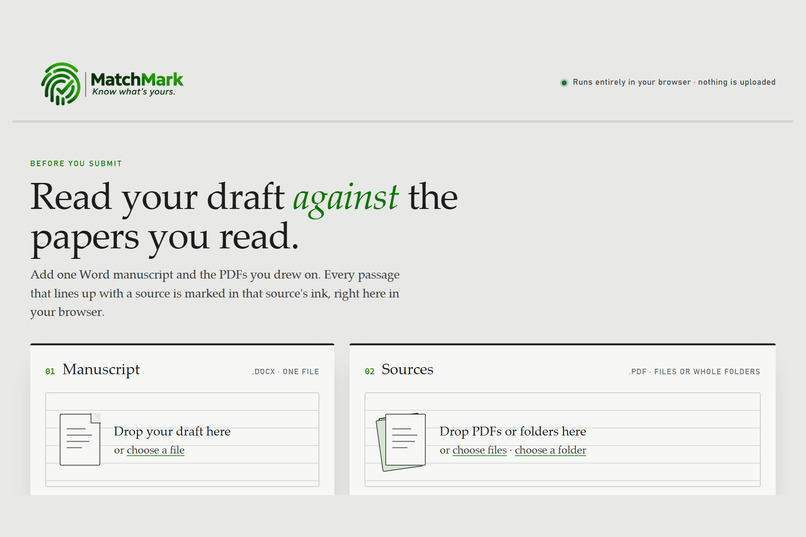
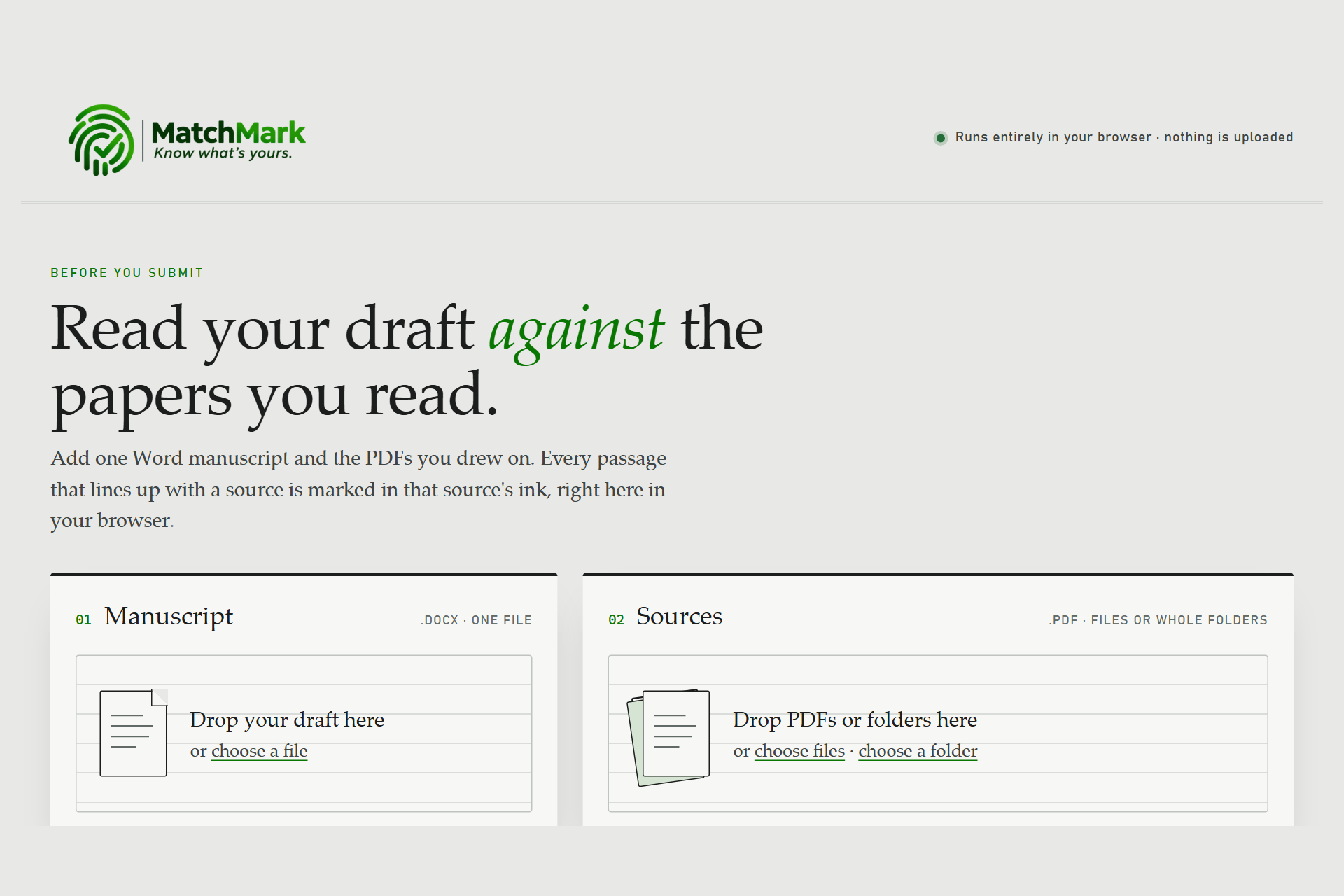
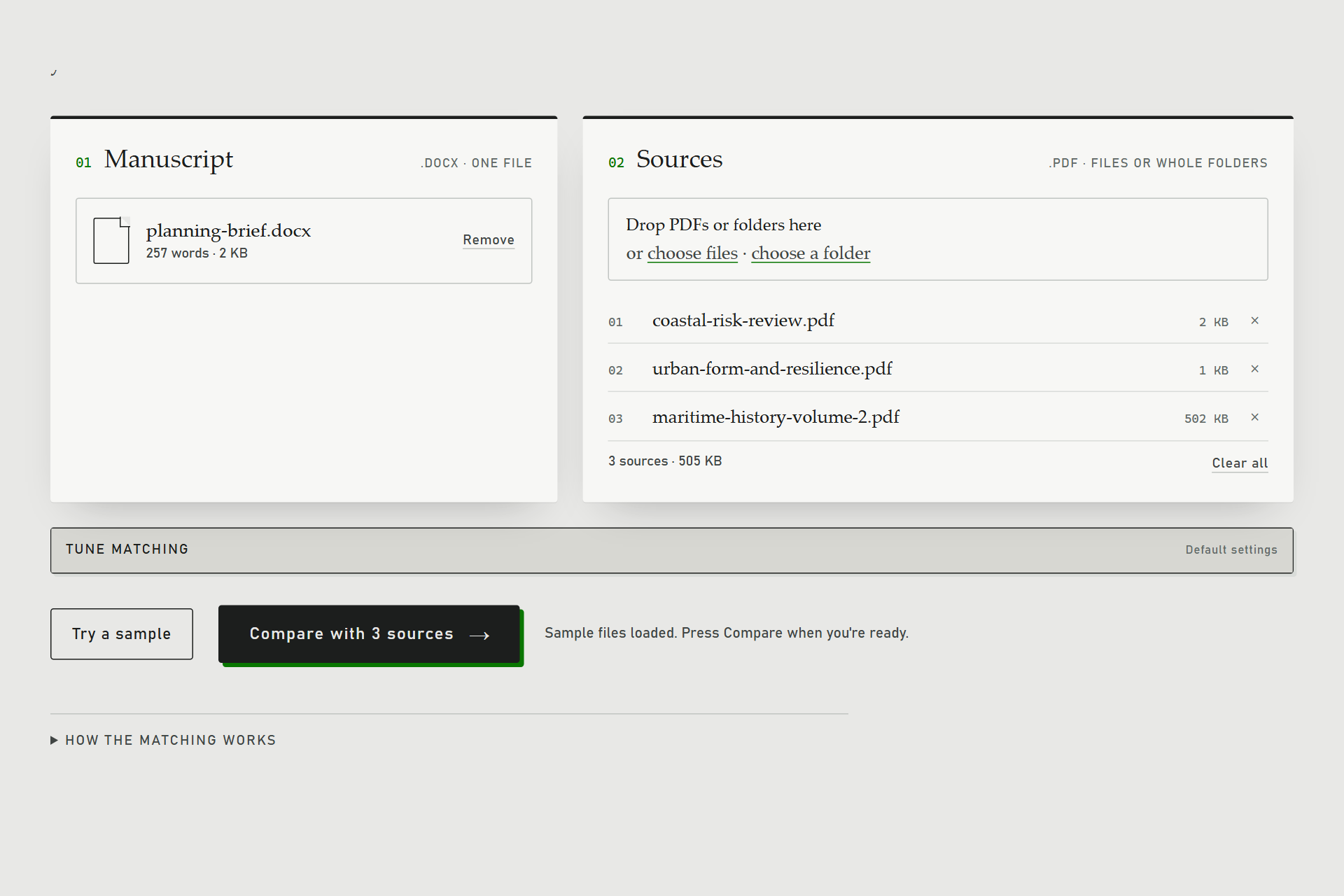
Start screen: add one Word manuscript and any number of source PDFs, or whole folders.
-
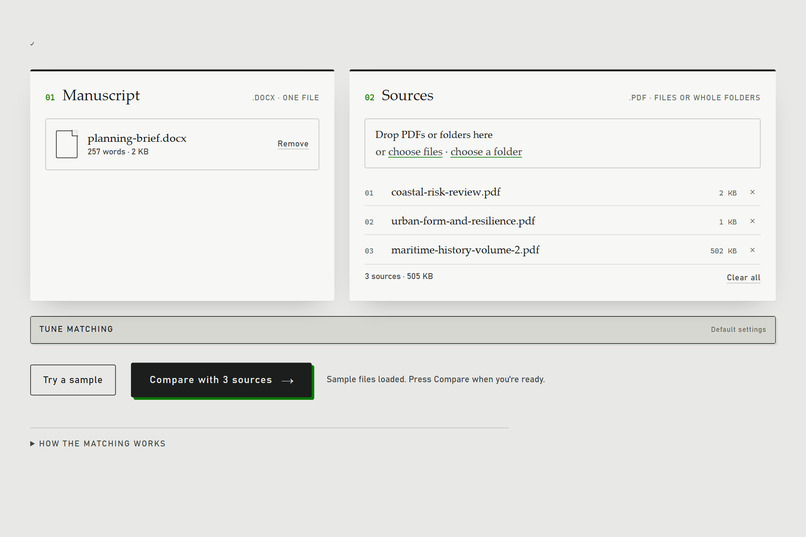
The built-in sample loaded: one manuscript and three source PDFs, ready to compare.
-
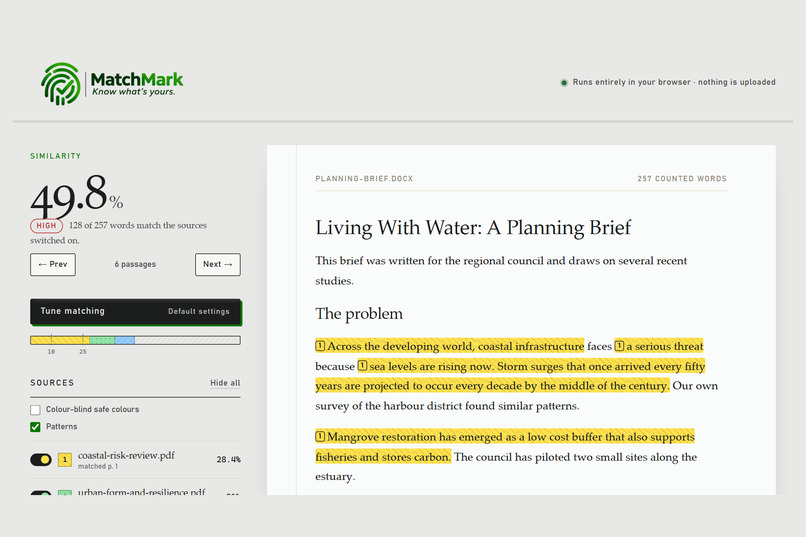
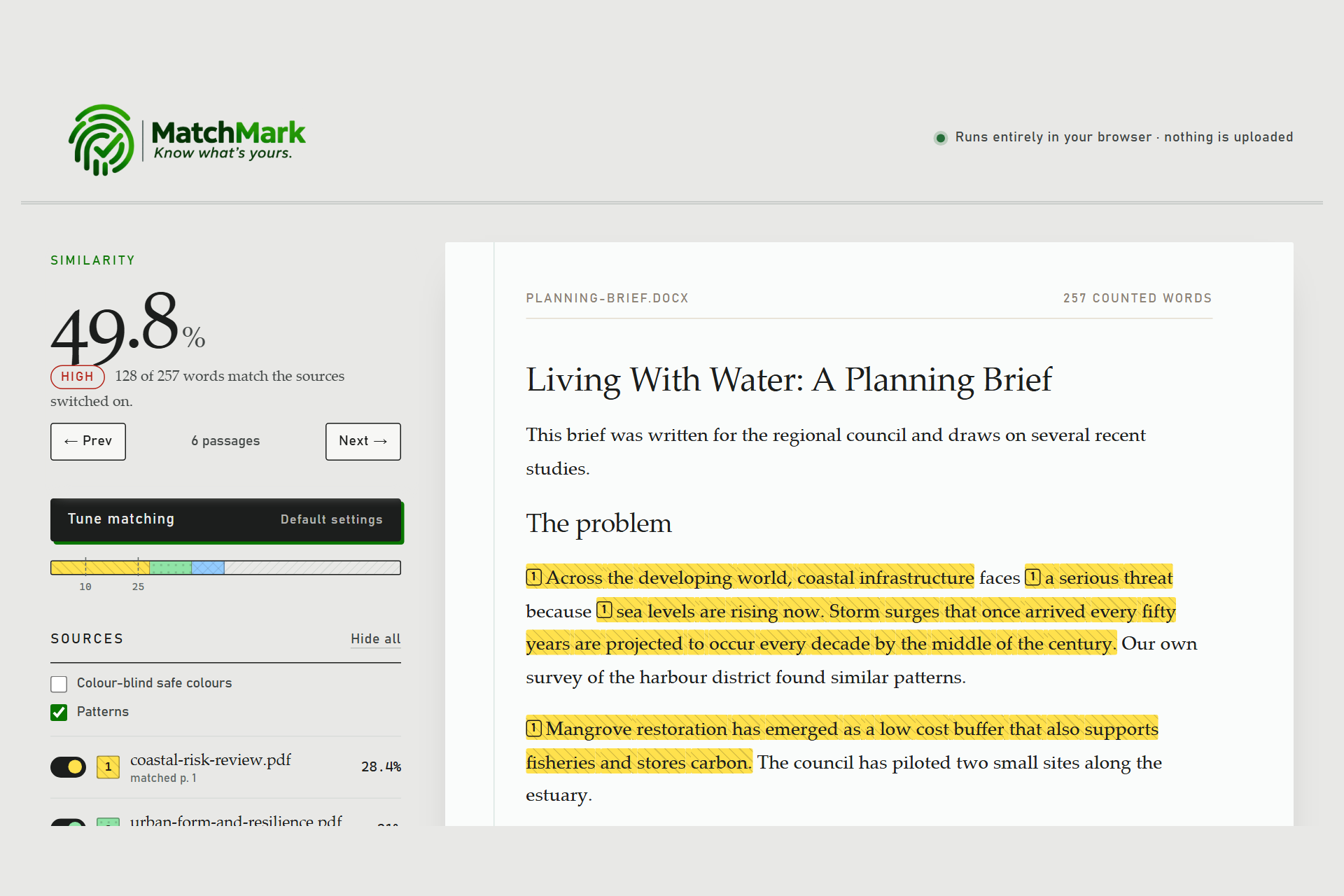
The report: overall similarity score, a High/Moderate/Low level, and every matched passage highlighted.
-
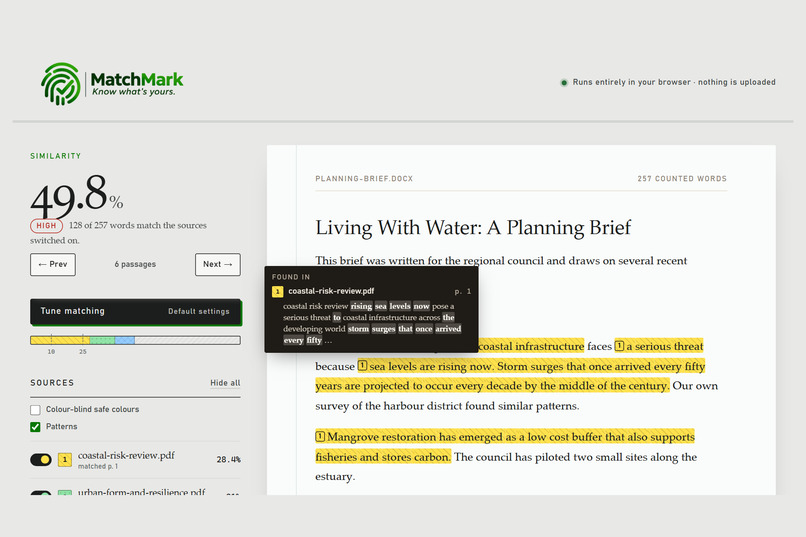
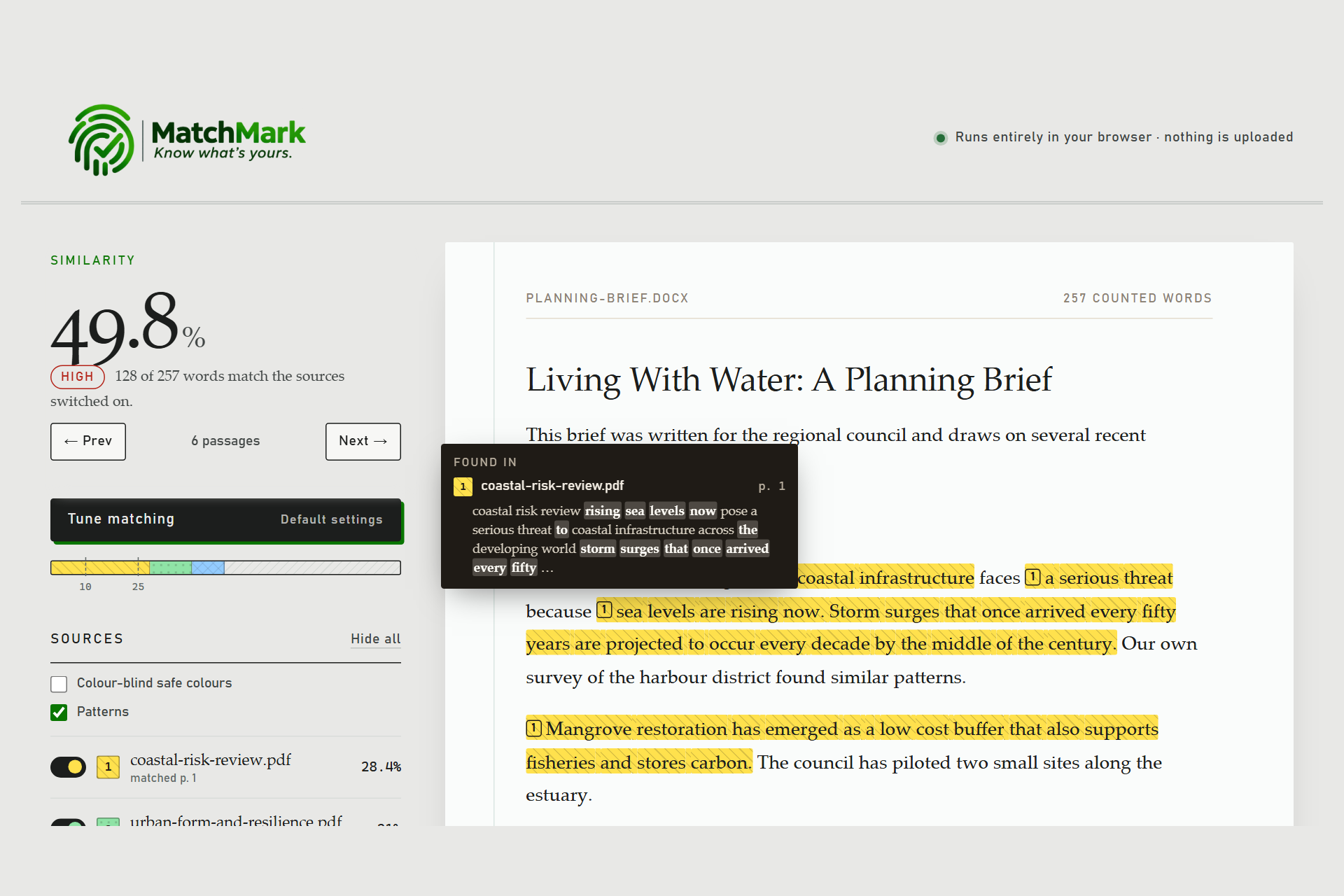
Hover any highlight to see which PDF it came from, the page number and the matching source text.
-
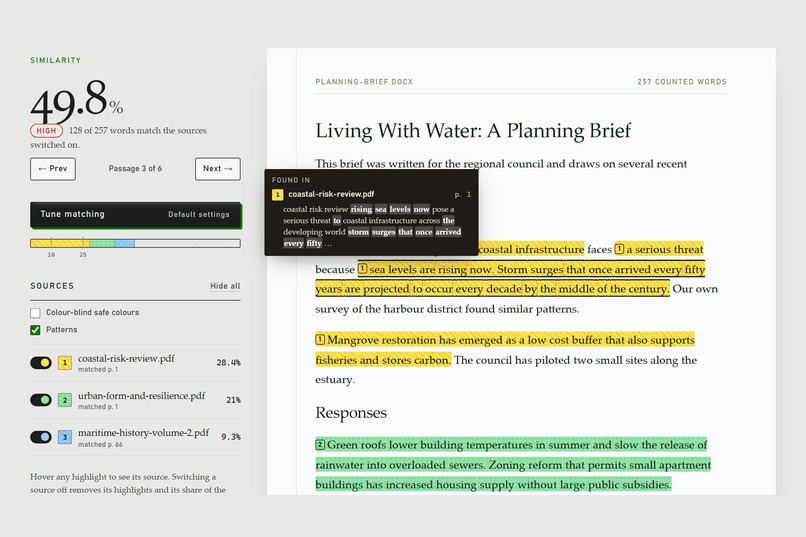
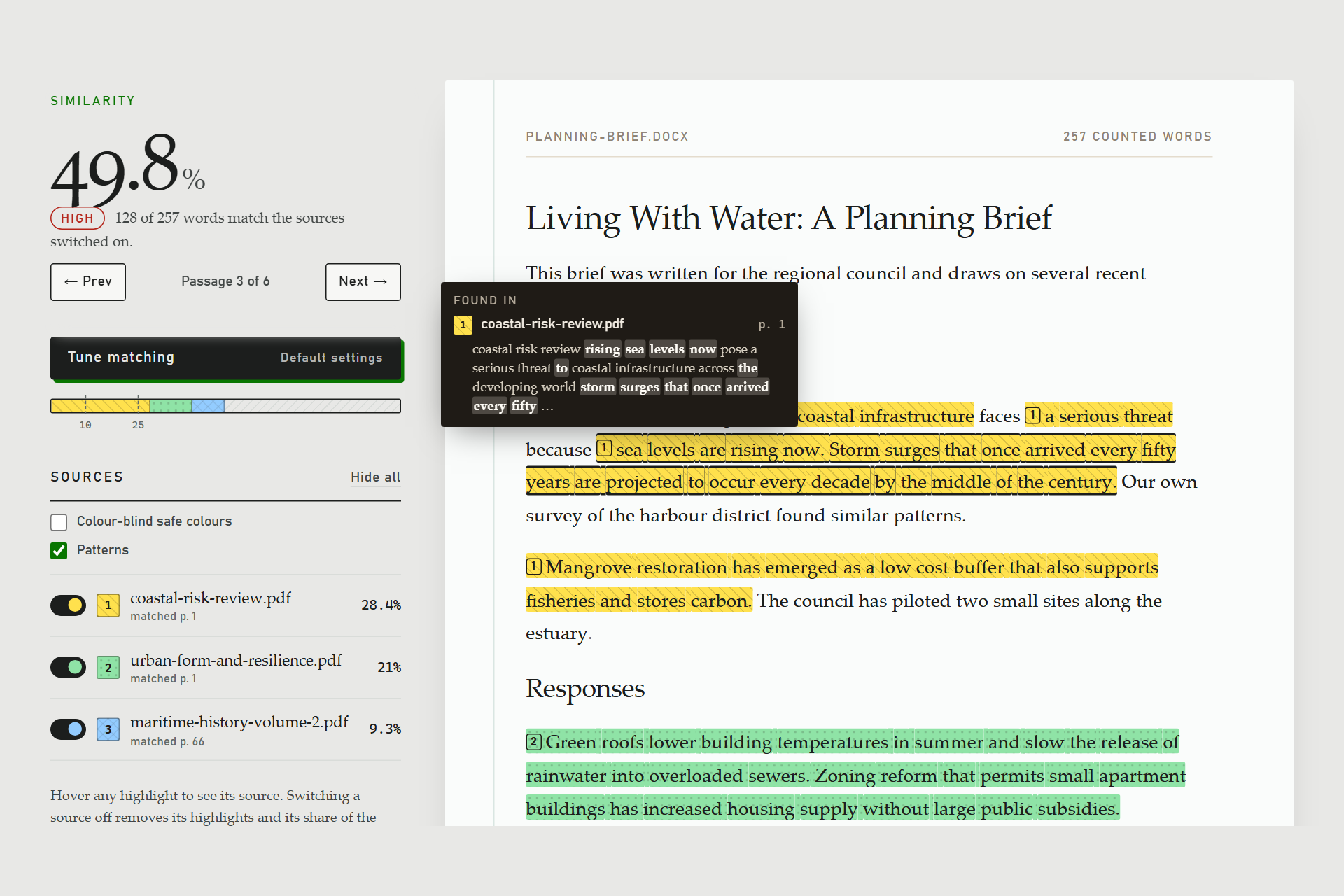
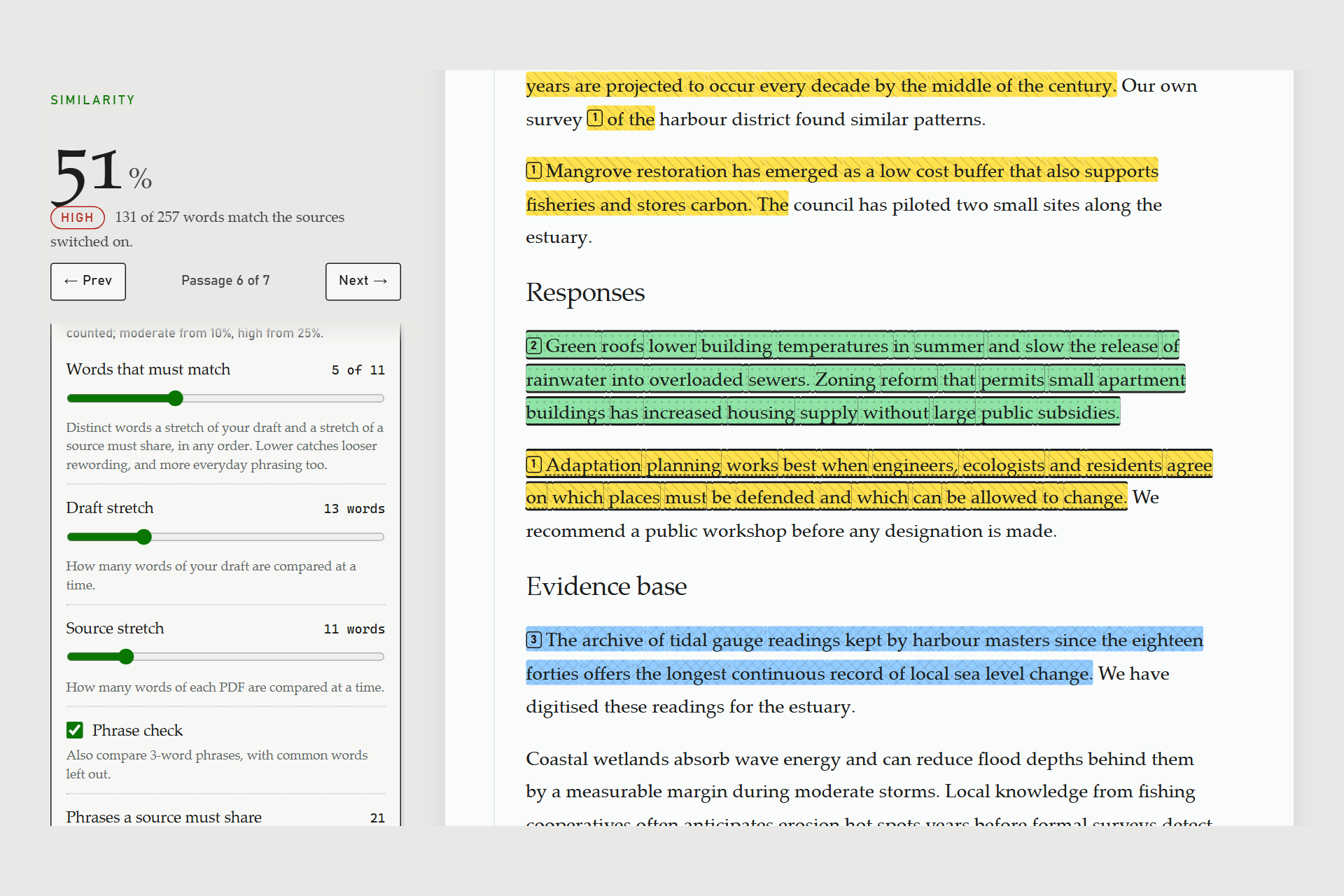
Step through matches one passage at a time with Next/Previous or the n/p keys.
-
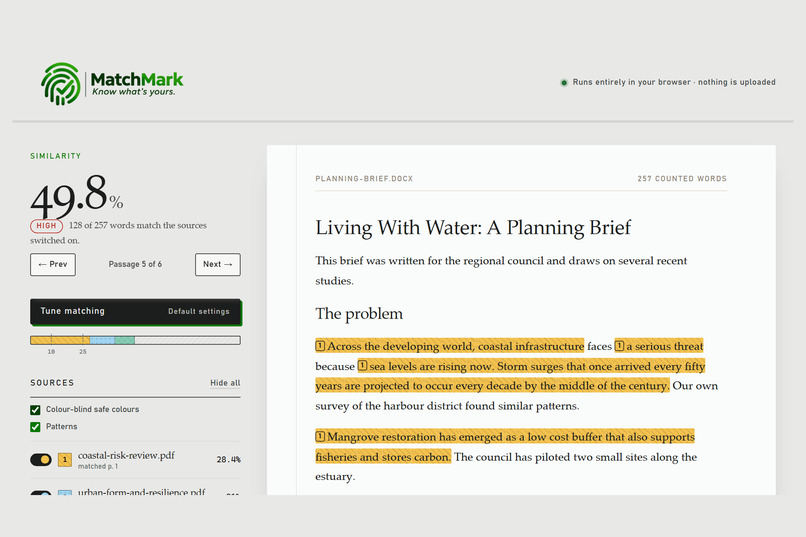
Sources are numbered and patterned, with a colour-blind-safe palette, so you never rely on colour alone.
-
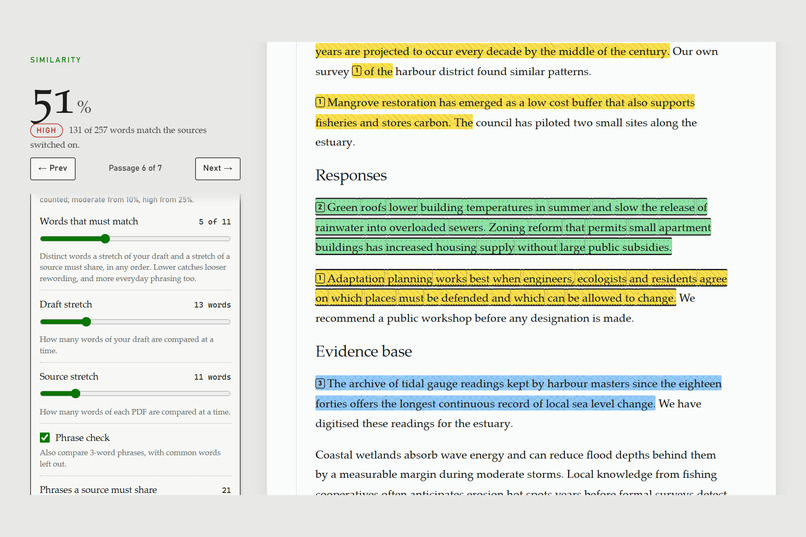
Tune matching: make the comparison stricter or looser and the report updates in milliseconds.

Inspiration
MatchMark grew out of my own struggle writing papers. Large universities and institutes give their students and researchers plagiarism checkers. Anyone outside those institutions is left guessing whether what they’ve written is free of plagiarism.
Most of what we write comes from what we read. So I thought: what if I could check my draft for similarity against all the documents I’ve actually read? Not a paid database I can’t access, but the papers sitting on my own computer. It won’t replace an institutional checker, but it can narrow the gap between those who have access and those who don’t.
It also had to be private. An unpublished draft is exactly what you shouldn’t have to upload to someone else’s server, so MatchMark runs entirely in your browser and never sees your files.
What it does
MatchMark compares a Word manuscript (.docx) with any number of source PDFs, entirely inside your browser tab. Nothing is uploaded.
Similarity score with a Low / Moderate / High level, and every matched passage highlighted in your draft Source identification: hover or tap a highlight to see which PDF it came from, the page number and an excerpt of the matching source text Match navigator to step through passages with Next / Previous or the n / p keys Reads scanned PDFs with OCR that runs on your own device and remembers pages it has already read Fair by default: ignores the reference list (and, optionally, quoted text), and doesn't credit everyday phrasing to every source Tune matching: adjust how strict matching is, with results updating in milliseconds Accessible: numbered and patterned sources, a colour-blind-safe palette, keyboard support and a mobile layout Export the report as PDF, CSV or JSON
How we built it
Plain HTML, CSS and JavaScript (ES modules), with no framework and no backend. It's hosted as a static site on GitHub Pages. PDF.js reads PDFs, Mammoth converts the .docx, and Tesseract.js (WebAssembly) does OCR. All three are bundled with the app, so nothing loads from a CDN. Matching runs in Web Workers so the page stays responsive. The draft is cut into overlapping 13-word windows and each PDF into 11-word windows. A pair is a match when they share at least 8 distinct words in any order, which catches lightly reworded text as well as exact copies. A second check compares 3-word phrases (trigrams). To make this fast, an inverted index maps each word to the draft windows containing it, and as the PDF window slides I only update counts for the word leaving and the word entering. That turns a quadratic comparison into roughly linear work: about 90 ms for a 100,000-word PDF against a 5,000-word draft. IndexedDB caches OCR text per page, keyed by each file's SHA-256 hash, so a scan is only ever read once. 52 unit tests run on Node's built-in test runner, including checks of the fast matcher against a brute-force version.
Challenges we ran into
Speed with no server. Comparing every window against every window was far too slow in a browser tab. The inverted index and sliding counts fixed it. Scanned PDFs. I needed to spot image-only pages without decoding every image. I scan the PDF's raw bytes for image objects instead, and split long scans into page ranges so up to 8 OCR engines work in parallel. False positives. Reference lists, quotations and lone words like "the" and "of" inflated scores, so I added rules to exclude them. Telling sources apart without relying on colour. I added numbers, patterns and a colour-blind-safe palette while keeping every colour at WCAG AA contrast. Polish under time pressure. While recording my demo I caught two display bugs (a per-word outline and a clipped tooltip) and fixed them before submitting.
Accomplishments that we're proud of
It's completely private: your drafts never leave your device. On clean 200 DPI test scans, OCR in the browser takes under 1 second per page with 100% word accuracy. Every match tells you exactly where it came from, down to the page.
What we learned
How far the modern browser goes as a platform: workers, WebAssembly, IndexedDB and file access, all without a backend. The right data structure matters more than raw hardware. Accessibility is much easier to design in from the start than to add later.
What's next for MatchMark
Paraphrase detection with small on-device embedding models More formats (PDF manuscripts, .odt, plain text) and OCR languages beyond English A side-by-side view of your draft and the matching source page An installable offline app (PWA)

