Inspiration
The inspiration for MatchAI came from observing modern internet culture and the humorous archetype of the "performative male" - a satirical concept describing men who adopt traditionally feminine interests and aesthetics to superficially appeal to progressive women. We noticed how social media platforms are filled with images showcasing specific aesthetic markers (feminist literature, matcha lattes, tote bags, baggy jeans, etc.) and wanted to create a fun, AI-powered tool that could analyze and score these visual cues. The project combines cutting-edge AI vision technology with pop culture humor, making it both technically impressive and culturally relevant. We wanted to demonstrate how AI can be used not just for serious applications, but also for creating engaging, entertaining experiences that resonate with internet culture.
What it does
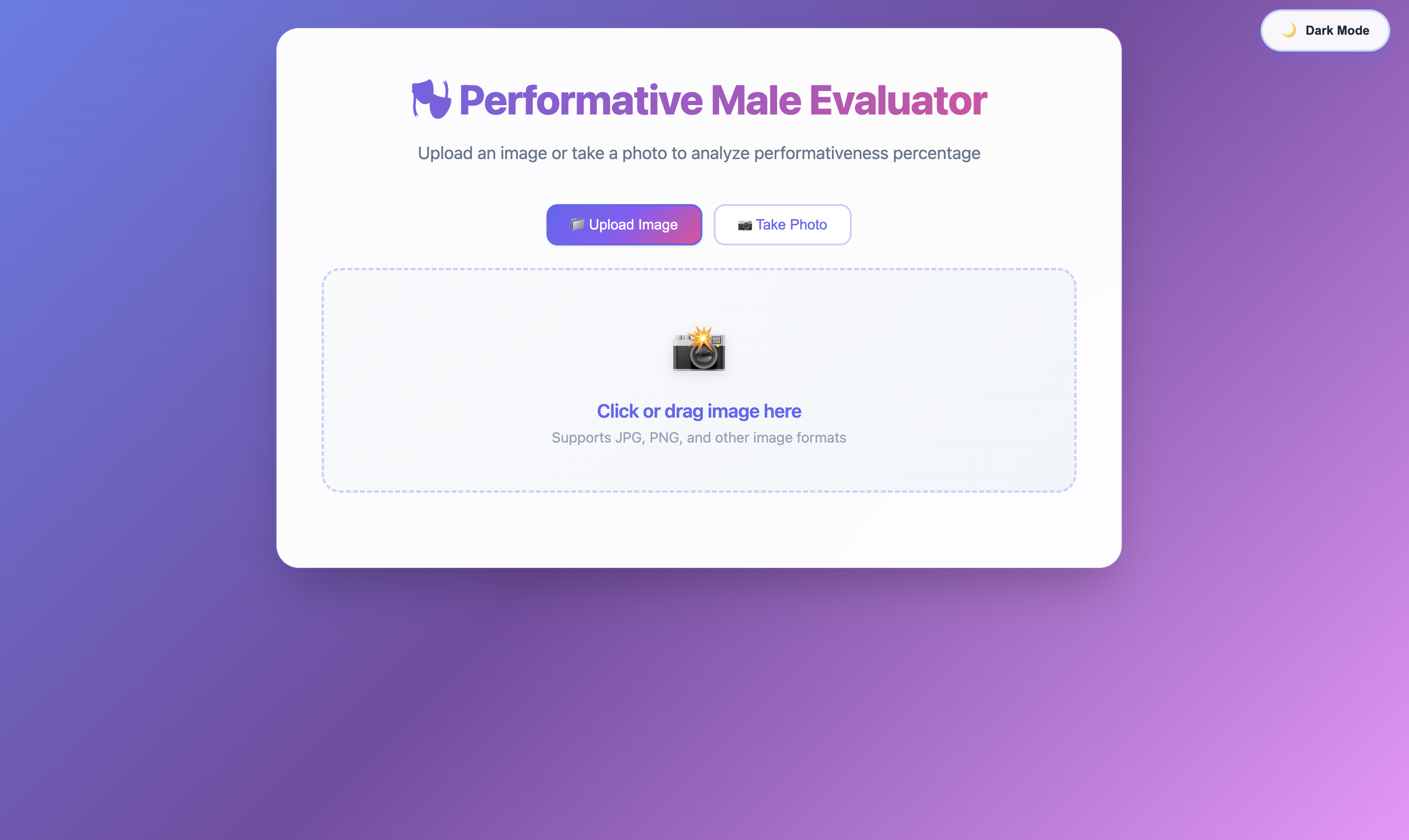
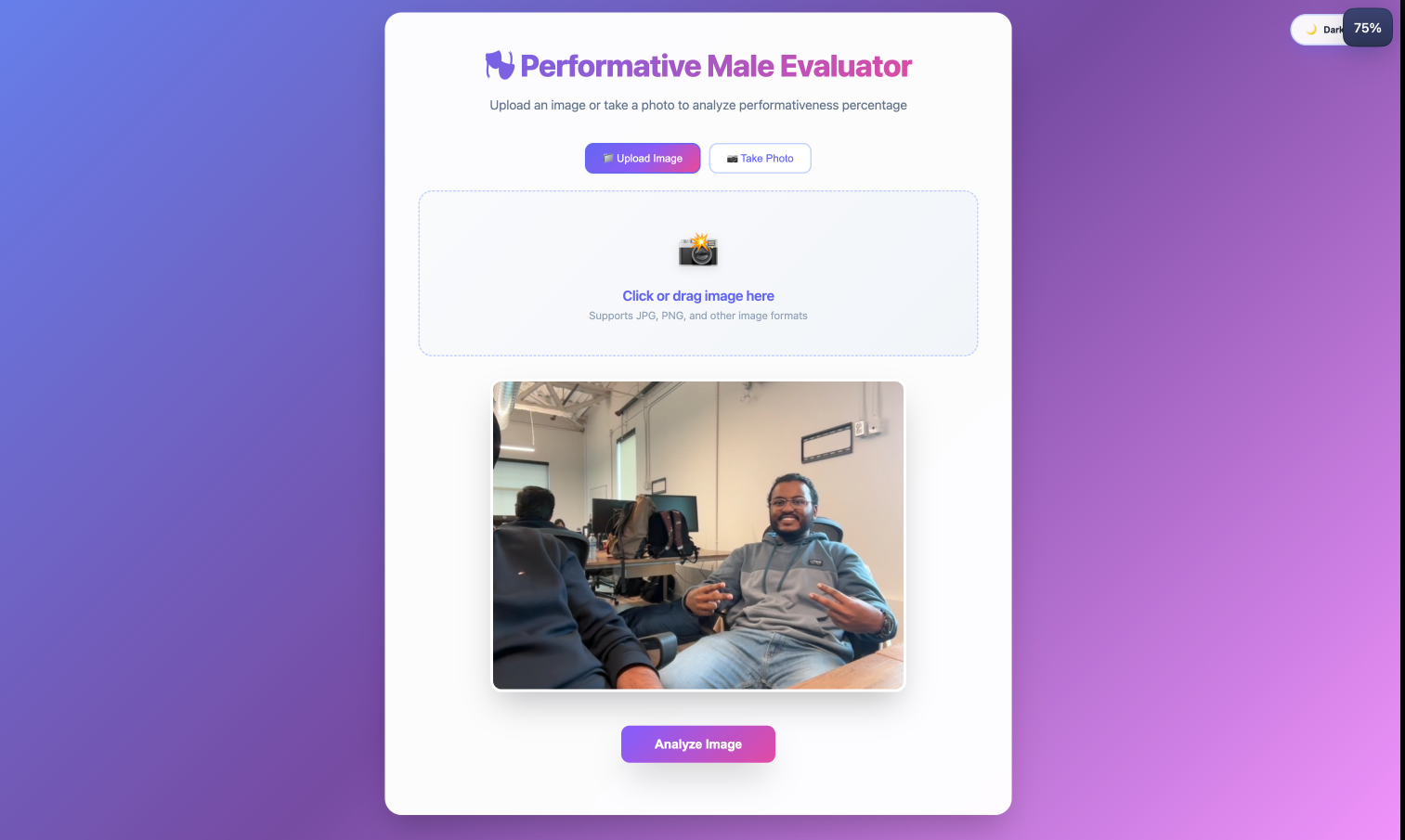
MatchAI (Performative Male Evaluator) is a web application that uses Google's Gemini 2.5 Flash Vision API to analyze uploaded images and calculate a "performativeness" percentage score. The application:
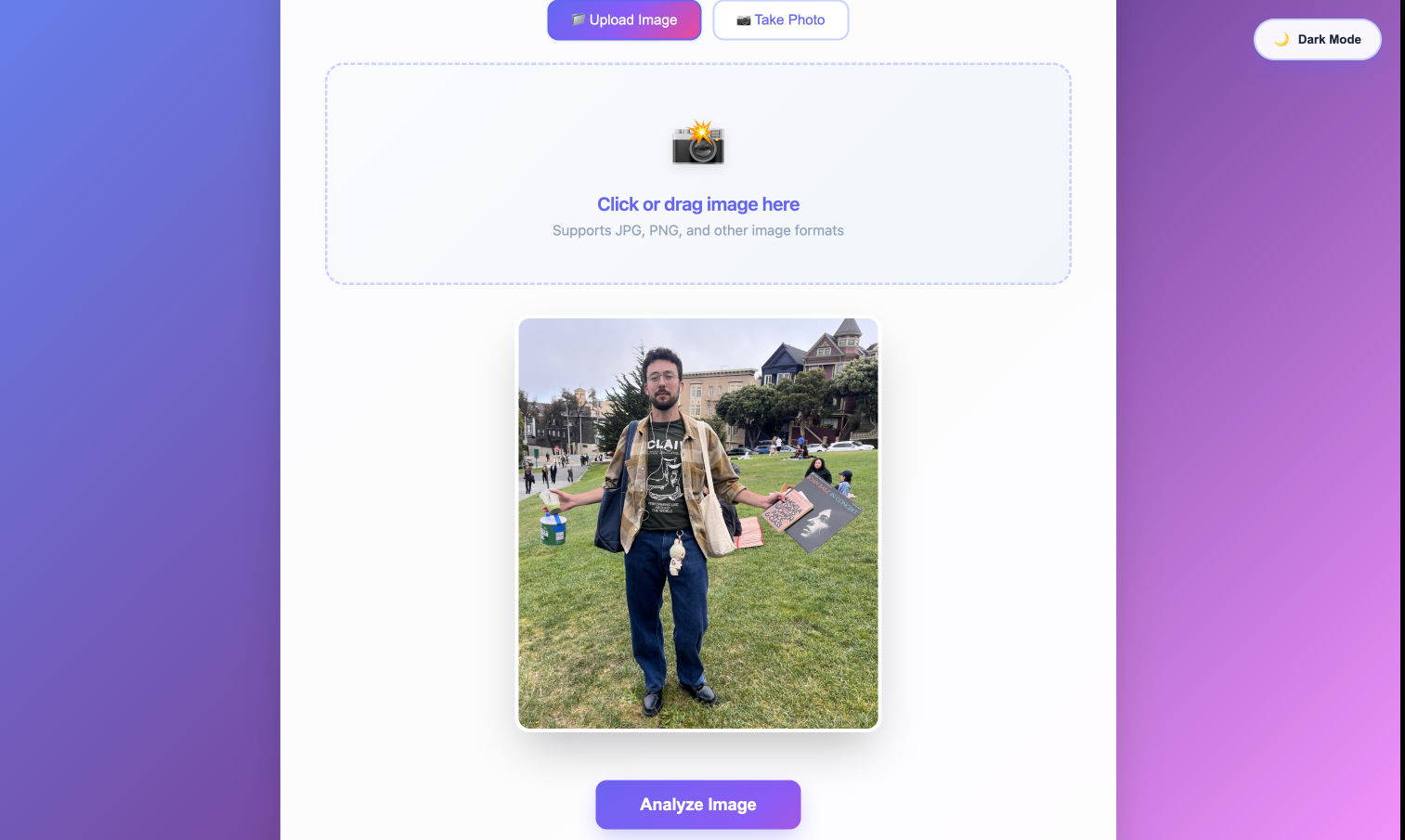
- Analyzes Images: Users can upload images via drag-and-drop or file selection, and the AI vision model examines the image for specific characteristics
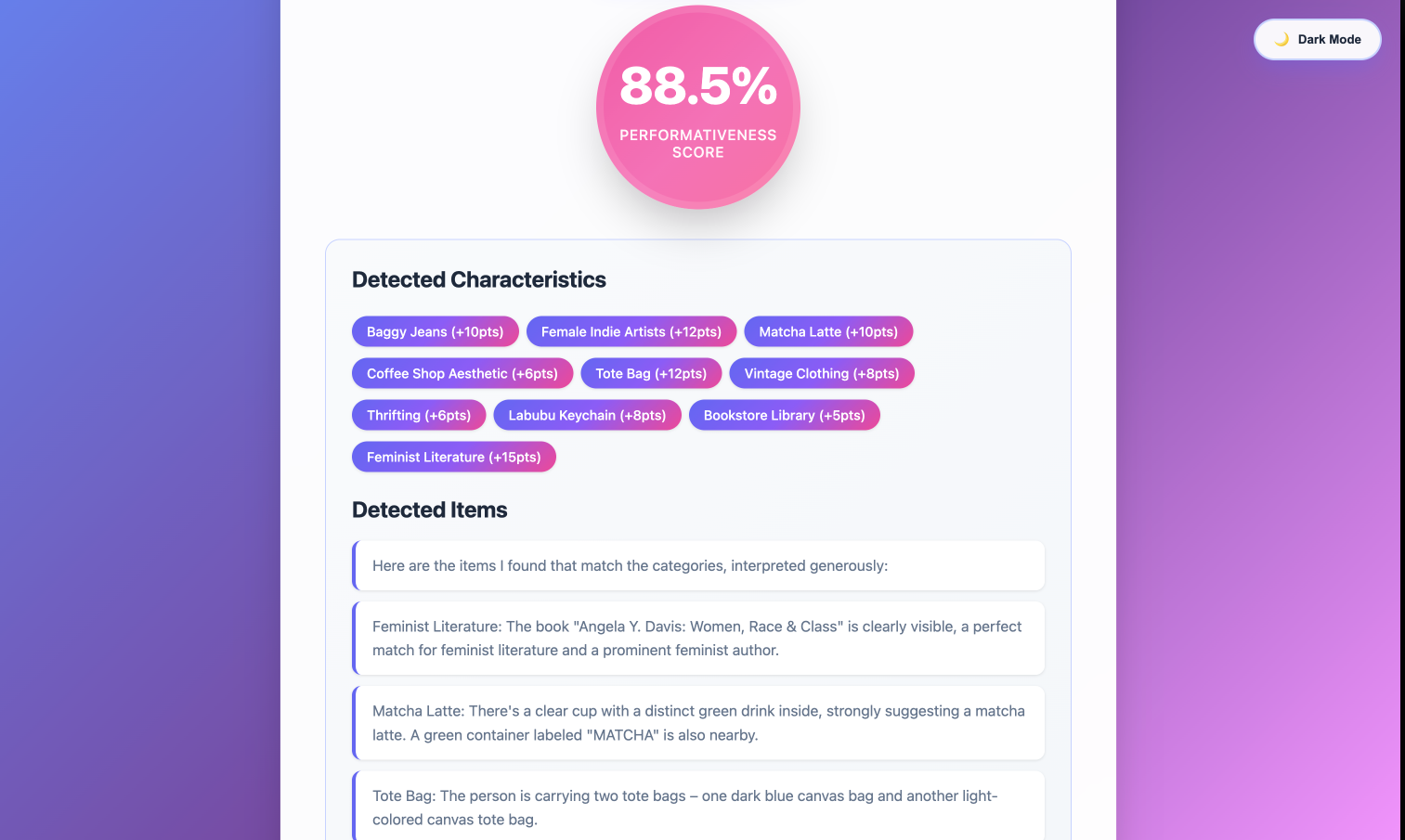
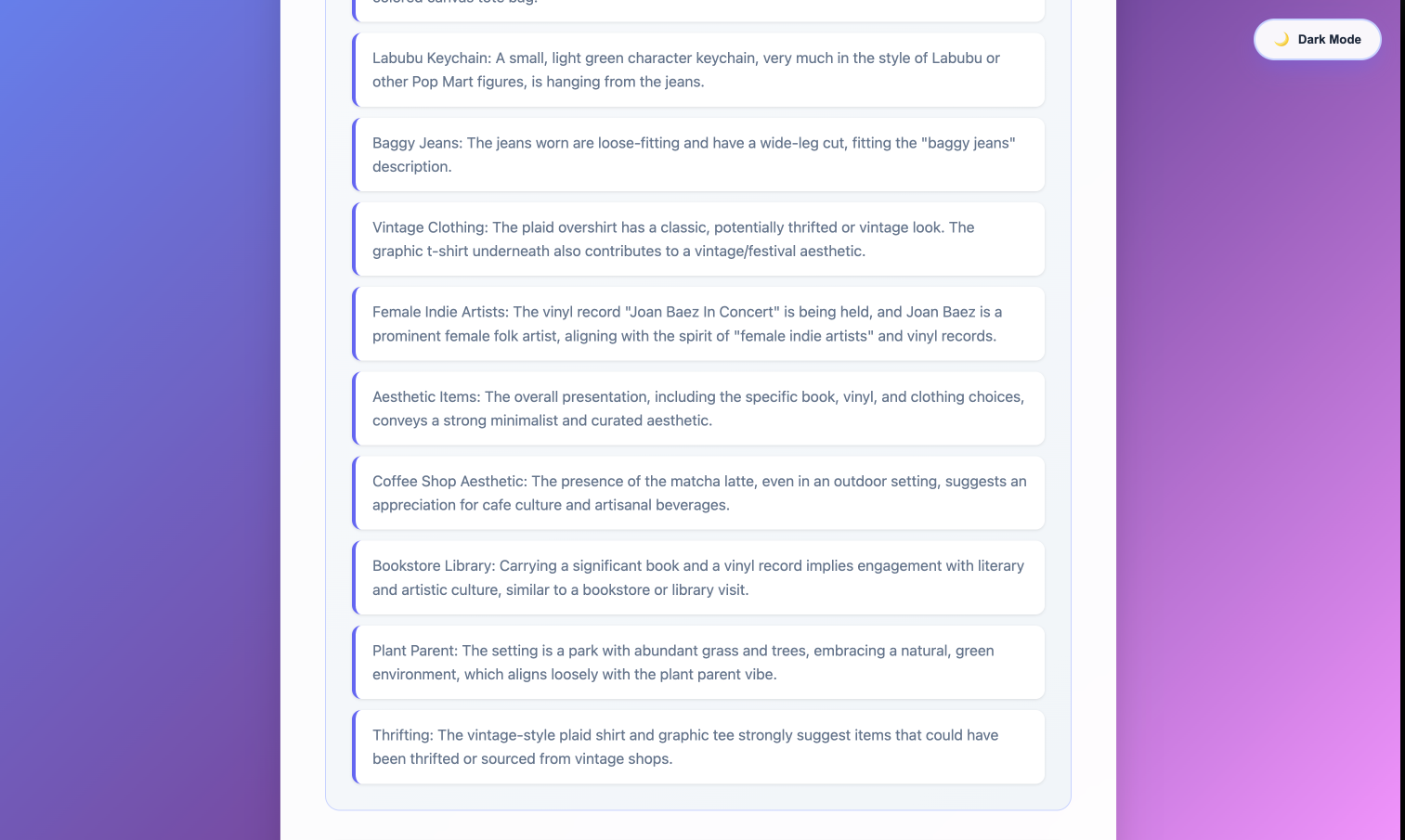
Detects Characteristics: The system identifies items associated with performative male culture, including:
- Feminist literature (bell hooks, Roxane Gay, Rebecca Solnit, etc.)
- Matcha lattes and artisanal beverages
- Tote bags and reusable accessories
- Labubu keychains and Pop Mart collectibles
- Baggy jeans and vintage clothing
- Female indie artist merchandise (Phoebe Bridgers, Taylor Swift, Lana Del Rey)
- Aesthetic items (film cameras, polaroids, journals, stationery)
- Coffee shop and bookstore aesthetics
- Houseplants and succulents
- Thrift store and vintage shop settings
Calculates Weighted Scores: Each category has a specific weight (ranging from 5-15 points), and the system calculates a percentage based on detected items, with a maximum possible score of 104 points
Provides Feedback:
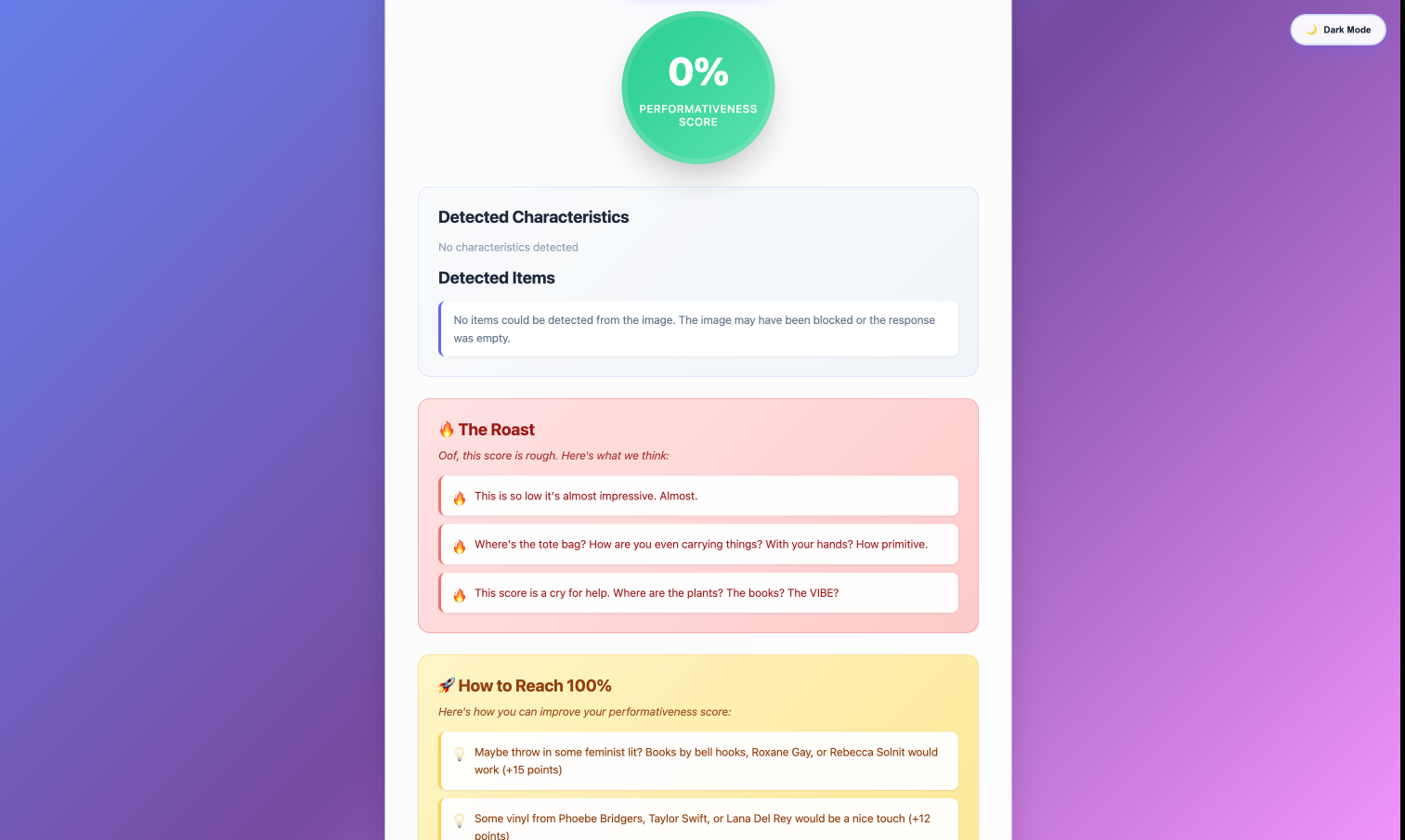
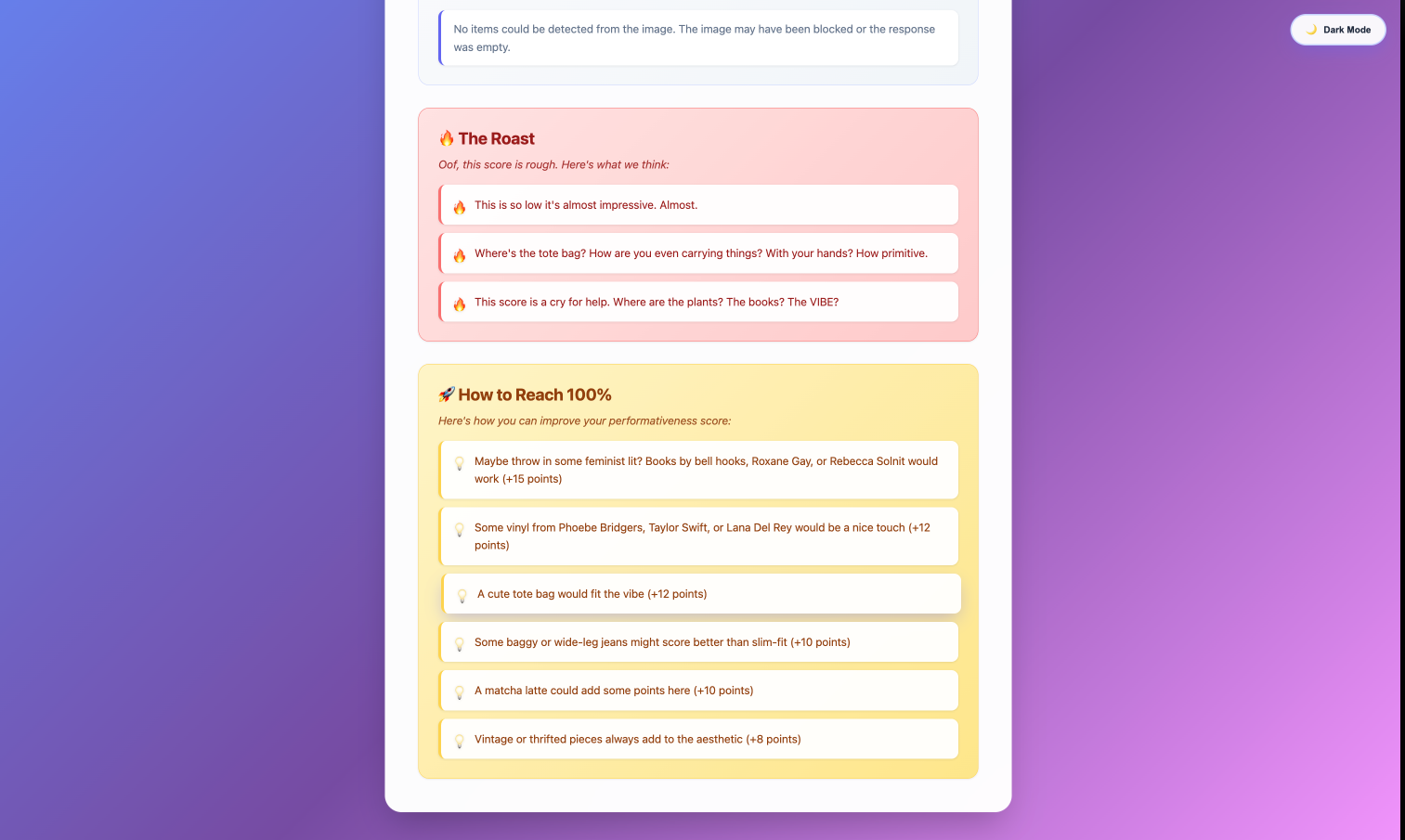
- For scores below 30%, the app generates humorous "roasts" - playful, mean comments that point out missing performative elements
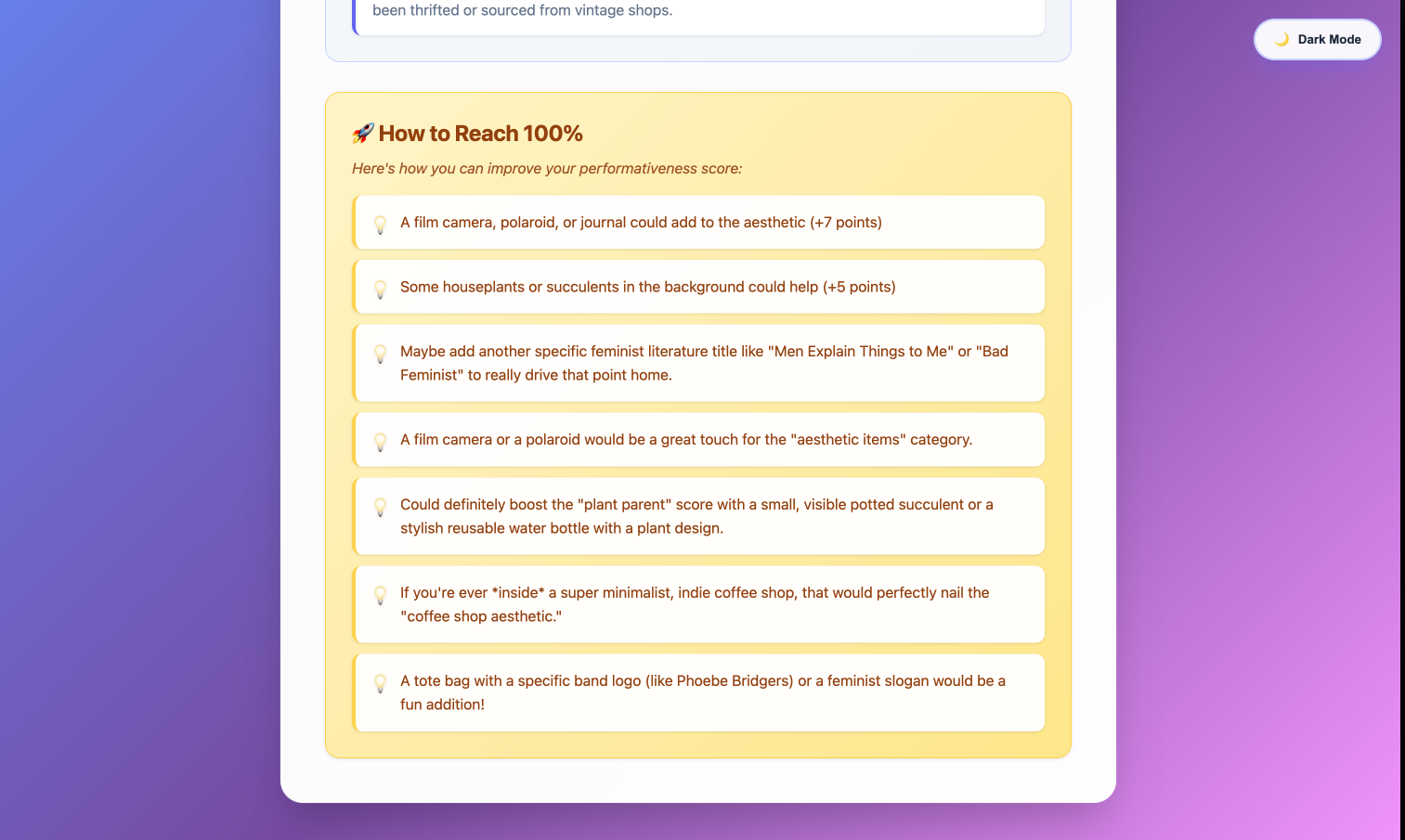
- For all scores, it provides improvement suggestions highlighting high-value items that could boost the score
Beautiful UI: Features a modern, gradient-based design with dark/light theme toggle, smooth animations, and responsive layout
How we built it
Backend (Flask + Python)
- Framework: Flask for the web server and API endpoints
- AI Integration: Google Gemini 2.5 Flash Vision API for image analysis
- Image Processing: Pillow (PIL) for handling image uploads and base64 encoding/decoding
- API Design: RESTful API with
/analyzeendpoint that accepts base64-encoded images - Scoring Algorithm: Custom weighted scoring system that:
- Parses AI response to extract detected items
- Matches items against 12 predefined characteristic categories
- Prevents double-counting while allowing items to match multiple categories
- Calculates percentage score (capped at 100%)
Frontend (HTML/CSS/JavaScript)
- Design: Modern, gradient-based UI with CSS custom properties for theming
- Features:
- Drag-and-drop image upload with visual feedback
- Image preview before analysis
- Real-time loading states and animations
- Dark/light theme toggle with persistent storage
- Responsive design for mobile and desktop
- Smooth transitions and hover effects
- Gradient animations on buttons and backgrounds
AI Prompt Engineering
- Custom Prompts: Carefully crafted prompts that instruct the Gemini model to:
- Be generous and lenient in interpretation
- Look for visual cues in clothing, books, beverages, accessories, and environments
- Provide structured responses with detected items and improvement suggestions
- Handle edge cases and ambiguous items gracefully
Key Technical Decisions
- Used Gemini 2.5 Flash for fast, cost-effective image analysis
- Implemented safety settings to handle potentially sensitive user images
- Added error handling for API quota limits, content blocking, and invalid images
- Created fallback mechanisms for edge cases (empty responses, blocked content)
- Implemented category priority system to prevent double-counting while allowing multi-category matches
Challenges we ran into
AI Response Parsing: The Gemini API responses could vary in format, making it challenging to consistently extract detected items. We solved this by implementing robust parsing logic that handles multiple response formats, bullet points, numbered lists, and section headers.
Image Processing: Handling different image formats and sizes while maintaining quality for AI analysis required careful base64 encoding/decoding and proper error handling for invalid or corrupted images.
Scoring Algorithm Complexity: Creating a weighted scoring system that prevents double-counting while allowing items to match multiple categories required careful algorithm design. We implemented a priority-based approach that processes categories by weight.
API Safety Filters: Google's Gemini API has safety filters that could block images or responses. We had to configure safety settings appropriately and implement fallback mechanisms for blocked content, while providing user-friendly error messages.
Response Variability: The AI model's responses could be inconsistent - sometimes too strict, sometimes too lenient. We addressed this through:
- Temperature settings (0.8) for more relaxed interpretation
- Enhanced prompts with explicit instructions to be generous
- Fallback analysis requests when initial responses were too short
- Multiple parsing strategies to extract meaningful data
UI/UX Polish: Creating a polished, professional UI that matches the satirical tone required balancing humor with technical excellence. We implemented smooth animations, theme toggles, and responsive design to create an engaging user experience.
Error Handling: Handling various error scenarios (API failures, quota limits, invalid images, network issues) while maintaining a good user experience required comprehensive error handling and user-friendly error messages.
Accomplishments that we're proud of
Seamless AI Integration: Successfully integrated Google's Gemini Vision API with custom prompt engineering to create accurate, contextually-aware image analysis that understands cultural and aesthetic markers.
Sophisticated Scoring System: Built a nuanced weighted scoring algorithm that intelligently matches detected items to multiple categories while preventing double-counting, resulting in fair and accurate scores.
Engaging User Experience: Created a beautiful, modern UI with smooth animations, dark/light theme support, and responsive design that works seamlessly across devices.
Humor and Functionality Balance: Successfully combined technical excellence with satirical humor, creating an app that is both functionally impressive and entertaining. The roast generation system adds personality while the improvement suggestions provide genuine value.
Robust Error Handling: Implemented comprehensive error handling for API failures, content blocking, invalid images, and edge cases, ensuring the app remains stable and user-friendly even when things go wrong.
Performance Optimization: Optimized the application for fast response times using Gemini Flash model, efficient image processing, and streamlined API calls.
Cultural Relevance: Created a tool that resonates with internet culture and social media trends, demonstrating how AI can be used to create culturally relevant, engaging experiences.
Complete Feature Set: Delivered a fully functional application with image upload, AI analysis, scoring, feedback, suggestions, and polished UI - all within the hackathon timeframe.
What we learned
AI Vision API Integration: Gained deep experience working with Google's Gemini Vision API, including prompt engineering, safety settings, response parsing, and handling various edge cases.
Prompt Engineering: Learned the importance of carefully crafted prompts in getting desired outputs from AI models. Discovered that being explicit about being "generous" and "lenient" in interpretation significantly improved detection accuracy.
Image Processing: Gained expertise in handling image uploads, base64 encoding/decoding, format conversion, and working with the Pillow library for image manipulation.
Weighted Scoring Algorithms: Developed skills in creating fair, nuanced scoring systems that handle complex matching scenarios while preventing gaming or double-counting.
Error Handling Best Practices: Learned to anticipate and handle various failure modes in AI APIs, including quota limits, content blocking, network issues, and malformed responses.
Modern Web Development: Enhanced skills in creating responsive, animated UIs with CSS custom properties, gradients, and JavaScript for dynamic interactions.
Balancing Humor and Professionalism: Learned to create applications that are both technically impressive and culturally relevant, balancing satirical humor with professional implementation.
API Design: Gained experience designing RESTful APIs that handle complex data (images) and provide meaningful, structured responses.
User Experience Design: Learned to create engaging user experiences that guide users through the analysis process with clear feedback, loading states, and helpful error messages.
Cultural Awareness: Developed a deeper understanding of internet culture and how technical tools can be used to create culturally relevant, entertaining experiences.
What's next for MatchAI
Enhanced AI Detection: Improve the AI model's accuracy by fine-tuning prompts, adding more characteristic categories, and implementing machine learning to learn from user feedback and improve detection over time.
Social Features: Add social sharing capabilities so users can share their scores on social media platforms, compare scores with friends, and create leaderboards.
Advanced Analytics: Implement analytics to track trends in performative characteristics over time, create heatmaps of common items, and generate insights about cultural trends.
Multi-Image Analysis: Allow users to upload multiple images and analyze entire photo galleries or social media profiles for a comprehensive performativeness score.
Custom Categories: Enable users to create custom characteristic categories and weights, allowing for personalized scoring systems.
Mobile App: Develop native mobile applications (iOS and Android) for easier on-the-go image analysis and sharing.
Video Analysis: Extend the AI capabilities to analyze short video clips or stories, detecting performative elements in dynamic content.
Community Features: Build a community platform where users can submit images, vote on scores, discuss trends, and contribute to the characteristic database.
API Access: Create a public API so developers can integrate MatchAI's scoring system into their own applications and services.
Machine Learning Improvements: Implement feedback loops where user corrections and votes help improve the AI model's accuracy over time, creating a continuously improving system.
Expanded Characteristic Database: Continuously expand the database of performative characteristics based on emerging trends, user submissions, and cultural shifts.
Gamification: Add gamification elements like achievements, badges, and challenges to encourage user engagement and repeat usage.
Privacy and Security: Implement robust privacy features, including image deletion after analysis, encrypted storage, and GDPR compliance for user data.
Performance Optimization: Further optimize the application for faster response times, reduced API costs, and better scalability as user base grows.
Internationalization: Expand the application to support multiple languages and cultural contexts, adapting the characteristic database for different regions and cultures.
Built With
- and
- and-python-dotenv-?-flask-backend
- client-side-frontend
- cors
- env
- flask-cors
- gemini-vision-for-image-analysis
- google-gemini-2.5-flash-vision-api
- html/css/javascript
- pillow-(pil)
- pillow-for-image-processing
- python-(flask)
- var

Log in or sign up for Devpost to join the conversation.