Inspiration
In a world flooded with generic AI chat boxes, the biggest friction point is context switching. We noticed that users spend more time copy-pasting data between tabs, emails, calendars, and PDFs than they do actually "collaborating" with AI.
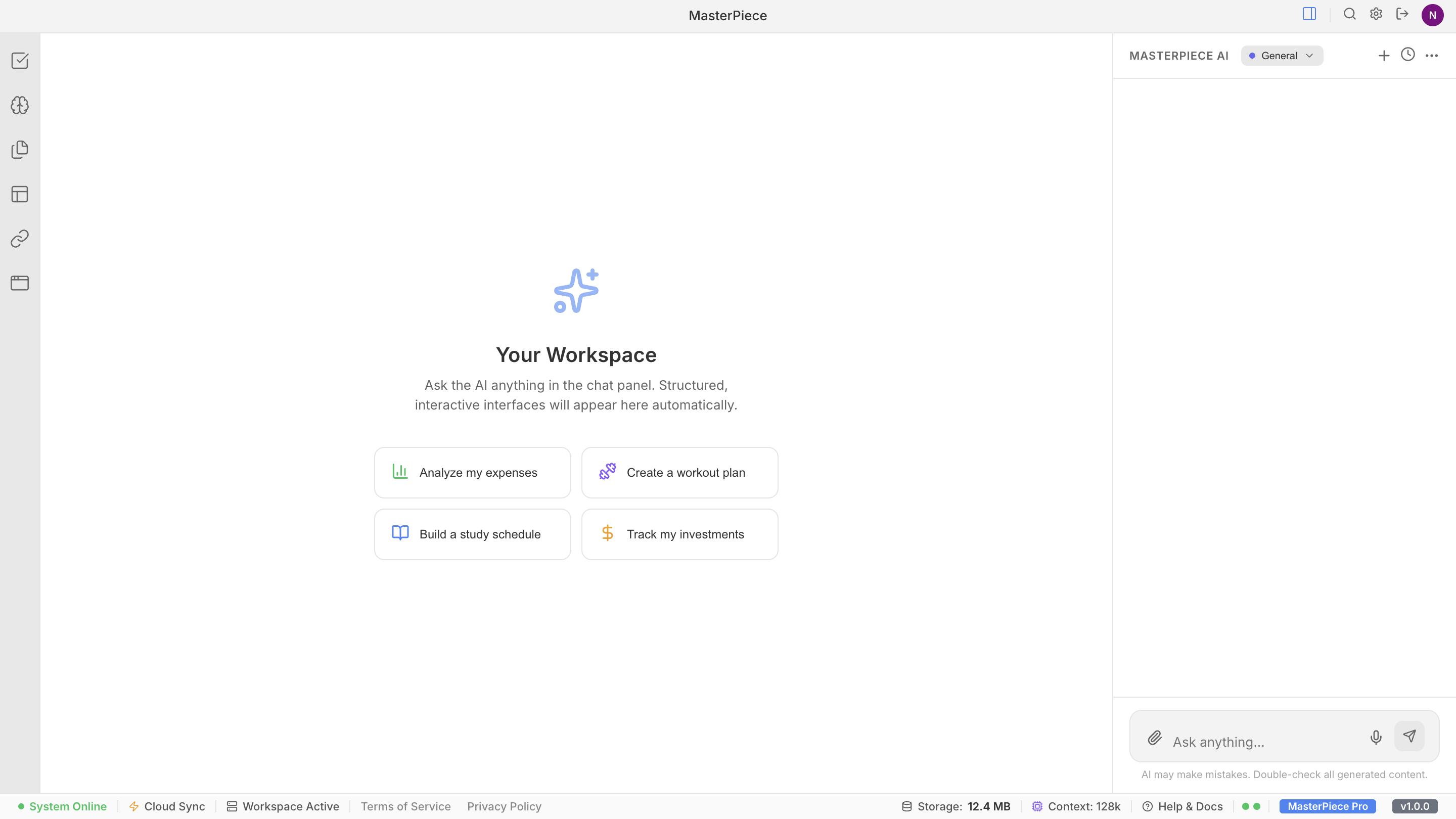
The inspiration for MasterPiece was to build more than just a chatbot, but instead wanted it to feel like a modular AI Operating System. We pictured a workspace where the AI isn’t just another design a part of the background, but actually part of your setup. It would know which plugins you have installed, understand the documents in your current project folder, and even keep working on things in the background while you sleep.
--What it does MasterPiece is a unified workspace that connects the gap between LLMs and real-world utility. Key features include:
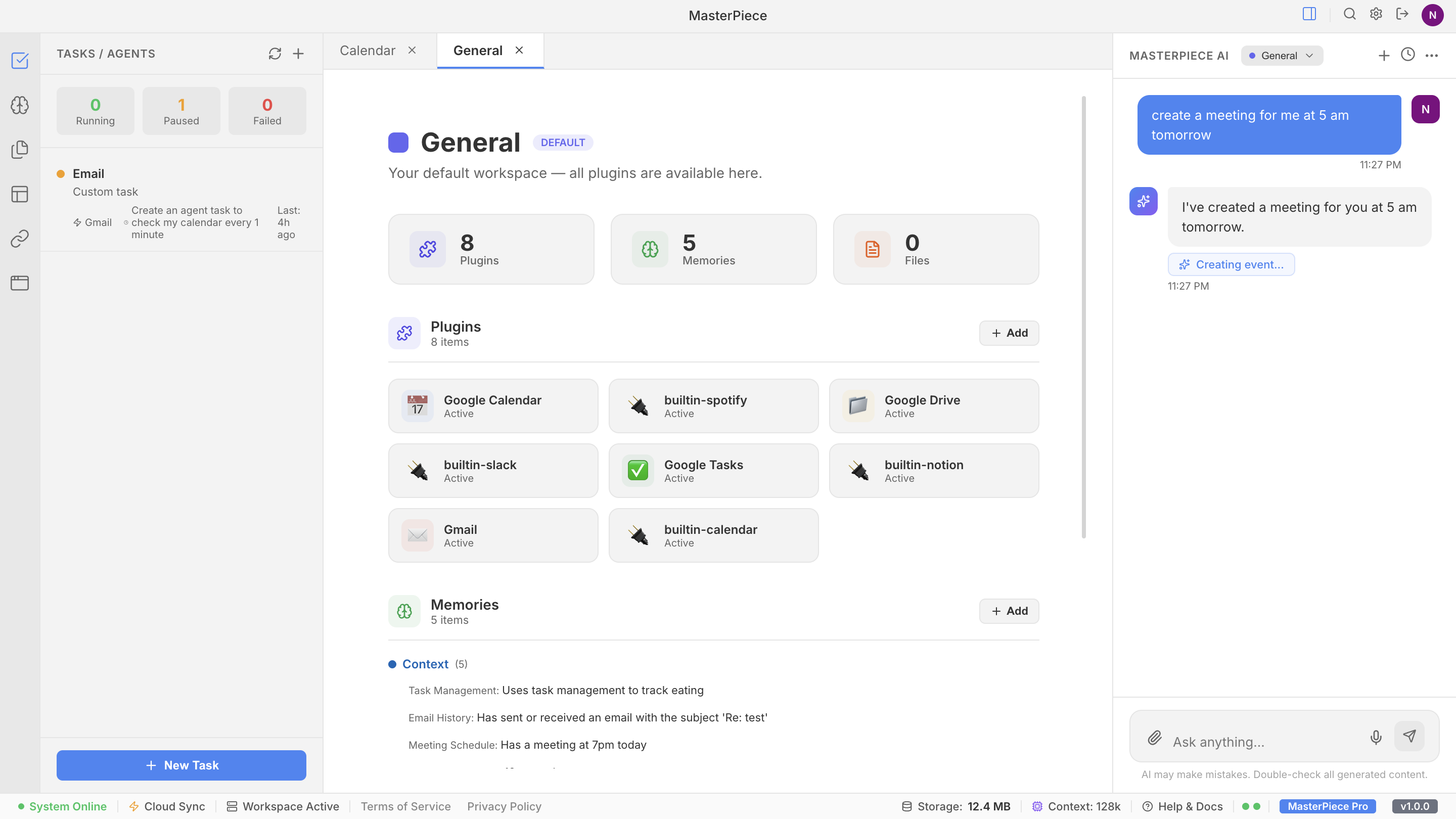
- Isolated Workspaces: Create sandboxed environments (e.g., "School," "Work," "Personal") where the AI's memory, tools, and files are properly separated.
- Plugin System: A full Developer Portal where you can build, test, and deploy custom tool frames. Users can then "install" these into specific workspaces to expand the AI's capabilities.
- Document RAG: Drop text-based files into a workspace, and the AI instantly gains the ability to reference that specific knowledge without manual copy-pasting.
- Autonomous Background Agents: Set tasks like "Monitor my inbox for urgent emails every 5 minutes." The system manages high-frequency polling and background evaluations, notifying you in the chat only when action is needed.
- Persistent Memory Tracking: The AI automatically extracts and stores your preferences, goals, and recurring context across sessions.
-- How we built it We built MasterPiece using a modern, fast, and scalable stack:
- Frontend: React with Vite for a lightning-fast development experience and glassmorphism-inspired UI components.
- LLM Engine: Groq API, utilizing the Llama 3 models for near-instant response times.
- Persistence: A custom-built reactive Store system mapped to localStorage, ensuring all tasks, chats, and plugins persist without a traditional database.
- Integrations: Direct OAuth integration with Google Services (Calendar, Gmail, Tasks) via the Google GSI and GAPI clients.
- Tooling: We implemented a sophisticated system-prompt builder that dynamically assembles the AI's personality based on its environment: $$ S_{prompt} = P_{base} + \sum C_{files} + \sum T_{plugins} + M_{history} $$
-- Challenges we ran into Background Lifecycle Management: Running repeated AI tasks in a browser on the client side wasn’t easy. We had to figure out how to build something solid and reliable that could handle these tasks smoothly in the background without breaking or slowing everything down:
- AgentTaskRunner that handles tasks at the same time and makes sure the AI is only updated with fresh data, so it doesn’t make decisions based on old or outdated information.
- Context Token Bloom: When we started adding RAG files, plugin details, and chat history, the input size could grow really fast and go over the limit. To handle that, we used layered summaries and trimmed down extra characters. This helped keep the input cost low while still keeping the responses accurate.
- State Race Conditions: Keeping everything in sync between real-time Google API data, local state, and AI responses was tough. We had to set up a strict subscription-based update system so the UI wouldn’t flicker or show old data by mistake.
-- Accomplishments that we're proud of End-to-End Plugin Lifecycle: We successfully built a functional "Developer Mode" that allows a user to literally code a new capability for the AI and see it work in the User App Store moments later.
Zero-Latency Feel: By leveraging Groq's speeds and our local caching, MasterPiece feels like a native desktop app rather than a web-based AI wrapper.
The "Agent" Experience: Seeing the background agent successfully identify a new email and autonomously generate a notification without any user input was a true "Aha!" moment.
-- What we learned
- Context is King: We learned that an average model with great context (files, tasks, memories) often provides more utility than the most powerful model with no context.
- Deterministic vs. Stochastic Balance: Figuring out how the AI decides when to use a workspace tool taught us a lot. We had to get better at writing clear, reliable function-calling prompts and making sure our JSON schemas were strict, so the AI wouldn’t go off track or return messy outputs.
- Persistence Patterns: We got really comfortable handling complex, nested JSON data in localStorage and figuring out how to safely update or migrate that data as new features were added over time.
-- What's next for MasterPiece
- Cross-Device Sync: Moving from localStorage to a cloud-based persistence layer (like Firebase) to keep workspaces synced between mobile and desktop.
- More Plugin Types: Expanding the Developer Portal to support UI-based plugins (widgets that the AI can render directly in the workspace).
- Collaborative Workspaces: Allowing multiple users to share a single workspace, where the AI acts as a shared project manager for the whole team.

Log in or sign up for Devpost to join the conversation.