-
-
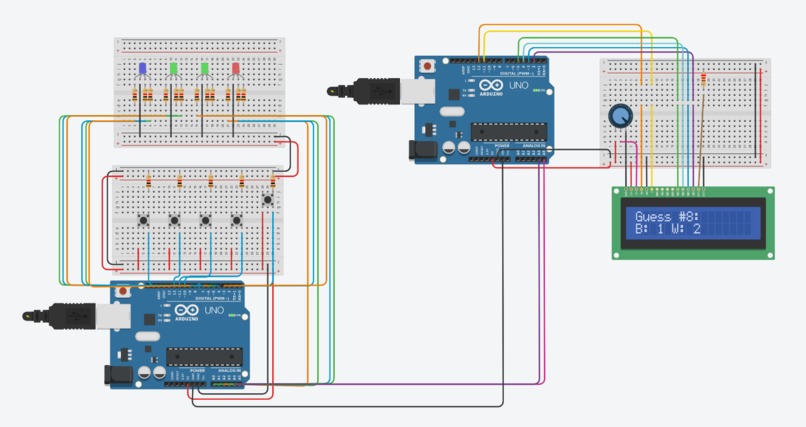
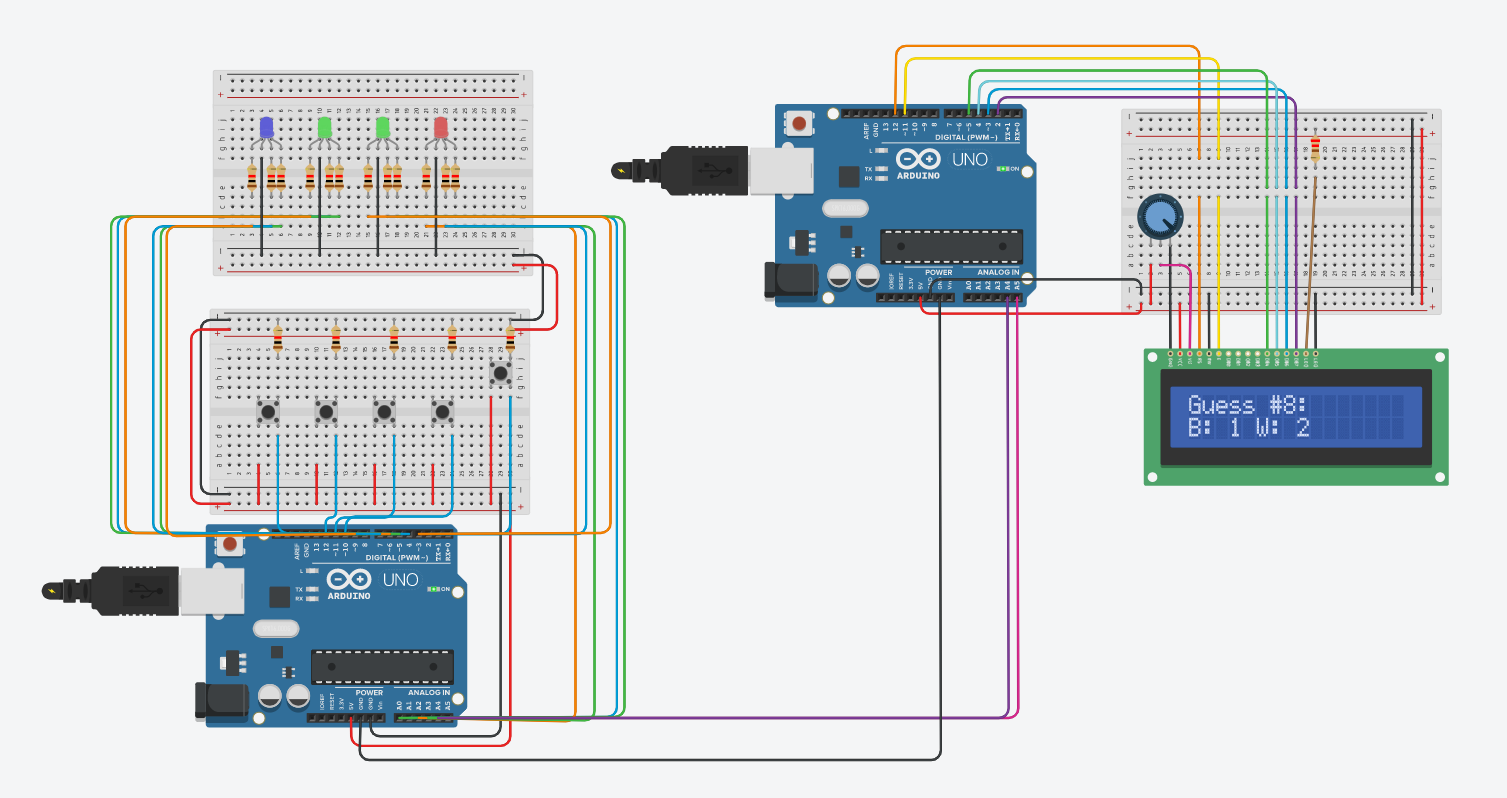
Circuit Screenshot
-
-
-
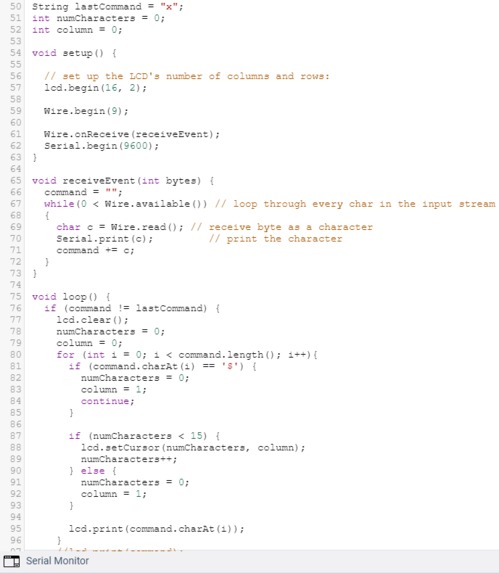
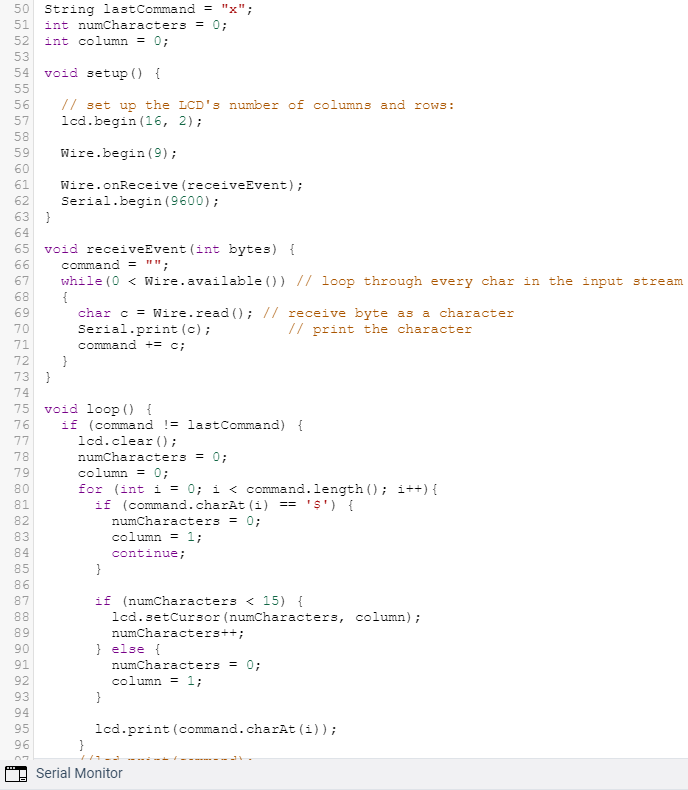
Second Arduino Code
Inspiration
Okay, now Mastermind's a classic board game. But let's say you're chilling at home, during quarantine, being a good citizen following the government's orders... and you get the sudden urge to play some Mastermind. But, you realize with despair, Mastermind is a 2-player game! And no longer can you hop on over to your buddy's house and play with him!
Do not fear - We have come to the nation's rescue. Now, with state-of-the-art Arduino technology, you can play Mastermind alone!
Project Description
Our project replicates the board game Mastermind (rules below).
Process
Building our product was a pretty relaxed process. Most of the wiring was fairly straightforward, especially since TinkerCAD allowed us to organize the wires really well. The coding definitely took the bulk of the time, particularly working through seemingly random errors that came up when trying to connect the two Arduinos.
Hardware
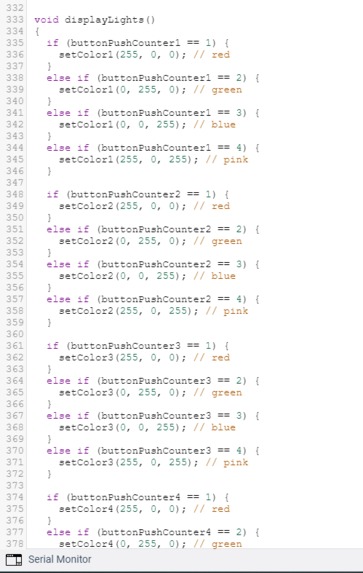
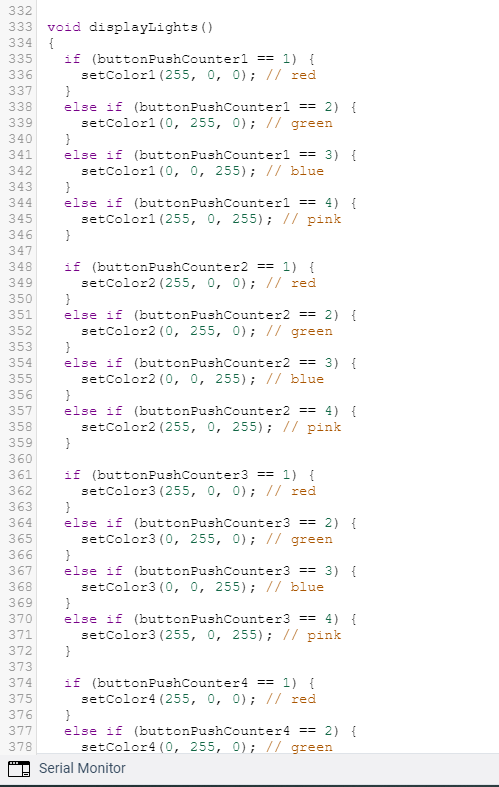
To simulate the code pegs, we used 4 RGB led lights, each of which are connected to a button. Each button can be hit to change the color of the corresponding light. There is also a submit button on the top right, which is used to submit your guess.
Additionally, we connected a second Arduino to the first one, allowing us to print out game state via an LCD as the game progressed.
Software
The Arduino's program randomly generates a code upon starting. However, without a changing seed, the code generated is always the same, so you must manually enter a random number as the seed in order to play the game. In real life, this could be circumvented by doing something such as reading from an unconnected input for noise, but we were unable to get something like this working on TinkerCad (since there is no noise).
As the color-changing buttons are pressed, the code sets the current guess to the selected colors. We are able to recognize when a button is pressed by constantly comparing its next state with its previous state: if the button's state changes, and is now low, then it must have went from low to high to low, which is a button press.
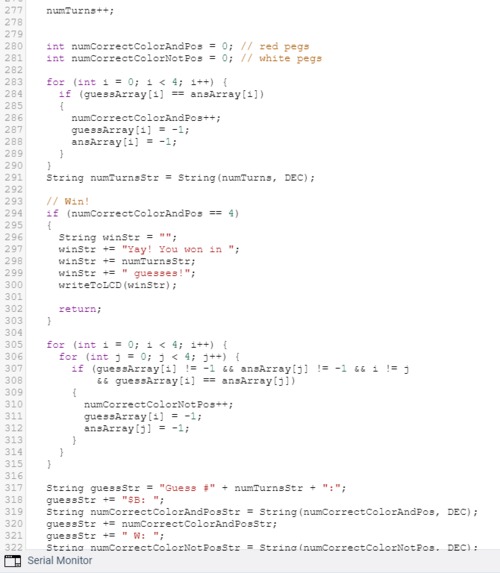
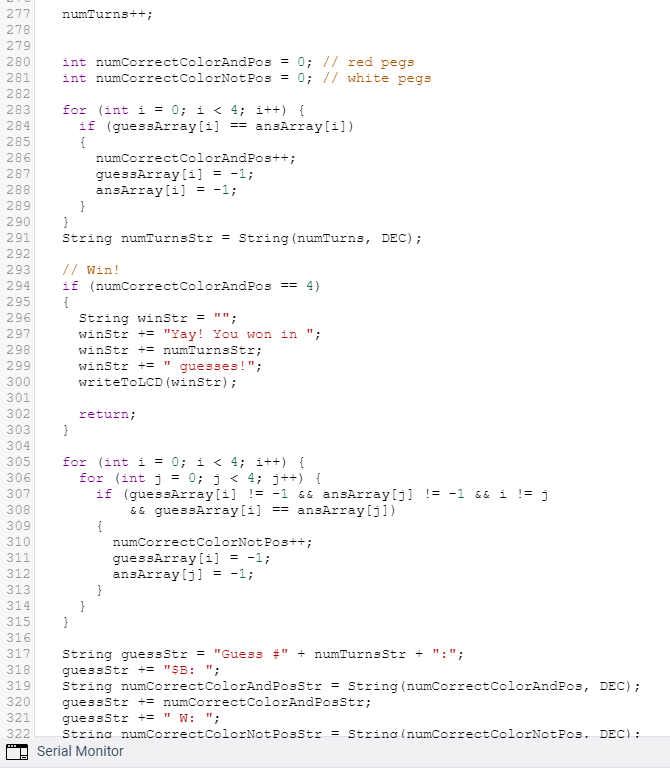
Upon submitting the guess, the currently selected colors are saved and compared with the actual guess. If the guess is incorrect, some logic is used to count how many white pegs and black pegs there should be. The guess counter is also incremented.
To communicate with the second Arduino, we use the wire library. When it is time to print to the LCD, the main Arduino passes the message to be printed to the second Arduino. The second Arduino is listening for messages, and if it receives a message different from what it is displaying, it displays this new message. We added some extra code for wraparounds/new lines.
Rules
There are 4 code pegs: Red, Green, Blue, and Pink. The computer is the "codemaker," while you play as the "codebreaker." The computer generates a random code with 4 code pegs (duplicates allowed), and this is what you want to guess in the least amount of guesses.
Each guess is made by choosing a row of code pegs, which you can do on our game by hitting the buttons to change the colors of the code pegs. Once placed, the computer provides feedback by displaying the number of black and white pegs on the LCD.
After you guess the correct code, a victory message will be displayed, along with the number of guesses it took you to win.
In The Real World
We decided to make Mastermind on TinkerCad since not much would be different in the real world! The project does not rely on components that we could not easily get in real life, so it wouldn't be too hard to replicate and play it in the real world. The only difference would be that in real life, we could generate a seed by reading the noise from an unconnected input, such as A0, and this would improve the game since the player would not need to manually enter a number for the seed every time.

Log in or sign up for Devpost to join the conversation.