-
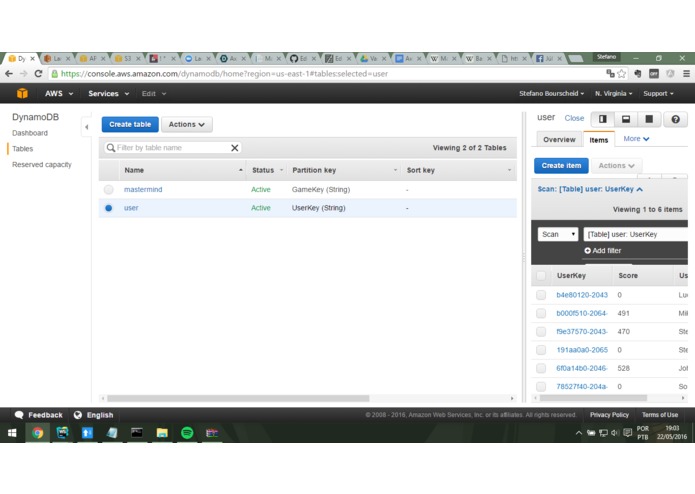
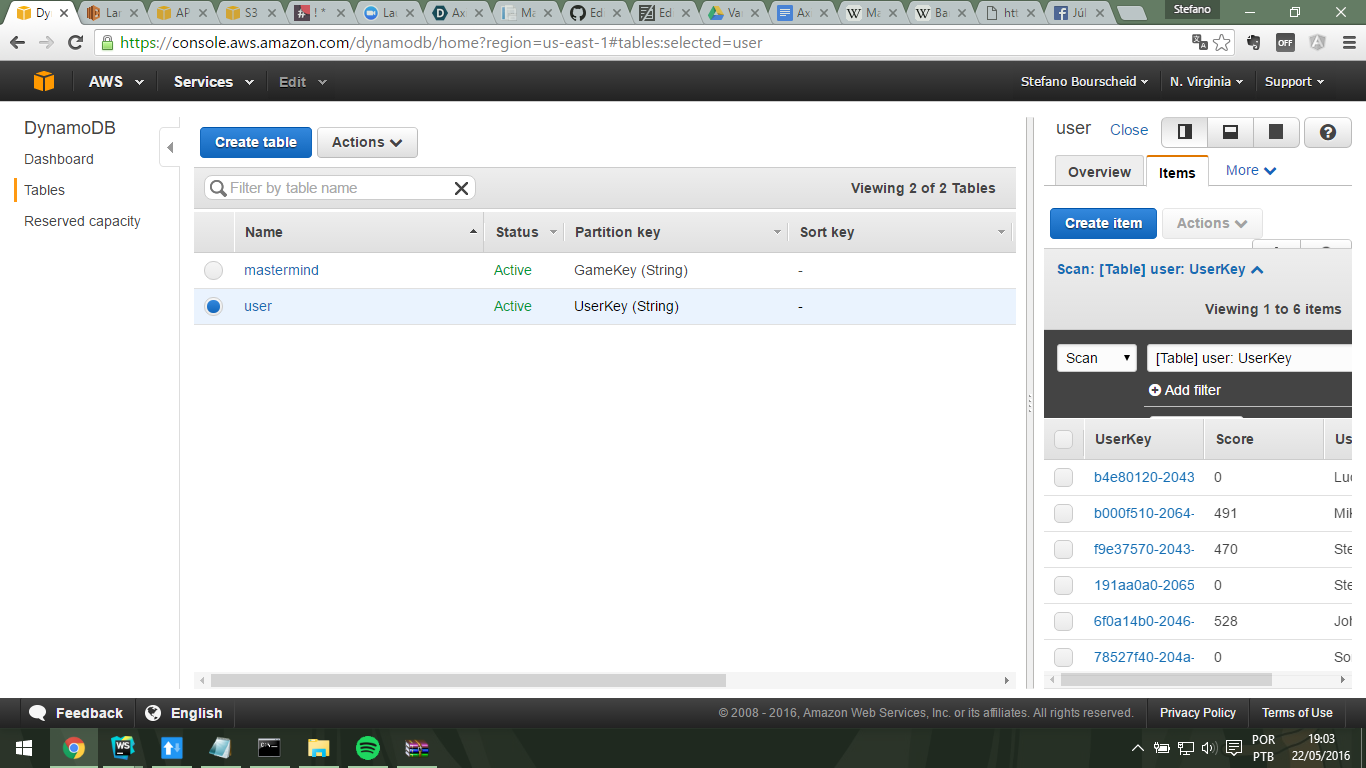
Dynamo Screenshot
Mastermind-API Backend
AxiomZen's challenge @vanhackaton
The challenge was to build a reliable, scalable and well-tested API in which many users can play [mastermind](https://en.wikipedia.org/wiki/Mastermind_(board_game) with, along with multiplayer feature and any interesting add-on that we think it could fit.
Tech Stack
In order to fulfill the requirements, I built my entire API in a serverless architecture within Amazon Web Services that offers a easily-scalable and well managed structure.
Chosen Stack:
- Node.JS
- AWS Lambda
- AWS DynamoDB (NoSQL)
- AWS API Gateway
With it all set up, we have some key benefits:
- Scale-up is one click away, both for logic (Lambda) and for database read OR write ops (DynamoDB)
- HTTP Codes can be fully handled with API Gateway
- Security: Amazon takes care of CORS, authentication and throttling for us
- Caching: You can use cache in some cases so you don't punish your backend again and again.
How to Play & API Reference
API Host: https://p4392fkvs9.execute-api.us-east-1.amazonaws.com/prod
1. Create an User
You can't play, create or join games without having a user key, so that is the first thing you'll need to do so the game can keep your scores and join other games:
POST /user
Request:
{
 userName: John Fogerty
}
Response:
{
  userName: John Fogerty,
  userKey: b000f510-2064-11e6-bd1d-395810d0c754
}
2. Create a Game
If you want to create a game, call this resource giving your userkey and name:
POST /new-game
Request:
{
    userKey: b000f510-2064-11e6-bd1d-395810d0c754
}
Response:
{
  gameKey: 26f624b0-2065-11e6-b7ab-ab2f614c58,
  userKey: b000f510-2064-11e6-bd1d-395810d0c7,
  possible_colors: RBGYOPCM,
  code_length: 8
}
3. Join an Existing Game
You can join your friends in a game, all you must have is their gameKey and your userKey. You can only join games before the first guess is made (fair, isn't?) .
POST /join-game
Request:
{
    userKey: b000f510-2064-11e6-bd1d-395810d0c754,
    gameKey: 20a1a8f0-2065-11e6-b7ab-ab2f614c583d
}
Response:
{
    userKey: b000f510-2064-11e6-bd1d-395810d0c754,
    gameKey: 20a1a8f0-2065-11e6-b7ab-ab2f614c583d
}
4. Making guesses
Once you are in a game, you can make guesses to it and the API will tell you the exacts and nears, along with your past guesses. They expire 5 minutes after the first guess is made and the first user to break the code wins. Unlimited guesses.
POST /guess
Request:
{
    userKey: b000f510-2064-11e6-bd1d-395810d0c754,
    gameKey: 20a1a8f0-2065-11e6-b7ab-ab2f614c583d,
    code: RRGGBBRR
}
Response:
{
    gameKey: 4e50da60-2046-11e6-a631-a1f850bfa9f1,
    userKey: b000f510-2064-11e6-bd1d-395810d0c754,
    past_guesses: [
        {
            exact: 0,
            near: 0,
            code: RRGGBBRR
        }
    ],
    num_guesses: 1,
    solved: true,
    time: 59 secs,
    score: 598
}
5. See the ranking
Since we ask you to create an user, we can save data such as you score. It is cumulative and the faster you break the code, better!
GET /ranking
Response:
[
    {
        UserName: John Fogerty,
        Score: 598
    },
    {
        UserName: Other Dude,
        Score: 356
    }
]
Set up the environment
The Lambda function codes are in the github repo;
The DynamoDB Tables (screenshot in github repo):
User: Partition Key "UserKey"
Mastermind: Partition Key "GameKey"
The API Gateway resources are set up one for each lambda function.
Questions, suggestions or feedback feel free to contact me at any time [email protected]


Log in or sign up for Devpost to join the conversation.