-
-
shot-01-projects
-
shot-02-today
-
shot-04-published-mock
-
shot-03-channel-edit
-
shot-05-published-tick
Inspiration
Managing multiple websites, creative projects, and side ventures means juggling separate social media channels for each brand. Existing scheduling platforms like Hootsuite quickly become expensive with strict limits on channel slots. On the other hand, generic tools like Notion or spreadsheets disconnect the calendar from the actual content: I could see when to post, but not easily manage and adapt the copy per channel.
I wanted to build Mastercast: an uncluttered, local desktop control room where each post carries its tailored text and publish status for every network in one place, free from subscription fees and account caps.
What it does
Mastercast is a dedicated desktop planning tool for multi-project social media management:
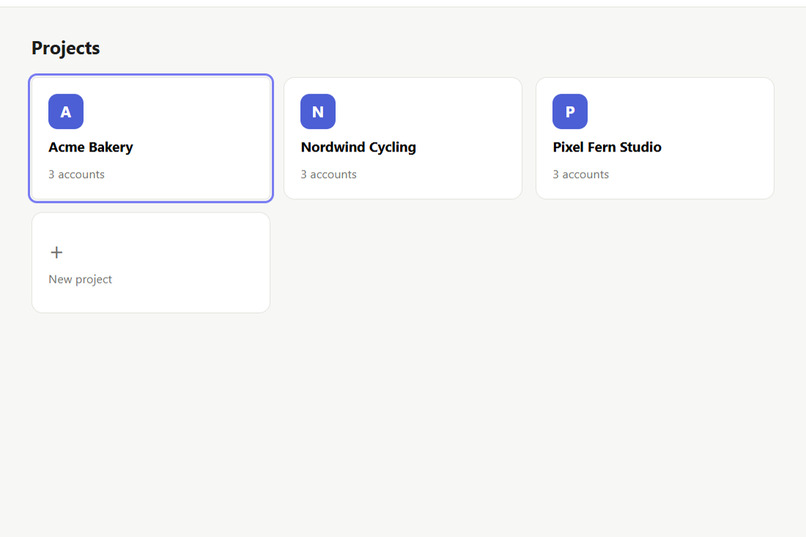
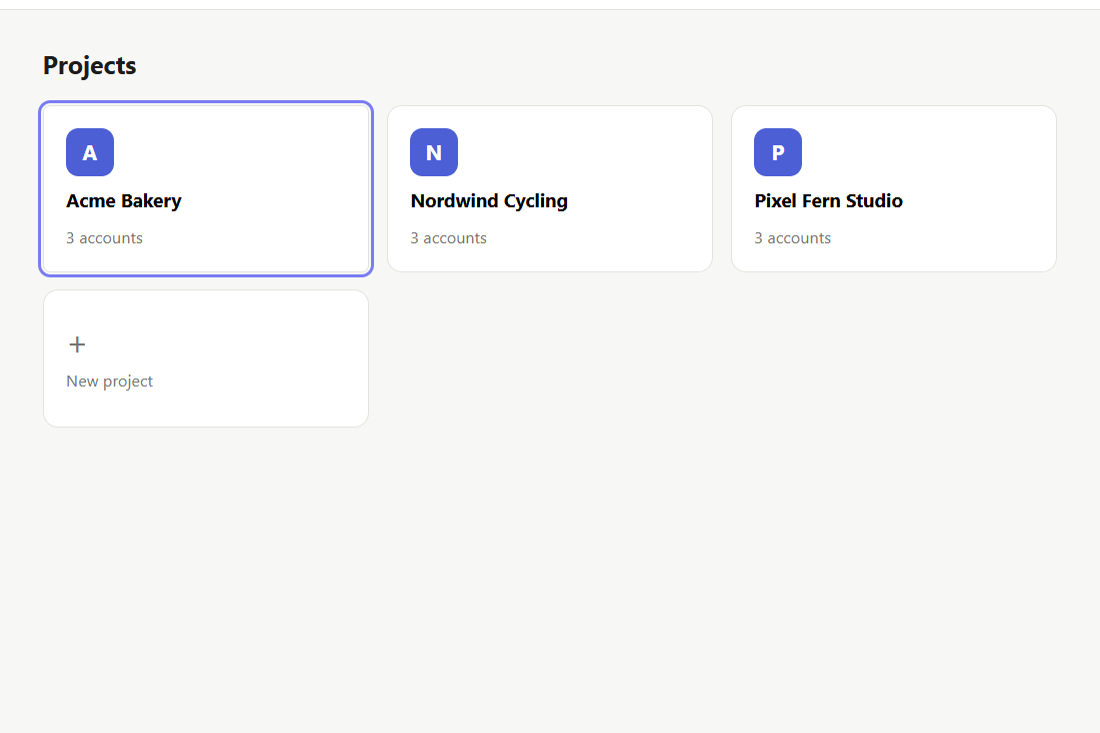
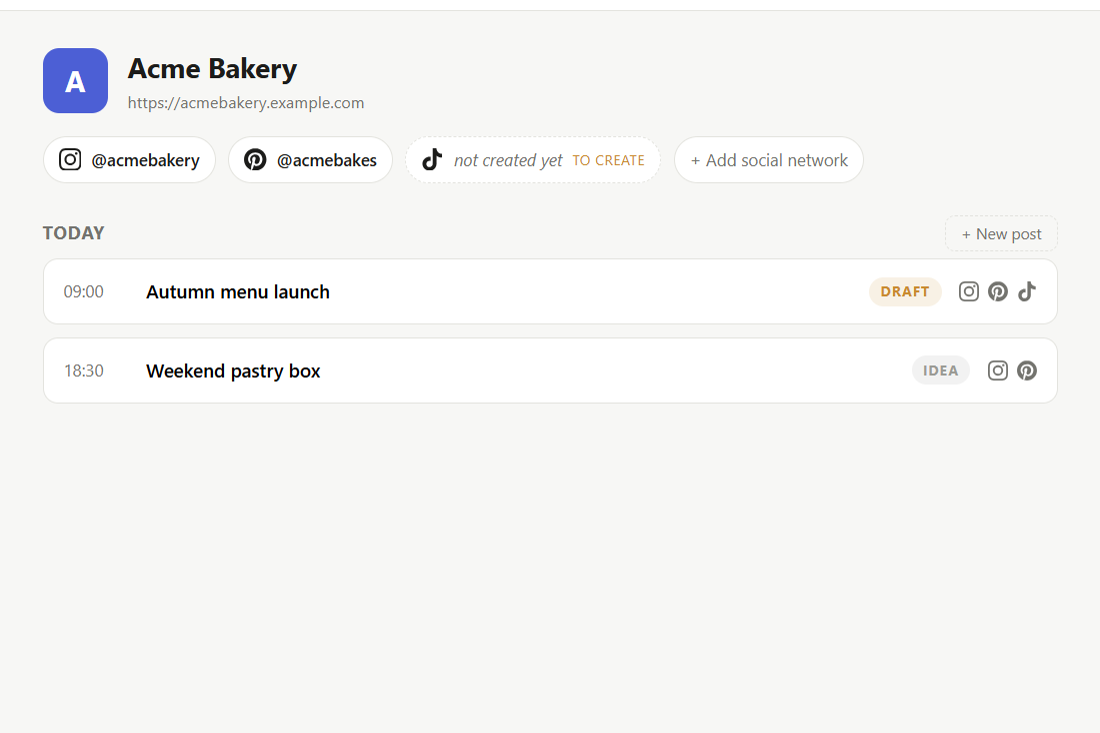
- Projects & Accounts Overview: Organize different brands or clients, inspect active social handles across platforms (Instagram, TikTok, Pinterest, X, YouTube Shorts), and track account readiness.
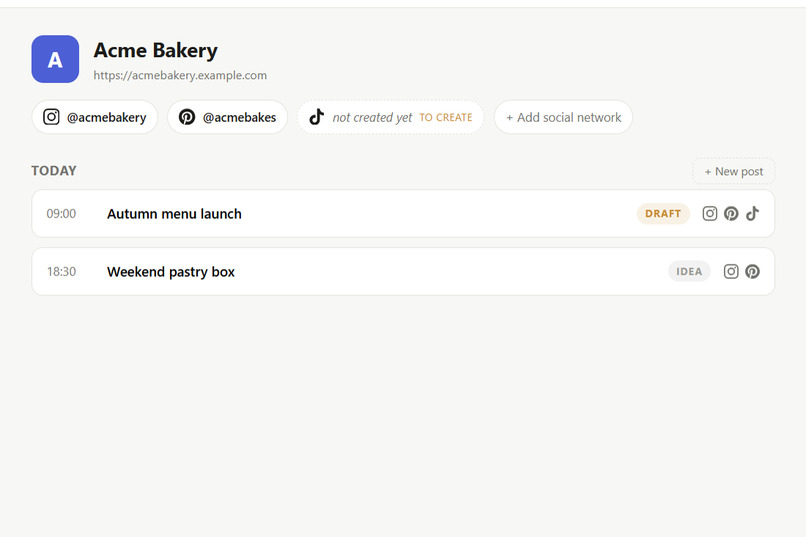
- Daily Control Room ("Today" View): A glanceable daily agenda highlighting posts scheduled for today across projects.
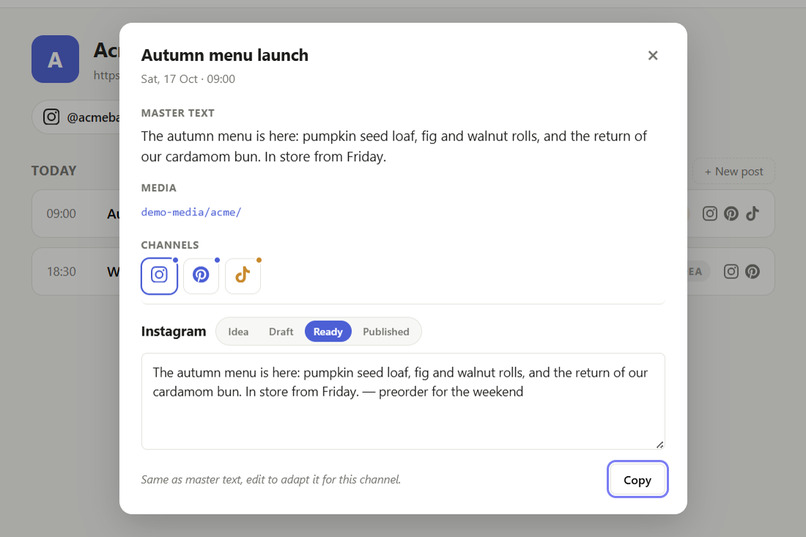
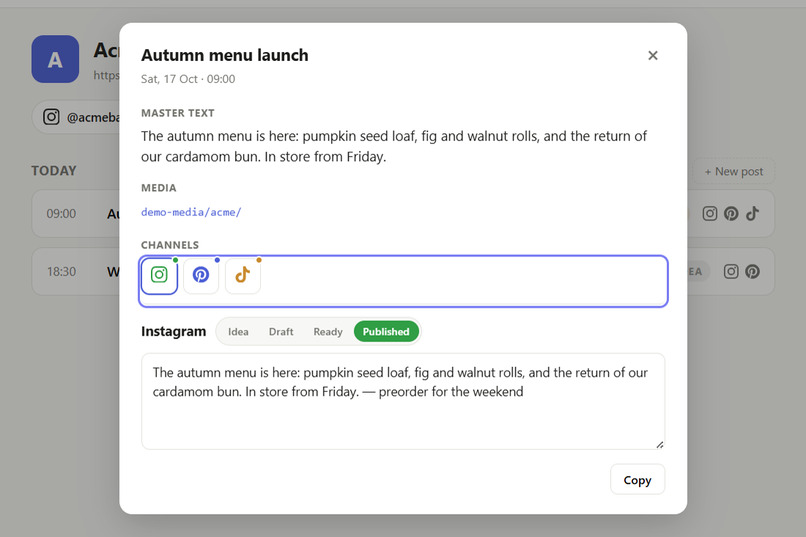
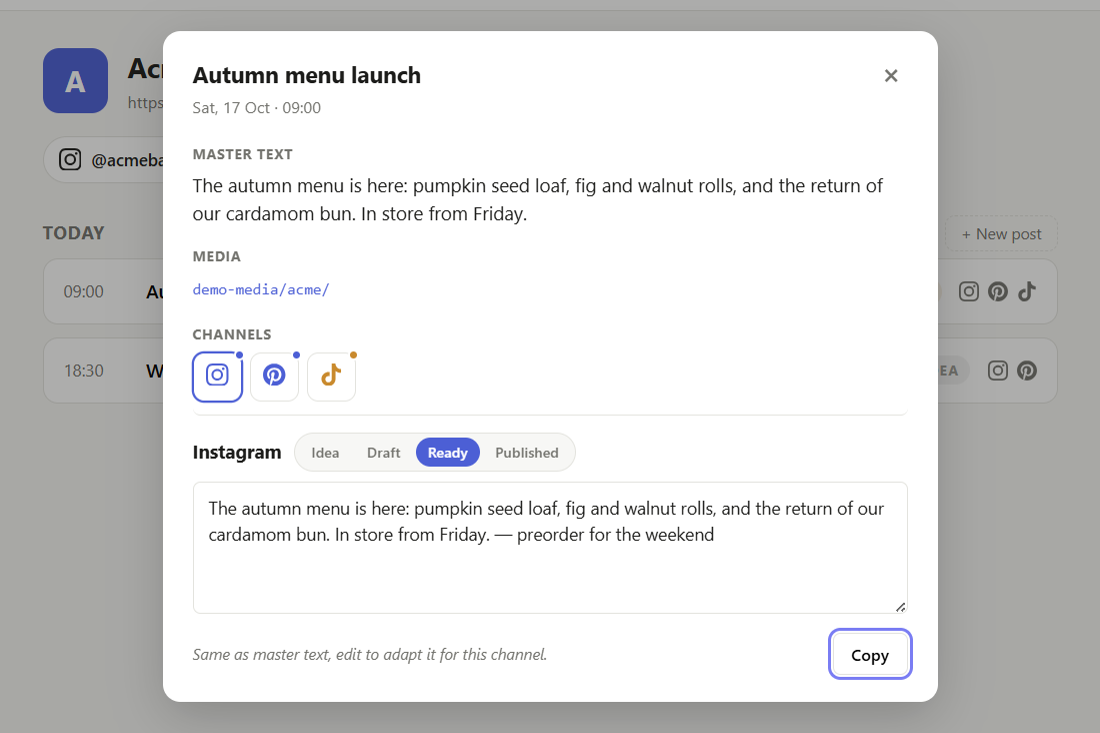
- One Post, Per-Channel Adaptation: A single post modal holds the master text; each channel inherits it until I adapt the caption for that network. I can adapt the caption per network without losing the master context.
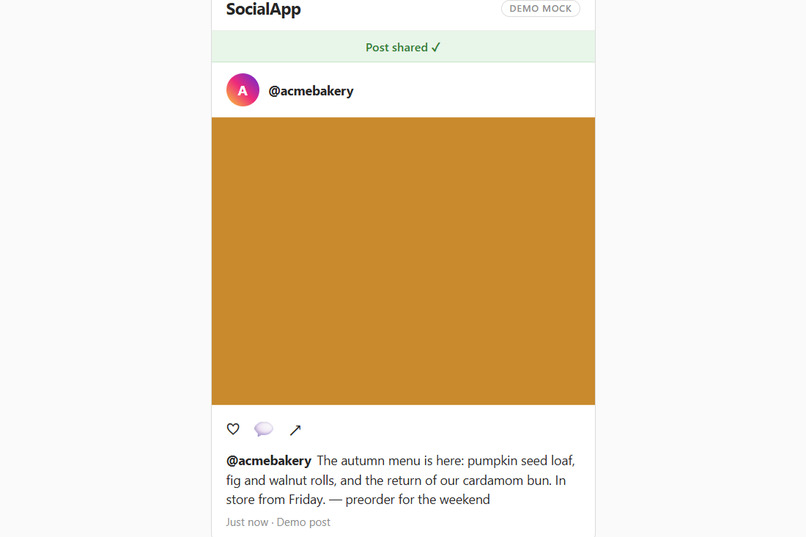
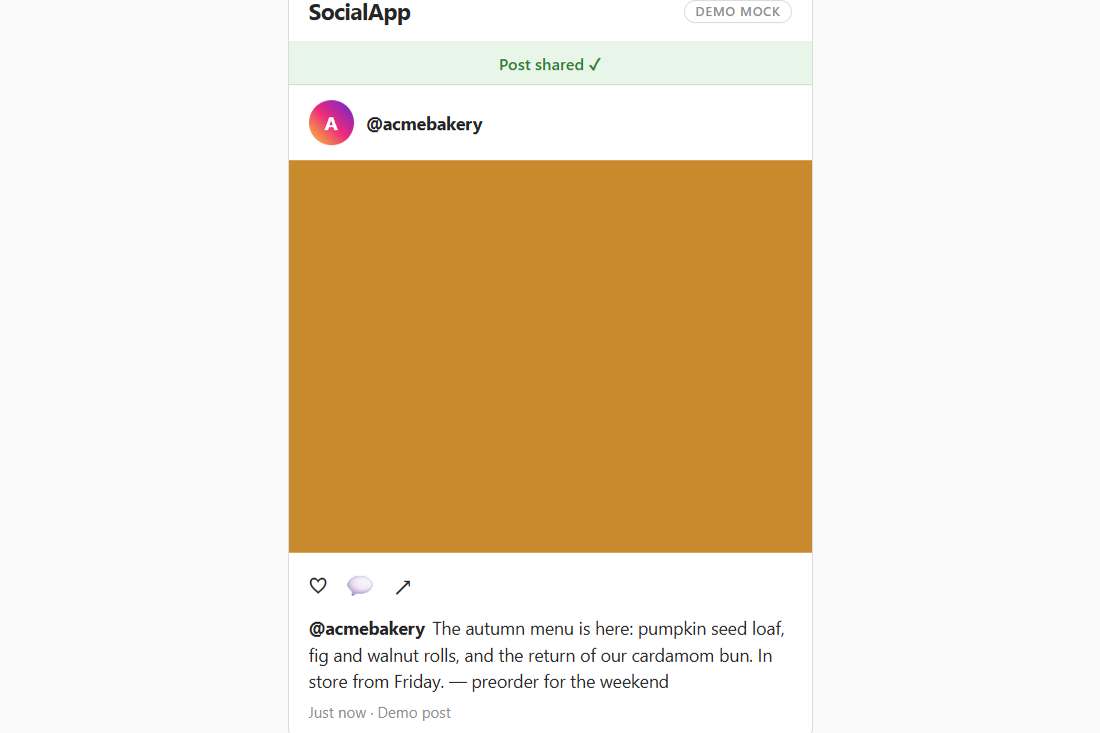
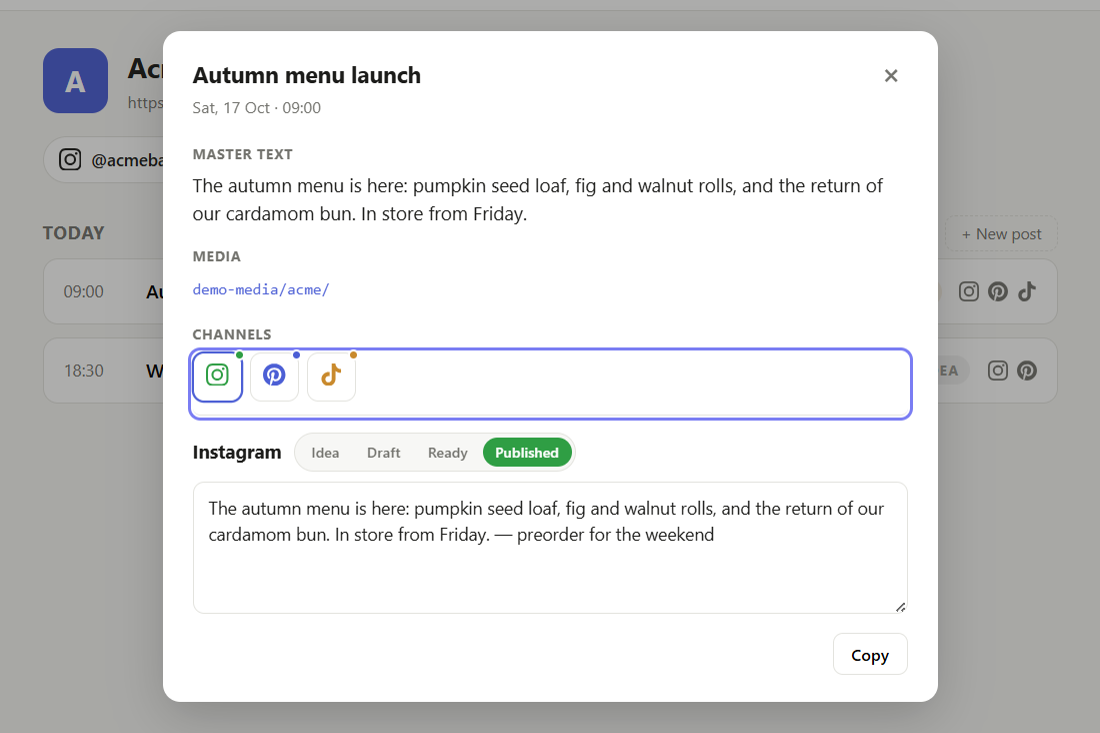
- Frictionless Publishing Loop: Click to copy the channel-adapted text to the clipboard, click the media path to open the asset folder directly in File Explorer, publish manually on the platform, and tick that channel as published.
- Dynamic Stage Derivation: Each network tracks its own status (Idea, Draft, Ready, Published). The post card's overall badge automatically reflects the least advanced channel stage until every platform is live.
- Local & Offline-First: Edits persist automatically to local storage with automated seeding and self-healing recovery if data ever gets corrupted.
How I built it
I built Mastercast using a disciplined, plan-first workflow directing AI coding agents:
- Planning & Spec: I authored a complete product scope, PRD, technical spec, and slice checklist in Markdown before touching application code.
- Desktop Shell: Powered by Electron and Node.js for native desktop capabilities.
- Frontend UI: Built with clean, vanilla HTML5, CSS3, and modern JavaScript for fast startup, minimal footprint, and zero framework bloat.
- Desktop Integration: Implemented secure Electron IPC bridges (
preload.js) for clipboard operations (clipboard.writeText), external browser links, and opening local media asset folders in File Explorer (shell.openPath). - Data Layer: Lightweight JSON-backed persistence with automatic demo seeding on clean installs.
Challenges I ran into
- Scoping the Proof of Concept: Full auto-publishing via platform APIs introduces heavy OAuth flows, developer account reviews, and strict API rate limits. I deliberately scoped the POC around a manual publishing loop (adapt text -> copy -> launch media folder -> mark published), solving the core workflow problem first without API fragility.
- Multi-Channel State Synchronization: Designing an intuitive data model where channel copy cleanly inherits from the master text until edited, while keeping individual channel publishing states reactive and recalculating card badges instantly.
- Speed vs. Precision: Balancing rapid prototyping with rigorous slice verification (headless smoke tests and state persistence tests at each milestone).
Accomplishments that I'm proud of
- Delivering a focused, distraction-free desktop app that solves my personal daily bottleneck.
- The "One post, multiple channels" card interaction: ticking off Instagram while TikTok and Pinterest remain pending provides immediate visual clarity.
- A resilient architecture with zero dependencies on external cloud databases or monthly subscriptions.
What I learned
- How to effectively guide AI agents using structured engineering artifacts (PRD, specs, step-by-step verification slices) rather than ad-hoc prompting.
- The value of offline-first desktop tools for creator workflows where speed, keyboard ergonomics, and clipboard integration trump complex web dashboards.
What's next for Mastercast
- Expanding from the daily focus view into weekly and monthly visual calendar overviews.
- Integrated image and video thumbnail previews directly inside the post editor.
- Optional direct-publish webhooks and platform API connectors once the local core workflow is fully battle-tested.

Log in or sign up for Devpost to join the conversation.