-
-
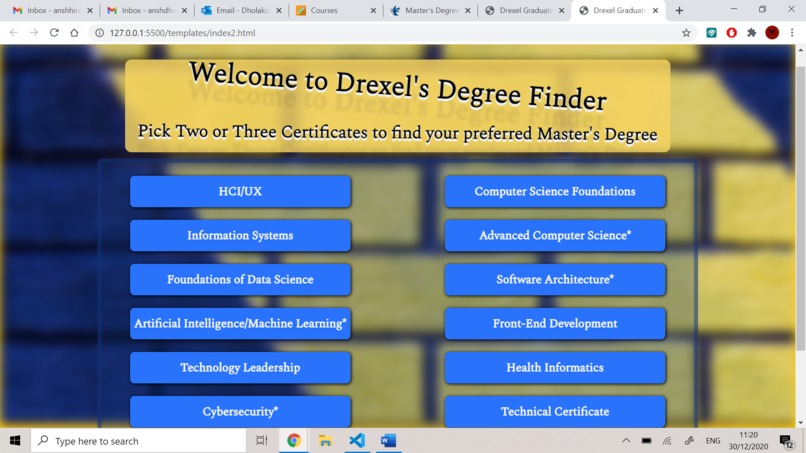
Initial web app design
-
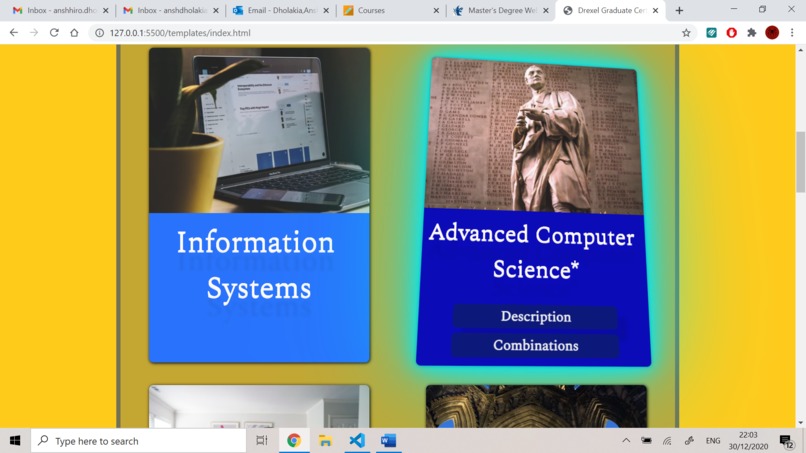
After making some changes to the design
-
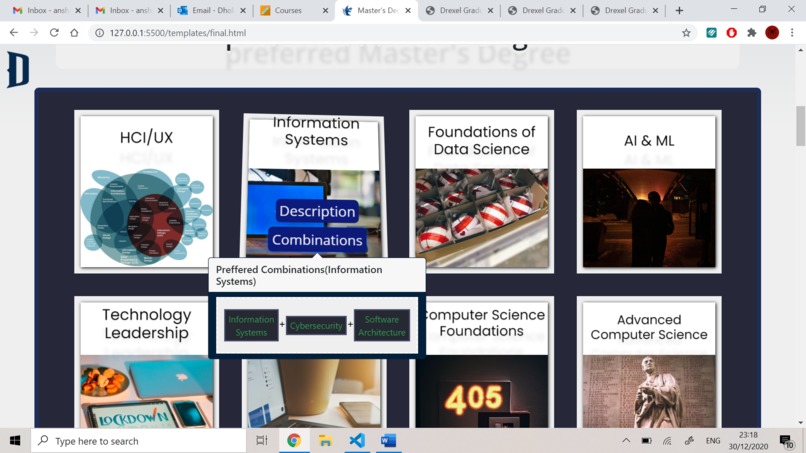
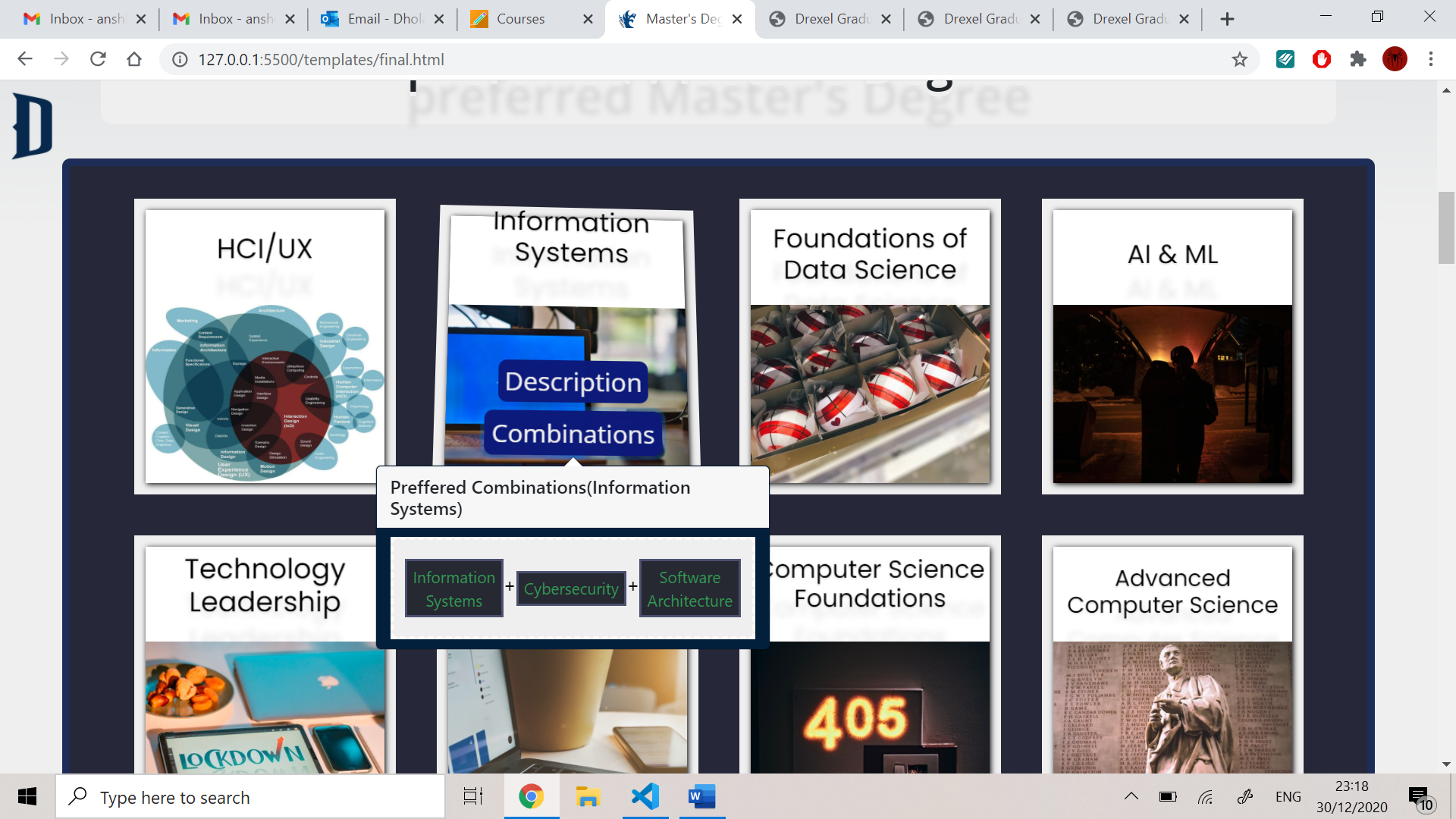
Selecting the combinations option on the certificate button
-
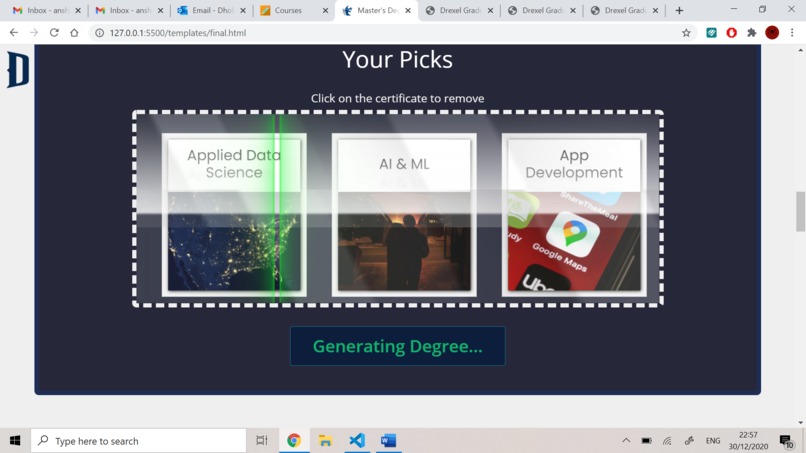
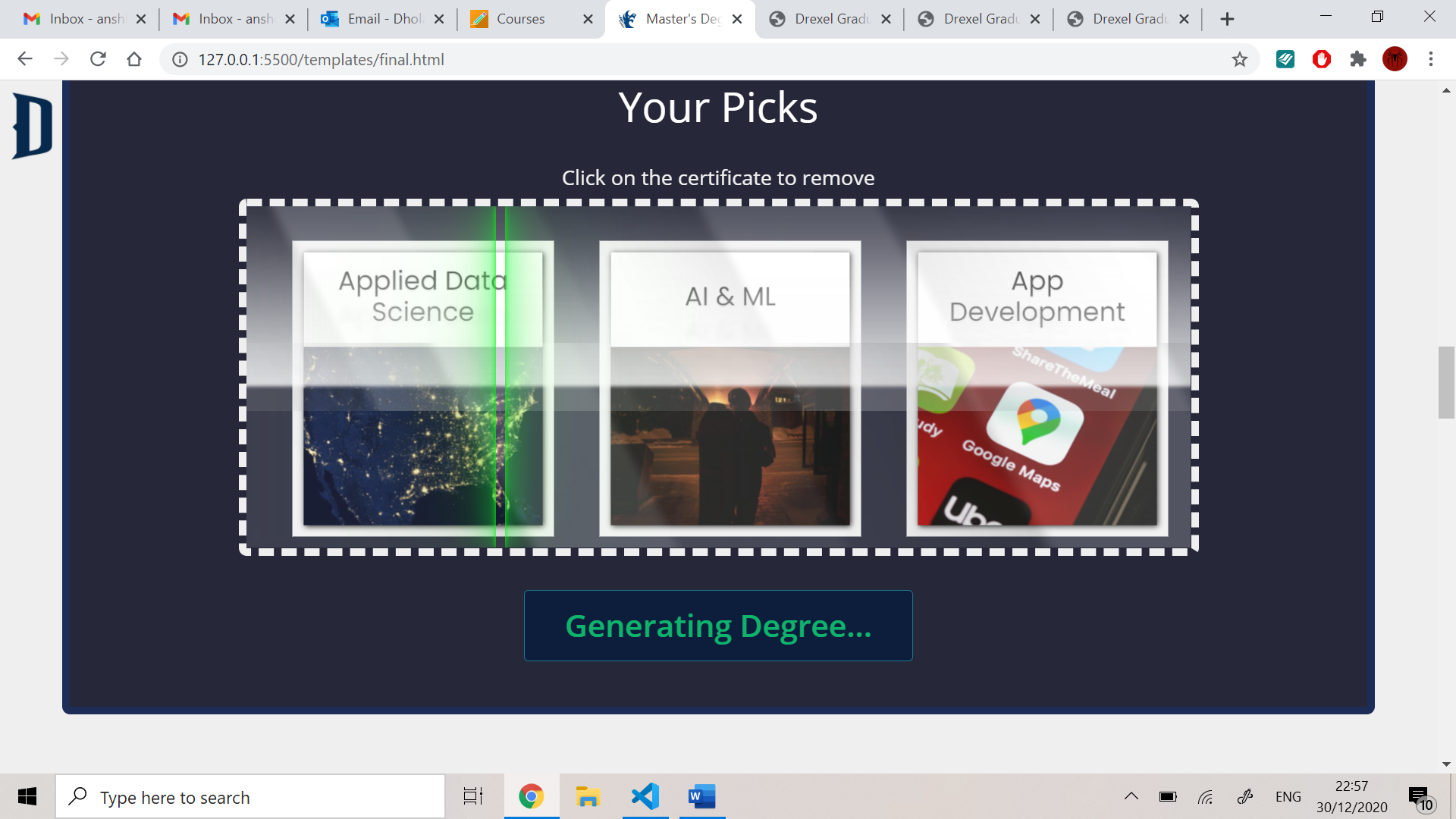
Scan animation after submitting
-
Taking advice from seniors
-
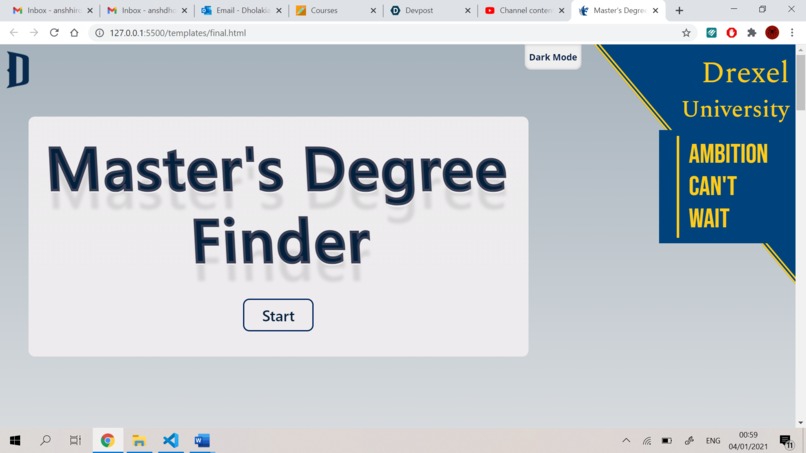
starting page of the web app
-
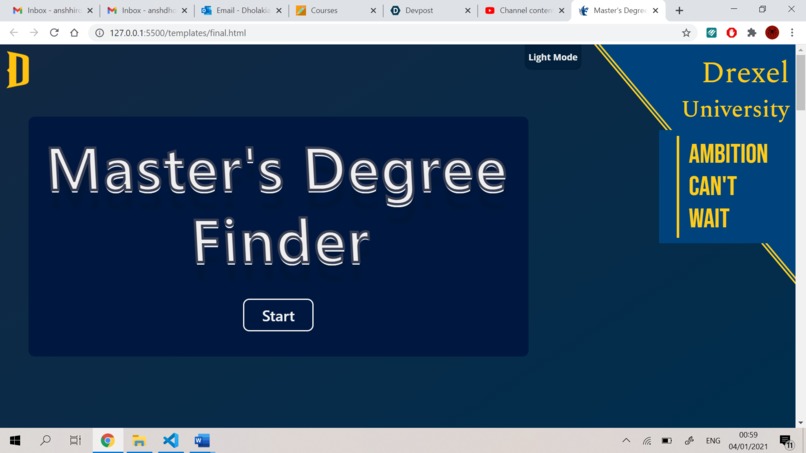
dark mode
-
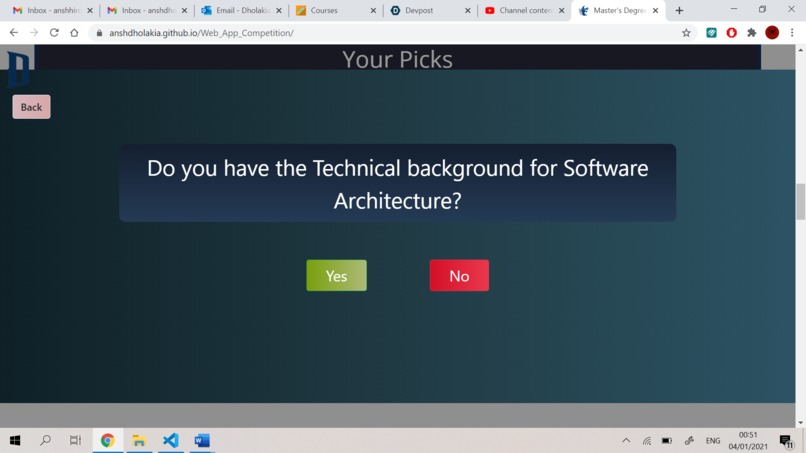
Solving constraint 1
-
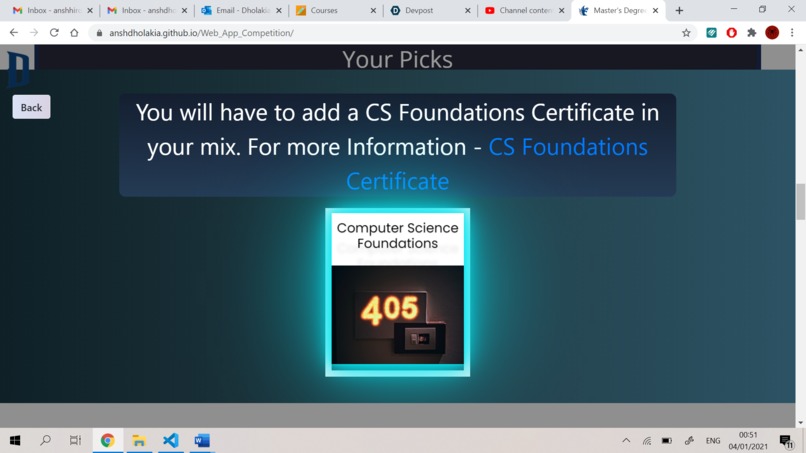
When user clicks on NO on the constraint 1 screen
-
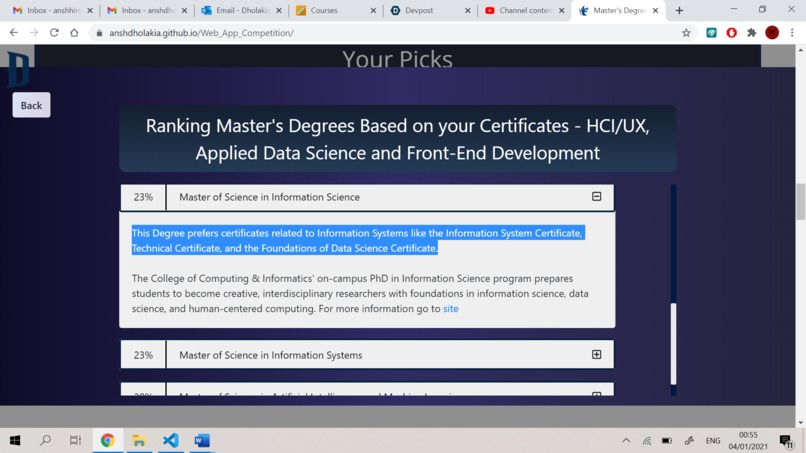
Ranked degrees with reason (solving constraint 2)
-
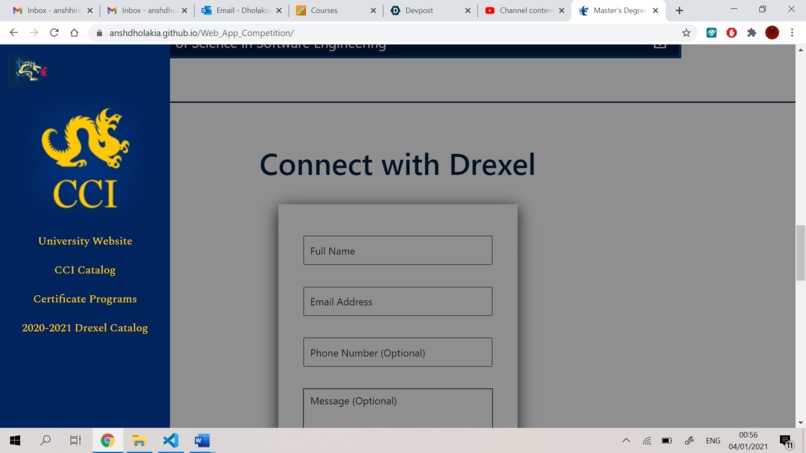
Quick menu
-
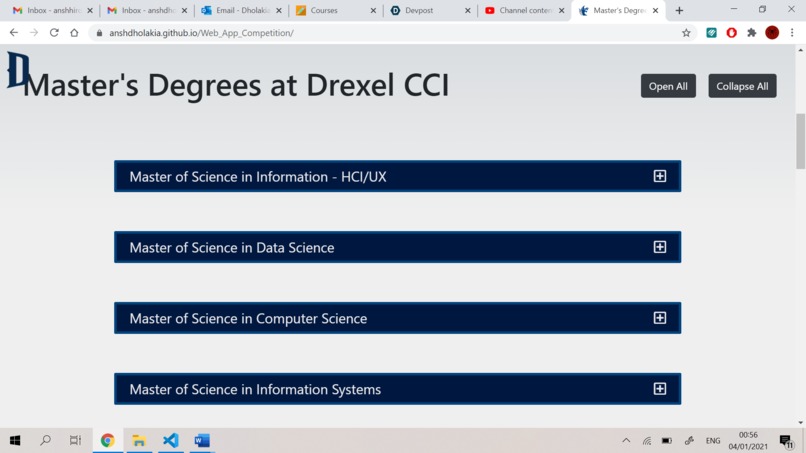
Master's degree list
-
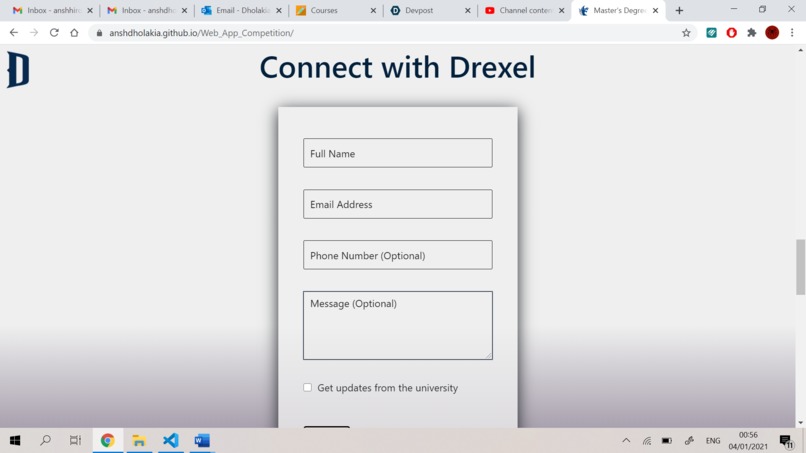
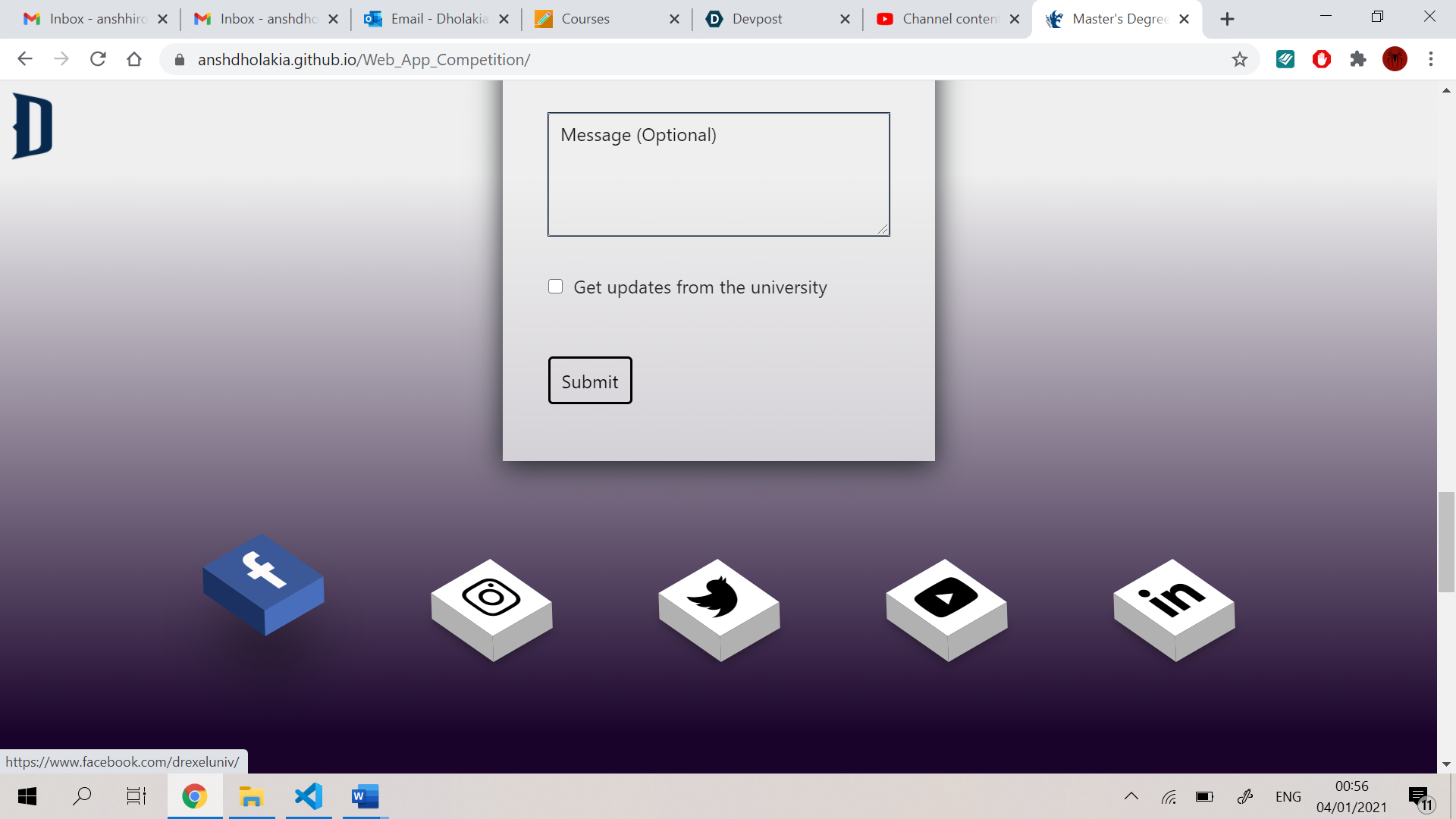
contact form
-
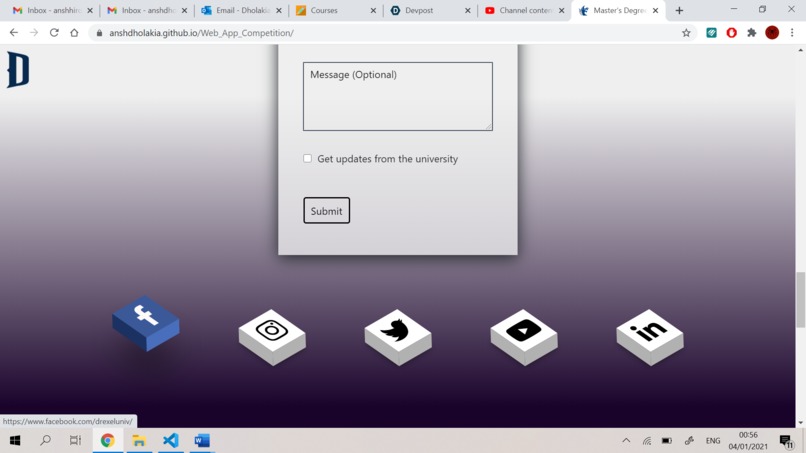
animated social media handles
-
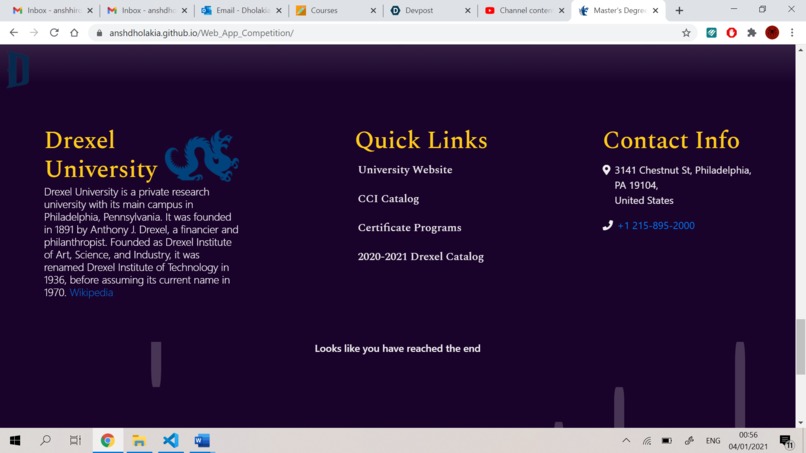
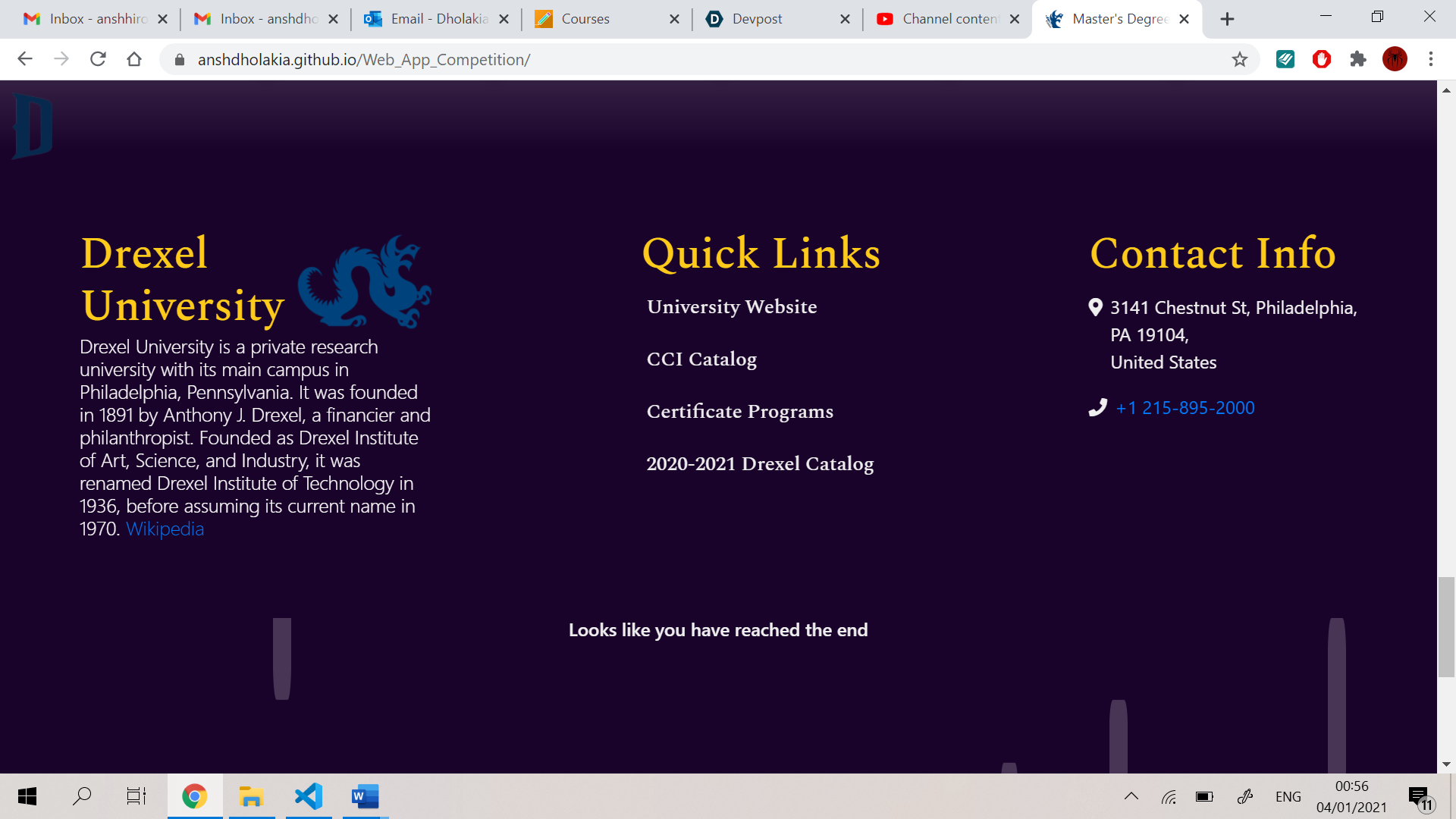
Footer of the web app
-

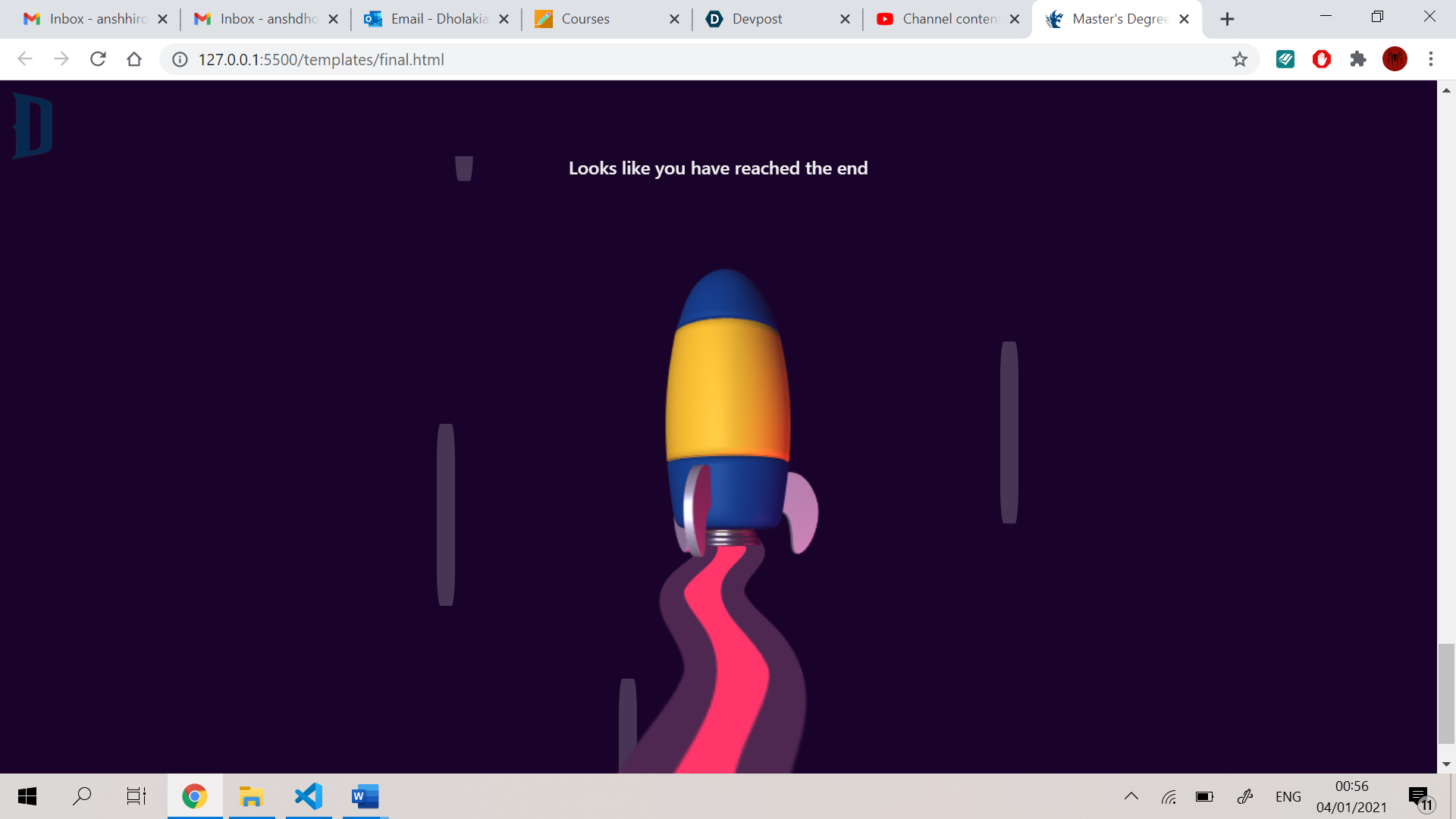
rocket animation
Inspiration -
This web app is inspired by a mix and match user-friendly experience. I also use 3D effects on this web app to make it more intuitive and enjoyable. This web app is also inspired by the pick and remove functionality. The scanning animation in this web app is inspired by a printer.
What it does -
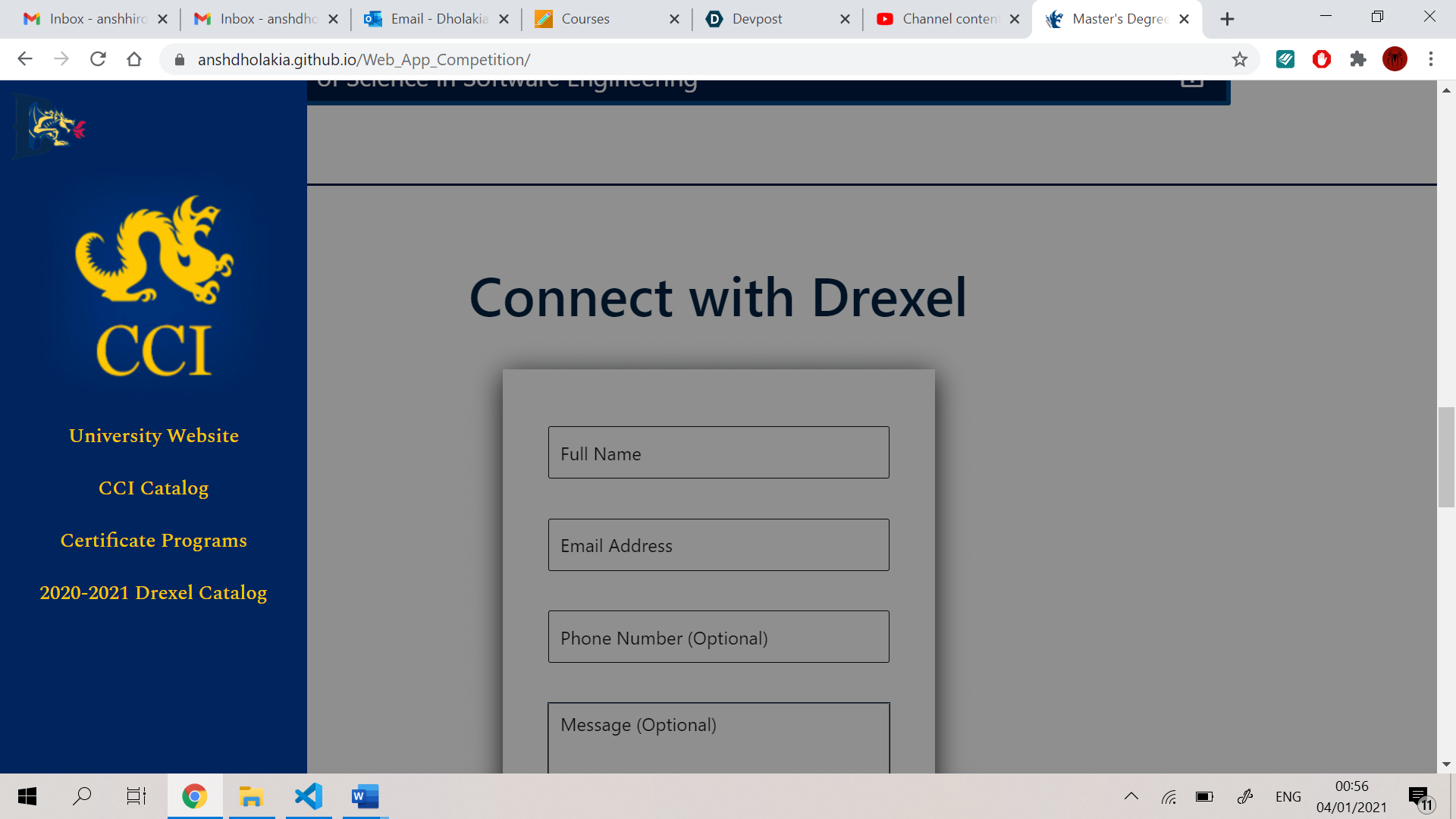
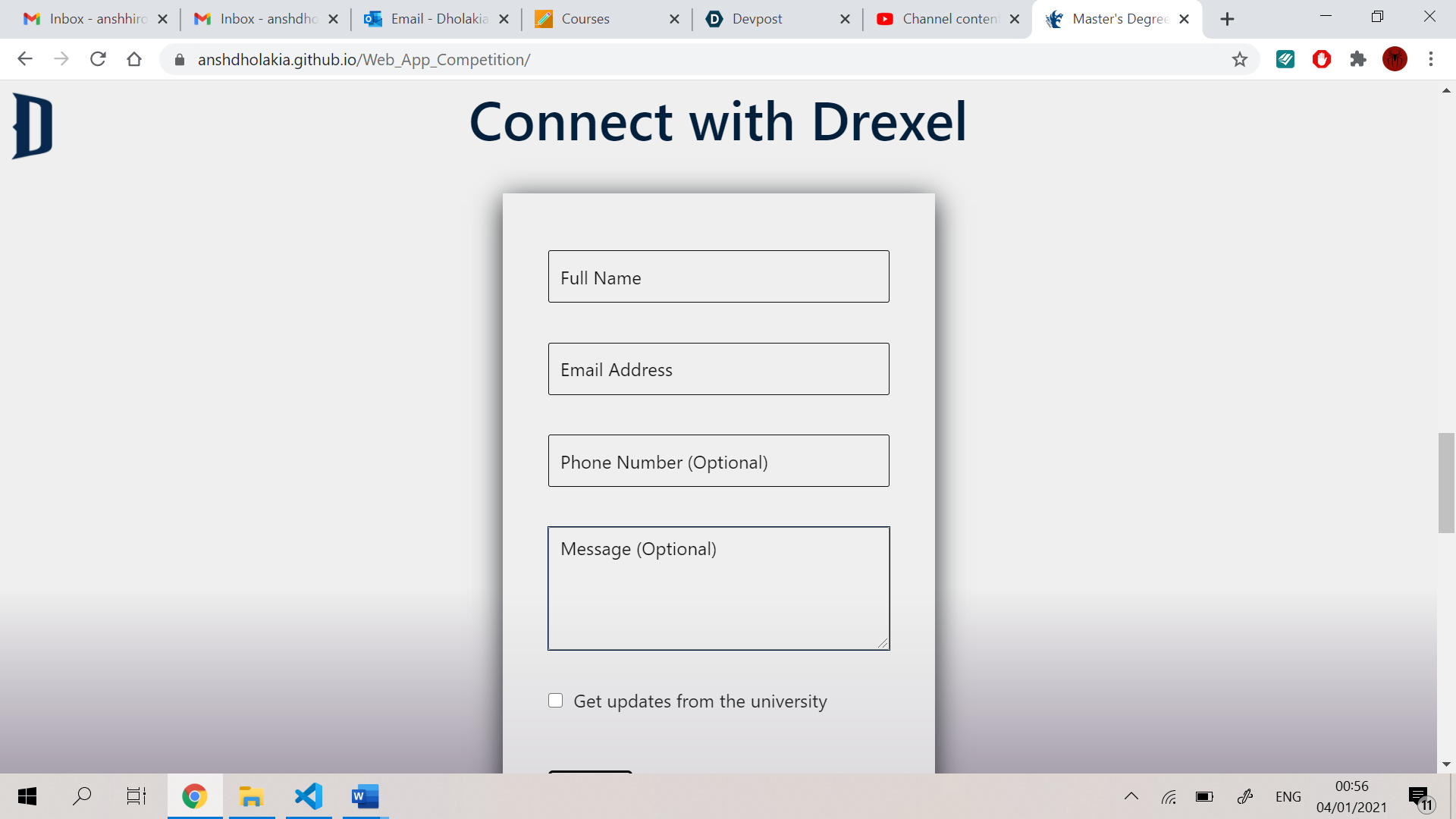
It's not only a tool that helps you mix and match certificates and gets a master's degree, but it is also a tool to get information on a particulate certificate or degree. As the web app provides tons of information/details on a particular certificate/degree. By using the contact form, the user can also connect with the university.
The CCI Web App competition held by Drexel university focused on a product which is creative, fully functional, errorless, which gives the user a good experience with a good user interface and can deal with the constraints provided. Desired Outcomes - 1) An intuitive web-based system design that allows users to “mix and match” certificate programs to arrive at master’s degrees
2) All program options should be viewable/selectable by the user
3) For any combination of 3 certificates selected, users will see the master’s degree(s) they can obtain.
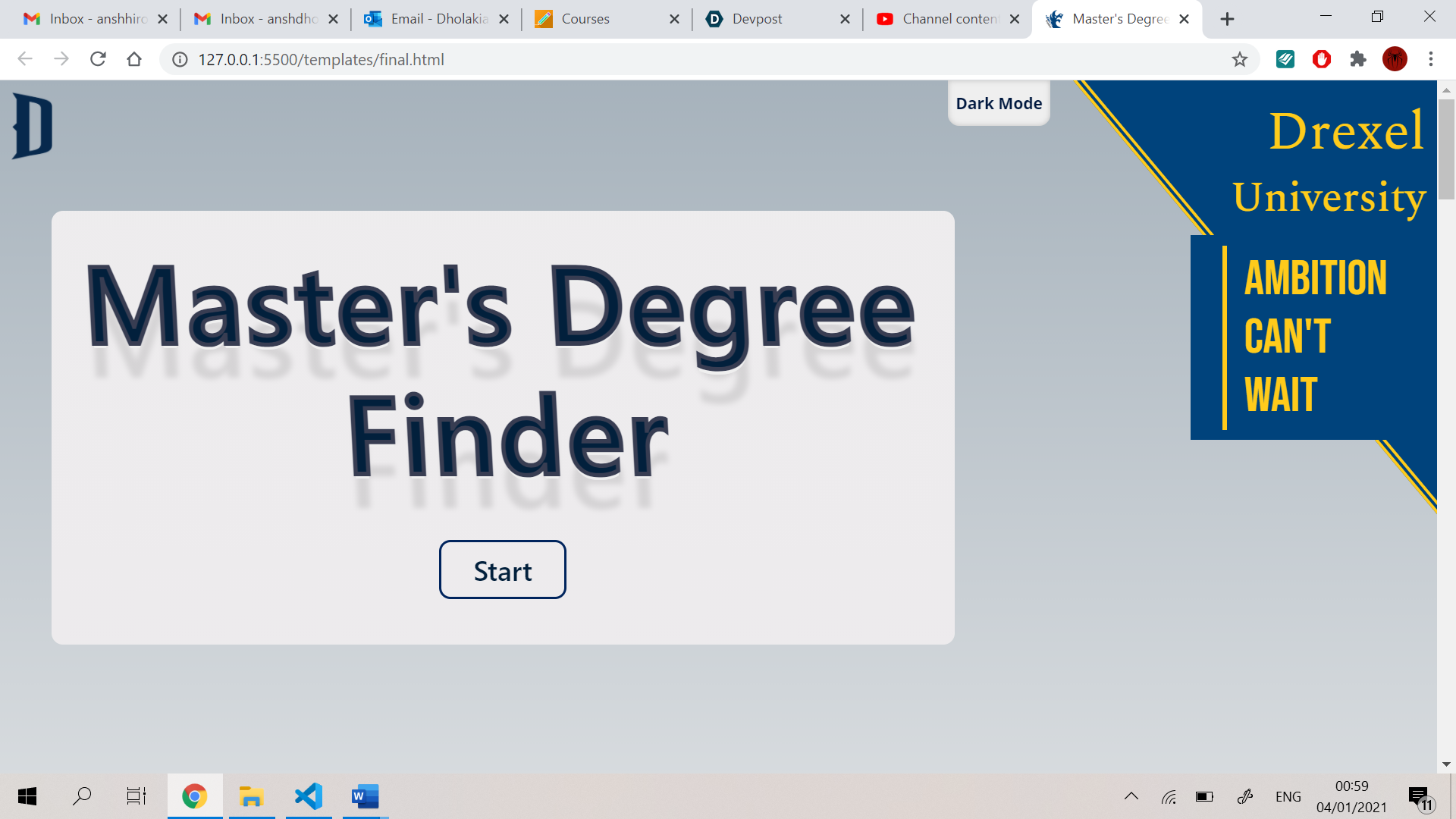
This web app is made to complete these goals and to provide the desired outcomes. The web app also focuses on giving the user full control of his choices and lets him explore more by giving him more options i.e., he can go to the university website, he can contact the university, and many more things are offered to the user through this web app. While designing this web app, I kept the focus more on designing and to give the user a good UI/UX experience. I decided to make this web app a bit more robust and responsive in its functionality. The basic steps to use this web app: 1) The user should click on the Start button that is clearly shown on the home screen.
2) After this the user is directed to the certificate section by the app itself.
3) If the user hovers on the certificate card, the card will provide options to look at the certificate description and the look at some preferred combinations.
4) If the user clicks on the description, the card flips and shows the content.
5) Or, if the user clicks on combinations, the card shows a popup that contains the certificate combinations button from where the user can click on the button to put the combination into the mix.
6) To select the certificate the user can click on the card to send it to the mixing box.
7) When the user clicks on the card, the user is directed to the mixing box on the same page and the card is placed in the mixing box in its position.
8) The user can click on the generate degree button after he chooses 2 or 3 certificates.
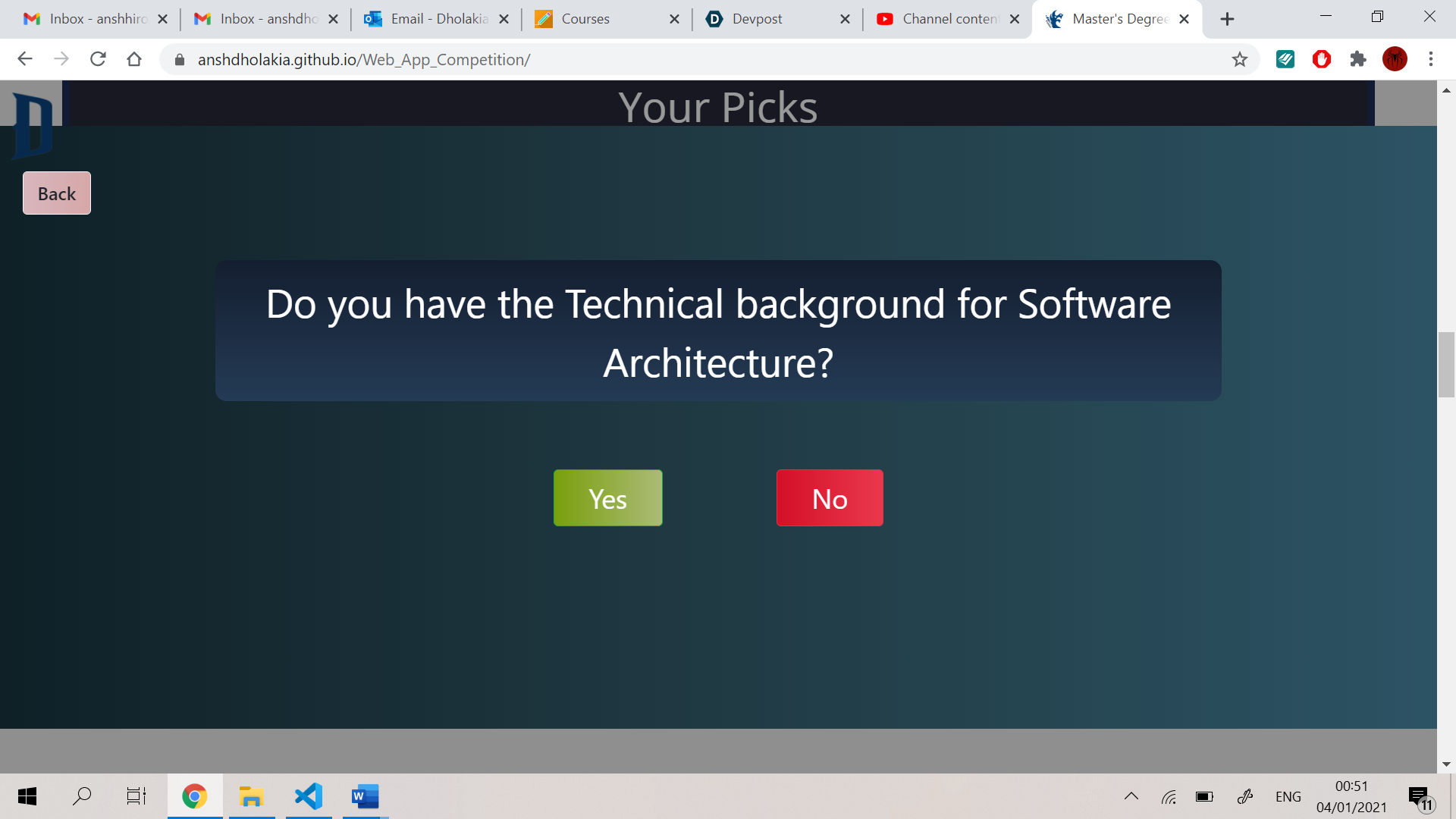
9) If the certificates combination contains a technical certificate without a CS foundation certificate, the web app asks the user if he/she has the technical skills for that certificate or not (Constraint 1).
10) If the user chooses “Yes”, the web app shows the preferred master’s degree with the certificate selected.
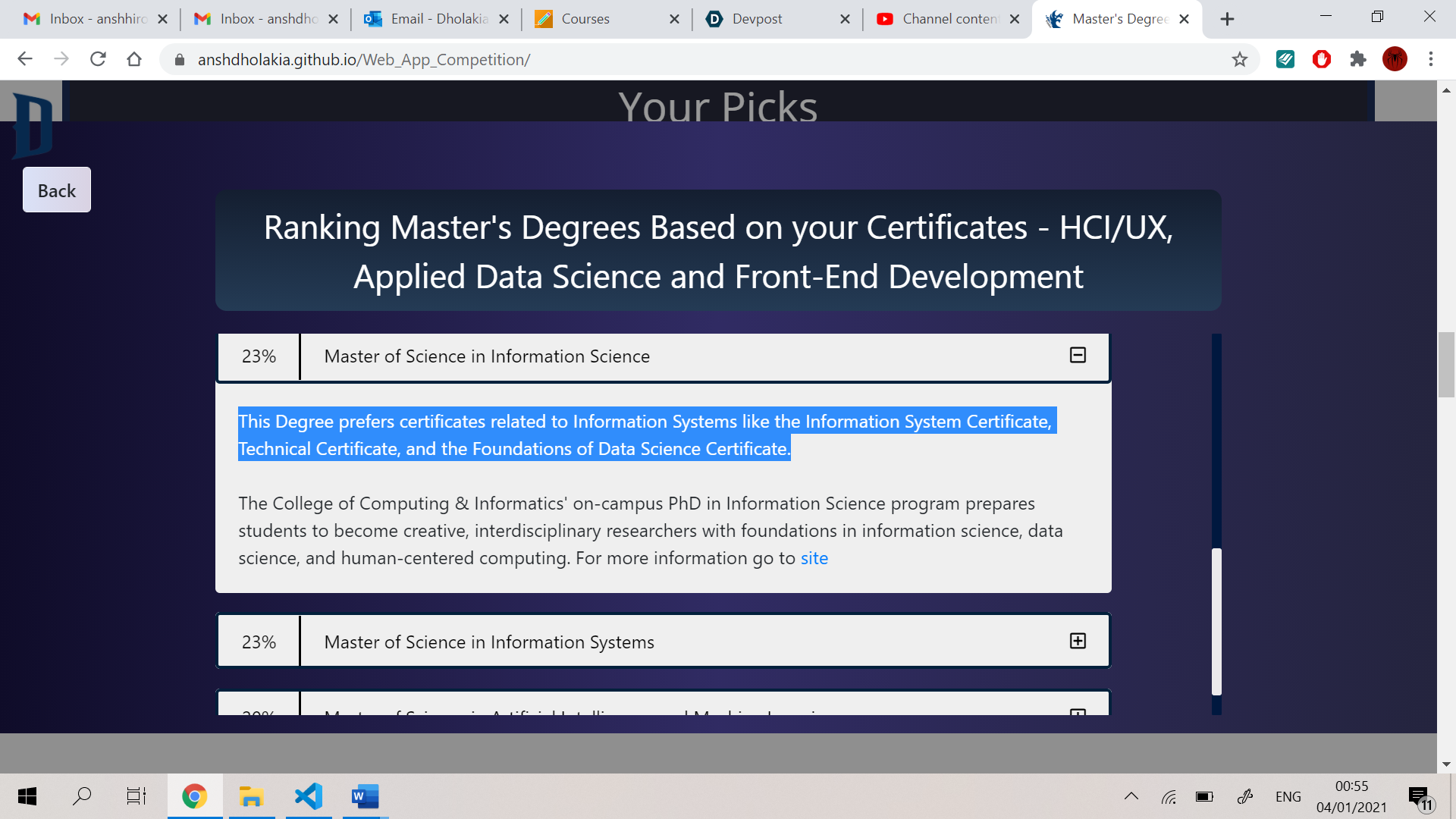
11) The web app is designed to show the user all the possible degrees he/she can get i.e., the web app ranks the degrees based on the choices and presents it with its description and the reason why this degree is ranked the highest/lowest (Constraint 2).
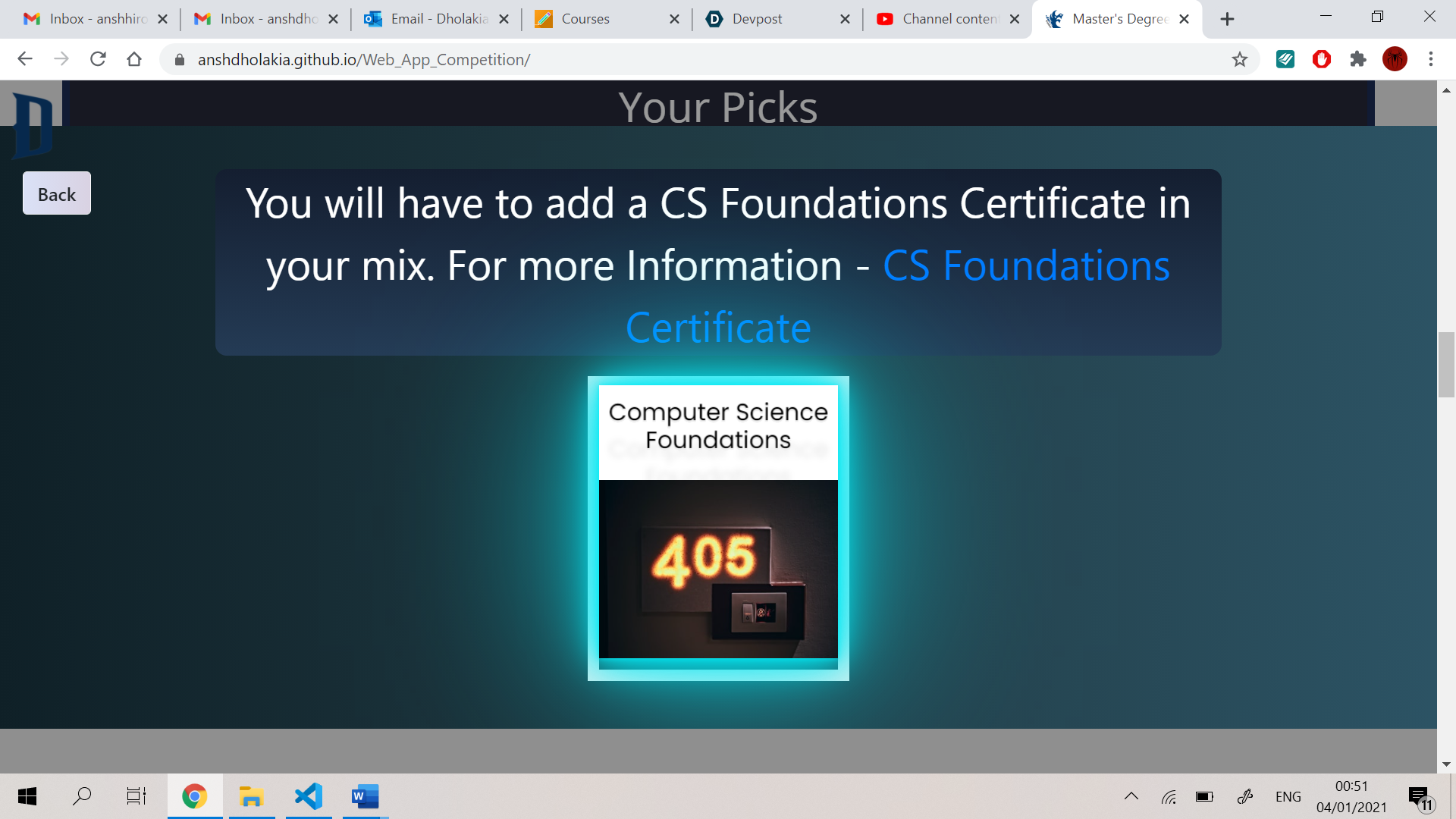
12) When the user selects the “No” option, the web app shows a screen which asks the user if he/she wants to add the CS foundation certificate to the mix or not.
How I built it -
I have built this web app using pure HTML, CSS, JS, jQuery and a bit of tilt.js and three.js. I made a plan to start from the certificate section to the master’s degree page, constraint pages, ending page, the home page, to the menu and more.
Challenges I ran into –
There were a lot of challenges I faced during designing and developing this web app. I made a plan to start from the certificate section to the master’s degree page, constraint pages, ending page, the home page, to the menu and more. I have done a lot of thinking to solve these challenges, so I will try to minimize the solutions.
During the first stage, i.e., making of the certificate section, I kept on thinking how to present the certificates to the user. First, I made a small box with horizontal buttons in it. On those buttons, I had written the certificate names. I thought that when the user clicked on those buttons, the buttons would go into a box-type container that would create an effect of the buttons sliding into the box. I thought that when the user clicks on submit, the container’s top border will close and then the master’s degree would come out.
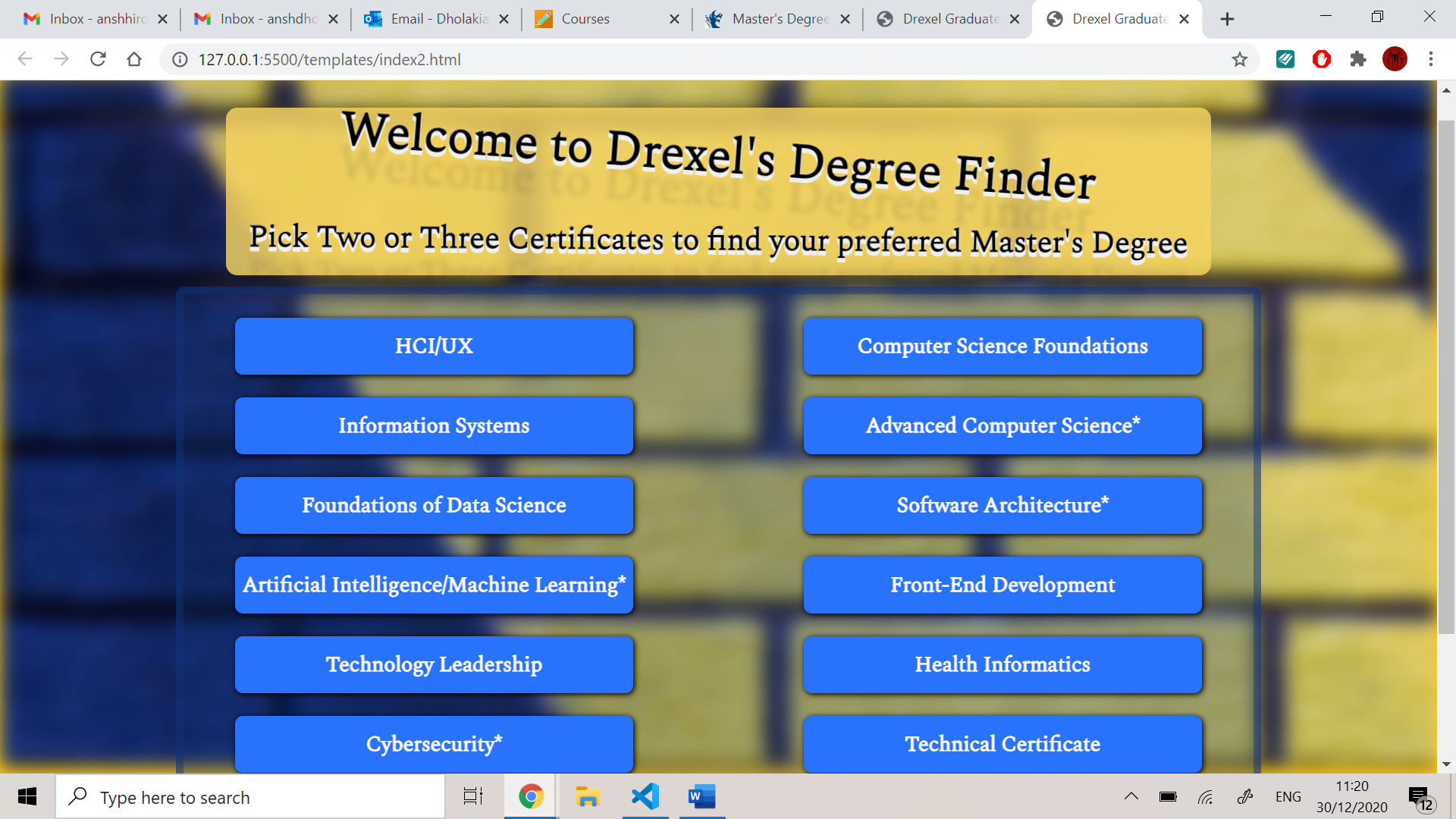
It initially looked something like this:
1) But, when I tried it out, the certificates came on top of each other when clicked. I could have used the append list method in java-script and solved the challenge, but I wanted the buttons to slide into the box and make a sort of animation. During the making of the sliding mechanism, I had to log the top and bottom of the mixing box container and then I had to code the buttons to go to the place when the user clicked on them.
Then I made sure that the user can only click on three certificates, so I made a variable “check” and logged the number of clicks. Making the sliding animation, I used translate3d to get the best results and to achieve that animation. After the button slides into the box, and the user clicks on another one, the box has to increase his height and decrease its top value so it goes upwards. Increasing the height of the mixing box and decreasing its top value cause an unnecessary increase in the body's height and increase the top value of the submit button.
To solve this, decided that I should not make the box rise upwards but I should shift it downwards by just increasing its height. But there comes another challenge that how will I log the buttons the user has clicked i.e., the buttons which are already in the box. If I get the buttons in the box, I will move them down when the user clicks on another button so that it makes space for the new button to come.
To solve this challenge, I made a list in java-script that logs all the names of the buttons the user has selected. So, when the user clicks on a new certificate(button), the buttons which are in the list get shifted below, making space for the new button to come.
Now, I had to code the case in which the user wants to remove the certificates. So, if the user removes a certificate, the program should check if any buttons in the list has a top value greater than the top value of the box popped. If yes, the top value of the bottom box should decrease by the height of the button and the button will appear to move to the space created by the popped button. If the button has a top value less than the value of the button removed, the button should be kept undisturbed. Consequently, the mixing box height should decrease as well.
The code for the button placement looked like this:
```document.querySelectorAll('.buttons, .buttons2').forEach(button => { // const checkbox=button.nextElementSibling; var checkbox = button.querySelector('input[type="checkbox"]'); var data2 = button.getBoundingClientRect(); var data = document.getElementById("mixbox").getBoundingClientRect(); // console.log(checkbox);
checkbox.addEventListener('change', () => {

    if (check>=3) {
        checking();
    }

    if (checkbox.checked && check < 3) {
        // let destroyBox = document.querySelector("#destroy-box");
        // VanillaTilt.init(destroyBox);
        button.vanillaTilt.destroy();

        var box = document.getElementById("mixbox");

        document.getElementById("mixbox").style.opacity = 1;
        document.getElementById("boxheading").style.opacity = 1;
        // var list= document.getElementById("list");
        // list.appendChild(button);
        button.classList.toggle('buttons--active');
        // checkbox.classList.toggle('hide');
        button.style.transition = 'all 0.3s ease-in-out';

        // box.style.top = `${-buttonheight}px`;

        button.style.transform = `translate3d(${data.left - data2.left - ($(button).outerWidth() / 2) + 4}px,${data.y - data2.y + 5}px,0px)`;
        buttonheight += ($(button).outerHeight() + 10);

        window.scrollTo(0, data.bottom);

        box.style.height = `${buttonheight + 15}px`;


        list_of_buttons_in_box.forEach(element => {

            var element2 = $(`[name='${element}']`);
            // console.log("moving: ",element2);
            var elements = document.getElementsByName(`${element}`);
            var id = elements[0].getAttribute('id');

            var styles = element2.css('-webkit-transform');
            var left = styles.split(",")[4];
            var top = styles.split(",")[5];
            document.getElementById(id).style.transform = `translate3d(${left}px,${parseInt(top)+$(button).outerHeight()+10}px,0px)`;

        });

        list_of_buttons_in_box.push(button.getAttribute("name"));

        // if(check==0){
        //     console.log("I am in if and the value of check is",check);
        //     box.style.width = `${data2.width + 22}px`;
        //     width=0;
        // }

        if (data2['width'] + 20 > width) {
            box.style.width = `${data2['width'] + 22}px`;
            width = data2['width'] + 22;
        }

        check += 1;
        // bigbox.style.height = `${bigheight}`;
        // console.log(bigheight);
        // console.log($(height).position().left);

        //   console.log("Checkbox is checked..");
    }

    else {
        if (check < 3 || list_of_buttons_in_box.includes(button.getAttribute("name"))) {

            list_of_buttons_in_box.splice(list_of_buttons_in_box.indexOf(button.getAttribute("name")),1);
            console.log("The list after popping: ",button.getAttribute("name"),": ",list_of_buttons_in_box);

            button.classList.remove('buttons--active');

            window.scrollTo(0, data2.top);

            console.log(list_of_buttons_in_box);

            buttonheight -= ($(button).outerHeight() + 10);

            list_of_buttons_in_box.forEach(element => {

                var element2 = $(`[name='${element}']`);
                var elements = document.getElementsByName(`${element}`);
                var id = elements[0].getAttribute('id');

                if (element2.offset().top < $(button).offset().top) {
                    // console.log("The top of the element you selected: ", $(button).offset().top);
                    // console.log("The top of the element above it: ", element2.offset().top);
                    // console.log("Moving", id, 'at',element2.offset().top + $(button).outerHeight());
                    // console.log("Moving", id, 'at',document.getElementById(id).getBoundingClientRect().height);
                    // console.log("Moving", id, 'at',data.left - data2.left - ($(button).outerWidth() / 2) + 4);
                    var styles = element2. css('-webkit-transform');
                    var left = styles.slice(19,26);
                    var top = styles.slice(28,styles.length-1);
                    // console.log(top);
                    // console.log(parseInt(top)+$(button).outerHeight()+10);
                    document.getElementById(id).style.transform = `translate3d(${left}px,${parseInt(top)+20}px,0px)`;
                }
                else{

                    var styles = element2. css('-webkit-transform');
                    var left = styles.split(",")[4];
                    var top = styles.split(",")[5];
                    // console.log(top);
                    // console.log(parseInt(top)+$(button).outerHeight()+10);
                    document.getElementById(id).style.transform = `translate3d(${left}px,${parseInt(top)-$(button).outerHeight()}px,0px)`;

                }

            });

            VanillaTilt.init(button)

            // checkbox.classList.remove('hide');
            // button.style.transition = 'all 0.3s ease-in-out';
            button.style.transform = `translate3d(0px,0px,0px)`
            // button.style.top = 'auto';
            // button.style.left = `auto`;

            var mixingbox = document.getElementById("mixbox");

            var box_data = mixingbox.getBoundingClientRect();

            mixingbox.style.height = `${box_data.height - $(button).outerHeight() - 10}px`

            // mixingbox.style.top = `${-buttonheight + $(button).outerHeight()}px`;

            check -= 1;

            if (check == 0) {
                mixingbox.style.opacity = 0;
                document.getElementById("boxheading").style.opacity=0;
            }

            // console.log(bigheight);

            // console.log("Checkbox is not checked..");

        }

    }
});
});```
1) The second major challenge I faced was when I wanted the buttons to change to a 3D type button. I got this idea after thinking a couple of times that it would be really appealing to the users if I added a 3D effect on the buttons and made them bigger. So, after making the buttons bigger and adding some photos to it, it looked something like this:
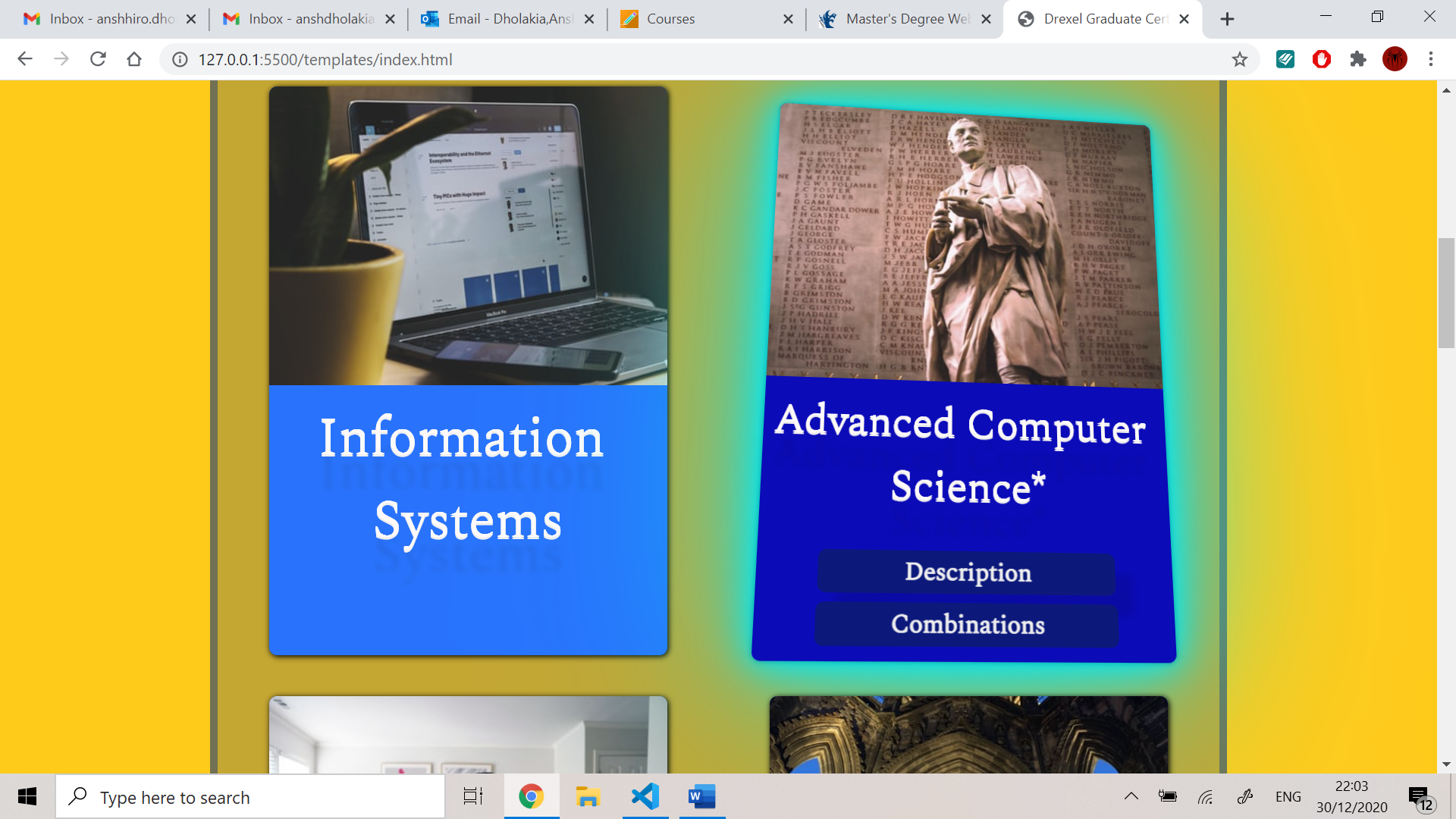
I solved this problem by using tilt.js from the internet. But the real problem started when I wanted to add the description and combination buttons to the certificate as it would provide the users with a piece of good knowledge on the certificate they are looking at. The user experience will definitely boost up if I give more options to the user. So, when I added the two buttons, the buttons were not accessible by the user and they did not create a parallax effect when the mouse hovered on the card. It looked something like this:
As you can see in the picture that the buttons are not giving a parallax effect and that they are not accessible by the user. So, I made the buttons outside the certificate buttons and put the whole bit to a newly made div. So, after reducing the size of the button, adding animations and playing around with the orientation of the buttons, the web app looked like this:
And this time it definitely created a good parallax effect and gave the user a good experience. Hence, when this web app is viewed on an android phone or any device which supports 3d motion, the user will get a great experience.
2) After fixing the colour scheme and doing some changes, I faced another challenge i.e., when the web app loaded and if the buttons are suddenly clicked, the web app miscalculates the top and left position and throws the button somewhere else. So, for that, I decided that I should make 3 div elements with IDs – 201, 202, 203. These elements will be placed in the mixing box with the same height and width as the buttons. And I gave the website time to load so that the list logging the positions of the elements can be loaded successfully. I made sure that the loading time should be in milliseconds as it can disturb the user experience.
After this, I had solved the problem and the buttons were going into the box and popping out smoothly.
3) I wanted the mixing box to perform animation when the user clicks on the submit button. I thought a lot about the animation and came up with an idea to make two upper and lower teeth that created an effect of eating the certificates. I made the animation and drew the teeth images. But the animation looked a bit immature and when I put the web app in phone mode, the teeth were not meeting each other perfectly and I had to scrap that idea out. Also, the teeth animation took a lot of time and hindered the user experience.
So, I thought about an animation that fits in the theme and looks a bit professional and meaningful. So, I got an idea from my printer that I should make a scanner type submit animation that does not take much time and lets the program compute the results for the user. I changed the teeth photo to a glass image and put a div for the green light. Then, I coded the animation and the code looked this this:
``document.getElementById("submit").innerHTML =Generate Degree;
if (window.innerWidth <= 890) { // for phone
document.getElementById("upperteeth").style.top =-${($(document.getElementById("1")).outerHeight() * 3) + 60}px
document.getElementById("bottomteeth").style.bottom =-${($(document.getElementById("1")).outerHeight() * 3) + 60}px;
}
else {
document.getElementById("upperteeth").style.top =${-$(document.getElementById("1")).outerHeight()}px;
document.getElementById("bottomteeth").style.bottom =${-$(document.getElementById("1")).outerHeight()}px`;
}
        document.getElementById("mixbox").style.zIndex = "0";
        scanning = 0;
        document.getElementById("submit").disabled = false;```
I tested this animation a couple of times and the people told me that it looked professional and good looking.
4) I kept on adding small details to the website i.e., by making the submit button disabled when the scanning is in process and similarly, I kept making small changes and kept improving the UI and UX. The next big challenge I faced was when I had to code the combination button. For the combination button and the popup, I used bootstrap 4. After using bootstrap, I added the content inside the popup and made a button inside it and structured small div elements that showed the certificate names. Then, during the coding of the combination function, I had to pass a list to the function and log the three items provided. If the third item was undefined, I made the program take it as a 2-certificate combination else it was a 3-certificate combination. So, after that, I used names to access the certificate buttons and I used a bit of jQuery to access its parent. Also, I had to make sure that the certificate buttons that are selected are unselected and are back to their original places. So, I made a function for that and I put the combination buttons inside the mixing box.
It worked perfectly as expected and with the help of bootstrap, I could make the popovers react on the scroll.
These were some of the top challenges that I encountered during the making of this web app. There were some challenges that I would like to include.
5) To solve the constraint 1, I had to put two screens one for asking the user if he had a technical skill relating to that certificate and the other to put the CS foundation certificate as an option.
So, to put out the first constraint, I wanted to enhance the user experience by providing an animation to open the screen. So, I had to put the top at 50% and the left at -100% with the height at 1px as I wanted the screen to slide in and open up. After that, I put a set-time-out and made the top 0%, left 0% and height 100vh:
setTimeout(() => {
document.getElementById("constraint1").style.top = 50%;
            document.getElementById("constraint1").style.left = "0%";

            document.getElementById("constraint1").style.height = `0.1vh`;
        }, 3300);
        setTimeout(() => {
            document.getElementById("constraint1").style.height = `100vh`;
            document.getElementById("constraint1").style.top = `0%`;

        }, 3600);
Then I hade to code the Yes and No buttons i.e. when the user clicked Yes it should direct the user to the master’s degree page with the percentages specified, else it should direct the user to the CS foundation page.
The next problem I faced was during the CS foundation page.
6) I had to slide the second page on the screen but that was not the real challenge. I wanted to make a button on the screen that when clicked, it sends the CS foundation certificate into the mixing box. But I also had to make sure that the number of certificates in the mixing box is 2 or it's 3 as if it is 2, I will add the certificate automatically and the web app will start scanning. But, if it is 3, I will show a warning that the user can add only 3 certificates into the mixing box. After that, I coded the button’s backend and it looked something like this: ```function CSSelected() {
if (window.innerWidth <= 890) { // If media query matches
document.getElementById("upperteeth").style.top = `-${($(document.getElementById("1")).outerHeight() * 3) + 60}px`
document.getElementById("bottomteeth").style.bottom = `-${($(document.getElementById("1")).outerHeight() * 3) + 60}px`;
}
else {
document.getElementById("upperteeth").style.top = `${-$(document.getElementById("1")).outerHeight()}px`;
document.getElementById("bottomteeth").style.bottom = `${-$(document.getElementById("1")).outerHeight()}px`;
}
document.getElementById("mixbox").style.zIndex = "0";
document.getElementById("constraint1").style.top = `0%`;
document.getElementById("constraint1").style.height = `0vh`;
document.getElementById("constraint1").style.left = "-100%";
document.getElementById("constraintno1").style.top = `0%`;
document.getElementById("constraintno1").style.height = `0vh`;
document.getElementById("constraintno1").style.left = "-100%";
document.getElementById("submit").classList.remove('submit--active');
document.getElementById("submit").innerHTML = `Generate Degree`;
scanning = 0;
if (check == 3) {
checking();
var originalText = document.getElementById("alert-info").innerHTML;
document.getElementById("alert-info").innerHTML = "<strong>Only 3!</strong> You will have to remove a certificate :(";
$(".alert-info").show();
$(".alert-info").css('top', "3px");
setTimeout(() => {
$(".alert-info").css('top', "-50px");
}, 7000);
setTimeout(() => {
$(".alert-info").hide();
document.getElementById("alert-info").innerHTML = originalText;
// console.log(originalText);
}, 8000);
}
else {
list_of_buttons_in_box.push('Computer Science Foundations');
checking();
setTimeout(() => {
$("div[name='Computer Science Foundations']").css('transform', `translate3d(${document.getElementById("203").getBoundingClientRect().left - document.querySelector(`div[name="Computer Science Foundations"]`).getBoundingClientRect().left}px,${document.getElementById("203").getBoundingClientRect().top - document.querySelector(`div[name="Computer Science Foundations"]`).getBoundingClientRect().top}px,0px)`);
$("div[name='Computer Science Foundations']").css('z-index', '3');
check = 3;
document.getElementById("hinmixbox").innerText = "";
document.getElementById("hinmixbox").style.backgroundColor = "transparent";
}, 310);
document.querySelector(`div[name='Computer Science Foundations']`).vanillaTilt.destroy();
submitting();
path_taken = "ConstraintNO1";
// console.log(path_taken);
}
}``` The next big challenge I encountered was during the making of the master’s degree page.
7) I wanted to make the master’s degree page show all the degrees with the reason for their rankings. So, I made 10 div elements and assigned IDs as degree1, degree2, degree3, … degree10. After that, I made a list that contained dictionary of each degree that had the degree name, degree description, score, preferred certificate for constraint 2, AND the link for more information. The list item looked like this:
var list_of_degrees = [{ degree: `Master of Science in Information - HCI/UX`, score: 0, preffered_certificate: `This Degree prefers certificates related to front end development like the Front-end Development certificate, HCI/UX certificate and Computer Science Foundations certificate`, description: `Human-Computer Interaction and User Experience (HCI/UX) is a graduate major that explores creative ideas, theories, and technologies to advance students’ understanding of the complex and tightly coupled relationships between people and computing systems. The program prepares students to create and evaluate technologies that support and complement human needs and abilities in a broad range of contexts such as work, wellness, home, entertainment, and artistic expression. The HCI/UX major is part of the Master of Science in Information (MSI), which prepares students for a range of careers related to user experience research, interface design, and software development. For more information go to`, site: "http://catalog.drexel.edu/graduate/collegeofcomputingandinformatics/humancomputerinteractionanduserexperience/index.html" },
I made this for the other 9 degrees and then I used this list to build the function. The function had to be built in such a way that it ranks the degree and puts the descriptions accordingly. For that, I initialized the score variable for the degrees to 0 and then using if and else statements I ranked the certificates out of 10 for the degrees they were going into. So, for example, if I have an HCI/UX certificate, it's ranking for the HCI/UX master’s degree would be 10 but for AI degree it will be 1 or 0. So, I ranked the list by arranging the list concerning the scores. After that, I ran a for loop that put the data inside the respective places. I used jQuery to get the accordion element, and I put percentages in the button. I made this ranking system so that the user can know what degrees he is getting and what are the percentages of him getting into it. Hence, it also escalates the user experience and gives the user good information about every option. I also solved the constraint 2 by providing the preferable certificates for that degree.
Accomplishments that I'm proud of -
1) I am proud of the way the web app has turned out to be. I am proud in the process of making the web app and that how everything worked together with ease.
2) The two constraints have been perfectly solved and that makes me more than happy.
3) The animation of the buttons going into the box and the small details working together makes me proud of this web app.
4) I am also proud of the balance between the 3D and the 2D effects. I really like how the animations turned out to be a success and how they fit into the theme of the web app.
What I learned -
I learned about some unknown concepts in the JavaScript world. I got to know how animations work and how to code in three.js. I also got to know some 3D model details and how lighting works in three.js. I got to know about 3D animation and effects. How to host a site using Django, and to parse a string using JavaScript.
Personas/Scenarios –
1) Name – Cameron Green
Age – 22 years old
Education – Undergrad from Qwerty University in Massachusetts.
Quote – “I will take the best decisions for my upcoming career”.
Background/Bio – Cameron is a 22-year-old adolescent male living in Massachusetts. Since he was a child, Cameron has been taught to make the best decision in his life and to look at other options provided to him. Last year (2020), he finished his undergrad at Qwerty University in the stream of Computer Science. He excelled in his studies at the university and wanted to pursue a masters degree in computing. Cameron has taken part in many competitions and hackathons during his year at the university and had done work in front-end development and HCI/UX. Because of his work, he got a certificate in these respective fields. Also, he was passionate about software engineering and spent some time in that field-building products with his classmates. He learned many languages during his time at the university and feels that he has the technical skills to earn a certificate in the software field. He has also interned at intel’s student program during his first year and at Facebook’s student intern program he was in the front-end department working on an upcoming Facebook project. Behaviour – Cameron is a happy, competitive, keen to grow, and am eager to learn person. He also likes to get more information from things relating to his studies. He is curious about what he likes to see. He also likes when information about a particular thing is provided to him at a place so that he does not have to google it to know more. He likes to try out different options provided to him. Goals – After his graduate degree, Cameron had an option to try out for a job in Massachusetts, but he decided to pursue a master’s degree using the experience and certifications he has gained. He wants to take a good next step to decide his future career. Pain points – Cameron has been thinking of trying out for a job if he does not get a suitable master’s degree for him. He does not like applications which provide little information. He works on his projects daily for a couple of hours and can only spend an hour or so on his master’s degree decision. Personality – Cameron is an Ambivert, quick thinker, and likes to take action relating to his career. Motivations – Cameron is motivated to take a Master’s degree to put it on his resume and to secure a job at a good IT company.
2) Name – Faiza Khan
Age – 47 years old
Education – Undergrad in Psychology from Qatar University
Quote – “I want to make the best decision for my children’s future”
Background/Bio – Faiza is a 47 years old wife, mother and works at as a mental health consultant in New Jersey. She finished her undergraduate degree from Qatar and had moved to the US with her husband in 2011. Her husband works as a full-time developer at intel and the family has a good wealthy financial background. She used her psychology degree to bag a job at the New Jersey health centre as a mental health consultant. She has two children; one is in high-school and the other is in the last year of his college finishing his undergrad in New Jersey. The older one is a girl and the younger one is a boy. Her routine is hectic, she wakes up at around 7:00 am and sleeps at 11:00 pm. She makes breakfast for her husband and children at around 8:00 am. During the day, she goes to the centre and works from 9 am to 7 pm. He comes home by 8:00 pm and makes dinner for the family. Faiza also keeps on searching for opportunities online for her daughter’s master's degree. Her daughter is in the computing stream and wants to get into a master’s degree related to Artificial Intelligence. Faiza prefers universities closer to New Jersey, as it would help her daughter come home on weekends. Her daughter had got certificates related to Data Science, AI/ML, and Advanced Computer science due to her outstanding participation in competitions and hackathon all around the US. Faiza would love to take a good decision for her daughter and would like a good tool to help her accomplish this goal.
Behaviour – Faiza can be stressed sometimes because of her work routine or client requests, but otherwise, she is a happy, jolly, caring, hard-working person. She gives her best to do work and loves to do it thoroughly. For deciding for her children, she is curious and tries to get the best perspective of the situation to take an excellent decision.
Goals – She wants to get a master’s degree plan near New Jersey for her daughter in the stream of artificial intelligence.
Pain points – Faiza does not like websites with half information and as her schedule is hectic, she likes a website which gives her an overview of a degree in a short time. Personality – Faiza is an ambivert, she is a curious mother. Motivations – Her daughter has a good chance of bagging a good job at a top IT company because of her achievements. If her daughter gets an excellent master’s degree, she can definitely go for an excellent company.
User Testing/Feedback -
1) User – Aadit Shah
Role – Undergraduate student
Directions and Feedback –
1) I hosted my project using GitHub pages and I told Aadit to have a look on the website.
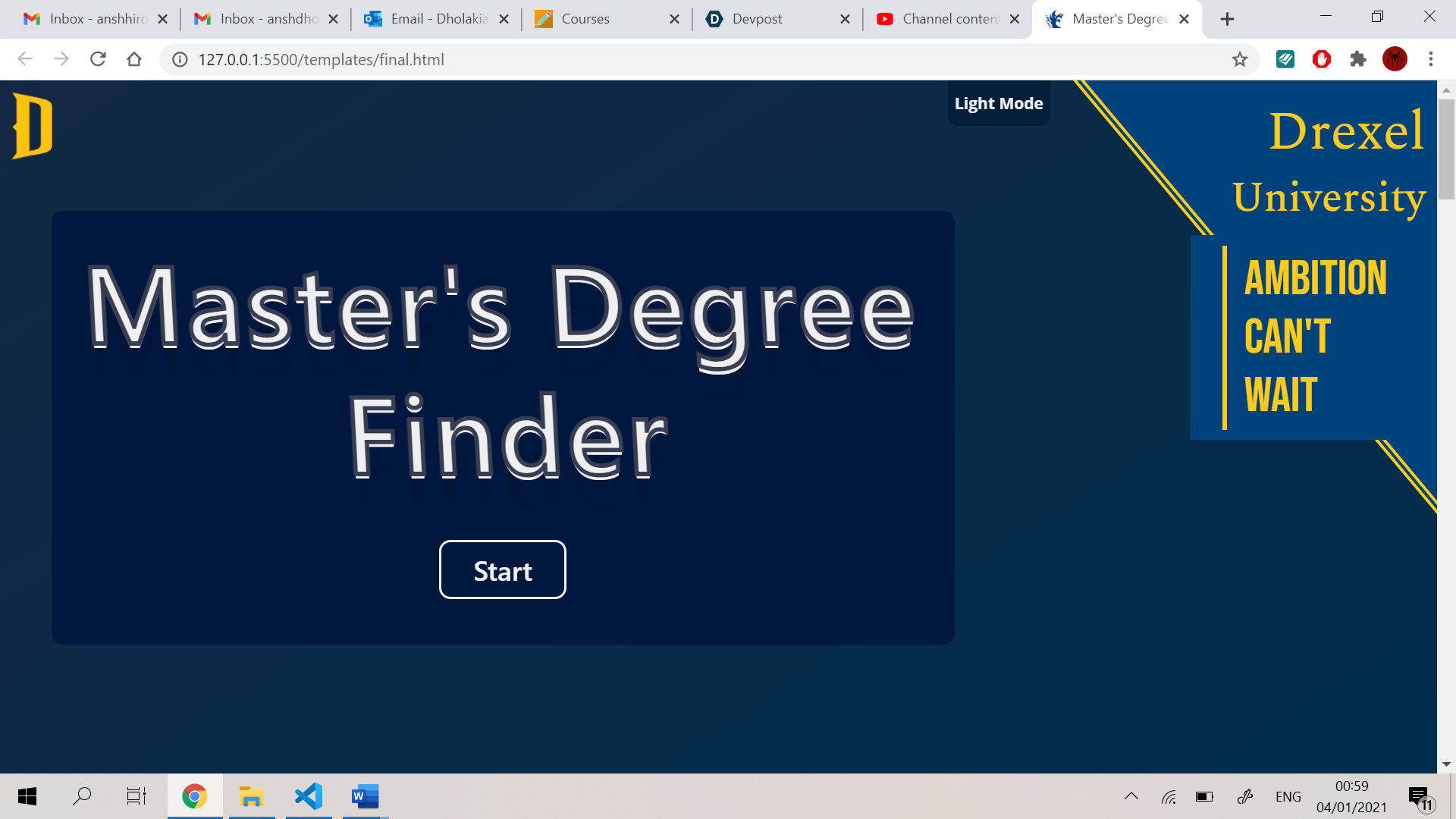
2) At the first glance, he found that the dark mode option was really modern and that more people are using the dark mode option nowadays.
3) He found the starting page decent and stylist in terms of the placement of those elements and how the user can access the Drexel university.
4) The banner also looked good and did a small animation when the mouse hovered on it.
5) Opening the menu, Aadit felt that the Drexel University colours somehow matched with the base colour scheme of the website.
6) Also, he liked how the menu provided different options to the user to explore the website. He also said that the start button looked distinct and that any user will get the understanding to click it.
7) So, after clicking the button, the website directed him to the certificate screen. As he was looking this website on his android phone that supported the 3D effect. He really liked how the heading, buttons, and image created a parallax effect and enhanced the user experience all over.
8) When he clicked on the description button, the sheet on the card flipped and it gave him a good experience. He also liked that he can access the link from the description and read more about the certificate.
9) When he clicked on the combination section, he liked that a popup appeared instead of revealing an element. When he clicked on the combination button, the buttons went to the mixing box and the web app directed him to the mixing box.
10) After that, Aadit asked me how to unselect the certificates and that posed a problem to the user. So, I added a title on the mixing box that the user can remove the certificates by clicking on it.
11) After this, when he clicked on the “Generate Degree” button, the scanning glass came down and the scanning animation started.
12) He was impressed by the animation and liked that it fitted into the theme and looked a bit professional. I also showed him the teeth animation but he thought that the scanning animation was much better and it was meaningful as well.
13) After the scan was completed, Aadit got his master’s degrees ranked accordingly.
14) When he clicked on the degree, it provided him with the reason and the description of the respective degree. He also liked how it showed the link from where one can know more about the degree. After that he pressed on the back button.
15) I told him to try one with AI/ML certificate i.e., the technical certificate. He submitted the certificates and got the constraint 1 page.
16) When he pressed on the No button, it showed him the CS foundation certificate page form where he can click on the button and put the CS foundation certificate into the mixing box.
17) He clicked on the button and got an error showing that the mixing box can only fit 3 buttons and that he will have to remove one.
18) He liked how the webapp was giving him informative errors whenever the user did not get the rules. He tried submitting again and this time he clicked on the Yes button which directed him to the master’s degree page.
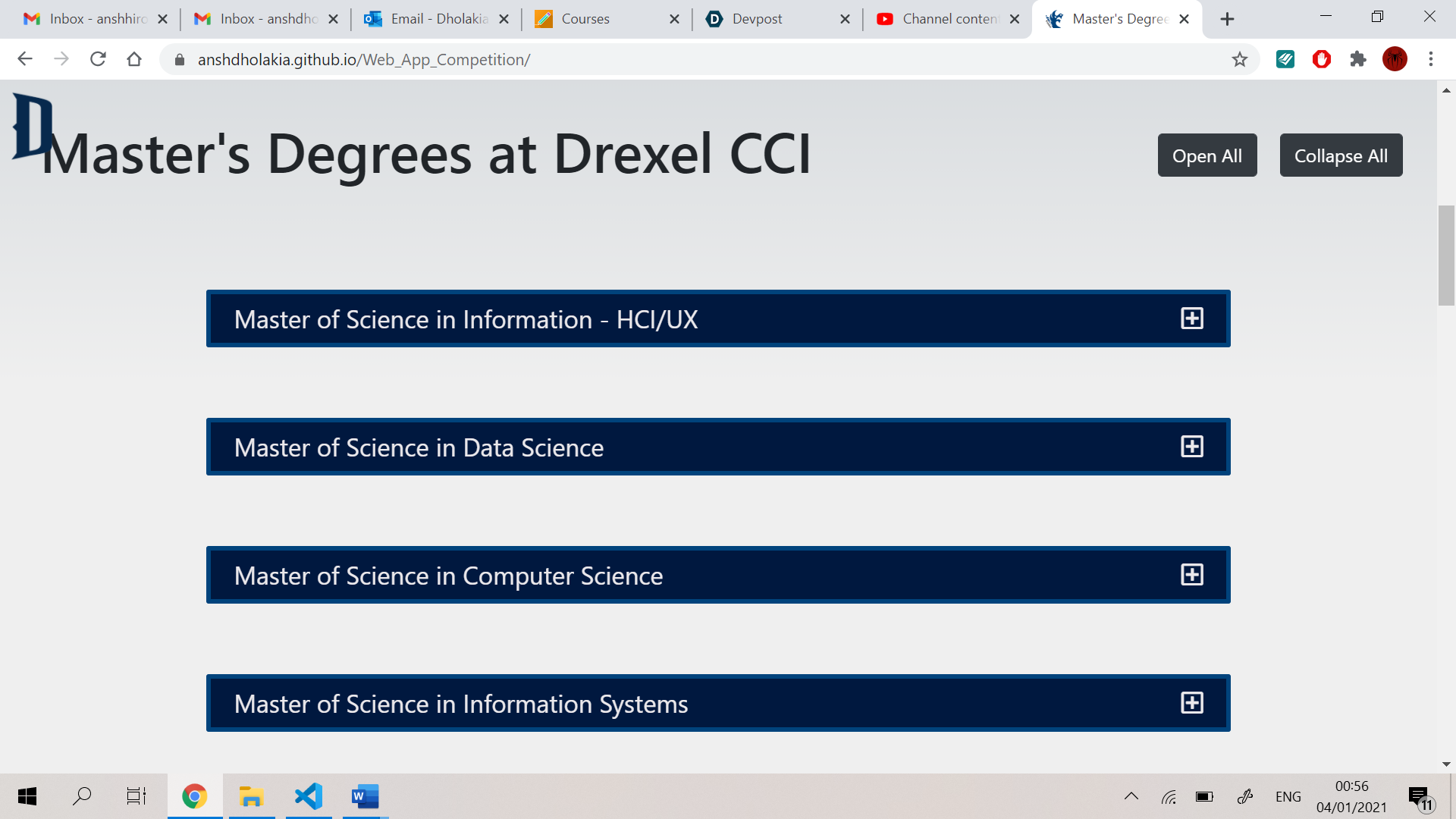
19) After looking at the degrees and playing around with the certificates, he scrolled down to look at the degrees and found it informative to provide the user with all the degrees present at Drexel.
20) Also, he liked how modern the contact form was looking and that the web app maintained the theme throughout by putting a small amount on 3D effect on the social media buttons.
21) He also liked the Drexel rocket that created an effect that it was going up. Also, the rain droplets looked professional and fitted perfectly in the web app. After scrolling up, the banner slid in the screen and he liked that effect as well.
Overall Review – Aadit felt that the web app provided him with a good mix and match experience and the theme, colour scheme of the web app was fitting and modern. He also liked the variety of options and information provided to him.
2) User (from personas) – Faiza Khan Role – A parent finding a master’s degree for her daughter
Directions and Feedback –
1) After finding the master’s degree finder by Drexel university, Faiza clicked on the start button and got directed to the certificate section.
2) After going there, she placed her mouse on the cards and clicked on description button. Then she clicked on the cross button and she clicked on the combination button which then opened a small popup showing all the certificate names.
3) As she was interested in AI and her daughter had got certificates in AI, Data science and Advanced Computer Science so she selected those certificates and then clicked on the submit button.
4) After clicking the button, she got a constraint 1 screen which asked her if she had a CS background/technical skill to get these certificates.
5) Faiza clicked on Yes as her daughter was a computer science undergraduate. After this, she got the master’s degree list and received Artificial Intelligence at 80% at the top and a data science major at 73%.
6) Faiza wanted to know more about the degree so she clicked on the degree to get more information about it.
7) She clicked on the back button and scrolled down to look at all of the degrees offered by the university.
8) Then, she submitted the contact form so that she gets connected with the university. To look at the university’s AI/ML master’s program, she clicked on the menu button and landed on Drexel CCI’s catalogue page.
9) After the web app, she got good information about the certificates and the degrees.
Overall review – Faiza loved the sleek, modern and easy to use design of the website. She loved how the buttons gave a 3D effect to the users and the animation were small and meaningful. In terms of the web app user experience, she thought that the app was easy to use and it gave her a mix and match degree experience. Also, the presentation and the quality of the results satisfied her needs perfectly.
Testing the Website –
I tested the website on different devices and situations. I started of by testing out the starting page.
1) Menu Hamburger – When clicked, it opens the menu and closes it if it is opened already -> Success
2) Menu – When clicked on the links, it opens the pages ->Success
3) Banner – Hides itself when the page is scrolled down -> Success
4) Dark Mode button – When clicked, enables dark mode/light mode on the web app -> Success
5) Start Button – When clicked, opens up the certificate section and directs the user to that section -> Success
Testing the certificate section -
6) Certificates (hover) - When hovered on the certificates, it shows a glowing effect and shows up the description and combination buttons ->Success
7) Description button - When the description button is clicked, it flips the card and shows the content -> Success
8) Cross button – When the cross button is clicked, it flips the card back to how it was -> Success
9) Combination button – When clicked, it shows pop-up below it -> Success
10) Button inside combination button – On click, it sends the combination to the mixing box.
11) Certificates (clicked) - It sends the certificate to its position in the mixing box with respect to its number -> Success
12) Mixing box animation - It shows an animation when the submit button is clicked -> Success
13) Submit button – When clicked, it changes its inner text and initiates the animation -> Success
14) Submit clicked when certificates are less than 2 – The web app shows a warning to the user to choose more certificates -> Success
15) Certificate clicked after mixing box is full – The web app shows a warning that the user can choose at most 3 certificates -> Success
16) Certificate clicked in mixing box – If it is in front of other certificates, the other ones shift in front and the removed one returns to its original position -> Success
17) Certificate clicked when scan is happening – The certificate does not get selected and they remain on the same position -> Success
18) The submit button clicked again when scan is happening – The scanning does not take place again and it does not register the second click -> Success
Testing the results after submitting -
19) Constraint 1 – It appears only when the certificate has a technical certificate without a CS foundations certificate -> Success
20) Constraint 1 (Yes) – When clicked on the yes button, it opened the master’s degree panel ->Success
21) Constraint 1(No) – When clicked on the no button, it opened the CS foundation panel -> Success
22) CS foundation panel (Back) – It shows the constraint 1 panel -> Success
23) Constraint 1(Back) – It hides all the panels and opens the mixing box for the next combination
24) CS foundation panel (certificate button) – When clicked on it, it closed the panel and put the CS foundations certificate into the mixing box and starts scanning if it had 2 certificates, else it showed a warning to the user that one certificate should be removed -> Success
25) Master’s Degree panel – The screen shows the percentages and master’s degrees ranked accordingly and also gives reasons with description when clicked on those accordion buttons -> Success
26) Master’s Degree panel (Back) -> If CS foundation certificate was included later on, then the back button directed the user to the CS foundations page or if the user clicked on yes, the back buttons opens that panel else the back button closes all the panels -> Success
27) CS foundation button – Clicked when CS foundation already in the mixing box, shows an alert that the button is already in the mix.
Testing the master’s degree page (below the certificate section) – 28) Accordion buttons – When clicked on them, they show the accordion content -> Success
29) Open All button – When clicked on that button, it opens and makes all the content visible -> Success
30) Collapse All button – When clicked on that button, it closes all the content -> Success
Overall Feedback – The web app is a user-friendly, modern looking and a responsive tool. It keeps the user’s needs and experience in mind and provides enough information on each certificate and degree. The web app focuses on giving the user a mix and match experience, and it provides the user with an ongoing process from start to end. It also provided the user with a lot of options to choose from and enables options such as preferred combinations, description, ranked master’s degrees, master’s degree details, certificates preferred for a degree, contacting Drexel, connect with them through social media and much more. Also, the quick menu above the certificates provides a quick look at the certificates and helps the user choose them quickly. The footer of the web app shows the Drexel University information and provides the user with the contact information. In conclusion, it provides an intuitive web design that provides complex information in a simple format.
What's next for Master's Degree Finder - Web App - Drexel University -
The web app can easily accommodate new certificates and new degrees. I feel that we can fit the web app with a machine learning code that can determine the degrees based on the certificates chosen. I feel that the developer can also use some linked lists and data structures to determine the certificate combination results. Also, the web app animations can be made smoother keeping the graphic processor of a device in mind. We can also extend the web app and make it a catalogue. There are a lot of opportunities and possibilities for this web app.
Built With
- css3
- django
- gltf
- html5
- javascript
- three.js
- tilt.js

Log in or sign up for Devpost to join the conversation.