-
-
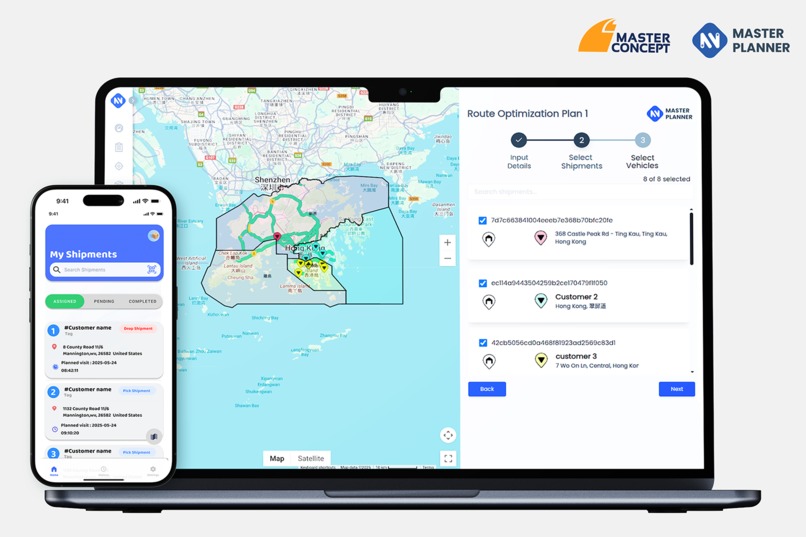
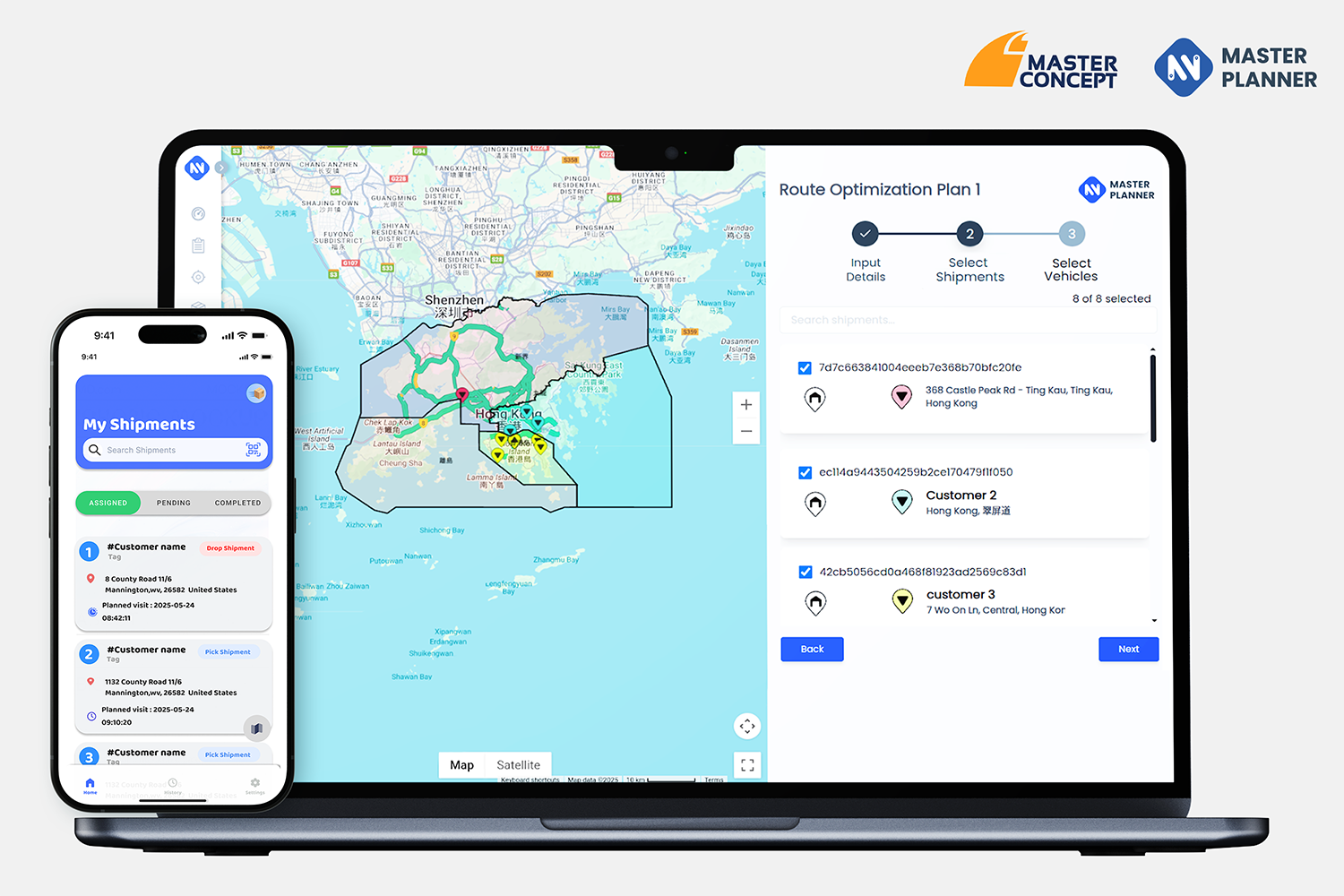
Your all-in-one fleet management solution
Inspiration
Our journey to create MasterPlanner began with a clear vision: to revolutionize fleet management. We saw that traditional methods of planning delivery routes were time-consuming, inefficient, and often compromised on speed, scale, and reliability. Businesses were spending an average of three hours on route planning, which translated to significant labor costs and operational inefficiencies. Moreover, the reliance on highly experienced personnel for vehicle dispatching and pairing was a limiting factor, and there was a clear need to reduce transportation costs and carbon emissions. We recognized the immense potential of Google Cloud and Google Maps technology to overcome these challenges, especially with their capabilities in Route Optimization API with real-time traffic data. Our inspiration was to build a solution that could generate thousands of optimized routes in just one minute, offering unparalleled advantages over human capabilities in logistics.
How we built it
We followed an agile development process—starting with proof-of-concept (POC) implementations. Each iteration was shaped by user feedback, helping us prioritize features that solved real operational problems while trimming unnecessary complexity. This approach kept us aligned with customer needs and allowed for rapid improvements.
From day one, we adopted an API-first approach, ensuring that all functionality was exposed via stable, well-documented APIs. This made it easy to decouple the frontend and backend, allowing multiple systems (web UI, mobile apps, and third-party tools) to interact seamlessly with our core planning engine.
To support fast and independent development, we set up dedicated CI/CD pipelines for both frontend and backend components. This helped our teams ship updates quickly and reliably, without blocking each other. We maintained separate staging and production environments, enabling us to test new features thoroughly before rolling them out to end users.
Our backend runs on Google Cloud VMs with a microservices architecture, ensuring scalability and high availability. We integrated key Google Maps APIs—such as Directions, Geocoding, Places, and Weather—to deliver intelligent and context-aware planning.
On the frontend, we built a clean, user-friendly web interface using Svelte 4 with a component-based architecture. We followed modern web development practices, leveraging Webpack and Vite as our build system to ensure fast development cycles and optimized production builds. This helped us deliver a highly responsive UI while keeping the codebase modular and maintainable.
Challenges we ran into
Building Master Planner wasn’t without its hurdles. While the technology provided a strong foundation, real-world adoption and edge-case handling revealed several key challenges:
1. Geocoding Inaccurate or Incomplete Addresses One of the earliest and most persistent challenges we faced was converting user-provided addresses into precise geographic coordinates (geocoding). Many businesses provided incomplete, unstandardized, or locally colloquial addresses, especially in regions without formal addressing systems. This created inconsistencies in routing and often required manual intervention to validate or adjust location data. We mitigated this by incorporating location pinning features, fallback strategies using the Places API, and user-driven correction workflows.
2. Adapting to Regional and Industry-Specific Needs Each country and domain comes with its own unique logistics challenges—whether it’s different vehicle types, routing rules, delivery time preferences, or address formats. One of the biggest challenges was designing a system flexible enough to be useful across diverse markets. Instead of hardcoding assumptions, we introduced configurable planning rules and constraint templates that could be tailored to specific business models.
3. Keeping the UI Dead Simple Without Losing Flexibility Designing a user interface that could handle complex logistics logic while remaining intuitive for non-technical users was a constant balancing act. We had to ensure that even first-time users could create a plan in under a minute, without being overwhelmed. We focused heavily on guided workflows, inline validations, smart defaults, and progressive disclosure of advanced features to keep things clean and easy to use.
4. Proving ROI from Route Optimization Demonstrating the real-world value of route optimization is complex. Logistics is a dynamic environment—impacted by traffic, delays, driver behavior, and last-minute changes. While simulations showed strong efficiency gains, customers needed to see concrete savings over time. We addressed this by building dashboards with before-and-after comparisons, real-time KPIs, and visual analytics to communicate the benefits clearly.
5. Resistance to Change Fleet managers and dispatchers were often skeptical of automated systems. Many had developed deeply ingrained manual workflows based on experience and intuition. Replacing that with an AI-based approach created natural resistance. We addressed this through gradual onboarding, providing manual override options, and showing how the platform enhances human decision-making rather than replacing it.
Handling Variability in Last-Mile Logistics Last-mile delivery varies widely—from dense urban drop-offs to rural freight hauls. Vehicle types, delivery windows, load capacities, and customer expectations differ by use case. Building a one-size-fits-all planner wasn’t viable. We built a modular planning engine with support for constraint-based optimization that could adapt to varying scenarios such as food delivery, B2B freight, e-commerce, and cold-chain logistics.
Real-Time Tracking and Driver Engagement Implementing live tracking involved balancing accuracy, battery usage, and mobile network reliability. Moreover, ensuring consistent app usage from drivers meant minimizing friction. We had to create a lightweight, intuitive mobile app that worked well in offline conditions, integrated turn-by-turn navigation, and offered useful features like proof of delivery and shift summary reports.
Accomplishments that we're proud of
We are immensely proud of Master Planner's transformative impact on logistics and fleet management, delivering significant, measurable improvements for businesses. By optimizing routing and planning, Master Planner doesn't just improve efficiency; it directly translates to substantial cost savings and a reduced environmental footprint.
Specifically, by leveraging advanced algorithms and real-time data, Master Planner has achieved:
1. 28.7% Reduction in Total Mileage: Our solution dramatically slashed total mileage from 685.94 km to 489.34 km, reducing operational distance by nearly 200 km. This directly translates to significant fuel savings and reduced wear and tear on vehicles.
2. 3.4% Reduction in Total Travel Time: We optimized total travel time from 14 hours 42 minutes to 14 hours 12 minutes, saving 30 minutes per day. This ensures more efficient use of driver hours, faster deliveries, and improved resource allocation.
3. 28.7% Reduction in Total Emissions: Beyond efficiency, Master Planner drives sustainability, reducing total emissions from 220.6 kg to 157.37 kg. This remarkable reduction not only means a daily saving of 63.23 kg of emissions but also contributes to an impressive annual reduction of 157.74 tons of emissions.
These accomplishments underscore Master Planner's ability to not only enhance operational efficiency and profitability for our clients but also contribute significantly to environmental sustainability, making us a leader in intelligent logistics solutions.
What we learned
Google Maps Platform Route Optimization API provided a good base platform but we soon realized there was a need for a simpler format and simple UI/UX that user can handle alongside the other features such as Place search , Geocoding and Weather API to assist the user with day to day operations . We also realized the need for complete logistics data life cycle management so we introduced the shipment and vehicle status management. Recently we are introducing Mobile applications to help the consumer to effectively leverage the plans and get the live tracking of the vehicles.
Demo login info: https://app.masterplanner.io (Login Id - google_demo | Pass - Maps@2025)
Built With
- bigquery
- docker
- fastapi
- geocoding-api
- google-cloud-run
- google-maps-route-optmization-api
- google-storage
- postgresql
- task-matching-api
- weather-api

Log in or sign up for Devpost to join the conversation.