Inspiration
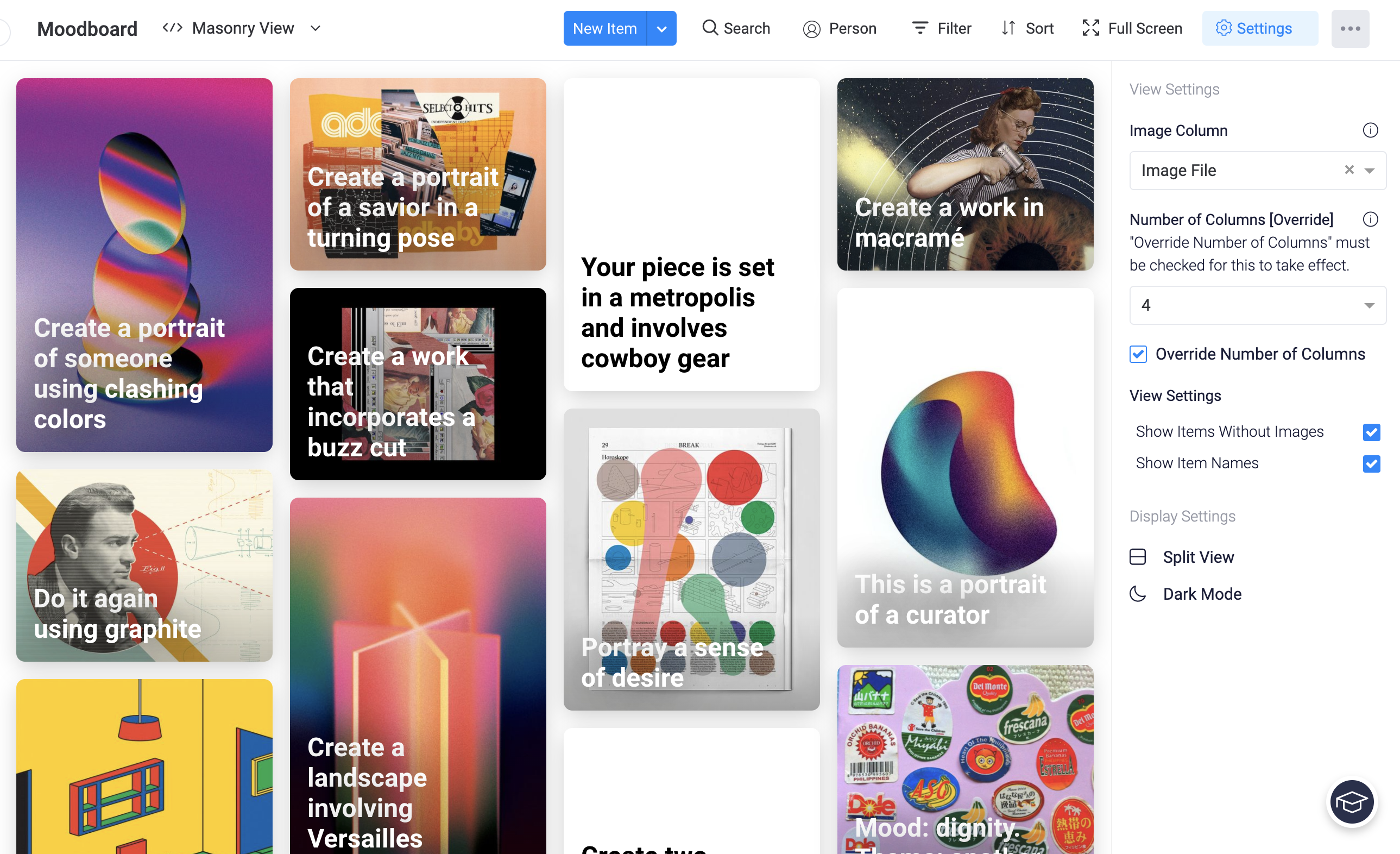
This project was inspired by my love for combining the visual with the technical. As a front-end developer, my job often relies on visual resources that need to be compared and quickly accessed. The concept of generating a "moodboard" is often the first step in my process. By isolating images within a board and displaying them in a configurable way, designers, developers, and marketers can use Monday.com in an entirely new context.
What it does
Masonry view shows tiles representing every item on a board. Using the board settings, users can configure the view to show images from a "file" or "link" column. The users can also opt to hide items that do not contain images, or hide item names altogether to see only visuals.
How I built it
I started this app using Monday's quickstart-react scaffolding, using my own React and front end experience to give it a unique twist.
Challenges & Accomplishments
This was my first time using the Monday.com JavaScript SDK, so it took a bit of reading to get my footing and integrate information from the board in a meaningful way. Fortunately, I found the documentation very intuitive and was able to utilize the Monday Community forum to answer all my questions.
At the beginning of this challenge, I ran into issues with the monday.execute() command used to open item cards. After raising the issue in the Monday Community forum, the problem was tracked and a fix was implemented. I am proud that this collaboration lead to a long-term solution that could help future developers.
What's next for Masonry View
I would love to expand this project to give users more granular control over what information is displayed on each card in the view. I could also see this view connecting with other inspiration sources, such as Pinterest or Behance.

Log in or sign up for Devpost to join the conversation.