-
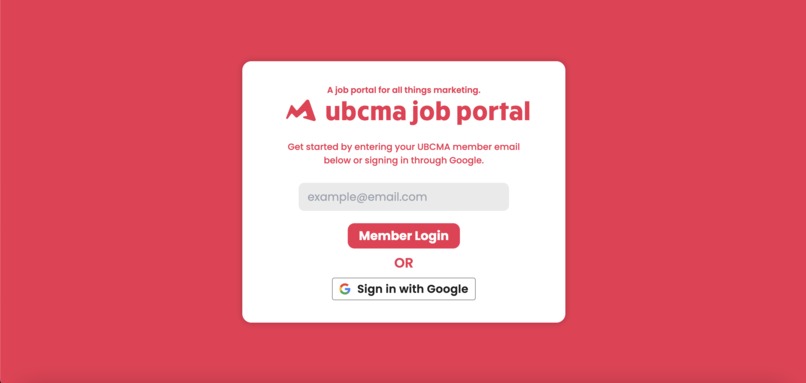
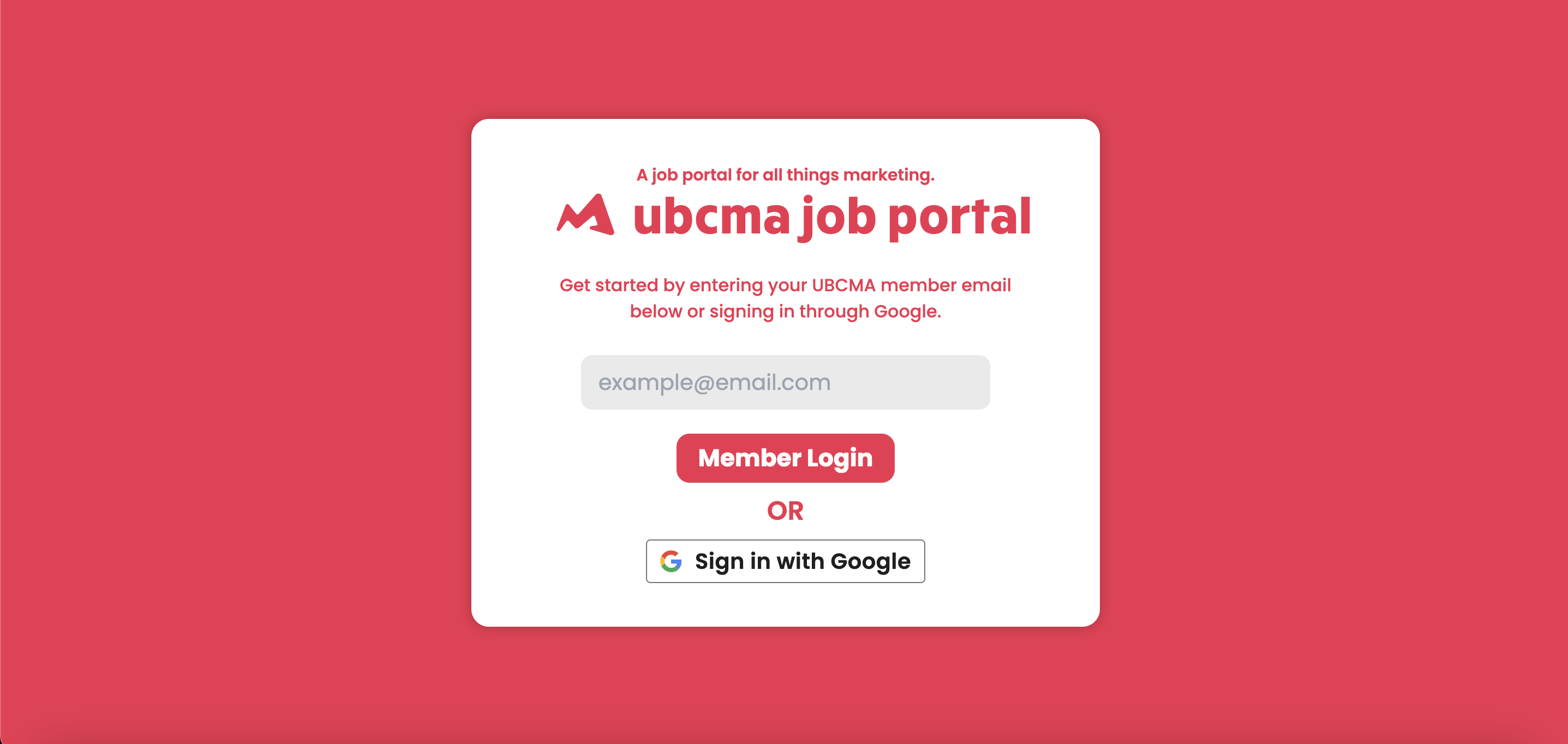
The login page
-
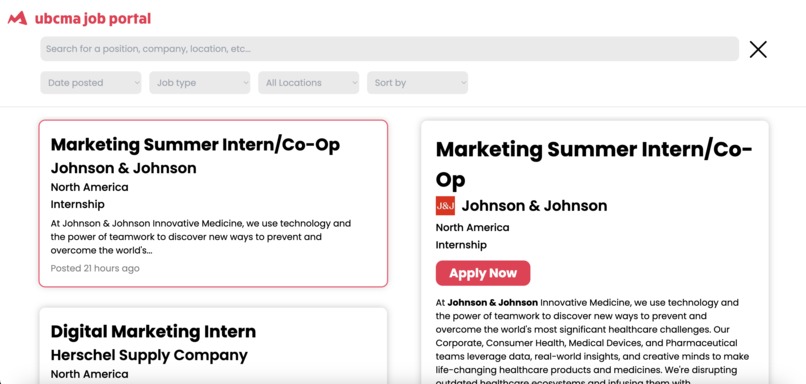
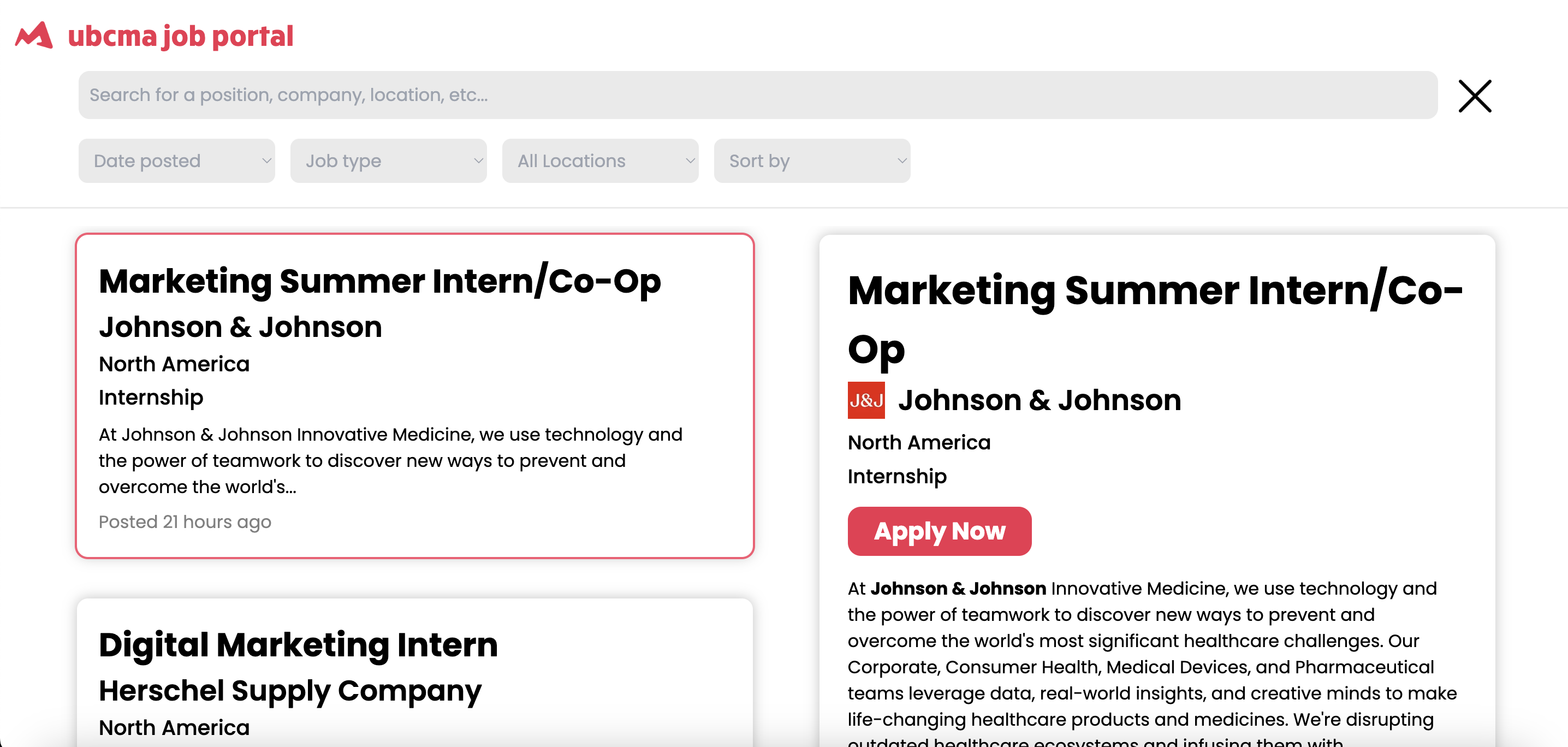
The dashboard containing all the jobs
-
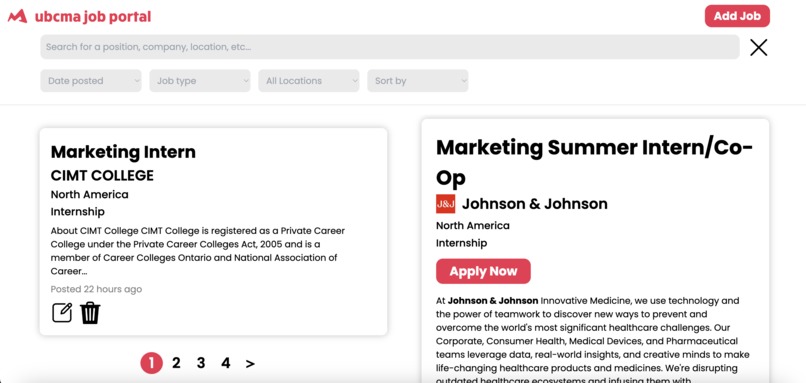
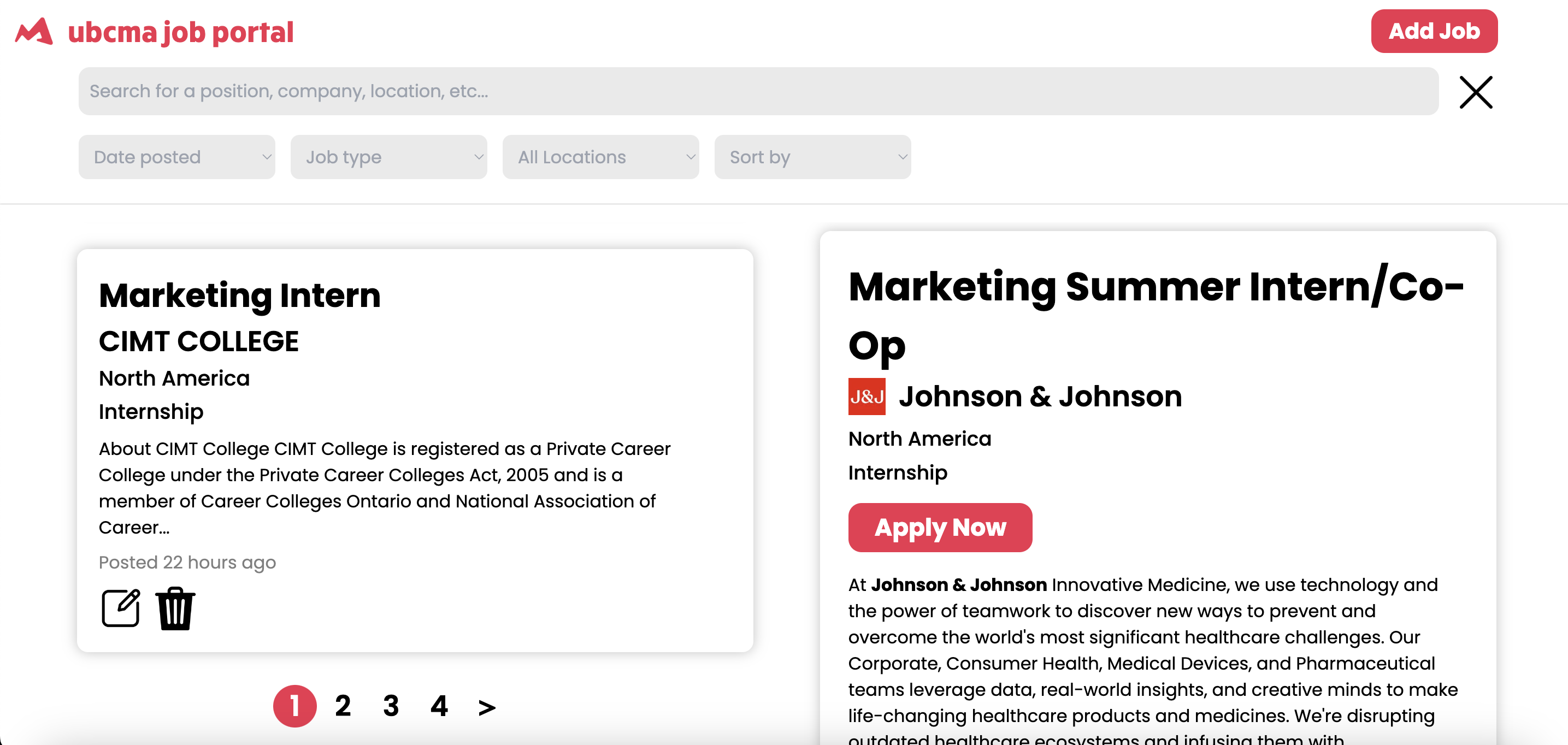
What the pagination looks like
-
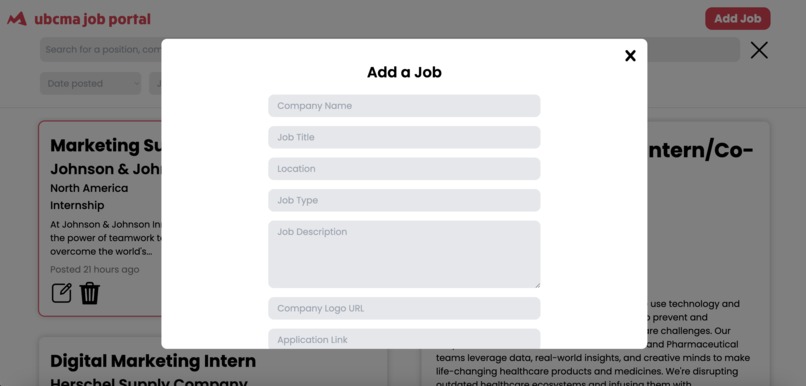
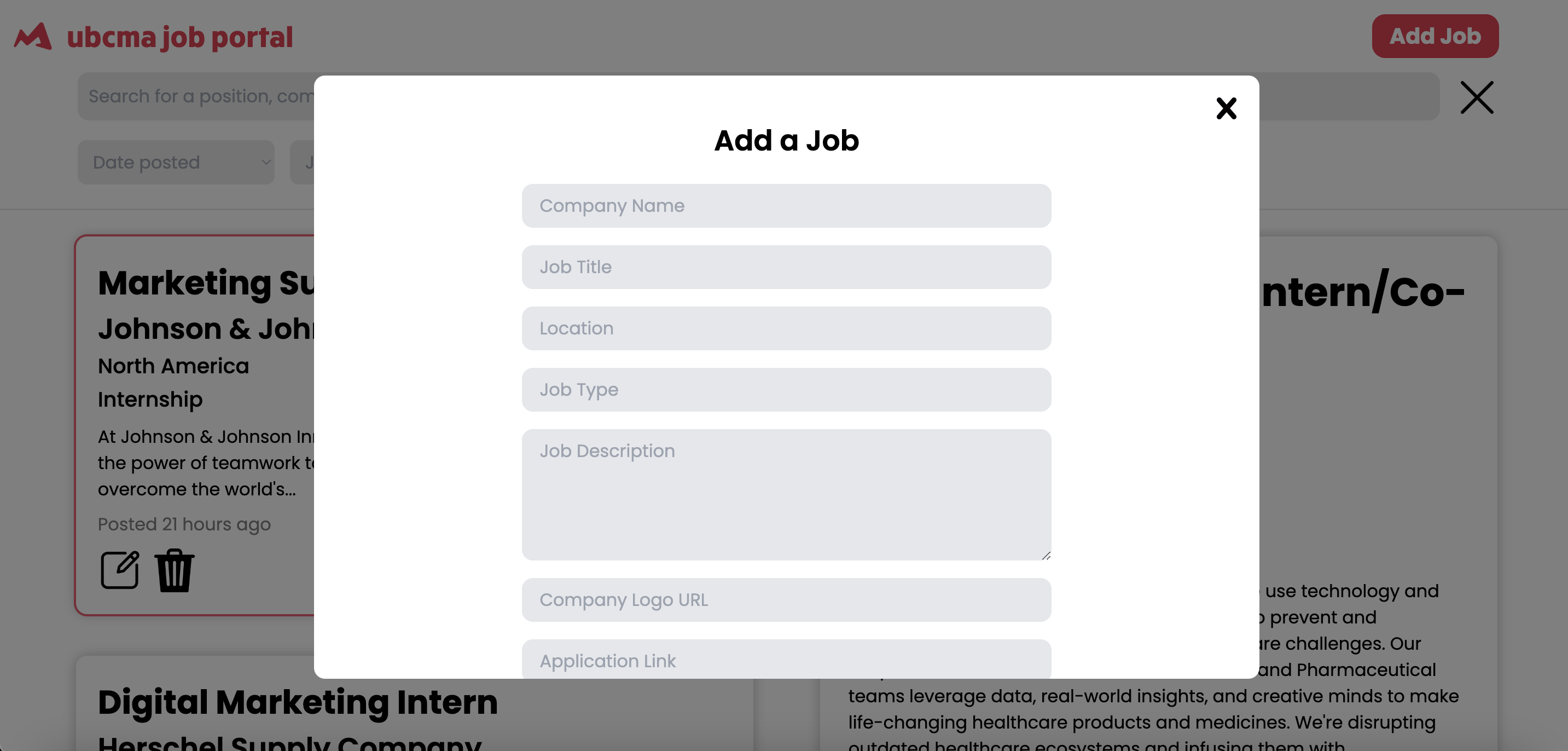
The form to add a job on the admin side
-
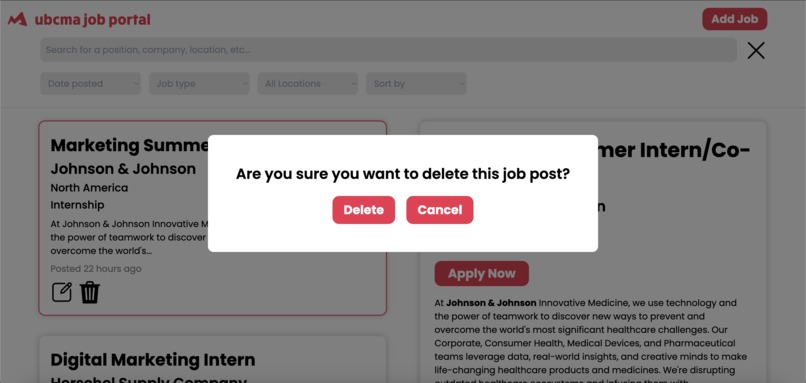
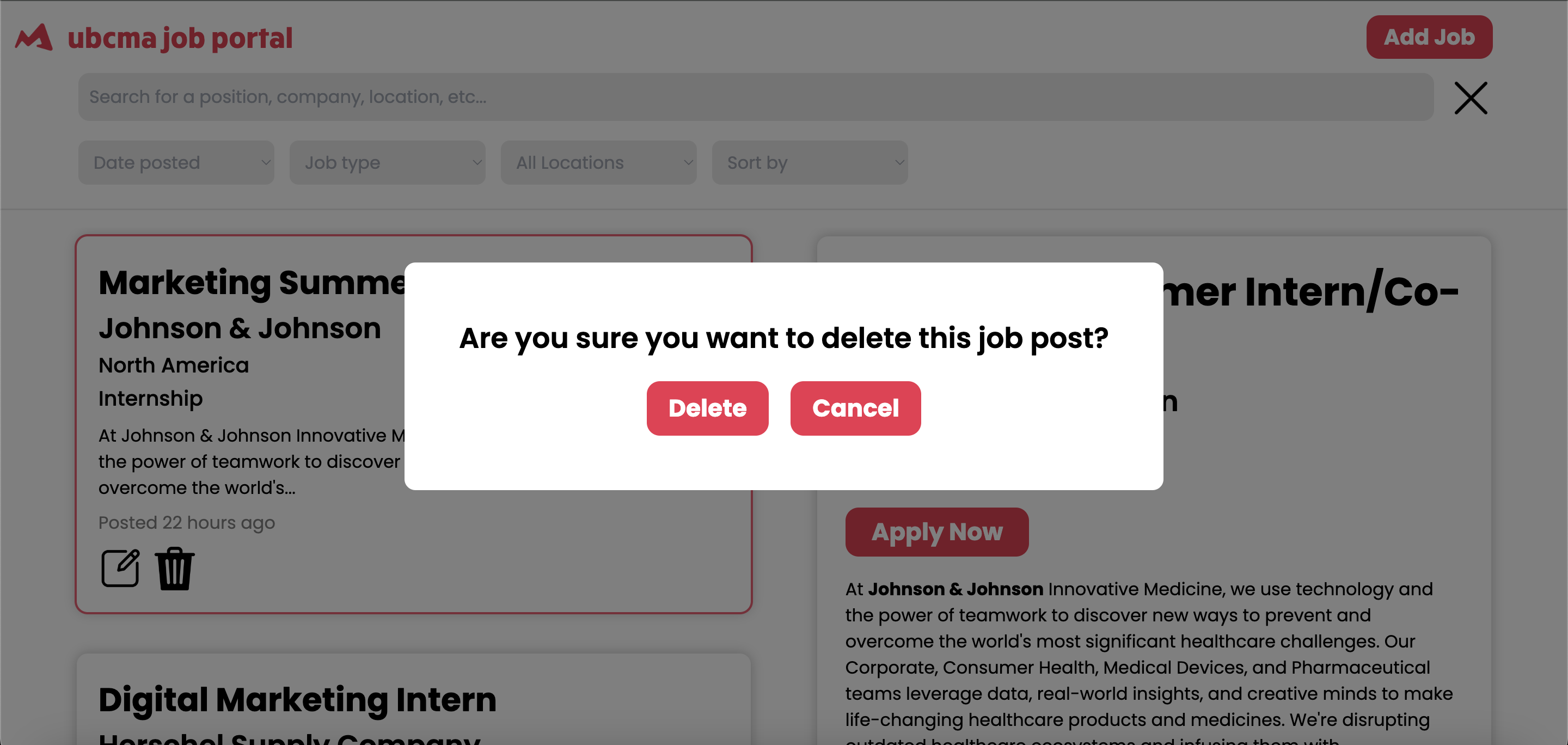
The delete popup
Accessing the job portal
Check it out here! https://jobboard.ubcma.ca/
Project overview
As part of my role as a Technology Director in the UBC Marketing Association, I collaborated with 2 other developers to build a full-stack web application that serves as a job portal that displays marketing-related internships/co-ops and new-grad/full-time jobs for students to apply to. This project was worked on over the span of 4 months has just been officially released to our club members!
How it was built
To actually get the marketing jobs to display on our portal, we created a web scraper using Python and Django that scrapes popular job sites, such as LinkedIn, for marketing internships/new-grad jobs by using a variety of keywords based on marketing-related job titles. In addition, our club's partners would send us links to exclusive job posting applications which we would add to our portal. The job scraper allows us to display the job's title, the company posting the job, the logo of the company, its location, its type (whether internship or a new-grad), its description, and a button to apply for the job which directly links to the application page.
For the database, we made use of the Prisma library, which allows us to read and write data to our SQL database, as well as create our database schemas/models for job listings and users. This allowed us to interact with the database more easily without having to manually set up a database connection.
For the backend, we made use of tRPC, a lightweight library used for remotely calling backend functions on the client side instead of URL, rather than using a traditional REST API implementation. This library, designed for TypeScript monorepos, was a great option for our TypeScript-based app.
For the frontend, we first designed a basic mockup of the landing login page and the dashboard on Figma. Afterward, we implemented the frontend design with React and TypeScript, designing different reusable components to fit our app. This is also where calls to the backend APIs were made to fetch and render each job listing on the dashboard. When displaying the description of each job, markdown is also enabled so that the description is displayed similarly to how it's displayed on the original site it's from. The styled-components library was also used for styling the frontend to match our mockup.
For the login, we made use of the Google API to allow our members to sign in through their Gmail accounts. This email would then be checked against our database, and if so, would be allowed access to the job portal. Only if they were a paid member of the club would they be added as a user in our database.
Features
Login - As mentioned and as seen in the login page image, a user can log in either by inputting their email or logging in with Google. If they are not a member of our club, they will not be permitted to log in to the portal.
Dashboard frontend - On desktop, the dashboard contains two columns, one with the list of jobs and the other containing details of the job you click on. Clicking on a job from the list will highlight its card in a red outline and pull up the second column. Both columns are separately scrollable. One mobile, there is only one column and when a user clicks on a job, a popup will appear containing the details of the job.
Pagination - Due to the large volume of jobs on the portal, the list of jobs is paginated to display only 10 jobs at a time per page, allowing users to navigate back and forth between pages. The data is dynamic and only displays a certain number of pages based on the number of jobs actually available.
Search function - There is a search bar that allows users to search for jobs based on their title, company, location, and job type, by using string matching. There is also an "X" button for clearing searches.
Filter function - There are various dropdowns that allow users to filter and sort the list of jobs. Firstly, users can filter the jobs based on when they were posted to our portal, whether it be in the past day, week, or month. Secondly, users can filter jobs based on whether they are internships/co-ops or new-grad full-time jobs. In addition, users can filter the jobs based on location. The location filter fetches all the locations of the given job listings and dynamically populates its dropdown. Finally, there is a sort function that allows users to sort the job listings by the most recent time it was posted.
Admin permissions - If a user has admin permissions to the website (for the developers), they can add, edit, and delete jobs from the database. For adding and editing, there is a form on the frontend allowing users to edit and save their changes, which persist to the database. When editing, the data of the selected job will be fetched from the database and populated onto the form, and can be updated accordingly. Popups and toast notifications are also used to verify these changes and to alert the user if their edited changes or creation/deletion of a job was successful or not.
Built With
- django
- figma
- prisma
- react
- sql
- trpc
- typescript

Log in or sign up for Devpost to join the conversation.