-
-
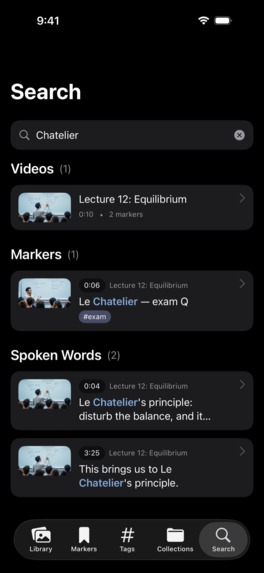
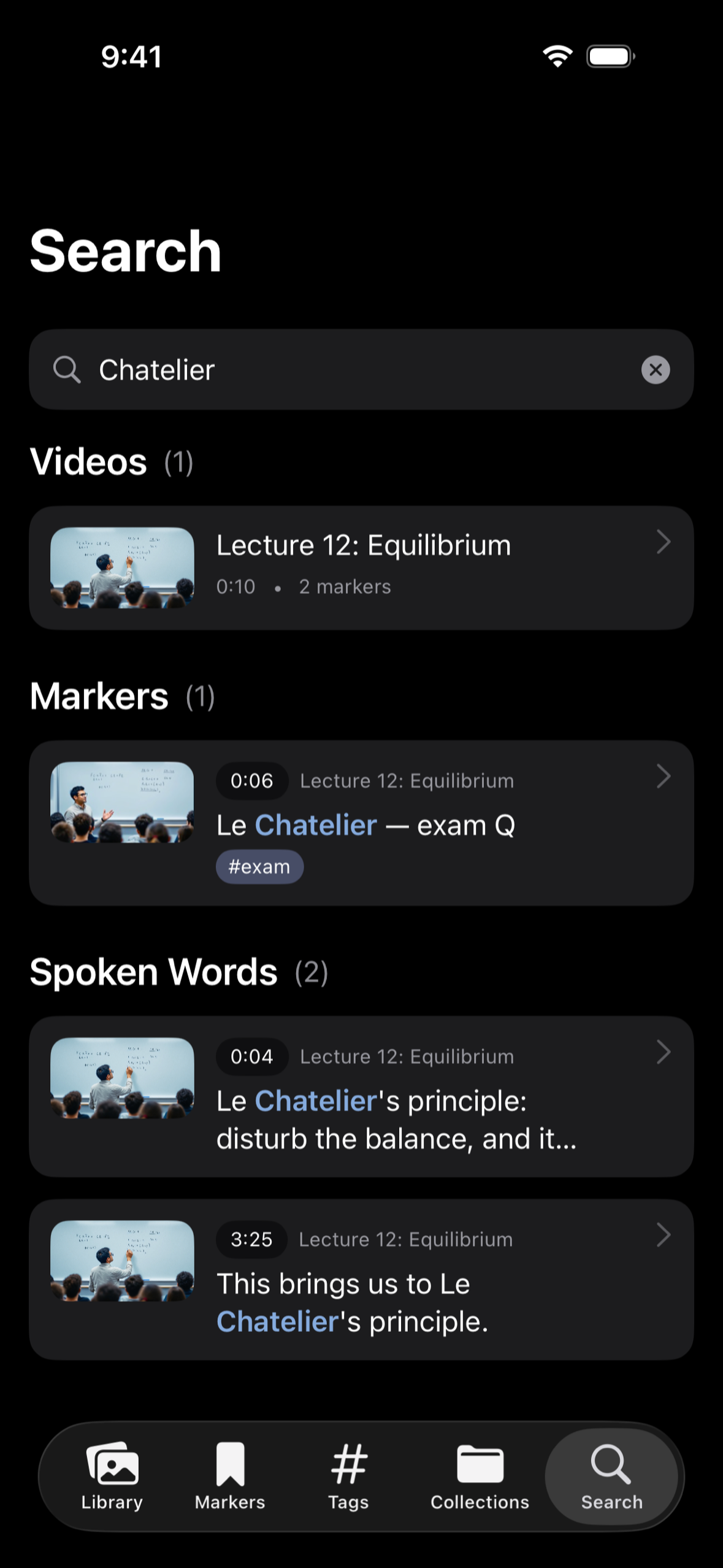
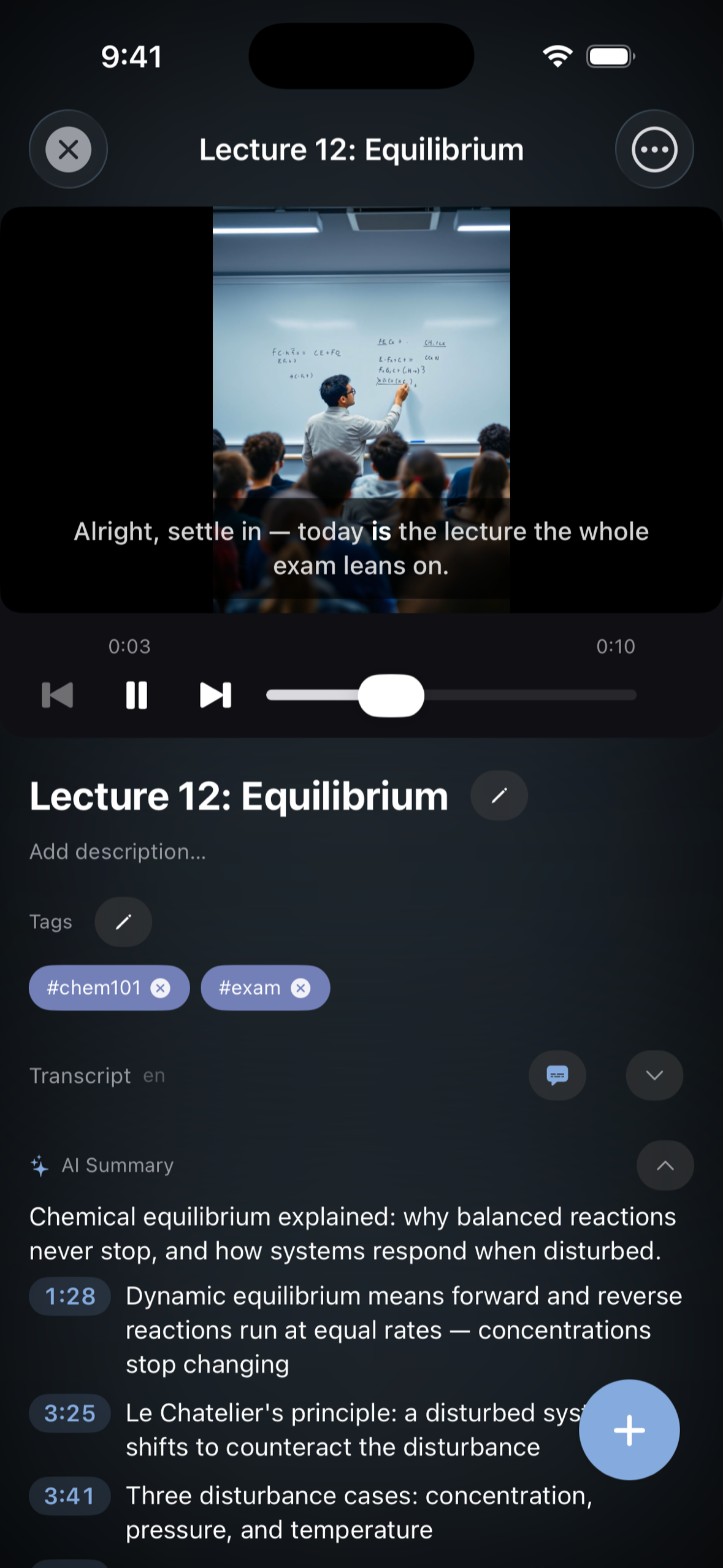
Search every spoken word, note and tag across your whole library.
-
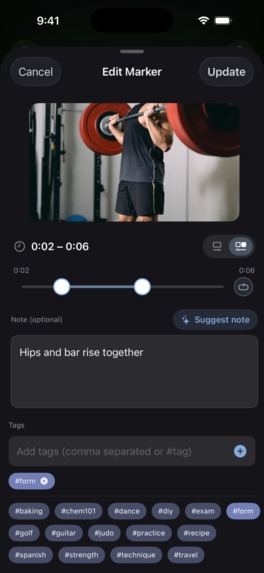
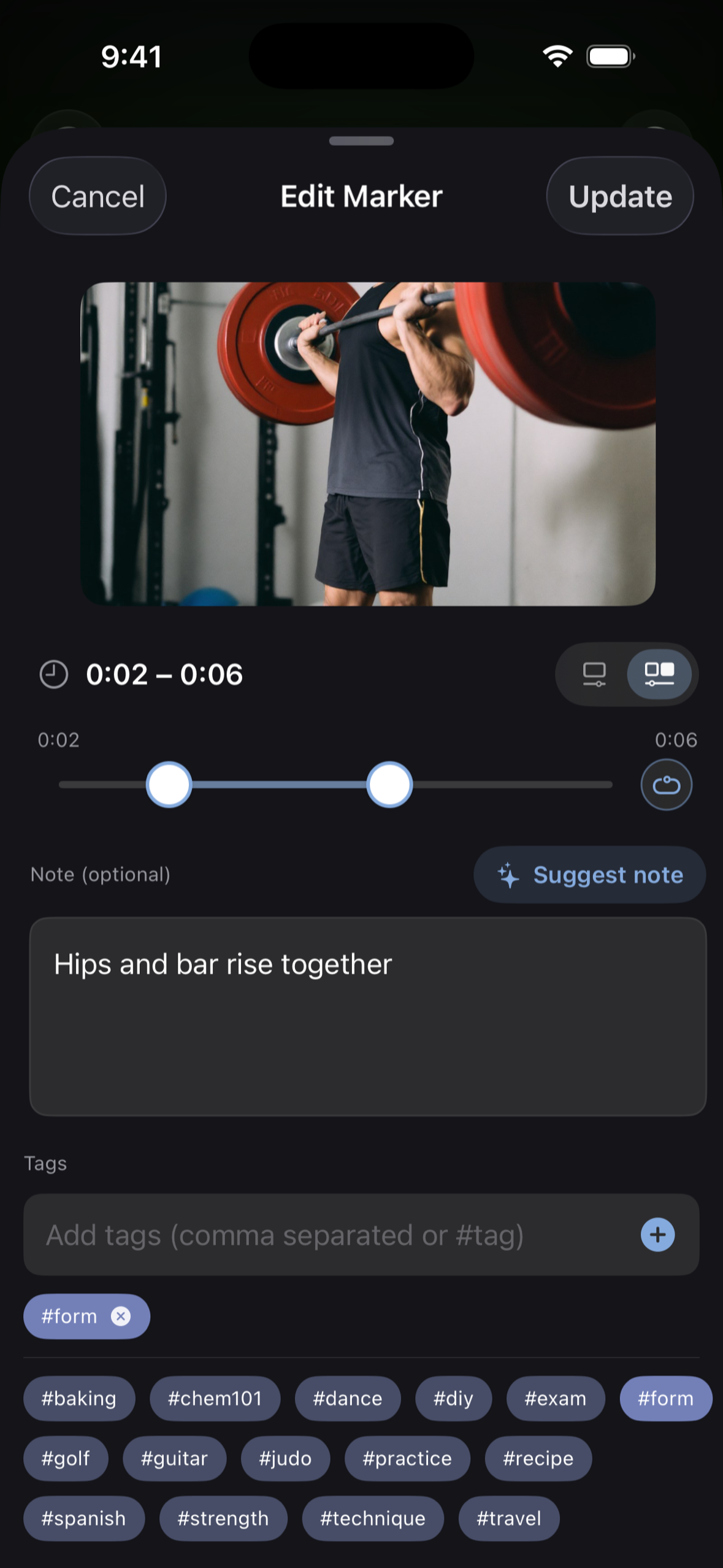
Set a range, loop it, and let AI suggest the note.
-
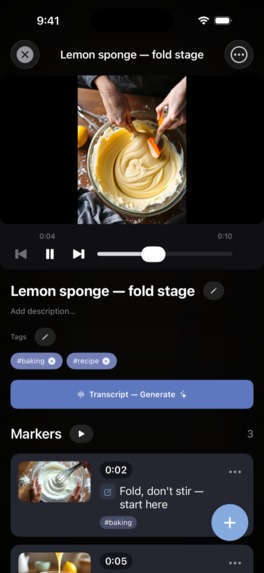
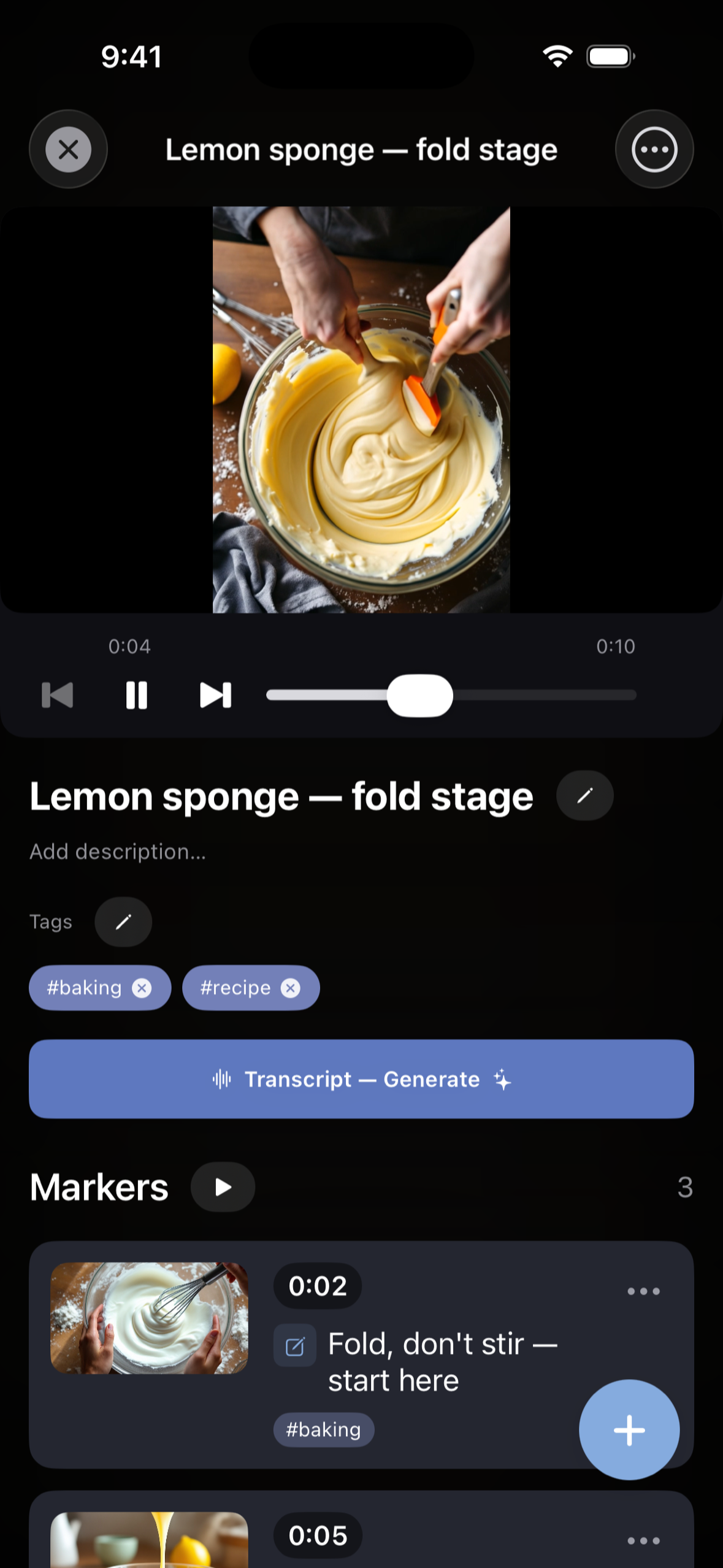
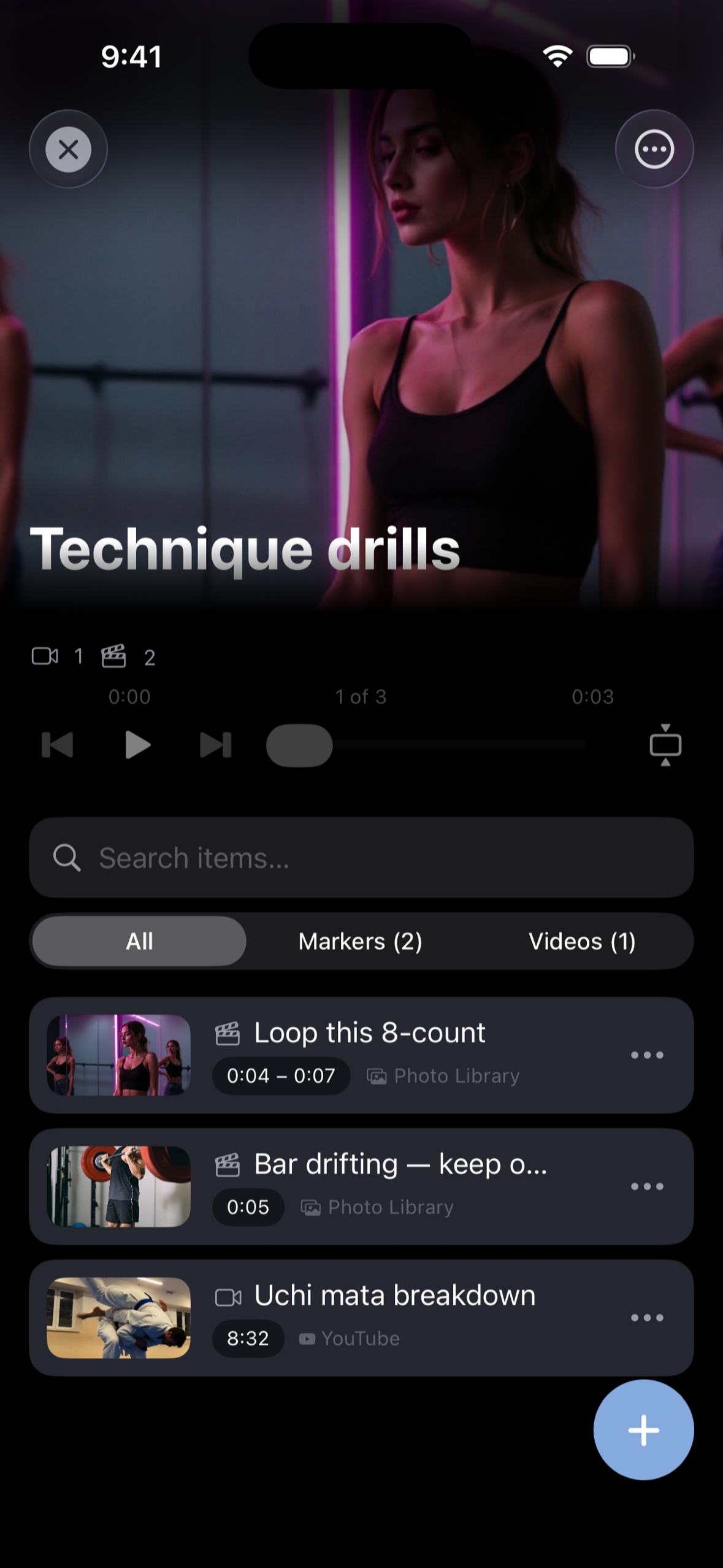
Mark moments in any video with a screenshot, note and tags — the original plays right in the app.
-
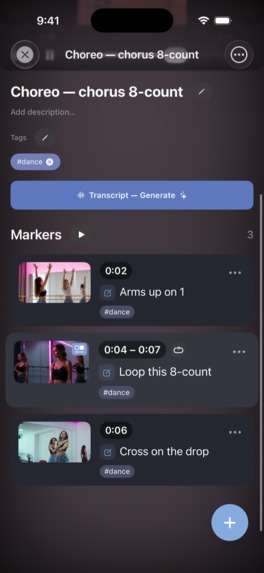
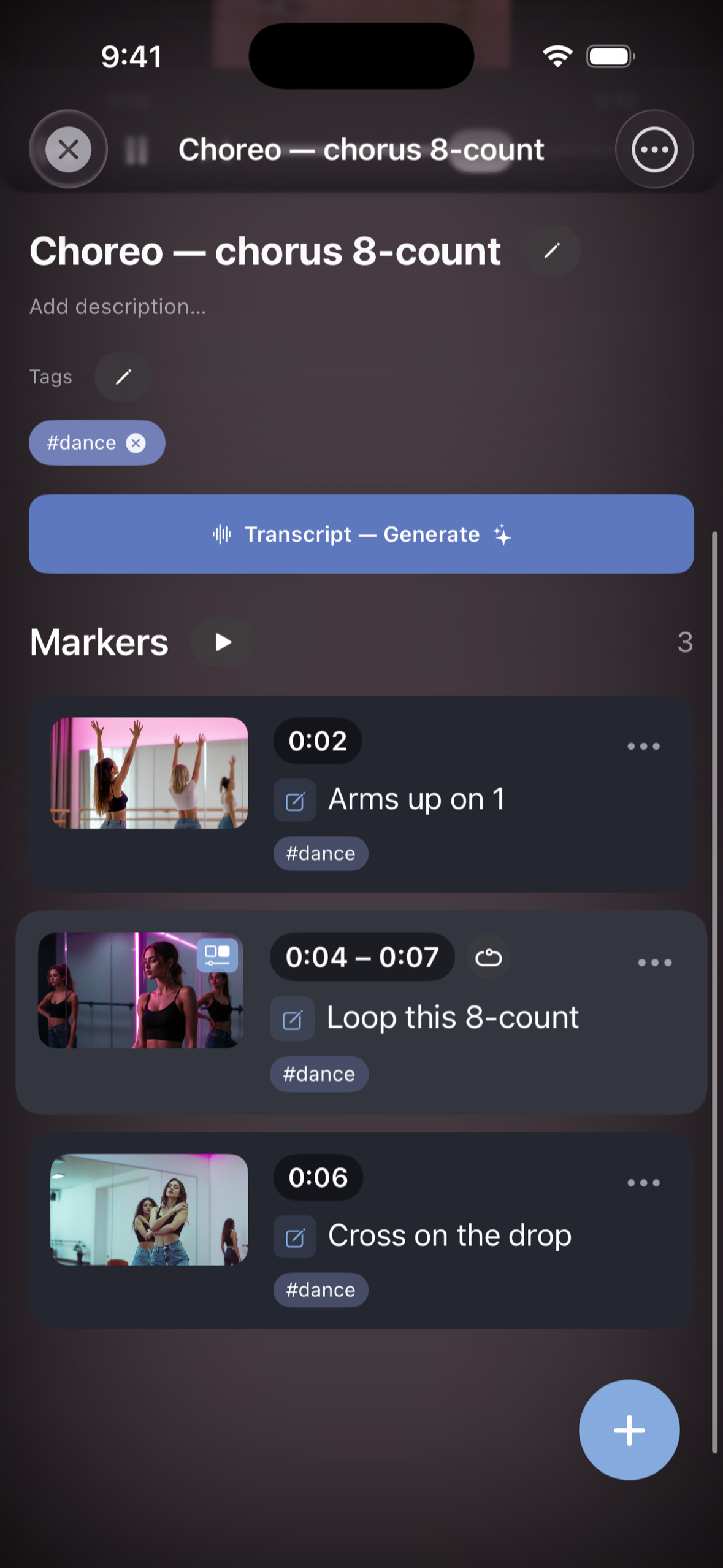
Mark single moments or a whole range — loop the part you're practising.
-
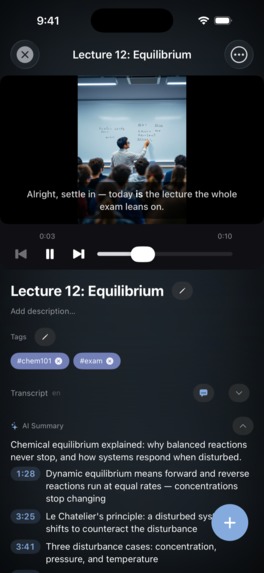
Any video → transcript and AI summary. Tap a timestamp, jump to that second.
-
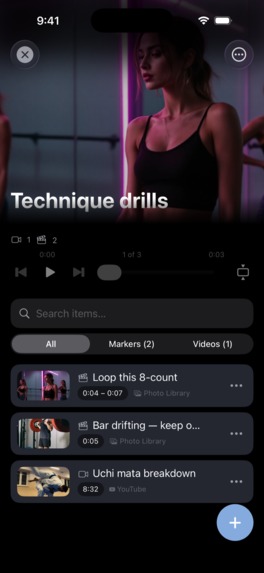
Collections mix videos and markers from any source — YouTube, your camera roll and more — and play them back to back.
-
icon
Inspiration
I learn from videos all the time: lectures, workout form cues, guitar lessons, woodworking tutorials. The problem was always the same. I knew the useful moment was in there somewhere, but finding it again meant scrubbing through 40 minutes of video. Browser bookmarks save the whole video, not the moment, and notes apps don't know what a timestamp is. I wanted one shelf for the exact moments that matter, across every platform I watch on.
What it does
MarkerShelf serves two kinds of people:
- Video bookmarkers: people who need to get back to exact moments. Mark any moment in YouTube, TikTok, Instagram, Facebook, X, LinkedIn or camera-roll videos with a screenshot, note and tags. Tap a marker and the player jumps straight back. Loop ranges to practise a riff, a move or a phrase. Group videos from different platforms into collections.
- Video learners and note-takers: people who learn from videos and want the essence fast. Every video gets a transcript and AI summary, even without captions (the app transcribes the audio). Search every spoken word like a regular search engine, then tap a result and land on that exact second. Read and watch it in your language, with live-translated transcripts, subtitles and summaries.
Both come together in export. Any video or collection, with its markers, screenshots, notes, transcript and summary, can go out as PDF, Markdown or plain text, so your notes leave the app whenever you want.
Plus share-sheet capture, iCloud sync, and an iPad two-pane workspace.
How I built it
- iOS app: SwiftUI on iOS 26 (Liquid Glass), Core Data + CloudKit sync, and a share extension for one-tap capture from any app.
- Players: each platform has its own embedded web player with a per-platform cookie store. Videos are never downloaded to the device.
- On-device first: Apple's SpeechAnalyzer for transcription and the Translation framework for supported languages, so a lot of it works privately and for free.
- Backend: FastAPI + SQLite (WAL, which doubles as the job queue) on a small droplet. It handles audio transcription (Whisper), LLM summaries and translation for everything the device can't do. Requests are protected with App Attest and StoreKit 2 signed transactions, with per-user quotas and global spend caps.
- Monetization with RevenueCat: Pro yearly with a 7-day free trial, plus monthly. RevenueCat drives offerings, trial eligibility (the paywall only promises "no payment today" when RevenueCat confirms it), entitlements across devices, and the trial/conversion analytics I use to decide what to try next.
Why this stack
- Native SwiftUI: the core interaction is frame-accurate (pause, capture, jump back to the exact second), which needs tight control of web views, gestures and sheets. Liquid Glass comes for free.
- Core Data + CloudKit: sync across iPhone and iPad with no accounts, no sign-up and no user database to protect. Data lives in the user's own iCloud.
- On-device AI where Apple provides it: private, free to run, and works offline. The server only fills the gaps.
- FastAPI + SQLite on one box: indie-scale cost and simplicity. SQLite is both the database and the job queue, so there's no Redis and no worker cluster.
- App Attest + StoreKit JWS instead of logins: paid API features are protected without forcing anyone to create an account.
- RevenueCat: no need to build receipt validation, entitlement sync, trial-eligibility checks or subscription analytics myself.
Challenges I ran into
- Six platforms, zero official APIs, no downloads. I chose never to download or re-host videos. Users watch the original on the original platform: it respects creators and platform rules, costs nothing in storage, and views still count. The price was taming each site inside an embedded web view:
- YouTube: the official embed fails on many videos (embedding disabled, age gates, Shorts), so I load the full mobile page, crop its chrome, and pin the player against a sticky masthead that keeps shifting.
- TikTok: the video lives in a same-origin iframe, so seeking and time tracking talk to the player inside it.
- Instagram: login walls and "Open app" banners cover the video. I detect a real login wall from the URL and page text, never from a "loaded slowly" timer, before offering sign-in.
- Facebook: player layout depends on the user agent. Desktop and mobile behave completely differently, and iPad needed its own routing.
- X: the video sits inside a tweet card (author, text, Follow button) that has to stay out of the player area.
- LinkedIn: almost no public metadata. Titles and thumbnails come from the page's JSON-LD.
- Everywhere: separate cookie stores per platform, and the app never clicks consent banners or platform UI on the user's behalf.
- Videos without captions. "AI summary" tools usually only read existing captions. I built a fallback pipeline: the backend downloads the audio only, transcribes it, then deletes the audio. Videos with no captions still get searchable transcripts.
- Rate limits in the real world. Parallel translation chunks hit provider token-per-minute caps. I added cancellation (in the app and in my admin panel), better logging, and provider switching without a deploy.
- Sync edge cases. Detecting a returning user on reinstall (iCloud key-value store + CloudKit restore) so they skip onboarding without seeing duplicate sample content.
What I learned
- Constraints shape the product. Refusing to download videos meant harder engineering but a cleaner, more trustworthy app.
- A calm, honest paywall works better than tricks: a visible close button, no countdowns, and a clear trial timeline.
- Ship on-device where Apple provides it; use the server only for what the device can't do.
- Measure before optimizing. RevenueCat and PostHog data changed several of my "obvious" decisions.
What's next
- New platforms beyond the six supported today.
- More learning features: turning transcripts and summaries into study notes, and markers from video chapters.
- More bookmarking power: bulk marker editing and richer collections.
Built With
- claude-code
- swift

Log in or sign up for Devpost to join the conversation.