-
Core Feature
Inspiration
The inspiration for this Markdown to Word converter came from the growing need for seamless document format conversion in today's digital workflow. Many developers, writers, and content creators work extensively with Markdown for its simplicity and readability, but often need to share their work in more universally accessible formats like Word documents. Traditional conversion tools were either too complex, required expensive software, or had limited functionality. I wanted to create a solution that was not only free and accessible but also provided real-time preview capabilities to ensure users could see exactly what their final document would look like before conversion.
What it does
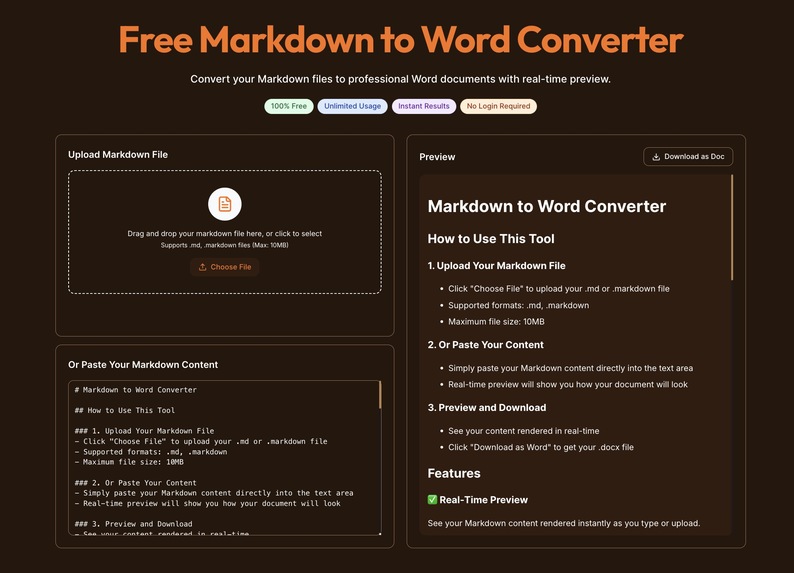
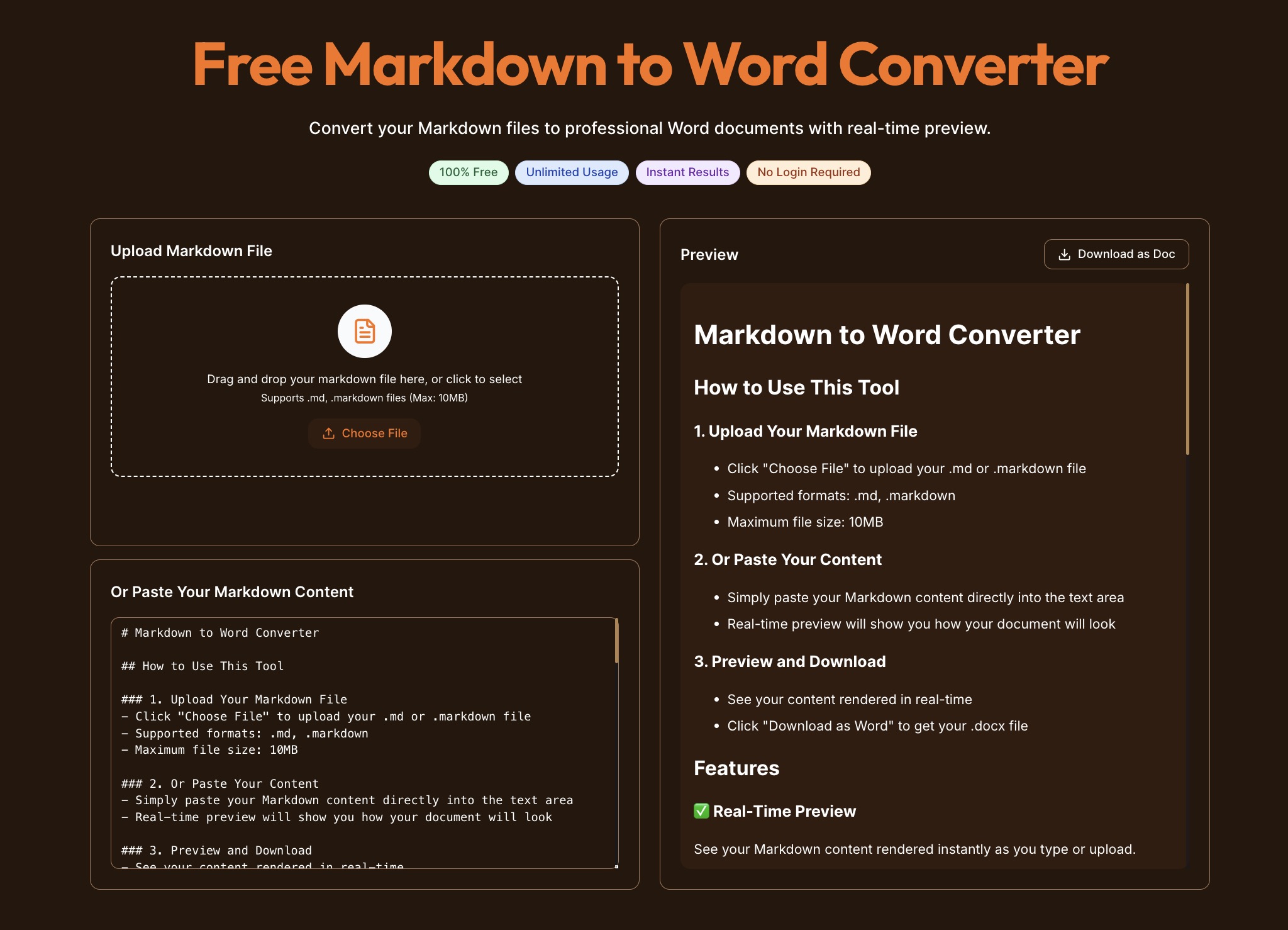
This web application provides a comprehensive Markdown to Word conversion solution with the following key features: Real-time Preview: Users can see their Markdown content rendered instantly as they type or upload, ensuring perfect formatting before conversion Multiple Input Methods: Supports both file upload (.md/.markdown files) and direct text pasting for maximum flexibility Professional Formatting: Preserves all formatting, styles, headers, lists, and structure from the original Markdown Instant Download: Converts and downloads Word documents immediately in .docx format No Registration Required: Users can start converting immediately without any sign-up or login requirements 100% Free: Completely free to use with unlimited conversions Cross-platform Compatibility: Works on any device with a web browser
How I built it
The application is built using modern web technologies with a focus on performance and user experience: Frontend: Next.js 14 with TypeScript for robust, type-safe development UI Framework: Tailwind CSS with shadcn/ui components for a modern, responsive design Internationalization: Built-in i18n support for multi-language accessibility Real-time Processing: Client-side Markdown parsing and rendering for instant preview File Handling: Secure file upload and processing with drag-and-drop support Document Generation: Server-side Word document creation using specialized libraries Deployment: Optimized for Vercel deployment with edge functions for global performance
Challenges I ran into
One of the biggest challenges was ensuring accurate formatting preservation during the conversion process. Markdown has many subtle formatting nuances that needed to be carefully mapped to Word document styles. Another significant challenge was implementing real-time preview without compromising performance - users expect instant feedback as they type or upload content. Additionally, handling various file formats and edge cases while maintaining a smooth user experience required extensive testing and optimization.
Accomplishments that I'm proud of
Zero-friction User Experience: Created a tool that requires no registration, no learning curve, and works instantly Real-time Preview System: Successfully implemented instant rendering that accurately represents the final Word document Robust File Handling: Built a system that gracefully handles various file formats and sizes Professional Output Quality: Achieved formatting preservation that rivals commercial tools Global Accessibility: Implemented multi-language support and responsive design for worldwide use Performance Optimization: Delivered sub-second conversion times even for complex documents
What I learned
This project taught me the importance of user-centric design in developer tools. Even technical solutions need to prioritize user experience and accessibility. I also gained deeper understanding of document format specifications and the complexities of cross-format conversion. The project reinforced the value of building tools that solve real problems for real users, rather than just technical exercises.
What's next for Markdown to Word
Future plans include: Batch Processing: Allow users to convert multiple files simultaneously Advanced Formatting Options: Customizable templates and style presets Collaboration Features: Real-time collaborative editing capabilities API Integration: Provide REST API for developers to integrate conversion into their workflows Mobile App: Native mobile applications for iOS and Android Additional Formats: Support for converting to PDF, HTML, and other document formats Cloud Storage Integration: Direct integration with Google Drive, Dropbox, and other cloud services
Built With
- next
- typescript

Log in or sign up for Devpost to join the conversation.