-
-
Description
-
Input
-
use cases
Inspiration
Sharing a document with an AI agent often begins with an unreliable manual process: remove formatting, repair broken structure, extract useful references, look for sensitive information, and decide what is safe to share. Traditional browser automation adds uncertainty because agents must guess which controls to use and how to interpret the page.
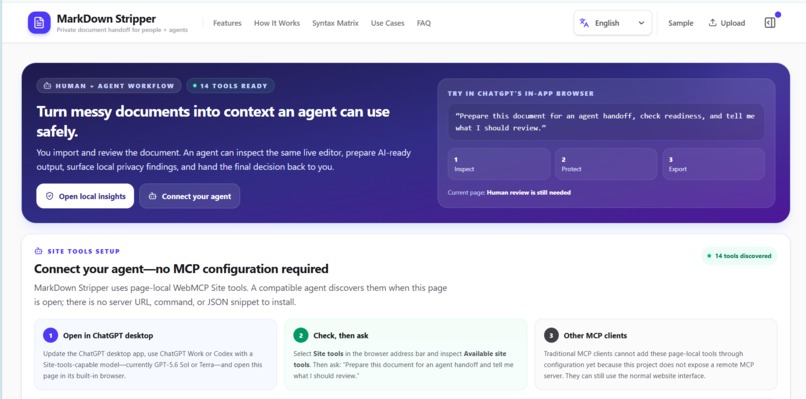
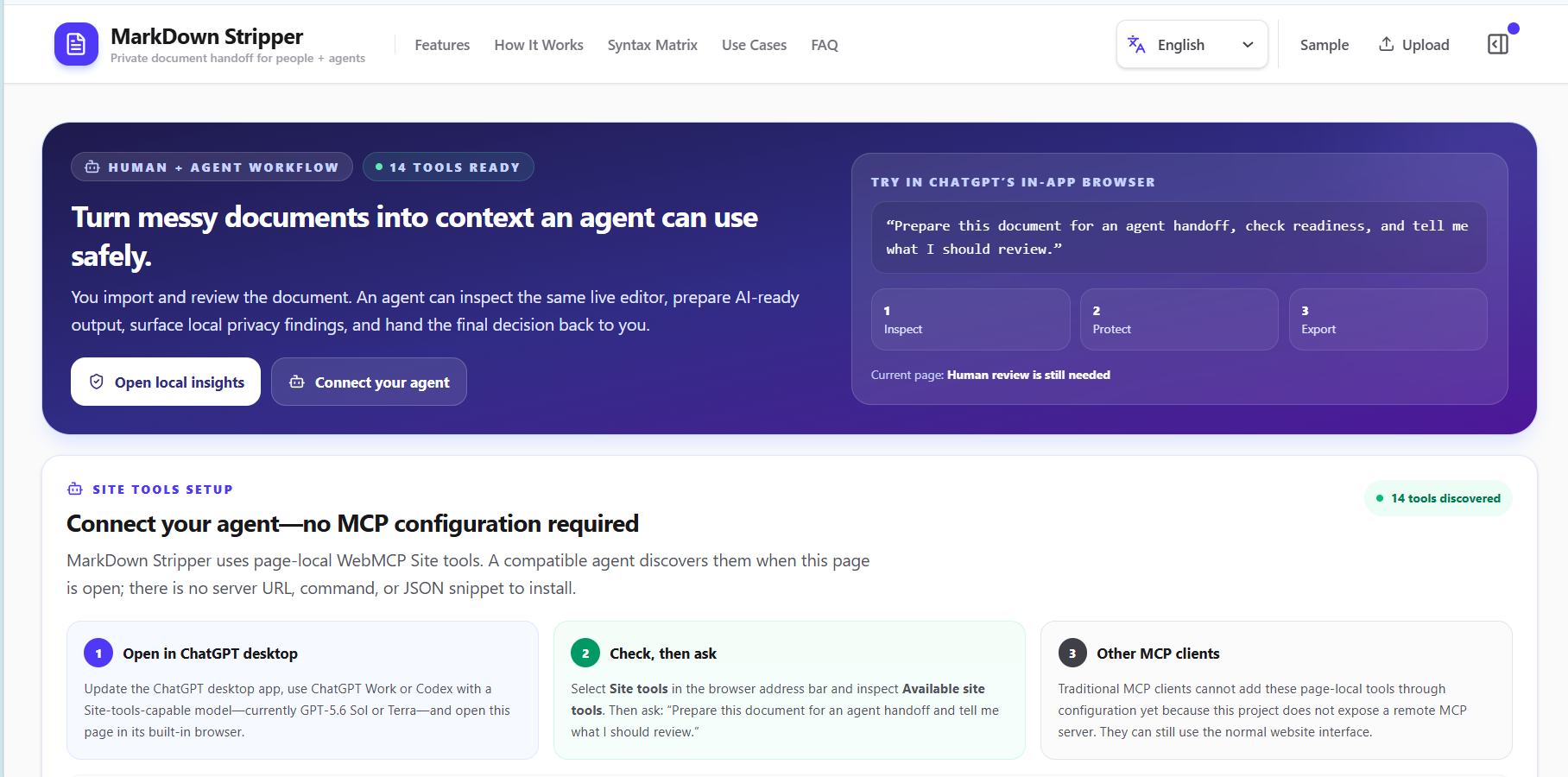
We built MarkDown Stripper to create a safer, structured handoff between people and agents. WebMCP was a natural fit because it lets the application expose precise capabilities while keeping the person in control of the same visible workspace.
What it does
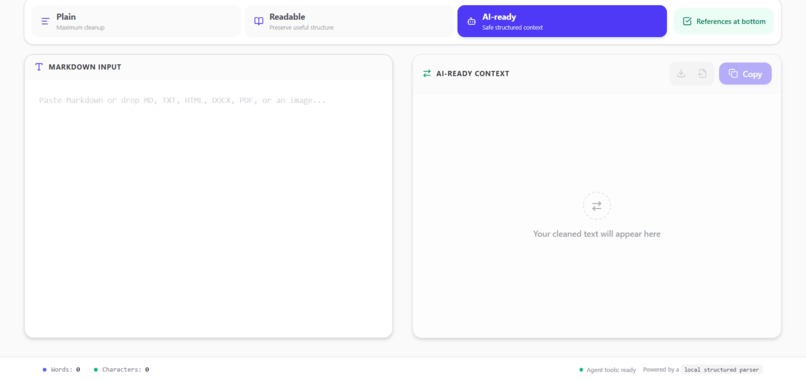
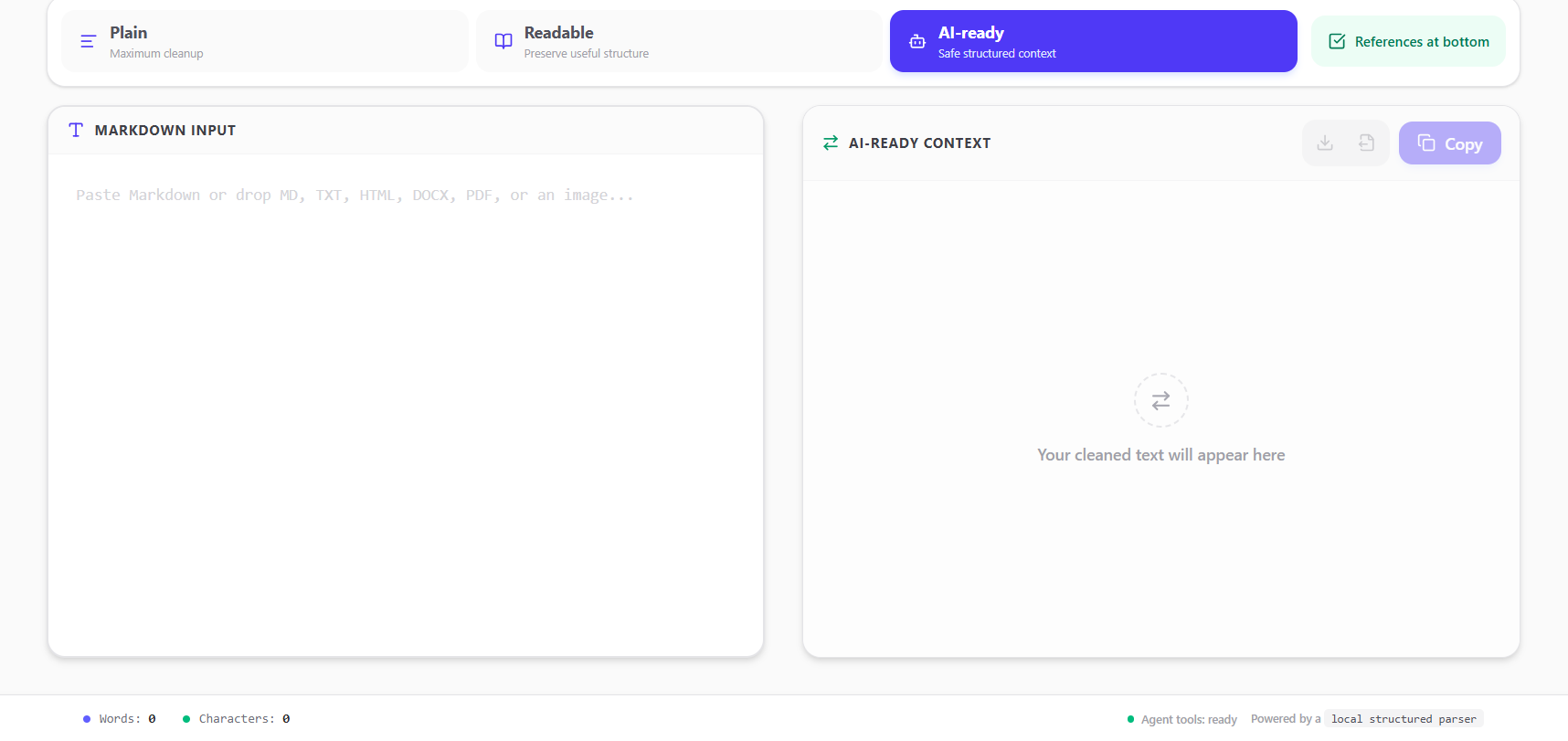
MarkDown Stripper is a local-first document preparation workspace. It imports Markdown, TXT, HTML, DOCX, PDF, and image files, then converts them into Plain, Readable, or AI-ready text.
It extracts references, identifies unresolved references, performs OCR, and detects potentially sensitive information locally. Through WebMCP, an agent can inspect bounded document state, prepare an AI-ready handoff, run a privacy scan, check readiness, and redact findings that the person selected by ID.
Sensitive content reads and export actions remain blocked until the person reviews the document and explicitly approves that exact version. If the document or relevant processing state changes, approval is automatically invalidated.
Why this use case strongly fits WebMCP
Document handoff is a multi-step, stateful workflow, not a single button click. An agent needs to understand the document’s current state, choose appropriate conversion settings, inspect risks, make controlled changes, and verify whether the result is ready. With conventional browser automation, the agent must infer all of this from labels, coordinates, and changing page layouts.
WebMCP gives the agent narrow, typed operations that express the application’s real capabilities and return structured, verifiable results. It allows the agent to act reliably without creating a separate interface or bypassing the person. The result is a genuinely collaborative workflow in which the agent handles repetitive preparation while the human retains authority over sensitive content.
How it improves the user experience
The user no longer has to manually clean a document, hunt for references, run separate privacy checks, and repeatedly explain the page state to an agent. The agent can prepare the visible document, run local checks, and report exactly what still needs attention.
Every mutation remains visible in the normal interface, privacy findings have stable IDs, long results are returned in bounded pages, and the readiness tool provides clear next steps without exposing document text. The approval gate makes the boundary understandable: preparation can be delegated, but content cannot be read, copied, or downloaded by the agent until the person approves the current version.
What people and agents can now do together
A person can import or paste a document and ask an agent to prepare it for a safe AI handoff. The agent can switch the output to AI-ready context, preserve useful references, open Insights, run the local privacy scan, and explain which findings require review. The person decides which finding IDs should be redacted and can see each resulting change in the editor.
After a redaction, the agent can scan the new version and check readiness again. The person then reviews and approves that exact state. Only after approval can the agent retrieve a bounded text segment, list approved assets, copy the output, or initiate a local text download. This review-first collaboration would be fragile and difficult to verify through coordinate-based automation alone.
How we implemented WebMCP
The application uses React, TypeScript, and Vite, with a Cloudflare Worker serving the production build. The top-level page registers 14 imperative WebMCP tools through document.modelContext.registerTool(). These tools share the same live React state and actions as the human interface, so agent actions remain visible and verifiable.
Each tool has a narrow JSON Schema plus runtime input validation. Content-bearing responses use bounded, cursor-based pagination and are marked as untrusted content. Successful calls return structured JSON, failures reject, and registration is cancelled through an AbortController when the page unmounts.
Sensitive tools require an approval fingerprint tied to the exact document, conversion settings, privacy findings, scan status, warnings, and unresolved references. Any relevant change invalidates that approval. Conversion, OCR, privacy scanning, redaction, and document processing run locally in the browser. Aggregate telemetry contains only allowlisted dimensions and never includes document text.
The repository includes automated tests for document processing, WebMCP tools, approval invalidation, pagination and output limits, atomic registration, and Worker behavior.
Challenges we ran into
One major challenge was giving agents useful access without exposing the entire document automatically. We solved this with bounded, cursor-based reads and a human approval checkpoint tied to the exact document state.
We also had to keep agent operations synchronized with the visible interface. Instead of creating a separate automation layer, the WebMCP tools call the same actions used by the React application.
Document imports created additional complexity because PDFs, scanned images, DOCX files, and Markdown preserve structure differently. OCR and privacy detection also needed to remain responsive while running entirely in the browser.
Finally, changing or redacting a document had to invalidate previous approval reliably. We addressed this with an exact-state fingerprint covering the document, conversion settings, scan status, warnings, and findings.
Accomplishments that we are proud of
We created a non-trivial set of 14 WebMCP tools that supports a complete workflow rather than wrapping a single button.
The application lets people and agents collaborate in one shared workspace while preserving a meaningful human privacy checkpoint. An agent can prepare and evaluate a handoff, but it cannot retrieve or export document content until the person approves the current version.
We are also proud that document conversion, OCR, privacy analysis, and redaction happen locally. The project supports several document formats, provides multilingual OCR options, and remains fully usable as a human-facing editor when WebMCP is unavailable.
What we learned
We learned that agent-native applications need more than tool exposure. Tools need clear boundaries, verifiable state, careful handling of untrusted content, and mutations that remain understandable to the person using the page.
We also learned that human approval should be attached to data state rather than represented by a permanent boolean. Approval must expire whenever the content or relevant processing state changes.
Most importantly, WebMCP works best when agents and people operate on the same product state instead of using separate interfaces.
What is next for MarkDown Stripper
Next, we plan to add configurable privacy policies, more document formats, stronger multilingual detection, and clearer explanations for each privacy finding.
We also want to introduce reusable handoff profiles for workflows such as research, customer support, legal review, and AI knowledge-base preparation. Longer term, MarkDown Stripper could provide a standard privacy-aware handoff layer for any web application that prepares user-controlled information for agents.
Built With
- chatgpt
- cloudflare
- codex
- ocr
- react
- transformers.js
- typescript
- vite
- webmcp
- workers

Log in or sign up for Devpost to join the conversation.