-
-
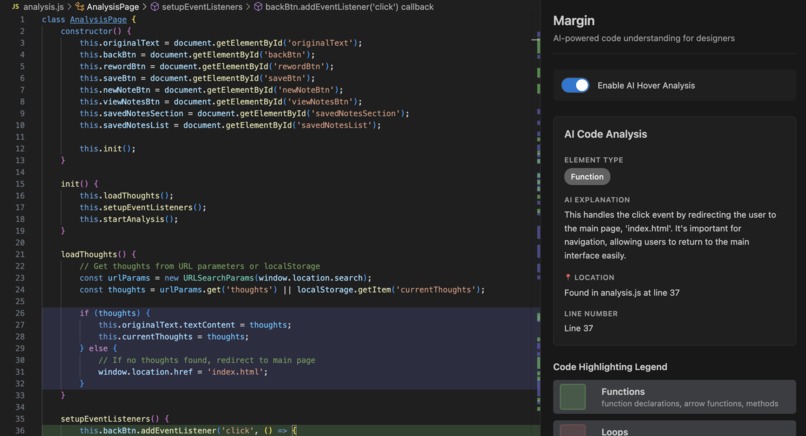
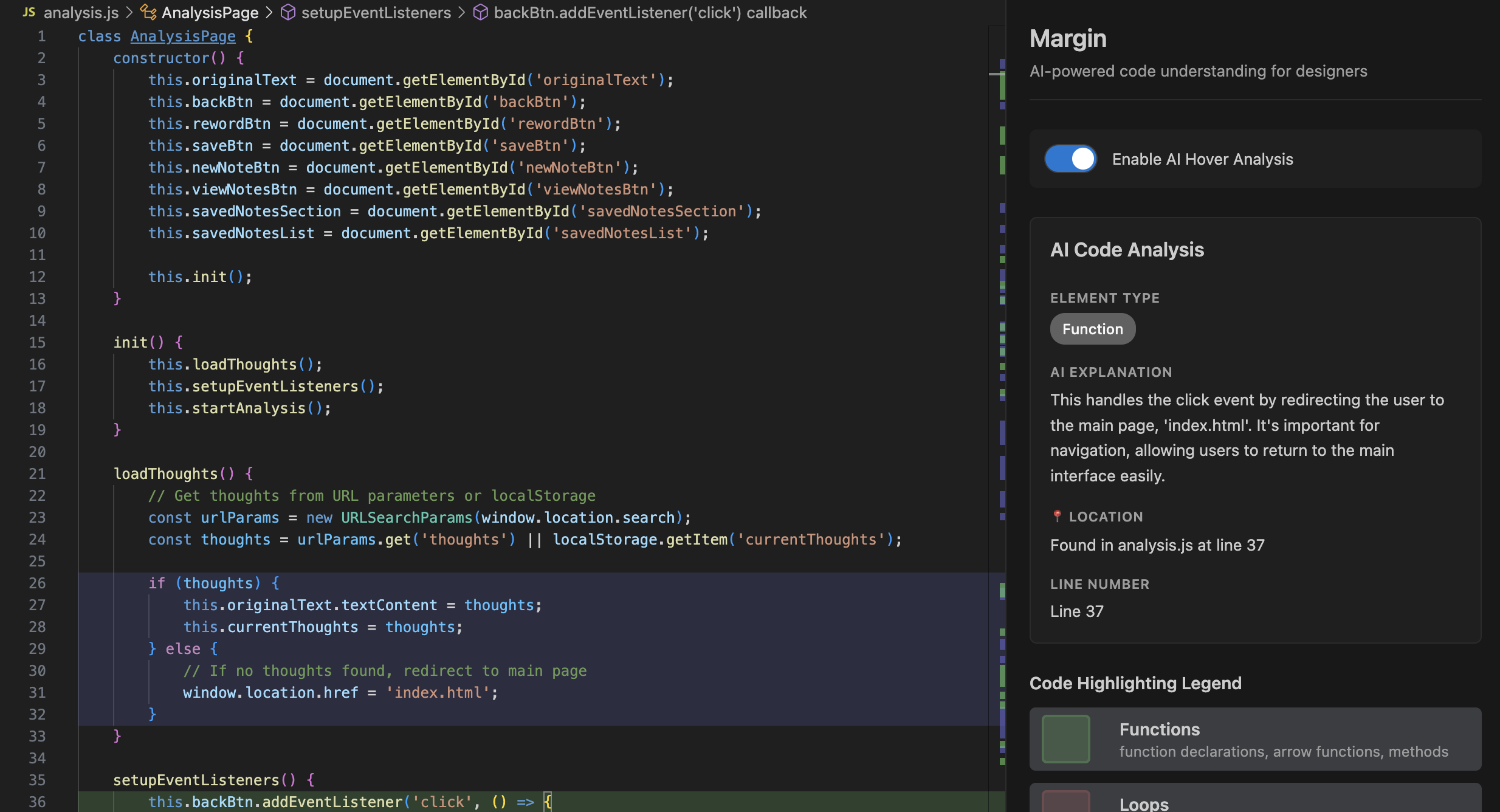
Screenshot of Margin
Inspiration
Our mission was to create an extension that helps designers understand the code that they’re working with. We’re all designers and product managers and we wanted to better understand how to code things for ourselves!
What it does
The power of Margin lies in its ability to take code and break it down into visual elements powered by AI explanations. Users can open the extension and toggle on Margin to jump in immediately. The key features of Margin include highlighting chunks of code by functionality, and a hover feature that displays an AI-powered description of the code chunk, so designers can understand the piece of code within the context of their whole project.
How we built it
We built Margin using Cursor, VS Code, Claude, and Open AI’s API. We created a VS Code extension, and integrated the OpenAI API to provide parsing and explanations.
Challenges we ran into
Implementing the technical aspects was really difficult. We were unsure of how to use Open AI’s API and spent some time figuring this out as well. Having a working version of Margin would have definitely helped us while building Margin because we had a lot of trouble, haha.
Accomplishments that we're proud of
This was all of our first hackathon, so we just wanted to build something usable and cool! We’re all really proud of ourselves for sticking through with this!!
We also learned the power of AI in helping us understand code and using these new tools to create something in a short time frame.
What we learned
We all learned how to code an extension for VS Code; it was our first time making something so technical. We also learned how to define and work on a problem in a short time frame, prioritizing which features we wanted for our MVP.
What's next for Margin
Moving forward, we would like to brainstorm and make additional functionality; we’d also like to improve the design and aesthetics of the extension. Some additional visuals would include a display of the information architecture of the code or heatmaps.
Built With
- chatgpt
- claude
- cursor
- javascript
- open-ai
- open-ai-api


Log in or sign up for Devpost to join the conversation.