-
-
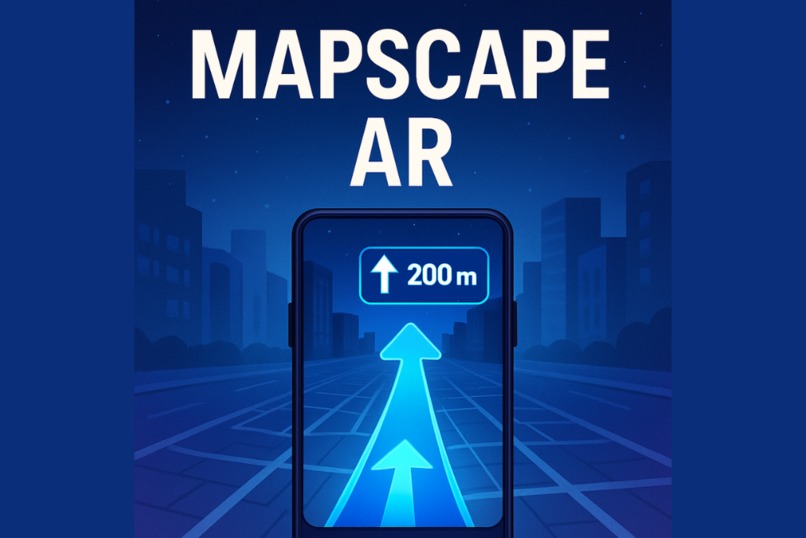
Mapscape AR
-
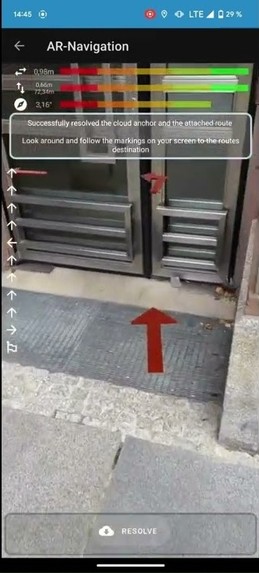
App usage
-
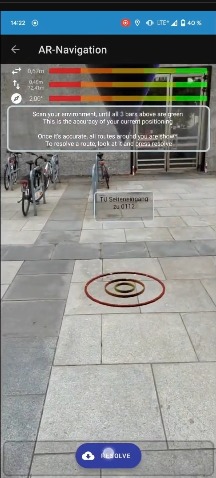
App usage
Inspiration
I got tired of constantly looking down at my phone trying to figure out where to go, especially in busy places. It’s confusing and sometimes I miss turns because the map feels disconnected from the real world. I wanted to build something that makes navigation feel natural like the path is right there in front of you, no guesswork. AR seemed like the perfect way to solve this.
What it does
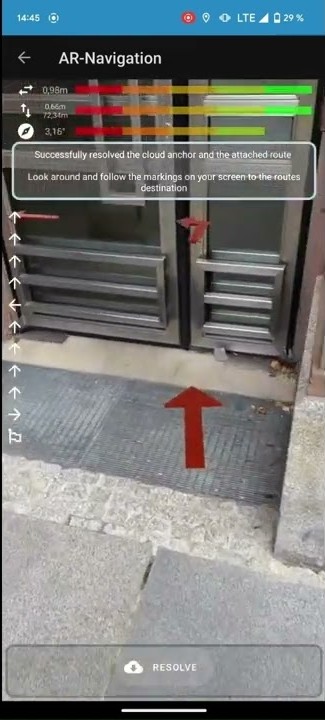
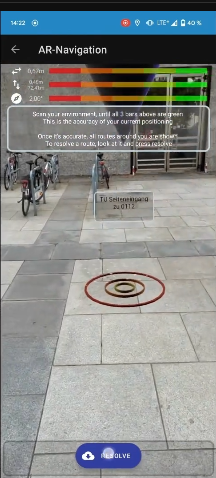
Mapscape AR uses your phone’s camera to overlay real-time directions onto the actual environment around you. Instead of staring at a tiny map, you just follow arrows and markers floating in the real world. It shows you where to go step-by-step, making navigation faster, easier, and less stressful.
How I built it
I used the Google Maps API to get the map data and calculate routes. Then I combined that with AR tools (ARKit for iOS, ARCore for Android) to display those routes visually through the phone’s camera. The biggest part was syncing the map directions with the real-world view so the arrows matched the actual path. The app was built mainly with React Native to work on both iOS and Android.
Challenges I ran into
The hardest part was getting the AR visuals to stay aligned with the real world, especially when GPS signals were weak or the phone moved suddenly. I did lots of testing to reduce lag and fix jittery arrows. Also, optimizing battery usage was tough since AR and GPS drain power fast. Balancing accuracy with smooth performance took a lot of trial and error.
Accomplishments that I'm proud of
I managed to build a working prototype that reliably guides users with AR arrows and updates directions in real-time. The user interface is simple and clean, so people can focus on where they’re going without distractions. It’s exciting to see something that actually changes how you get from point A to B.
What I learned
I learned how complicated AR navigation is blending live GPS data with AR visuals isn’t easy. It taught me the importance of testing in real environments, dealing with GPS inaccuracies, and optimizing for mobile performance. I also got better at using Google Maps API and building smooth animations in React Native.
What's next for Mapscape AR
I want to add voice instructions and make the app work better indoors, where GPS struggles. Adding more interactive features like landmarks or points of interest could make it even more useful. The plan is to keep improving accuracy and make the experience feel even more natural.
Built With
- android-studio
- arcore
- arkit
- google-cloud-console
- google-maps-platform-api
- kotlin
- react-native
- rest-api


Log in or sign up for Devpost to join the conversation.