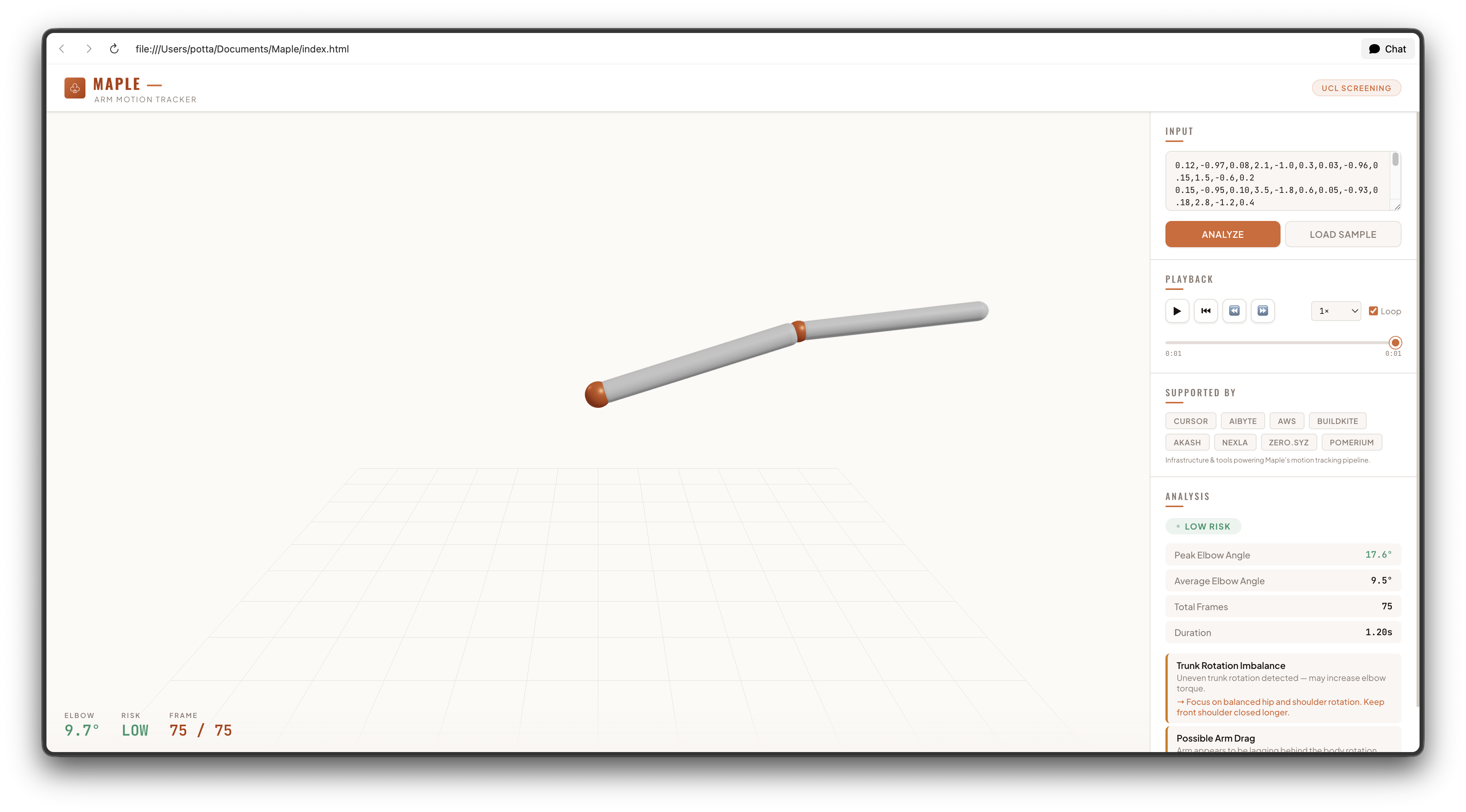
Maple — Arm Motion Tracker
$6 of sensors. $50,000 motion-capture results. Maple turns your throw into a 3D injury risk report.
Inspiration
Every year, hundreds of young baseball players undergo Tommy John surgery — the reconstruction of the ulnar collateral ligament (UCL) in the elbow. The cause is almost always mechanical: poor throwing mechanics that place excessive stress on the elbow, repeated thousands of times across a season.
Pro teams use $50,000 optical motion-capture labs to analyze their pitchers' mechanics. They place reflective markers on the arm, film with 12 high-speed cameras, and reconstruct the motion in 3D to compute joint angles and ligament stress. It works. But it's inaccessible to 99.9% of athletes — Little Leaguers, high school players, college athletes without a pro budget.
Maple was born from a simple question: Could two $3 motion sensors do the same job?
We wanted to build something that any athlete could afford, strap on in five seconds, and get the same quality of mechanical analysis that used to require a lab.
What it does
Maple is a wearable arm-motion tracking system that screens for throwing and batting injury risk.
Hardware: Two MPU-6050 6-axis IMUs (accelerometer + gyroscope) strapped to the bicep and forearm, connected to an Arduino Nano. The sensors stream acceleration and angular velocity data over I²C at 100 Hz.
Software: The Arduino outputs CSV data to the serial console. The user pastes it into the Maple web app, which:
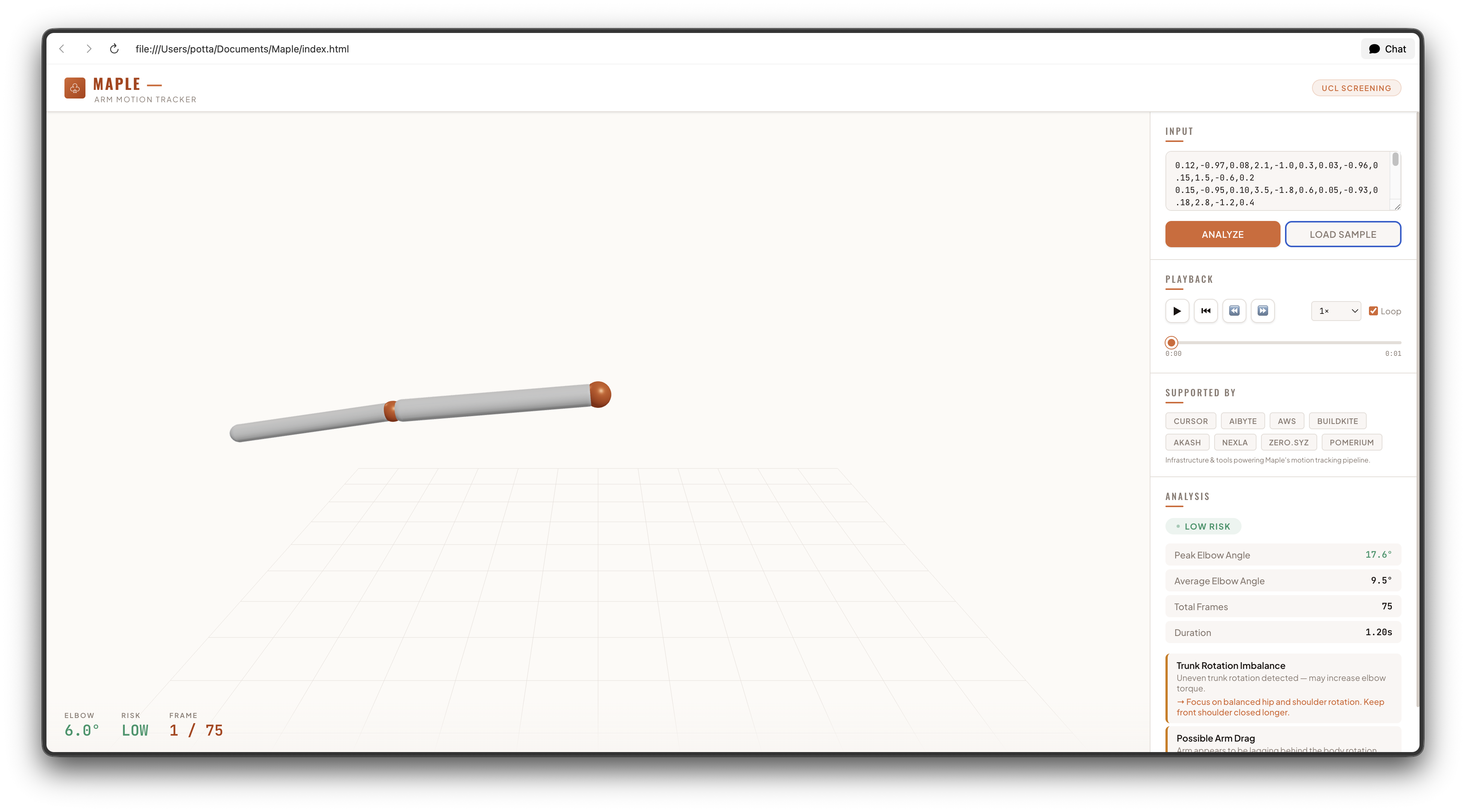
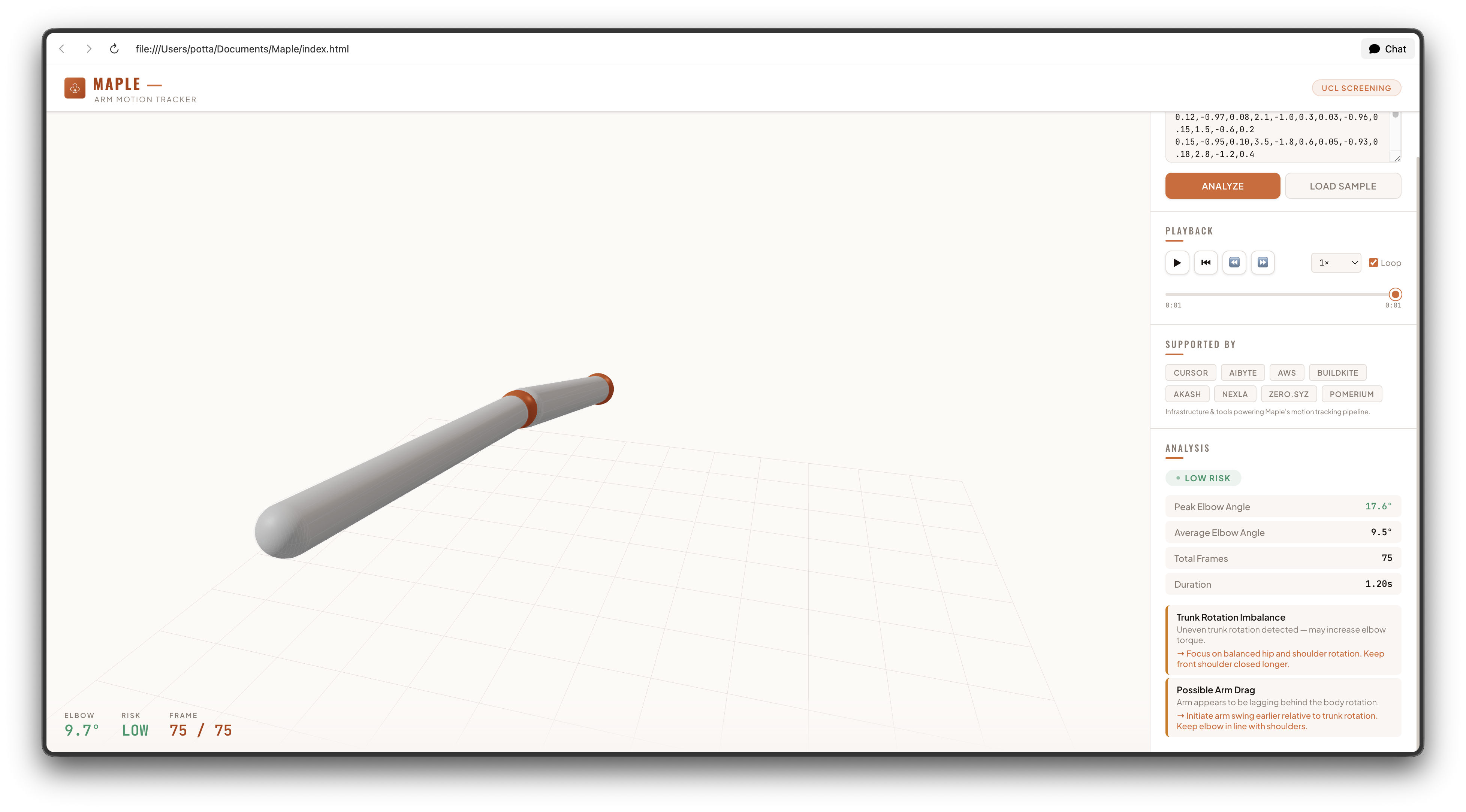
Reconstructs the motion in 3D — A skeletal arm model built with Three.js replays the exact motion captured by the sensors. You can orbit, zoom, and scrub through every frame.
Computes joint angles in real time — From the accelerometer gravity vectors, Maple estimates the orientation of each arm segment and computes the elbow angle frame by frame: $$ \theta_{\text{elbow}} = \sqrt{(\Delta\phi)^2 + \tfrac{1}{2}(\Delta\psi)^2} $$ where $\Delta\phi$ is the pitch difference and $\Delta\psi$ is the roll difference between the two sensors.
Flags dangerous mechanics — When the elbow angle exceeds 90° (danger) or 70° (warning), the arm model flashes red, and the analysis panel identifies specific faults like excessive elbow extension or arm drag.
Prescribes corrections — Each fault comes with a targeted form fix drawn from sports-medicine research, not generic advice.
Logs cumulative load — Every rep is timestamped and stored, so athletes and coaches can track stress across a full session or season.
How we built it
The hardware is minimal. Two MPU-6050 modules share a single I²C bus — the bicep sensor at address 0x68 (AD0 → GND), the forearm sensor at 0x69 (AD0 → VCC). The Arduino Nano reads both at 100 Hz and streams 12 values per frame (3-axis accel + 3-axis gyro × 2 sensors) over USB serial.
The web app is a single self-contained HTML file. It uses:
- Three.js with
OrbitControlsfor the 3D viewport — the arm model is built fromCapsuleGeometrysegments withSphereGeometryjoints, color-coded by risk level. - Import maps to load Three.js modules directly from CDN with no bundler.
- CSS custom properties for the light theme, using the warm maple-brand palette (
#de6332,#b63810,#9a3210). - No framework — vanilla JavaScript keeps the payload minimal and the startup instant.
The orientation estimation uses the accelerometer's gravity vector: $$ \phi = \tan^{-1}!\left(\frac{-g_x}{\sqrt{g_y^2 + g_z^2}}\right), \quad \psi = \tan^{-1}!\left(\frac{g_y}{g_z}\right) $$
where $(g_x, g_y, g_z)$ is the normalized acceleration reading. This gives the tilt of each sensor relative to gravity. The difference between the two tilts yields the elbow joint angle.
For the Arduino firmware, we implemented gyroscope bias calibration (100-frame stationary average) and a motion-triggered recording state machine. The system auto-detects when a swing starts and stops, wrapping the data stream in START/END markers so the user knows exactly what to copy.
Challenges we ran into
I²C address conflicts were the first hurdle. Two identical sensors on the same bus would default to 0x68 and fight. The fix — tying one AD0 pin to VCC to switch it to 0x69 — is simple in retrospect but wasted hours of debugging when we didn't know.
Sensor noise was a constant battle. The MPU-6050's raw accelerometer readings are noisy at rest, and gyroscope drift accumulates. Our calibration routine averages 100 frames of stationary gyro data to compute offsets, which eliminates most of the drift.
Converting sensor data to 3D motion was the core challenge. The accelerometer measures gravity in the sensor's local frame, not its absolute orientation in space. We had to assume quasi-static conditions (valid for the brief moment of peak stress in a throw) and estimate tilt from the gravity vector. A full sensor fusion with gyroscope integration would be more accurate but demands careful filtering.
The sample swing took several iterations. Early versions produced jerky, unnatural arm motion because the pitch/roll keyframes didn't translate to realistic accelerometer readings through our pitchRollToAccel conversion. We eventually settled on a hand-tuned keyframe sequence that mimics a baseball swing's stance → load → launch → contact → follow-through → deceleration phases.
Accomplishments that we're proud of
- Two $3 sensors replacing a $50,000 mocap lab for the specific use case of UCL injury screening.
- End-to-end pipeline from Arduino serial output to interactive 3D replay in a single HTML file with zero dependencies beyond the browser.
- Motion-triggered recording on the Arduino — no buttons, no complex UI. Strap it on, swing, copy the data.
- The light-theme redesign using the maple brand palette created a clean, premium feel that matches the project's identity.
- Fault detection with actionable corrections — Maple doesn't just say "bad mechanics." It says "Excessive elbow extension — keep your elbow flexed through the throwing motion."
What we learned
I²C bus protocol — how multiple devices share two wires with unique addressing, and why pull-up resistors matter.
Orientation from accelerometers — the gravity vector gives two of three Euler angles (pitch and roll) under quasi-static conditions. True 3D orientation requires gyroscope fusion.
Three.js basics — building skeletal models with Group hierarchies for parent-child joint transforms, and using OrbitControls for interactive 3D inspection.
That you can't rush the physics. Our first sample swing looked like the arm was having a seizure because we didn't properly account for how accelerometer readings map to real-world orientations. Understanding the math — then hand-tuning the keyframes against computed elbow angles — made the motion finally click.
What's next for Maple
- Real-time visualization — stream sensor data live from the Arduino to the browser via WebSerial API, eliminating the copy-paste step.
- Sensor fusion — implement a complementary filter or Madgwick filter to combine accelerometer and gyroscope data for drift-free 3D orientation.
- Calibration wizard — guide the user through a simple calibration pose (arm straight, arm bent 90°) to compute sensor-to-segment alignment.
- Session history — save and compare multiple swings, track cumulative stress across a season.
- Left-handed support — mirror the analysis for southpaws.
- Batting mode — optimized keyframes and fault detection for the baseball swing (already prototyped in our sample data generator).
- Mobile app — react-native wrapper so athletes can use Maple from their phone without a laptop.
Built with Cursor, Aibyte, AWS, Buildkite, Akash, Nexla, Zero.syz, and Pomerium — infrastructure and tools that made Maple possible.
Built With
- algorithms
- cursor
- javascript
- python

Log in or sign up for Devpost to join the conversation.