-
-
-
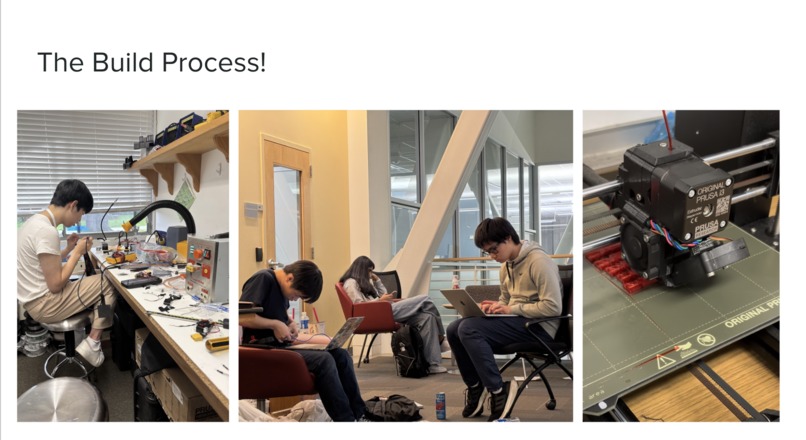
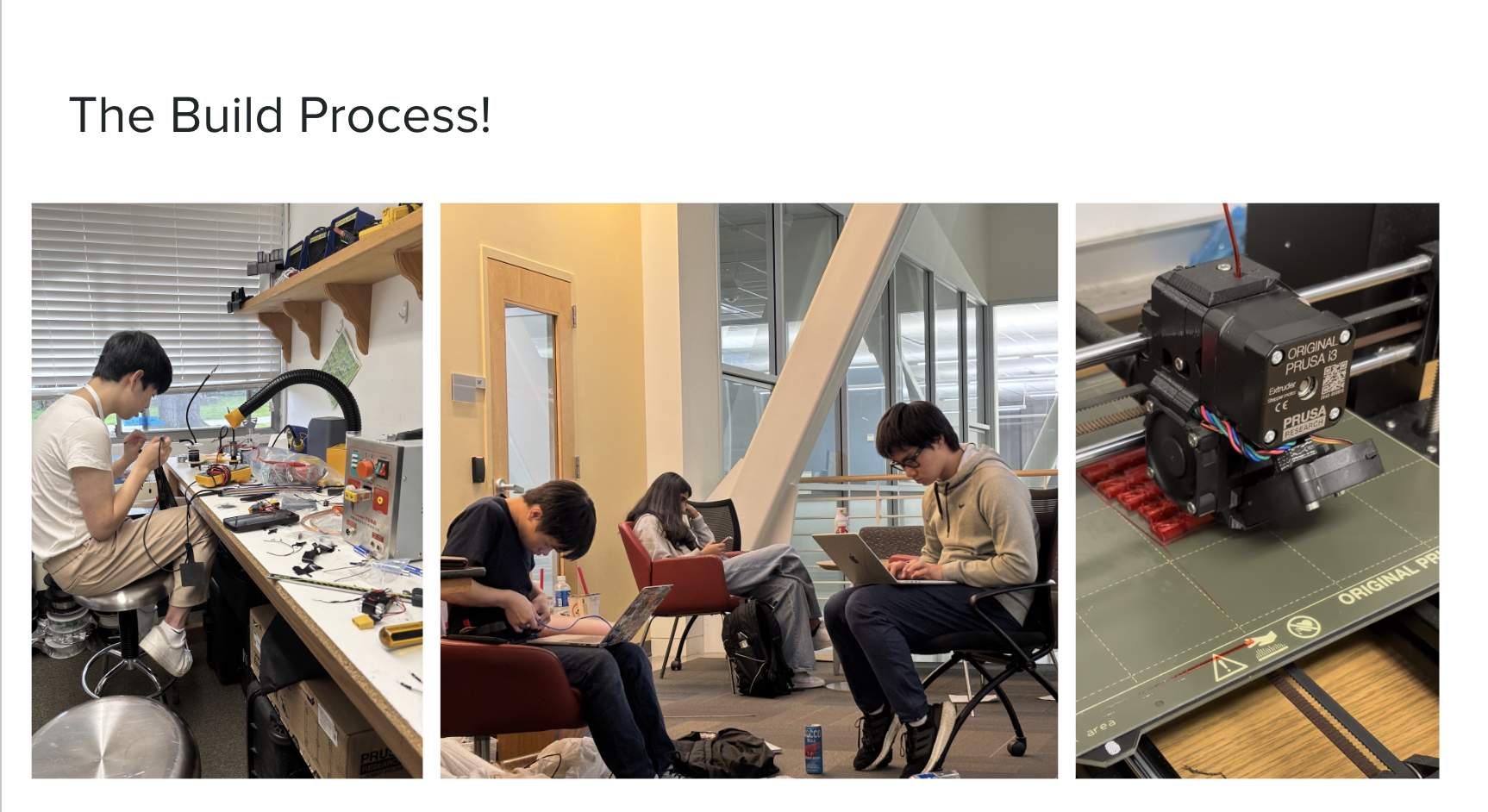
Some fun photos from our build process.
-
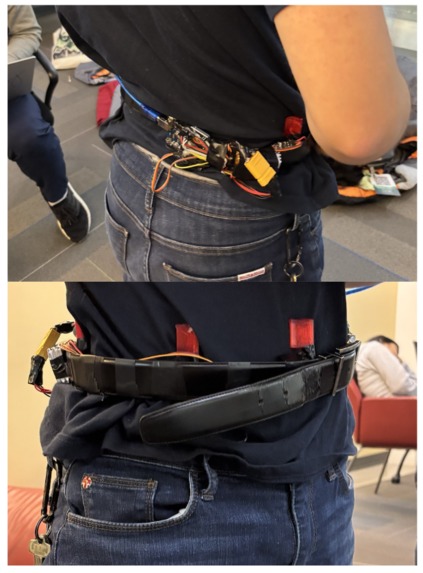
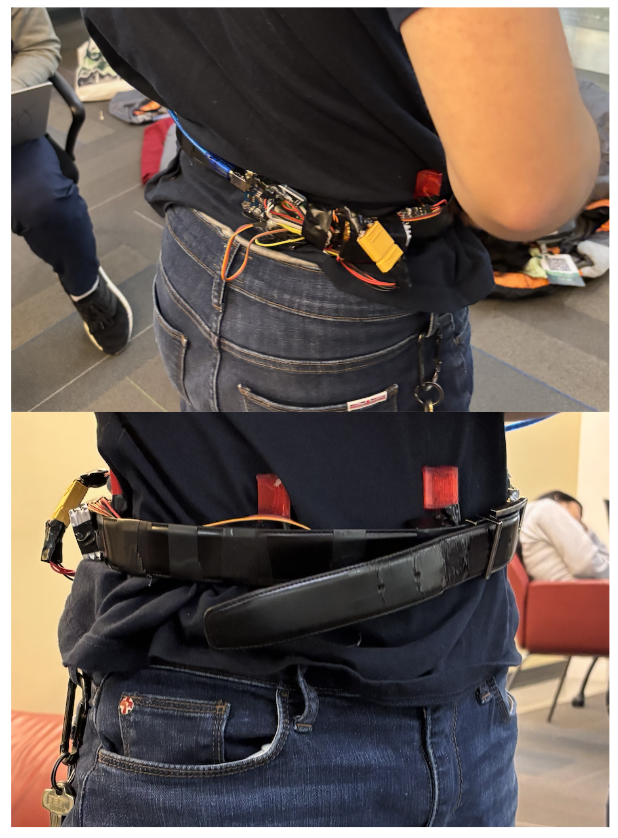
Haptic feedback system mounted on a wearable belt.
-
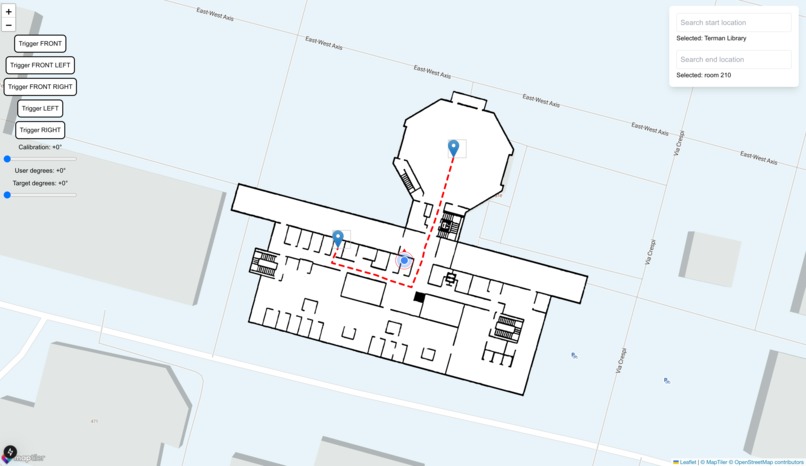
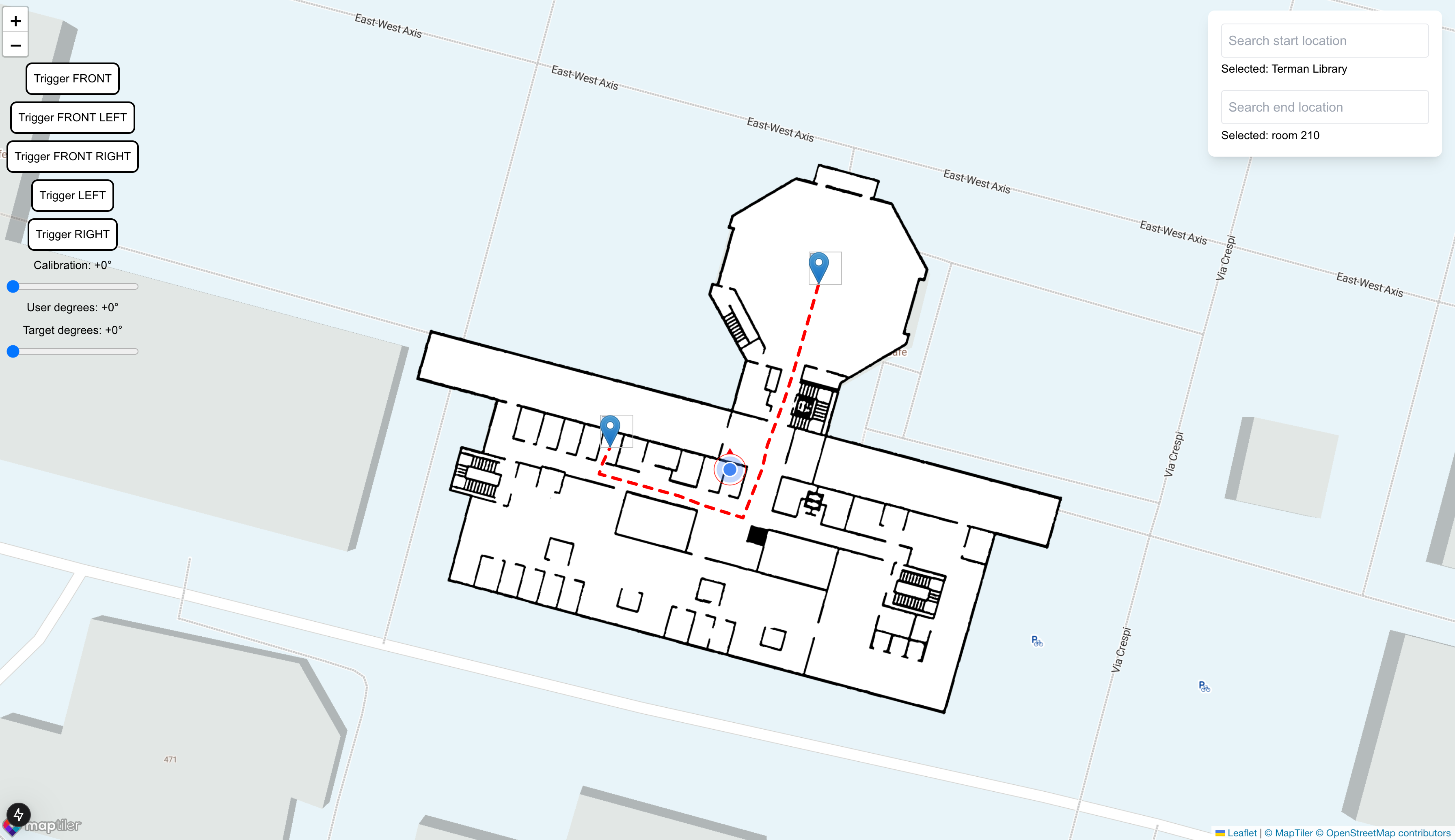
Pathfinding algorithm given CV-processed map.
The Inspiration
More than 20 million Americans experience visual impairment, with 1 million classified as legally blind. For many, navigating indoor spaces independently is a significant challenge, limiting daily activities and self-sufficiency. While outdoor navigation solutions—powered by GPS and mapping services like Google Maps—are widely available, indoor navigation remains a relatively unsolved problem due to the lack of reliable spatial data and GPS limitations.
Given that people spend most of their time indoors, the status quo is the reverse of what we need. We set out to create an intuitive, lightweight, and accessible indoor navigation aid for the visually impaired. With the rise of advanced video capture technology—such as the Apple Vision Pro and Meta Ray-Ban glasses—we saw an opportunity to harness computer vision and wearable technology to make indoor spaces more navigable for those with visual impairments.
What Miru Does
Miru is an indoor navigation tool for the blind, effectively serving as an indoor Google Maps. Miru provides real-time, step-by-step guidance to help visually impaired users navigate complex indoor environments with ease.
A picture of the floor plan of the building—readily available on fire escape plans near elevators or fire extinguishers—is uploaded to Miru, which automatically generates waypoints and pathfinding routes. The user wears a pair of Meta Ray-Ban smart glasses for real-time visual input and localization, and a servo-fitted belt provides gentle haptic feedback to guide movement, ensuring a non-intrusive and intuitive experience. By integrating wearable technology with intelligent navigation, Miru empowers visually impaired individuals to move confidently and independently in indoor spaces.
How We Built It
To convert fire escape plans into functional map data, we implemented Canny edge detection, extracting key architectural features such as walls and doors. Analyzing the map, we then generated waypoints, followed by A* pathfinding to compute optimal navigation routes.
Live video footage was acquired through Meta’s Ray-Ban glasses. We tried to use streaming through Instagram to acquire the footage, but realized there was around 30 seconds of latency which wouldn't work. We found that streaming footage to WhatsApp provided data much faster, with less than 1 second of latency.
We also had the challenge of extending sensory capabilities to the visually impaired; in particular, a system that could reliably provide direction. We ended up deciding on creating a wearable belt, created using servos as a tactile feedback mechanism, and it has five servos capable of generating directional instructions (left, right, forward, left-forward, right-forward). As the user turns around, we use our orientation mechanisms to provide feedback in the correct direction.
Localization—identifying the user's real-time position indoors—was one of our most challenging tasks. Specifically, because it is impossible to access GPS, no indoor navigation system that relies on GPS will work. Our innovative approach involved two key steps:
- First, we generated a reference dataset of approximately 1,500 geotagged images in the building and embedded them using CLIP. We stored the vectors in an database using Vespa AI.
- We then embedded the live footage from the Ray-Ban and queried for similar images in the Vespa vector database. Then through the most similar images we averaged the coordinate metadata that we got from those images.
- Most importantly was filtering, after gathering these coordinates we compared it to the data we already had and would throw out any values that were greater than 5.0 meters away from the current pose. As much as we tried to reduce noise, there will always be noise in a system and filtering is something we can always work to improve.
Besides localization, determining orientation was also crucial for our project’s success. We built our own iOS compass app that could interact with our websocket system using the iOS compass data to determine orientation and integrated it with a wearable utility built to guide user interaction. We found a bug in the iOS compass app, where the compass would drift randomly for no apparent reason. This resulted in even more pain as it meant that we had one less source of truth to trust.
Challenges We Ran Into
We immediately ran into latency issues with Meta’s Ray-Ban glasses. Previous projects we’d looked at involving Meta Ray-Ban glasses streamed the Ray-Ban footage to Instagram Live, because Meta Ray-Ban glasses are incapable of natively streaming to a laptop. Instagram Live, however, had a stream delay of ~30 seconds. We resolved this issue by streaming to WhatsApp and mirroring the phone screen onto a laptop, providing latency of <1 second.
Parsing through vector embeddings via OpenAI’s vision model meant high latency, which was undesirable for real-time use. As a result, we opted to use Vespa AI’s API for efficient updates and queries.
The most difficult challenge we ran into was localization. Determining where a user was proved extremely challenging, and we opted to use computer vision and similarity detection to determine the location of the user.
Orientation was also an issue. Initially, we tried using tri-sensor IMU fusion, but sensor drift rendered IMUs inaccurate. We managed to pull iOS compass data as an effective and simple method of determining user orientation.
Accomplishments We’re Proud Of
We’re extremely proud of the progress we were able to make in just 36 hours. Prior to this hackathon, none of us had extensive experience with remote sensing, and we’re proud that we were able to develop a real-time, GPS-free indoor navigation system that required only a floor plan and live video feed. This serves as a simple alternative to beacon-based positioning. We’re also happy that we were able to create a functional and intuitive haptic feedback system that allows users to “see” through feel.
We think that localization is one of the most difficult challenges within robotics and we think that the new age of AI has so much potential and ability to help robots better understand the world around us.
What We Learned
We learned how to work extensively with computer vision, vector embeddings, basic hardware, and software integration, all of which were extremely challenging but rewarding to work with. We also learned how to integrate software with hardware for an intuitive and powerful experience.
What’s Next for Miru
A few ideas we hope to implement:
- Multi-Floor Path Finding: It’d be cool to direct users to stairwells and elevators and enable travel across more than just one floor.
- SLAM-Powered Real-Time Mapping: If done effectively, using Simultaneous Localization and Mapping (SLAM) would allow us to dynamically build and update indoor maps without the need for reference images—saving a lot of time.
- Scaling to Large-Scale Public Spaces: Expanding to airports, malls, hospitals, and transit hubs would enable us to provide invaluable services to the visually impaired in more than just small buildings. We hope that while we had to create our own dataset to query from for the Huang building, often-visited locations like train stations and museums have publically available floor plans and Google maps data that our system can easily apply into.
Built With
- arduino
- clip
- edge
- embedding
- groq
- healthcare
- llms
- meta-rayban
- metaraybans
- navigation
- python
- typescript
- vespa
- vlms


Log in or sign up for Devpost to join the conversation.