-
-
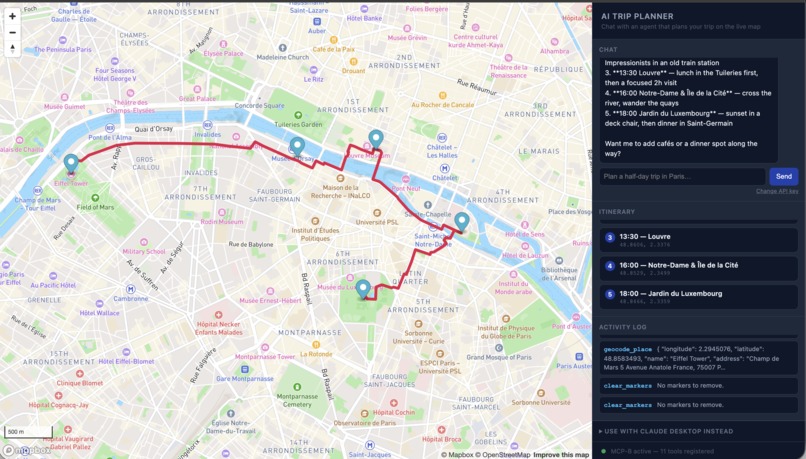
Walking trip planned in Paris
-
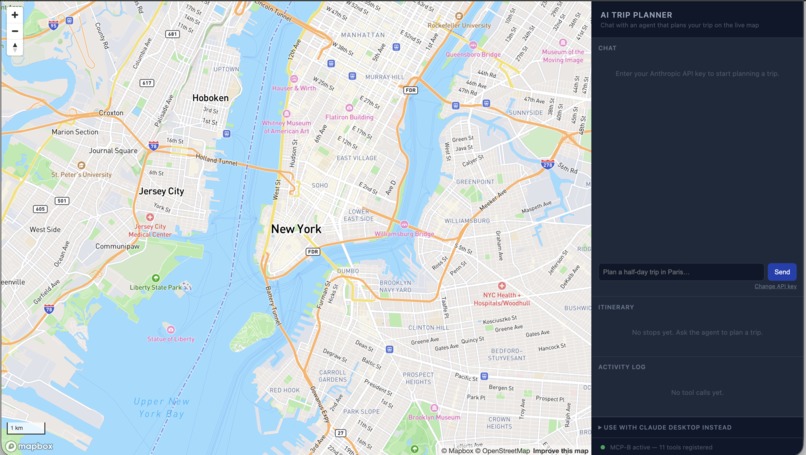
New Window to plan a trip
Inspiration
The WebMCP Challenge asks what the open web looks like when it's built for humans and agents at once. We'd already been building @mapbox/web-mcp-server, a library that registers Mapbox GL JS map interactions as WebMCP tools, and had written up a design thesis for it before ever building a demo: a geospatial AI agent needs two things to be genuinely useful, a data layer (geocoding, search, directions) and a live rendering surface it can actually act on. Most "AI + maps" demos fake the second half: a chat response describing a trip, maybe a static image. WebMCP is the first browser API that lets a page hand an agent direct control over a live map instead, the same way an MCP server hands it a data source. We wanted to prove that idea end-to-end, not just describe it.
What it does
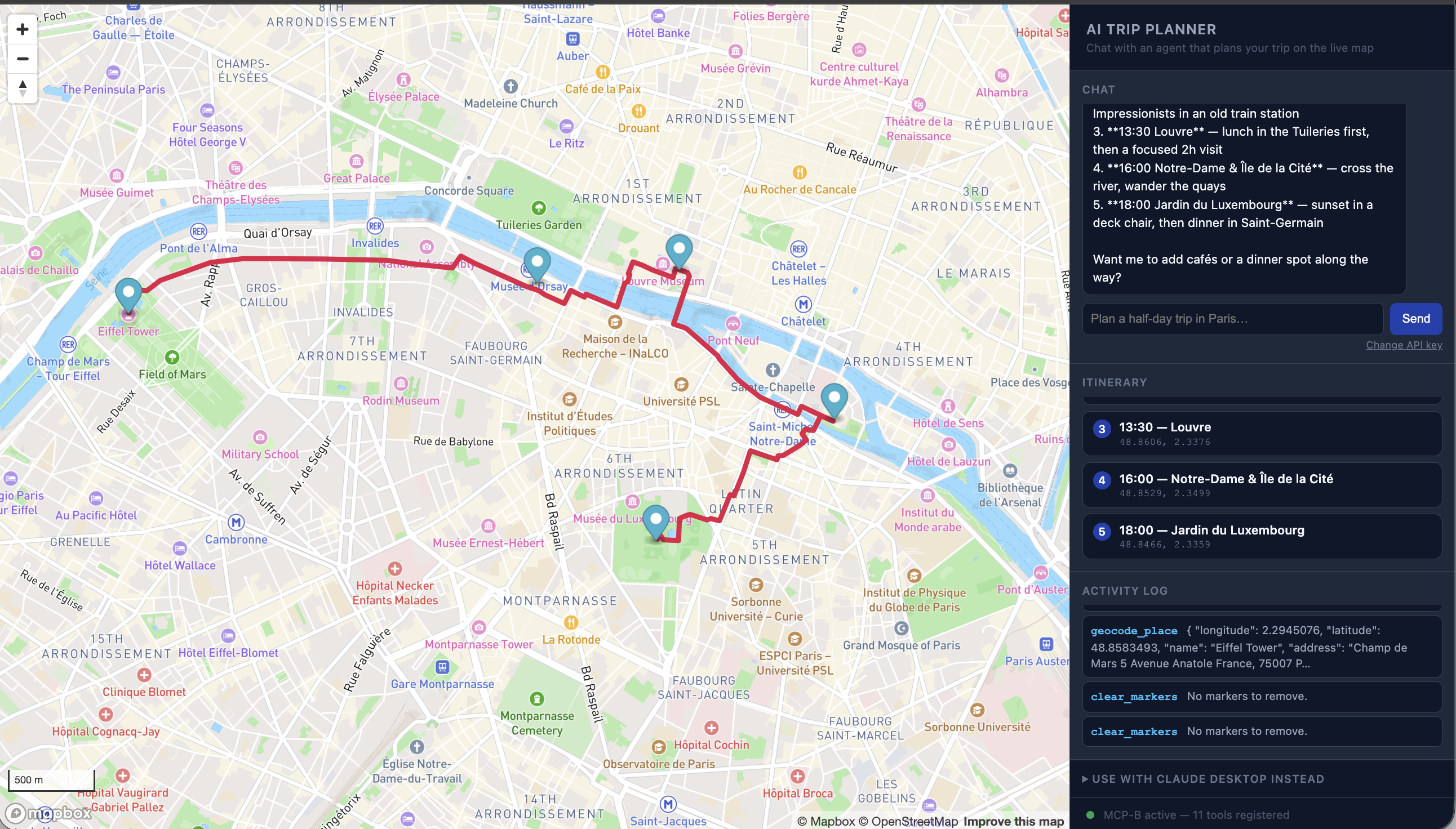
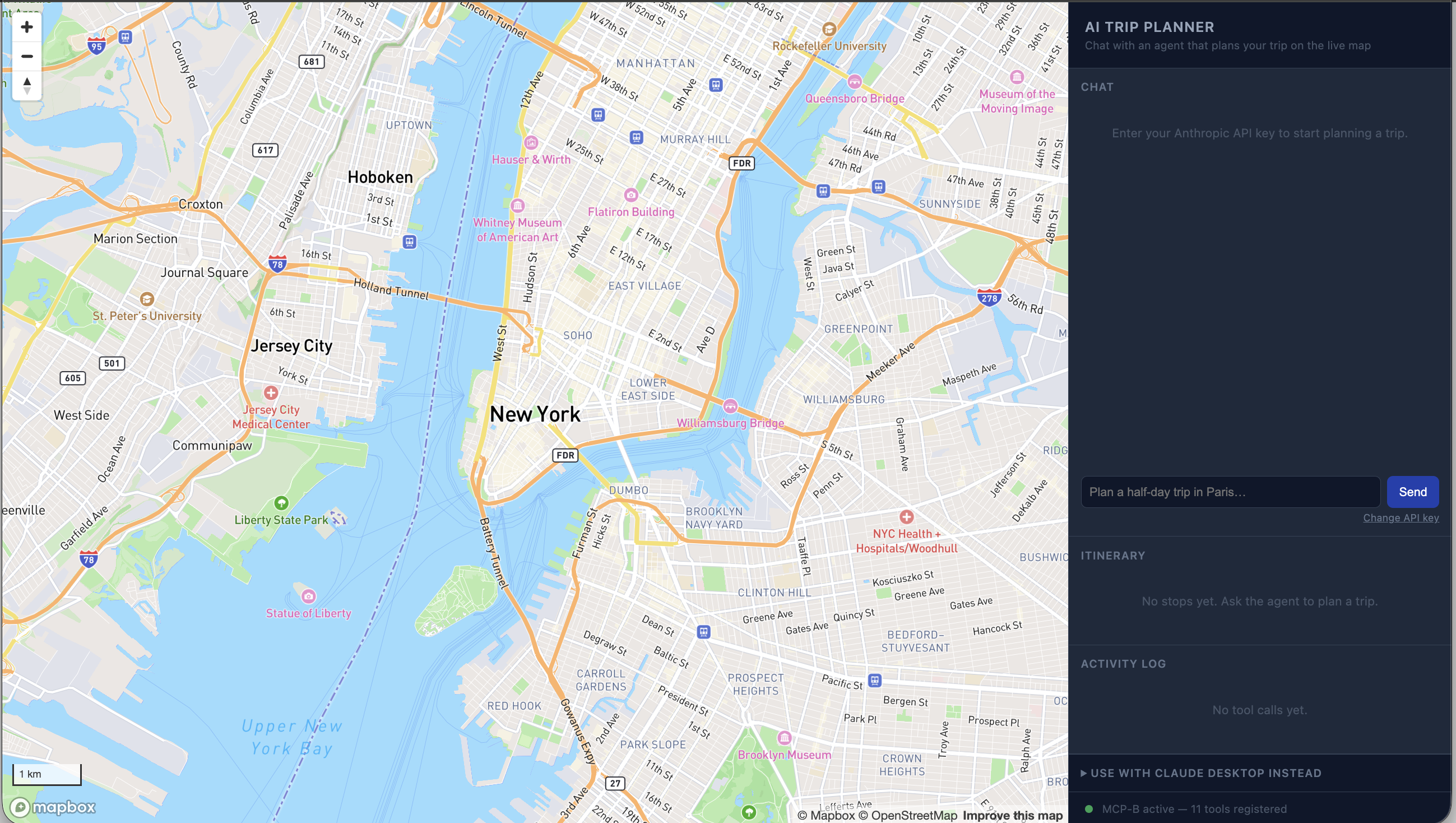
Open the demo, paste an Anthropic API key, and ask for a trip: "Plan a half-day trip in Paris: the Eiffel Tower, a nearby cafe, and the Louvre, with walking directions between each stop." An agent geocodes the real places, drops pins, pulls a real walking route, draws it on the map, and frames the whole trip, live, while you watch. An itinerary panel and an activity log rebuild themselves from the actual tool calls as they happen, so the WebMCP mechanism is visible, not just its output.
How we built it
The core is a small TypeScript library (src/, strict mode, pure ESM) where every map capability is a factory function, createFlyToTool(map), createAddMarkerTool(map, markers, stops), returning a ToolDescriptor that closes over the live mapboxgl.Map instance. registerMapboxTools(map) wires all of them up against navigator.modelContext.registerTool(), plus an onToolCall hook so a host page can observe every call live.
On top of that, the demo does two things most WebMCP demos skip. First, it closes the "two data layers" loop from our own design doc for real: alongside the map-control tools, the page registers a small second set, geocode_place, search_category, get_directions, that call Mapbox's public Search Box and Directions REST APIs directly via fetch(). These are demo-only and never exported from the published library, but they mean the whole trip-planning loop works from one deployed page with no server standing in as an MCP host.
Second, the deployed demo is usable with zero setup: an embedded BYOK (bring-your-own-key) chat widget (demo/chat.ts) using the official @anthropic-ai/sdk with dangerouslyAllowBrowser: true, running a manual agentic loop against claude-opus-5. List the registered tools, send them as the model's tools, execute whatever it calls via navigator.modelContextTesting.executeTool(), feed results back, repeat. The key never leaves the visitor's browser except to Anthropic directly. For anyone who'd rather not paste a key, the page also exposes a copyable system prompt for driving it via Claude Desktop or any other WebMCP-compatible extension instead: same tools, different agent.
It's deployed as a static Vite build on Vercel, with the Mapbox token set as a public build-time config variable (Mapbox tokens are meant to be client-embedded, unlike the Anthropic key).
Challenges we ran into
Geocoding is pickier than it looks. Early on, a query like "Louvre Museum, Paris" returned an unrelated Airbnb listing ranked above the actual landmark; the city qualifier confused relevance ranking more than it helped. The fix was querying just the bare place name and using proximity bias to disambiguate instead, which we had to encode directly into the tool description and system prompt so the agent wouldn't do it wrong on its own.
Some organizations block this pattern entirely. Mid-testing, a live call to Anthropic's API came back with authentication_error: CORS requests are not allowed for this Organization. Some orgs disable direct-from-browser API access as a security policy, which is exactly the risk dangerouslyAllowBrowser warns about, just enforced server-side. No client code can work around an org policy, so instead we made the failure mode honest: detect it and point the visitor at the Claude Desktop fallback with an accurate explanation, instead of a misleading "invalid API key."
LLM tool-calling isn't perfectly deterministic. During a real end-to-end run, the agent issued an identical add_marker call twice in one turn, producing a visible duplicate row in the itinerary. We added a small guard against adjacent duplicate stops and nudged the system prompt to clear stale markers before replanning, a good reminder that a UI built on top of agent tool calls has to defend against the agent occasionally repeating itself.
Accomplishments that we're proud of
We shipped and verified a genuine end-to-end run, not just isolated pieces in a demo script: a real Anthropic API call driving real Mapbox geocoding and directions calls, ending in a route drawn on real streets and an itinerary that matches exactly what the agent did. The zero-backend architecture holds up under that test too: no server anywhere in the loop, yet the demo still closes the "data layer plus rendering layer" idea we set out to prove.
We're also proud of how we found problems: not by guessing, but by watching the itinerary and activity log disagree with what we expected, then chasing the real cause. That's how we caught the geocoding query issue, the org CORS policy, and the duplicate tool call, each a real bug against a real API, not a hypothetical.
What we learned
That the "two MCPs, one agent loop" idea holds up in practice, not just on paper, and that most of the real engineering in an agent-facing feature isn't the tool-calling plumbing (which is refreshingly thin once you commit to the tool-factory pattern). It's the edge cases: query phrasing that reads fine to a human but confuses a search API, org-level policies that only surface as a runtime error, and an agent's own occasional non-determinism. Building the itinerary and activity log to render straight off live tool calls, rather than trusting the model's narration, turned out to be the single best debugging tool we had. It's also what makes the demo convincing: you're not watching a chat bot describe a trip, you're watching WebMCP actually happen.
What's next for Mapbox AI Trip Planner
The bigger opportunity is first-party integration. The same tool-factory pattern that controls this demo map could register Studio-specific tools, select_layer, publish_style, undo and redo, directly against Mapbox Studio's live style editor, turning "how do I write this expression" into a conversation instead of a documentation search.
Closer to home, we'd like to stream the chat widget's responses instead of waiting for a full reply, and give the agent a way to search points of interest by category, price, and rating rather than just name, so trip planning can go beyond landmarks into real day-to-day recommendations.
Built With
- javascript
- mapbox
- webmcp

Log in or sign up for Devpost to join the conversation.