-
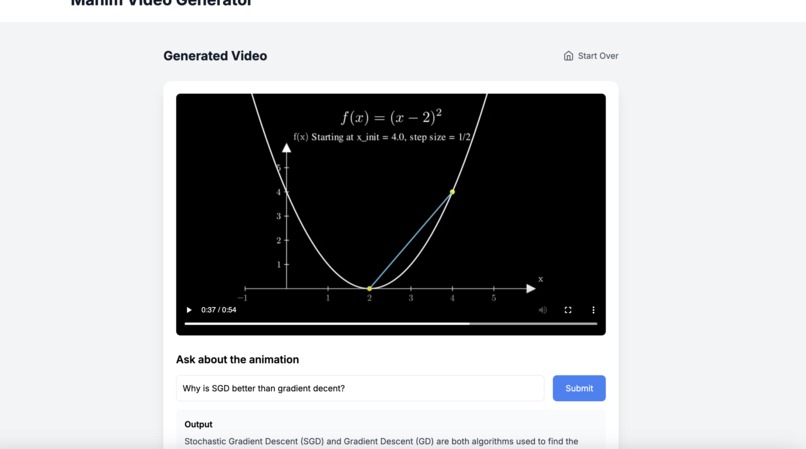
Interactive UI and Output of Model
-
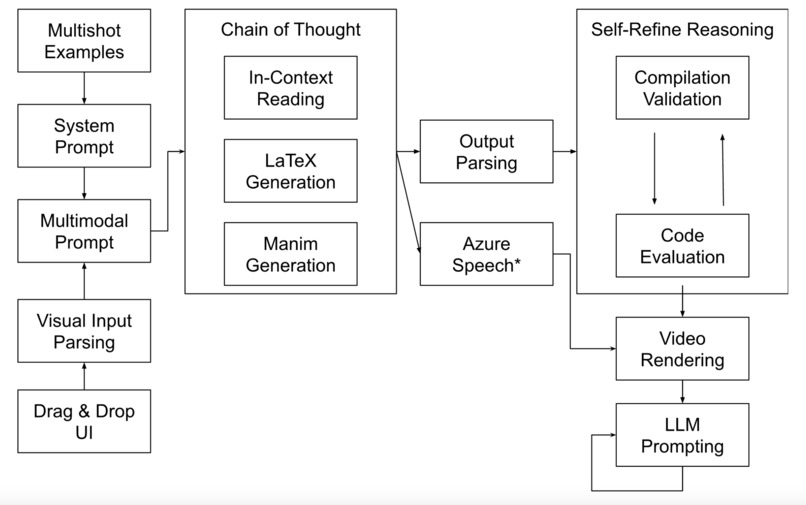
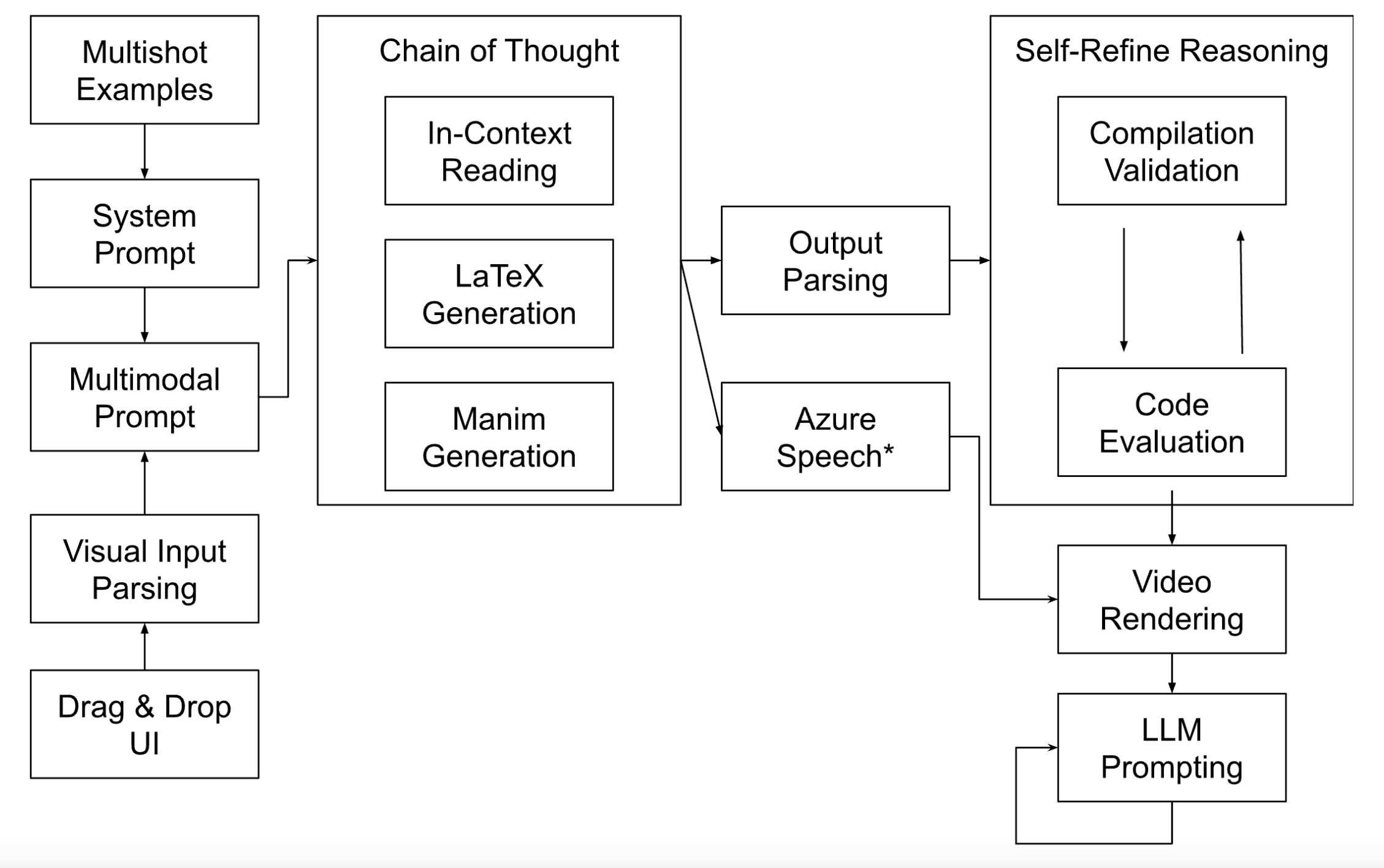
Multimodal Generation Architecture
-
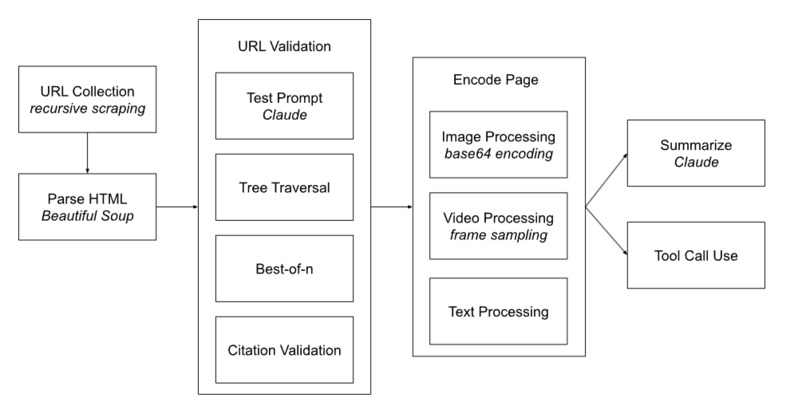
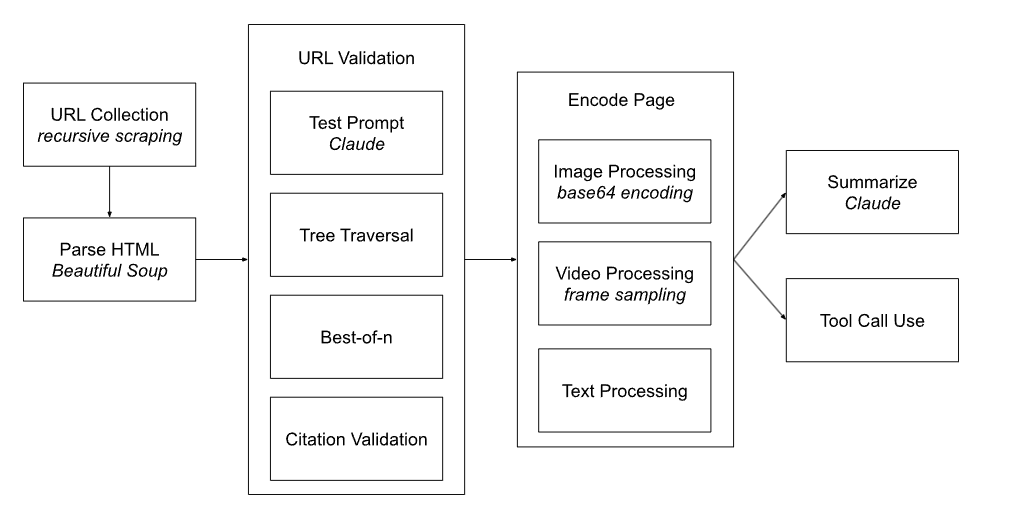
Data Scraping & Validation Architecture
-
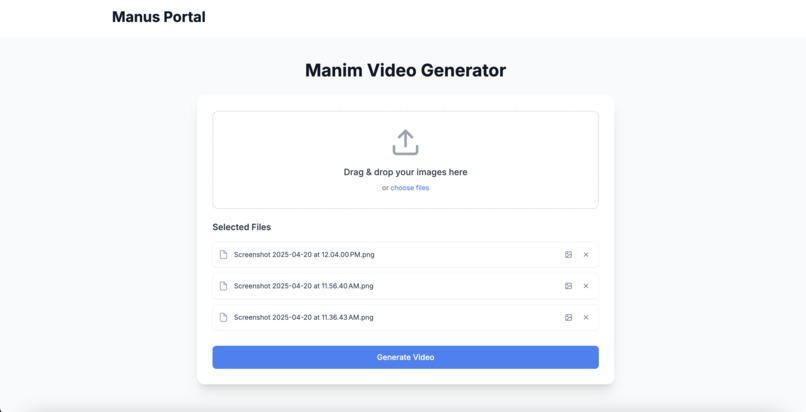
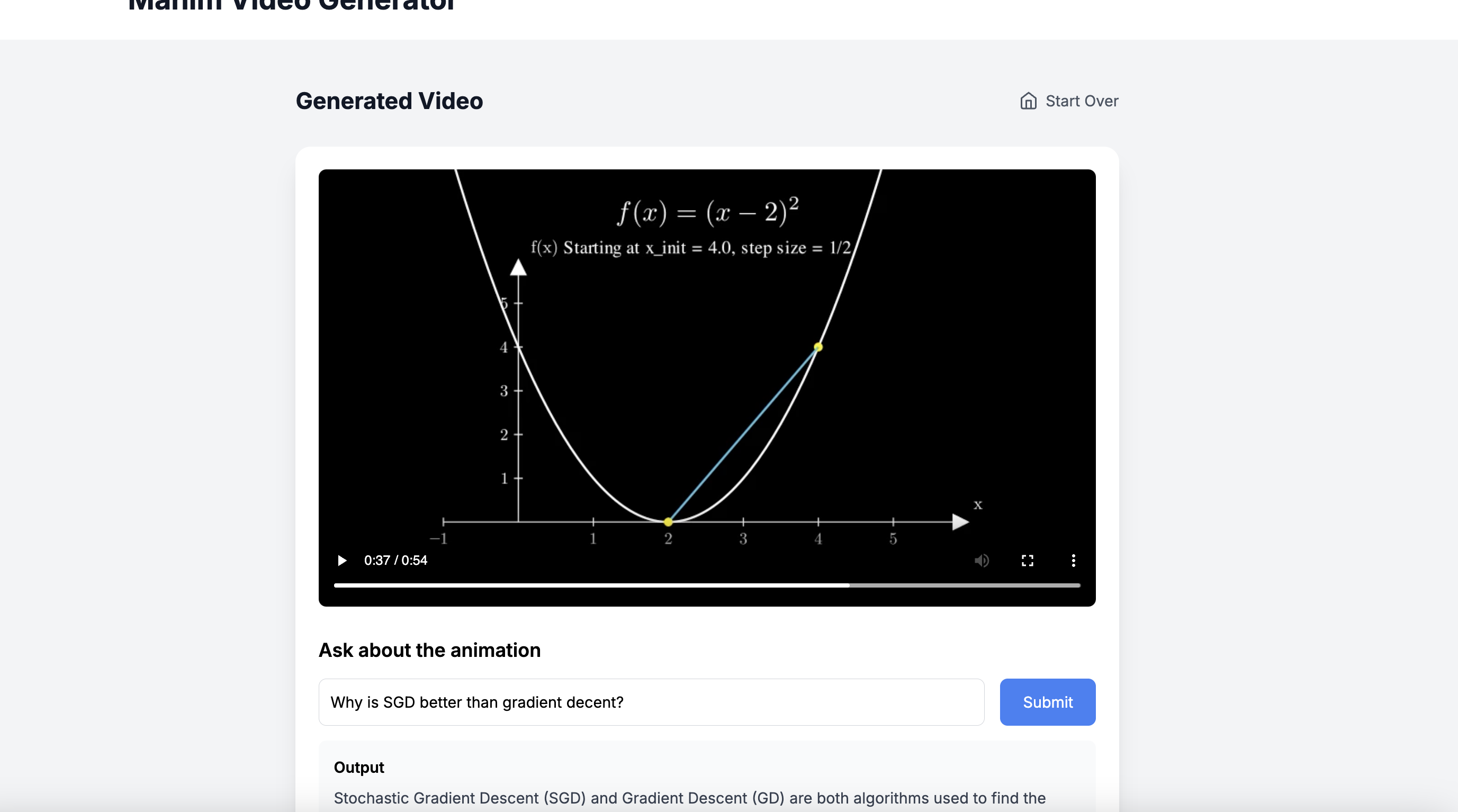
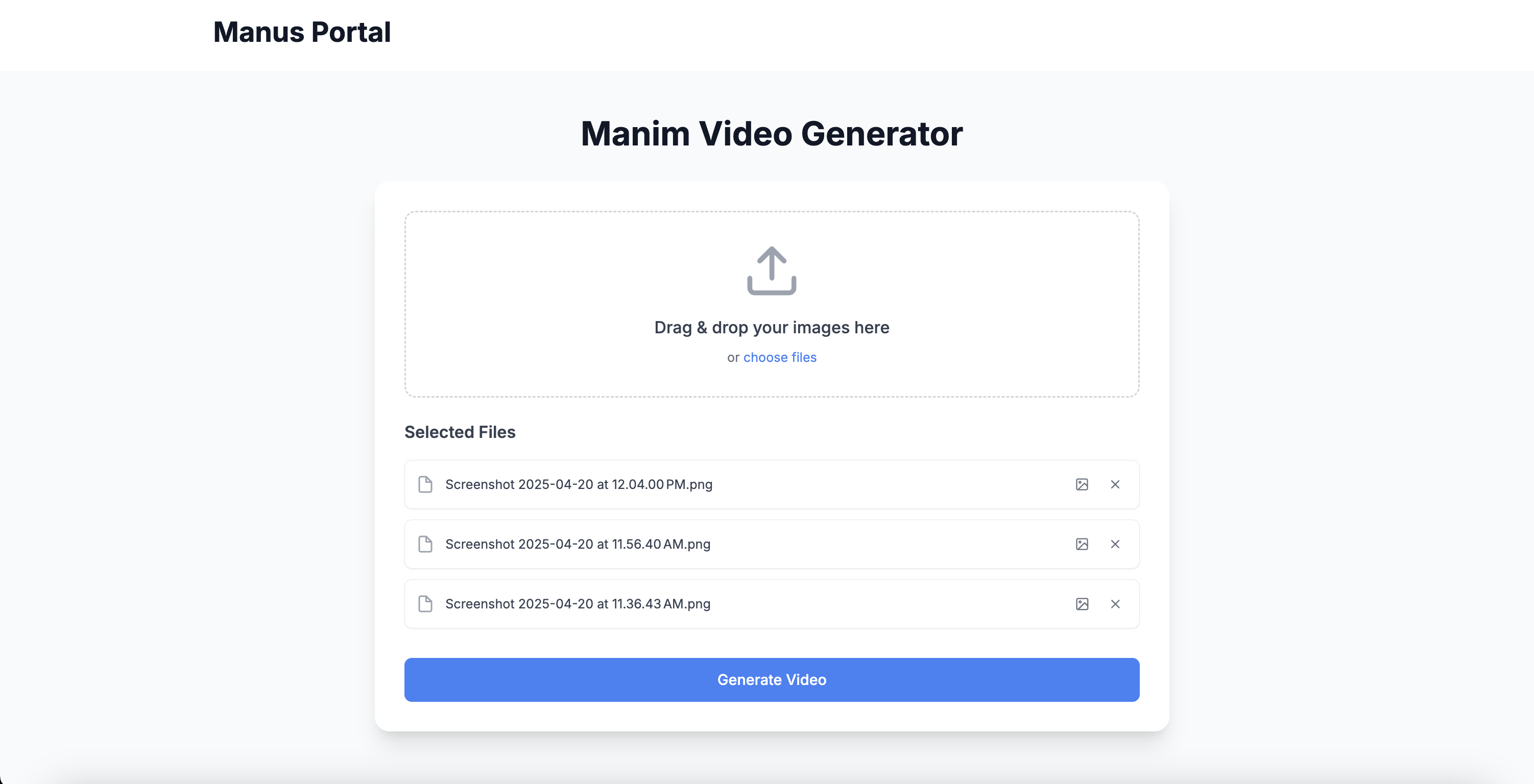
UI of drag-and-drop
-
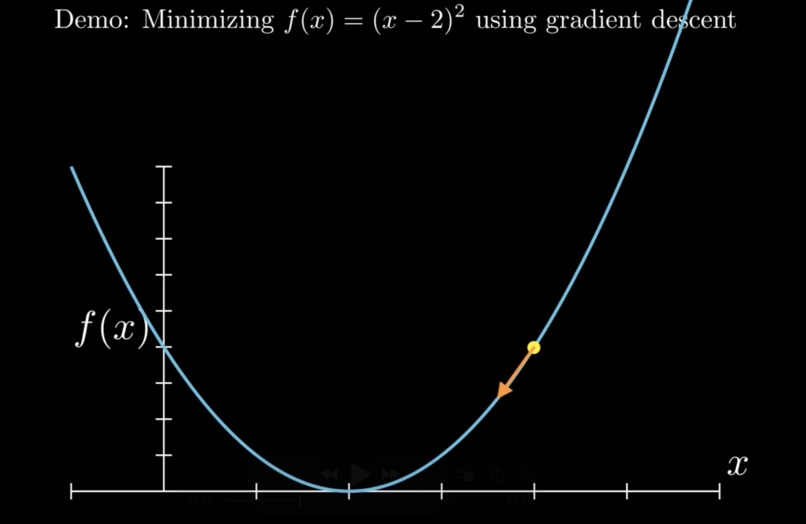
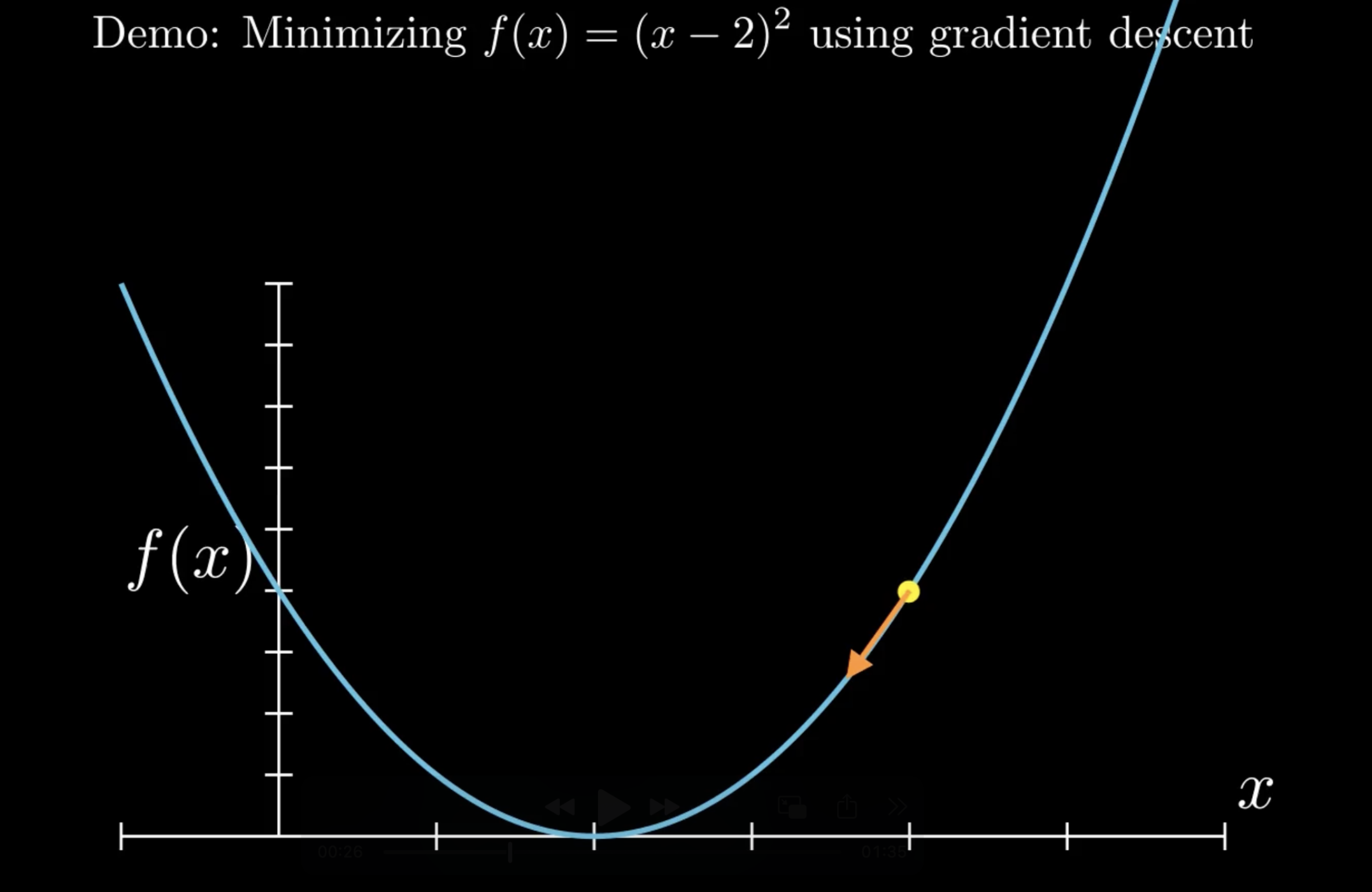
Example snapshot of tutorial
-
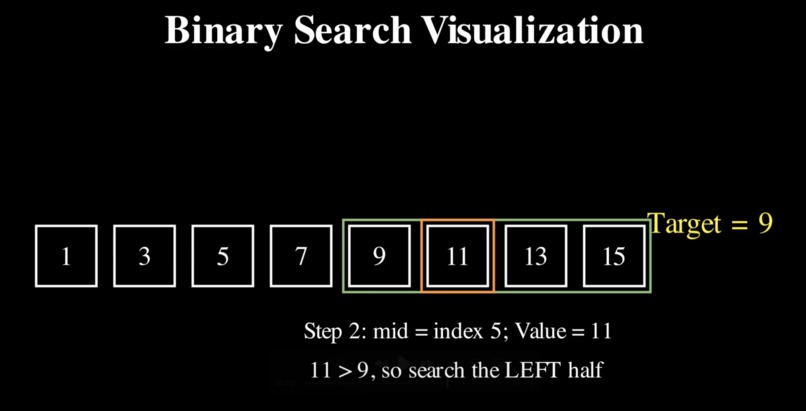
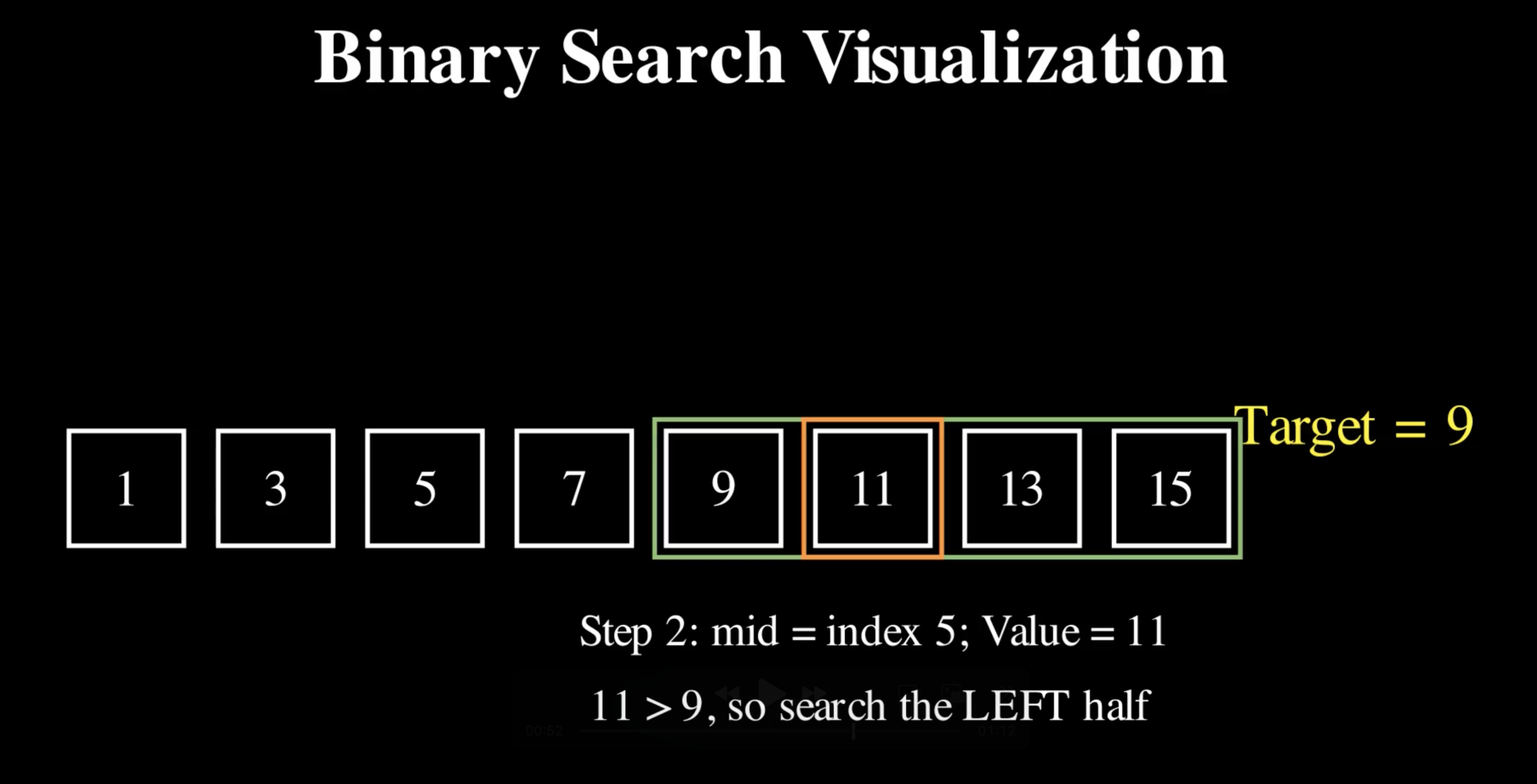
Example snapshot of tutorial
Inspiration
While the integration of AI tools has grown exponentially over the last few years, it is been limited by fundamentally providing video-based material for students and users to understand. This gap has demonstrated a strong barrier in many institutions, as research often demonstrates that video or tutorial based material is a critical way of interpreting information, especially in math and CS related material.
One such roadblock is with understanding advanced topics presented in readings or textbooks – visualizations of these ideas would help alleviate a lot of initial confusion much faster than throwing questions into LLMs or scouring the web for additional content. Oftentimes, existing generative tools can fail by not understanding context or not having enough detail, structure, or organization.
What it does
Manus intelligently ingests any type of material – be it a screenshot of a paper a student is reading or a picture of a page of a textbook – and translates it into a short video that users can walk through to better understand that specific topic.
How we built it
Behind the scenes, there is a lot going on with generating this end result. To accomplish this task, we used Manim, a Python library that can create mathematical animations and represent LaTeX, which are generated in parallel and pieced together into one cohesive video. We leveraged Claude with claude-3-7-sonnet and claude-3-5-haiku.
But Manim isn't a well-versed library compared to something like React or PyTorch. Given its relatively niche nature, we leveraged auto tool use with various functions to recursively scrape and search its HTML documentation, parse important chunks, and create a tree of object dependencies we can walk through to optimally help the model generate compilable animations through a best-of-n method. This was a fun workaround for fine-tuning the Manim docs (which would take too long) and RAG (which would require 3d party embeddings), which, when mixed with citations work efficiently and fit in the context window. These prompts are also cached ephemerally for subsequent requests to save time and compute.
After this data ingestion, the model then understands the user request. We figured using Claude's multimodal capabilities to understand visual inputs would be our strategy (although in the future we can branch out to other modes as well). The user can easily upload an n number of screenshots/photos over a certain topic (we felt copying-and-pasting would be limited as it loses a lot of important detailing, like styling and graphs), which are then processed in real-time and compared against a few-shot series of previous examples we curated and prefilled as well as a system prompt. Through some prompt engineering techniques such as chain-of-thought and wrapping content in XML tags to ensure schema enforcement and understanding, we can successfully compile Manim and then execute it, returning a video to the user in ~1 minute (can take less/longer time depending on video resolution and total length), verses hours a student would lose hunting for a better understanding on their own.
We also developed a full-stack application in Next.js and integrated it with a Python backend. The main benefit of this interface is the lack of friction needed to input and run something. No other method takes an existing context (like a textbook) into account and translates it into ingestible material for a user, let alone in a form that does not rely on more heavyweight frameworks like fine-tuning and RAG. The user can reprompt the model to further explain a topic presented in the video, which is then provided as a text-based output.
Finally, towards the end of the hackathon, we also implemented voiceover using Azure Text to Speech. This audio accompaniment furthers the immersion of this tool, but lining audio up with animation synchronously was quite challenging.
Challenges we ran into
One of the hardest parts was getting Claude to accurately generate Manim, from both a compilation standpoint and video quality standpoint. But through effectively understanding the documentation and careful prompt chains, we were able to better improve this performance a tenfold (although there isn't any official benchmark for video performance yet).
Additionally, we leveraged a technique called self-refine, which agentically compiles and tests Manim outputs in case a problematic one appears, (the probability of a hallucinated element is low, but not zero), and then is able to fix the error and produce a working output video. We could also have an LLM visually look at snapshots of the video and provide suggestions of improvement, but due to token limitations we held off on implementing this for now.
Accomplishments that we're proud of
Experimenting with all that Claude has to offer was extremely exciting, and we're glad we were able to build this end-to-end tool that is available for anyone to use. In the process of making it, we even learning a few things ourselves about the content we were testing on as visualizations help provide people a better understanding of how things work as a whole. Education is a vital part of everyones experience, and using SOTA models to building tools that help others learn better and make things interesting has been the best part of building this project.
What we learned
We learned a lot about the extent of Claude's API, and how it's able to handle so many intricate details that would otherwise go unnoticed and that help with so many specialized tasks.
What's next for Manus
There is still so much to discover. Now that we laid the groundwork for our project, we hope that we can create more custom functionality for various use cases – parameters the user may want to provide (length/quality), multimodal series of types of inputs, or iterative updates/edits the user wants to make to the video. More complex updates can be through fine-tuning and RAG, which we hope to explore as those would enable much better understanding of the documentation and many more examples to refer from. Finally, we want finalize a whole context window for the user to interact with the video – scrub through it, edit sections, or prompt a certain part that may not make sense. As we get more user testing, we will be able to update Manus with more examples and test data that will further improve the quality of this output as well.
Built With
- claude
- manim
- next.js
- python
- typescript


Log in or sign up for Devpost to join the conversation.