-
-
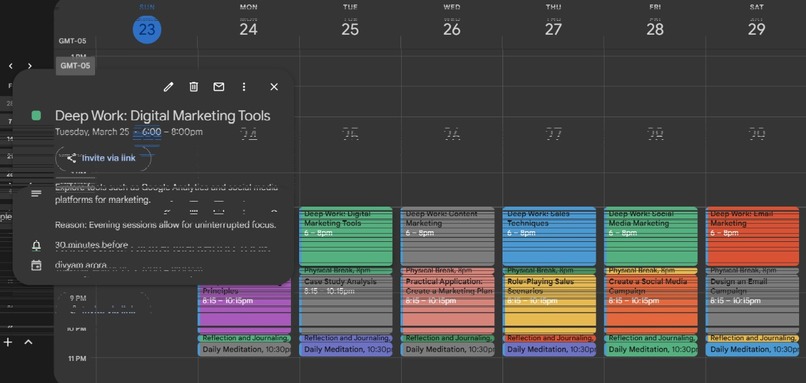
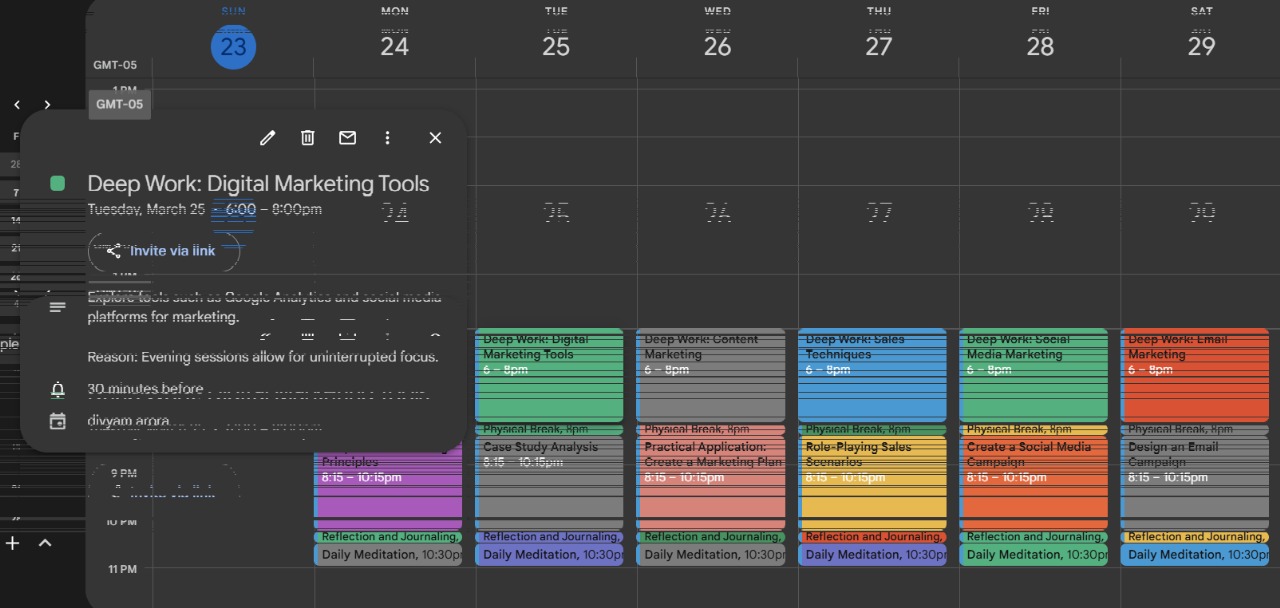
exported schedule to google calendar
WHEN YOU LOGIN WITH GOOGLE , YOU HAVE TO CLICK ON ADVANCED AND GIVE PERMISSIONS FOR CALENDAR
Sustainable Development Goal 4 (SDG 4) : "Ensure inclusive and equitable quality education and promote lifelong learning opportunities for all"
Inspiration
What it does
Manifest AI – Productivity & Goal-Tracking App
A premium, Nebula-themed AI-powered productivity app that helps users achieve their dreams through personalized, scientifically-backed scheduling and habit-building techniques.
Implemented Features
1. Google Authentication
- Secure login with Google OAuth
- User data persistence through Supabase
- Calendar permissions integration for schedule import
2. Dream & Goal Input
- Users enter their dream/goal (e.g., "Become a software engineer")
- Extensive personalization questionnaire:
- Chronotype (morning person/night owl)
- Energy waves and peak productivity times
- Focus style preferences
- Break durations and frequency
- Sleep schedule optimization
- Exercise & meditation integration
3. Fixed Schedule Management
- Import existing commitments from Google Calendar
- Manual addition of classes, work shifts, and regular appointments
- Color-coded events by category (work, class, personal, other)
- Day-by-day schedule view with time slots
4. AI-Generated Smart Schedule
- LangChain-powered schedule generation using GPT-4o-mini
- Personalized daily, weekly, and monthly plans
- Time-blocked schedules respecting user preferences and energy levels
- Weekly and monthly goals with concrete action items
5. Enhanced Dashboard
- Daily mission tracking with task completion
- Goal progress visualization with stats
- Productivity trends and metrics
- Learning resources tailored to user goals
- Energy insights based on user chronotype
- Daily challenges to boost productivity
6. Task Management
- Edit, add, and delete tasks from the generated schedule
- Simple task marking for completion tracking
- Task prioritization system
- Upcoming tasks view
7. Google Calendar Export
- Export generated schedules to Google Calendar
- Maintain schedule across devices and platforms
8. Premium UI/UX
- Dark celestial theme with cosmic design elements
- Glassmorphism cards and containers
- Smooth animations and transitions using Framer Motion
- Responsive design for all device sizes
- Interactive loading screens
Technologies Used
Frontend:
- Next.js 15 – React framework with App Router
- TypeScript – Type-safe JavaScript
- ShadCN UI – Component library for consistent design
- Tailwind CSS – Utility-first CSS framework
- Framer Motion – Animation library for smooth transitions
- Lucide Icons – Modern icon set
Backend:
- Supabase – Authentication, database, and serverless functions
- LangChain – Framework for AI language model applications
- OpenAI GPT-4o-mini – State-of-the-art AI model for schedule generation
Integration:
- Google OAuth – Secure authentication
- Google Calendar API – Calendar import and export
- Vercel – Deployment and hosting
Data Flow:
- User preferences and inputs → LangChain processing → OpenAI GPT-4o-mini → JSON response → Client-side rendering
- Real-time state management with React hooks
- Local storage for persistence of preferences and schedules
Getting Started
First, run the development server:
npm run dev
Open http://localhost:3000 with your browser to see the result.
Environment Variables
Create a .env.local file with the following:
OPENAI_API_KEY=your_openai_api_key
NEXT_PUBLIC_SUPABASE_URL=your_supabase_url
NEXT_PUBLIC_SUPABASE_ANON_KEY=your_supabase_anon_key
GOOGLE_CLIENT_ID=your_google_client_id
GOOGLE_CLIENT_SECRET=your_google_client_secret
Project Structure
src/
├── actions/         # Server actions (schedule generator, Google Calendar)
├── api/             # API integration (auth, goals)
├── app/             # Next.js App Router pages & layouts
├── components/      # Reusable UI components
│   ├── ui/          # ShadCN UI components
│   └── dashboard/   # Dashboard-specific components
├── lib/             # Utility libraries and configurations
├── styles/          # Global styles
Future Enhancements
- Focus Mode – Blocks distractions during work sessions
- Social Accountability – Study rooms for co-working
- Mobile App – Native experience with push notifications
- AI Coaching – Personalized productivity advice based on performance
How we built it
Challenges we ran into
Accomplishments that we're proud of
What we learned
What's next for Manifest AI
Built With
- langchain
- nextjs
- supabase
- typescript


Log in or sign up for Devpost to join the conversation.