-
-
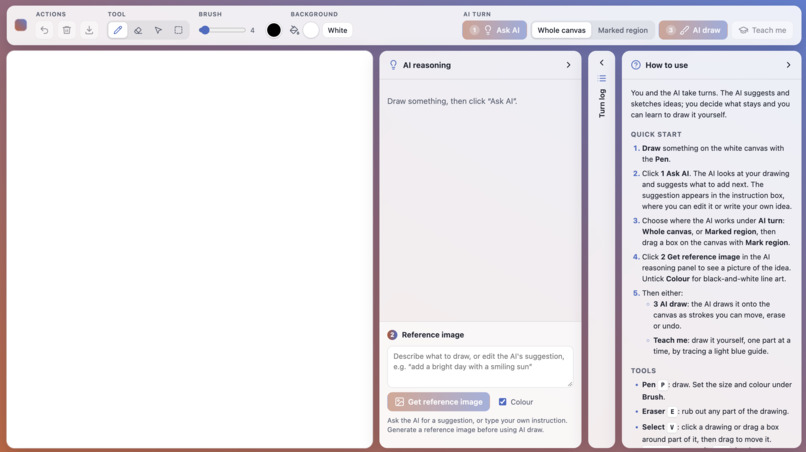
Blank canvas
-
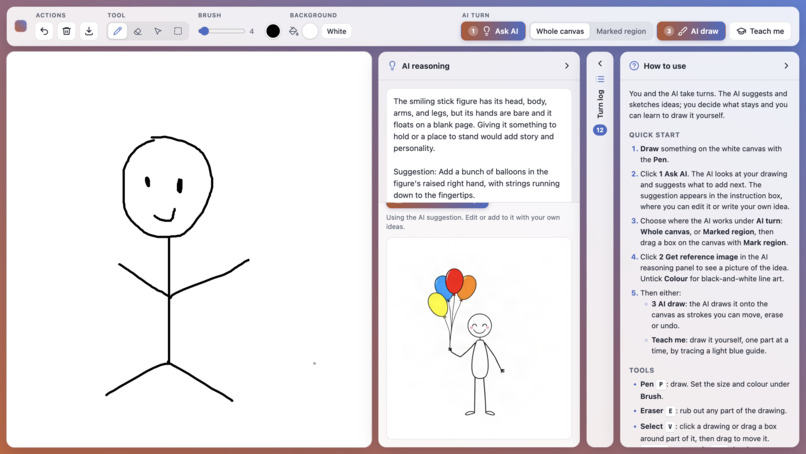
-
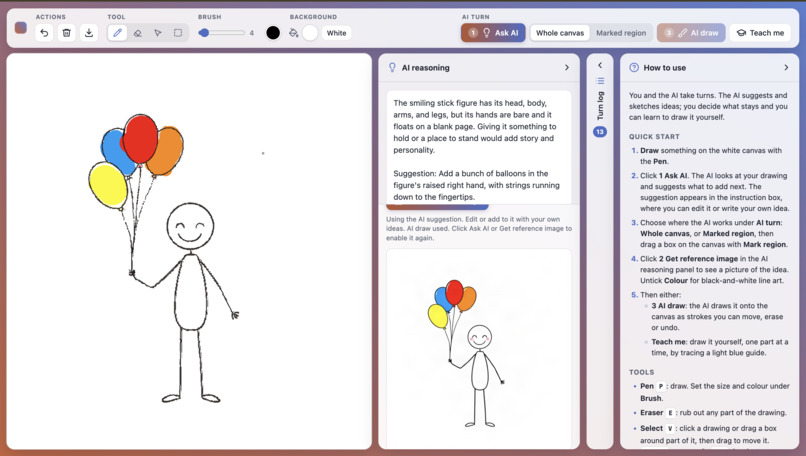
AI drawing guide
-
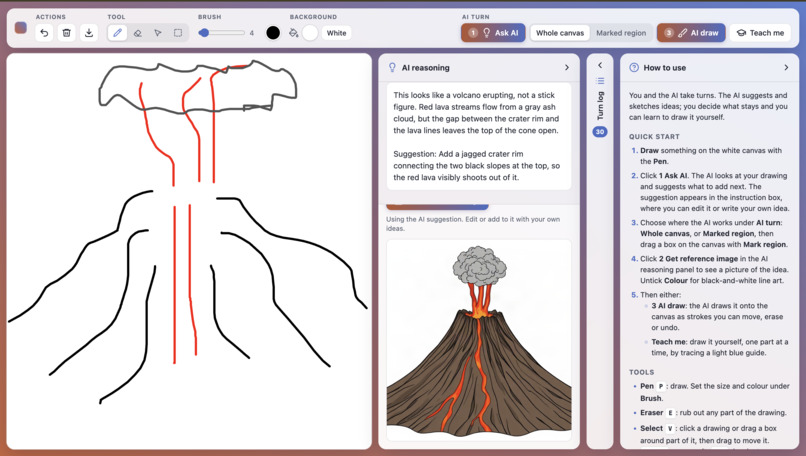
Manifest
Most AI art tools work in one shot: you type a description and get a finished image. That skips the most important part of art, the process of iterating. Manifest keeps that loop and keeps the human in charge of it.
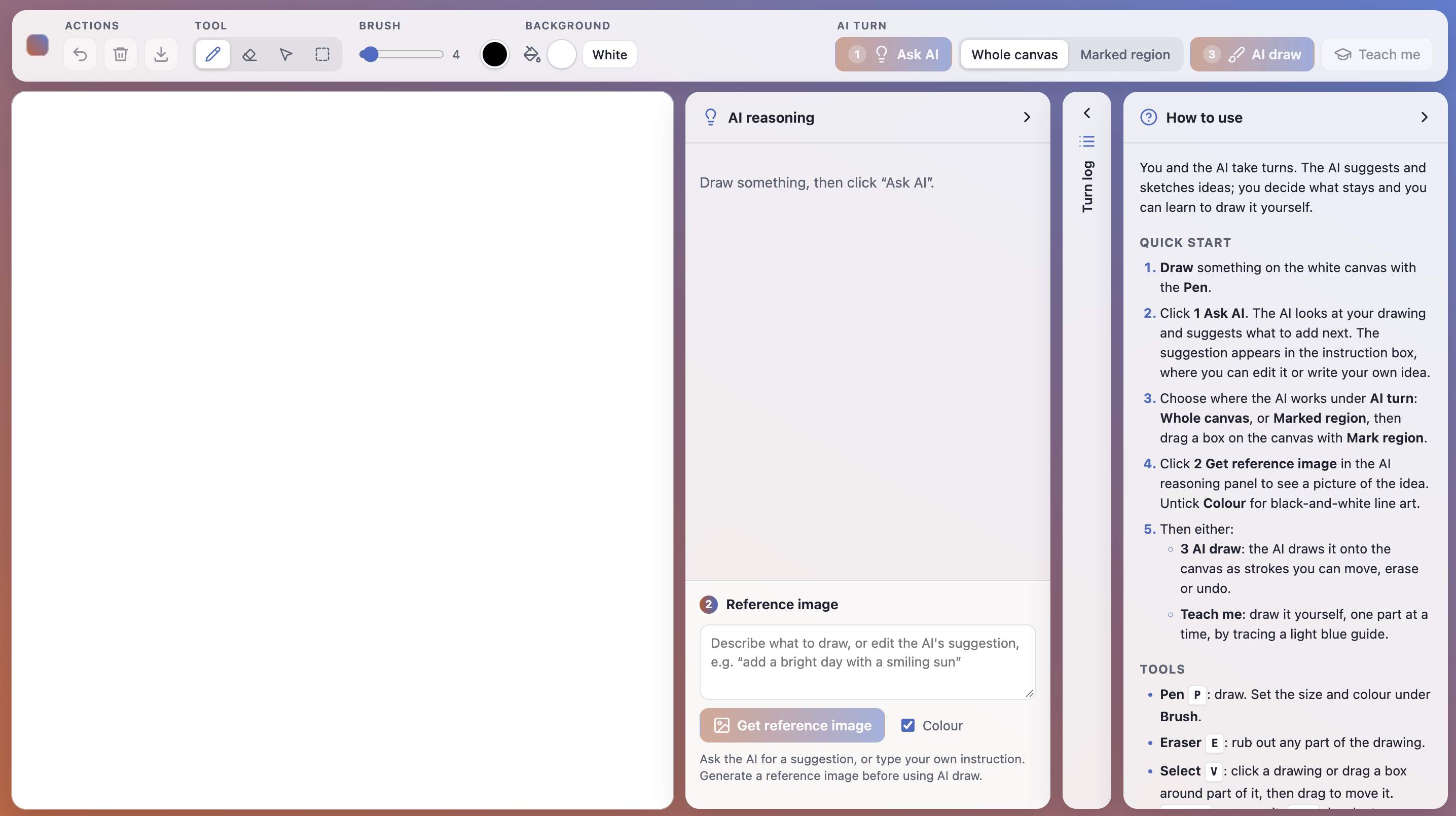
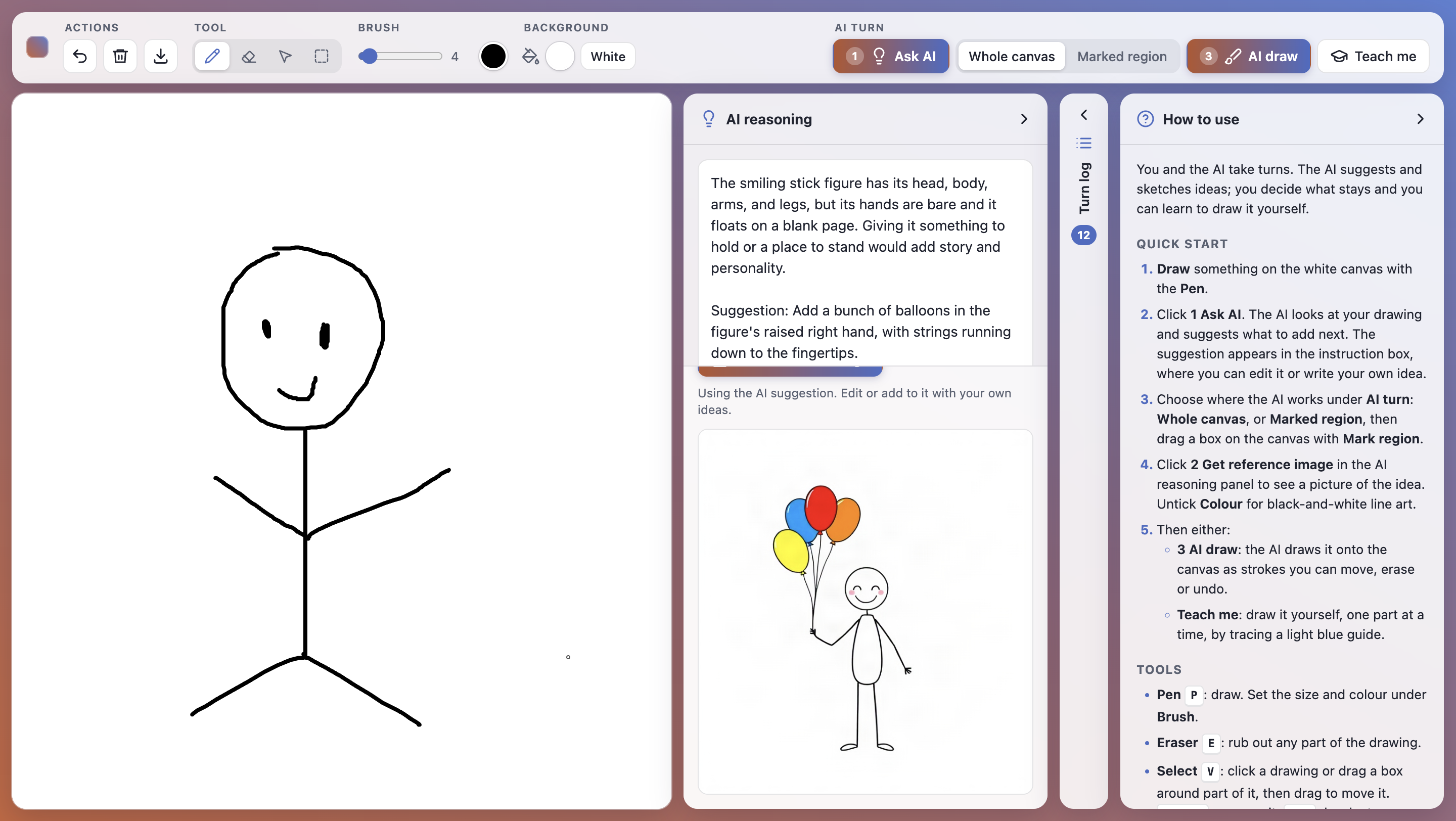
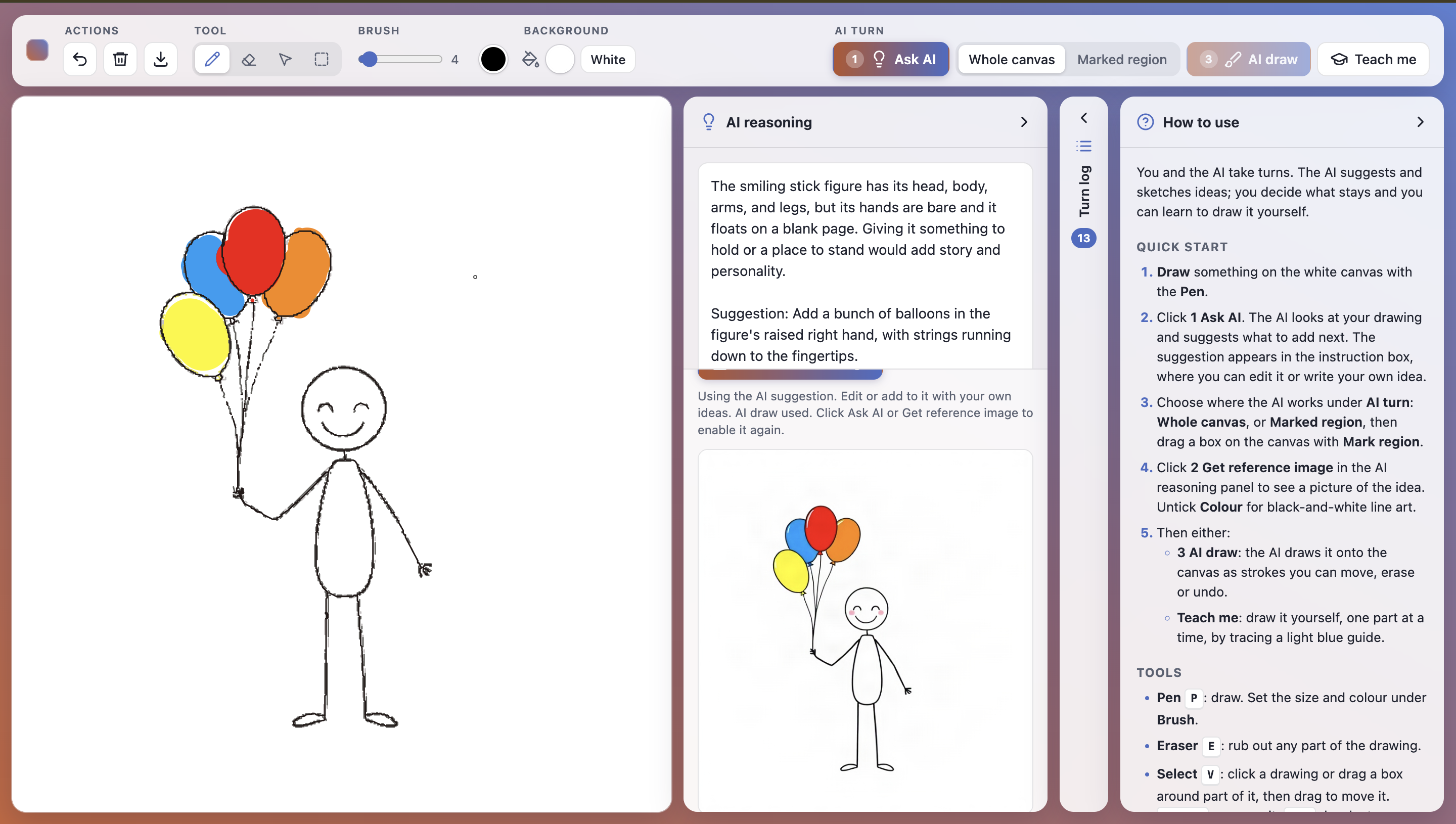
You always make the first mark. The AI then looks at the canvas and suggests what could come next, with a short reason, for example: "add a horizon line, because the figure feels like it's floating." You decide what to do with it. You can draw it yourself, edit the suggestion, or mark a region and have the AI draw it there as ordinary pen strokes you can keep editing.
For people who want to build their own skills, a built-in tutorial breaks each suggestion into simple, step-by-step instructions for drawing the next part themselves. Generic tutorials are never about the piece you're actually making; Manifest teaches you the skills that apply to your goal. The finished piece comes with a record of every creative decision the human made.
We're breaking down the biggest barrier: hand skill. This tool lets anyone make the creative decisions without having to execute every stroke themselves.
Inspiration
Image generators turned "making art" into "describing art." You type a prompt, get a finished image, and maybe regenerate. Even diffusion models, which refine an image over dozens of steps, never pause to ask what the artist wants next, so the human never touches the in-between. Real drawing doesn't work that way. You put down a mark, look at it, think, and decide what comes next. Plenty of people have good taste and clear ideas but don't trust their hands, so they never start. We wanted a tool that keeps every creative decision with the person and removes only the part that stops them: the execution.
What it does
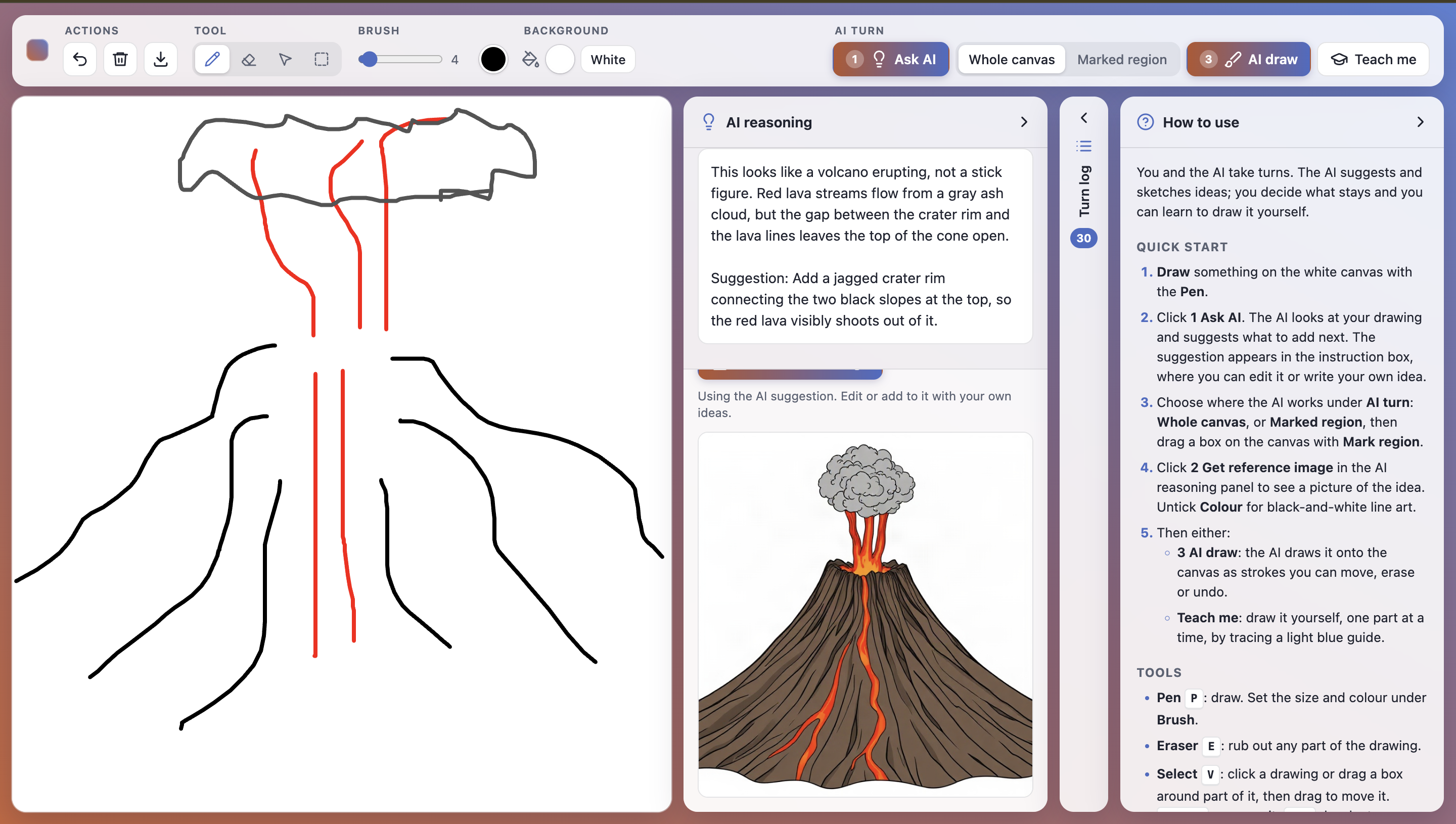
Manifest is a turn-based canvas where a human and an AI take turns drawing, and the human always decides what happens next. You draw first, using a pen, eraser, select/move tool, background fill and undo that all work like a normal drawing app. When you ask the AI for help, Claude looks at the canvas and replies with one or two sentences of reasoning and one concrete suggestion. The suggestion lands in an instruction box, where you can edit it or replace it with your own idea.
From there, you mark a region of the canvas. A planning model works out what that region contains and writes an image prompt for only that part, and FLUX generates a reference image shaped to fit it. Then you choose who executes. You can draw it yourself using the reference as a guide, or press AI draw, and Manifest traces the reference into ordinary pen strokes inside your region. They aren't a pasted-in image, so you can select, move, erase and redraw them like your own lines. If you'd rather learn, the tutorial breaks the suggestion into small steps (shapes first, then outlines, then details), each with a guide overlay you trace yourself.
Every turn is logged with who proposed, who executed, the reasoning and a thumbnail, and you can download the finished piece as a PNG. The AI's style also changes as the piece develops: rough sketches in early turns, line drawing in the middle, and detailed illustration later. Its suggestions grow with the drawing instead of overwhelming it.
How we built it
The frontend is a single index.html built with vanilla JavaScript and the HTML5 Canvas API, with no framework and no build step. It handles all the drawing tools, the turn log, the resizable panels and the stroke tracing. The backend is a small Python Flask server with two endpoints. The first, /api/reason, sends the canvas snapshot to Claude Sonnet 5.5 (vision) and gets back its reasoning and a suggestion.
The second, /api/reference, is a two-stage pipeline. Claude Opus 5.5 first acts as a prompt planner. It sees the full canvas with the target region outlined in red, a close-up crop of that region, and the user's instruction. It works out what the region actually contains (for example, recognizing that a stick figure's round head is a plain circle, not a character), keeps only the part of the instruction that applies there, and writes a precise image prompt that spells out part counts. FLUX schnell on fal.ai then generates the reference image at the region's aspect ratio.
The raster-to-stroke tracer runs in the browser and turns that reference into real pen strokes. It reduces the image to at most eight colours, thins each colour to centrelines, and redraws each centreline with the line width measured at that point in the image. It layers light colours underneath and dark outlines on top, and clips every stroke to the marked region.
Challenges we ran into
Our first plan for AI draw was SDXL inpainting, but its NSFW safety checker kept flagging simple line sketches and replacing them with solid black images. We dropped inpainting and wrote our own tracer that turns a reference image into strokes. Looking back, that was the better design anyway, because the AI's work becomes ordinary pen strokes the human can edit, not a pasted-in image patch.
Keeping the AI in its lane was another challenge. Early references ignored the marked region or redrew the whole scene. Adding a planning step, where one model reasons about the region before another generates the image, made the results match the shapes already on the canvas. The tracer has its own limits: gradients come out as bands of flat colour, and busy textures such as foliage or nets can produce over a thousand strokes, so we tuned the image prompts toward flat fills and capped the tracing resolution.
We also hit plenty of browser and setup problems. The canvas can't trace images loaded from another site because browsers block it, so the server downloads each reference and returns it embedded in the response. Along the way we fought SSL certificate errors in Python and discovered that macOS AirPlay was already using port 5000.
Accomplishments that we're proud of
We're proudest that the AI's output stays editable: anything it draws can be selected, moved, erased or partly redrawn, just like the human's own strokes. The human decides every step. The AI never acts until you've made a mark, and every one of its contributions is a suggestion you can accept, edit or ignore. The turn log keeps a full record of who decided and who drew at every step, which is the evidence that the creative decisions were human. And it's small but complete: a working, polished tool built in a single afternoon, with no frameworks.
What we learned
The most useful design decision we made was separating who decides from who executes. AI tools usually do both together, and pulling "deciding what comes next" apart from "who draws it" shaped everything else. We also learned that model chaining needs structure. Giving the image model a planner that reasons about the canvas first worked far better than writing a smarter single prompt. Finally, simpler held up better: plain JavaScript and a thin Flask server let four people build in parallel and make changes quickly.
What's next for Manifest
Next, we want a smarter tutorial whose steps adapt to how well you traced the last one, with feedback on proportion and line confidence. We want AI-drawn strokes to match the human's line weight and style, so collaborative pieces look like one hand drew them. We plan to add touch and stylus support for tablets, along with modes for people with limited motor control. And we want to export the turn log with the artwork as a "process replay," so people can see how a piece was made, not just the result.


Log in or sign up for Devpost to join the conversation.