Inspiration
Manufacturing and engineering teams often struggle to communicate 3D designs within their documentation. Engineers attach STL files to Confluence pages, but reviewers must download the files and open them in external CAD software just to see what they look like. This creates friction in design reviews, slows down approval processes, and makes it harder for non-technical stakeholders to understand product specifications. We wanted to bridge this gap by bringing 3D visualization directly into Confluence—where teams already collaborate.
What it does
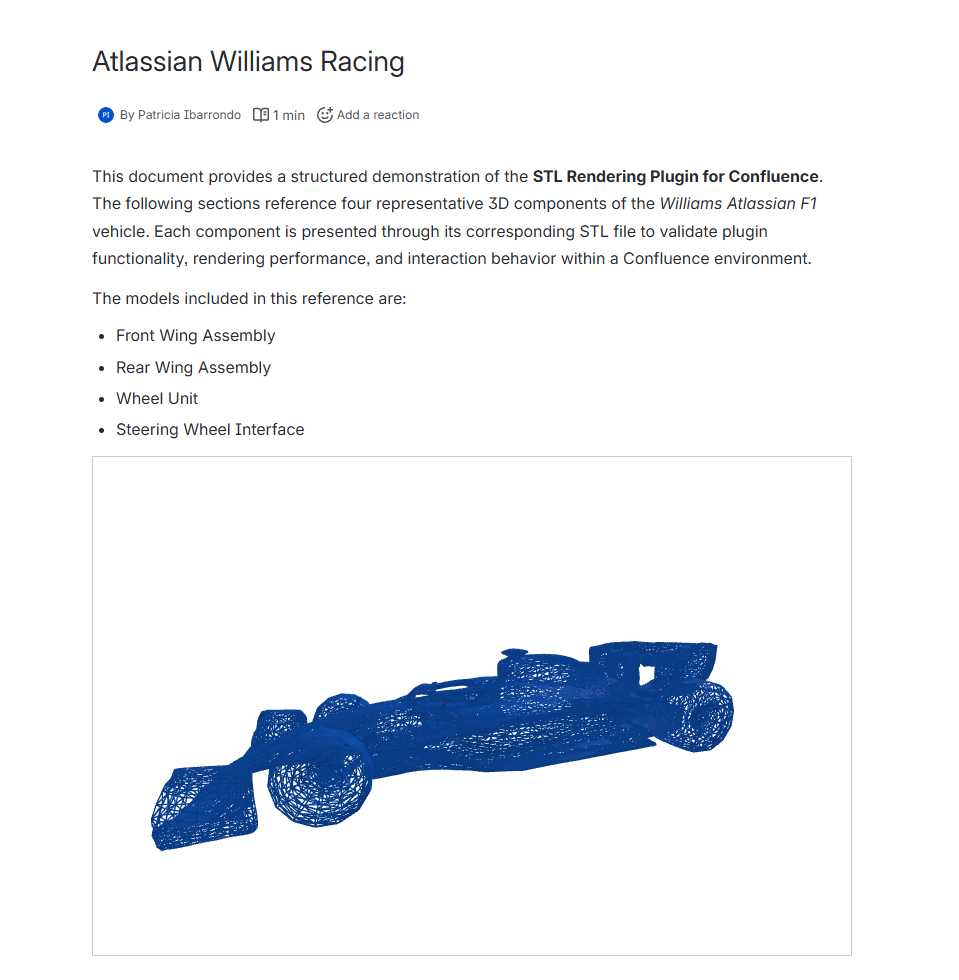
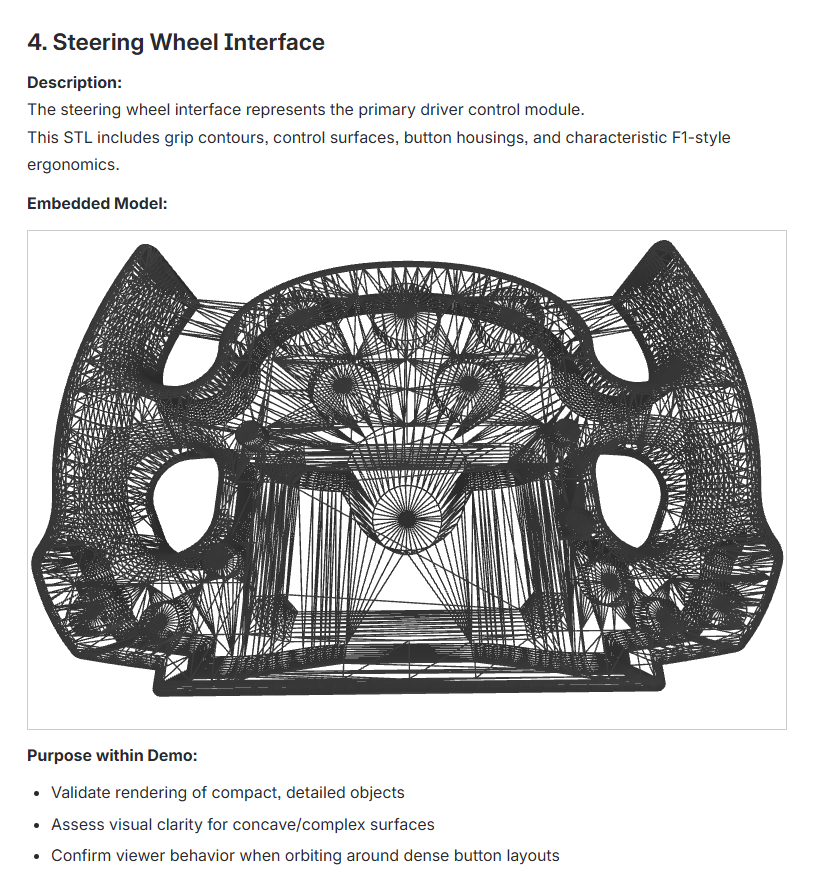
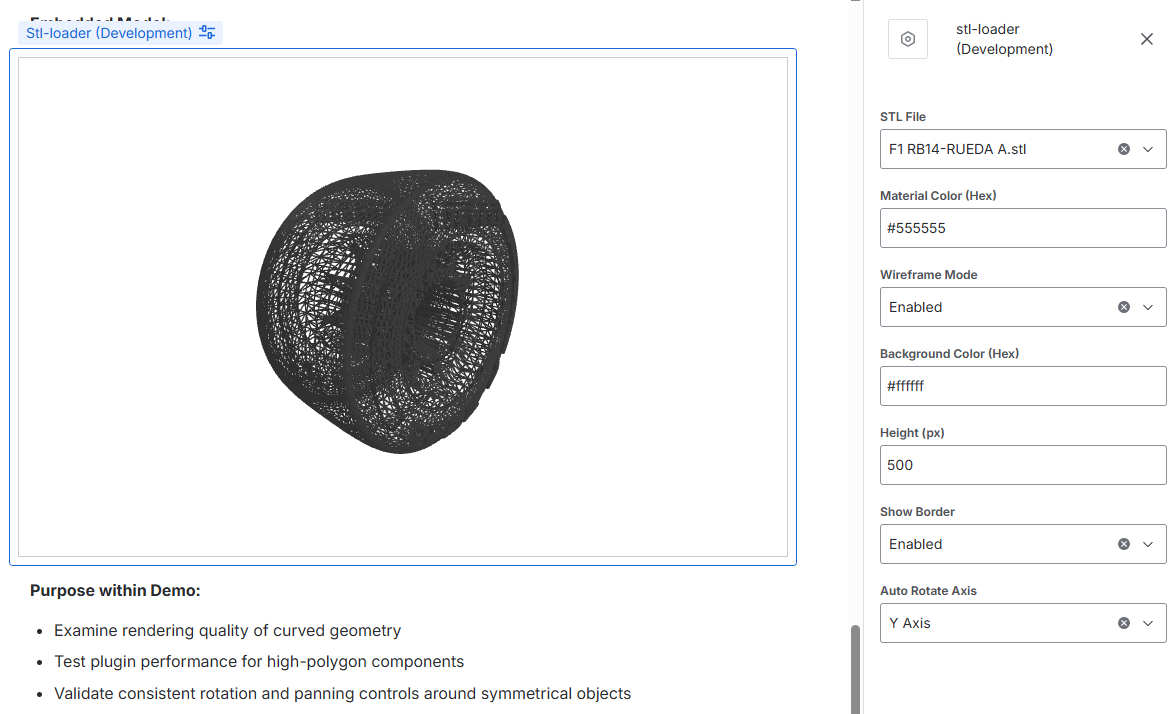
Manufacturing 3D Visualizer is an Atlassian Forge macro that embeds interactive 3D STL models directly inside Confluence pages. Users can: Rotate, zoom, and pan around 3D objects using intuitive mouse controls Customize appearance with configurable material colors, wireframe mode, and background colors Auto-rotate models on any axis for presentations or quick overviews Adjust display settings like height and borders to fit seamlessly into documentation Once embedded, anyone viewing the page can interact with the 3D model—no downloads, no external software, no plugins required.
How we built it
Atlassian Forge for the app platform and Confluence integration React with TypeScript for type-safe, component-based UI Three.js for WebGL-powered 3D rendering and STL parsing OrbitControls for smooth camera manipulation Forge Bridge API to fetch STL attachments directly from Confluence The macro reads STL files attached to Confluence pages, parses them (supporting both ASCII and binary formats), and renders them with proper lighting, shadows, and material properties—all within Confluence's iframe sandbox.
Challenges we ran into
Forge's sandboxed environment limited our access to native WebGL features; we had to carefully manage Three.js rendering within iframe constraints STL format variations—handling both ASCII and binary STL files with proper validation and error handling Camera positioning—automatically calculating the optimal camera distance and angle to fit any model size in the viewport Configuration defaults—ensuring settings like "Show Border" work correctly even before users explicitly save configuration
Accomplishments that we're proud of
Zero-friction 3D viewing—stakeholders can see designs without any setup Intelligent auto-framing—models automatically scale and center regardless of their original size Smooth performance—proper cleanup, shadow mapping, and multi-directional lighting create a professional viewing experience Robust error handling—clear feedback for corrupted files, missing attachments, or parsing failures
What we learned
Deep dive into Three.js geometry handling and WebGL rendering pipelines Atlassian Forge's Custom UI architecture and security model The importance of handling edge cases in file format parsing How to build intuitive configuration interfaces with Forge's limited Config components
What's next for Manfucaturing 3d visualizer
Multi-file assemblies—load multiple STL files into a single scene Annotations—allow users to add callouts and measurements directly on the 3D model Cross-section views—slice through models to show internal geometry Jira integration—embed 3D visualizations in Jira issues for bug reports on physical products STEP/IGES support—expand beyond STL to support more CAD formats Collaboration features—shared viewpoints and real-time cursor positions for design reviews


Log in or sign up for Devpost to join the conversation.