-
-
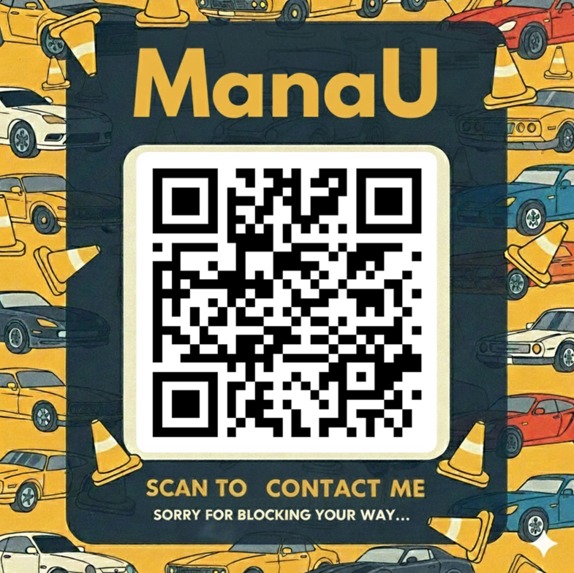
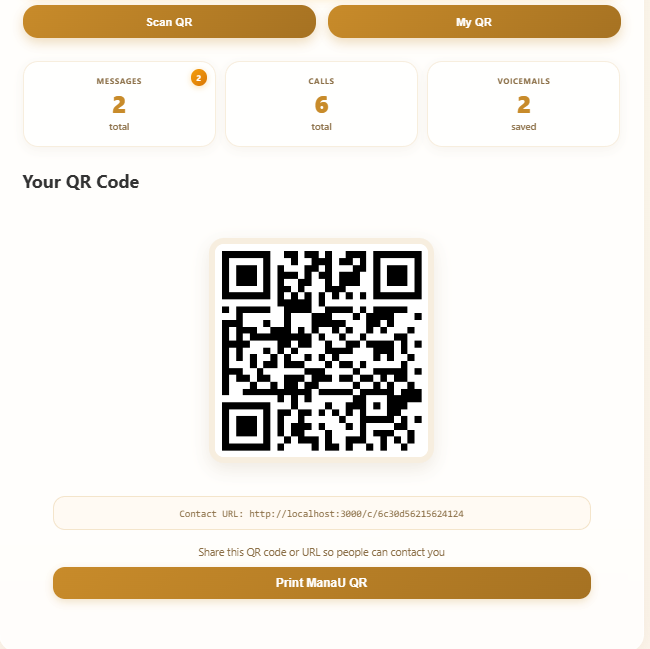
QR code generated
-
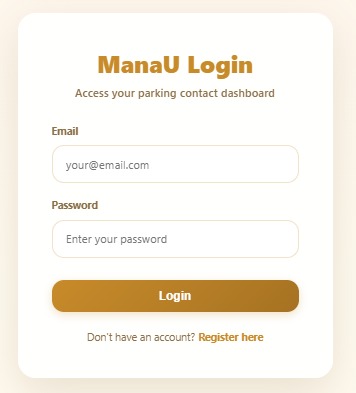
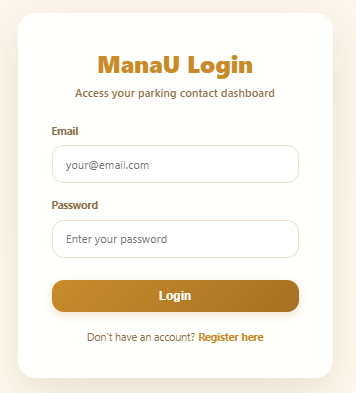
Login page
-
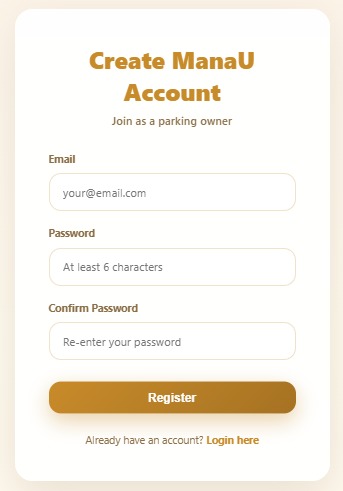
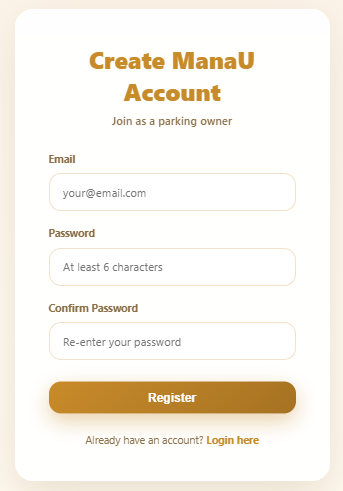
Registration page
-
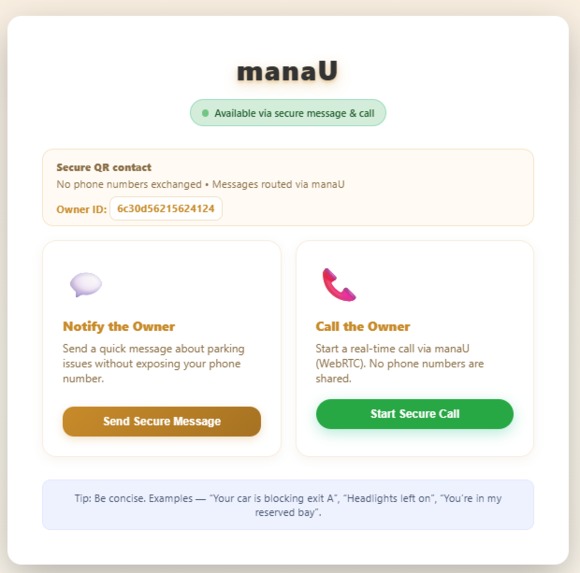
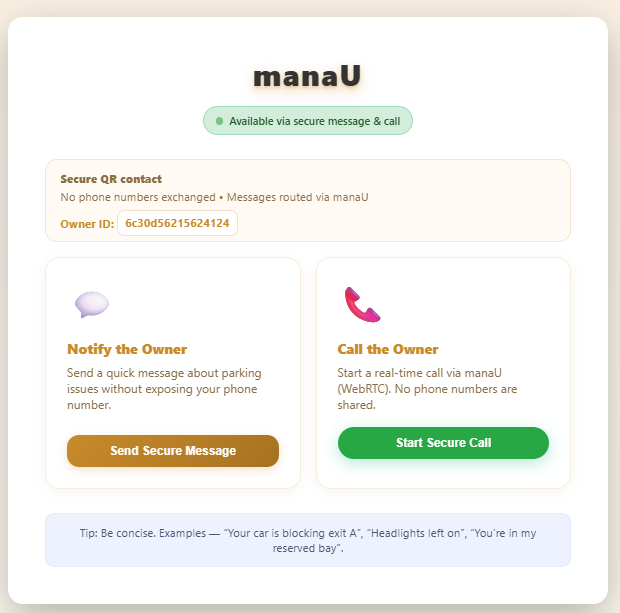
contact dashboard
-
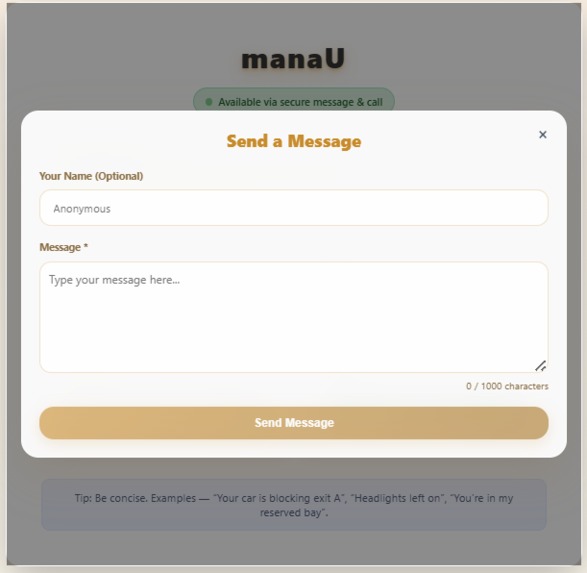
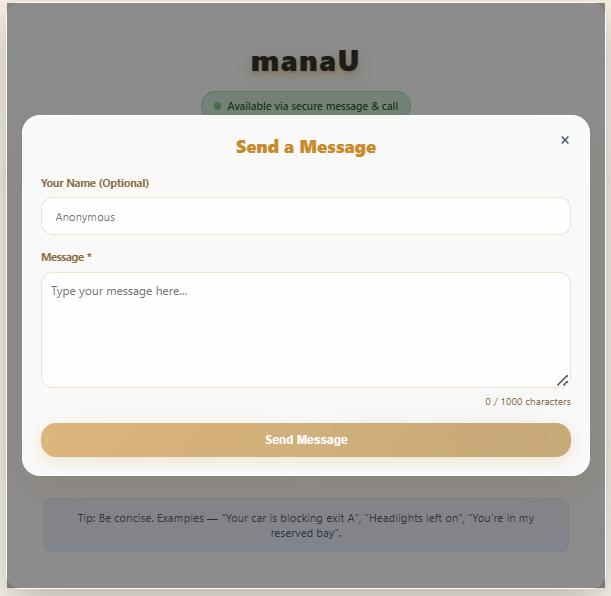
Send message pop up
-
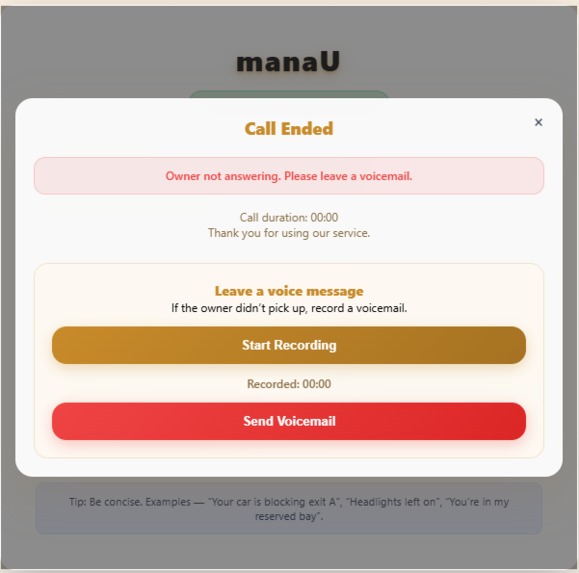
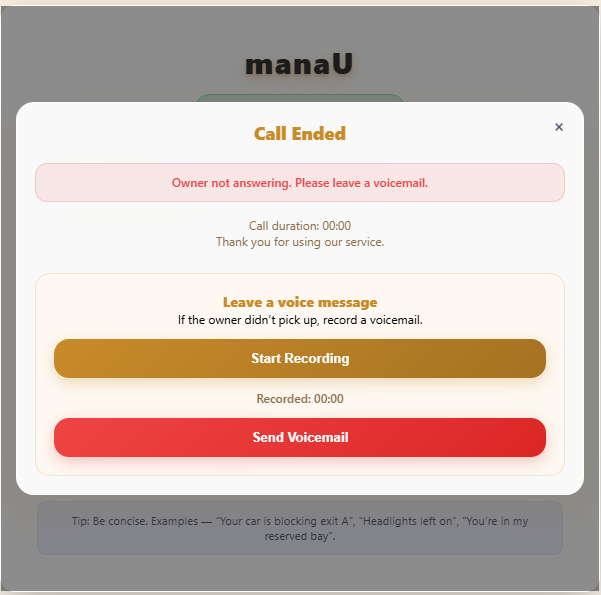
call and send voice message pop up
-
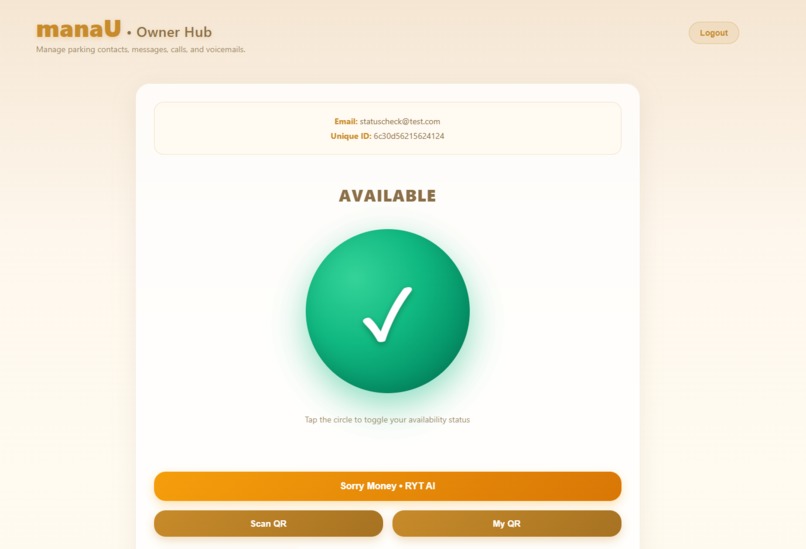
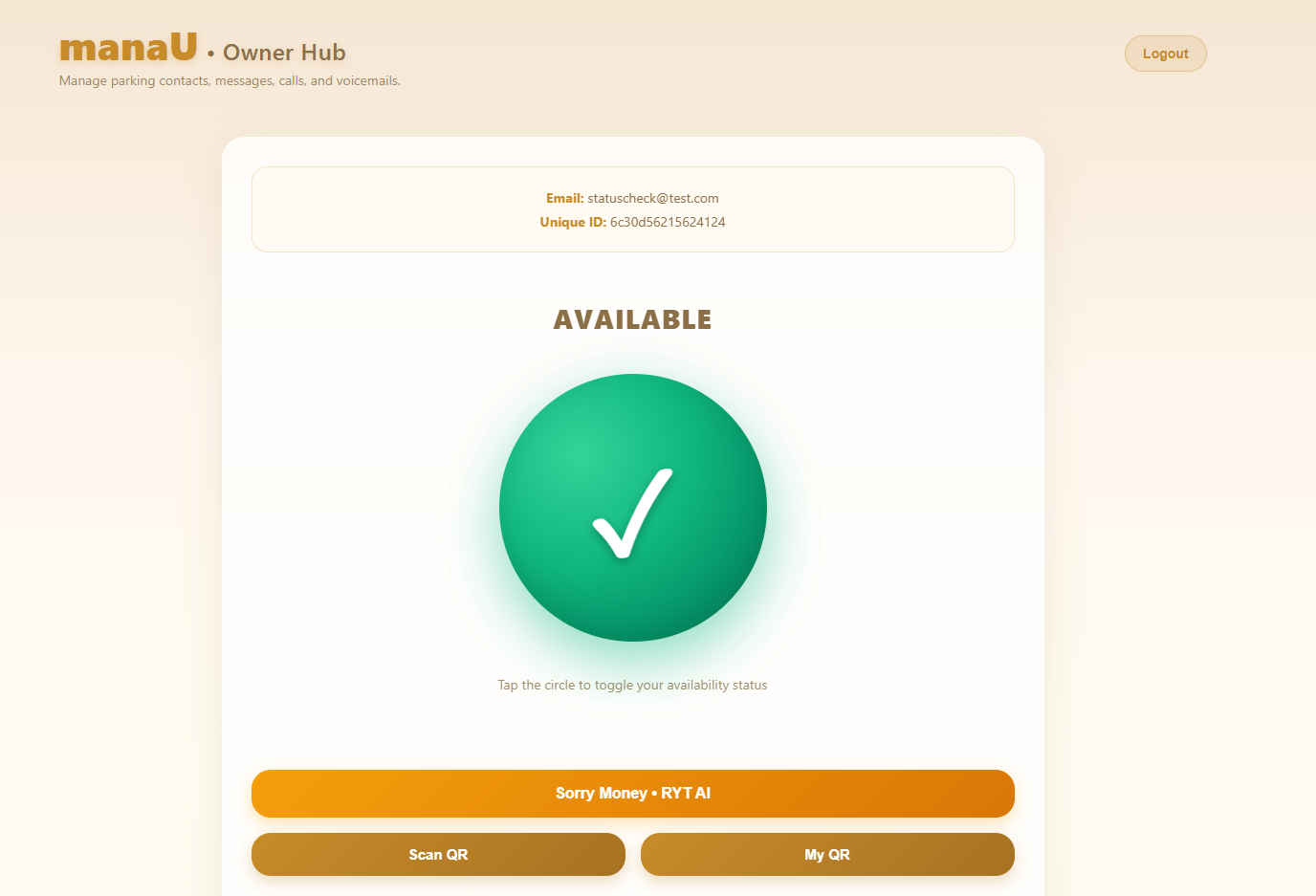
Owner dashboard
-
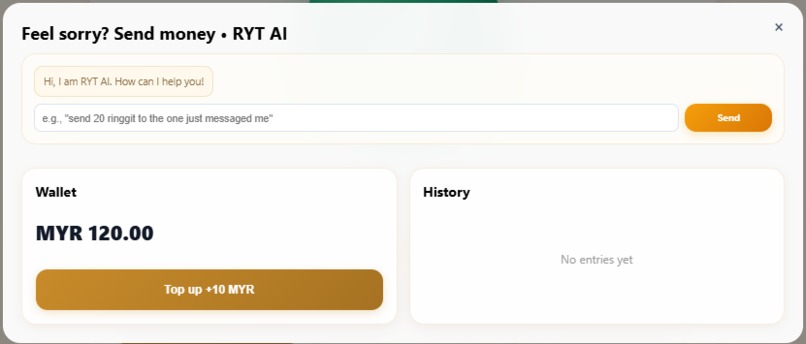
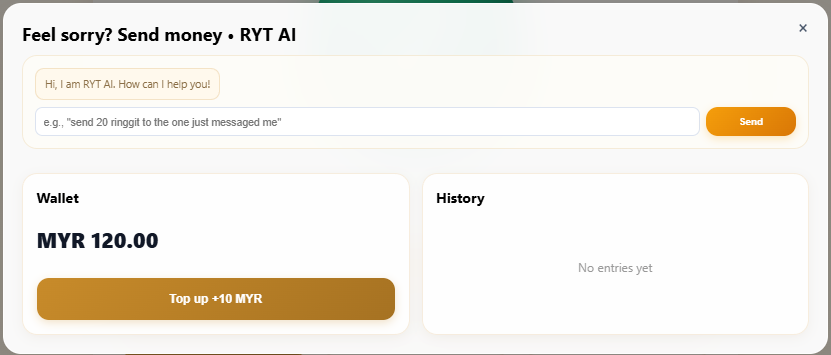
Sorry money dashboard
-
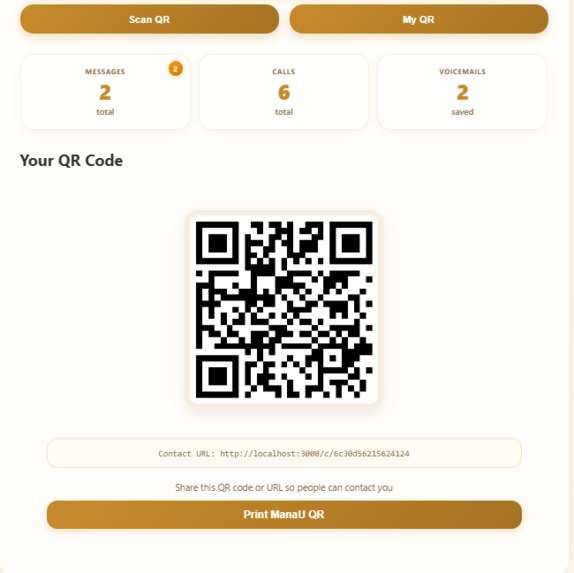
My QR pop up
-
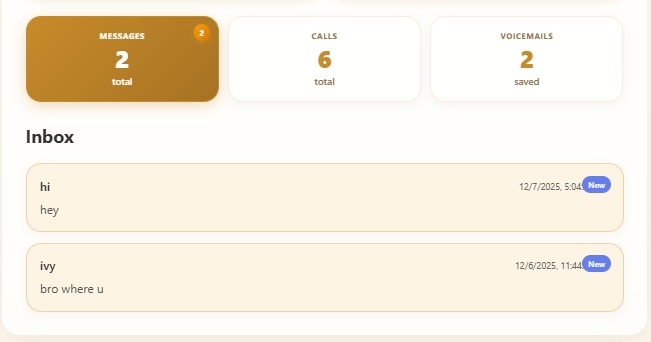
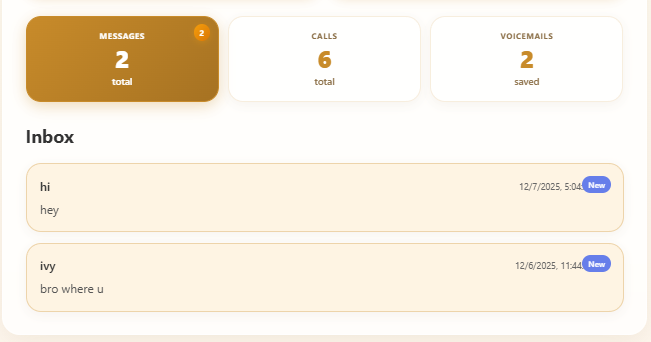
notification dashboard
-
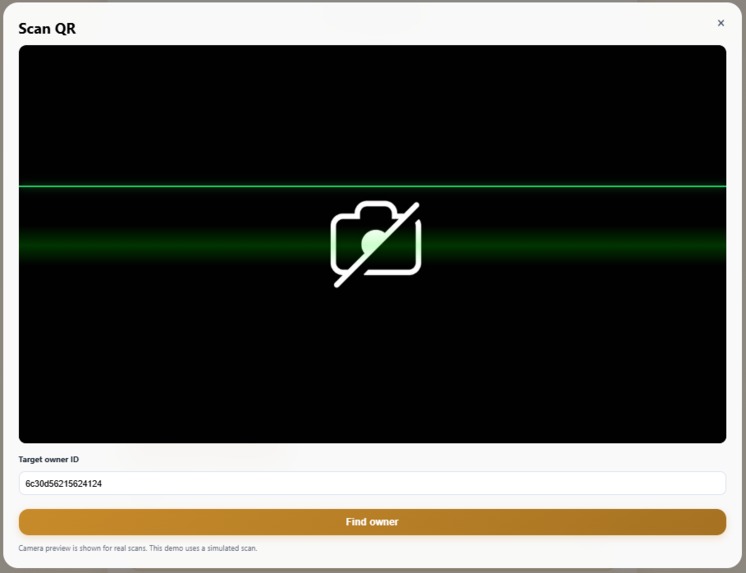
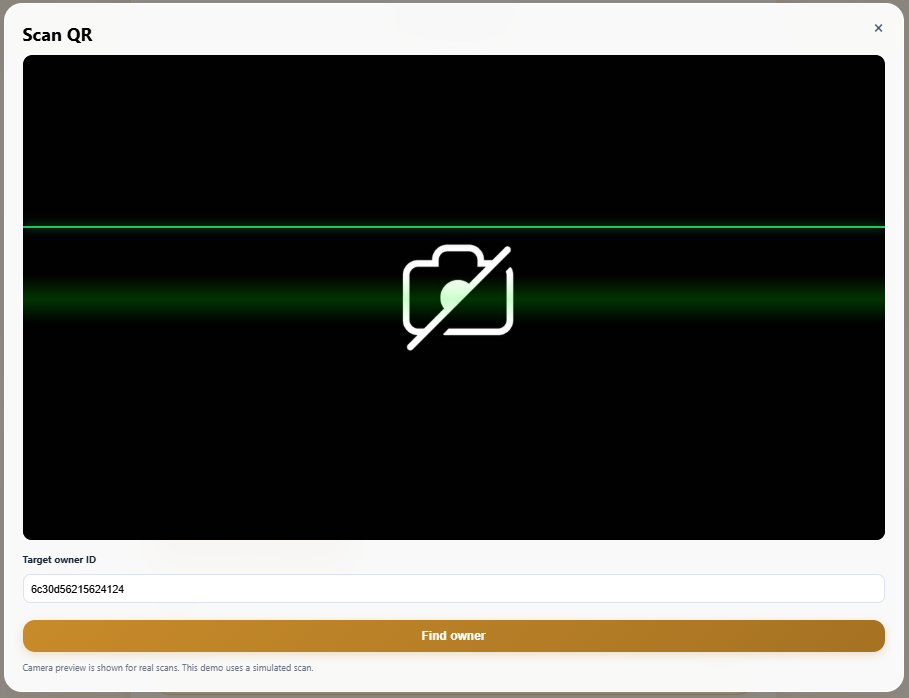
Scan QR pop up
Inspiration
The inspiration for manaU came from my high school days, when every afternoon I would walk to the gate excited to go home, only to find my car blocked by someone who had double parked. I always had to wait for a person I didn’t even know, and it was frustrating because this kind of problem happens a lot. Most people don’t double park on purpose; they simply couldn’t find parking or didn’t have an easy and private way for others to contact them. Leaving a phone number on the car isn’t safe because it exposes personal information, so we created manaU to let people communicate about parking problems without showing their phone numbers by using QR codes and anonymous messages.
What it does
manaU is a comprehensive privacy-focused parking contact system that enables secure, anonymous communication between vehicle owners and people who need to reach them. For vehicle owners, the platform provides a smart availability control interface with an interactive green-red circle that allows them to toggle their status with a single tap. Owners can generate, view, and print professional QR code posters for their windshields, and manage all incoming messages, calls, and voicemails through an elegant dashboard. A built-in voicemail system lets callers leave voice messages that owners can play back at any time. The system also includes Sorry Money • RYT AI, a unique chatbot-powered payment feature that uses natural language processing to send compensation funds through simple natural-language commands. Additionally, owners can use the integrated QR scanner with live camera preview to scan other users’ codes and contact them about parking. For people seeking to contact an owner, manaU supports anonymous messaging, secure WebRTC calls, and voicemail recording, all without requiring any registration. Throughout every interaction, the platform maintains strict privacy by ensuring that no phone numbers are ever revealed.
How we built it
I built it using Cursor, and the system’s backend is powered by Node.js with Express, which handles the RESTful API for authentication, messaging, and coordinating calls. MongoDB serves as the NoSQL database for storing user profiles, messages, call logs, and voicemail metadata. Real-time communication is enabled through Socket.io, which manages the WebRTC signaling needed for peer-to-peer voice calls. Security is enforced using JWT for authentication and bcrypt for password encryption, supported by Express rate limiting to prevent spam and abuse. Multer handles file uploads, particularly for storing voicemail audio files. On the frontend, the application uses React 18 with Vite for a fast, modern development experience, while React Router DOM manages navigation. Real-time features rely on Socket.io Client together with Simple-Peer for the WebRTC layer. For QR scanning, the system uses @zxing/browser, and jsPDF handles the generation of printable QR code posters. API communication is streamlined through Axios, tying the frontend and backend together efficiently.
Challenges we ran into
WebRTC Connection Reliability Problem: WebRTC is notorious for NAT traversal issues, and calls often failed due to firewall configurations. Solution: We added multiple STUN servers and forced WebSocket transport:
const configuration = {
iceServers: [
{ urls: 'stun:stun.l.google.com:19302' },
{ urls: 'stun:stun1.l.google.com:19302' }
]
};
Voicemail Implementation Challenges: Browser microphone permissions, Audio format compatibility, File storage on the server, Playback synchronization Solution: We implemented robust error handling, used the MediaRecorder API for audio recording, stored files as binary blobs, and served them through Express static middleware with correct MIME types to ensure smooth playback.
QR Code Scanning with Live Camera Initially, the system had only a "simulate scan" placeholder. Implementing actual QR scanning required webcam access and live processing:
navigator.mediaDevices.getUserMedia({ video: { facingMode: 'environment' } })
.then(stream => {
const codeReader = new BrowserMultiFormatReader();
return codeReader.decodeFromVideoDevice(undefined, 'video', callback);
})
.catch(handleError);
Solution: We integrated @zxing/browser and added a scanning-laser visual effect to enhance user experience and show scanning feedback in real time.
Natural Language Processing for Sorry Money Building a chatbot capable of interpreting commands like "send 20 ringgit to the one who just messaged me" required custom NLP logic. Technical approach: $$ Amount=extract(pattern: /(\d+(\d˙+)?)/) Recipient={ lastMessage.sender if "messaged"∈input lastCall.caller if "called"∈input $$ Solution: We built a smart parser that identifies amounts, determines the intended recipient based on recent interactions, and generates confirmation prompts with approve/decline buttons for user safety.
Accomplishments that we're proud of
Complete Privacy Protection We successfully built a system where zero phone numbers are ever exposed. The privacy equation: $$ \text{Privacy}{\text{manaU}} = \frac{\text{Communication}{\text{effective}}}{\text{Data}_{\text{exposed}}} \rightarrow \infty $$ All communication happens anonymously through QR codes, WebRTC, and message routing.
AI-Powered Payment System The "Sorry Money • RYT AI" chatbot is genuinely innovative. Users can speak naturally and the AI understands context, identifies recipients, validates balances, and processes transactions.
Real QR Scanning The live camera QR scanner with the animated scanning laser provides a professional, app-like experience directly in the web browser.
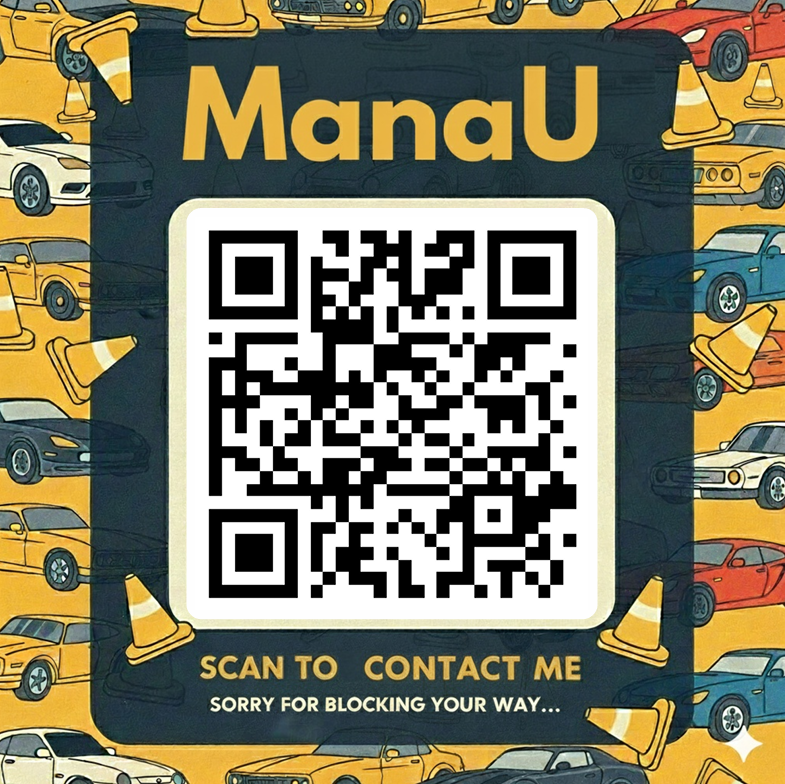
Dynamic PDF Generation Users can generate beautiful QR code posters using their own template images, with the QR code perfectly centered and rounded - ready to print and display.
$$ \text{QR}{\text{size}} = 0.52 \times \min(\text{width}, \text{height}){\text{template}} $$
$$ \text{QR}{\text{position}} = \left(\frac{\text{width} - \text{QR}{\text{size}}}{2}, \frac{\text{height} - \text{QR}_{\text{size}}}{2}\right) $$
What we learned
- WebRTC Mastery - Deep understanding of STUN servers, ICE candidates, peer connections, and NAT traversal
- Real-Time Architecture - Coordinating Socket.io signaling with WebRTC data channels
- Audio Processing - Browser APIs for recording, storing, and streaming audio
- QR Technology - Both generation (server-side) and scanning (client-side)
- PDF Generation - Dynamic document creation with custom templates
- Docker Orchestration - Multi-container applications with service dependencies
What's next for ManaU
Multi-language Support - Add Malay, Mandarin, and Tamil for Malaysian market Call History Analytics - Show peak contact times, response rates Custom QR Templates - Marketplace of professional poster designs
Built With
- css
- dockerfile
- html
- javascript
- powershell

Log in or sign up for Devpost to join the conversation.