-
-
Figma Desgins
-
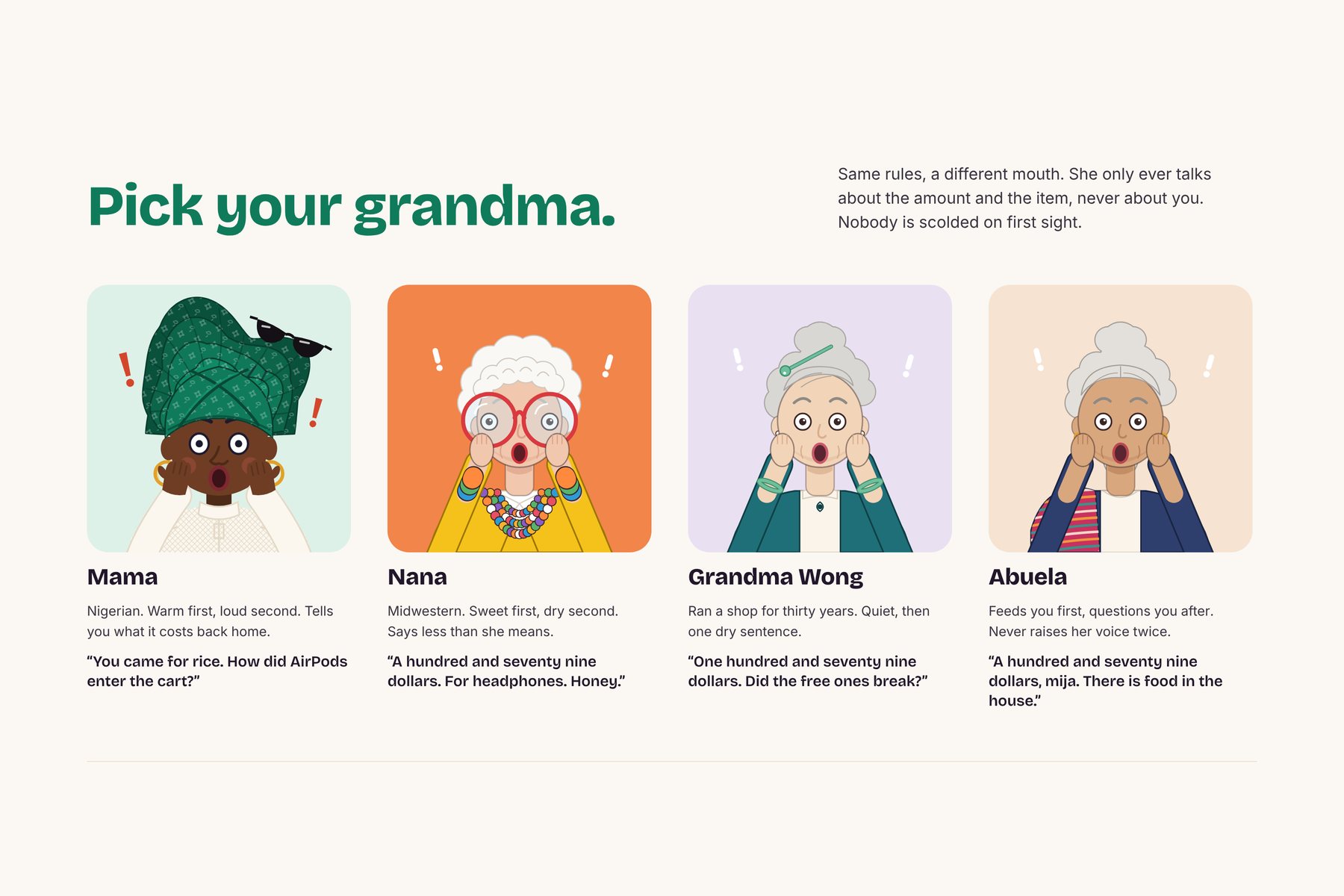
Picking your avatar
-
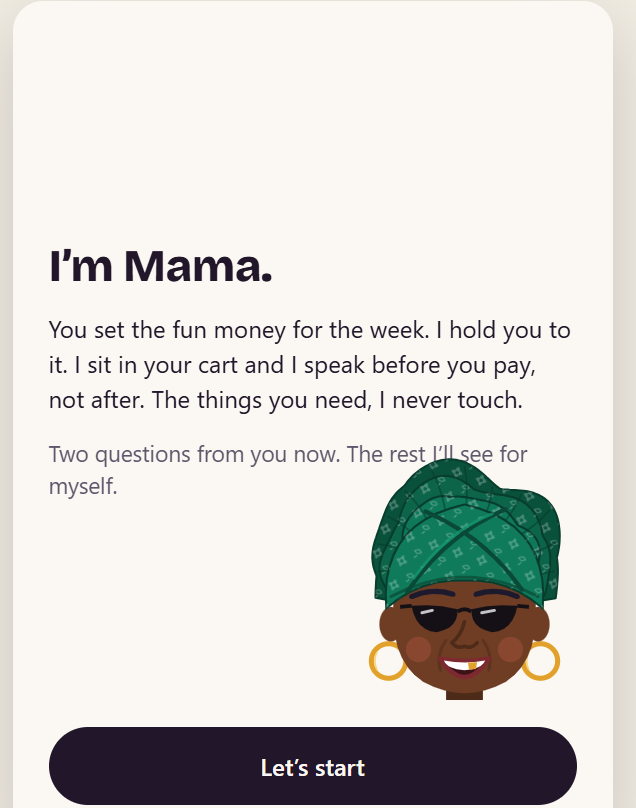
Mama Budget intro
-
-
-
-
-
-
-
-
Inspiration
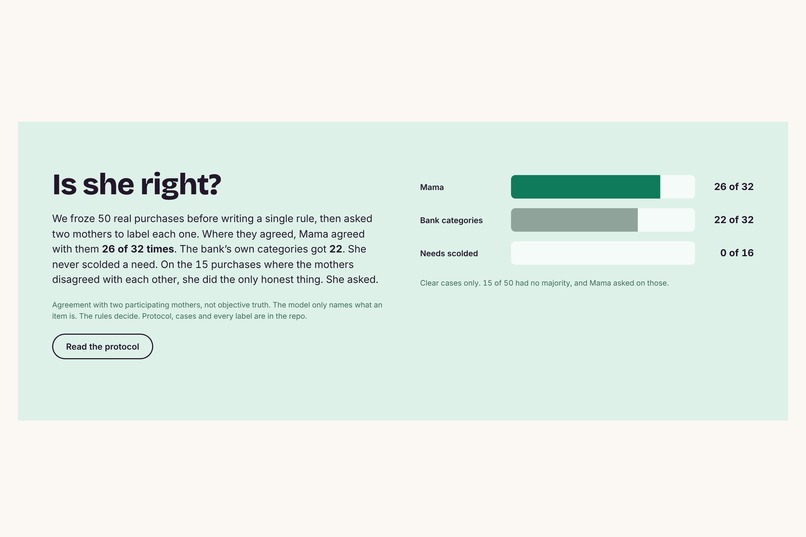
We are both Nigerian international students. Growing up, if you asked for takeaway, you got one answer: "there is rice at home." Budget apps never did that for us. They report after the money is gone, in a chart nobody opens, and they sort by store, so a Target run is "shopping" whether you bought rice or AirPods. They also treat money sent home to family as spending. We wanted the person who says something at the moment it matters, and who knows the difference between a need and a want.
What it does
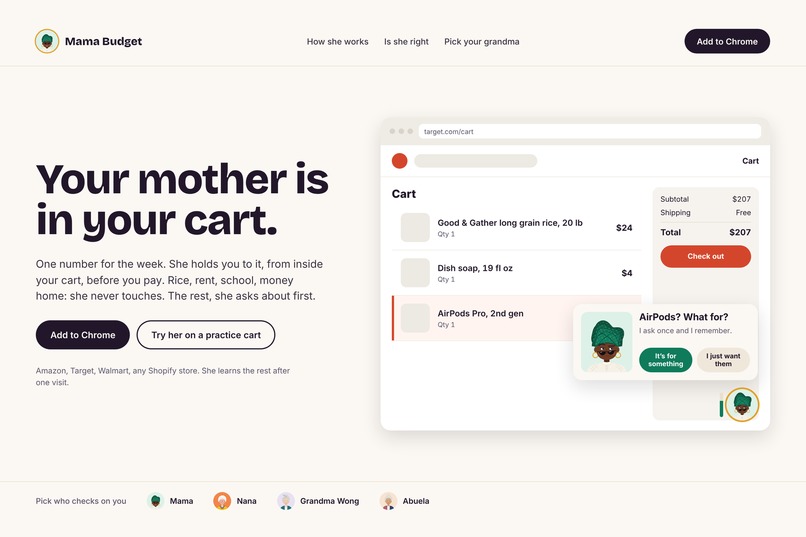
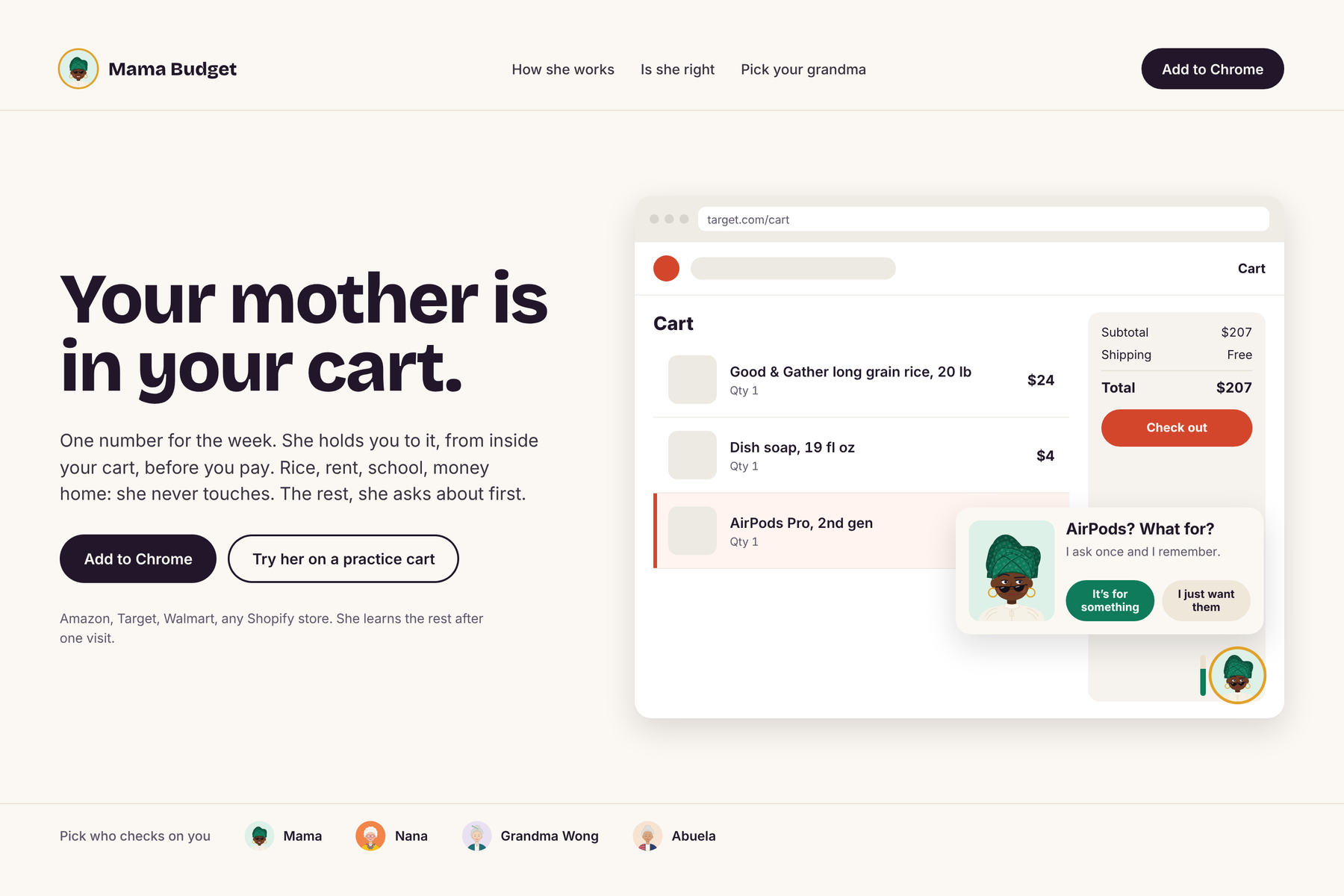
Mama Budget is a Chrome extension with a grandma who watches your money at two moments.
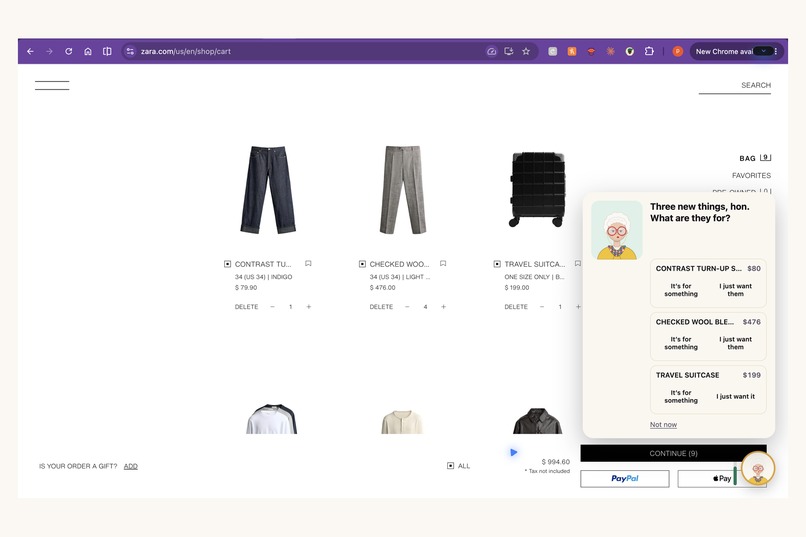
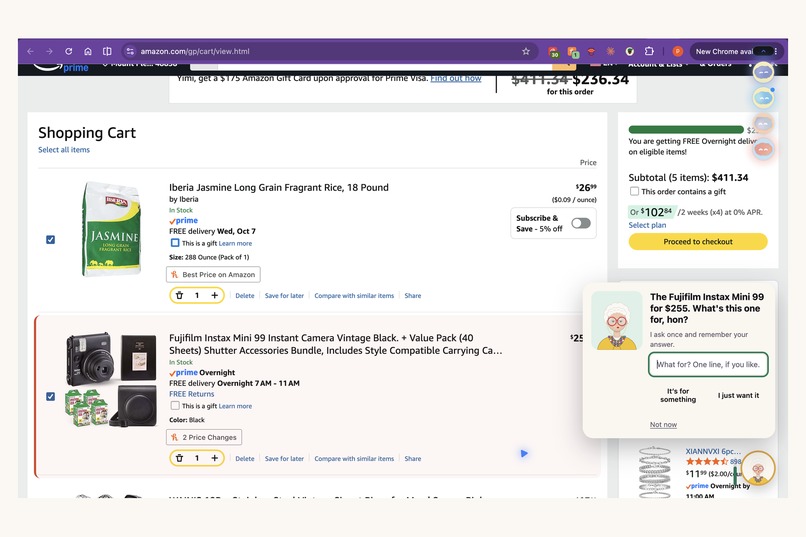
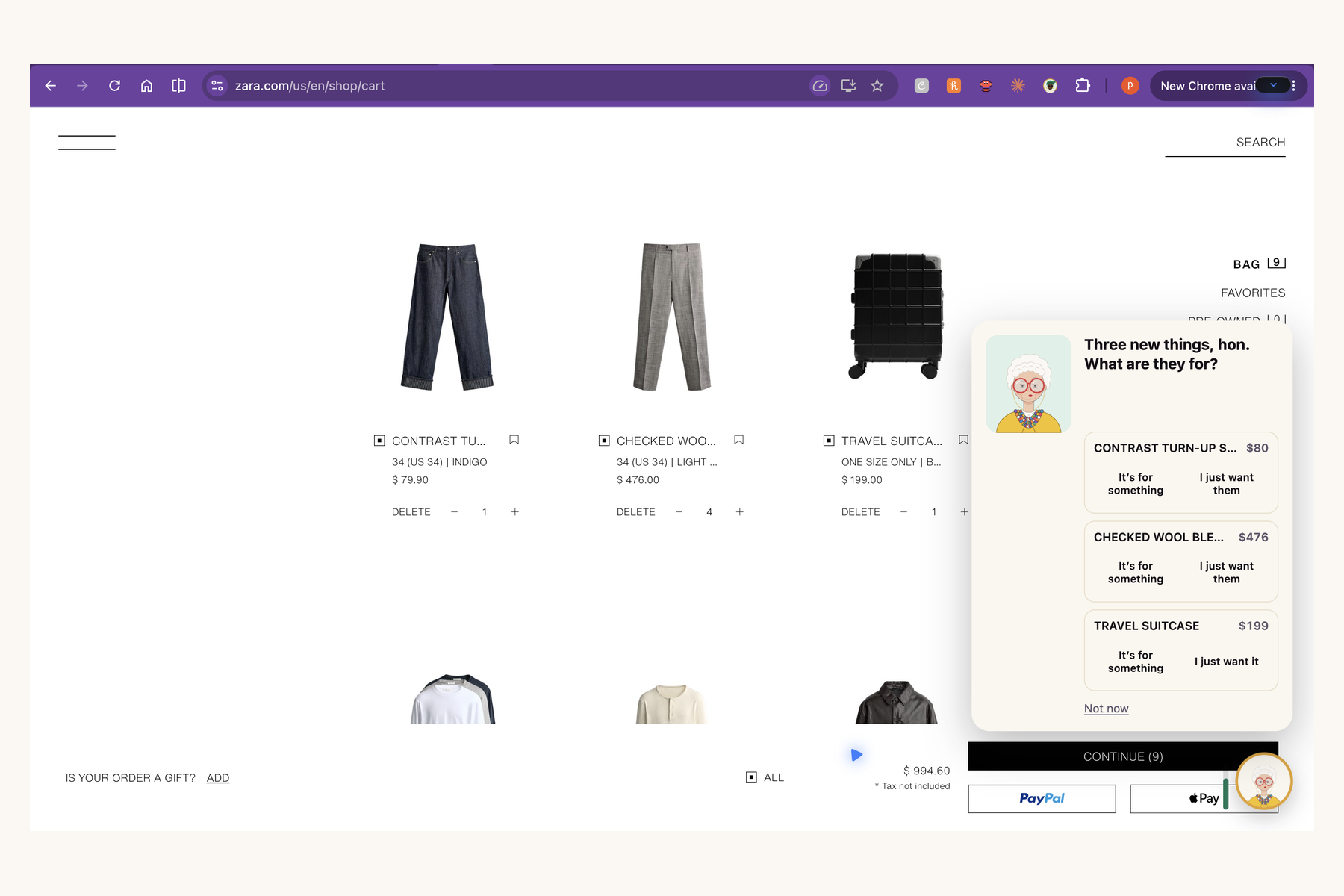
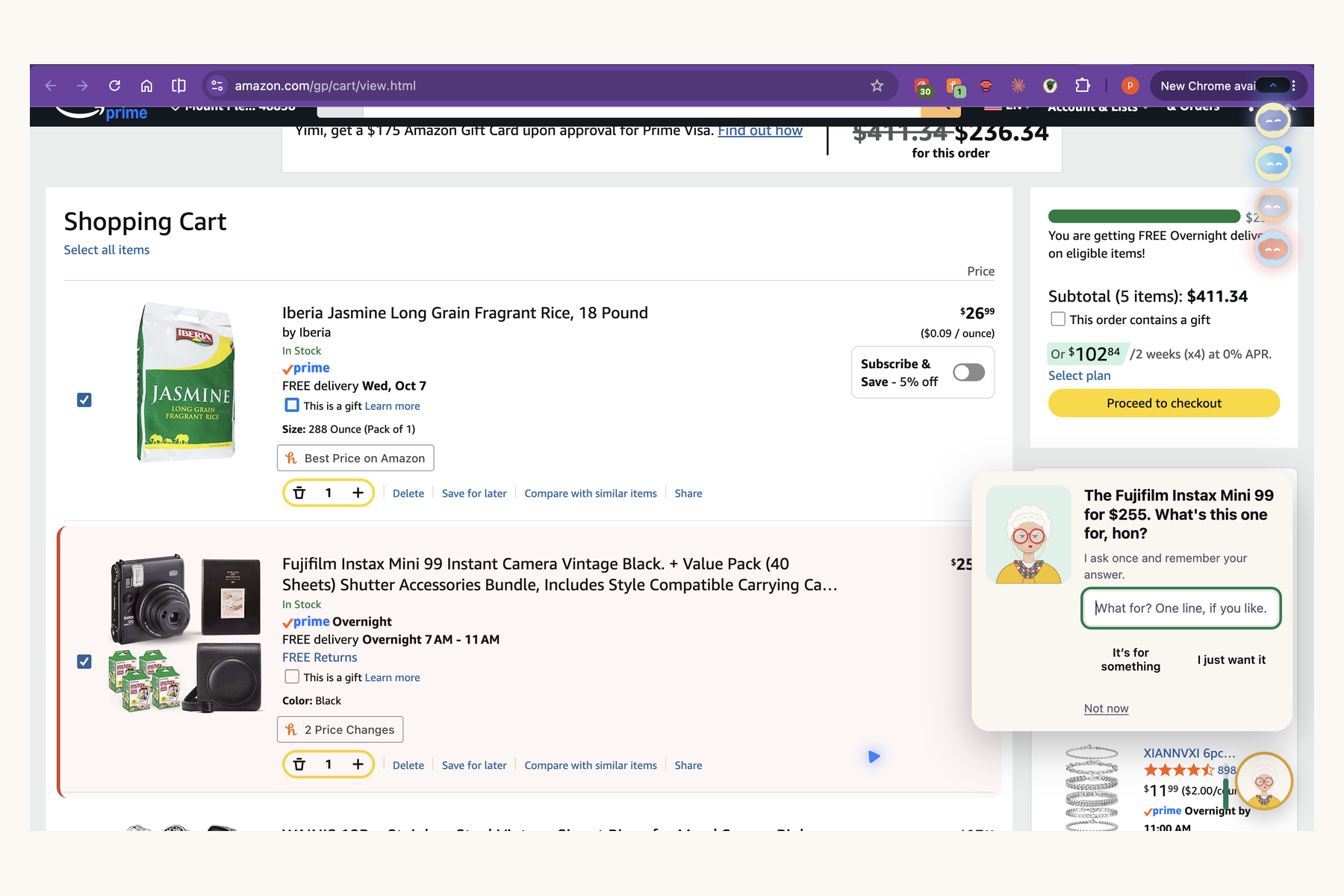
Before you pay. On a real store's cart page she reads every item and labels it need or want. Needs never set her off. Wants count against a weekly budget, and her gele (head wrap) is the meter: the more you spend, the taller it gets. When a cart is bad she opens a card and says, in her own voice, what is left this week, which bill is coming, and what the amount means in naira.
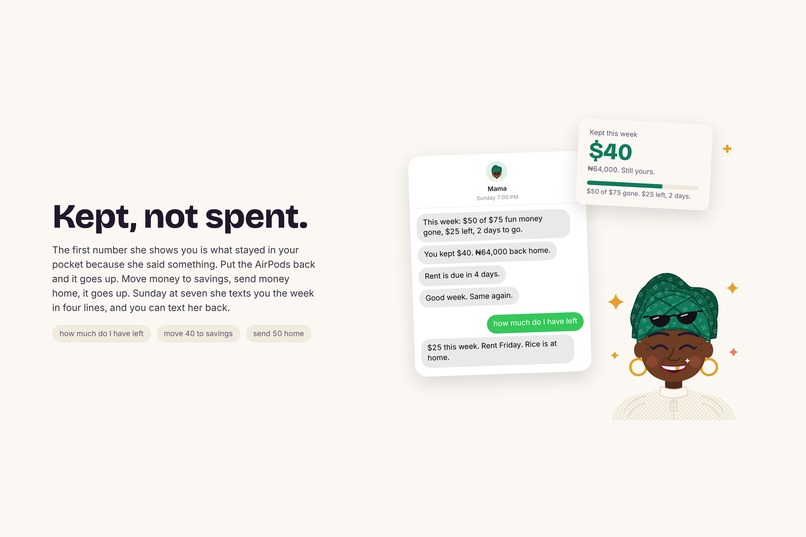
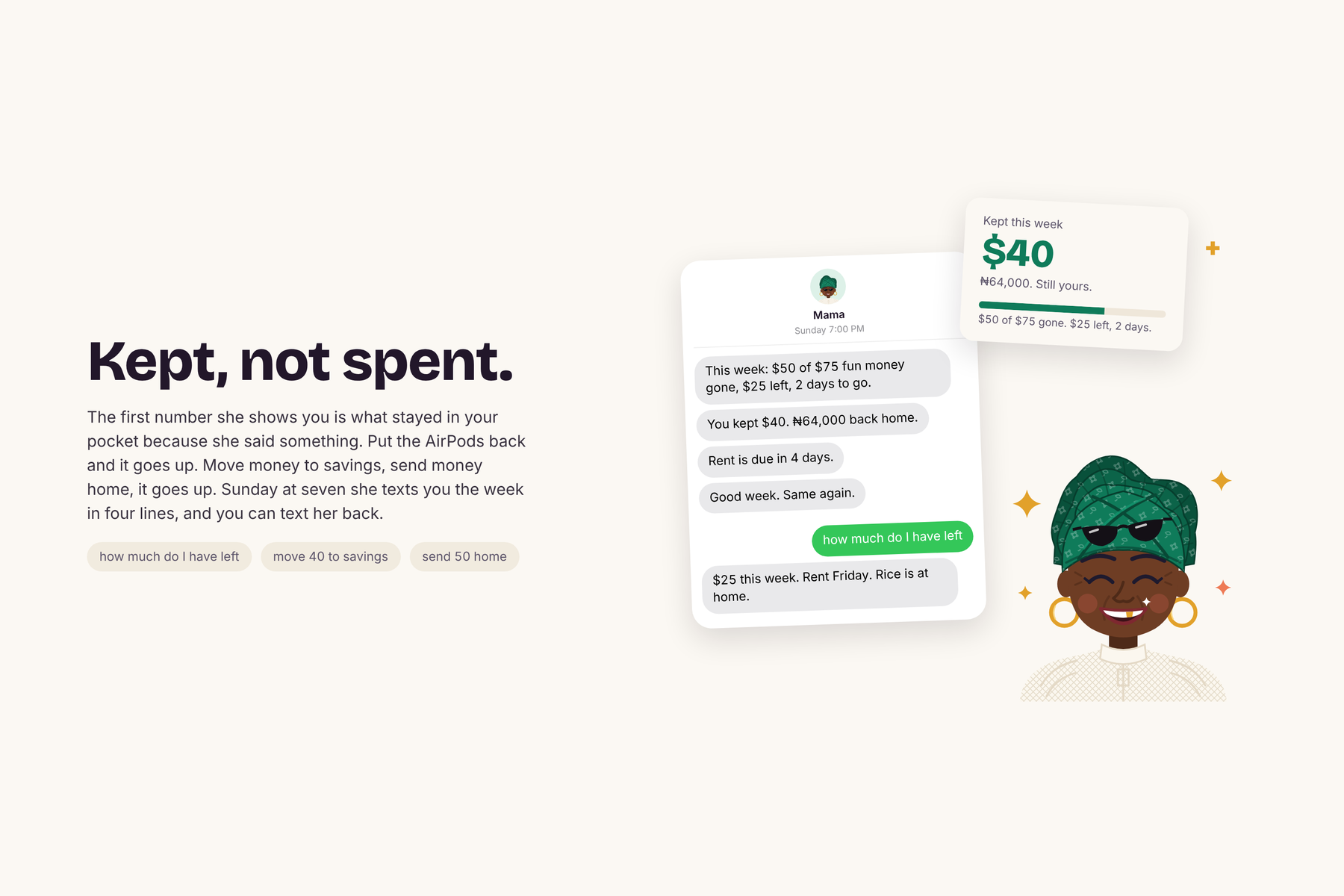
After you pay. She watches the bank account. When a new charge lands she texts you on iMessage: a note, a warning when you pass 75% of the week, or the "gele down" text when you go over. You can text back. She answers with your real numbers, remembers promises ("no more wants this week"), and brings them up when you break them. Text "send 50 home" or "move 40 to savings" and she does it.
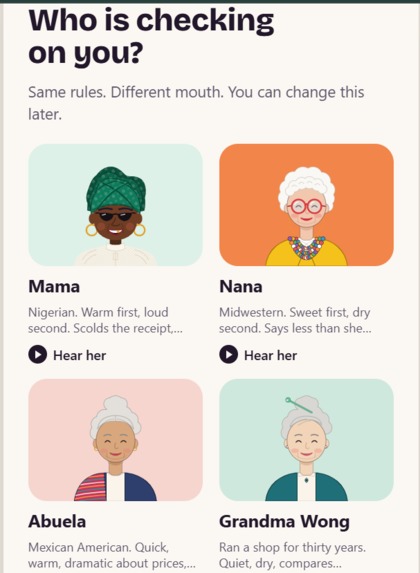
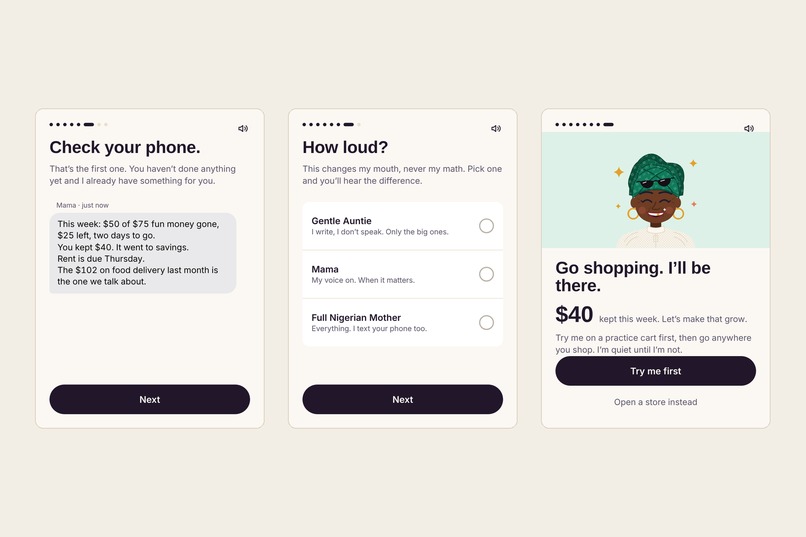
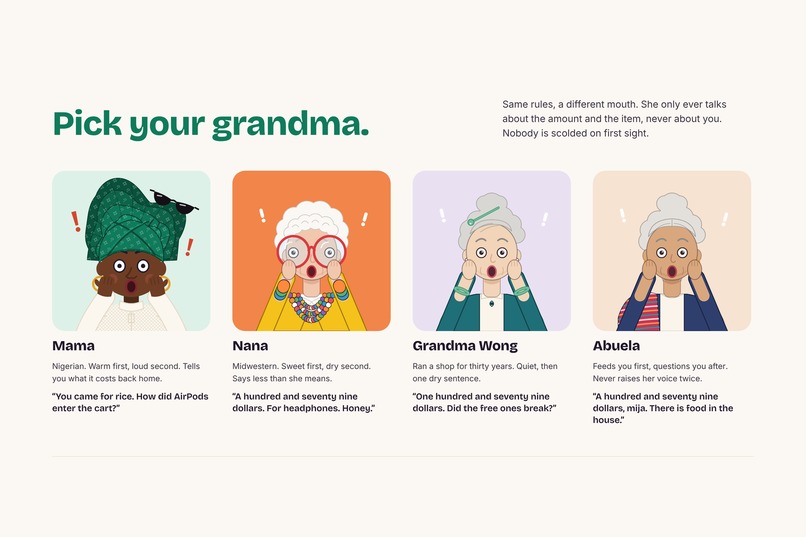
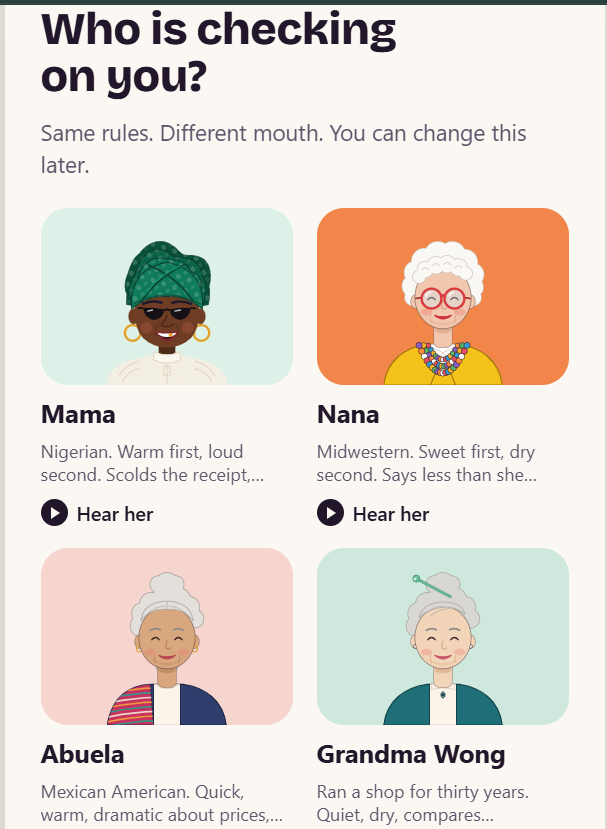
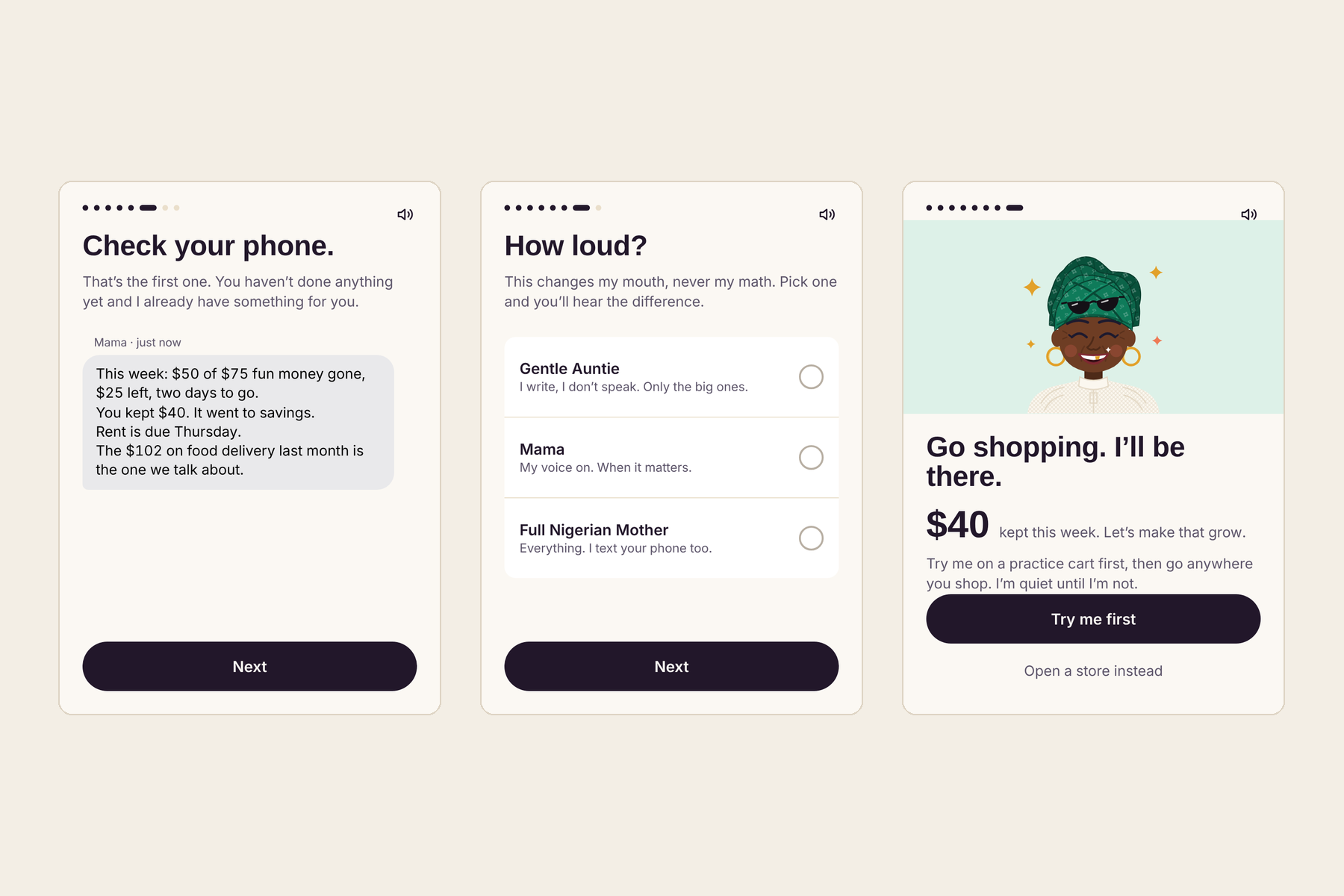
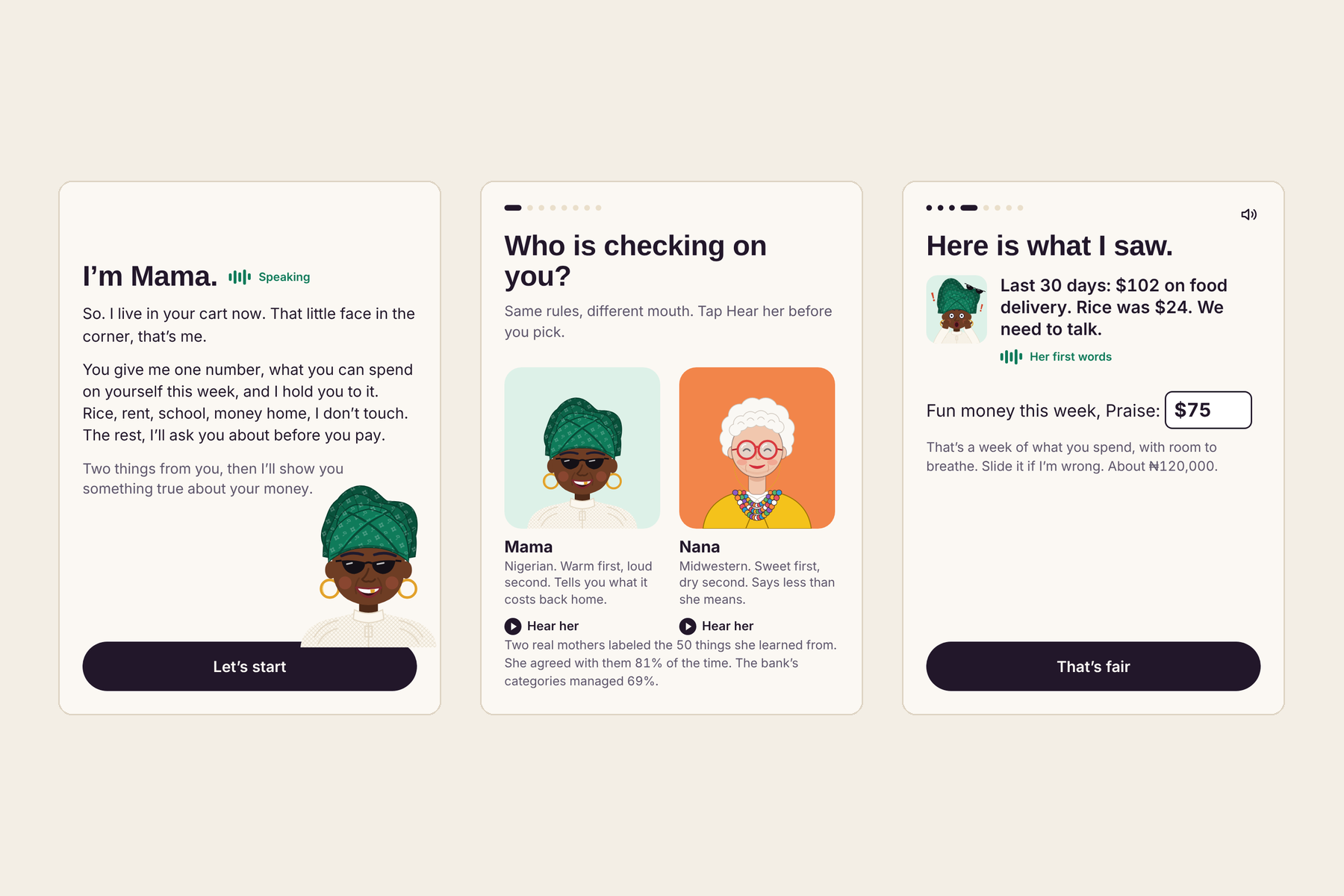
You pick your grandma and how strict she is. Every scolding ends with love.
How we built it
Mama Budget has three parts that hand off to each other. The extension sees what you are about to buy. The API decides how she feels about it and holds every key. Nessie is the bank she reads.
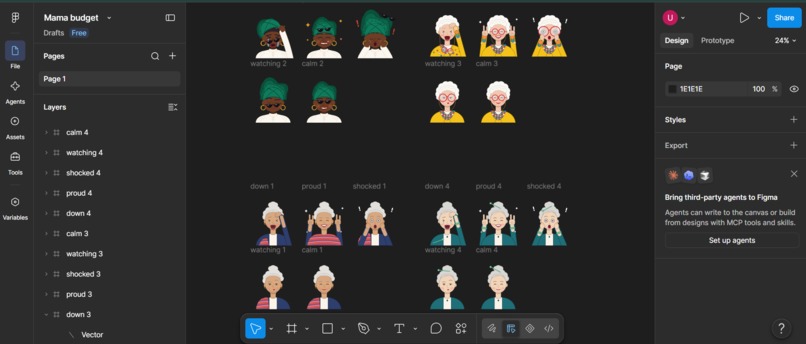
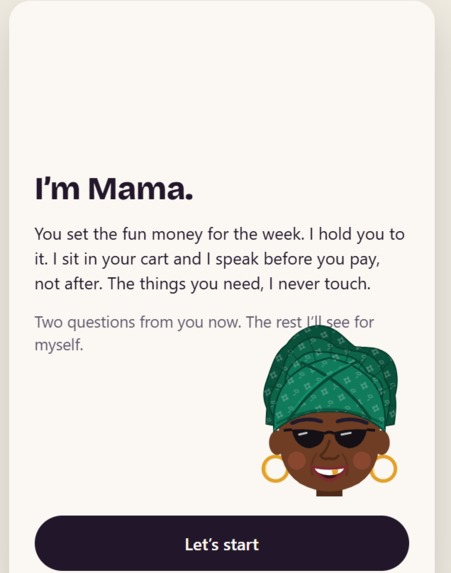
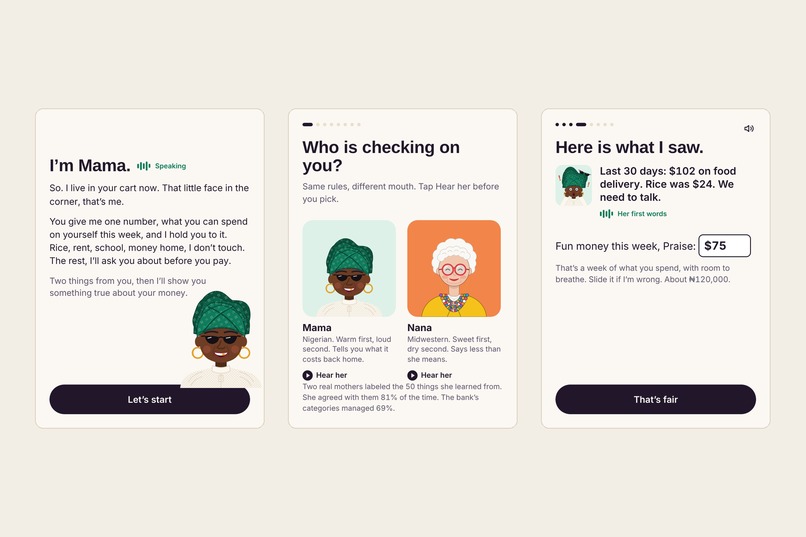
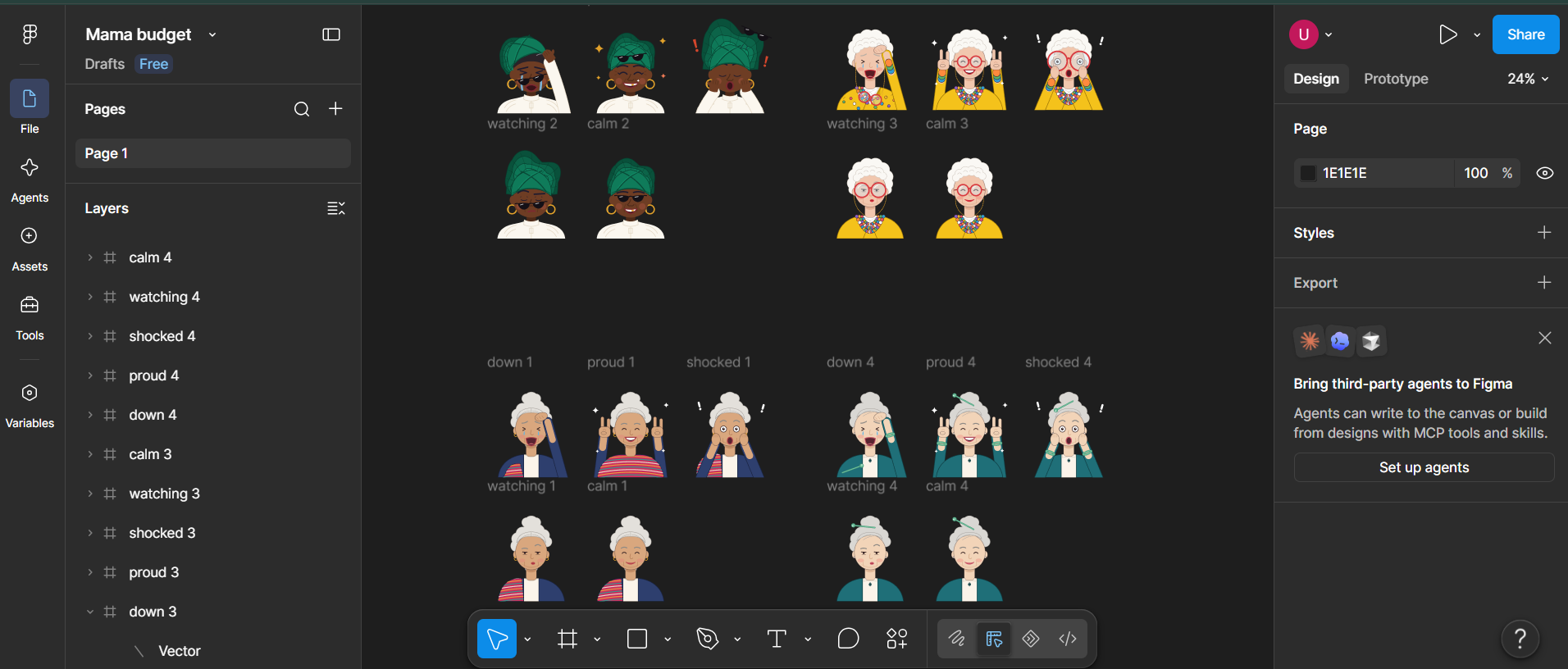
Design, in Figma. We designed her before we built her: five moods per grandma (calm, watching, shocked, gele down, proud), the corner badge, her card, and the setup screens. [Keep this only if the designs were made in Figma; say what you made there.]
The extension (TypeScript, WXT, Manifest V3). It sleeps on every page until the page looks like a cart or an order confirmation. Then it reads the items and shows her in the corner. She is drawn inside a shadow DOM, so the store's own styles cannot break her. Readers exist for Amazon, Target and Walmart, each with tests against saved cart pages. [Say which you verified live; Amazon was.]
The bank (Capital One Nessie). We seed a student with a month of history using customers, accounts, merchants, purchases, deposits, withdrawals and bills. Every number she says is computed from those records. A watcher checks Nessie every three seconds, so a charge posted from anywhere, even outside our app, produces a text.
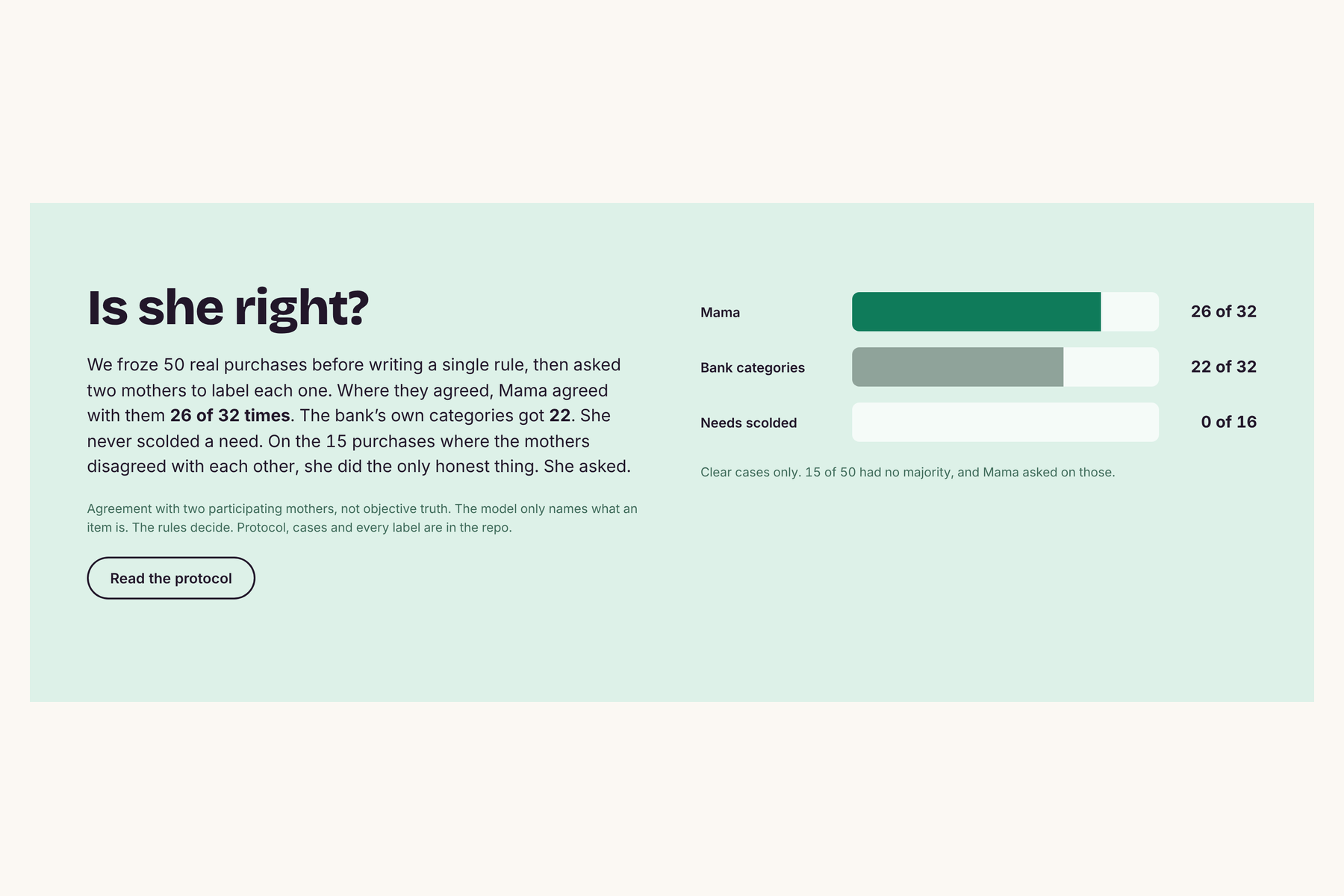
Her brain (Claude, Anthropic). Claude labels each item need or want with a reason, and writes her lines and replies in character. Plain arithmetic, not the model, decides how serious a purchase is, so her numbers are always right and the demo cannot go off script.
Her voice (ElevenLabs). Each grandma has her own voice, generated when her card opens.
Her phone (Photon Spectrum). Her iMessage line runs on Spectrum's cloud provider. Incoming texts and her own proactive texts go through one conversation engine, with memory stored on disk so it survives restarts.
Challenges we ran into
We could not connect a real bank account. Linking a real bank takes approvals and security checks a weekend does not allow, and we did not want real account details in a demo. So we used Capital One's Nessie sandbox and built a made-up student with a full month of banking behind them: accounts, purchases, paychecks and a rent bill. The hard part was making that fake month realistic enough that her reactions mean something, and working out every balance ourselves from the individual records.
Knowing where you are and what you did. A web page does not announce "this is a cart" or "this person just paid." We taught her to look for the words stores use. Phrases like "Subtotal" and "Proceed to checkout" tell her you are in a cart, so she wakes up and reads the items. Phrases like "Order placed" and "Thank you for your order" tell her you bought it, and she ties that to the cart she just read. Getting this right took care: carts load slowly, so she waits until the page settles, and Amazon's order-history page also says "Order placed," so she had to learn to ignore it or she would count a purchase twice.
Accomplishments that we're proud of
- It runs on real store carts, not a mock shop. This morning a real Amazon order was detected and recorded in the bank.
- A purchase posted straight into Nessie, bypassing our server, still gets a text within seconds.
- She kept a promise in memory across a server restart and called it out when it was broken.
What we learned
- A sandbox API has to be probed, not trusted: we found Nessie's real behaviour by posting test records and reading them back.
- Split work by folder and agree the interface first. We lost hours building the same thing twice before we did.
- Let the model write words and let code do math. Keeping those apart made her both funny and correct.
What's next for Mama Budget
A real bank connection in place of the sandbox, more stores, and a mobile version.
Built With
- anthropic
- capital-one-nessie
- chrome
- claude
- elevenlabs
- figma
- imessage
- javascript
- node.js
- photon
- spectrum
- typescript
- wxt

Log in or sign up for Devpost to join the conversation.