-
-

App icon
-
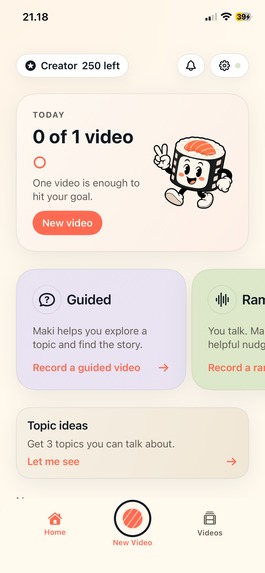
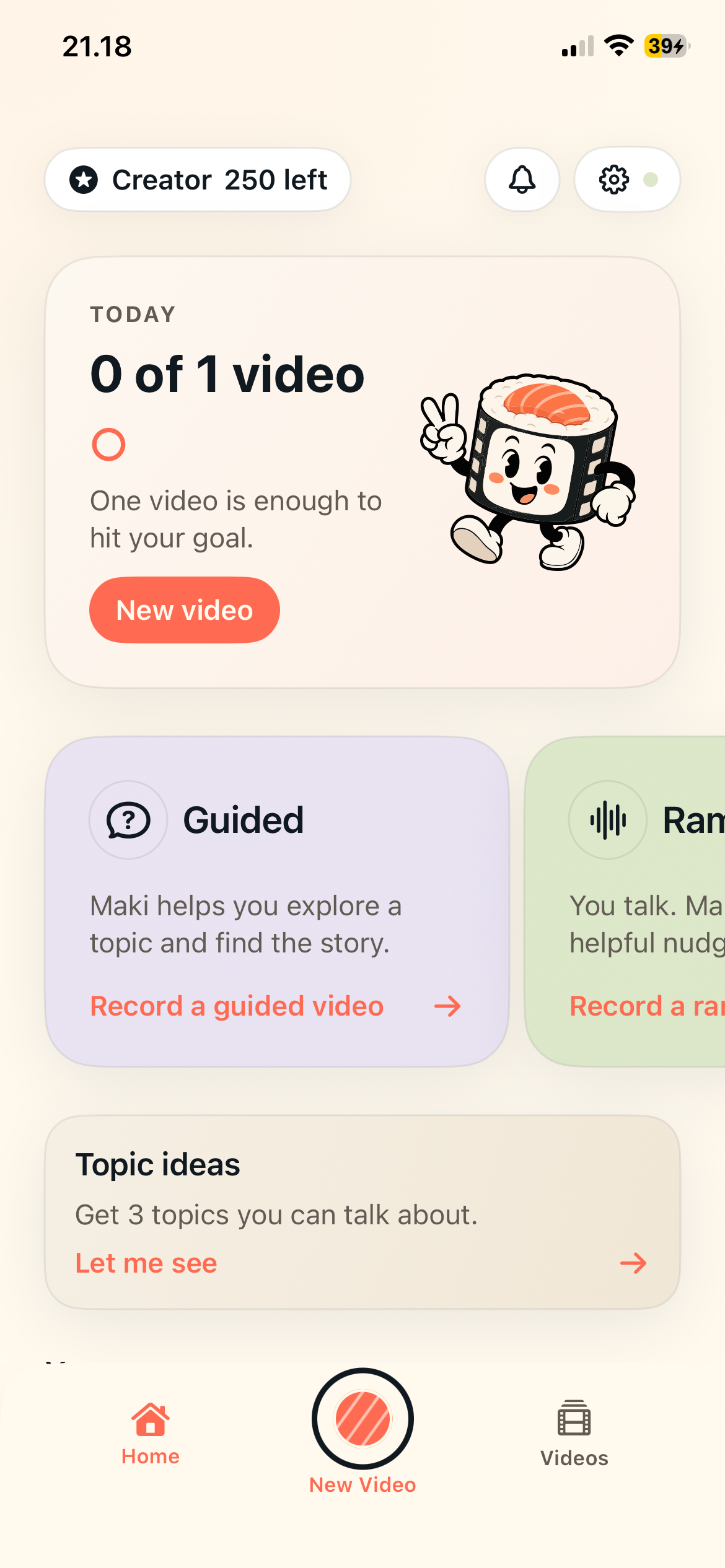
Home Screen — Easy access to starting a new video, and watching your habit progress.
-
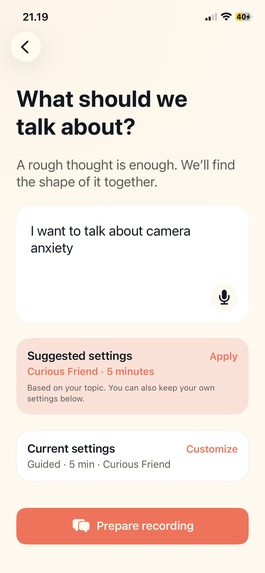
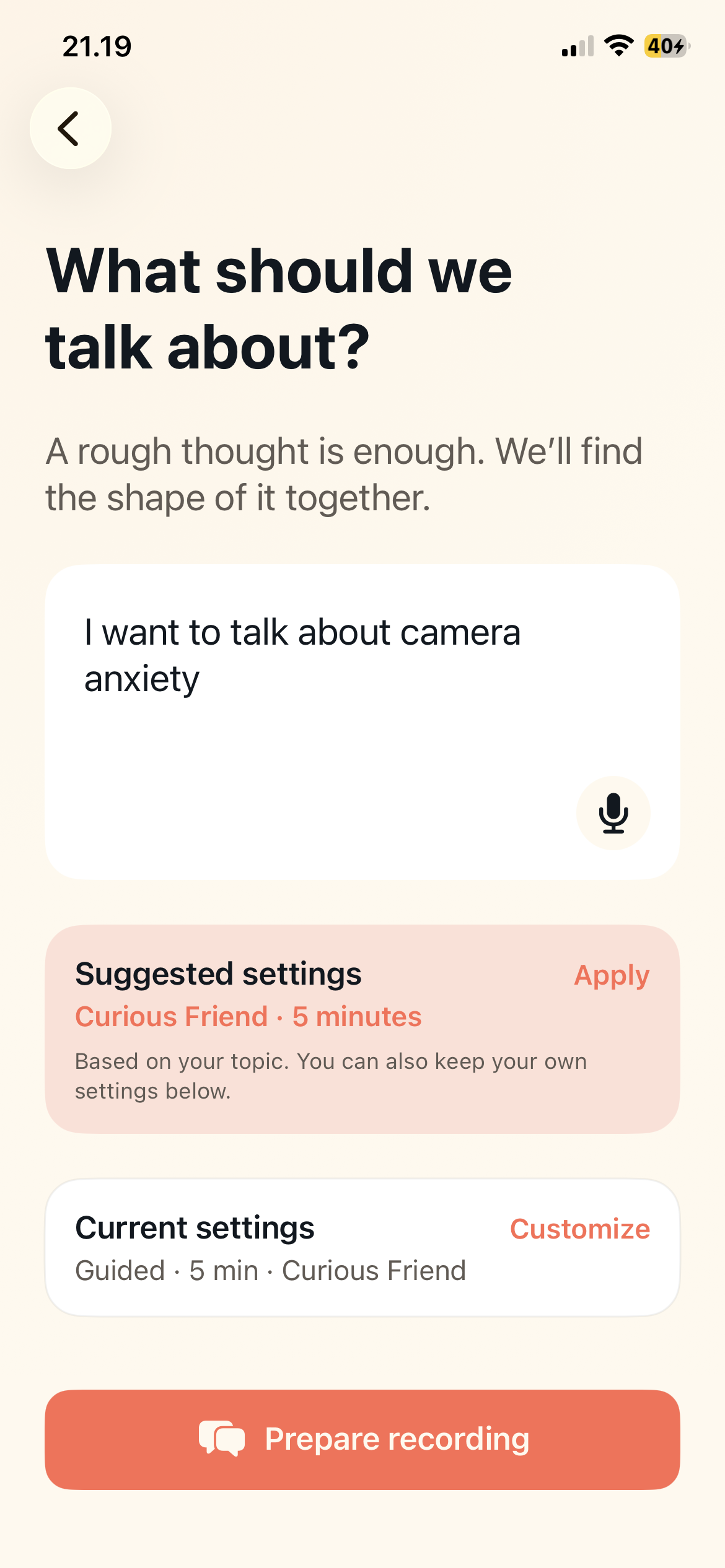
Topic input — Tell Maki what you want to talk about. Or use the ideation feature from the home screen, to get personalized suggestions.
-
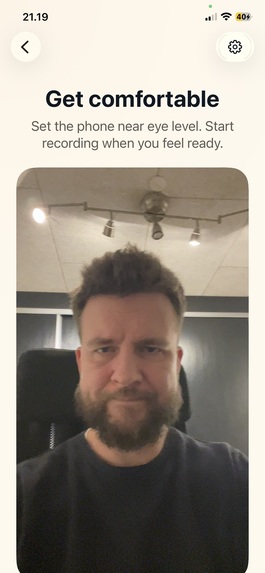
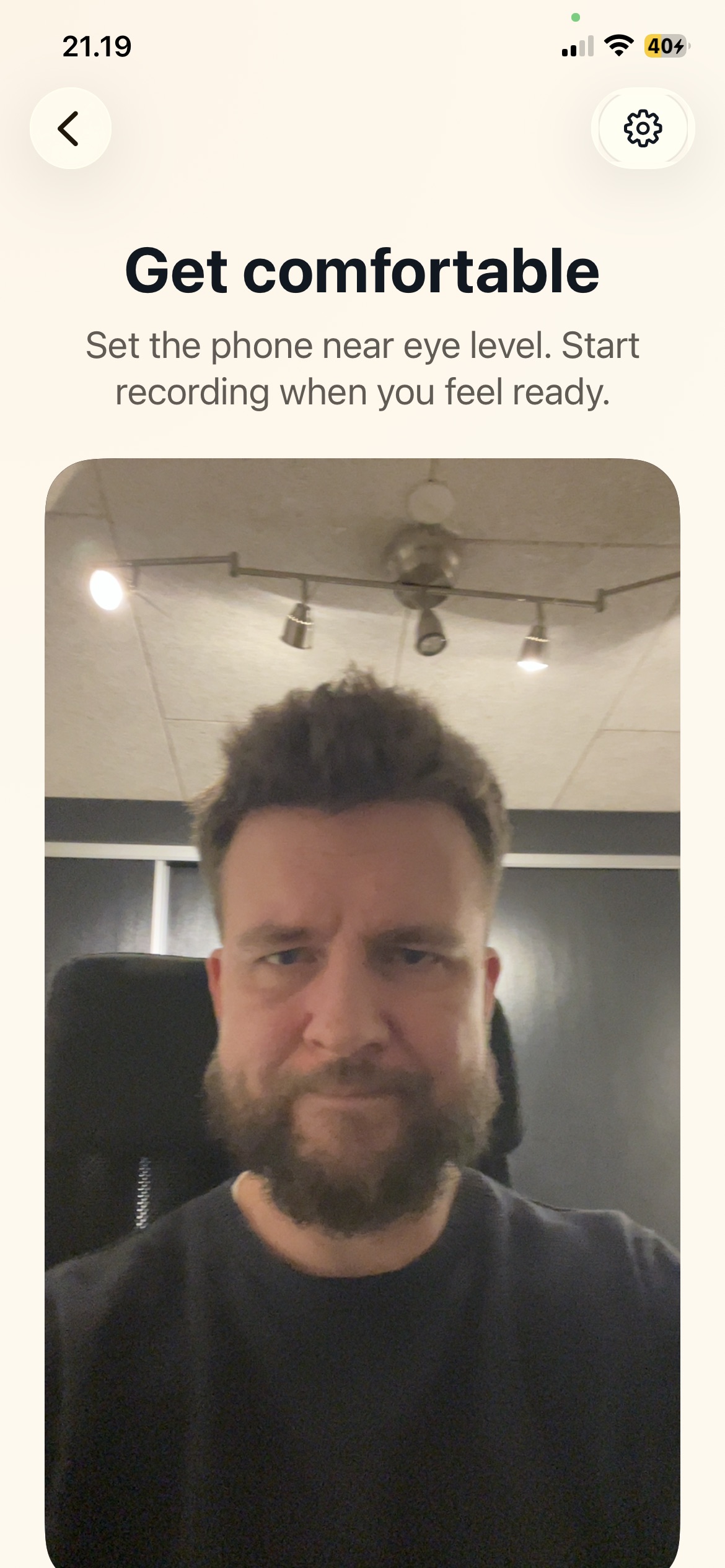
Framing — Position yourself before you hit record.
-
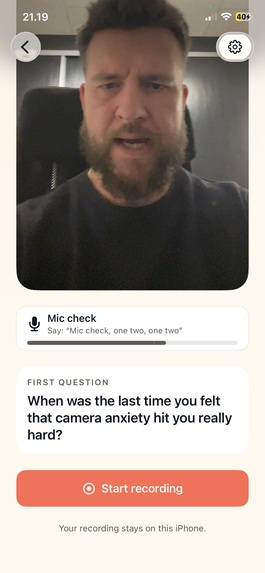
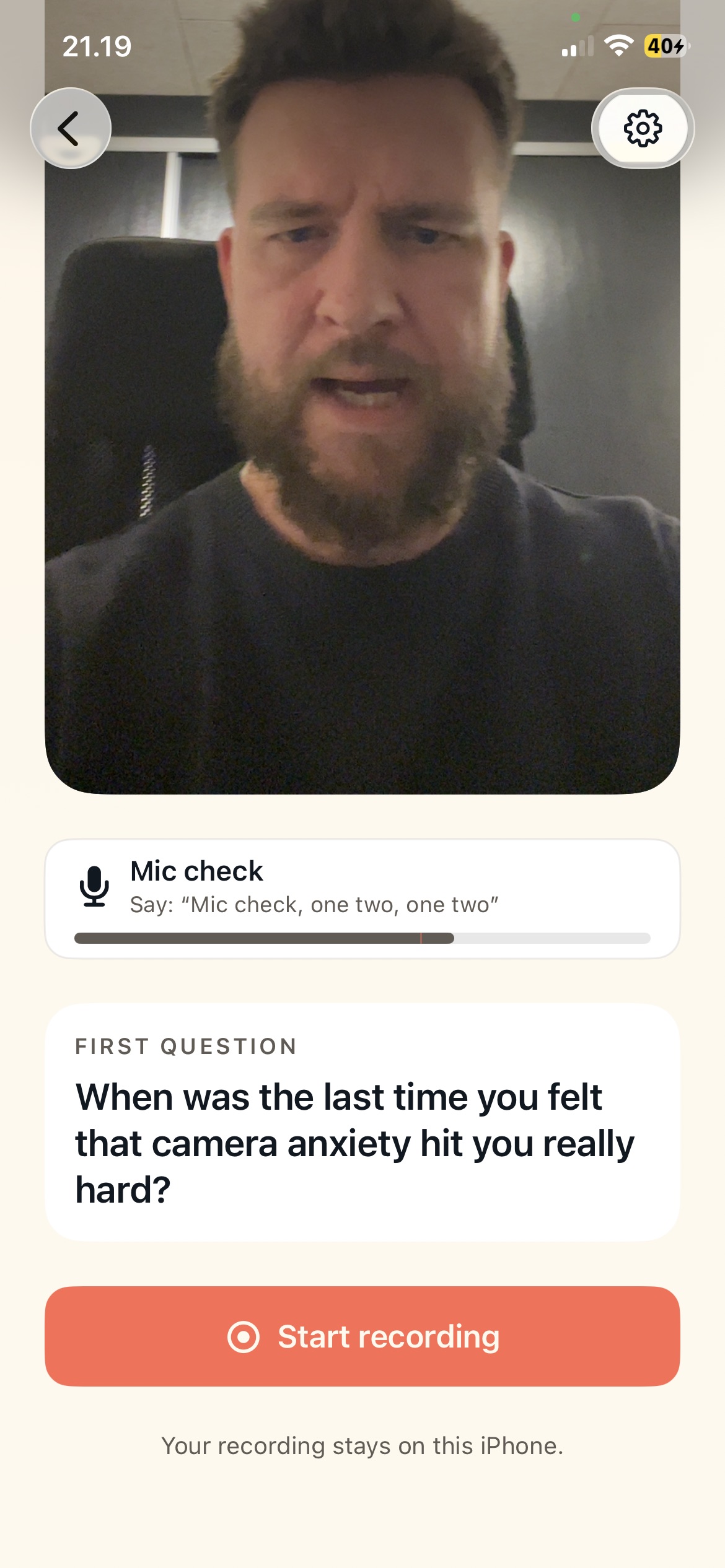
Framing — Mic check and first question, so you can already think about how you want to start.
-
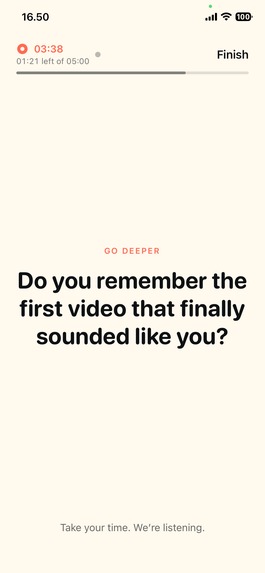
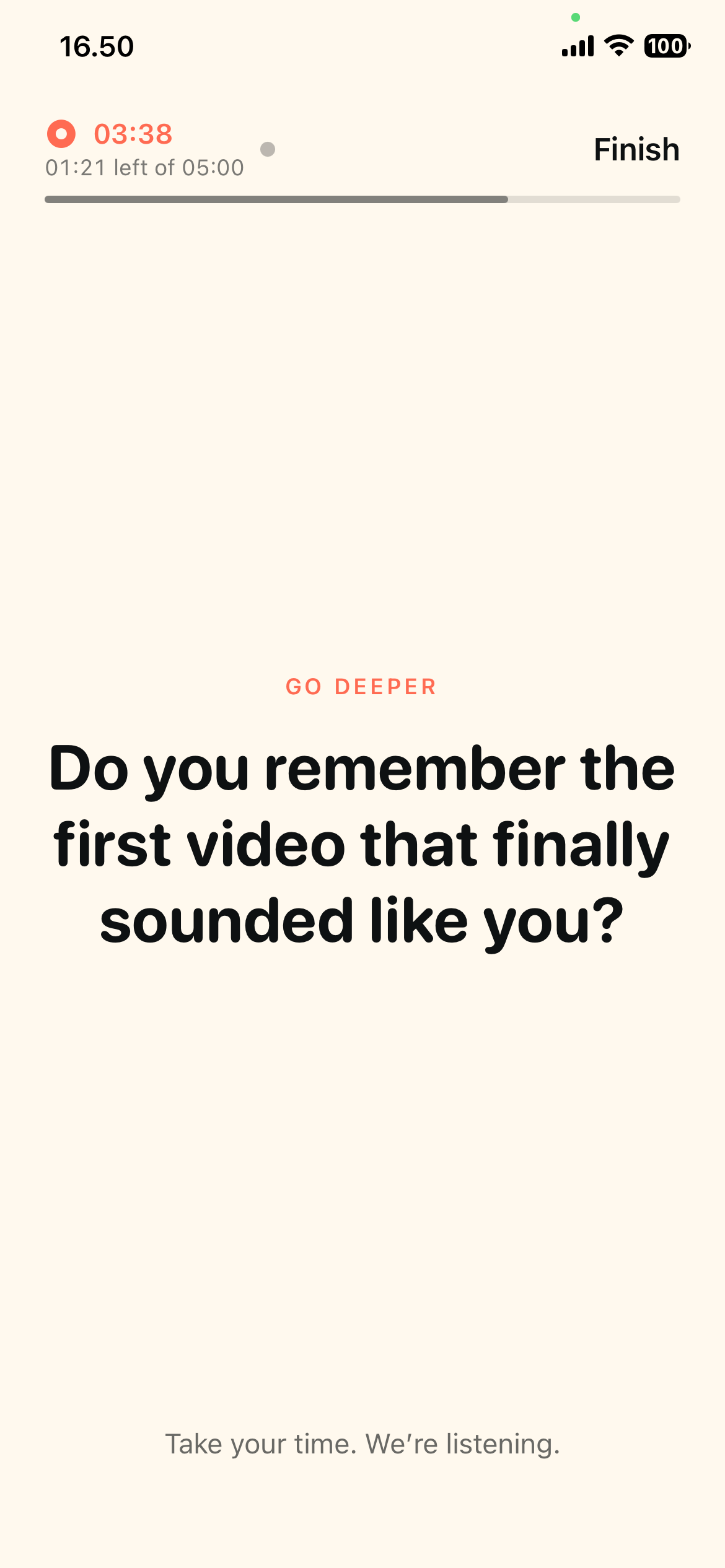
Adaptive conversation — During recording, you wont see yourself. Instead, you'll see questions that adapt as you talk.
-
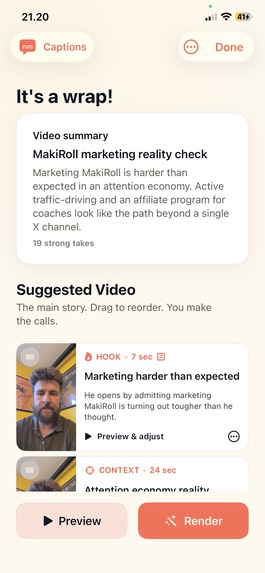
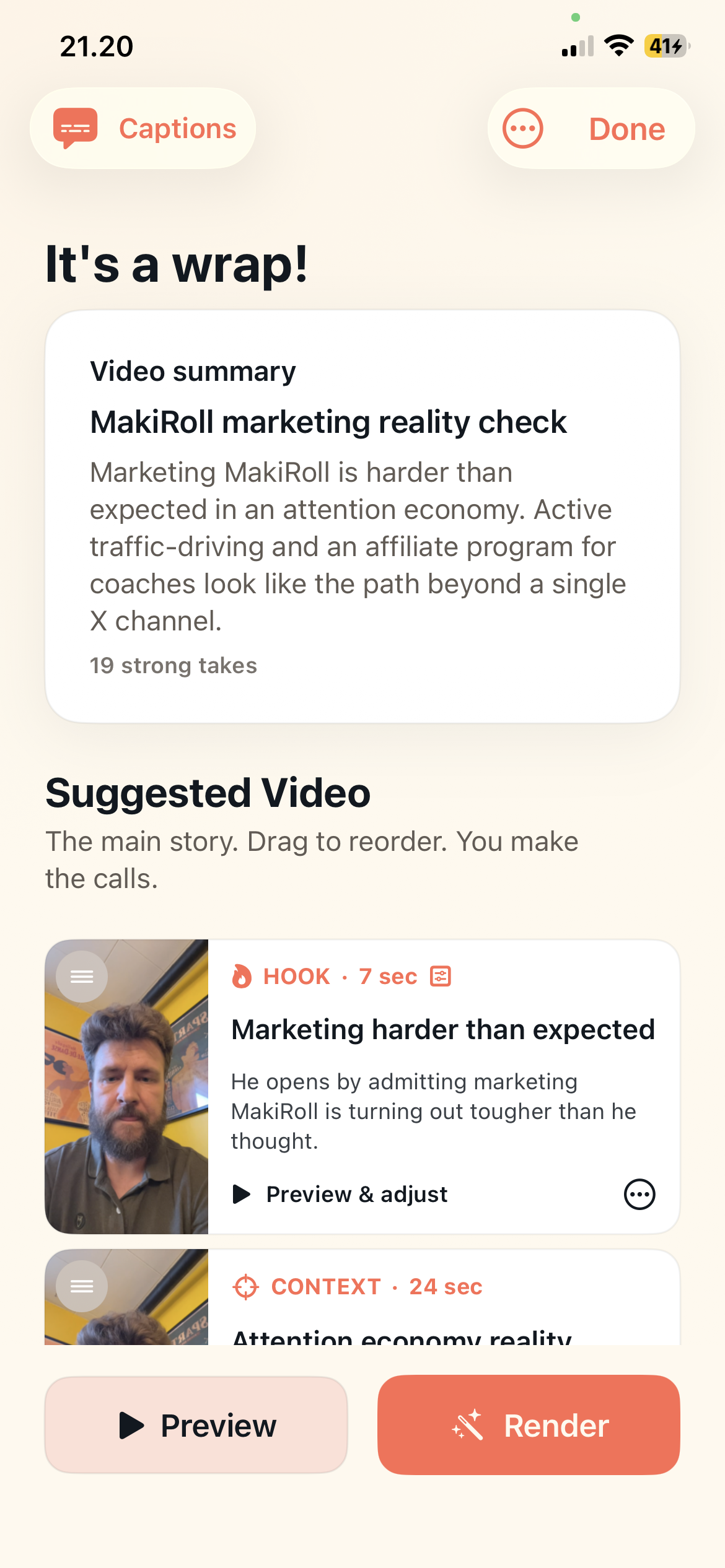
Video editor — Rearrange segments, preview segments, and review the order MakiRoll suggested.
-
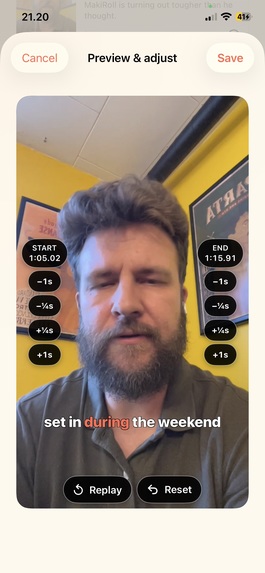
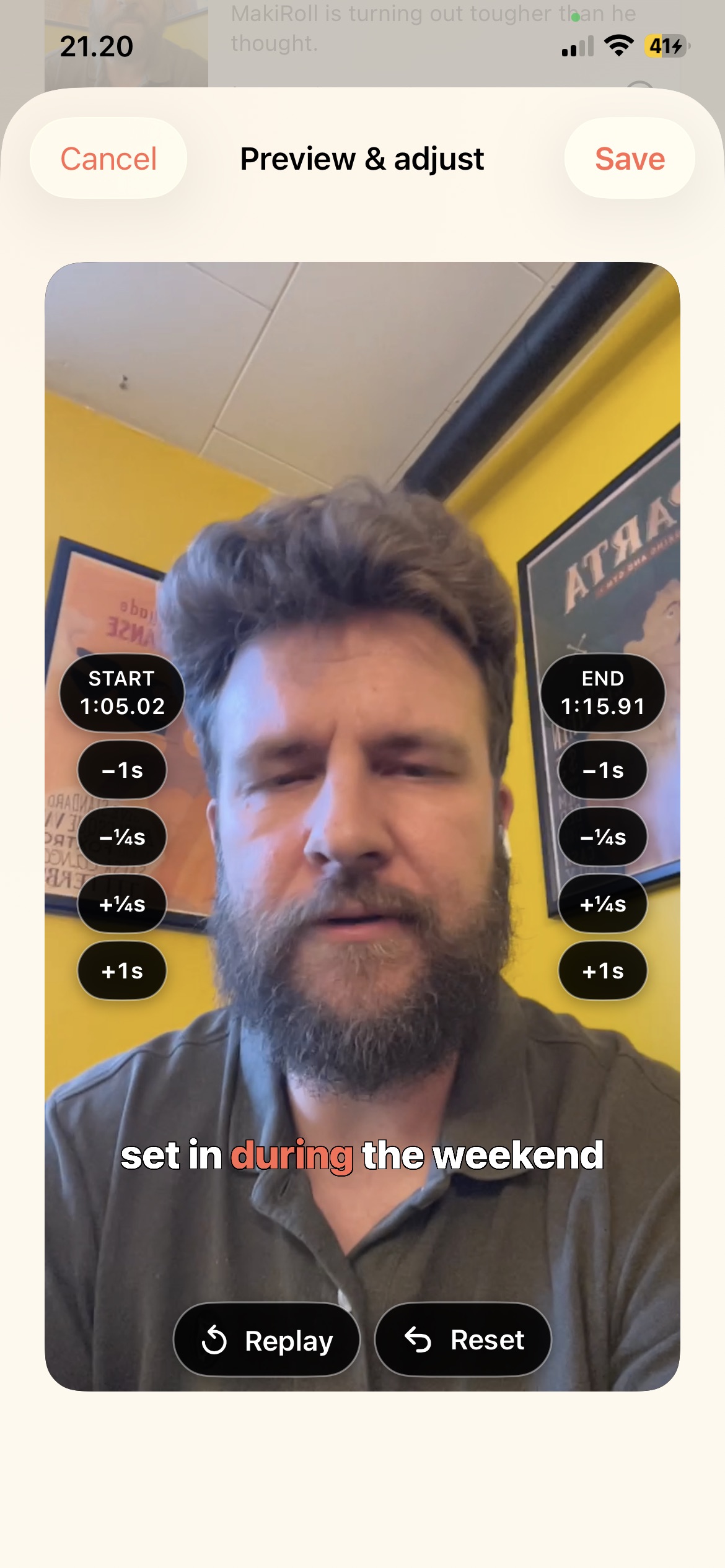
Adjust segments — Any segment can be prolonged or shortened easily. No timeline to deal with.
-
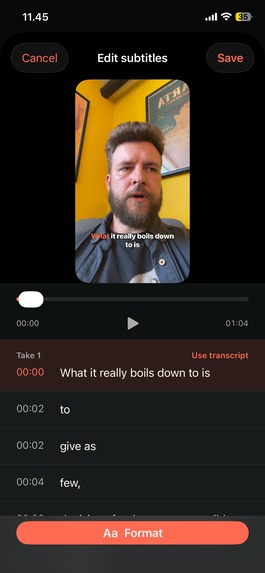
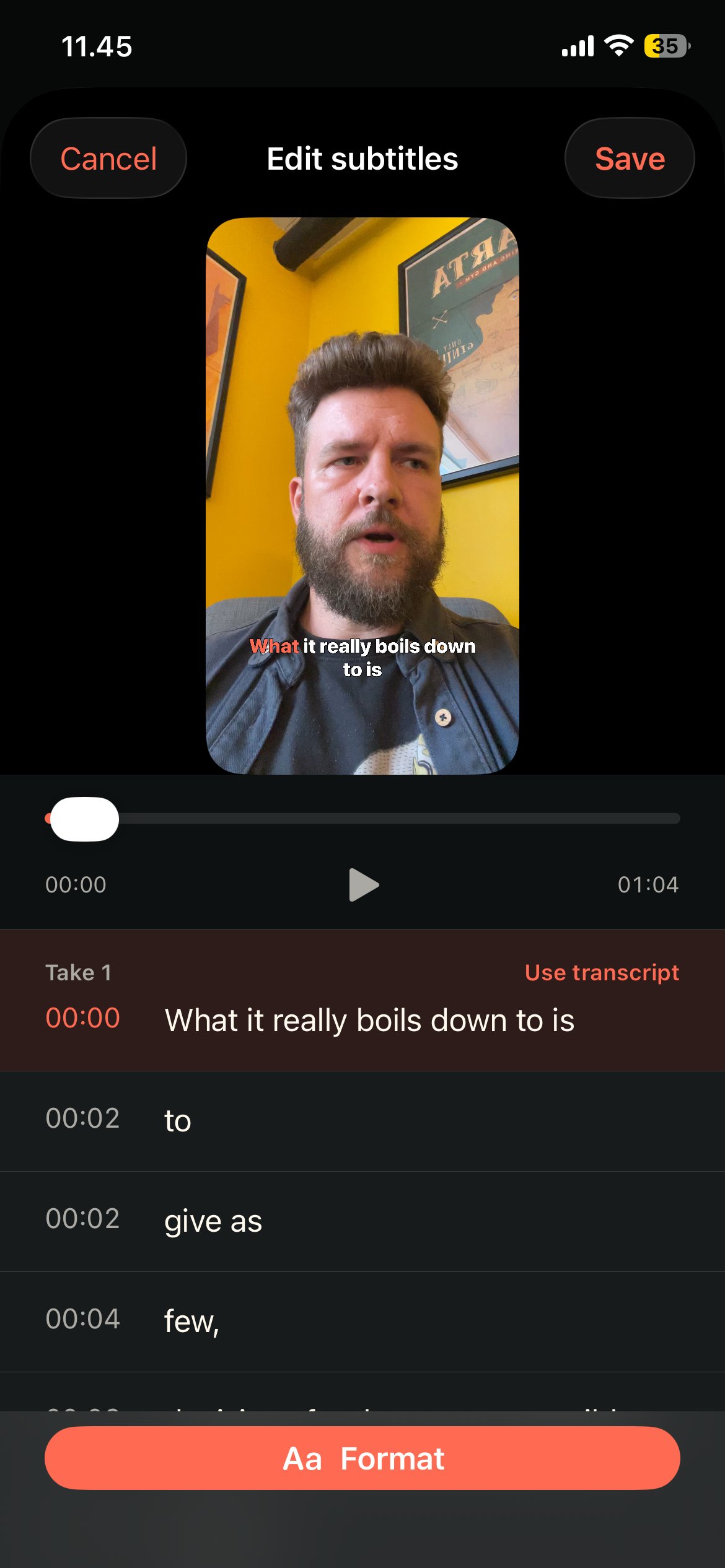
Edit captions — Adjust words and appearance of your captions easily.
-
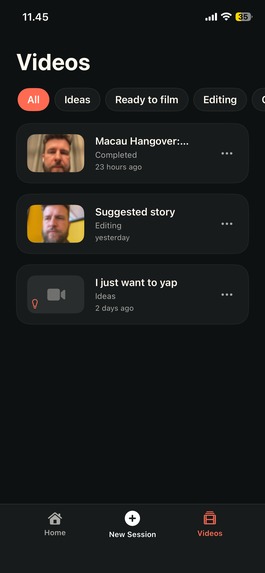
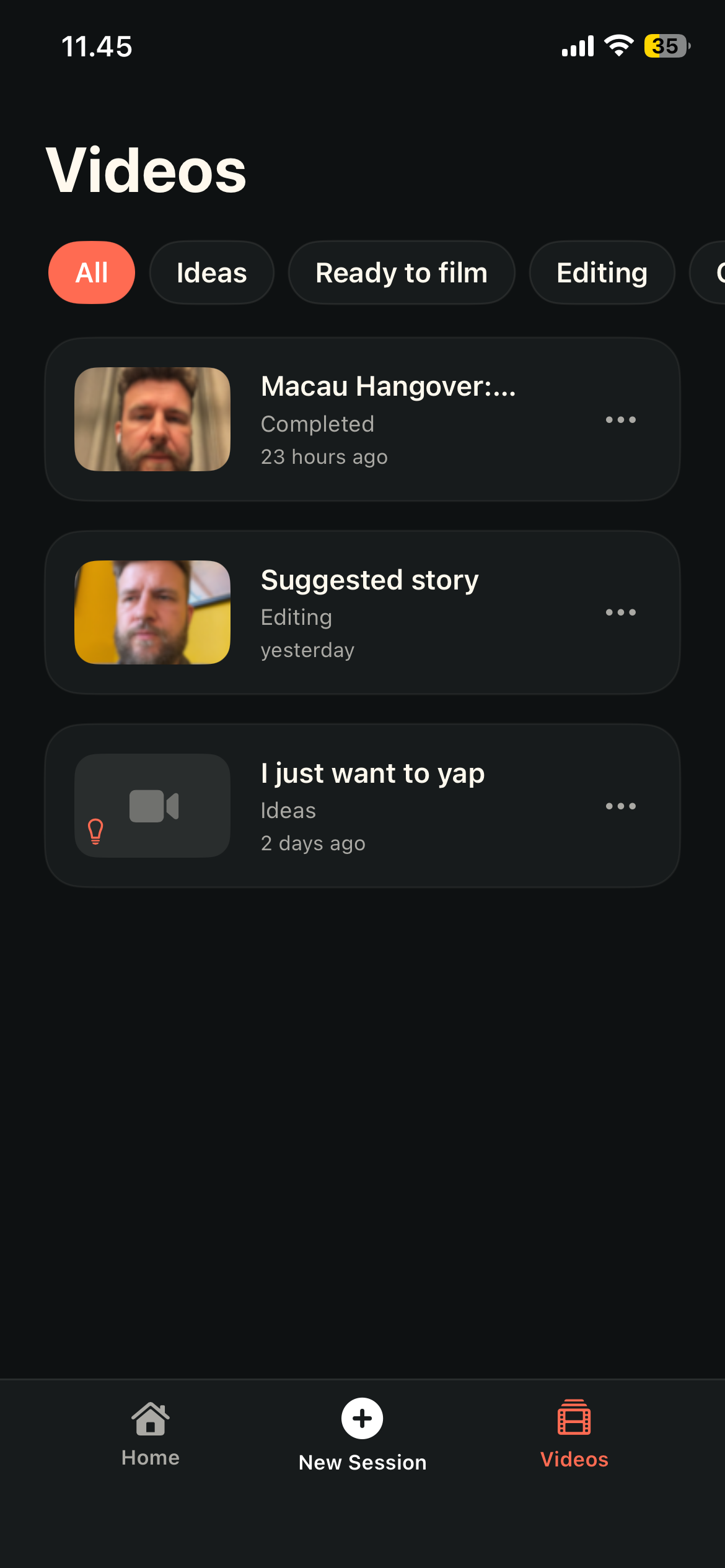
Video library — Access all videos you made, make a new cut or export them.

Inspiration
I've always been reluctant to post video, because the process of shooting video feels awkward to me. I'm camera shy. I stumble over words. And when I try to memorize a script, it doesn't really sound like me. I wanted to solve this for myself, so I could finally start putting out video.
What it does
MakiRoll makes it less awkward to be on camera: by not showing your face while you record. Instead, you give MakiRoll a topic you want to talk about, and see questions and cues on the screen while recording. Finally, MakiRoll takes the recording, finds the story inside the video, and returns a suggested edit. Captioned. Ready-to-share. The user still have full control of the output. They can rearrange segments, add or remove story beats, and trim segments that feel slightly off.
How we built it
MakiRoll uses live AI transcription to guide you through the interview, and understand what you're trying to say. The production of the video itself happens on-device, and AI is only involved in the parts that usually prevent people from posting video: deciding the good takes, trimming, captioning, putting a coherent story together.
Challenges we ran into
I've fiddled a lot with trimming video segments, so there wasn't any mid-sentence cut-offs, as well as syncing captions perfectly. Getting the recording experience just right was also essential. MakiRoll don't want to interrupt the user while they're speaking, thinking or finishing a train of thought. Adjusting this is still ongoing, but at a pretty good spot right now.
Accomplishments that we're proud of
As the founder of the app, I'm also the first user. It helped me produce and post 5 videos in the span of a week to X. Something that would've been utopia for me just a month ago.
What we learned
There's a lot of opportunity in taking old workflows and improve them with AI. My approach was removing an objection against something I desire to do: shooting video without being so self-aware. One of the psychological levers MakiRoll uses is a feature like "Icebreaker". It allows the user to warm up with a few easy to answer questions, and get their train of thought rolling naturally.
What's next for MakiRoll: Pocket-sized video producer
There's a lot of ideas for features on the roadmap: Suggested topics based on the user's context. A desktop version. An Android version. All things that are coming, but for now the main goal is to validate the product, get some feedback on the early access version, and see where it goes.
Built With
- openrouter
- revenuecat
- supabase
- swift
- swiftui
- turborepo
- xai


Log in or sign up for Devpost to join the conversation.