-
-
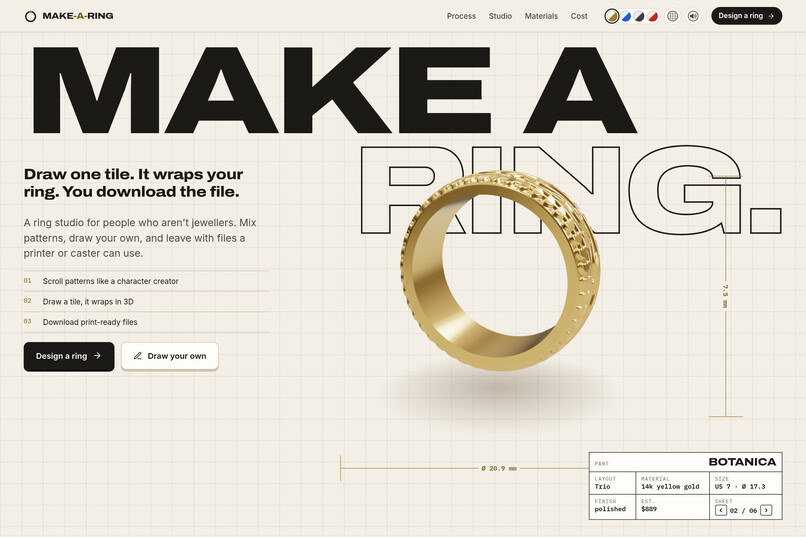
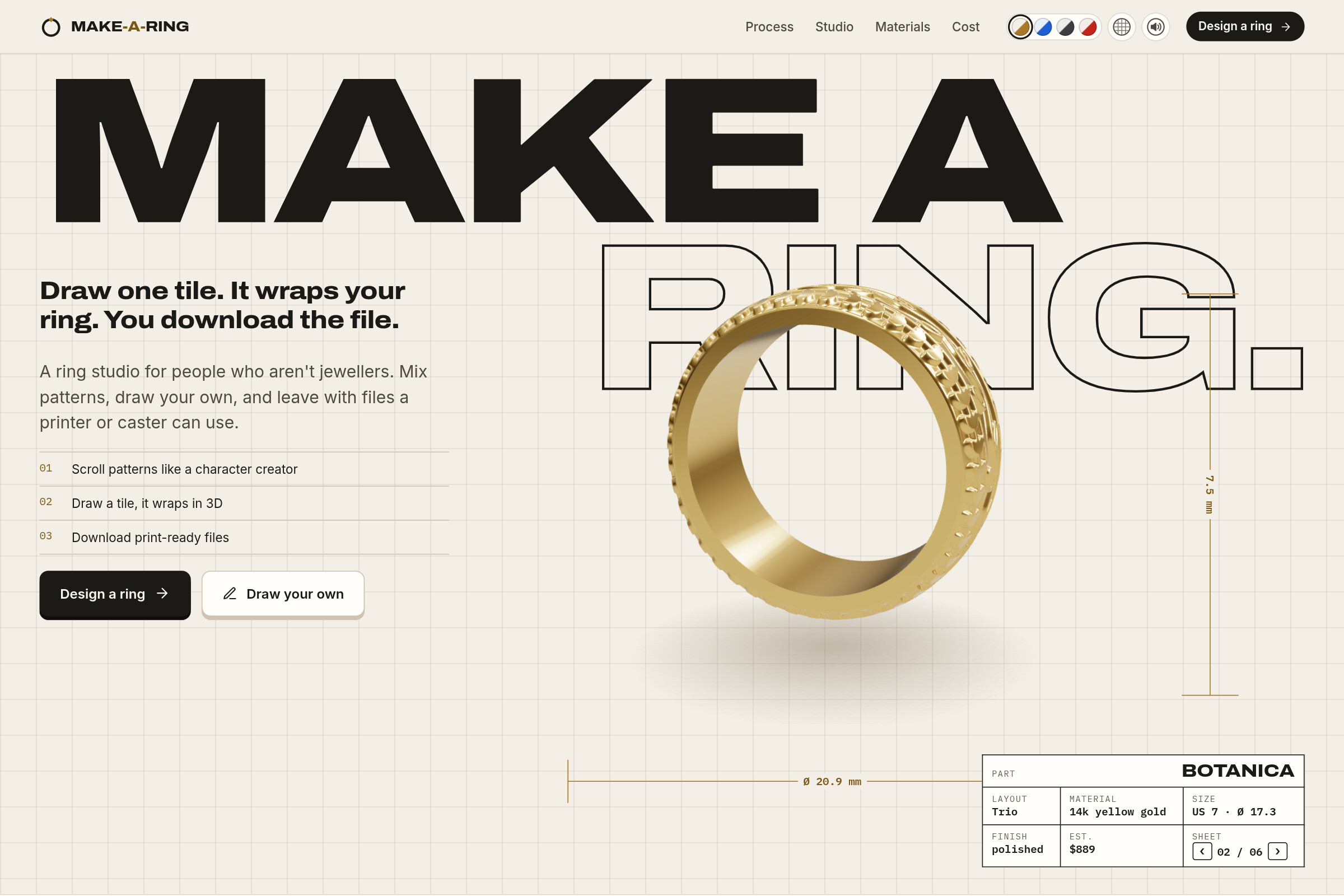
The landing: a drafting table with a live 3D ring and a title block of its specs.
-
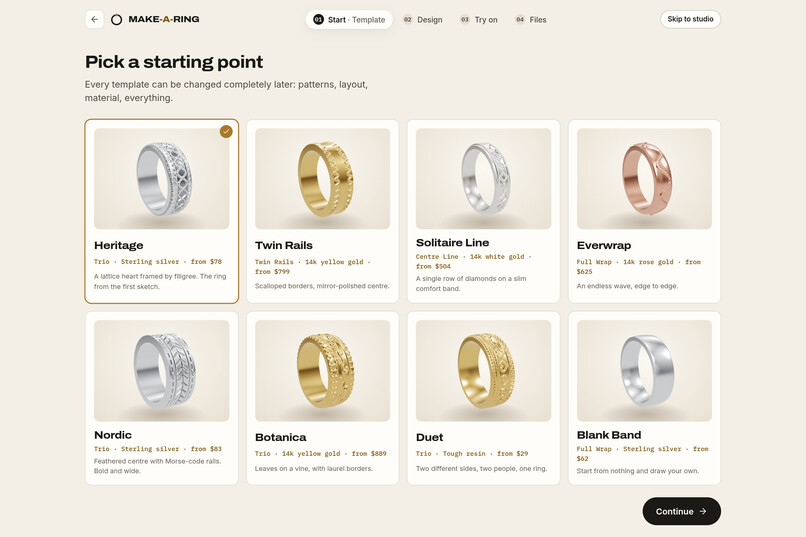
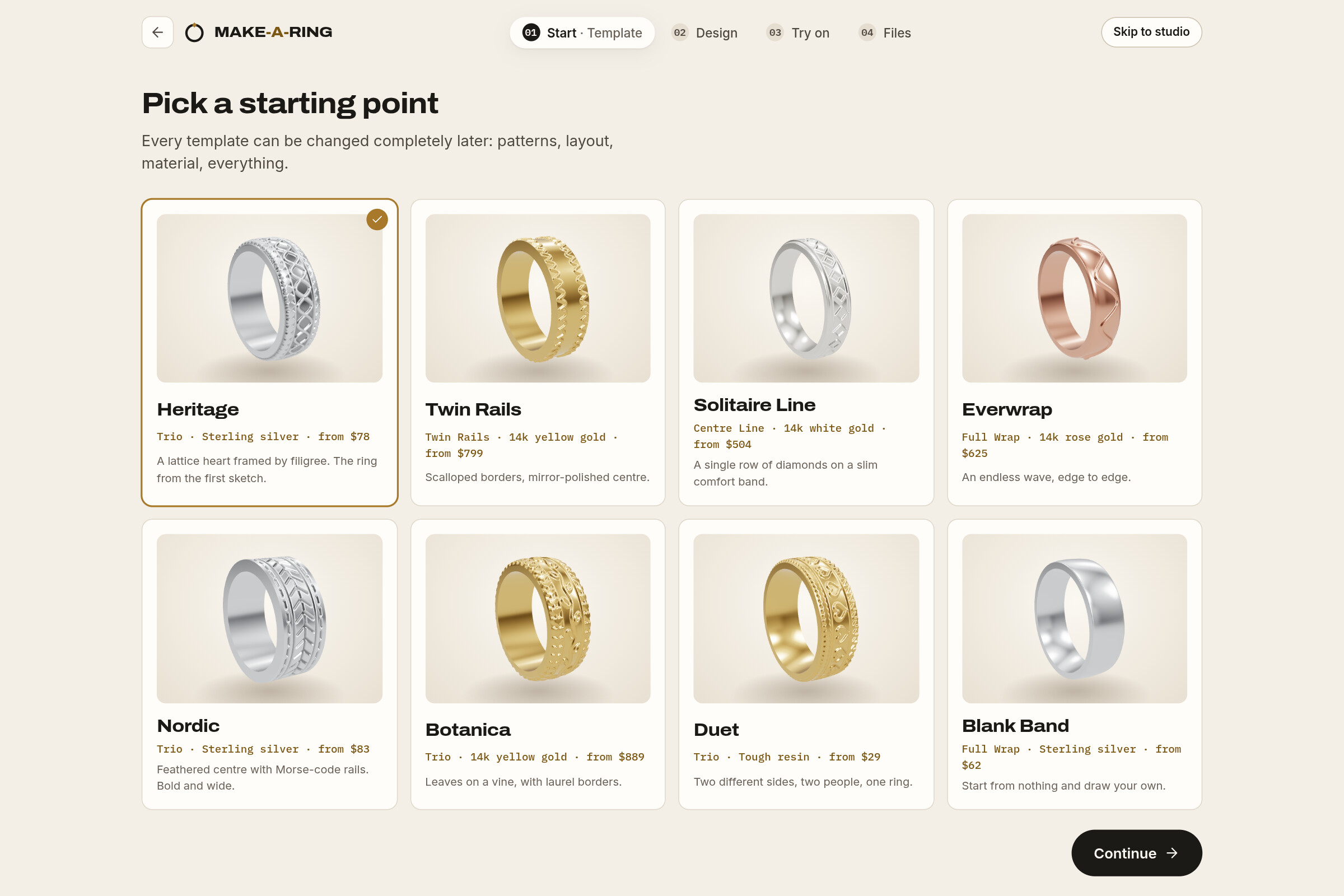
Eight starting points with real 3D thumbnails. Everything can be changed later.
-
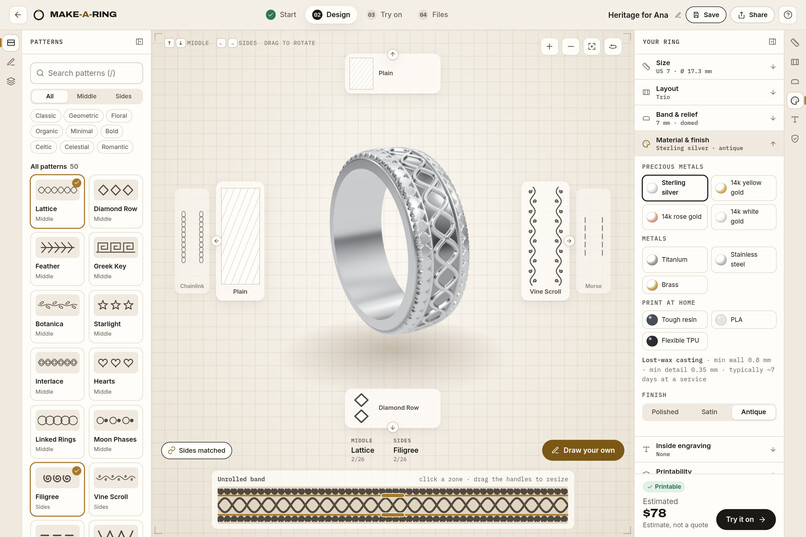
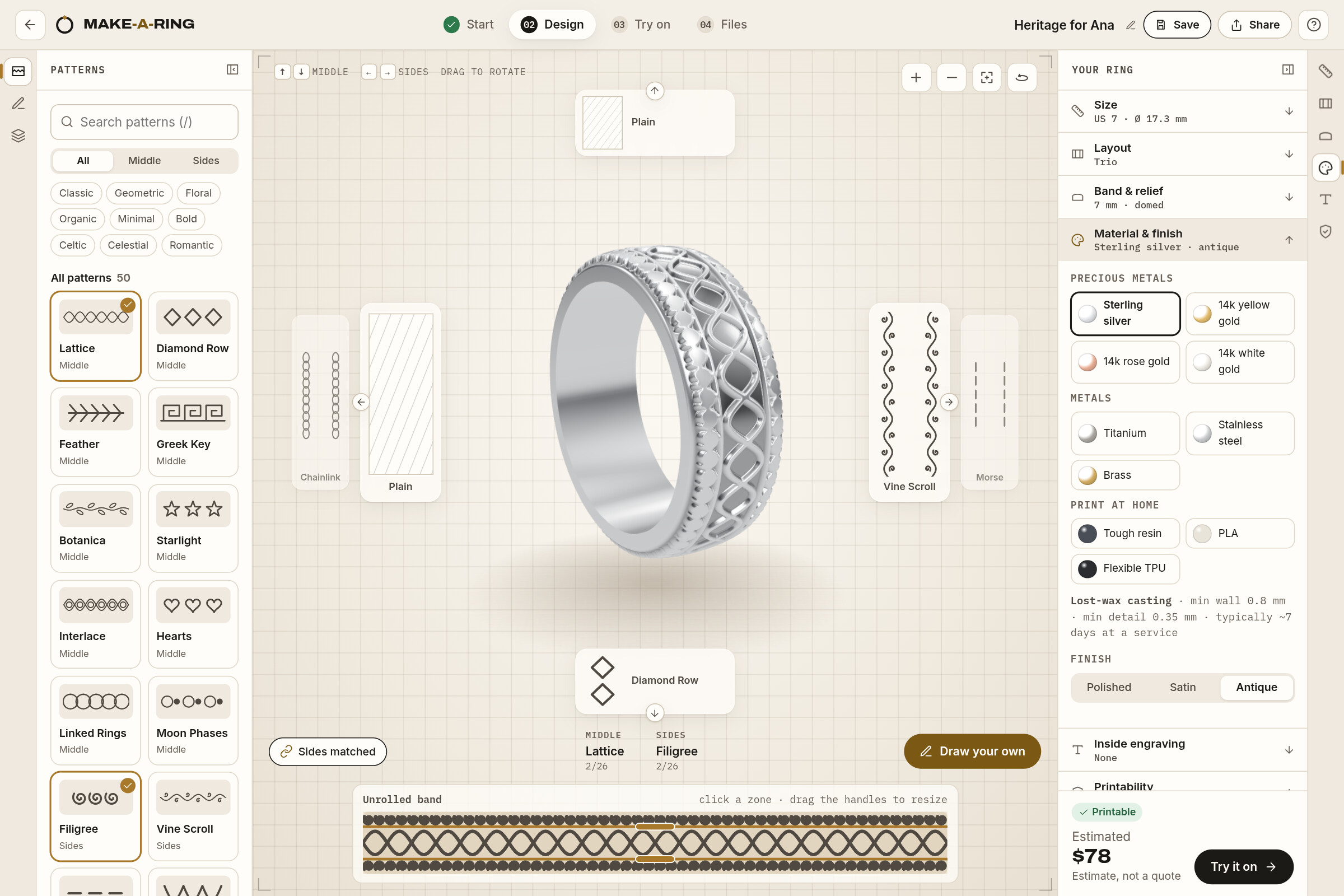
The studio: up and down change the middle pattern, left and right the sides.
-
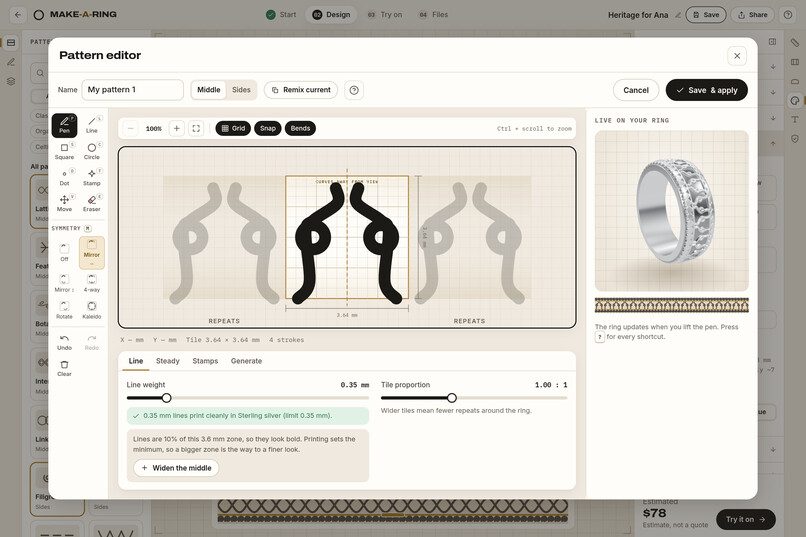
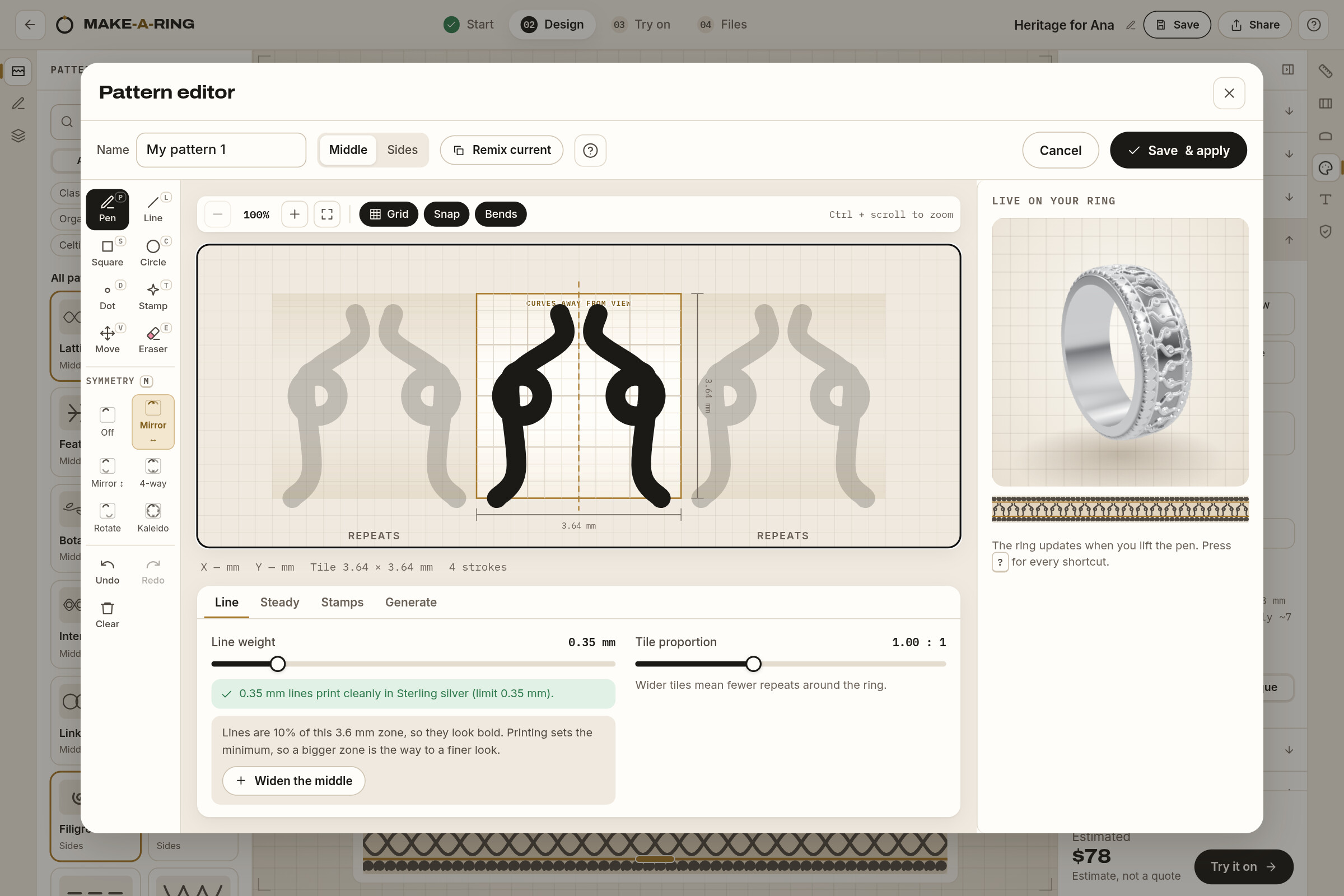
Draw one tile with mirror symmetry; it repeats around the ring as you draw.
-
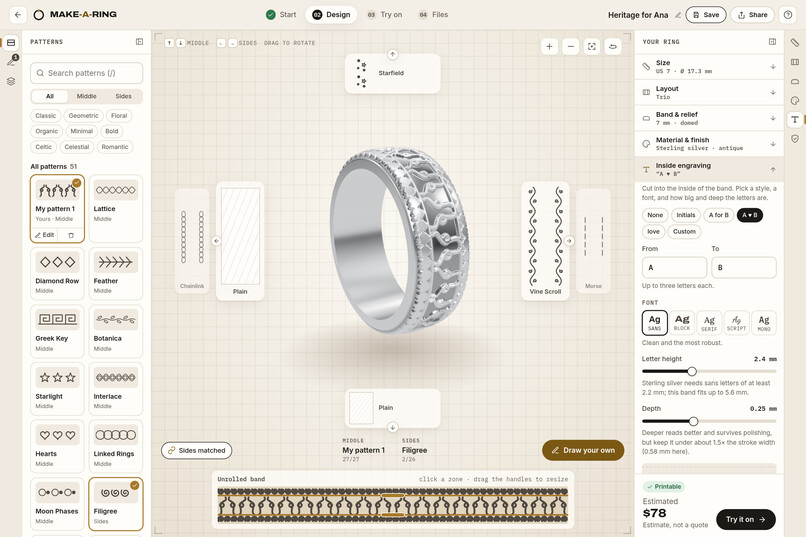
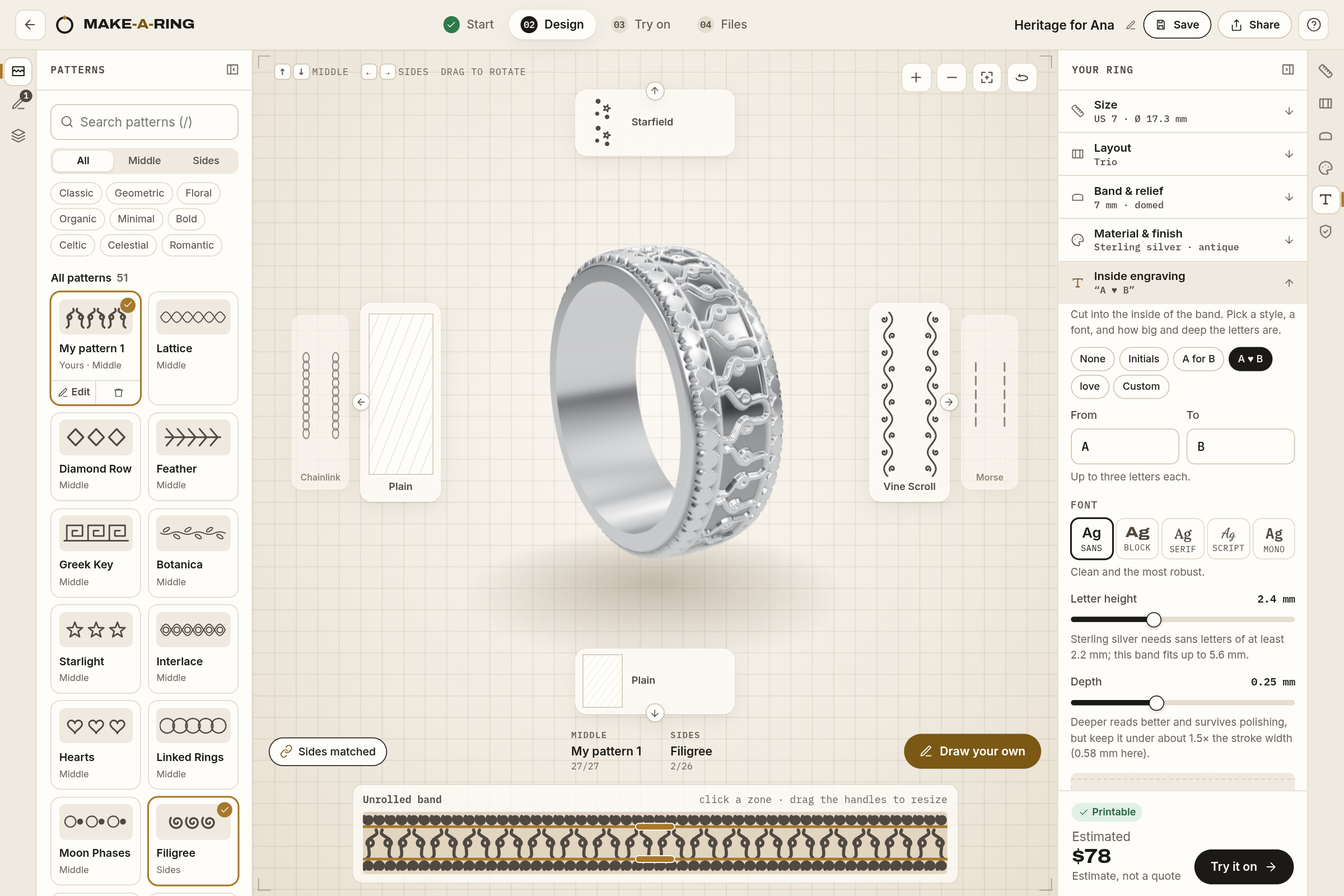
Inside engraving, with letter size and depth checked against the material.
-
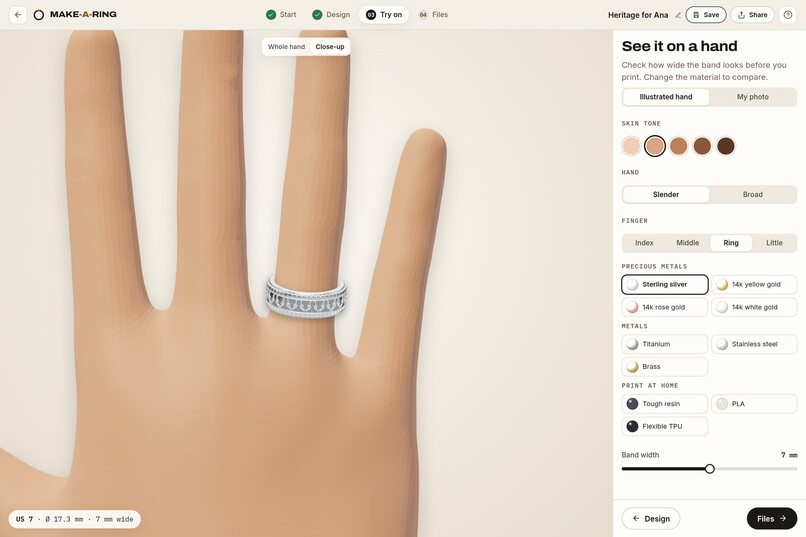
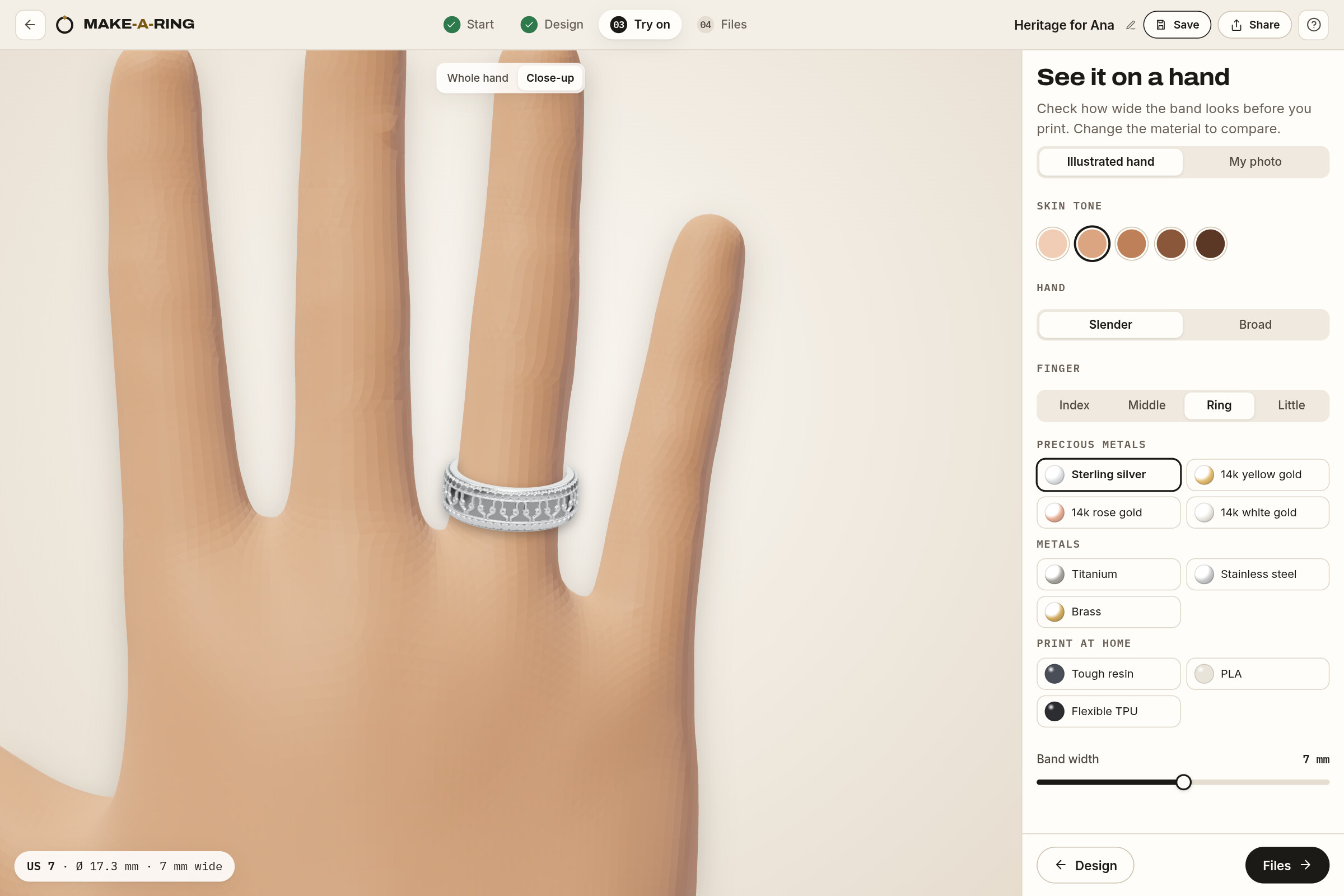
Try it on a 3D hand in five skin tones, or on a photo taken with your camera.
-
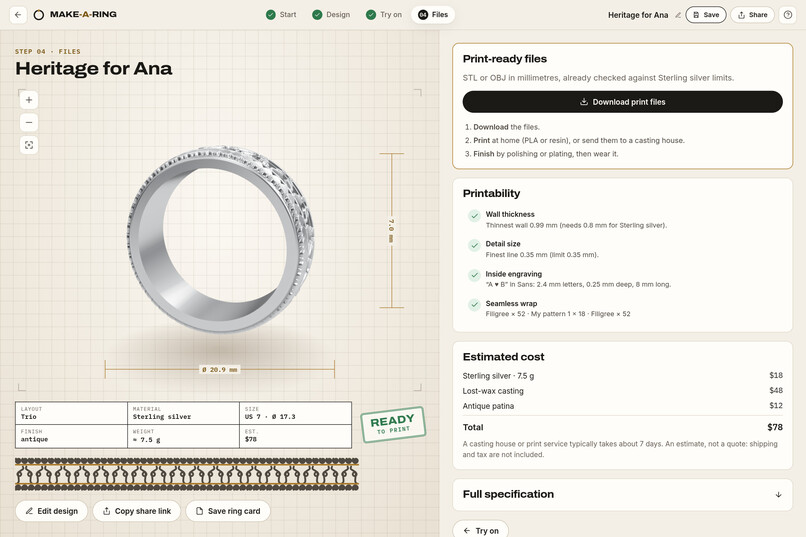
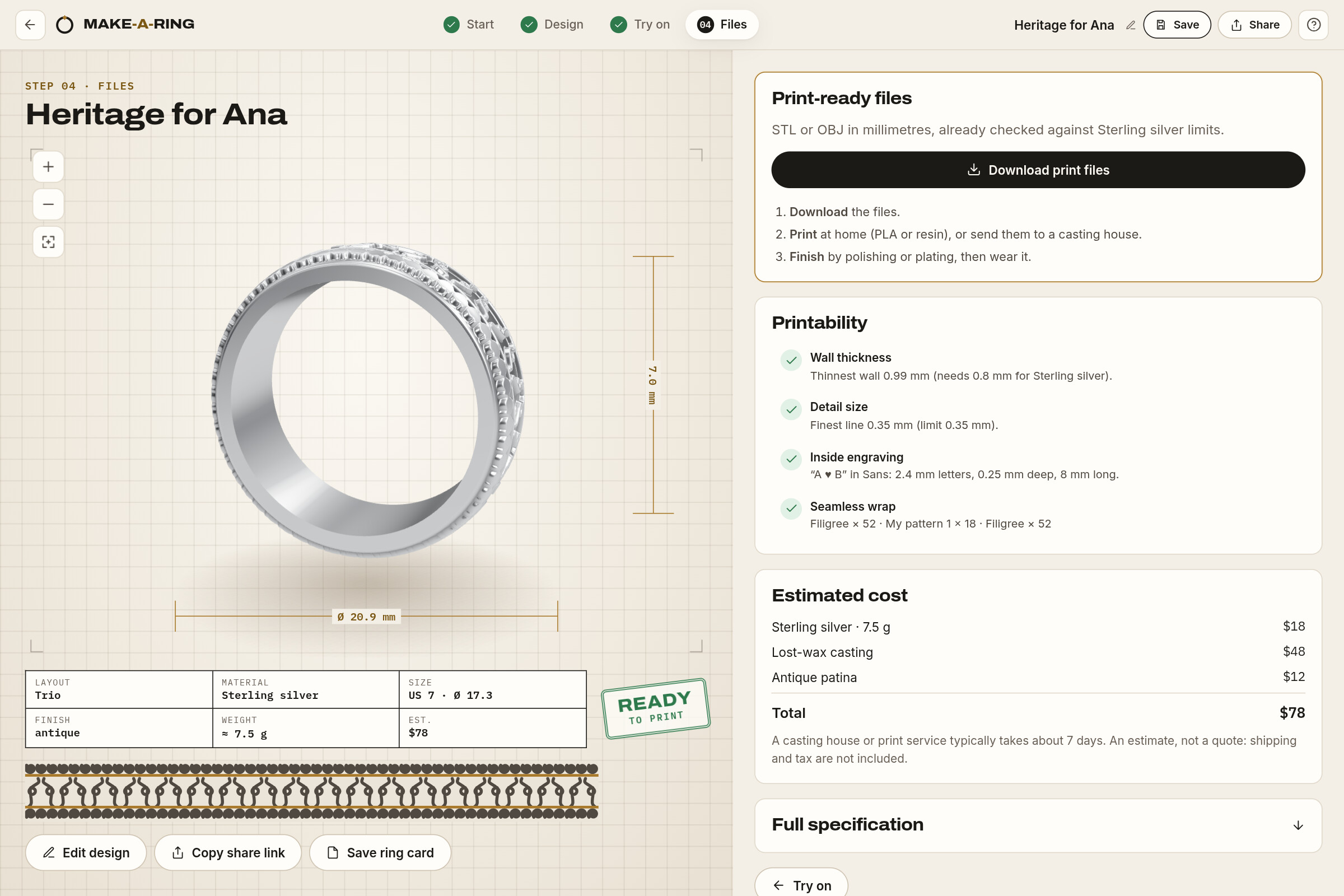
Files: a drawing sheet with a READY TO PRINT stamp and print-ready STL or OBJ.
-
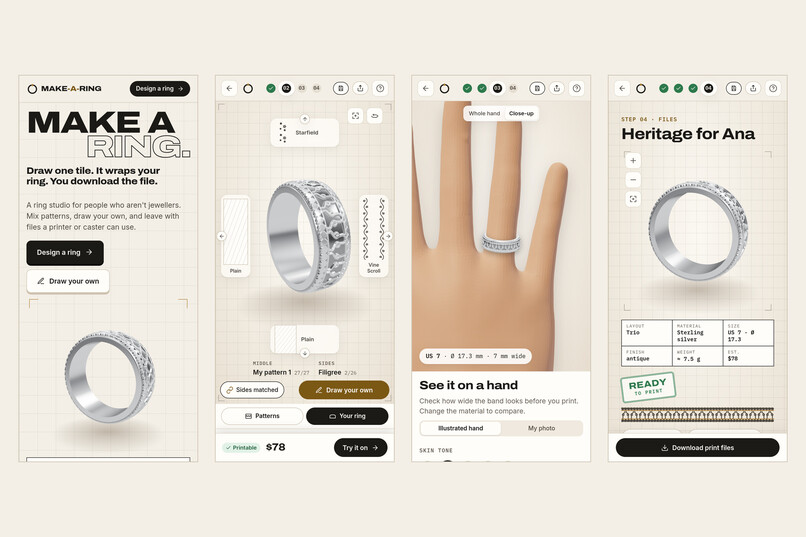
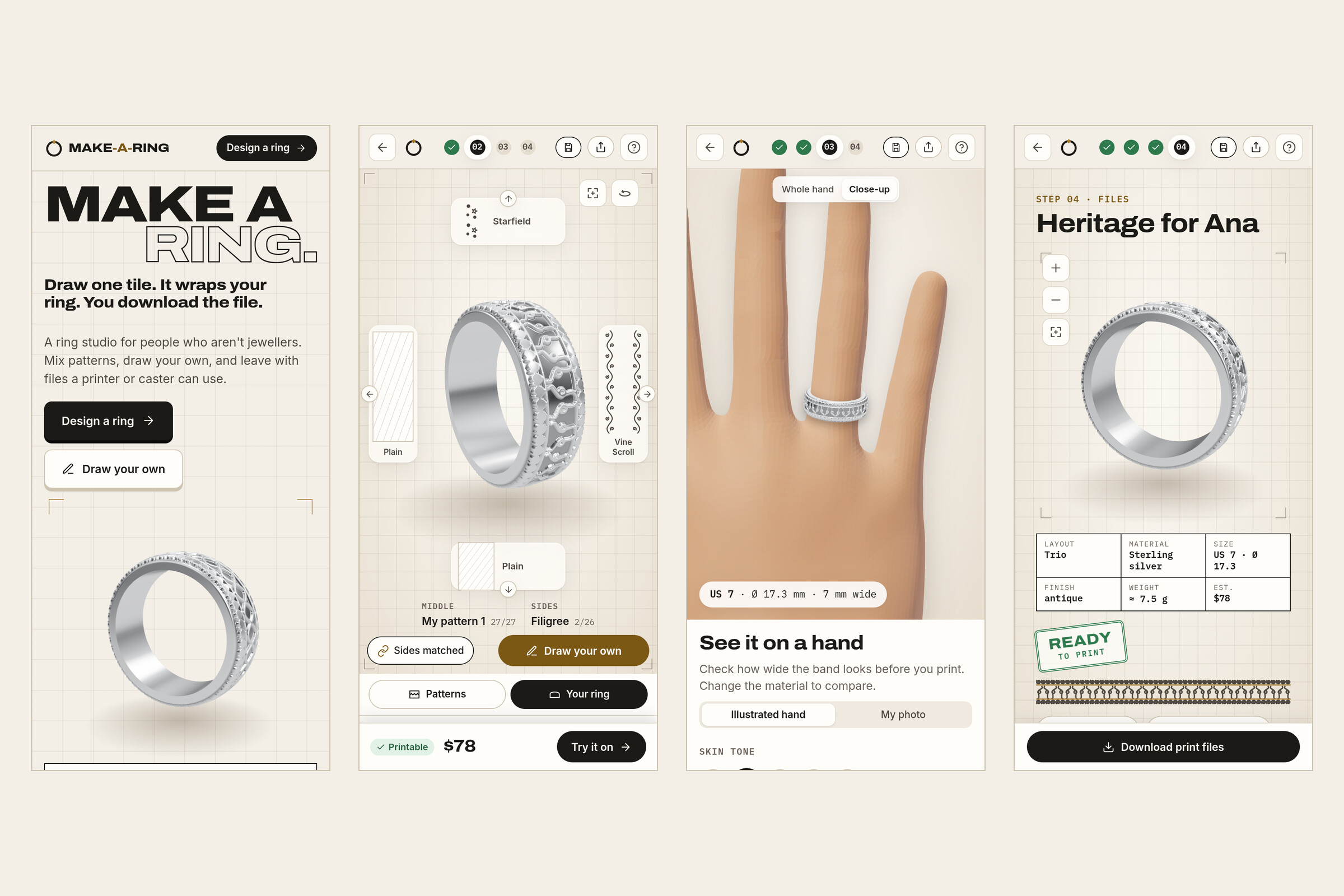
On a phone: the ring fills the first screen and the next step stays docked.
-
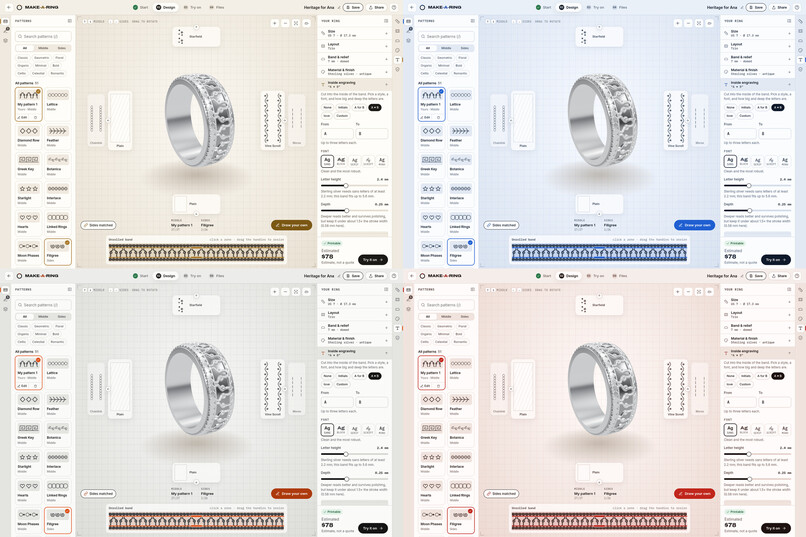
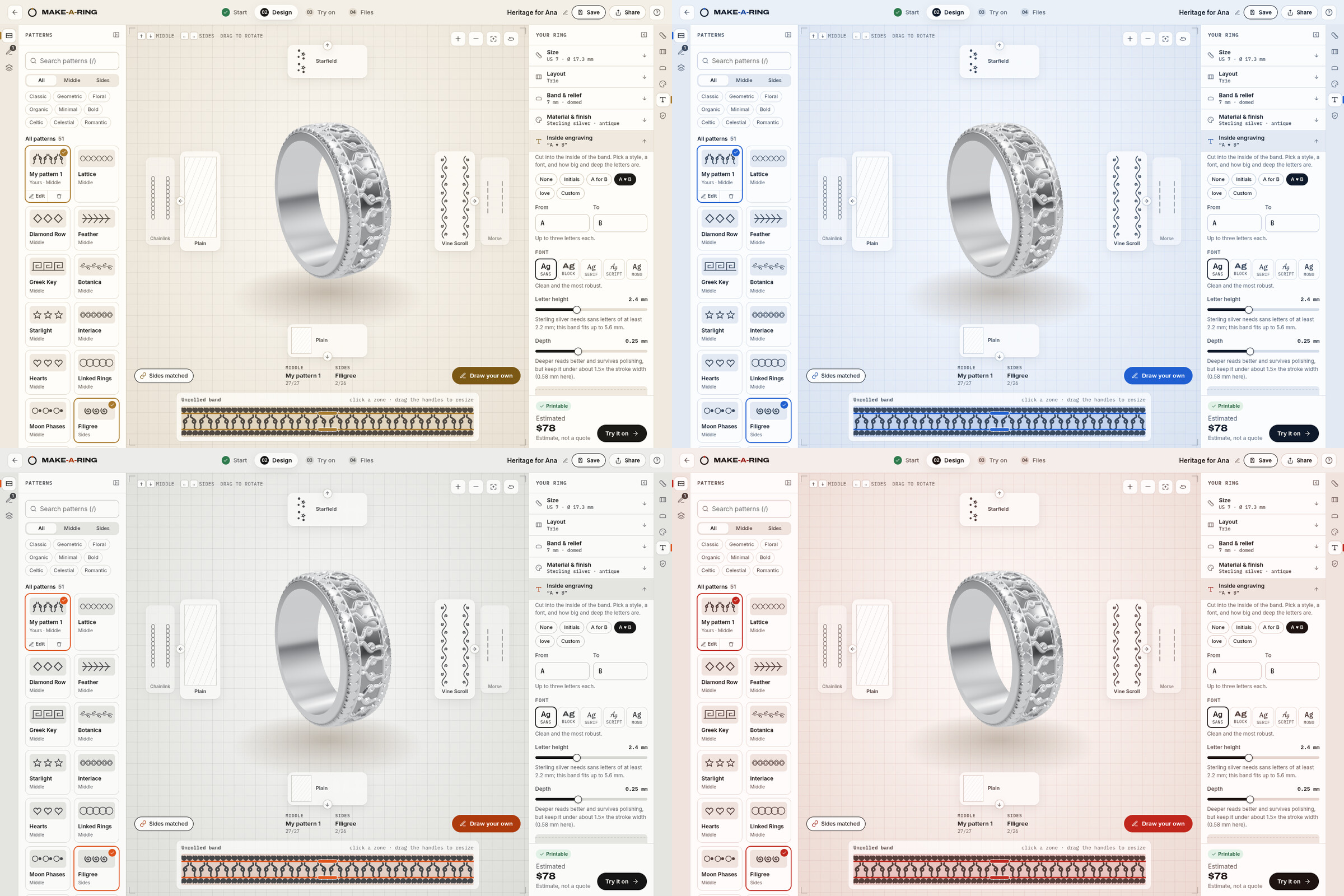
Four colour themes built on one set of tokens.
-
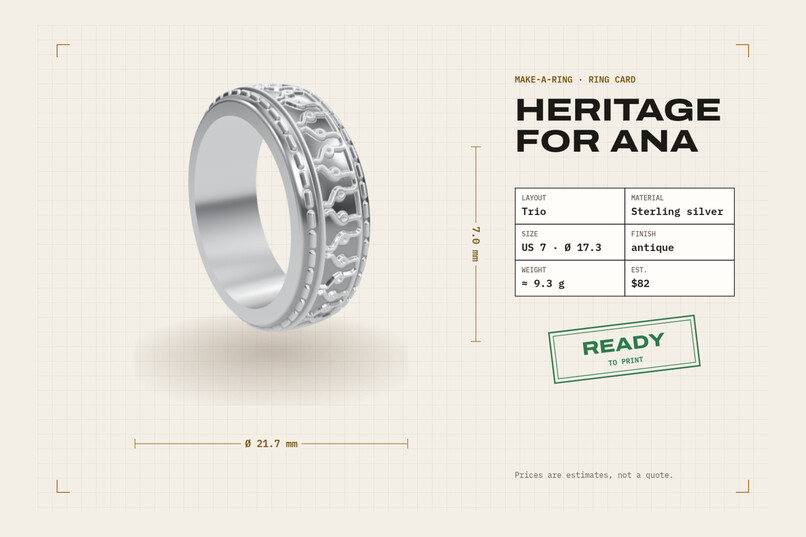
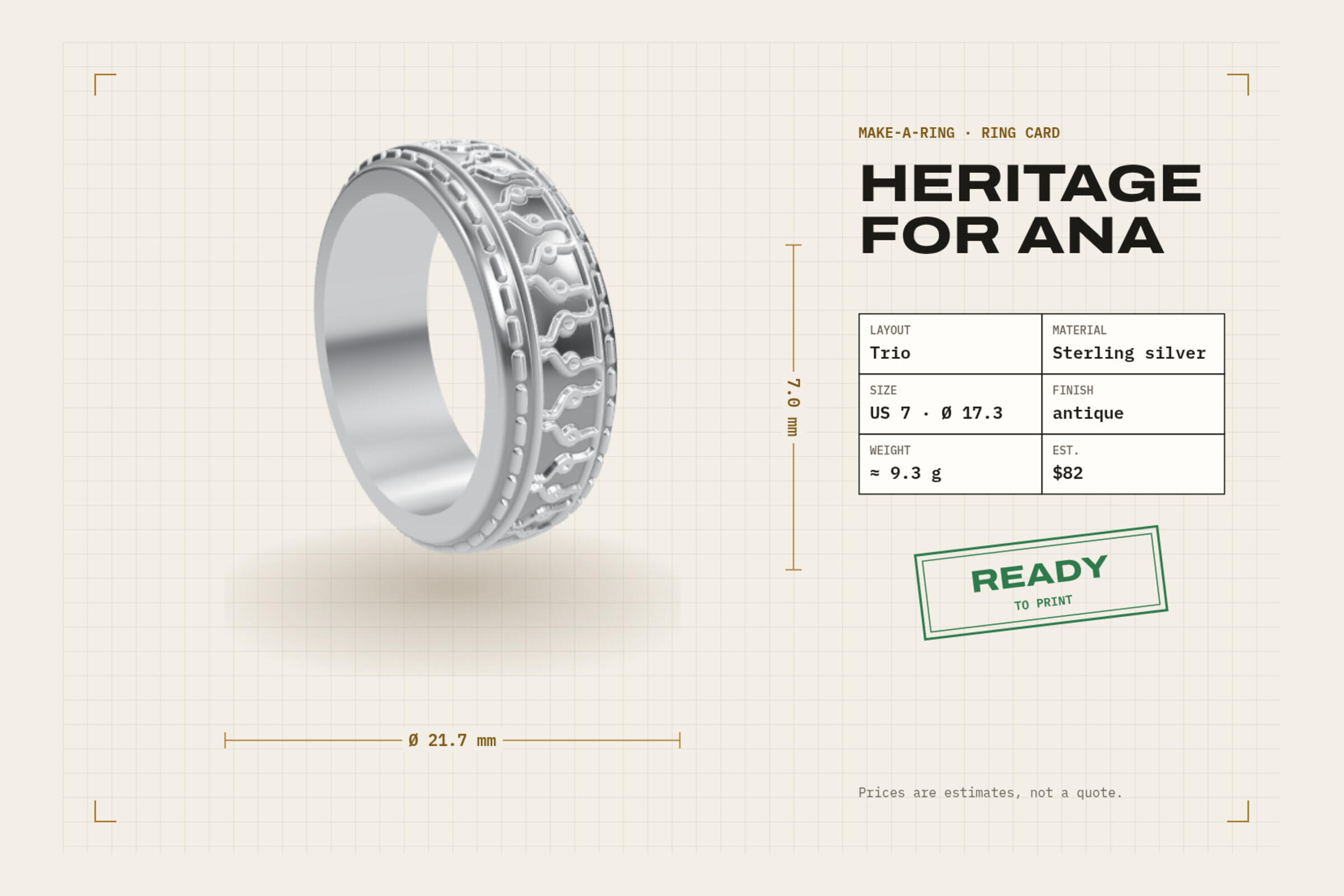
The ring card you can save and share.
Inspiration
A custom ring usually means a jeweller, a quote and a long wait, or a professional CAD tool. Someone with an idea for a ring has no easy way to try it, see it at their real size, or hand a maker a file they can use. We wanted the opposite: a studio where anyone can design a ring in a few minutes and leave with a real file.
What it does
Make-a-Ring is a four-step path, named the same on every screen: Start, Design, Try on, Files.
- Start: pick one of eight templates and your size (US, EU and UK, with the real inner diameter). A size drawing you can drag, and a finder that uses a card you already own.
- Design: the studio works like a game character creator. Up and down change the middle pattern, left and right the borders, across 50 patterns. The 3D ring rebuilds while you browse.
- Draw your own: sketch one tile with mirror, rotate or kaleidoscope symmetry. It repeats seamlessly around the band, and the ring updates when you lift the pen.
- Your ring: every property is listed with its current value: material (10, from PLA to 14k gold), finish, band and relief, inside engraving. Printability is checked live against the limits of the chosen material, and each warning has a one-click fix.
- Try on: a 3D hand in five skin tones, two builds and four fingers, or your own photo, uploaded or taken with the camera. The photo never leaves your device.
- Files: a drawing sheet of your ring with a READY TO PRINT stamp when every check passes, a watertight STL or OBJ in millimetres built in the browser, a maker brief, and a ring card to share.
How we built it
- No build step. Static Preact and htm with three.js, loaded through an import map. It is hosted on Deployxa as a static site, deployed from the terminal with the Deployxa CLI.
- The ring is real geometry. Each pattern is a tile of strokes. The tiles are drawn into a heightmap of the unrolled band, and the band profile is revolved and displaced by that heightmap. The same mesh is shown on screen and exported, so the file matches what you see.
- It stays smooth. The mesh is built in a Web Worker, so rotation never stalls. The studio pre-builds the neighbouring carousel rings, so the 3D ring and the 2D pattern change in the same frame.
- Printability checks use real limits per material: wall thickness, smallest printable detail, engraving letter size and depth, and a seamless wrap with a whole number of tiles.
- The try-on hand is the open-source WebXR generic hand model, posed and smoothed in three.js. The ring positions are measured from the mesh, so the ring sits at true scale on every finger.
- The visual language is a drafting table: grid, registration marks, dimension lines and title blocks. It is written down in a brand guide, linked from the landing footer.
Accessibility
- The whole flow works by keyboard: arrows drive the carousel,
?lists every shortcut, the size drawing is a slider, and the pattern editor draws with arrows and Enter. - Pattern changes are announced to screen readers, and the 3D views have text descriptions.
prefers-reduced-motionturns off transitions, the turntable and animated tours.- Status is never colour alone: every check has an icon and words.
- Measured: axe-core 4.10 reports 0 WCAG 2.2 AA violations on all five screens in all four colour themes, and on a phone-sized screen, on the live site.
Challenges we ran into
- Making the 3D ring and the 2D pattern change together. The first versions flashed a rough preview for a second on every change. Moving the build to a Web Worker and pre-building the neighbouring rings fixed it.
- A seamless wrap. A tile only wraps cleanly when a whole number of tiles fits around the band, so the repeat count and the line weight are worked out from the real circumference in millimetres.
- A believable hand. Our hand-drawn hands never looked right. A real open-source 3D model, posed and smoothed, solved it in an afternoon.
Accomplishments that we're proud of
- The file you download is the ring you designed: watertight, in millimetres, checked against the material.
- Drawing one tile and watching it wrap around a real 3D ring.
- Zero automated accessibility violations across every screen and theme.
What we learned
- Use the real asset first. A real 3D hand beat many rounds of drawing one.
- One name for each step on every screen makes a complex tool feel simple.
- Honest numbers build trust: real diameters, real material limits, and prices marked as estimates.
What's next for Make-a-Ring
- Testing the full flow with people who have never designed a ring.
- More materials and sizing systems (JP and IN).
- A left or right hand toggle and a thumb option in the try-on.
- Sending a design straight to a print or casting service.
Prices are estimates. No real brands are used.
Built With
- css3
- deployxa
- getusermedia
- htm
- html5
- javascript
- preact
- three-subdivide
- three.js
- web-workers
- webgl


Log in or sign up for Devpost to join the conversation.