Inspiration
One of our teammates has really bad back pain. It is said that 619 million people suffering from low back pain in 2020. Projected to rise 843 million, especially with so many people having stagnate lives.
What it does
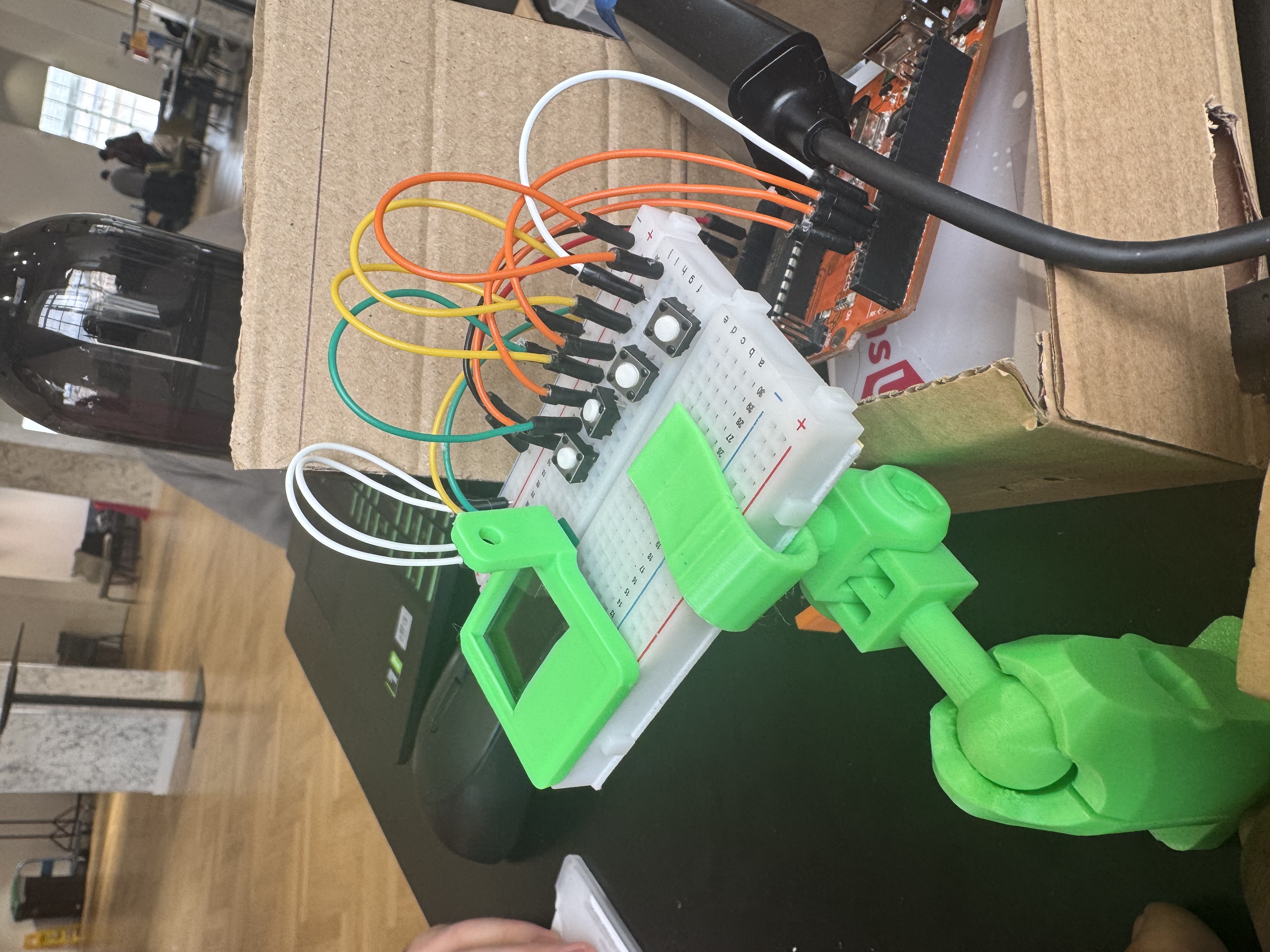
MAK-G is a physical AI-powered study companion that sits on your desk and keeps you accountable during study sessions. It monitors your posture through a camera and detects when you pick up your phone — then calls you out with a voice alert and flashes a warning on its OLED display. A live focus score tracks how well you're doing throughout the session, and a web dashboard shows your session history and posture trends over time. Four buttons let you start and stop sessions, switch between study modes (Focus, Chores, Others), mute alerts, and control music playback.
How we built it
The device runs on a Raspberry Pi 5 which handles all the AI processing. A laptop webcam streams video to the Pi over a local WiFi network using a custom MJPEG Flask server. MediaPipe analyses each frame to detect body landmarks and calculate torso angle — slouching beyond 15° from vertical triggers an alert. Google Gemini Vision API checks every 5 seconds whether the user is holding a phone. When either is detected, ElevenLabs fires a spoken voice alert through a speaker. An Arduino Uno drives the hardware interface — a 0.96" OLED display showing the current mode, session timer, and live focus score with a progress bar, plus 4 buttons for session control. The Arduino and Pi communicate over USB serial, with the Pi sending posture scores and alert notifications back to the display in real time. Every 3 seconds the Pi sends session data to a Flask backend hosted on Vultr, stored in SQLite. A web dashboard displays session history, live posture score, and the camera feed so users can review their focus patterns over time.
Challenges we ran into
MediaPipe on Raspberry Pi was our biggest hurdle — there are no official Pi builds, so we spent hours hunting down community wheels and fighting Python version conflicts before landing on a working setup with Python 3.11. WebRTC vs OpenCV — our original plan used vdo.ninja to stream the laptop camera to the Pi, but vdo.ninja uses WebRTC which OpenCV cannot read directly. We had to build a custom MJPEG Flask streamer on the laptop as a workaround. Posture angle accuracy — our first approach used a 3-point geometric angle which kept returning near-zero values because MediaPipe was extrapolating hip landmarks way off screen. We switched to an atan2-based vertical deviation calculation which is far more reliable regardless of how much of the body is visible. API key security — we accidentally exposed API keys in a screenshot early on, which immediately got them flagged as leaked by Google. Lesson learned about .env files and gitignore. Arduino serial conflicts — flashing new code to the Arduino while it was connected to the Pi caused port conflicts and upload failures. We had to coordinate disconnecting it each time.
Accomplishments that we're proud of
Built a fully working physical product in 12 hours that genuinely detects bad posture and phone usage Got MediaPipe running on a Raspberry Pi despite no official support Seamlessly integrated 5 different APIs (Gemini, ElevenLabs, MediaPipe, Flask, SQLite) into one cohesive pipeline The OLED alert system works in real time — press start, slouch, and within seconds the screen flashes and the voice fires End-to-end data flow from Pi camera → AI detection → voice alert → OLED display → backend → web dashboard all working together
What we learned
Hardware and software integration is significantly harder than either alone — serial communication, timing, and API compatibility issues stack up fast Always use .env files and gitignore from the very start of a project MediaPipe landmark coordinates can behave unexpectedly when the full body isn't in frame — always validate your assumptions about coordinate ranges Designing for a demo is different from designing for reliability — we had to make pragmatic trade-offs to get everything working in time Splitting into clear roles (hardware, AI, backend, frontend) was essential — without that structure we would have stepped on each other constantly
What's next for MAK-G
Hardware and software integration is significantly harder than either alone — serial communication, timing, and API compatibility issues stack up fast Always use .env files and gitignore from the very start of a project MediaPipe landmark coordinates can behave unexpectedly when the full body isn't in frame — always validate your assumptions about coordinate ranges Designing for a demo is different from designing for reliability — we had to make pragmatic trade-offs to get everything working in time Splitting into clear roles (hardware, AI, backend, frontend) was essential — without that structure we would have stepped on each other constantly
Built With
- api
- elevnlabs
- mediapip
- raspberry-pi

Log in or sign up for Devpost to join the conversation.