-
-
-
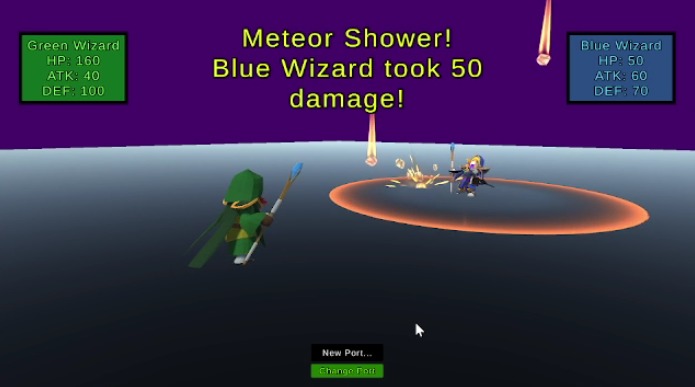
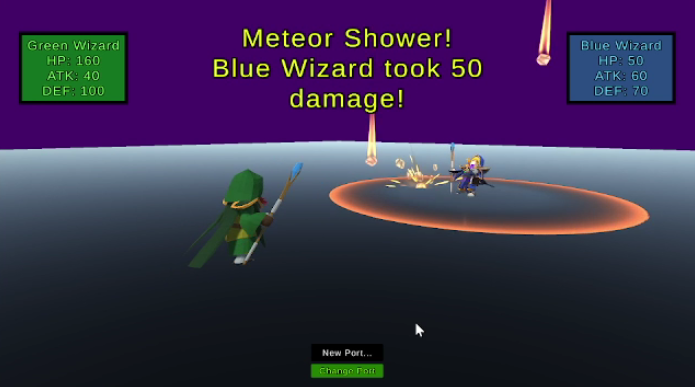
Green Wizard attacks with Meteor Shower! This is one of the stronger moves
-
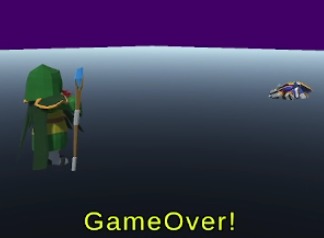
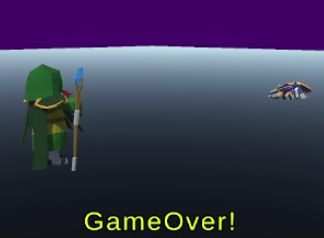
Green Wizard defeated Blue Wizard!
-
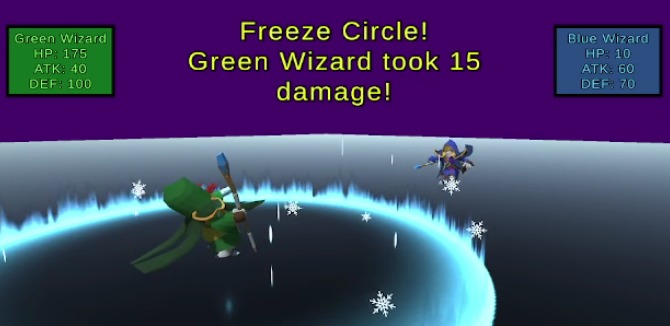
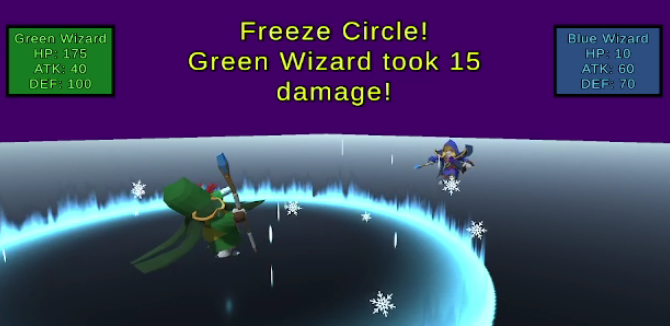
Blue Wizard attacks with Freeze Circle! This move is a decent move
-
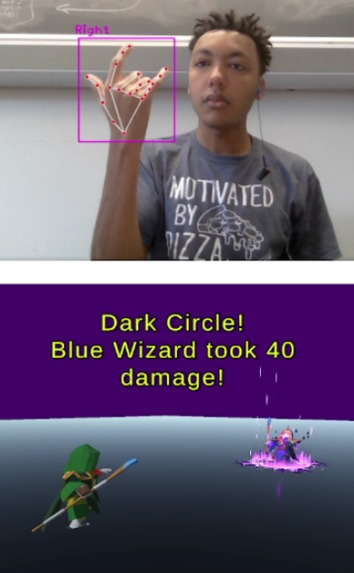
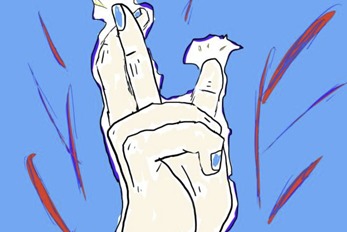
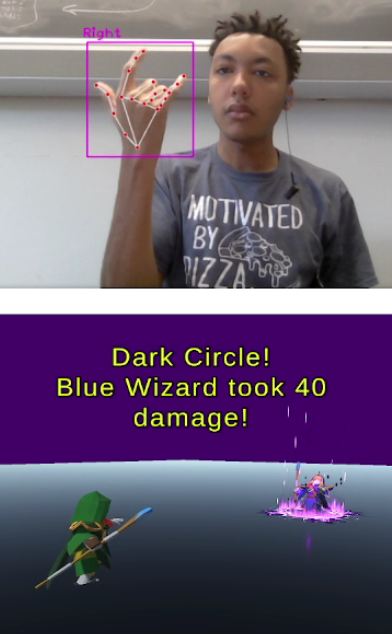
This Hand Sign launches Dark Circle!

Inspiration
The idea originally started with an interest in making a unique game. The game's overall idea is to launch magic attacks by using your own hand signs. We thought it was unique enough, but we wondered how we could make it fall into a useful category.
And then it hit us!
Arthritis is a very common hand-related health issue. So not only can our game provide fun and joy, we can also transform it into something that helps ease discomfort and promote hand flexibility!
What it does
Our game has players use specific hand motions to launch magic attacks at their opponent. Stronger magic requires harder hand motions.
The game can be local-multiplayer (Up to 2 people) or you can battle an AI! (Although it's not that smart, and its attacks are random. Actually, it can blow itself up...)
The battle system is turn based. In order to initiate an attack, the turn player only has to hold up their hand with all five fingers held straight. They are then given three seconds to use any hand motion as long as it's one of the 12 specific ones. Then an attack is launched at their opponent (or themself!?), it could even cause critical damage! Once a player finishes their attack, the next player can go. This repeats until a player loses all of their HP.
Very very very important note: You MUST have the python script running in the background as a camera in order for Majesty Signs to play. If an issue is detected where Majesty Signs cannot pick up a hand sign, then a player can type in a port number for their PC to use. HOWEVER, it must be the same port number that the python code is also writing to. For example: in the python code there is a line: "serverAddressPort = ("127.0.0.1", 10080)", where 10080 is the port.
How we built it
The hand tracking motion is thanks to a Python program we got from watching a tutorial on Youtube for how to track hand movements in Unity.
The way the program work is that it divides a person's hand(s) into 21 vertices (and edges, but that wasn't used for this project). Using those vertices, we can detect if a hand is facing vertically or horizontally, along with which fingers are bent (although this has a limitation which we'll get to in a bit)
We figured out which fingers are bent by separating the vertices so they could match to their fingers, and then determine which vertices were higher than each other on which finger.
As for the cool animations from the wizards and magic attacks, we got those from the Unity Asset Store. After that, it was a matter of looking up how to access animations and use specific ones, along with figuring out when to create the cool effects.
Challenges we ran into
Determining if the hand is pointing to the computer screen can get messy because the Python code used to track hand movement can sometimes have trouble with determining vertices it can't really see, so it might spazz out sometimes. To resolve this, we decided to stick with hand motions that don't involve pointing to or away from the screen.
There were also a lot, and we do mean A LOT, of conditions to figure out specific hand motions. When you're trying to figure out if the pointer finger is bent along with the middle, ring and pinky finger while making sure the thumb is straight, it gets kind of messy to keep track of. Fortunately, comments exist and they are a blessing.
There was a really REALLY cool magic asset that couldn't be used because it's compatible only with a certain type of Render for Unity. And using that render would get rid of the cool wizard asset material colors, so sacrifices had to be made :( (It was Gojo's Hollow Red from JJK) On the bright side, all the other cool magic attacks stuck with us!
We ran into an error where when we tested the Unity game before it was built, it worked. But if right after we built the game and then ran it, it would cause an error with "two ports cannot be used at the same time". Fortunately, there were two ways to fix this. One, after we're done testing and we're finally ready to build, we change the port being used in the game and in the Python code. The second solution that we added near the end was the ability to change the port the game is using while it was running, that way we wouldn't have to fear that error.
Restarting the game after it was finished was kind of difficult to figure out how to do. But we managed!
Accomplishments that we're proud of
Determining hand signs and firing magic attacks when the correct hand sign was used went surprisingly well. There was little difficulty in coding that, it was just a little time consuming and a bit hard to keep track of at first.
The battle system also went well with calculating the damage and battling the computer didn't break anything.
Python connecting to Unity also went really well.
What we learned
We learned how to track hand that using Python and Unity We learned how to use animations from 3D models We learned that even within our magic game idea, that we could find a way to make an impact on the world.
What's next for Majestic Signs
There were a lot of different signs we could've added from popular franchises. And along with those signs, more awesome magic attacks could've followed. But for now, we decided to stick with the basics. Majestic Signs can also make more challenging bots and allow a bigger local multiplayer base. But one really exciting feature we hope to sometime add would be the ability for our game to track hand motion well enough that we can do things like closing and opening a fist to perform magic attacks (while also helping people with arthritis). As of right now, the code only uses the last hand sign it detects before launching a magic attack, so if we could change that we believe it would lead to a big improvement! It'd also be cool if we could distinguish left and right hands. Adding which hand signs perform which moves to the game would be helpful, but for now we have a sheet. And also finding more sound effects and copyright-free music for the game to have would be really good.
Also we will want to figure out how to include that Gojo Hollow Red asset. Seriously.


Log in or sign up for Devpost to join the conversation.