-

MaizePlanner Intro and Logo
-

Goals and vision
-
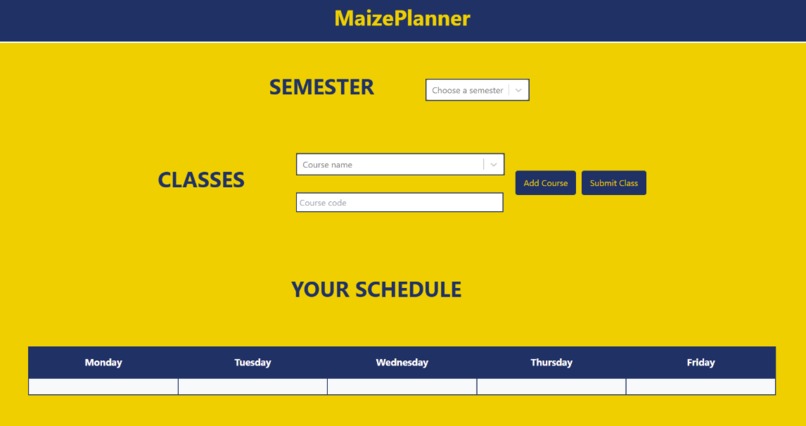
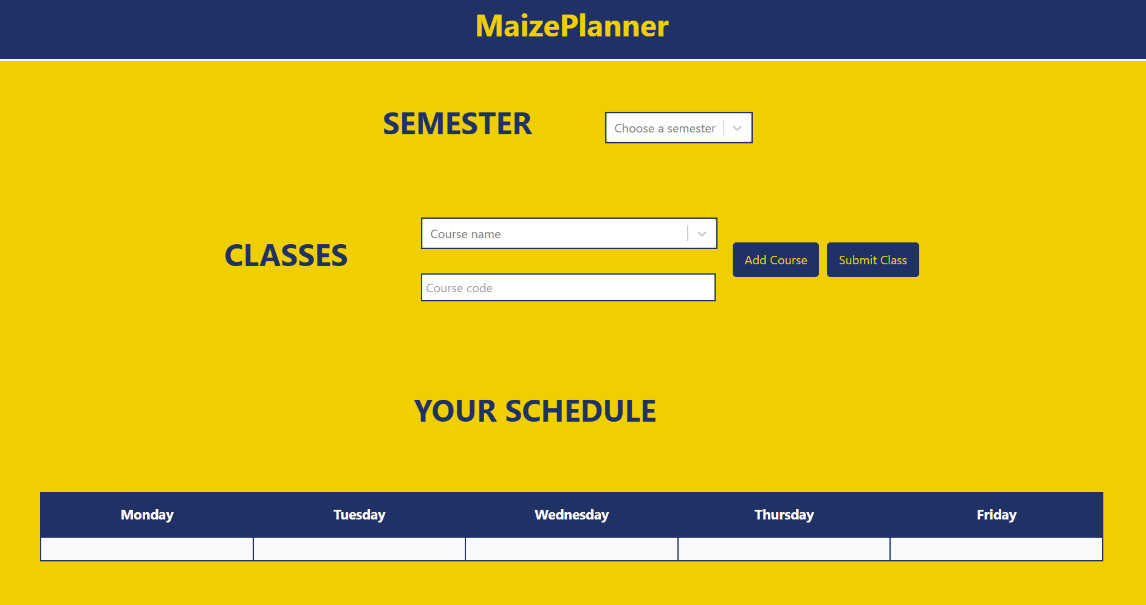
Schedule Builder Initial View
-
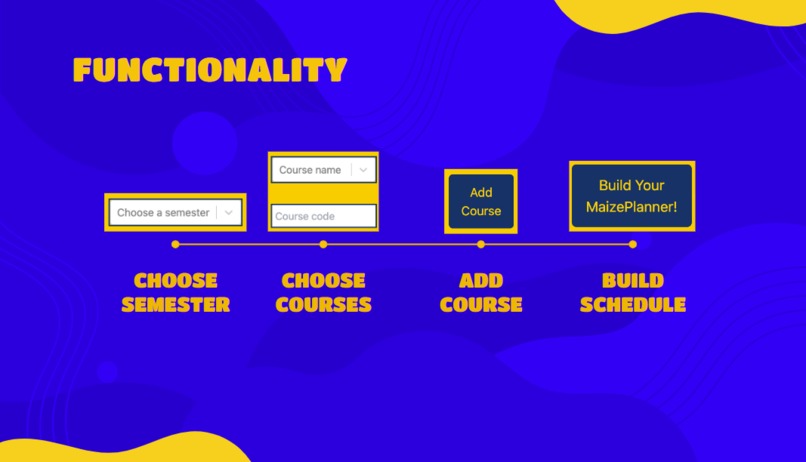
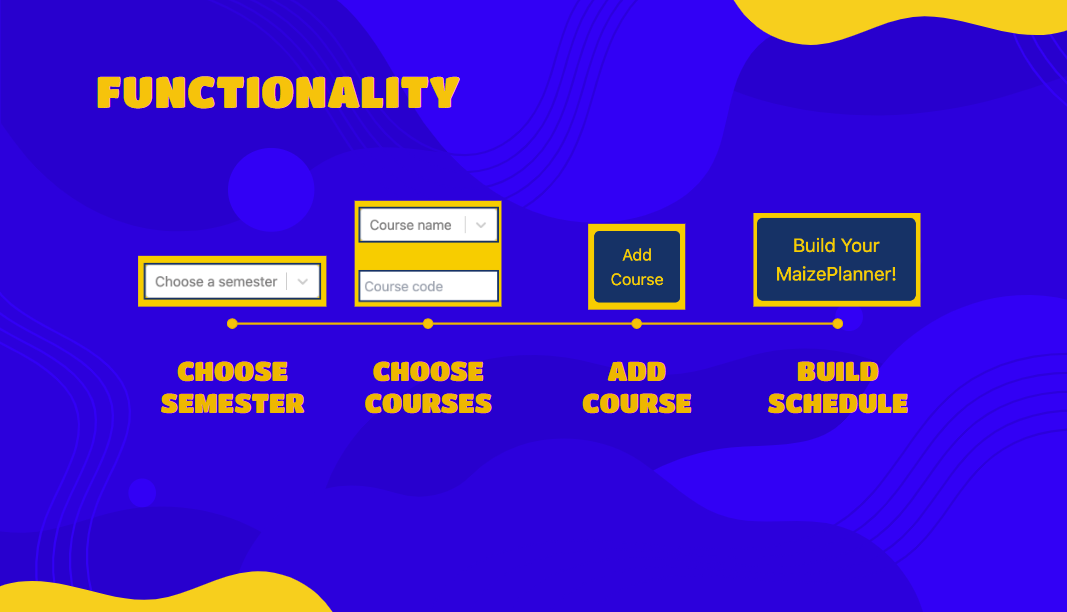
Functionality of the website


Inspiration
As university students, there is always that time of year when we have to choose classes for the next semester or get ready for upcoming classes. It is oftentimes frustrating to build a schedule of classes that is simple to see and straightforward. Although the layout of the class schedule on Wolverine Access is functional, many students have mentioned the blocky, grid-like format of the schedule is not pleasantly appealing. A majority of UMich students have resorted to Atlas for a better visual course calendar; however, this schedule style fell short when it came to searching for different sections, as it didn't have the feature to type search a course number. MaizePlanner works to combat both inconveniences of the Wolverine Access and Atlas schedule builders by providing a visually appealing, simple, schedule builder that highlights SCHOOL SPIRIT and optimizes usability for students.
What it does
MaizePlanner is a user-friendly schedule-building tool designed for students at the University of Michigan. It offers:
Semester Selection: Allows students to choose the semester they want to plan for, with a dropdown menu.
Class Search: A dropdown populated with courses from a database, giving users the ability to search and select their classes easily.
Visualized Schedule: A clean and intuitive interface where students can see their selected courses and how they fit into their weekly schedule.
How we built it
MaizePlanner is built using the MERN stack (MongoDB, Express, React, and Node.js). We started by importing course data from CSV files into a MongoDB database. The backend handles requests from the client to fetch course information. The frontend is built in React, where users interact with a user-friendly and simple interface to choose their courses and generate schedules. Using MongoDB, we ensure that all course data is accessible in real time and updated dynamically in the React-based frontend.
Challenges we ran into
- Initially, we faced issues with performance while fetching data directly from CSV files, which led us to switch to MongoDB for faster and efficient data handling.
- Another challenge was optimizing the scheduling algorithm to ensure accurate allocation of time slots across different days, ensuring no conflicts occurred in the student's schedule.
Accomplishments that we're proud of
Successfully integrated a large and dynamic class selection dropdown that loads courses efficiently. The drop down also has a search and scroll feature so that students can have multiple options when choosing their classes.
Created a flexible scheduling interface that adjusts dynamically as new courses are added or removed. The add new classes and submit it into the schedule box feature allows you to see the number, name and code of the classes you are taking as they get put into your weekly planner.
Built a visually clean and intuitive UI that balances information density with clarity.
What we learned
Working on MaizePlanner allowed us to become more familiar and comfortable using the MERN tech-stack when building. We also practiced debugging a lot of our code and collaborating with each other. We also gained valuable insights into handling large datasets efficiently and delivering an intuitive and visually pleasing interface.
What's next for MaizePlanner
- Multiple schedule options: Provide students with multiple schedules based on their selected courses, allowing them to choose one that best fits their preferences and availability.
- Google Calendar integration: Integrate the Google Calendar API so that students can add their generated schedules to their calendars
- Wolverine Access integration: Allow students to export their generated schedule into Wolverine Access, streamlining the process of adding courses directly to their official schedule


Log in or sign up for Devpost to join the conversation.