-
-
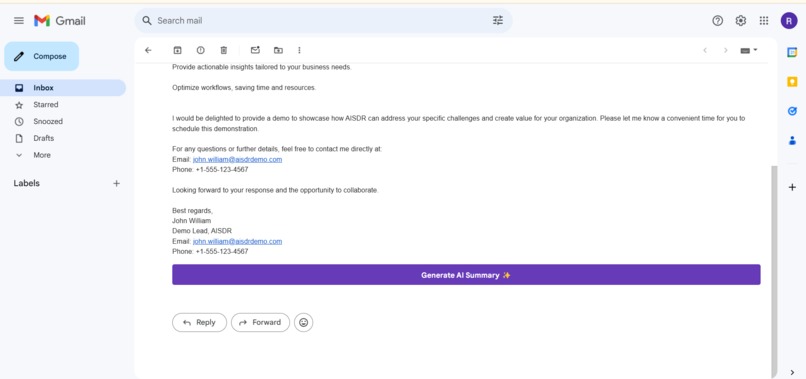
A
-
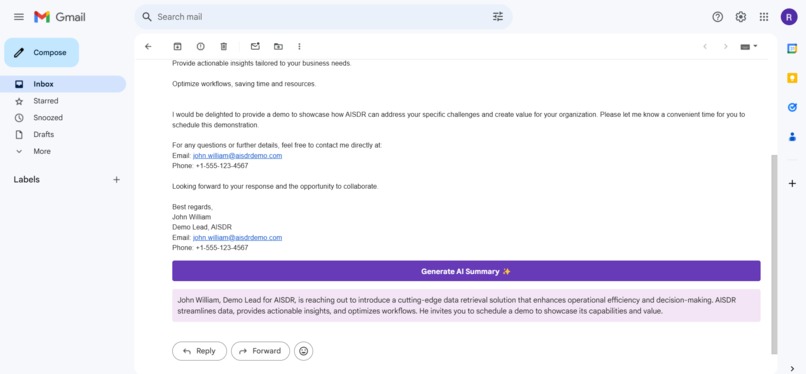
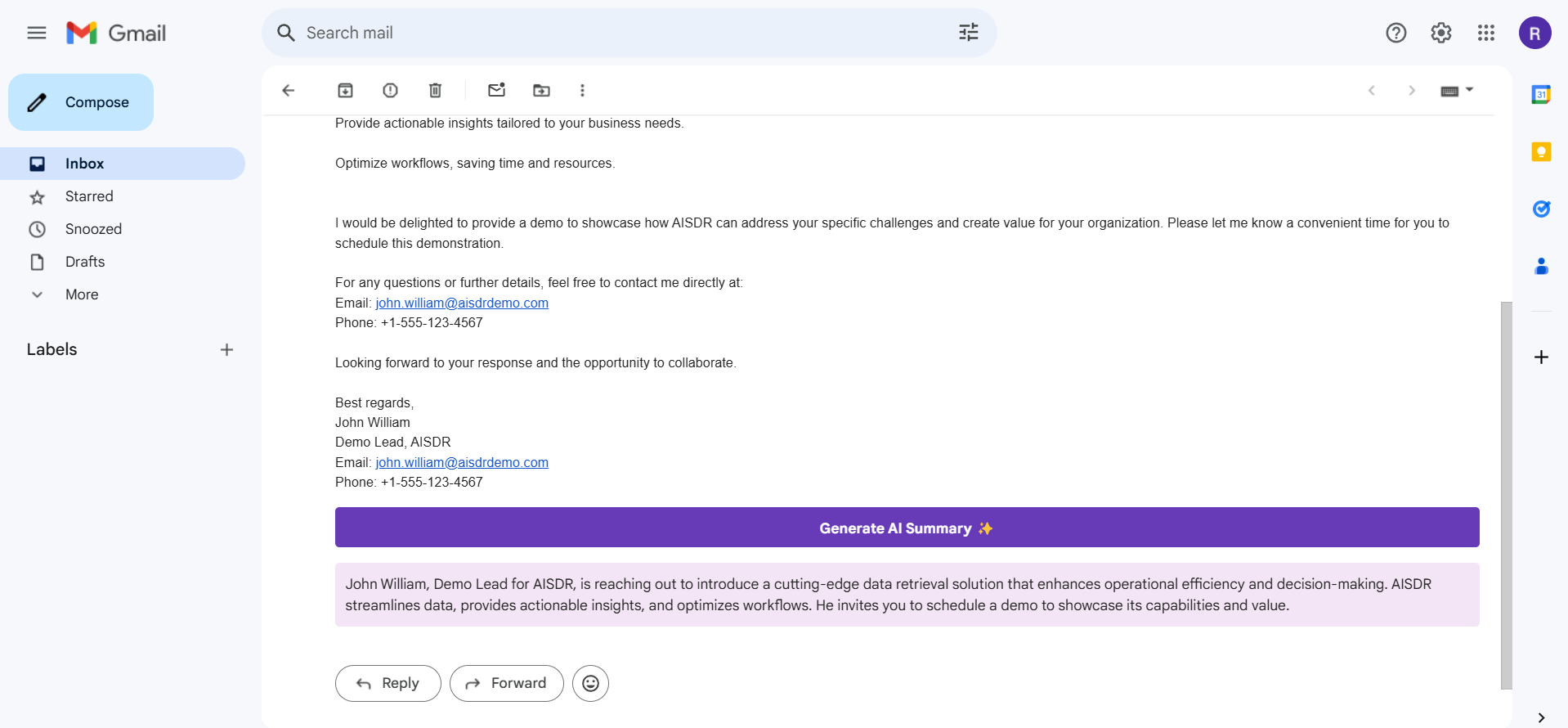
GENERATE SUMMARY
-
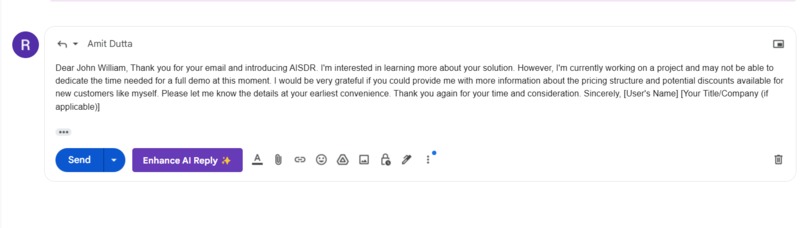
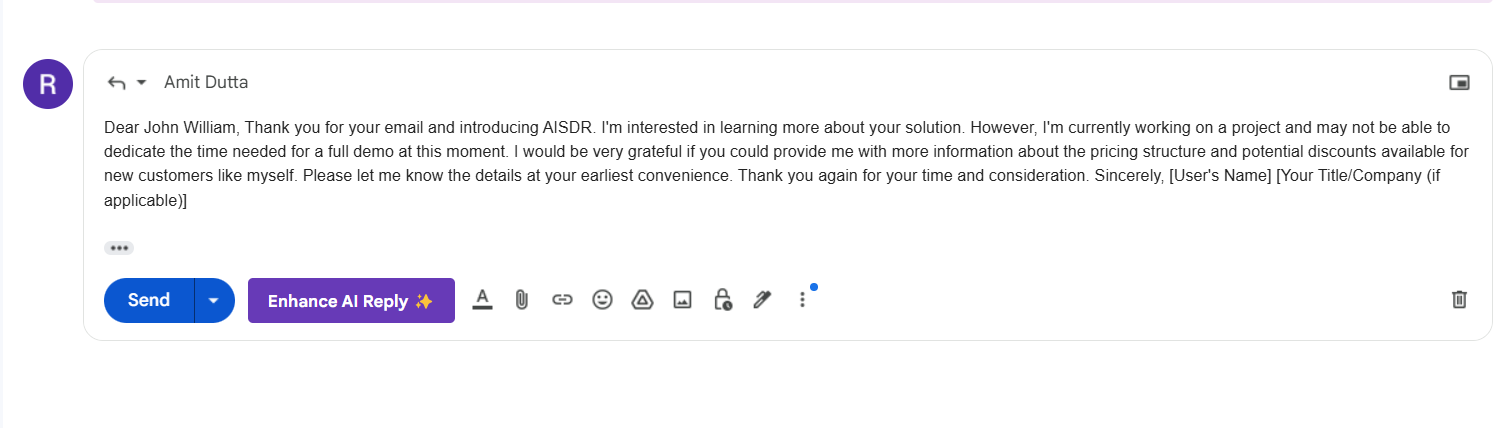
Enhance reply with
Inspired by the Power of AI
The ever-growing volume of emails and the constant struggle to prioritize them effectively inspired me. I envisioned an AI-powered tool that could automatically categorize and summarize emails, saving users valuable time and mental strain.
Learning Curve and Technical Challenges
Building this email assistant required a deep dive into several technologies:
Chrome Extension Development:
I navigated the Chrome extension development ecosystem, mastering manifest files, background scripts, content scripts, and popup pages.Chrome built in AI:
I explored the capabilities of in-browser AI model, particularly for text classification and summarization.User Interface Design:
A user-friendly interface that seamlessly integrates with the Gmail interface was crucial. The design is intuitive and easy to use, with clear visual cues for email categorization and summarization.
Building the Email Assistant
Chrome Extension Framework:
The foundation involved creating a basic Chrome extension structure. This included defining the background script for email processing and the content script for interacting with the Gmail webpage.Email Extraction:
A script was developed to extract relevant information from incoming emails, such as sender, subject, and body.AI Model Integration:
I used canary chrome.Email Categorization:
The AI model analyzes the email content and assigns it to categories like "Work," "Personal," "OTP," and "Promotions." This happened with prompt API.Email Summarization:
The AI model generates concise summaries of emails and email threads, highlighting key points and action items. All this happened with prompt API.User Interface:
A simple and intuitive user interface was designed to display categorized emails and provide easy access to summarization and reply enhancement features.
Challenges Faced and Lessons Learned
Model Accuracy:
Achieving high accuracy in email categorization,summarization and reply enhancing especially for complex and ambiguous emails, proved to be a significant challenge. It took lot of prompt engineering.User Experience:
Designing a seamless and intuitive user experience was crucial. User testing was conducted to gather feedback and iterate on the design.
Key Takeaways
Through this project, I gained valuable experience in AI, machine learning, and Chrome extension development. The importance of prompt engineering , and user-centric design was solidified. I'm excited to continue refining this email assistant and exploring new ways to leverage AI to improve productivity and efficiency.
Built With
- gmailapi
- javascript

Log in or sign up for Devpost to join the conversation.