-
-
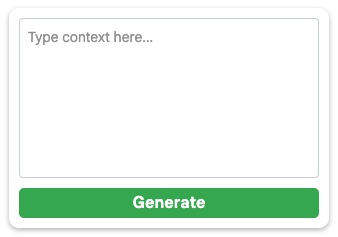
MailGem hover popup
-

MailGem in Gmail response box
-
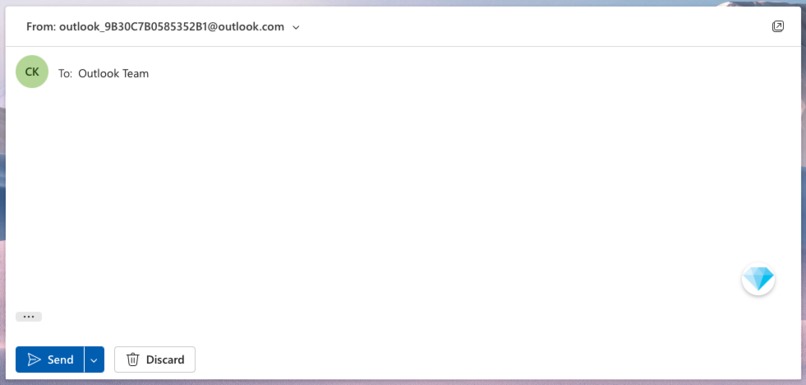
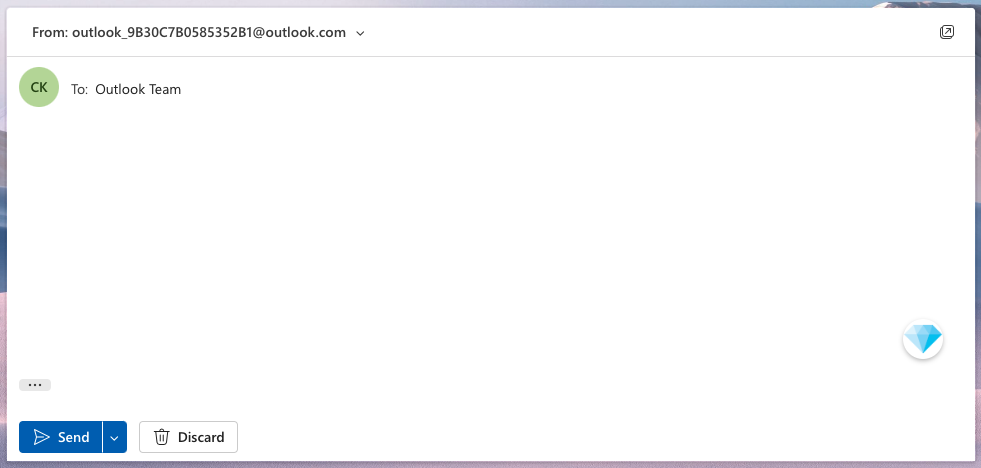
MailGem in Outlook response box
-

MailGem logo


Inspiration
We were inspired to create MailGem to transform the mundane and often repetitive task of email writing into a more efficient and engaging experience. Recognising the need for enhanced privacy and speed, especially for sensitive communications such as confidential business emails, we aimed to develop a solution that not only streamlines email responses but also ensures robust security and performance.
What it does
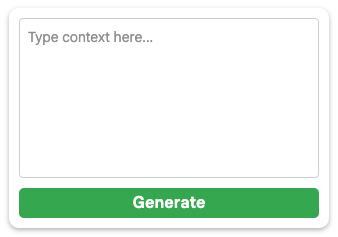
MailGem is a Google Chrome extension that seamlessly integrates with Gmail and Outlook, leveraging Google's built-in AI to generate intelligent email responses. When replying to an email, the MailGem icon appears in the response box. Hovering over the icon reveals an input field to optionally add additional context and a Generate button. Upon clicking Generate, MailGem swiftly produces a tailored AI-generated reply using the email thread as context as well as any extra user defined context, enhancing productivity and ensuring your communications are both effective and efficient.
How we built it
We developed MailGem using JavaScript and CSS, utilizing Chrome's built-in Prompt API for AI response generation. The extension is highly interactive, injecting directly into the Gmail and Outlook user interfaces through content scripts, also able to read previous email interactions for context. When a user initiates the composition of an email, MailGem's icon appears within the response section. By hovering over the icon, users can provide extra context for the AI to consider, and with a single click of the Generate button, the AI crafts a suitable response. This integration ensures a smooth and intuitive user experience, leveraging the power of Google's on-device Gemini Nano model for privacy and performance.
Challenges we ran into
From the outset, we encountered several significant challenges:
- Prompt API Integration: Navigating the complexities of the Prompt API, especially since it was in an origin trial phase, proved to be difficult.
- DOM Manipulation: Working with content scripts to accurately extract and insert elements within the intricate DOM structures of Gmail and Outlook required extensive troubleshooting and understanding.
- Chrome Extension Development: As first-time developers of a Chrome extension, distinguishing between background and content scripts and managing their interactions was a steep learning curve.
- Prompt Engineering: Crafting prompts that consistently yielded reliable and contextually appropriate AI responses was essential for maintaining the extension's effectiveness.
Accomplishments that we're proud of
Despite the challenges, we achieved several milestones that we are particularly proud of:
- Real-World Functionality: Successfully developed a functional solution that offers genuine productivity enhancements, ensuring that MailGem is not just a prototype but a tool we actively use in our daily email communications.
- Rapid Development Under Pressure: Initiated development only a week before the hackathon deadline and managed to complete the project to a high standard within a tight timeframe.
- Practical Impact: Created an extension with real-world applicability, demonstrating its potential to make a meaningful difference in users' email management and productivity.
What we learned
Throughout the development of MailGem, we gained invaluable insights and skills:
- Chrome Extension Development: Learned the intricacies of building Chrome extensions, including the roles of background and content scripts and effective methods for DOM manipulation.
- AI Integration: Enhanced our understanding of integrating AI services, specifically utilizing Google's Prompt API and mastering prompt engineering to achieve desired outcomes.
- Problem-Solving Under Constraints: Developed the ability to rapidly identify and overcome technical challenges, particularly when working within the constraints of an origin trial for the Prompt API.
- Collaborative Development: Improved our teamwork and collaboration skills, essential for managing a project under time pressure and ensuring cohesive functionality.
What's next for MailGem
Looking ahead, we have ambitious plans to further develop and enhance MailGem:
- Chrome Web Store Deployment: Aim to publish MailGem on the Chrome Web Store, making it accessible to a broader audience.
- Feature Expansion: Plan to introduce a settings page allowing users to customise their preferences and adjust model parameters, such as creativity levels, to tailor the AI responses to their specific needs.
- User Experience Enhancements: Focus on refining the overall user interface and experience, ensuring that MailGem is not only functional but also intuitive and pleasant to use.
- Continuous Improvement: Explore additional features and optimizations to further increase productivity and integrate more deeply with (potentially more) email platforms.
Thanks for taking the time to explore our new MailGem chrome extension :)


Log in or sign up for Devpost to join the conversation.