-
-
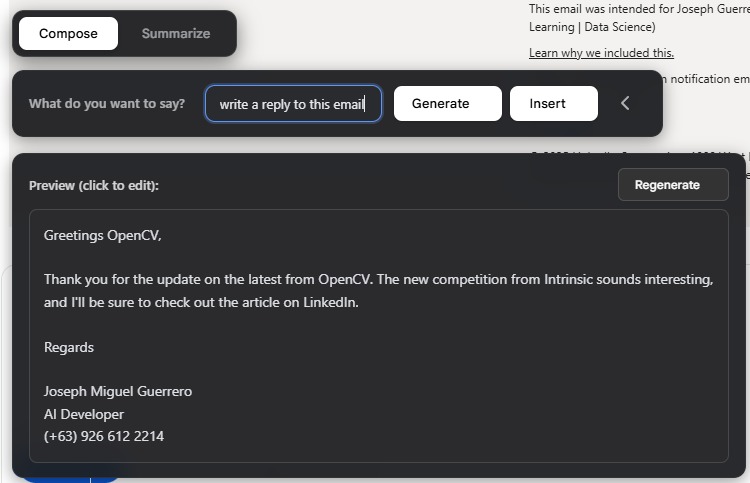
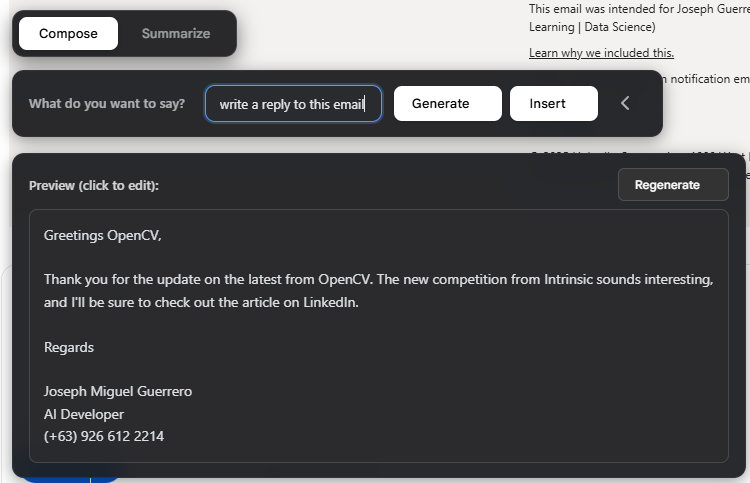
Reply based on email thread context
-
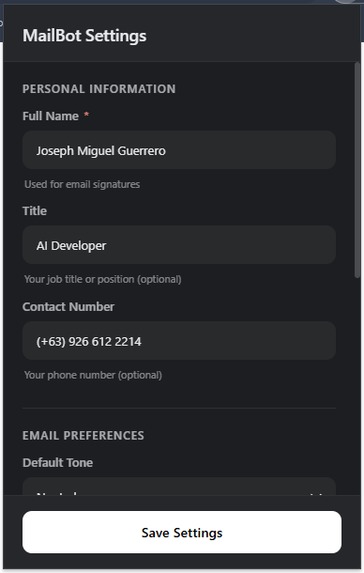
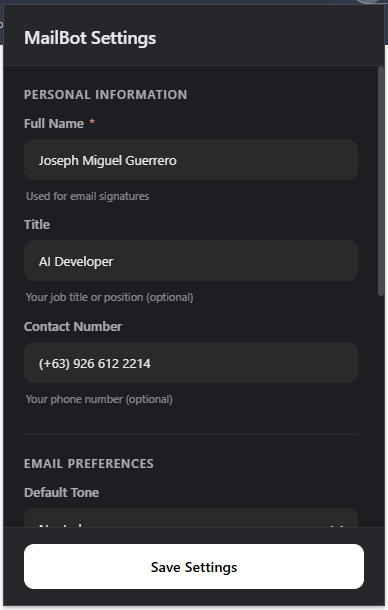
Extension setup
-
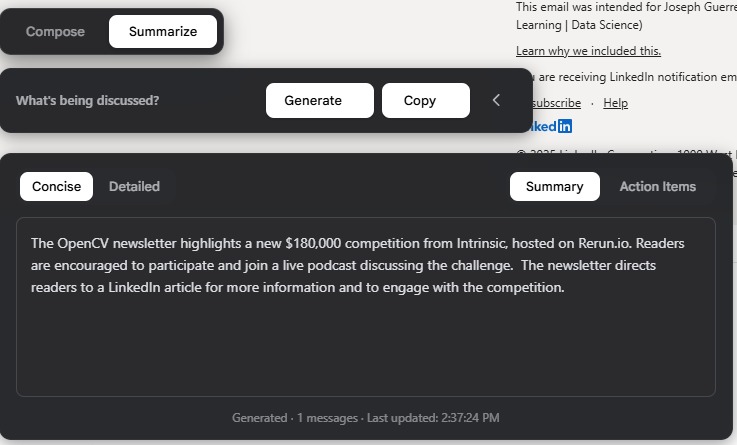
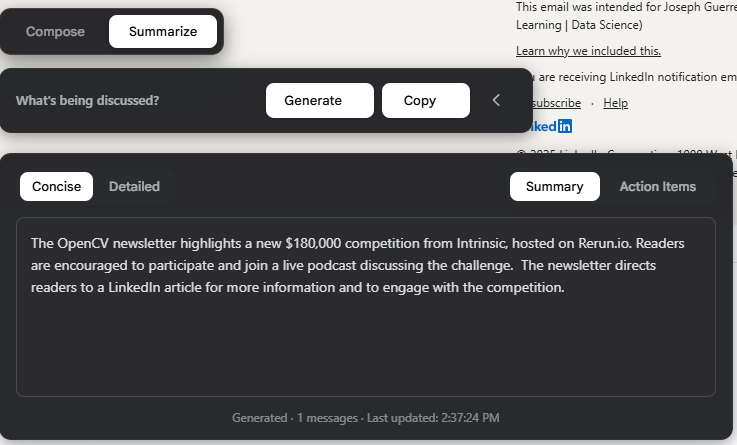
Summarize and generate actions items from a thread context
-
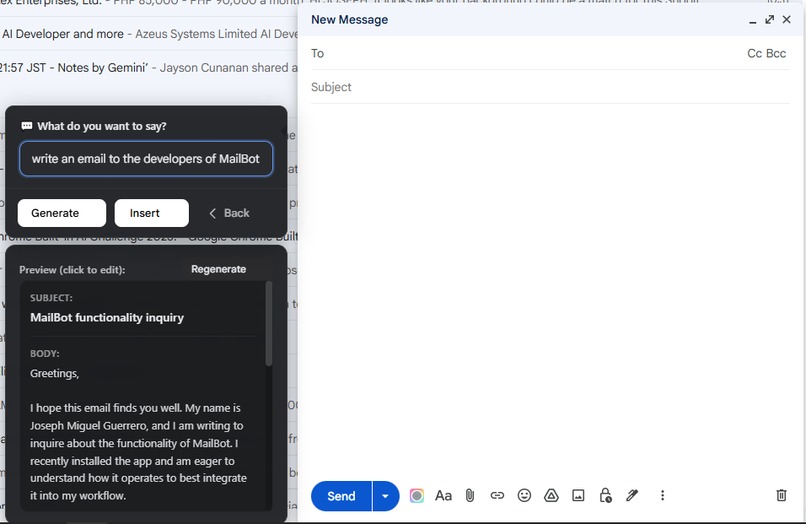
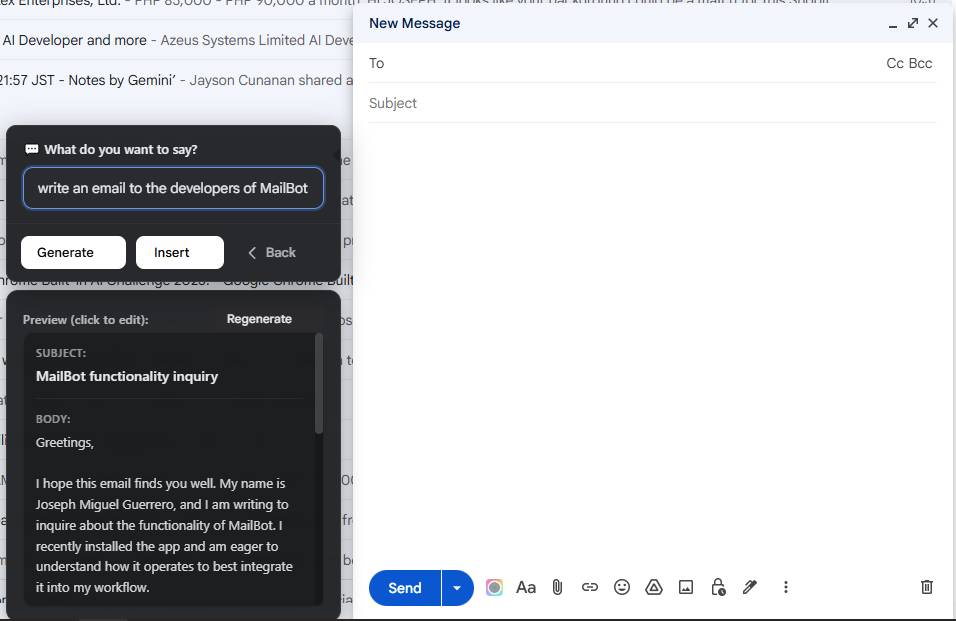
Compose from scratch feature
Inspiration
Our journey began with another hackathon project, ReplyBot, which generated brand-consistent replies to help warm up accounts. At that time, I was unemployed and actively job hunting, relying heavily on Gmail to manage numerous applications and recruiter messages. The repetitive load of reading and responding to each email sparked the idea: what if we could use Google’s Gemini Nano to streamline and personalize this experience, instantly and securely? This insight led us to create MailBot, a Chrome extension designed to empower anyone; job seekers, professionals, students, or anyone with a heavy Gmail workload to save time and stay on top of communications.
What it does
MailBot helps users save time and energy by:
- Drafting intelligent replies that match the tone and context of ongoing conversations.
- Summarizing long email threads, highlighting only what matters most.
- Extracting key action items or next steps automatically.
Because it uses Gemini Nano, all processing happens locally, ensuring user data remains secure and never leaves the device. MailBot acts like a smart Gmail companion, seamlessly integrated into your workflow.
How we built it
MailBot was inspired by the core idea behind ReplyBot, generating personalized, brand-consistent responses but redesigned for everyday email use.
We used:
- HTML5, CSS3, and JavaScript (ES6+) for the Chrome Extension’s front-end.
- Chrome Extension Manifest V3 for secure background processing and permissions management.
- Gemini Nano, integrated via Chrome’s on-device AI capabilities, for text generation and summarization.
The project started as a way to speed up my own job-hunting emails, but quickly evolved into something useful for anyone who relies on Gmail for communication whether from professionals and freelancers to students and executives.
Challenges we ran into
- Integrating Gemini Nano: There were limited resources on connecting Gemini Nano to a production-grade Chrome Extension, especially in a fully local context.
- Experimental setup: Making MailBot work required tweaking Chrome flags and settings, since built-in AI is still an emerging feature. User Interface: Designing a UI that feels native to Gmail was the hardest part. We wanted MailBot to feel like it belonged. Intuitive, minimal, and reachable in a single click. Achieving that required several layout experiments and state optimizations.
Accomplishments that we're proud of
Accomplishments that we're proud of
- Understands full conversation context before generating replies.
- Generates and summarizes emails in any language - powered by Gemini Nano.
- Summarizes long threads with adjustable depth: Concise or Detailed.
- Extracts actionable tasks and displays them in a clean “Action Items” view.
- Allows editable previews before inserting drafts into Gmail.
- Automatically appends personalized signatures once configured.
- Integrates seamlessly with Gmail’s UI, maintaining a minimal and natural workflow.
- Processes everything locally, ensuring total privacy and offline capability.
- Modular and extensible, ready for future Chrome AI features like voice input or semantic commands.
What we learned
Developing MailBot was our first dive into Chrome extension development. We discovered how Chrome’s built-in AI capabilities make it seamless to use powerful local LLMs, bypassing the typical complexities of setting up private AI environments. This experience accelerated our learning in handling browser APIs, LLM integrations, and privacy-first app design.
What's next for MailBot
We aim to expand MailBot’s compatibility to other major email platforms, including Microsoft Outlook, Yahoo Mail, and beyond. Future plans also include deeper customization options, enhanced AI-powered dashboards, cross-platform synchronization, and more robust privacy features, ensuring MailBot evolves with the needs of modern communicators.
Built With
- css3
- gemini-nano
- html5
- javascript


Log in or sign up for Devpost to join the conversation.