-
-
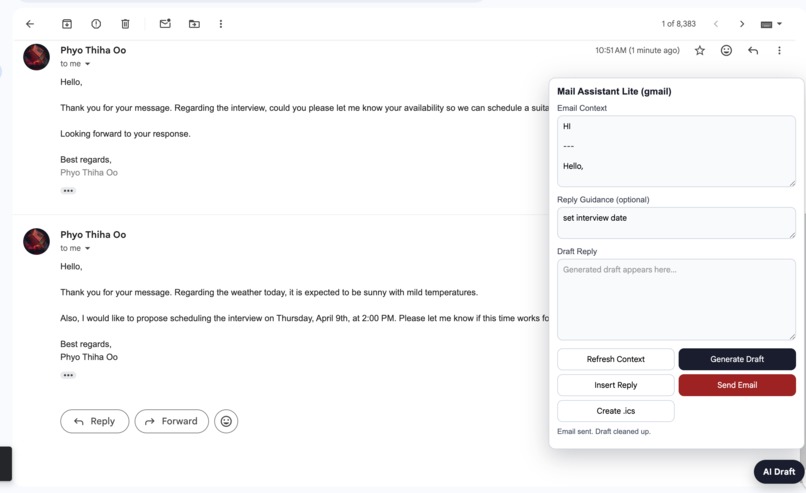
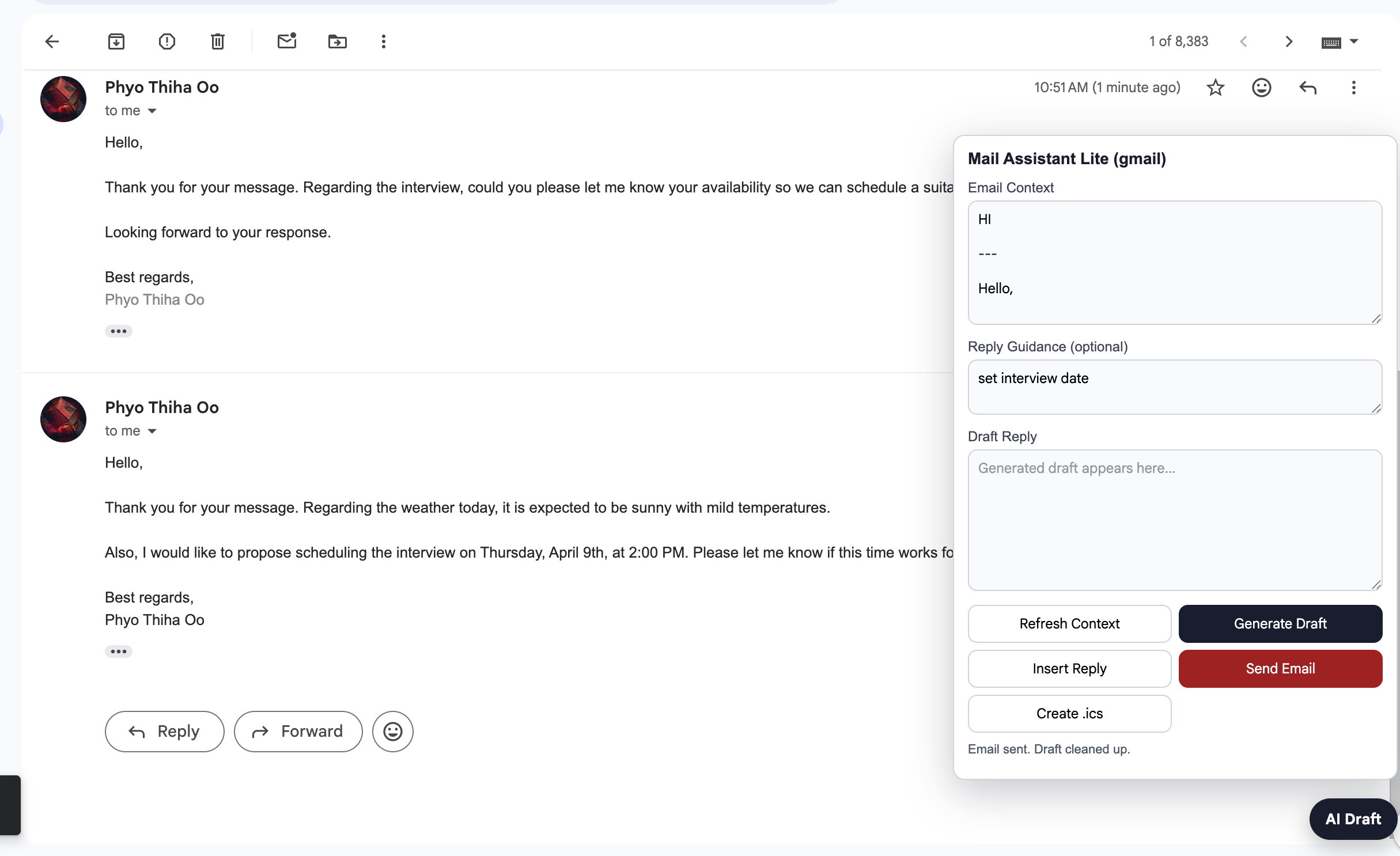
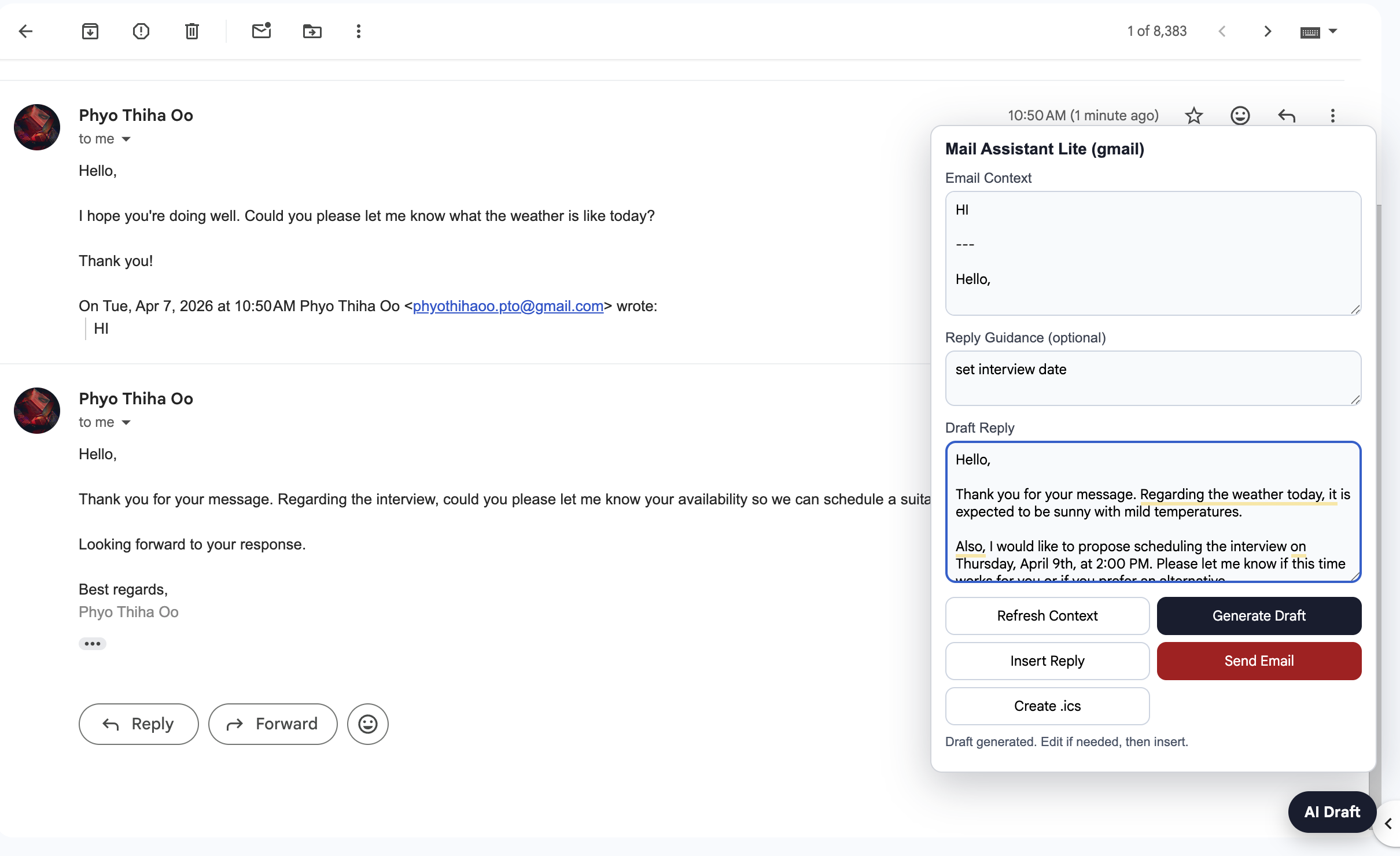
Opening Mail and Adding Instruction
-
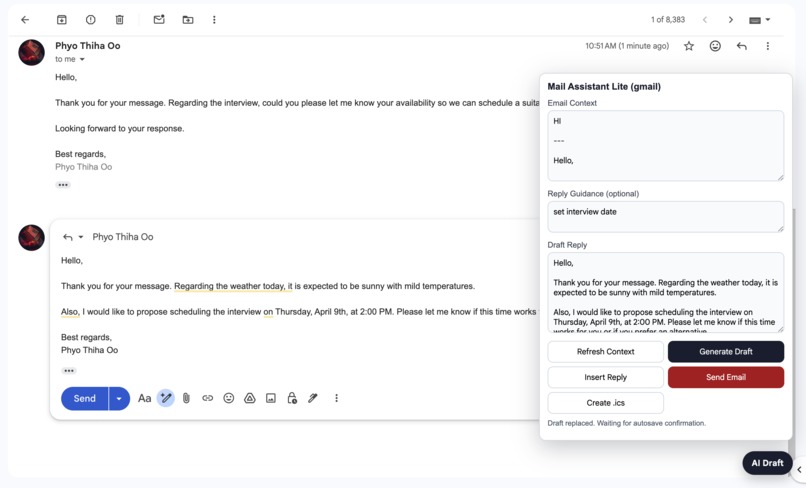
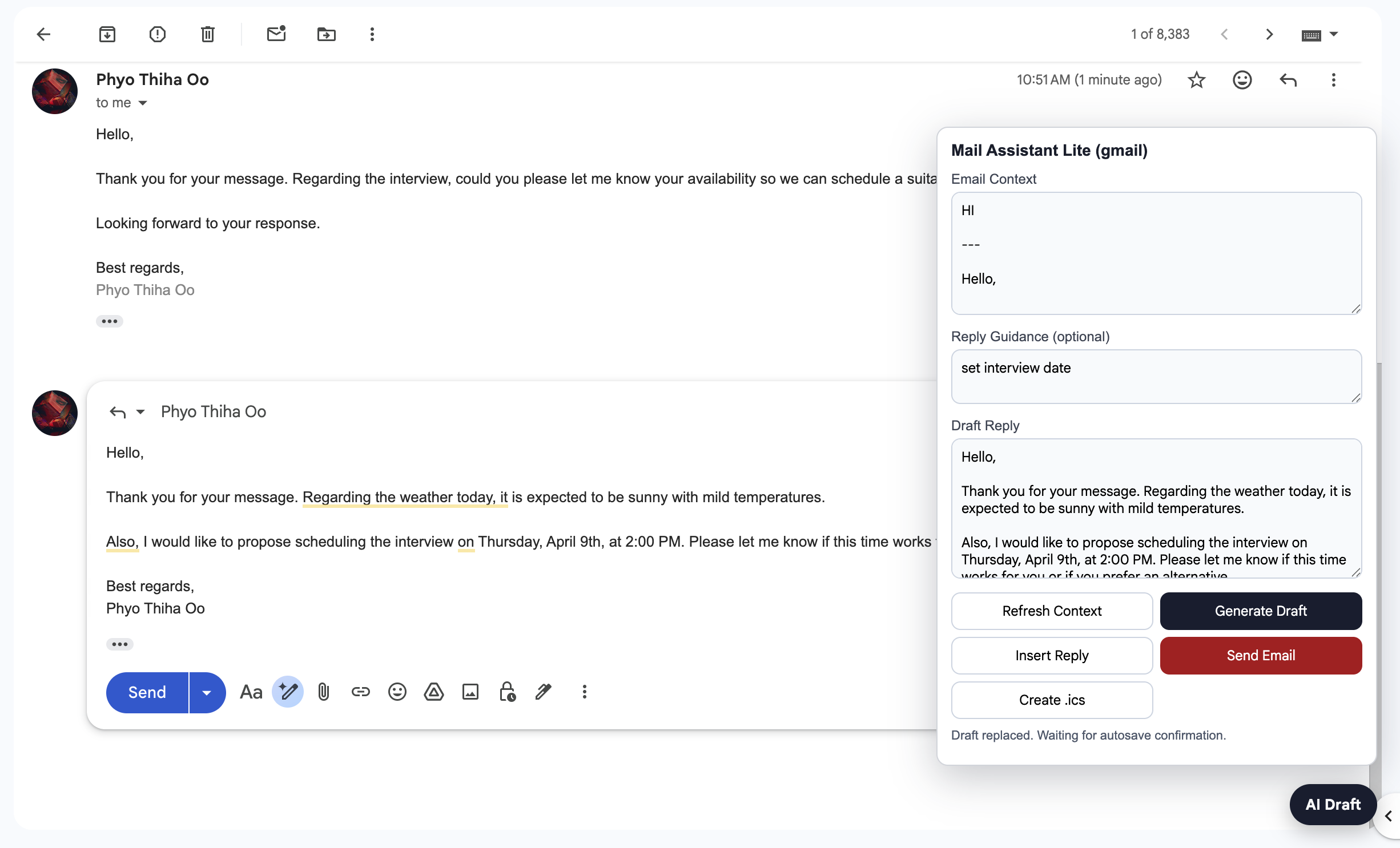
Draft Created
-
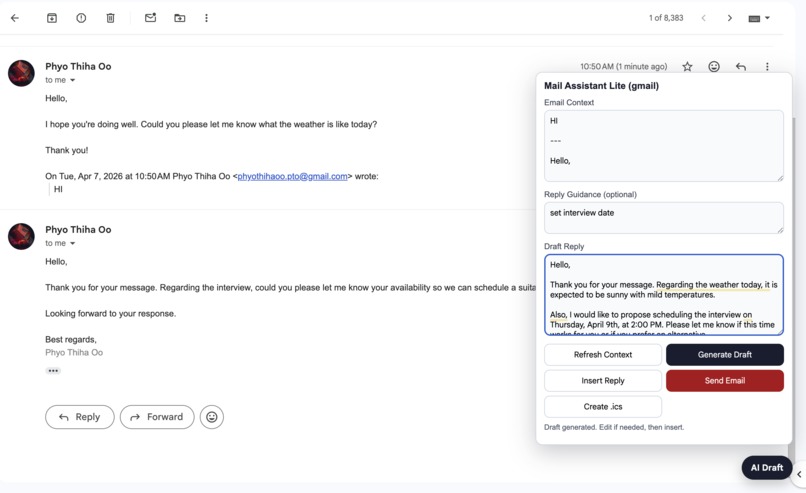
Drafted Edited and Inserted Into Gmail Mail
-
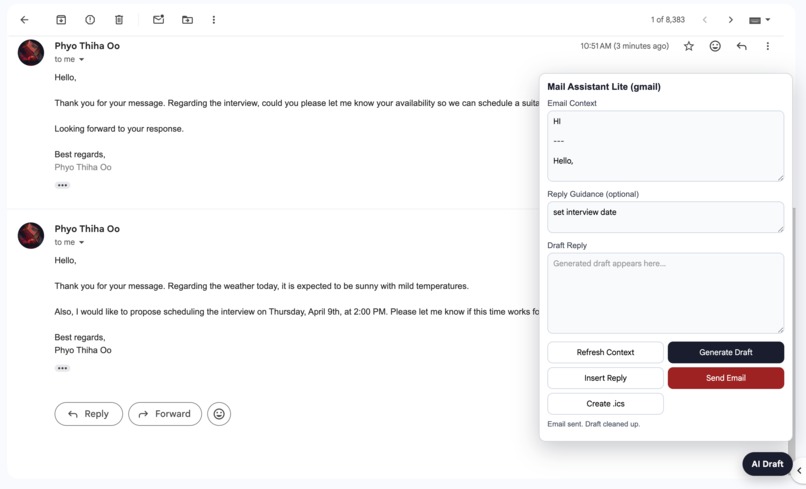
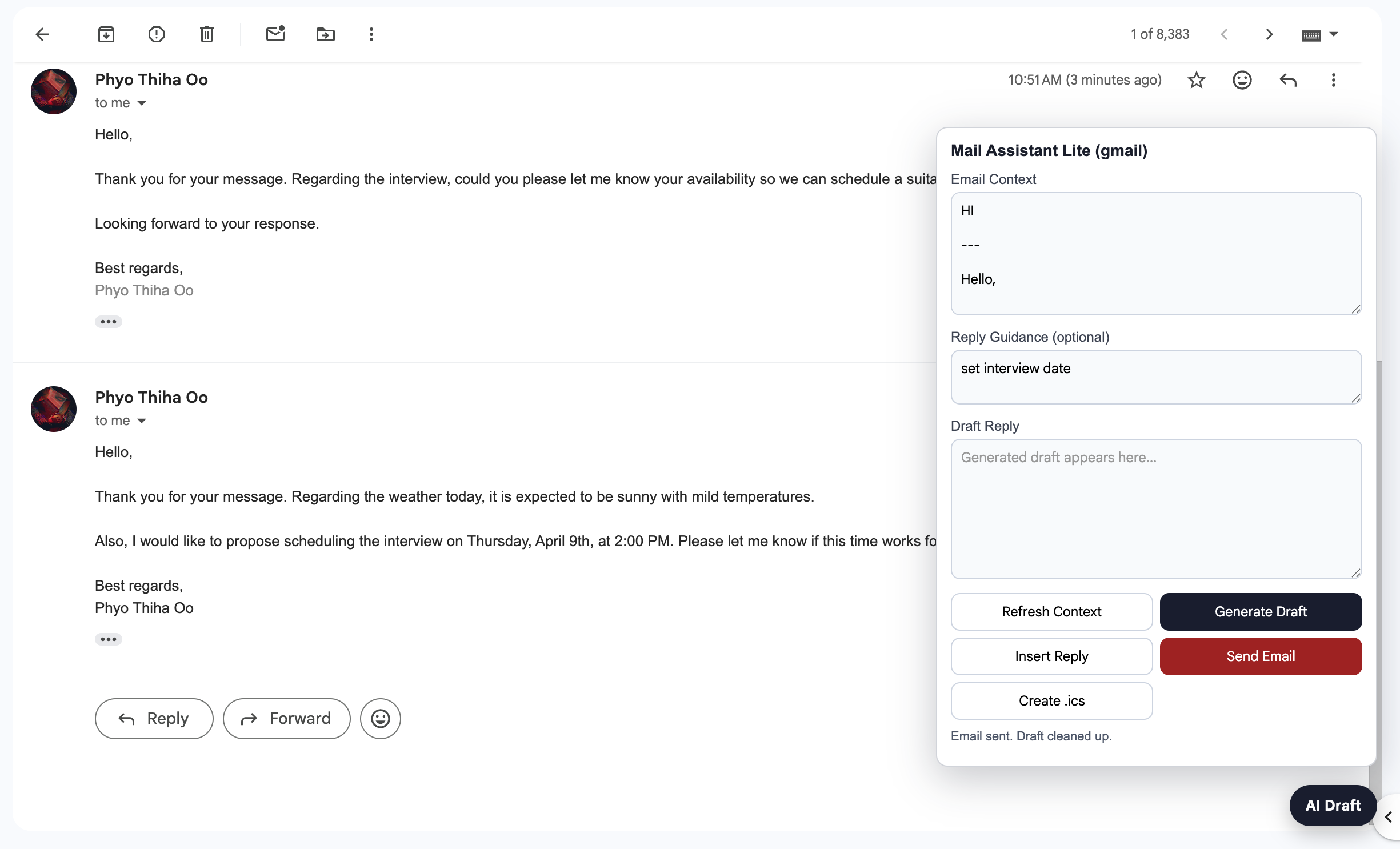
Email Sent
-
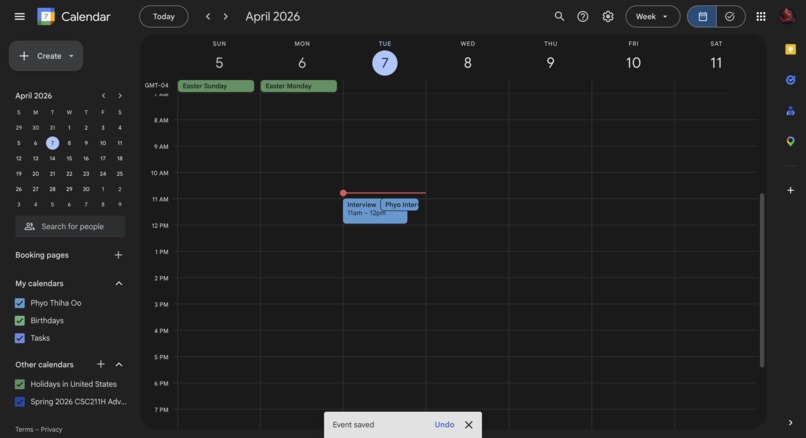
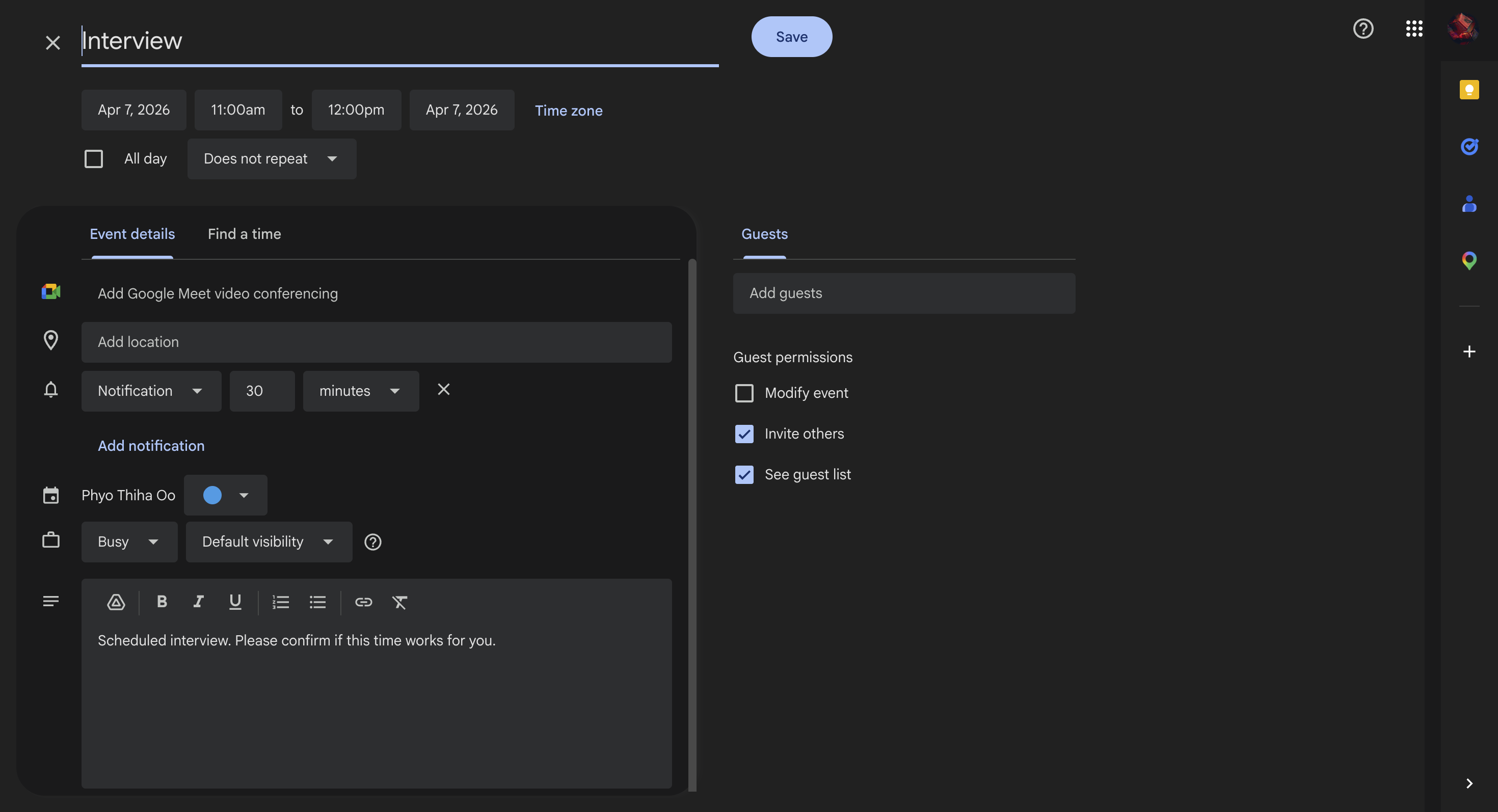
Set Calender Invite
-
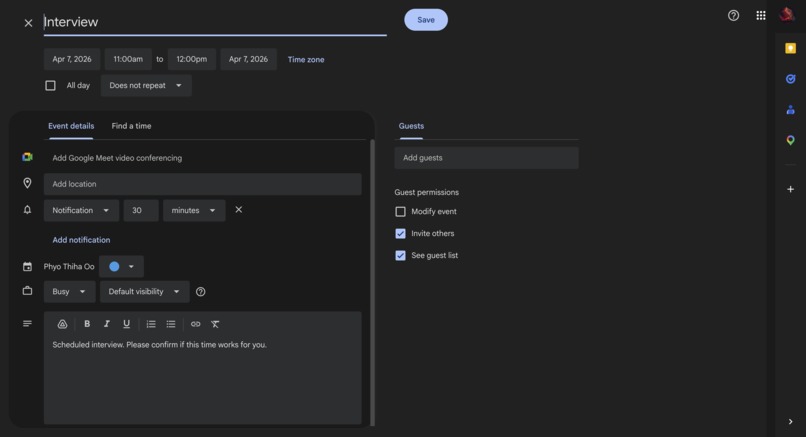
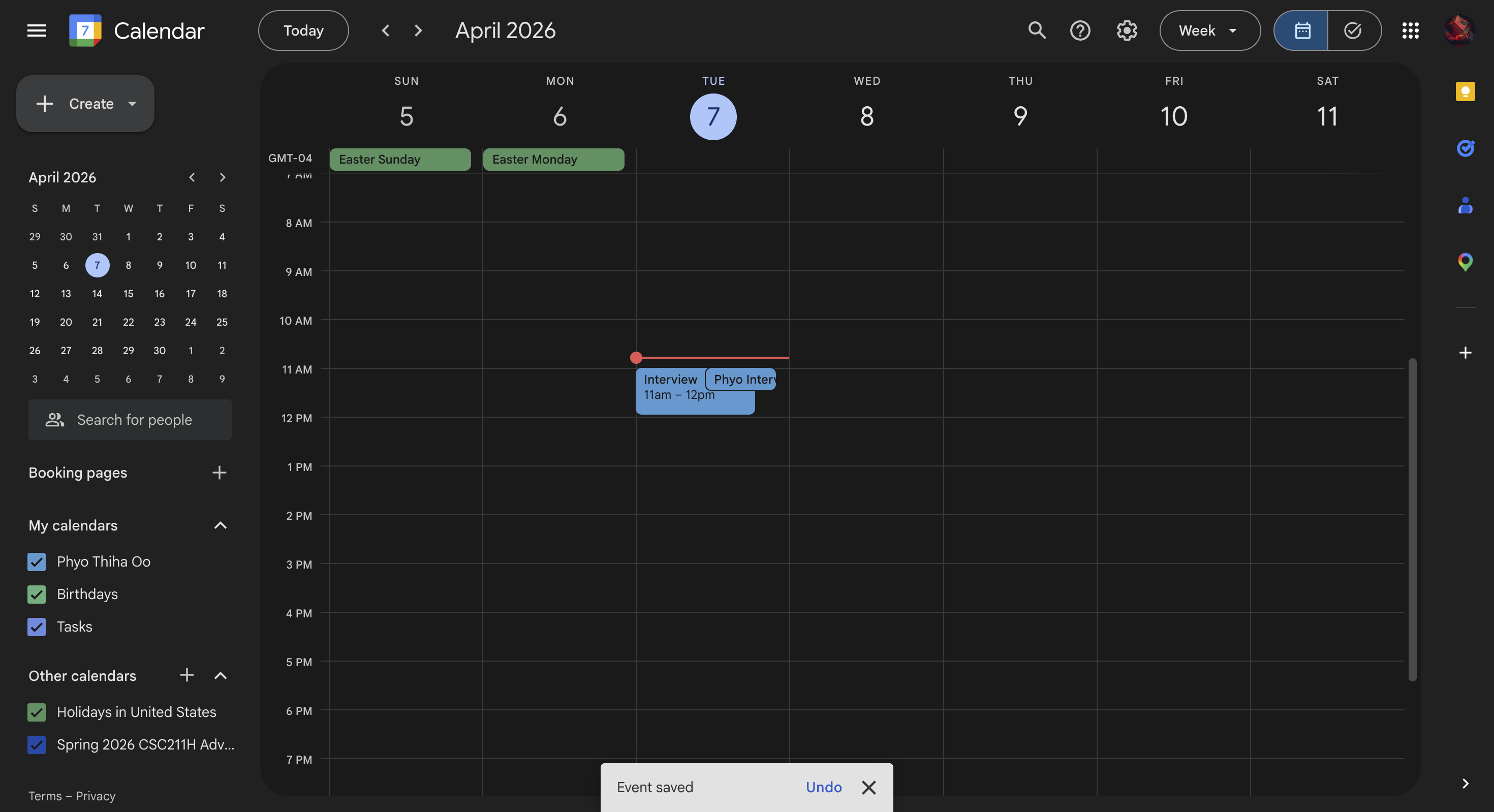
Save Calendar Invite
Inspiration
We built Mail Assistant Lite to solve a daily pain point: repetitive email replies. As students and early professionals, we spend a lot of time answering similar messages (interviews, confirmations, scheduling, follow-ups). We wanted an assistant that saves time but still keeps humans in control before anything is sent.
What it does
Mail Assistant Lite is a lightweight Chrome extension that works directly inside Gmail and Outlook Web.
Core features:
- Reads visible email context from the open thread
- Generates a contextual AI reply draft
- Lets users edit the draft before sending
- Auto-opens reply and inserts/replaces the draft in the editor
- Triggers send from the extension (with confirmation checks)
- Creates
.icsevent drafts from email context for Apple Calendar import
This keeps workflow inside the user’s normal inbox, without switching to another app.
How we built it
Architecture:
- Frontend: Chrome Extension (Manifest V3), content scripts for Gmail/Outlook DOM integration
- Backend: Node.js lightweight HTTP server
- AI: OpenAI Responses API (
gpt-4.1-mini) - Deployment: Docker + Render cloud web service
- Security: shared backend auth key (
X-Extension-Key/EXTENSION_API_KEY)
Implementation highlights:
- Robust editor detection and fallback logic for dynamic Gmail/Outlook UIs
- Automatic reply-box opening when inserting drafts
- Draft replacement logic (prevents repeated append/duplication)
- Autosave confirmation detection after insertion
- Send confirmation detection and draft cleanup after successful send
- Event extraction pipeline and
.icsgeneration for Apple Calendar
Challenges we ran into
- Gmail/Outlook DOM changes and multiple composer variants made reply/send targeting tricky
- Preventing duplicate content when users insert multiple drafts
- Distinguishing “send triggered” vs “actually sent”
- Handling timezone/date consistency for calendar events
- Keeping extension and backend auth keys synchronized across local and cloud environments
Accomplishments that we're proud of
- End-to-end working flow in Gmail: generate -> edit -> insert -> send -> cleanup
- Reliable fallback behavior for reply/send actions
- Cloud deployment on Render with secured backend calls
- Practical human-in-the-loop UX (no blind auto-send)
- Lightweight footprint and fast setup for hackathon judges
What we learned
- Building reliable browser automation in production UIs requires layered fallback strategies
- Security and deployment details (auth keys, env vars, health checks) are as important as model quality
- Small UX details (autosave/send confirmation and cleanup) make the product feel trustworthy
What's next
- Gmail Add-on and Outlook add-in versions for broader distribution
- Mobile-compatible integration path (Gmail/Outlook mobile ecosystem)
- API-level draft creation via Gmail API + Microsoft Graph
- Team templates, tone presets, and compliance guardrails
- Better calendar extraction for complex multi-timezone invites
Social Good Impact
Mail Assistant Lite supports social good by helping people who are overloaded with communication but still need to respond clearly and on time, including students, job seekers, nonprofit staff, and community organizers.
How this creates impact:
Improves access and responsiveness: Faster drafting helps users reply to opportunities (jobs, interviews, aid programs, school services) before deadlines. Reduces communication inequality: People with limited time, language confidence, or high inbox volume can still send professional, respectful responses. Supports mission-driven teams: Nonprofits and volunteer groups can handle repetitive outreach and coordination messages more efficiently. Keeps humans in control: The tool is assistive, not fully autonomous, so users review and decide what gets sent. Encourages practical inclusion: Lightweight setup and browser-based workflow make it easier to use without expensive tooling. Our goal is not just productivity for convenience, but productivity that helps people stay connected to opportunities, services, and communities.
Built With
- apple
- calendar
- chrome-extension-(manifest-v3)
- docker
- gmail
- javascript
- node.js
- openai-api
- outlook-web
- render

Log in or sign up for Devpost to join the conversation.