Inspiration
I was wondering how to assist Companies, Hospitals, Schools, Social Networks, E-commerce Business
to take proper care of their Customers by providing an immiediate responses to Issues and tickets sent to
their various Email Addresses. This has been achieved via Contextion Webhook Call and SMS Notifications Alerts System.
Next I was also wondering on how to provides a technology similar to Mobile Phone Answering Machines to enable Users/Client sleep, rest like a baby and even do some other things while ensuring that their newly arrive Mails, Unread Mails are Properly taken care off by Our Automated Mail Answering Machines.
Contextio Engineers Made all this Functions Easier while our MailAlertApps made it happen
This App was built upon contextio 2.0 API Accounts
Users Email Addresses (Eg. Gmail Accounts) registrations is automatic via Connect_Token 2.0
,
Features:
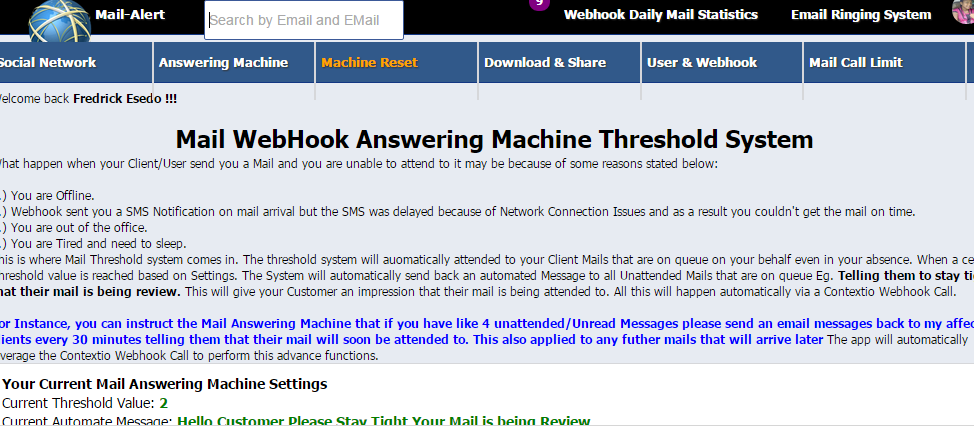
Mail WebHook Answering Machine Threshold System:
What happen when your Client/User send you a Mail and you are unable to attend to it may be because of some reasons stated below:
1.) You are Offline.
2.) Webhook sent you a SMS Notification on mail arrival but the SMS was delayed because of Network Connection Issues and as a result you couldn't get the mail on time.
3.) You are out of the office.
4.) You are Tired and need to sleep.
This is where Mail Threshold system comes in. The threshold system will auomatically attended to your Client Mails that are on queue on your behalf even in your absence. When a certain Threshold value is reached based on Settings. The System will automatically send back an automated Message to all Unattended Mails that are on queue Eg. Telling them to stay tight that their mail is being review. This will give your Customer an impression that their mail is being attended to. All this will happen automatically via a Contextio Webhook Call.
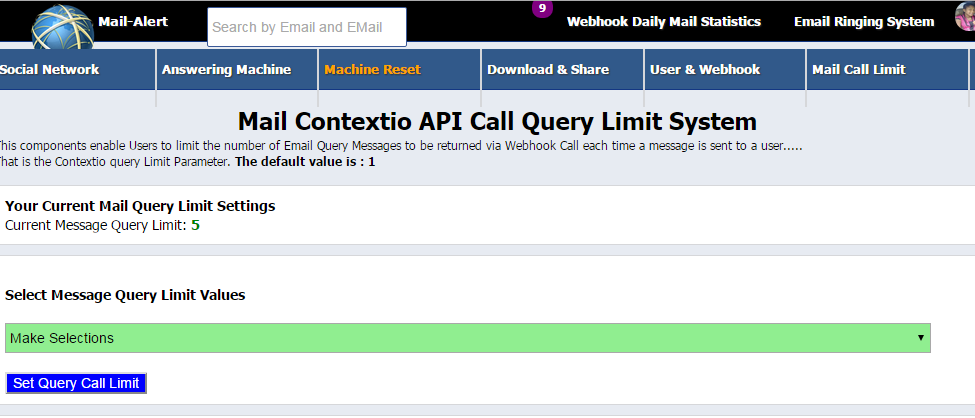
For Instance, you can instruct the Mail Answering Machine that if you have like 4 unattended/Unread Messages on the APP System, please send an email messages back to my affected clients every 30 minutes telling them that their mail will soon be attended to. This also applied to any futher mails that will arrive later The app will automatically leverage the Contextio Webhook Call to perform this advance functions.
Tips: This automated Machine action is performed on the Next Webhook Notification Calls/Post when the Threshold value and time is reached..
1 on 1 Chat Text Message Integrations:
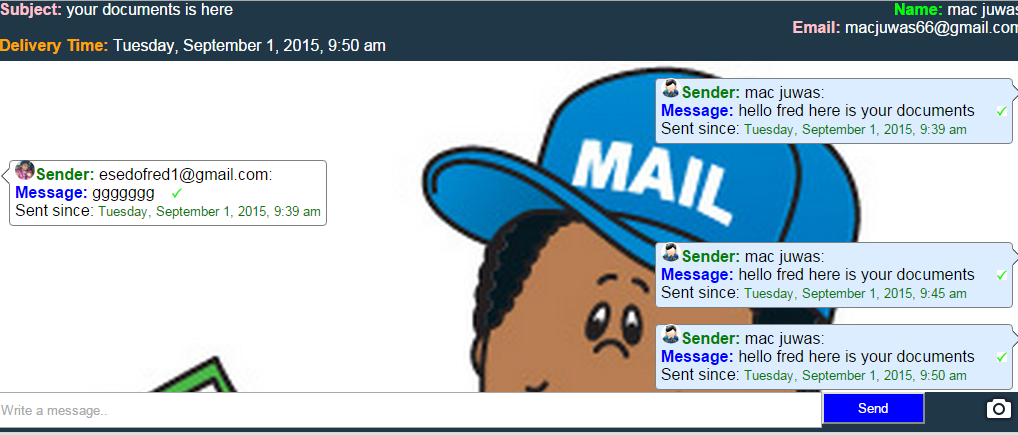
You can now reply every email messages via one to one Chat text Messages.
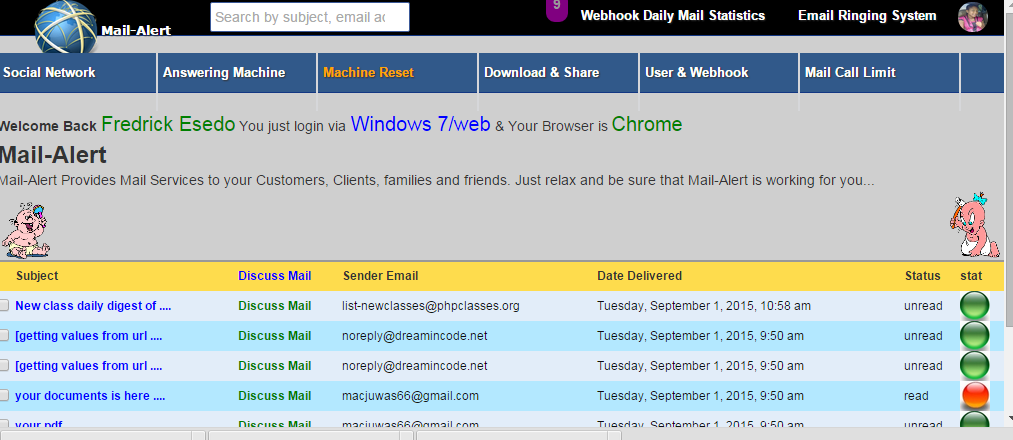
Just click on the Message Subject or Discuss Mail links on each mail messages pulled via contextio to send replies back to your clients..
Immediate Notifications of New Messages via Webhook Call and SMS
Companies, E-commerce Business, Schools, Hospital Mangements, Churches etc will get an automatic and Immediate notifications
alerts on arrival of new messages on the Mailbox and App system as well as on their mobile devices.
The app leverages Webhook Call Post to send immediate sms on the maill arrival.
Files Downloads and Sharing:
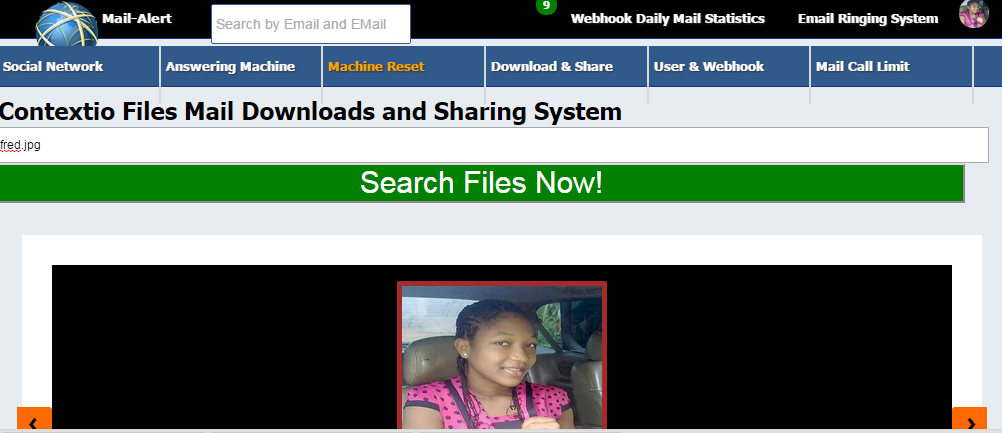
With Contextio API, Files downloads and sharing has been made easier than ever. you can search a particular files eg fred.jpg directory from the app System via contextio API Call and automatically share it to all your friends, clients,customers via their email addresses.
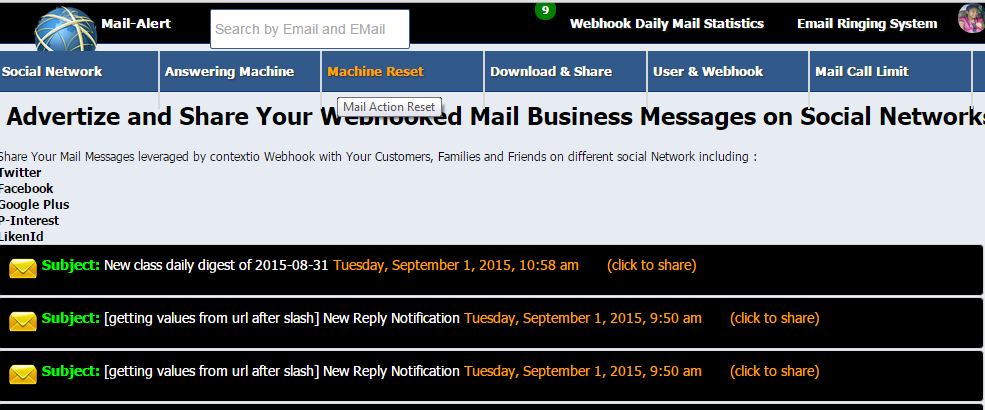
Easily Integrated into Social Networks.
Share Your Mail Messages leveraged by contextio Webhook with Your Customers, Families and Friends on different social Network including :
Twitter
Facebook
Google Plus
P-Interest
LikenId
Easily Integrated Ringing System.
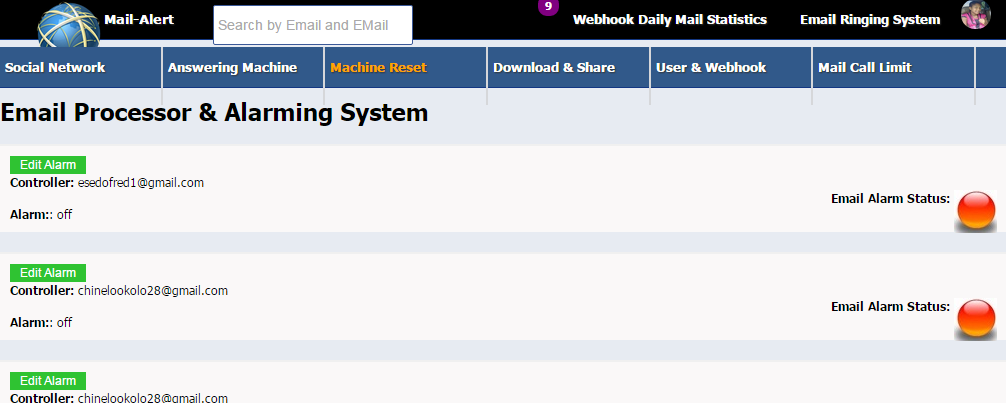
Whenever a New Messages arrive via Webhook call, an SMS Notifications is send to the recipient and the APP system will start ringing an alarm, calling any body around, informing them on the new mail arrival....
Immediate Response via 1-1 Chat System.
Users do not need to login into their gmail Accounts to reply messages, they can now reply messages, mark messages as read, delete directly from the app system via one to one chat text messages.
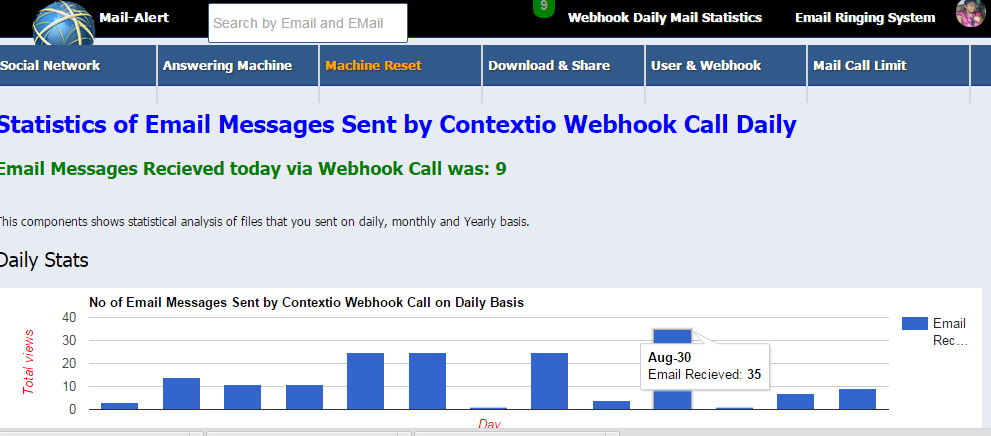
An Integrated Webhook Daily Call Graphical Statistical Analysis
Users can now see all the activities going on their mails, the time mails arrives, no of mails recieves daily via Contextio Webhook Calls.
How it works
The app Uses Contextio 2,0 API
1.: Click on Signup Button via Contextio Connect, Provide your Details including your Mobile Number so that the app will send you an automatic SMS Notifications when registration is completed. You can register with Gmail Account. The registration is by Connect_token so ensure that you login into your Gmail account with email address that you want to register, the open another browser and call up our appMail-Alert and then signup.
The app will automatically provide you with a URL link in blues, copy that URL link to another browser and Press enter, then allow the app to access your Gmail account and your are finally registered. The app will send you a congratulatory messge via SMS upon registrations......
Your Access code is provided with the test instruction
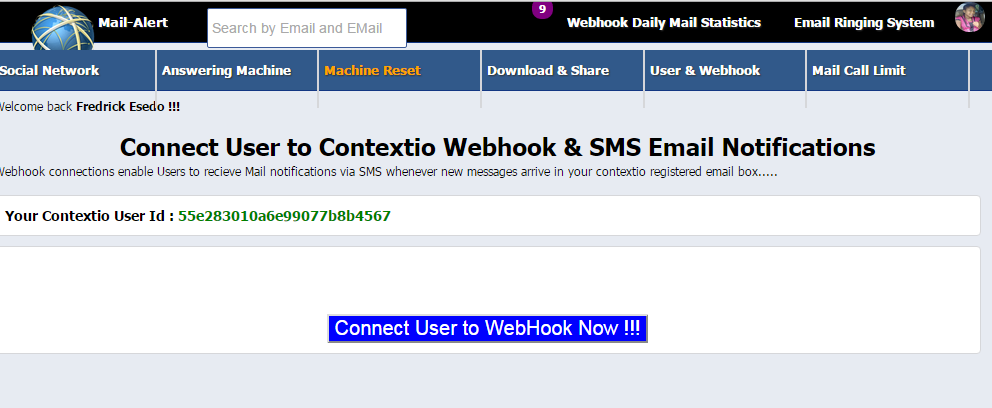
2; Login and Immediately Configure your Webhook
To configure your Webhook go to User and Webook
3.) To set up Answering Machine details goto Answering Machine
Instructions are provided on the page with clear illustrations
4.) To reply Messages pulled by contextio Webhook Call, click on the Message Subject and then navigate to reply via a Chat System.
To Mark Message as Read or to Delete a Message, click on the check button flanking or by the side of the Mail Subjects then scroll down to select Mark or Delete button respectively.
Read Messages are Marked with red bulbs and unread are marked with green bulbs.
Other informations are clearly explain on each page within the app system, on the text descriptions and on the Video demonstration
Challenges I ran into
Programmatically coding and Leveraging Contextio 2.0 Connect_Token and Webhook to work with SMS protocalls.
Once You are done, You can start sending Messages to that Contextio Registered Email address and you will see the contextio Webhook call in action...
Thank You
Built With
- contextio
- sms


Log in or sign up for Devpost to join the conversation.