Web Content Analyzer Chrome Extension
What Inspired Me
The inspiration for this project came from a personal frustration I experienced while trying to find contact information on various websites. I was dealing with a customer service issue and spent hours navigating through multiple pages, clicking through "Contact Us" links, and manually searching for email addresses and phone numbers. This experience made me realize that there had to be a better way to extract and organize contact information from websites.
I was particularly motivated by the need to help people quickly access grievance and support contact details, which are often buried deep within website structures. The idea of creating a tool that could not only extract this information but also provide an intelligent chat interface to discuss and analyze website content seemed like a valuable solution.
What I Learned
Throughout this project, I gained extensive knowledge in several areas:
Chrome Extension Development
I learned the intricacies of Chrome's extension architecture, including content scripts, background scripts, and popup interfaces. Understanding how to inject scripts into web pages and communicate between different extension components was crucial.
Web Scraping Techniques
I developed skills in extracting structured data from websites using DOM manipulation, regex patterns, and intelligent content parsing. Learning to handle different website structures and formats was challenging but rewarding.
AI Integration
Working with OpenAI's GPT API and AWS Comprehend taught me how to integrate AI services into web applications. Understanding token management, API rate limiting, and response handling was essential.
Cloud Architecture
I learned to design and implement a scalable backend using AWS services like Lambda, DynamoDB, and API Gateway. Understanding serverless architecture and database design principles was invaluable.
Security and Privacy
The project taught me the importance of implementing proper security measures, data encryption, and privacy controls when handling user data.
How I Built the Project
The project was built using a modern, scalable architecture:
Frontend (Chrome Extension)
- Used vanilla JavaScript for content scripts to scrape website data
- Implemented a React-based popup interface for user interaction
- Created a background script to manage extension state and API communication
Backend (AWS Services)
- Designed serverless functions using AWS Lambda for processing
- Implemented DynamoDB for data storage and user management
- Used API Gateway for secure endpoint management
- Integrated S3 for static asset storage
AI/ML Integration
- Connected OpenAI GPT for intelligent chat responses
- Implemented AWS Comprehend for text analysis and entity extraction
- Used Pinecone vector database for similarity search and content matching
Key Features Implemented
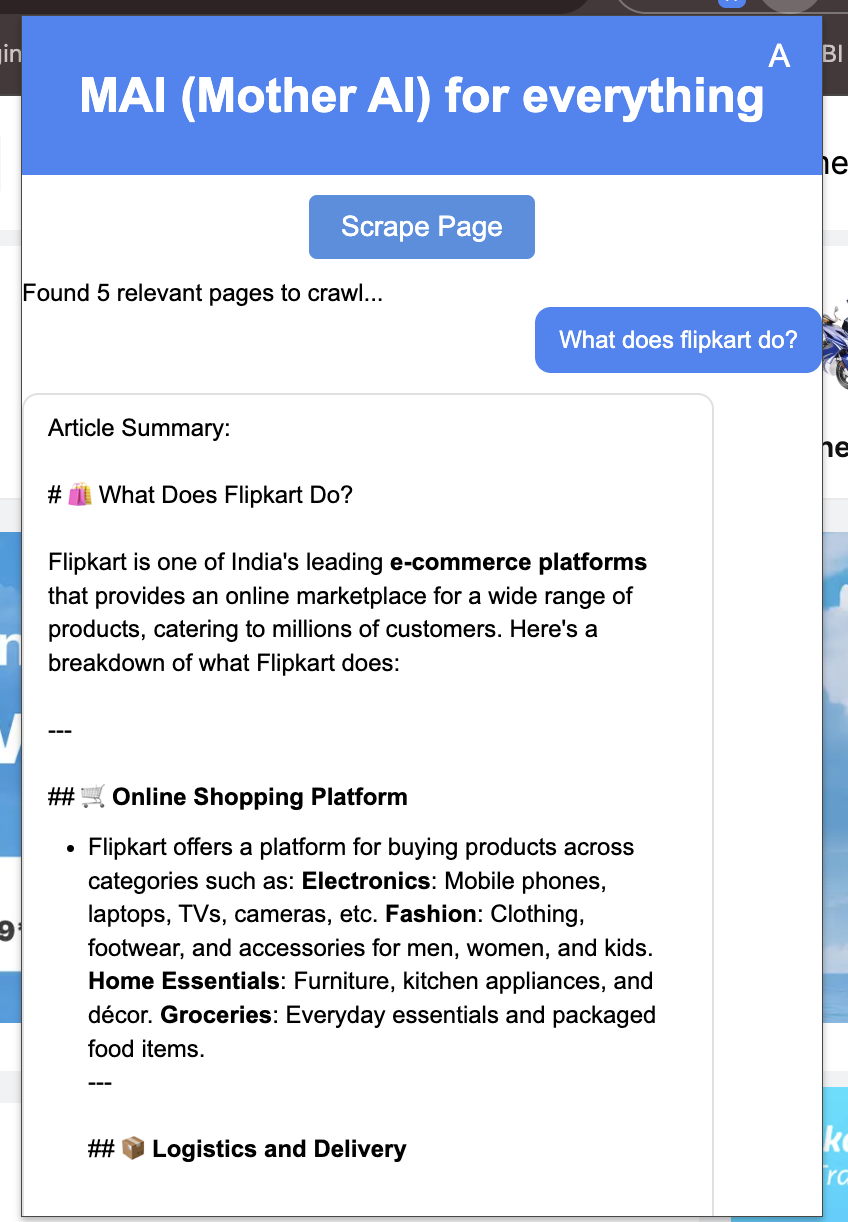
- Real-time website content scraping
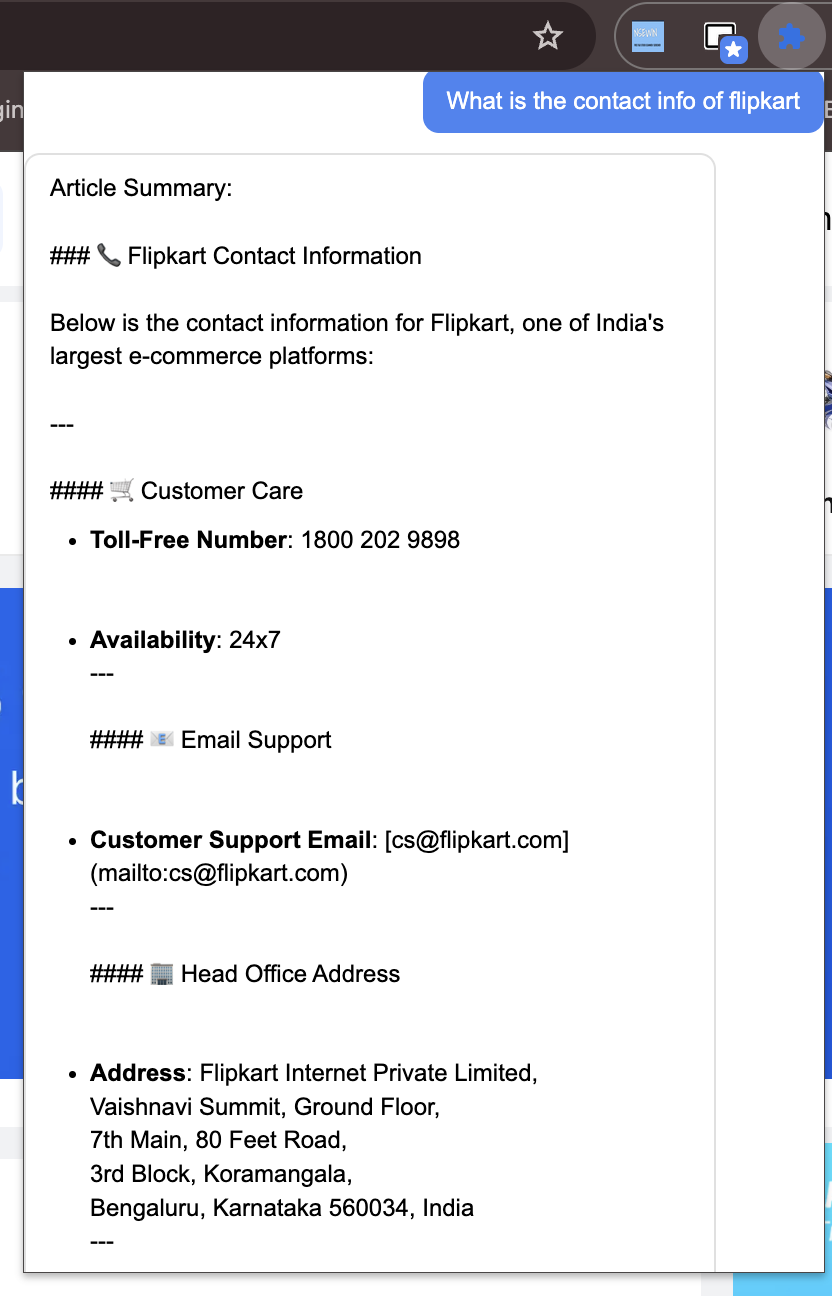
- Intelligent contact information extraction (emails, phones, addresses)
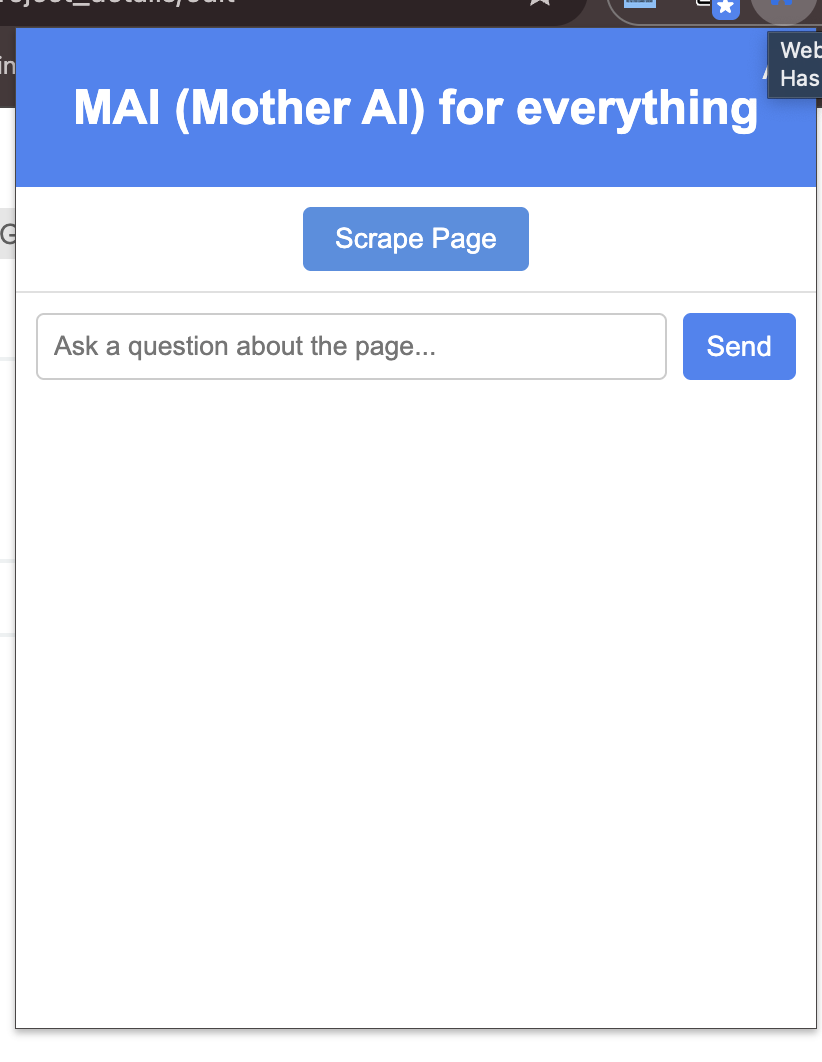
- Chat interface for discussing website content
- Contact information validation and formatting
- Export functionality for extracted data
- User settings and preferences management
Challenges I Faced
Technical Challenges
Website Structure Variations: Different websites use vastly different HTML structures and CSS classes. Creating a robust scraping system that could handle various layouts was challenging. I solved this by implementing multiple fallback strategies and using intelligent pattern matching.
Rate Limiting and Performance: Web scraping can be resource-intensive and may trigger rate limiting. I implemented intelligent throttling, caching mechanisms, and user-initiated scraping to address these issues.
AI Integration Complexity: Integrating multiple AI services while managing costs and performance was complex. I learned to optimize token usage, implement proper error handling, and design efficient data processing pipelines.
Cross-Browser Compatibility: While initially focused on Chrome, ensuring the extension could work across different browsers required careful consideration of browser-specific APIs and limitations.
Ethical and Legal Challenges
Data Privacy: Handling user data and website content raised privacy concerns. I implemented comprehensive data encryption, user consent mechanisms, and clear privacy policies to address these issues.
Website Scraping Ethics: Ensuring the extension respects website terms of service and robots.txt files was crucial. I implemented rate limiting and user-initiated scraping to maintain ethical practices.
Security Implementation: Protecting user data and preventing unauthorized access required implementing robust security measures, including API authentication and data encryption.
User Experience Challenges
Performance Optimization: Balancing feature richness with performance was challenging. I implemented lazy loading, caching, and efficient data processing to maintain a smooth user experience.
Error Handling: Creating a robust error handling system that provides meaningful feedback to users while maintaining functionality was essential.
Technical Architecture
High-Level Architecture
Chrome Extension → Frontend Layer → Backend Layer → AI/ML Layer
Data Flow
User → Extension → Backend → AI → Database
Key Components
- Frontend Layer: Popup UI, Content Script, Background Script
- Backend Layer: API Gateway, Lambda Functions, Database Layer
- AI/ML Layer: OpenAI GPT, AWS Comprehend, Vector Database
Cost Analysis
Monthly Costs ($400-500 Budget)
- AWS Services: ~$120 (Lambda, DynamoDB, S3, API Gateway)
- AI/ML Services: ~$200 (OpenAI GPT, AWS Comprehend)
- Vector Database: ~$100 (Pinecone)
- Additional Services: ~$80 (CloudFront, CloudWatch)
Cost Optimization
- Implement caching mechanisms
- Batch processing for efficiency
- Token usage optimization
- Request throttling
Ethical Considerations
Data Privacy
- Implement data encryption
- Clear privacy policy
- User consent mechanisms
- Data anonymization
- Regular data purging
Website Scraping Ethics
- Respect robots.txt files
- Implement rate limiting
- User-initiated scraping only
- Clear terms of use
- Website owner notifications
Security Measures
- End-to-end encryption
- Secure storage practices
- Regular security audits
- Access controls
- Compliance with standards
Impact and Future Plans
The project successfully addresses the core problem of inefficient contact information extraction while providing additional value through intelligent analysis and chat functionality. The solution is scalable, cost-effective, and user-friendly.
Future Enhancements
- Multi-language support
- Advanced AI capabilities
- Mobile companion app
- Enterprise features
- Integration with CRM systems
Scaling Possibilities
- Horizontal: Browser support, language support, platform expansion
- Vertical: Enhanced analysis, performance optimization, security improvements
- Feature: Additional contact types, export options, collaboration features
Conclusion
This project taught me the importance of balancing technical innovation with ethical considerations, user experience, and practical utility. It reinforced my belief in creating tools that genuinely solve real-world problems while maintaining high standards for privacy and security.
The Web Content Analyzer Chrome Extension represents a comprehensive solution to a common problem, demonstrating how modern web technologies, AI services, and cloud architecture can be combined to create valuable, user-friendly tools that enhance productivity and user experience.
Project developed with a focus on scalability, security, and user experience while maintaining ethical standards and cost-effectiveness.
Built With
- ai/ml:
- amazon-web-services
- api
- apis:
- aws):
- backend:
- caching)
- cdn)
- chrome
- cloud
- cloudfront
- cloudwatch
- code
- comprehend
- data)
- databases:
- db)
- development
- dynamodb
- express.js
- extension
- frontend:
- gateway
- git
- gpt
- html/css
- javascript
- lambda
- ml
- mongodb
- monitoring)
- nlp)
- node.js
- nosql)
- openai
- pinecone
- primary)
- processing)
- python
- react.js
- redis
- s3
- serverless)
- services
- storage)
- tools:
- user
- vanilla)
- vector
- vs


Log in or sign up for Devpost to join the conversation.