-
-

Maharashtra
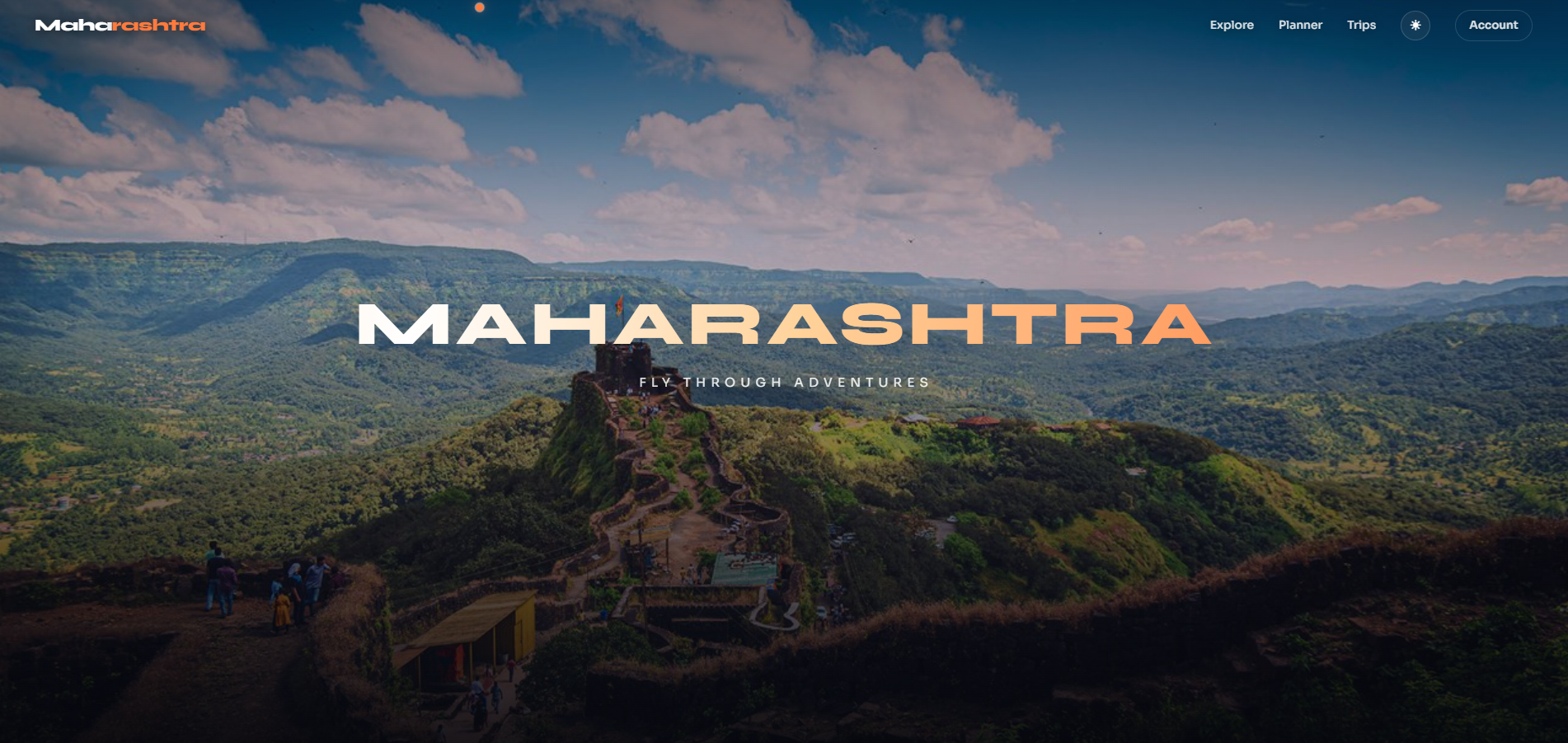
Maharashtra — Adventure Booking Platform
A full-stack, production-ready platform to discover, compare and book outdoor adventures across Maharashtra — fronted by a scroll-driven flight over a live satellite map of the state. Built for the Zero to Live: Website Challenge.
Scroll = fly. A 3D airplane carries you south → north over a live Mapbox satellite map — Tarkarli, Mahabaleshwar, Pawna, the Sahyadris, Mumbai, Bhimashankar, Harishchandragad — and lands you in the booking platform.
Idea
Most adventure-travel sites are flat catalogues. Maharashtra turns browsing itself into the journey: the homepage is a cinematic top-down flight across the real geography, where each landmark you fly over is a bookable destination. The spectacle (a map flight + a banking airplane) is the hook; behind it sits a complete, real booking platform — discovery, listings, operators, a date-aware calendar, payments, accounts, and an AI trip advisor. One scroll takes you from "wow" to "booked".
Features
- Cinematic home flight — scroll-driven 2D top-down satellite flight with a 3D airplane overlay banking through the scene; each landmark doubles as a homepage scene that links to its destination.
- Discover activities — trekking, camping, water sports, aerial, climbing,
wildlife — filterable by category, price and duration on
/explore. - Explore destinations — six signature Maharashtra regions with detail pages and an interactive pin map.
- Detailed listings — every activity opens a panel with pricing, an hour-by-hour itinerary, what's included, the verified operator, reviews and ratings, plus a date-range calendar.
- Seamless booking — pick a date + party size →
/book/:slug/:activityId→ pay → confirmation, saved to your trip history + profile calendar. - Secure payments — Stripe PaymentElement (
/api/create-payment-intent), with a graceful demo-confirm fallback when no Stripe key is set. - AI trip advisor — streaming Google Gemini assistant
(
/api/gemini-advise, model configurable viaGEMINI_MODEL) that recommends destinations and generates multi-day itineraries straight into the Planner. - Trip planner + calendar — plan trips, then see planned and booked dates on a month calendar in your profile.
- Accounts + persistence — Supabase Auth + Postgres (saved trips, planned trips, bookings) with Row-Level Security; localStorage fallback for zero-config demos.
- Polished UX — light/dark themes, a themed comet cursor, page transitions, and a mobile-first responsive layout (hamburger nav, fluid grids).
- Fast by design — code-split lazy routes, deferred 1.8 MB map chunk, and a low-power static-hero path that skips WebGL on weak devices.
Tech stack
- Frontend: React · TypeScript · Vite · SCSS
- 3D / map: Mapbox GL (flight + activity maps) · Three.js / React Three Fiber (airplane overlay)
- Motion: Framer Motion · GSAP ScrollTrigger
- State: Zustand (platform / planner / auth / theme / scroll stores)
- Backend / data: Supabase (Auth + Postgres + RLS) · Vercel serverless/edge
/apifunctions - Integrations: Stripe (payments) · Google Gemini (AI advisor)
- Hosting: Vercel (static build +
/apifunctions)
Use case
- Travellers discover and book guided outdoor adventures across Maharashtra, compare options, plan multi-day trips, and keep everything (saved, planned, booked) in one account with a calendar view.
- Tour operators get a verified, rated presence surfaced on every relevant listing and destination page.
- Tourism boards / agencies can use it as a template for an immersive, conversion-focused regional travel showcase.
- As a reference build: a worked example of pairing a heavy WebGL "wow" experience with a real, fast, accessible booking product in one codebase.
Getting started (local)
npm install
npm run dev
Opens with zero config (seed data + localStorage + a static hero). Add keys for the full experience:
cp .env.example .env
# fill VITE_MAPBOX_TOKEN, VITE_SUPABASE_URL, VITE_SUPABASE_ANON_KEY, VITE_STRIPE_PK,
# and (server-side) STRIPE_SECRET_KEY, GEMINI_API_KEY
Note on
/apiin dev: the Vercel functions don't run under plainvite, so a small dev-only Vite plugin invite.config.tsbridges/api/*locally (loading server-side keys from.env). The AI advisor + payment intent work innpm run devas a result.
Then create the database tables: open the Supabase dashboard → SQL → New
query, paste the contents of supabase/schema.sql and
Run (or supabase db push). This creates profiles, saved_trips,
planned_trips, bookings with owner-only RLS.
Deploy to Vercel (live site)
- Push to GitHub and Import the repo in Vercel (framework auto-detected as
Vite;
vercel.jsonhandles SPA routing — excluding/api— plus asset caching, and/apifunctions deploy automatically). - In Vercel → Project → Settings → Environment Variables, add:
| Variable | Scope | Notes |
|---|---|---|
| VITE_MAPBOX_TOKEN | Build | flight map (else static hero) |
| VITE_SUPABASE_URL | Build | https://<ref>.supabase.co |
| VITE_SUPABASE_ANON_KEY | Build | publishable / anon key (browser-safe) |
| VITE_STRIPE_PK | Build | Stripe publishable key |
| STRIPE_SECRET_KEY | Runtime | server-side, for payment intents |
| GEMINI_API_KEY | Runtime | server-side, for the AI advisor |
| GEMINI_MODEL | Runtime | optional, defaults to gemini-2.0-flash |
The Gemini key must be a valid AI Studio key (aistudio.google.com) with quota. The Supabase secret key is not needed and must never be
VITE_-prefixed or committed.
- Run
supabase/schema.sqlin the Supabase SQL editor.- Deploy:
npx vercel --prod(or click Deploy after the GitHub import).
Structure
api/                       # Vercel functions: gemini-advise (edge), create-payment-intent (node)
src/
  experience/              # MapboxFlight (home 2D flight), PlaneOverlay, Airplane, mapRoute
  pages/home/              # Cinematic homepage + CloudIntro
  pages/platform/          # Explore, DestinationDetail, Booking, Planner, Account, AIAdvisor, Compare
  pages/auth/              # Login, Register
  components/              # ActivityMap (pins), ActivityDetailPanel, TripCalendar, CustomCursor, nav, …
  data/                    # destinations.ts — destinations / activities / operators / itineraries
  lib/                     # stores (platform/planner/auth/theme/scroll), supabase client, itinerary
  hooks/ · styles/         # cinematic scroll, media queries · SCSS tokens + cinematic + platform
supabase/schema.sql        # Tables + RLS policies
vercel.json                # SPA rewrites (excl. /api) + asset caching
How the home flight works (and stays fast)
useCinematicScrollscrubs one GSAP ScrollTrigger over the page and writesprogress(0→1) to a Zustand store.MapboxFlight(lazy-loaded so the 1.8 MB mapbox-gl chunk never blocks first paint) runs a smoothed RAF loop that samples the landmark route (mapRoute.ts) and pans a 2D top-down satellite map (pitch 0, north-up), easing the zoom in as the flight "descends". No 3D terrain/DEM and a lean two-pass tile preload keep the whole fly-through to a few dozen tiles — light and never blank; the loop pauses when the tab is hidden.- On low-power / data-saver / no-token devices the whole WebGL flight + airplane are swapped for a static scenic hero — instant and battery-friendly on phones.
PlaneOverlayis a transparent R3F airplane that banks with scroll velocity above the map; DOM copy stays in sync per landmark.
Made by Viktor Nedev · [email protected]
Built With
- geminiapi
- mapboxapi
- react
- supabase
- three.js
- typescript


Log in or sign up for Devpost to join the conversation.