-
-
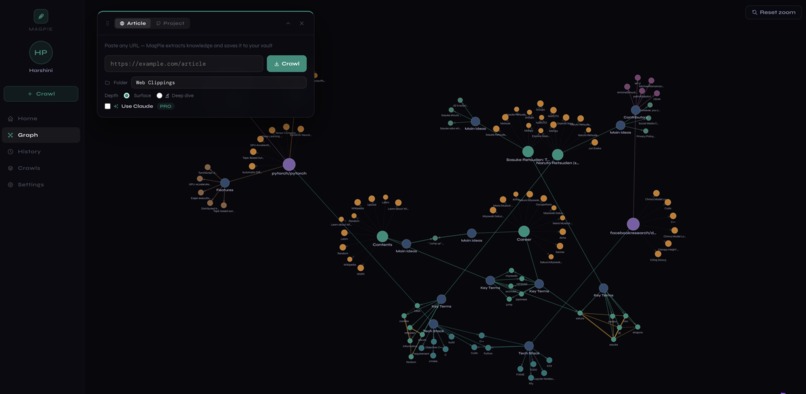
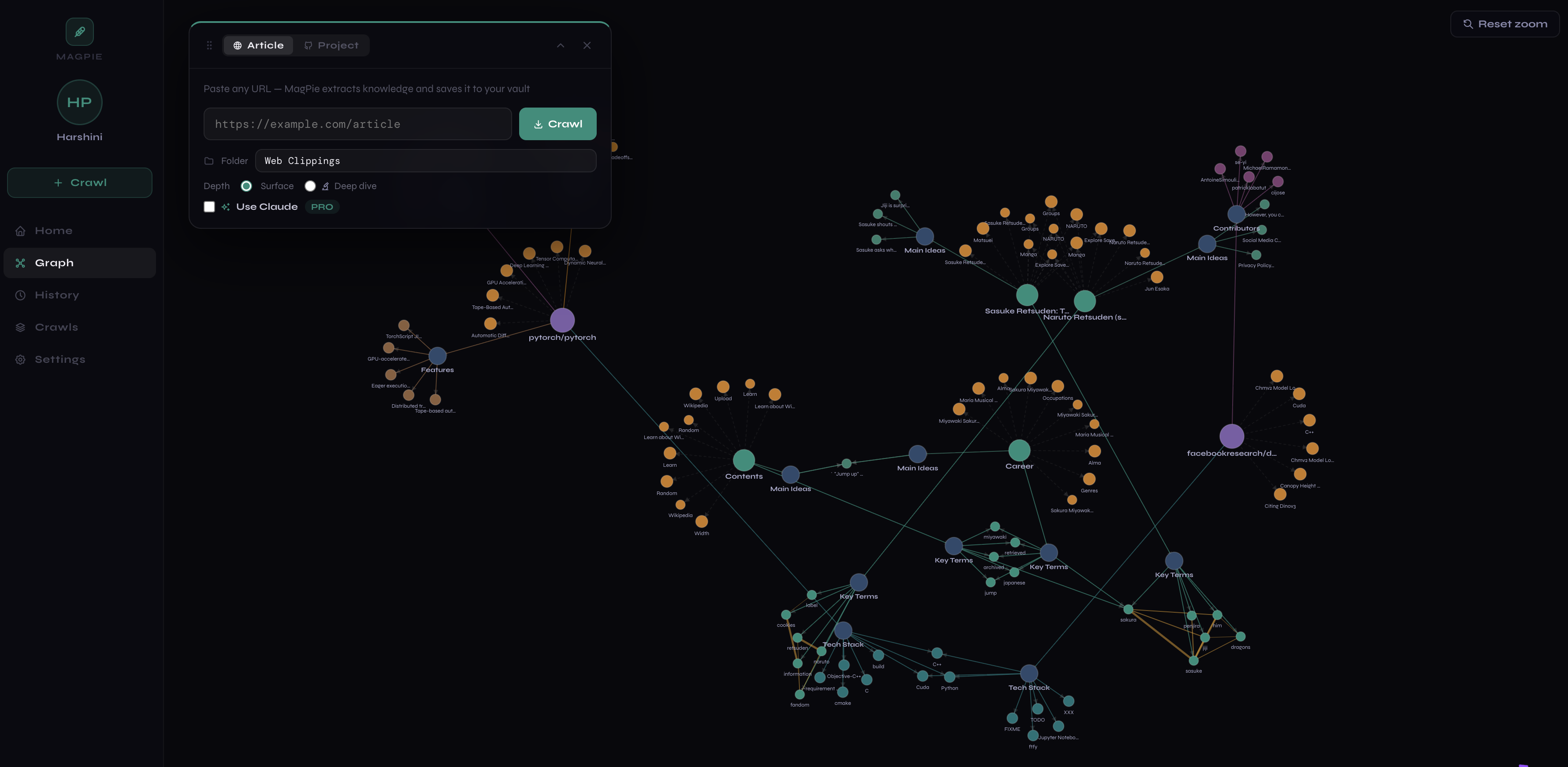
Graph view after crawling multiple articles
-
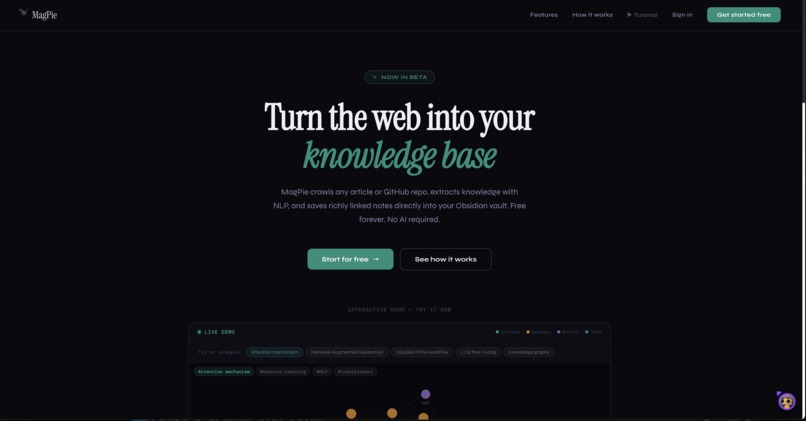
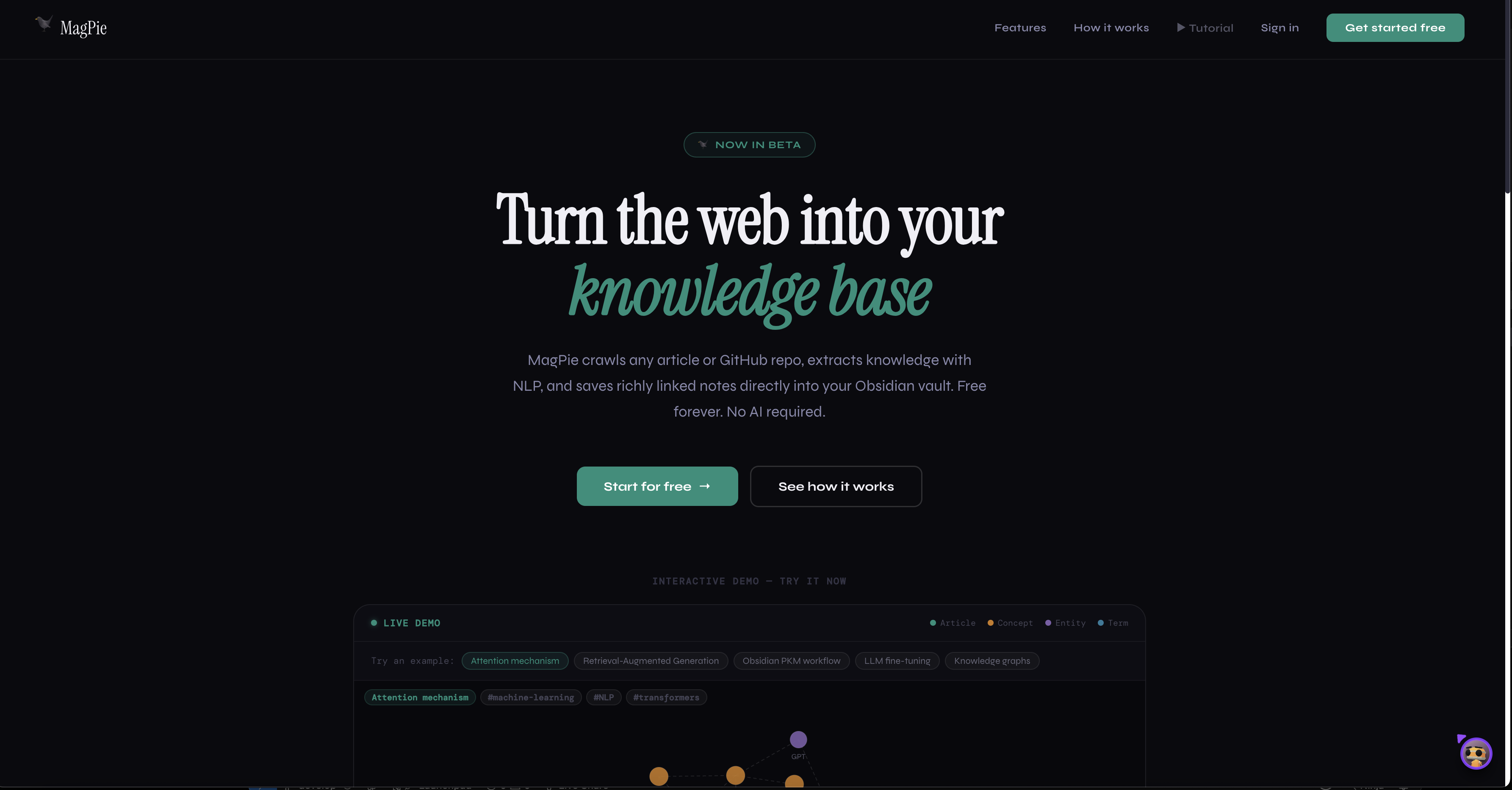
Landing Page
-
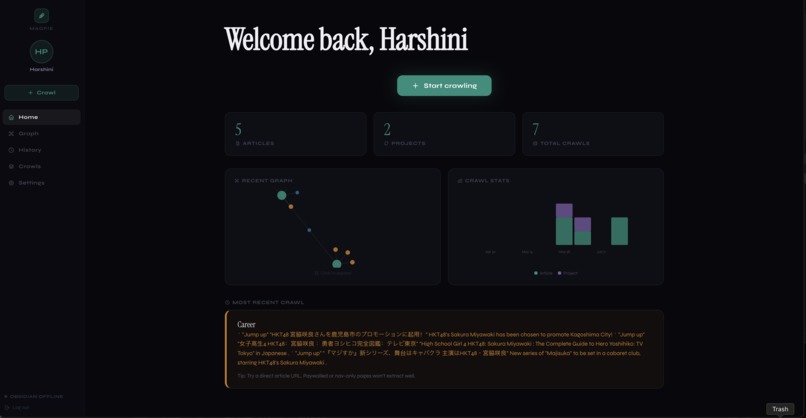
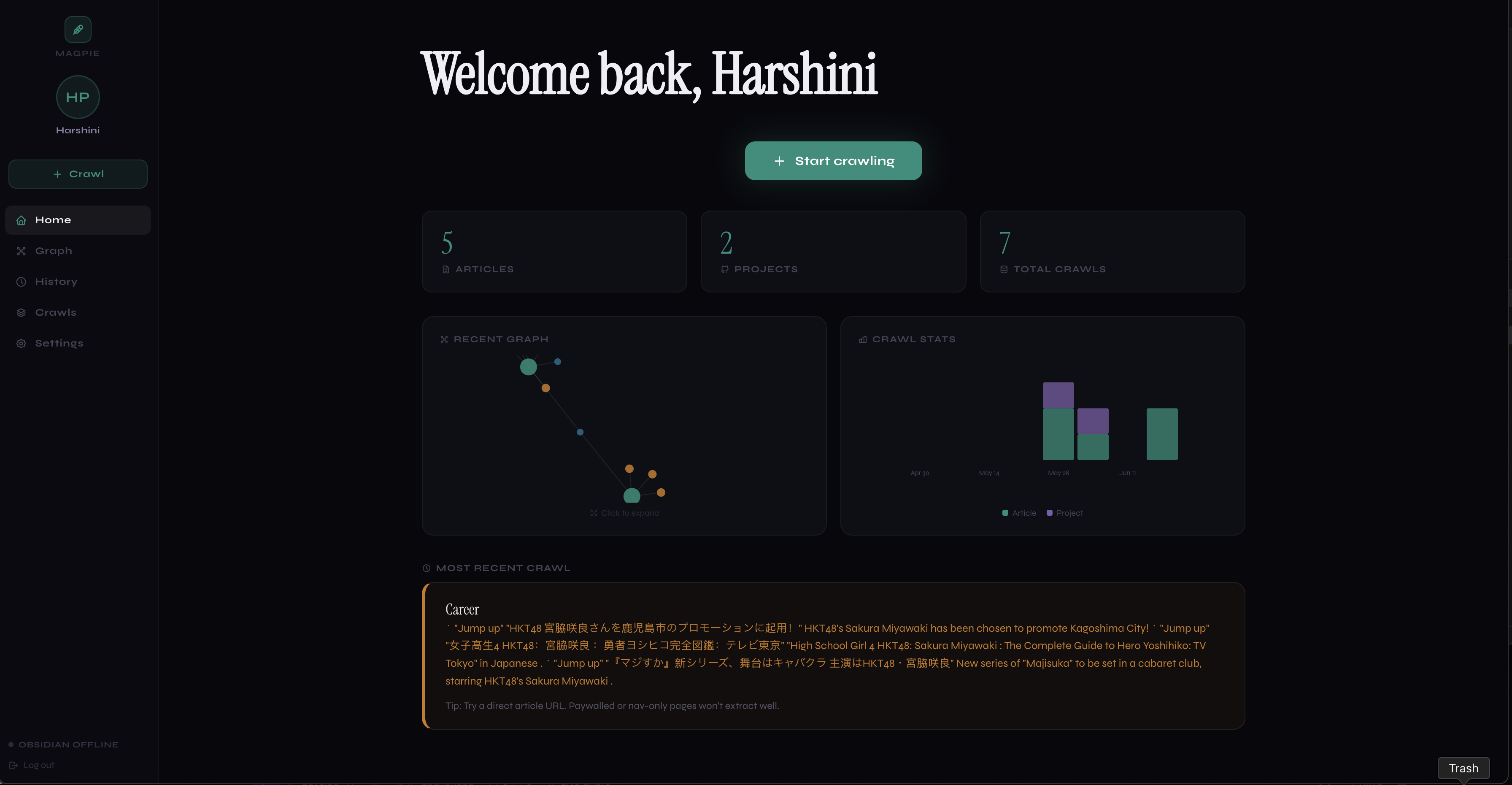
Dashboard view
-
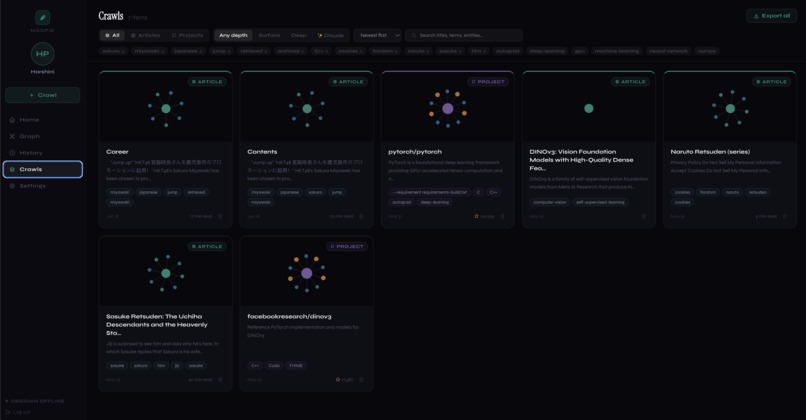
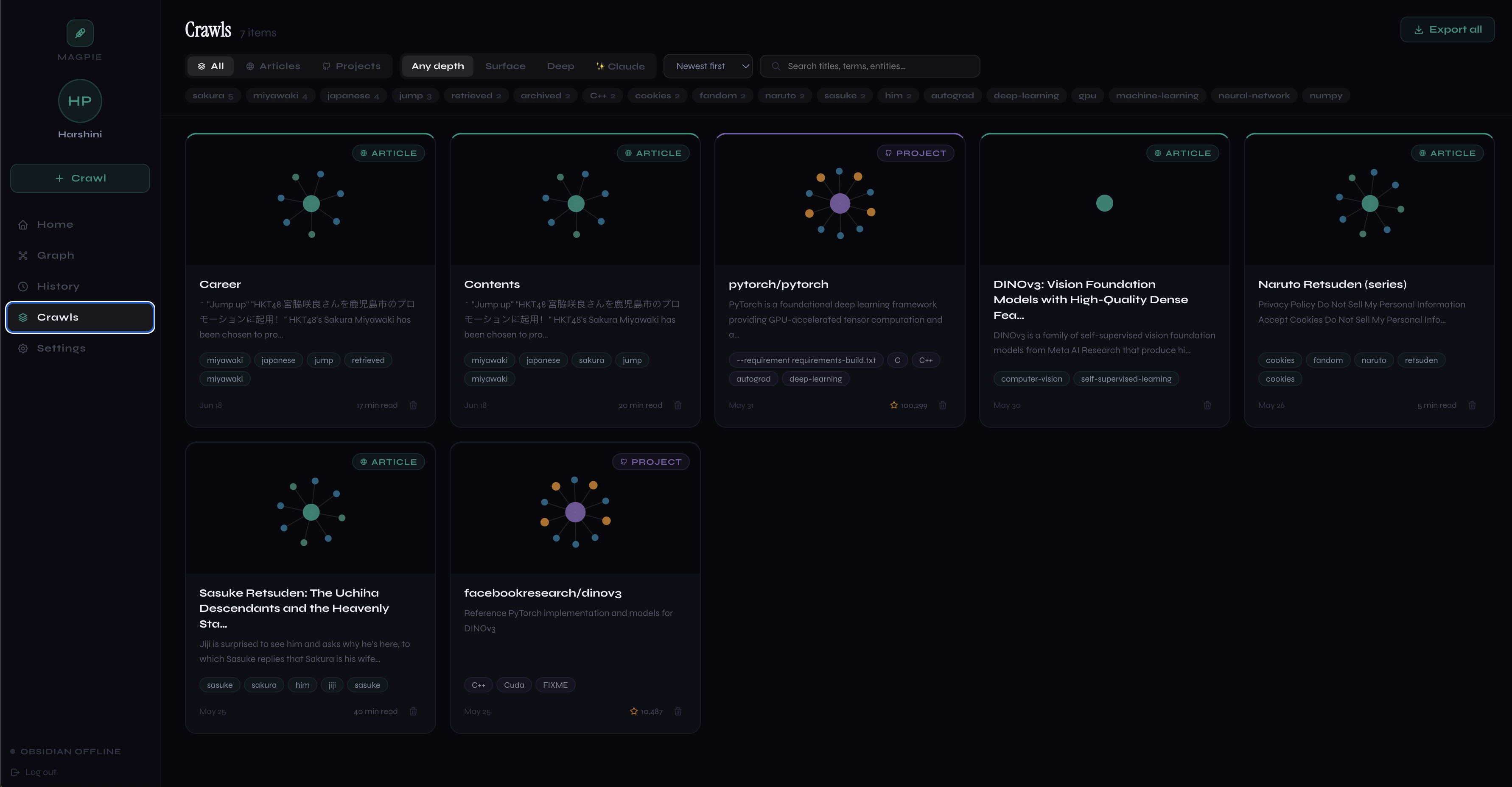
Crawl Gallery and filters
-
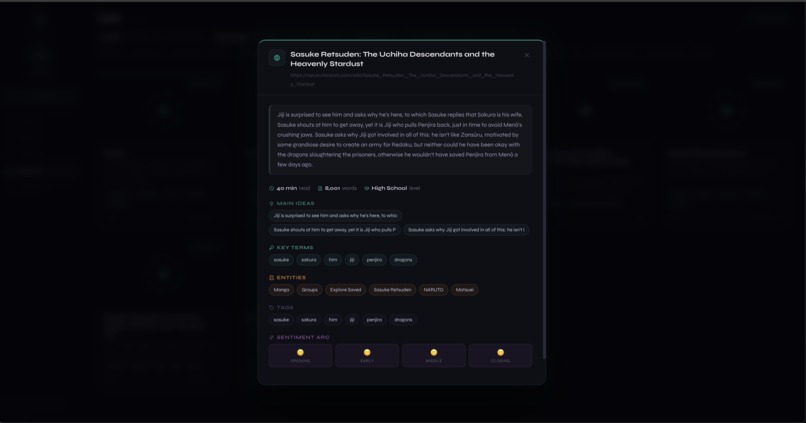
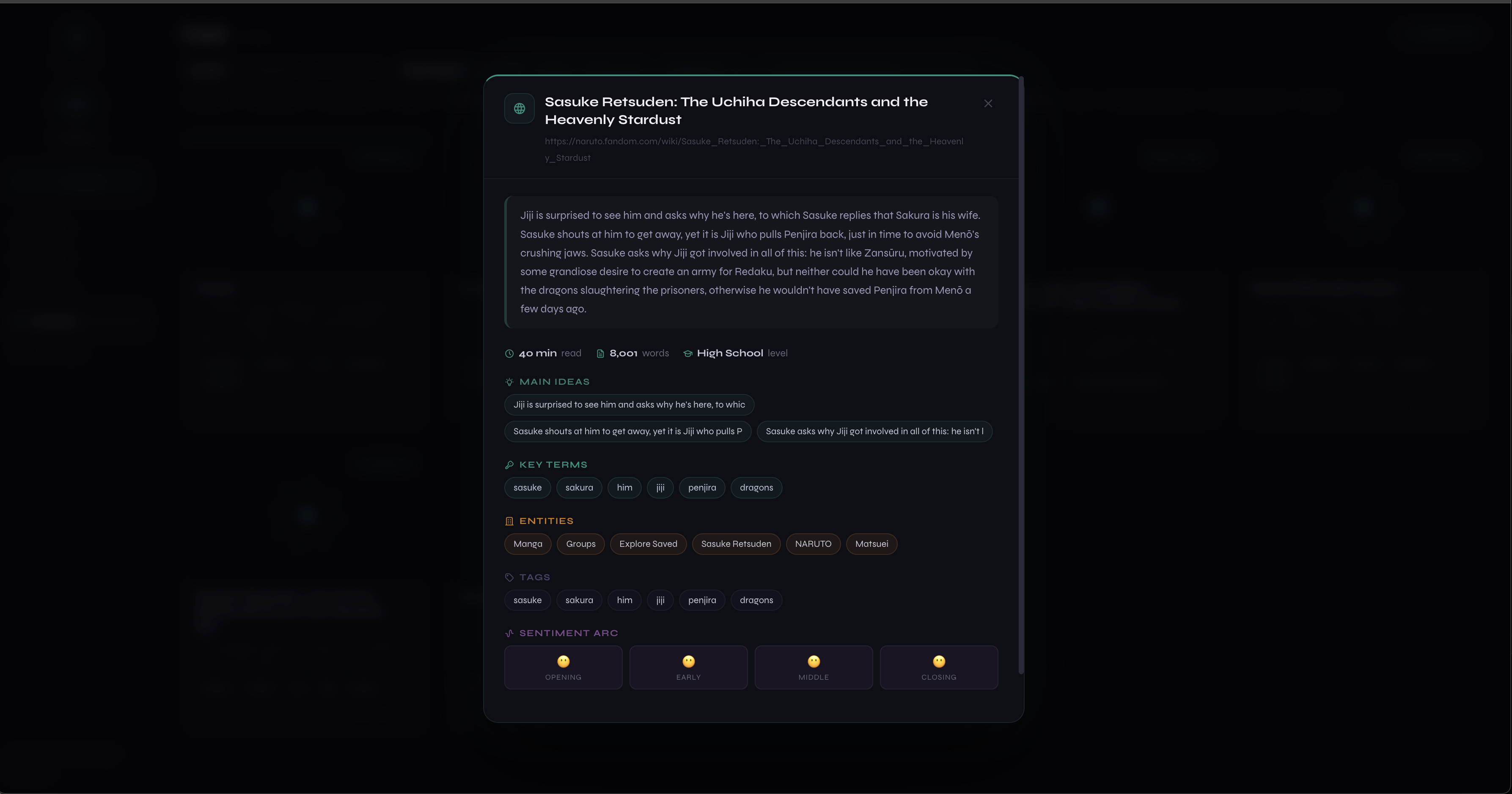
Markdown export preview along with sentiment analysis.
Problem Statement
LLMs are powerful but ungrounded; ask one a question and it answers from frozen training data, with no awareness of the specific articles, docs, or repos you actually care about. Retrieval-Augmented Generation (RAG) fixes this by retrieving relevant context before the model answers, but most RAG pipelines treat documents as flat, disconnected chunks. They miss the relationships between concepts across sources, the part that actually makes knowledge useful instead of just searchable.
Solution/What it does
MagPie crawls any article or GitHub repo and transforms it into structured, LLM-ready knowledge rather than raw text. Instead of dumping a wall of markdown into a vector store, MagPie extracts key terms, named entities, main ideas, and co-occurrence relationships, then builds an explicit knowledge graph connecting them. This graph structure is what a strong RAG system actually wants: not just "here's a relevant chunk," but "here's how this concept connects to five other things you've already read." Every crawled source becomes both a retrievable document and a node in a growing, queryable knowledge graph, saved natively into Obsidian as wikilinked notes that an LLM (or a human) can traverse contextually instead of searching blindly.
Key Features
- Structured extraction pipeline (TextRank, TF-IDF, spaCy NER, co-occurrence graphs) that turns unstructured web content into clean, typed knowledge: entities, key terms, relationships, not just raw text chunks
- Interactive D3.js knowledge graph that visualizes exactly what a RAG system would retrieve and why, making the usually-invisible retrieval layer inspectable
- Exportable, downloadable notes — every crawl saves as a real markdown file you can download directly or sync straight into your Obsidian vault, so your knowledge graph isn't locked inside the app
- Free NLP extraction out of the box, with an optional Claude-powered tier (bring your own key) for deeper synthesis and smarter wikilinks
- GitHub Project Mode applies the same structured-extraction approach to codebases: tech stack, contributors, and key concepts become graph nodes too, useful as grounding context for code-aware LLM agents
- Live interactive demo lets anyone paste a real URL and watch unstructured web content turn into a structured graph in real time.
Technologies Used
- Backend: Python, FastAPI, crawl4ai (Playwright-based crawling), TextRank, TF-IDF, spaCy (NER), BeautifulSoup
- Frontend: React, D3.js for graph visualization
- AI: Anthropic Claude API for the pro-tier extraction layer
- Storage/Integration: Obsidian Local REST API plugin, Supabase
- Infrastructure: Docker, Google Cloud Run
Target Users
Developers and researchers building or experimenting with RAG pipelines and LLM agents who need structured, relationship-aware context rather than flat document chunks; and knowledge workers who want their personal knowledge base to double as grounding context for AI tools, not just a place to dump bookmarks.
How we built it
It first started out as a simple web crawler that could graph key components, however I came across RAG pipelines during a lesson I was in and it immediately stuck me how this could immediately be applied to chunking documents as the graphs are essentially searching for what pieces of text are the most influential while also thinking about relationships.
Additionally, I first started the project with a simple html file as the project was initially supposed to be an obsidian plug in, but I realized that with D3.js, it was possible to create even more complex graphs, paving the way for a React-Vite application. On top of that core pipeline, I added an optional Claude-powered tier for deeper synthesis, so the same project scales from a free, zero-cost tool to something more powerful for users who want it.
Challenges we ran into
- One of the biggest challenges was figuring out how to operate Google Cloud Run as I was completely new to it.
- Second, crawling across wikipedia articles was particularly challenging because of the amount of info that is on there, so I had to implement filters that would force the crawler to avoid generic urls and contents headers like "uploads" or "header."
- Third, was navigating CORS and other web related errors that come with deployment.
Accomplishments that we're proud of
I am particularly proud of being able to publish MagPie as a fully functioning and deployed application. I am even more excited about how I was able to incorporate various NLP libraries and processes into my work as that is a huge interest of mine.
What we learned
This was my first time with a lot of the tech stack I used and I ended up learning a lot about how end-to-end production really works. Specifically, through MagPie I was able to learn how to operate Google Cloud Run, use Obsidian Rest API (getting comfortable with RestAPI's in general), learn how to incorporate Anthropic API on a budget, and mix in multiple NLP tools at the same time.
What's next for MagPie
Overtime I've come to really enjoy MagPie as a project and would love to keep putting effort into it. I think next I would love to experiment with processing text from images and other file formats.
Built With
- beautiful-soup
- claude
- crawl4ai
- d3.js
- docker
- fastapi
- google-cloud-run
- obsidian
- python
- react
- spacy
- supabase
- textrank
- tf-idf

Log in or sign up for Devpost to join the conversation.