Inspiration
Chess has been played across physical boards for centuries, but today, millions of players experience the game exclusively through a screen. Platforms like chess.com have made it easier than ever to find an opponent, but it removes the experience of playing over the board.
What if playing chess online could feel exactly like playing chess over the board and count towards your ELO? Imagine challenging a friend thousands of miles away, but instead of staring at a screen, you watch their moves come to life on a real chessboard through robotic arms.
We built MagnusBot to bridge this gap. We chose to build it around Chess.com because it was by far the most used among hackers and organizers here at Cal Hacks 13.0.
According to our survey of 80 avid players on which platform they use, 71 responded with Chess.com.
What it does
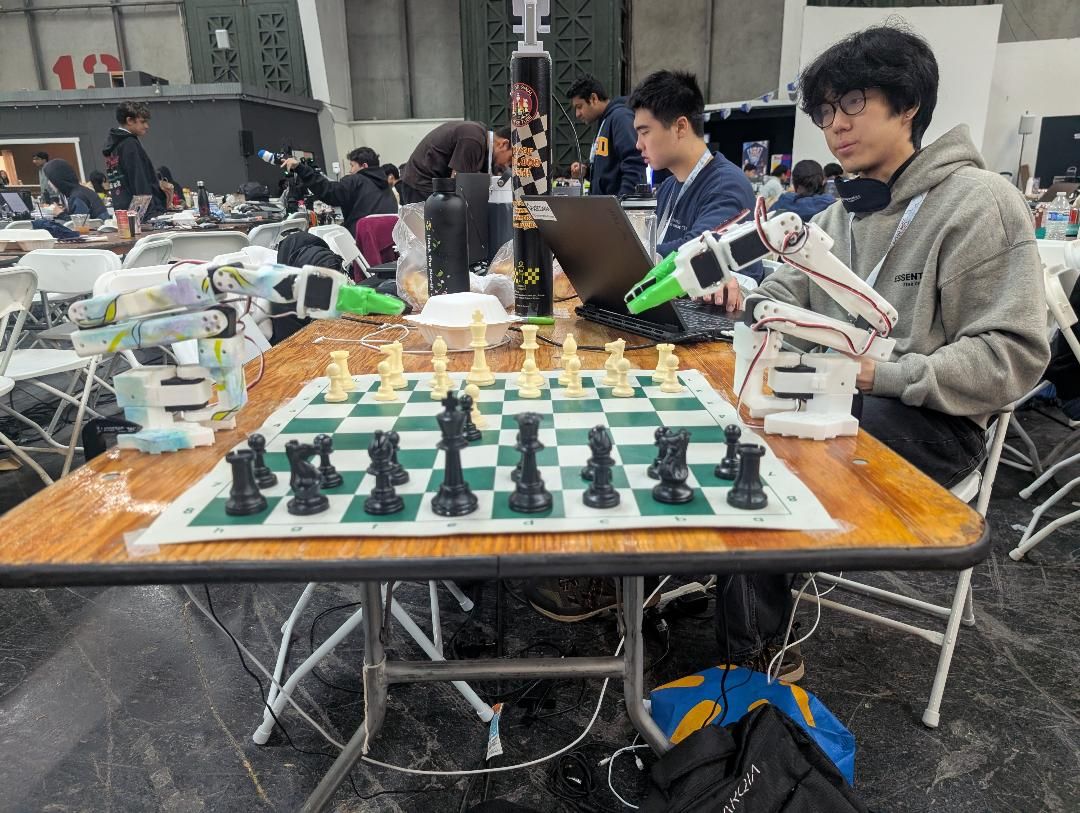
MagnusBot can turn any online chess.com game into a physical one. You sit at a real chessboard, move real pieces, and play against an opponent on Chess.com.
Our computer vision model monitoring the board captures your moves and plays Chess.com while the robot arms play your opponents moves out on the physical board.
How we built it
- Robotic arms: Two SO-101 arms (LeRobot framework) with custom analytic inverse kinematics. Since neither arm can reach the full length of the board, we split the board in half and assigned one arm to each half, incorporating a hand-off area for moves that cross the board. Each arm was camera-caliberated using a green-painted fingertip, with custom grasp angles and grip strengths for each individual piece.
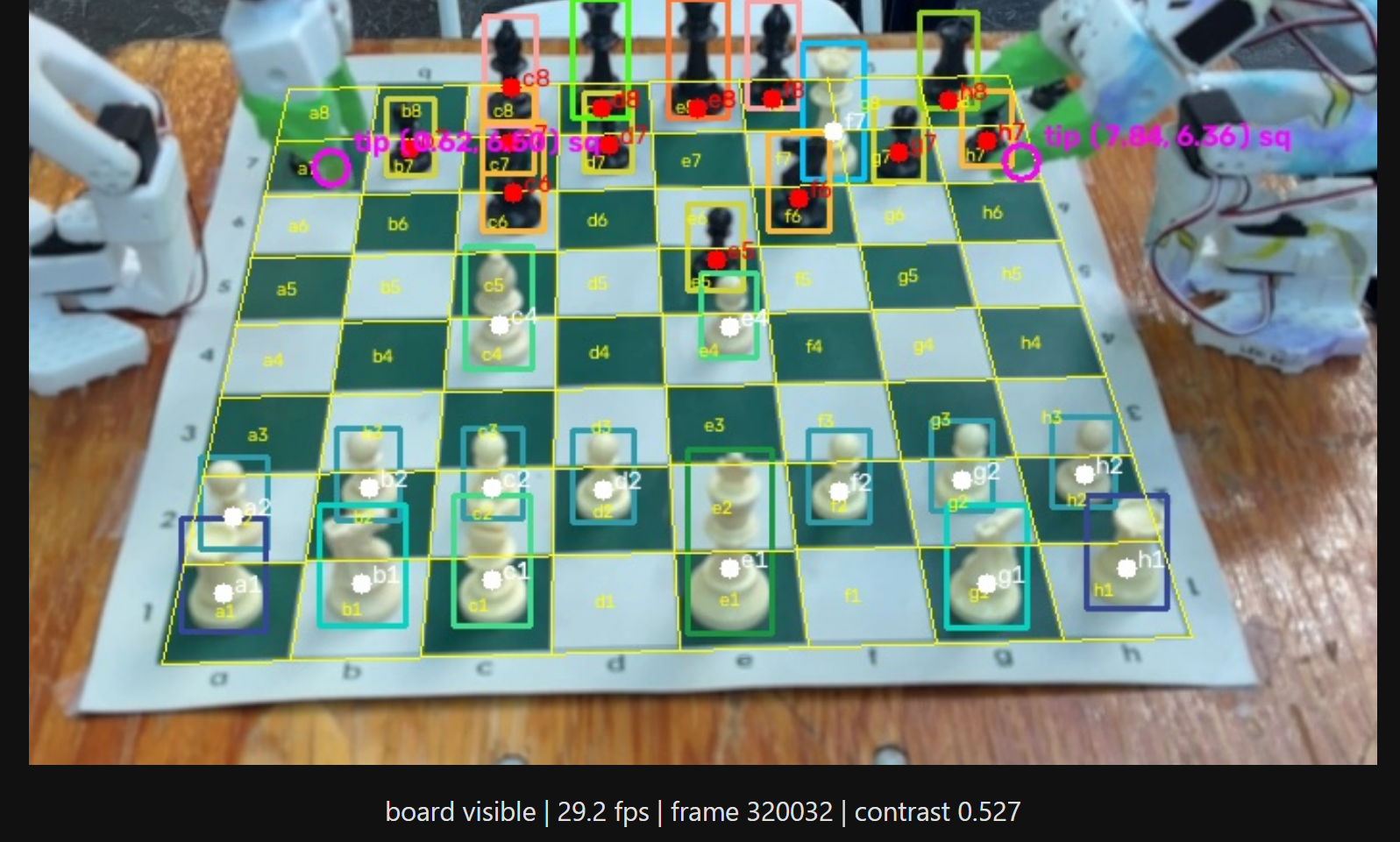
- Computer vision: We integrated an RF-DETR to detect the objects. We used Roboflow to train roughly 450 images and were able to get a 98.3% mAP with 97.9% precision and 99.1% recall. We downloaded the weights on roboflow so that we can run the model locally, which fixed the latency issue when running it on cloud. To detect the board moves we used OpenCV and calibrated the 4 corners of the board each time. A grid was then projected detecting each square on the board. The pipeline goes from detecting the piece before and the piece after and seeing where on the grid the piece was. It would then record that move like a normal chess dashboard.
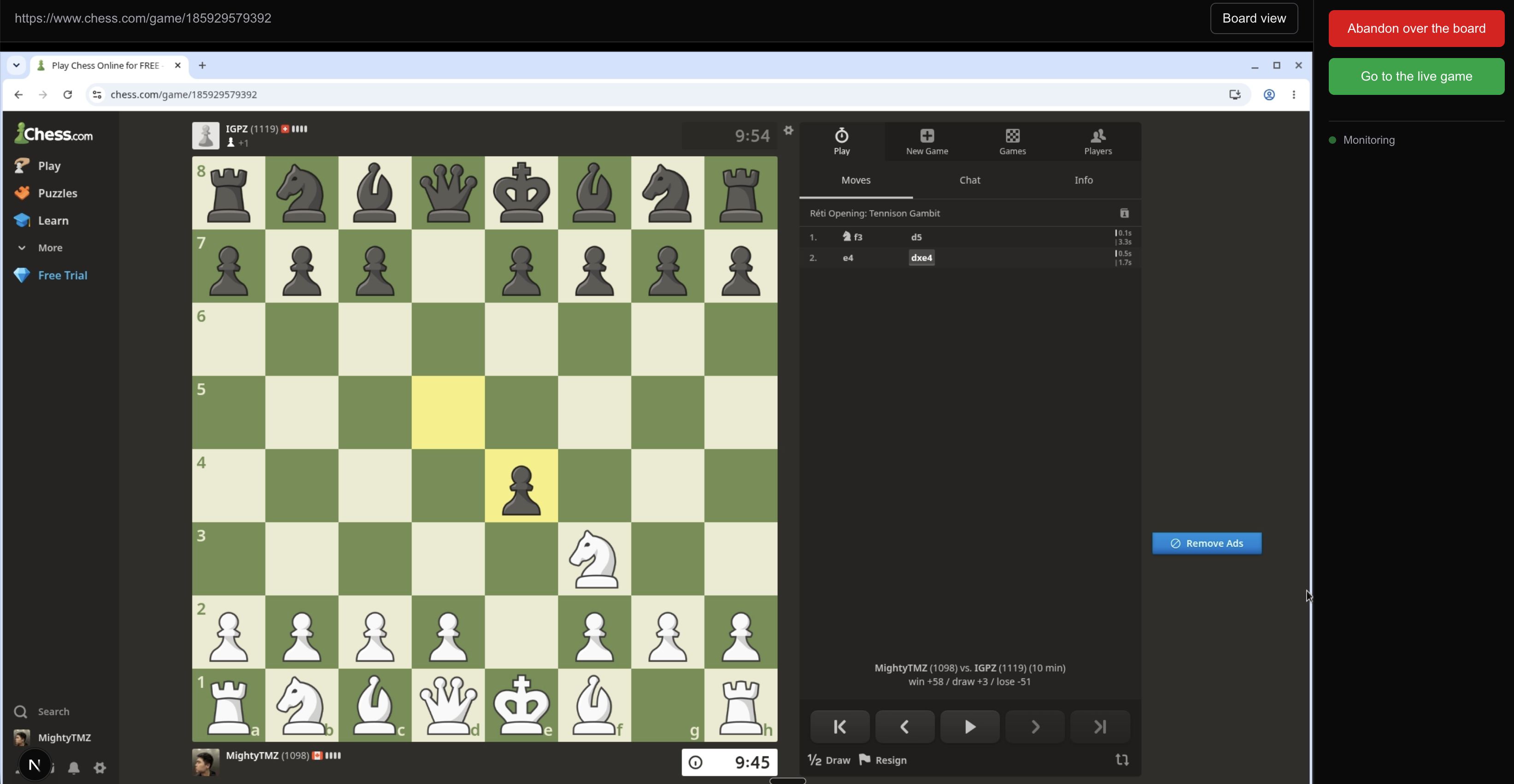
- Chess.com integration: A Next.js app with Steel cloud browser automation connects to Chess.com games. Given Chess.com's client side architecture, we use a monitoring feature that screenshots the board, and performs a programmatic pixel difference calculation. If the difference exceeds a threshold of 0.1% byte difference in the respective BASE64 images, it uses Claude Vision to detect the exact new move. When new moves from the human come in, we use Claude Vision to determine coordinates relative to the page on the exact squares/pieces to click on.
- Human intervention option: If at any moment during the game, the human player wishes to play online, we have made a “Got to live game” feature. This takes the player directly to the game URL on Chess.com where they can continue their game in the exact state they left off on the real board. This is particularly useful when their chess clock time is running low or the robot is misbehaving.
Challenges we ran into
We encountered numerous challenges throughout the process. By far the most critical was ensuring that the computer vision model overlooking the board was reliable and accurate to accurately detect the state of the chessboard. This was important because computer vision served as the foundation of our entire system, because even the slightest error in piece detection or position prediction could propagate through the rest of the pipeline. This would result in incorrect move calculations, flawed robotic movements, and ultimately the failure of an end-to-end system.
We addressed this challenge by playing 2 full length chess games by hand, recording game footage and capturing positional images. We then annotated 436 images, including ones where we taught it to not label pieces in frame but were off the board. In the end, we achieved a robust model with 98.3% mAP with 97.9% precision and 99.1% recall.
What we learned
Be aware of the limitations of your hardware and the pros/cons of your approach. We chose classical motion planning over reinforcement learning. The upside is that every move is explainable and predictable. Reinforcement learning (RL) could potentially adapt to hardware quirks automatically, but that would need thousands of real-world trials we didn't have time for during this hackathon.
A cheap pixel diff saves expensive vision API calls. Our Chess.com monitor screenshots the board every second using Playwright. However, a raw buffer comparison (0.1% byte threshold) filters out unchanged frames before they ever hit Claude Vision. Most polls return instantly with "no change." Only when something meaningful shifts on screen does the before/after pair get sent for move detection keeping latency low and API costs minimal.
What's next for MagnusBot
Our ultimate vision for MagnusBot is to make physical chess and online chess seamless. Chess.com has already demonstrated its commitment to bridging online and over-the-board chess through partnerships with smart chessboard manufacturers like ChessUp. Our long-term ambition is to become part of this growing ecosystem and offer players a new experience.
On the hardware side, we plan to significantly improve the robot’s precision, speed, and reliability. For example, upgrading to higher-performance servos, refining arm calibration, and further optimizing motion planning and control systems. We also envision replacing our current dual-arm setup with a longer, more robust robotic arm capable of reaching the entire chest board. This would eliminate the need for an arm-to-arm handoff when executing longer moves, and would simplify the architecture, reduce execution time, and points of failure.
Built With
- claude
- cursor
- lerobot
- next.js
- opencv
- react
- rf-detr
- roboflow
- typescript



Log in or sign up for Devpost to join the conversation.