
Inspiration
The things I reuse most are scattered across twelve apps. My address is in Notes. The Wi-Fi password is a screenshot. My passport is a PDF in Files, my Aadhaar number is in a chat with myself, and the polite "thanks, attaching the invoice" reply I send weekly gets retyped every time. None of it is hard to find — it's just 30 seconds of digging, ten times a day, every day.
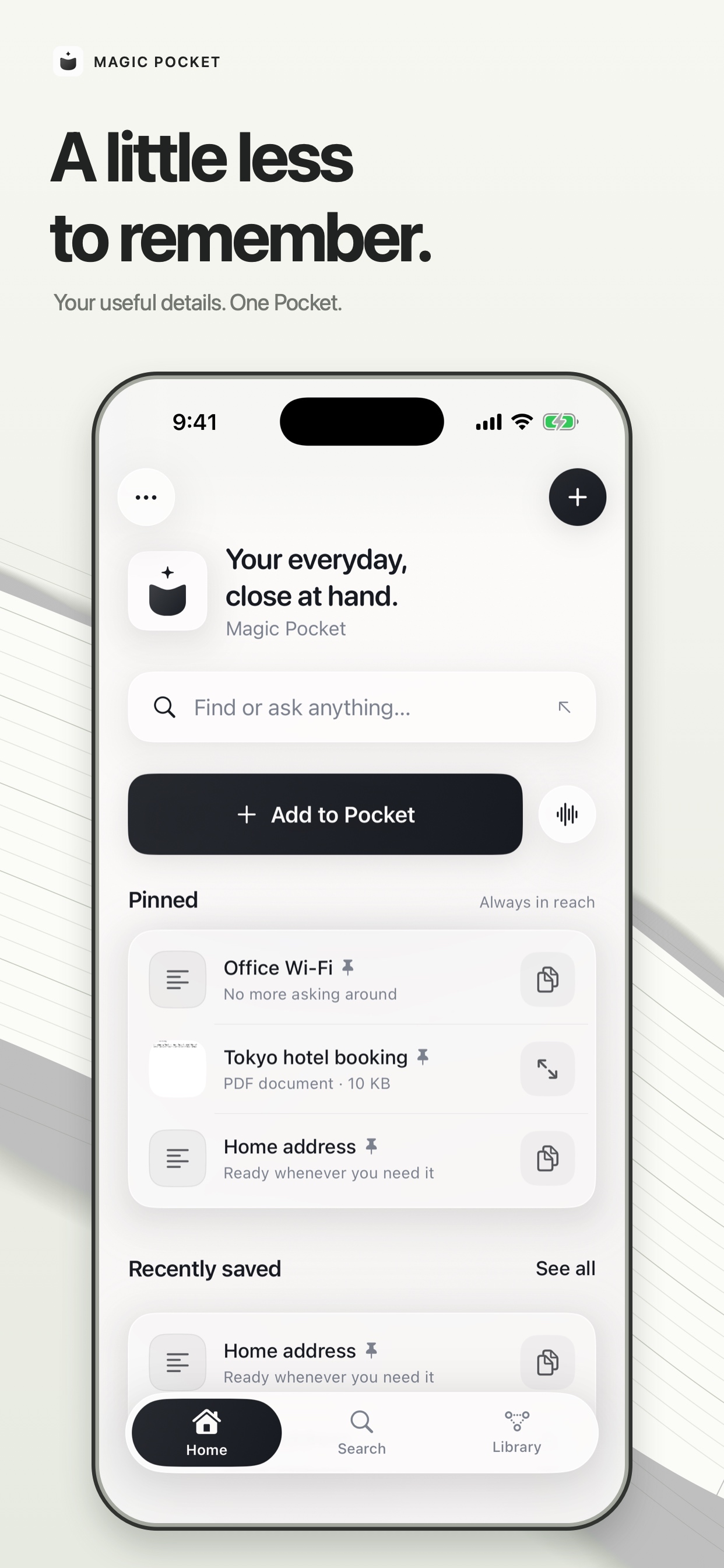
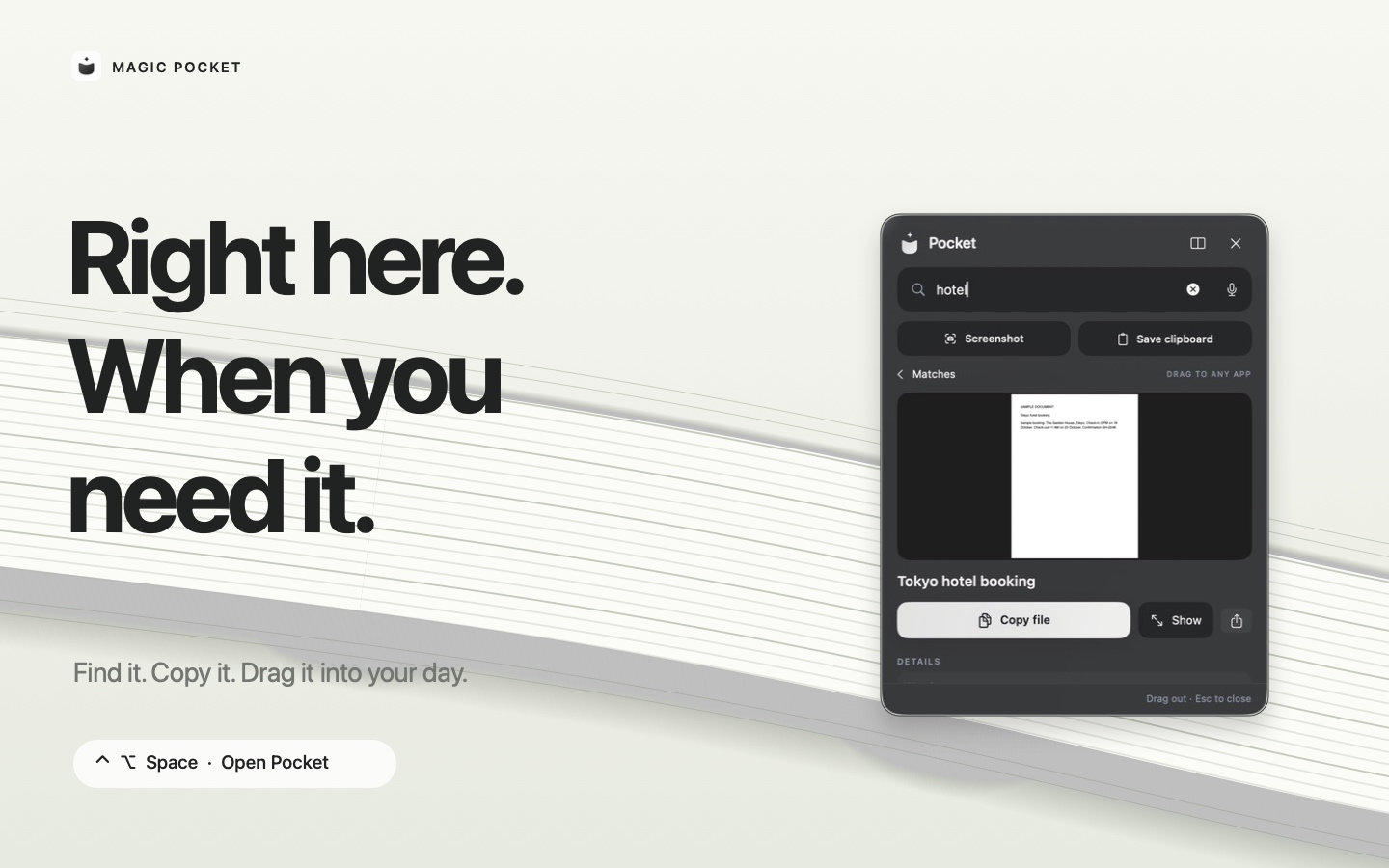
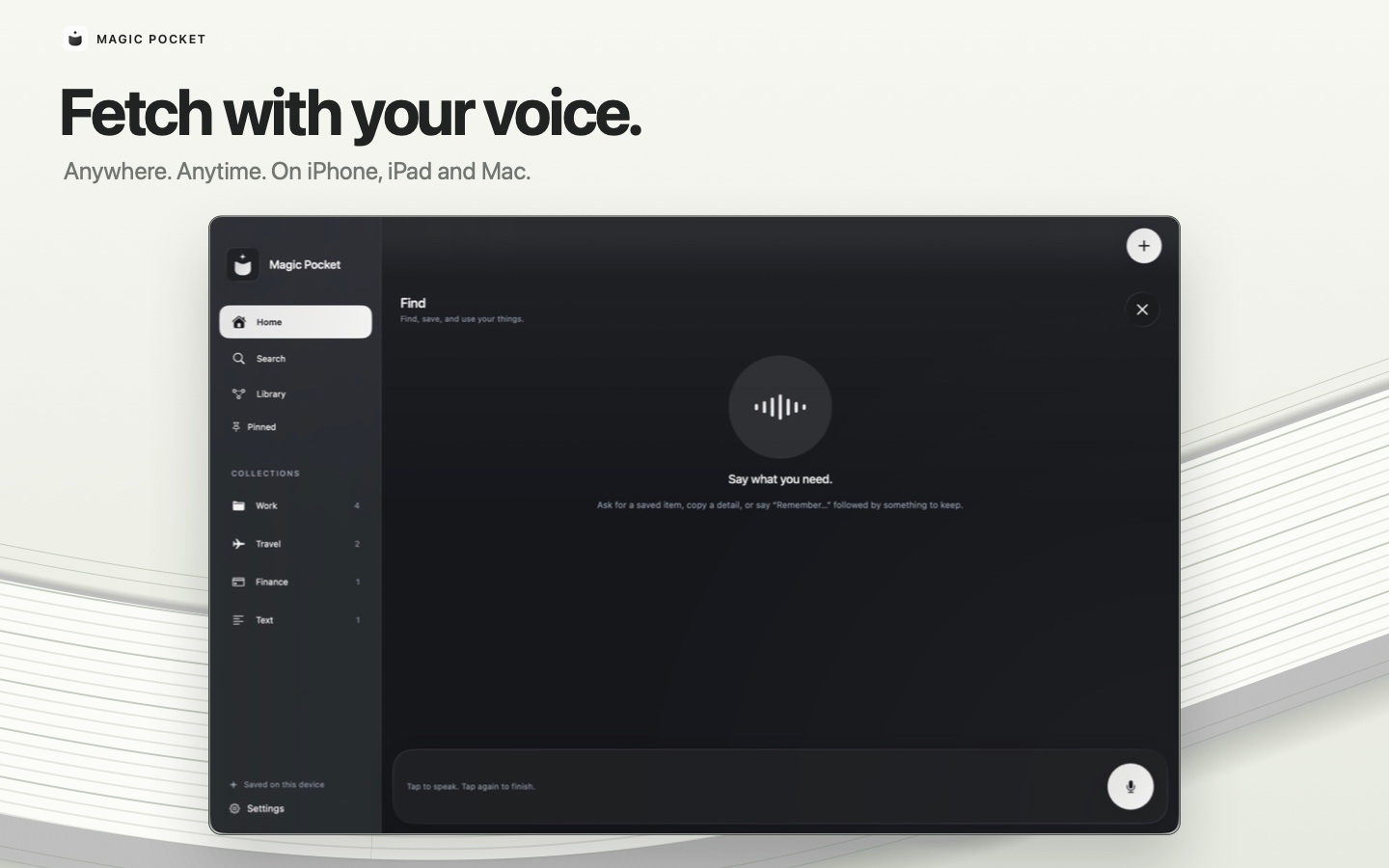
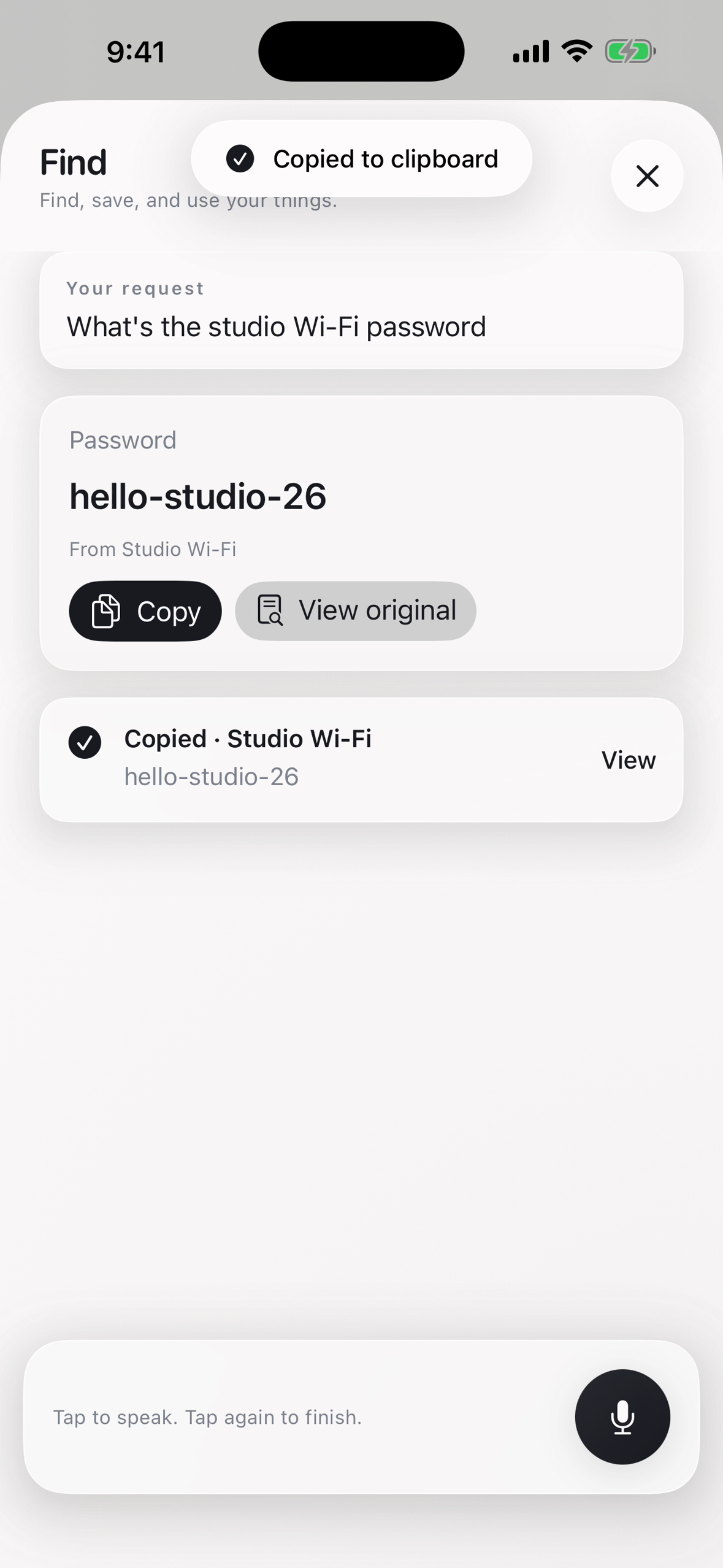
Notes apps and file managers are built for keeping things. I wanted something built for getting them back out. So Magic Pocket does one job: you throw something in, and later you ask for it — by voice, from a keyboard, from a menu bar, from Siri — and it hands it to you where you already are.
The other half of the inspiration was privacy. The things worth saving are exactly the things you don't want on someone else's server: IDs, contracts, bills, passwords, client documents. That ruled out the easy architecture and turned into the product's main promise.
What it does
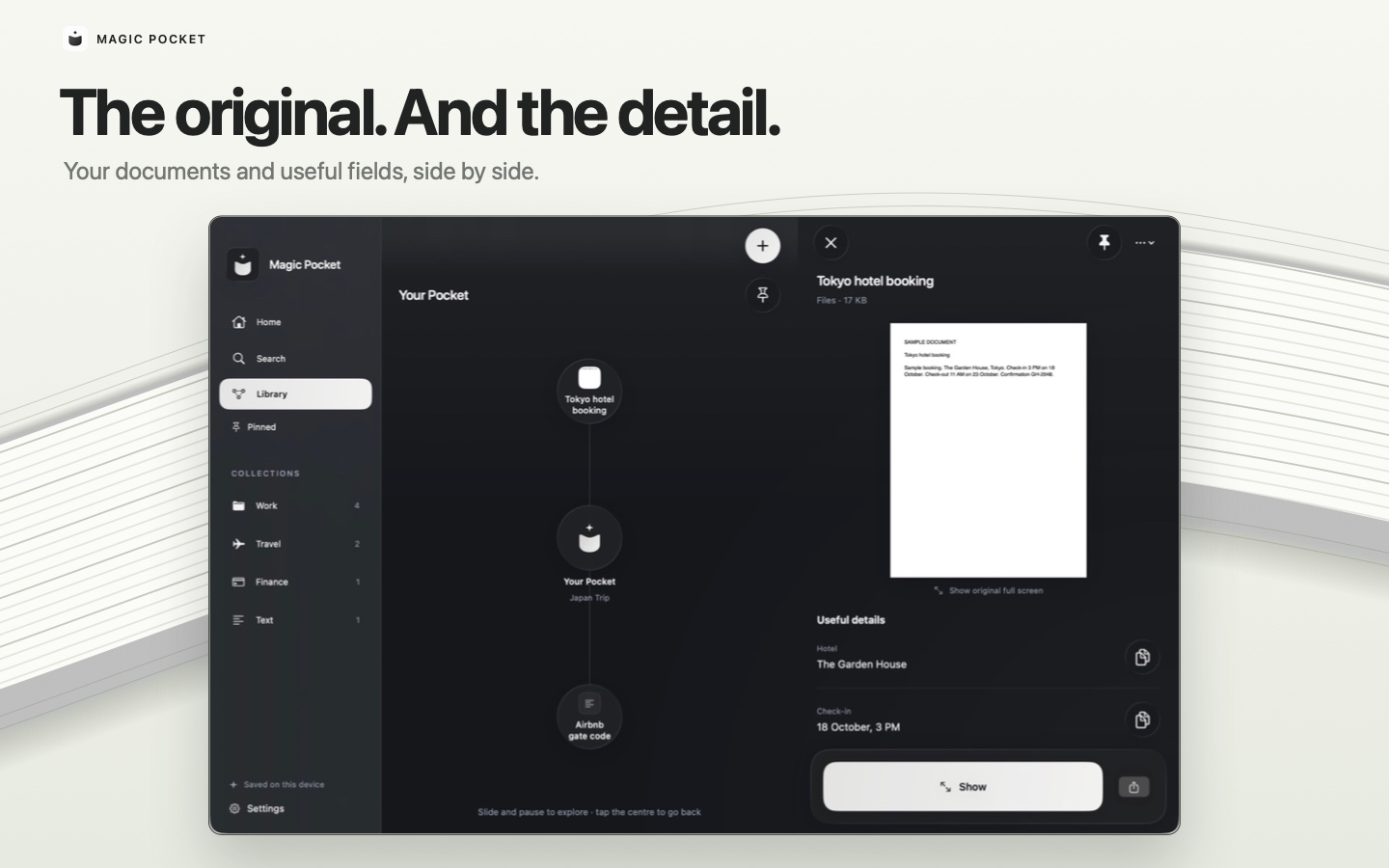
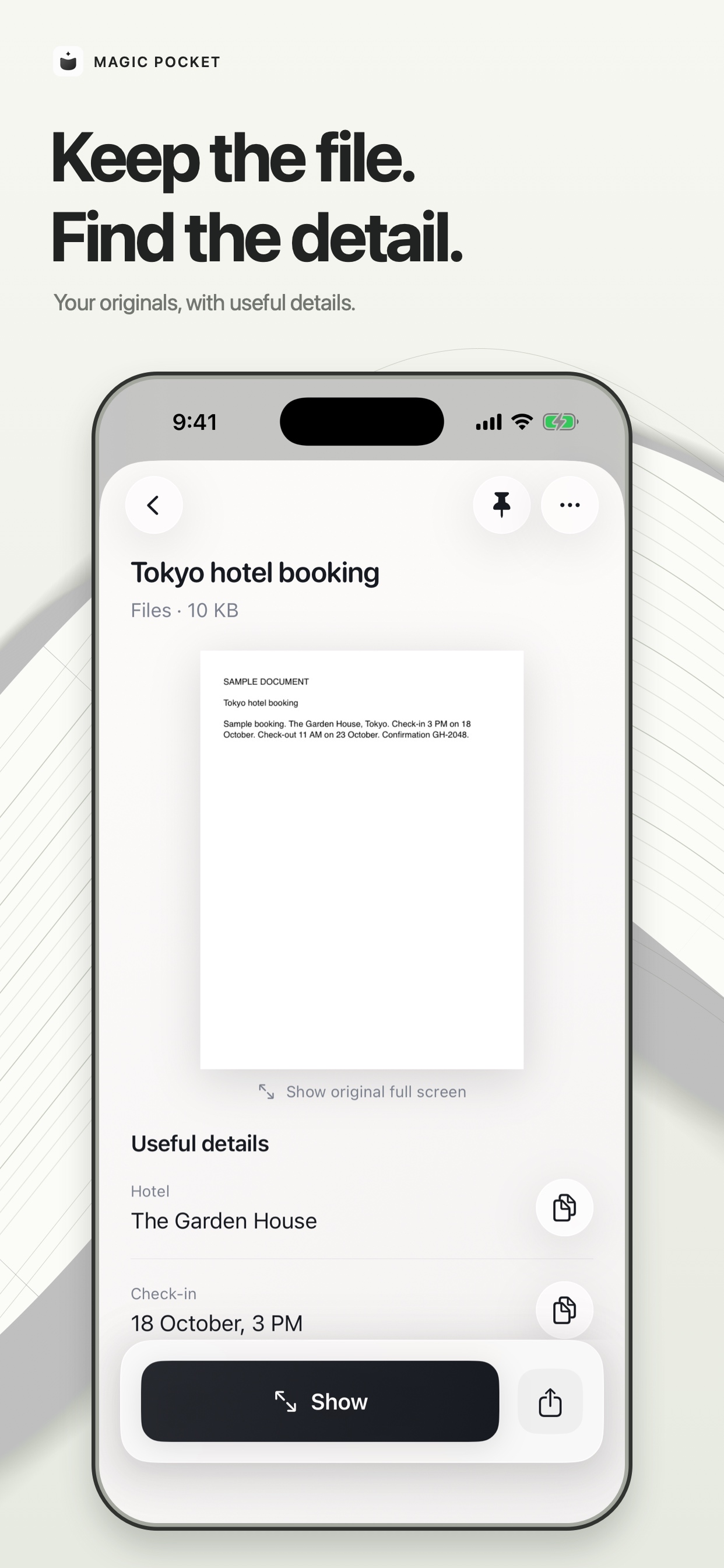
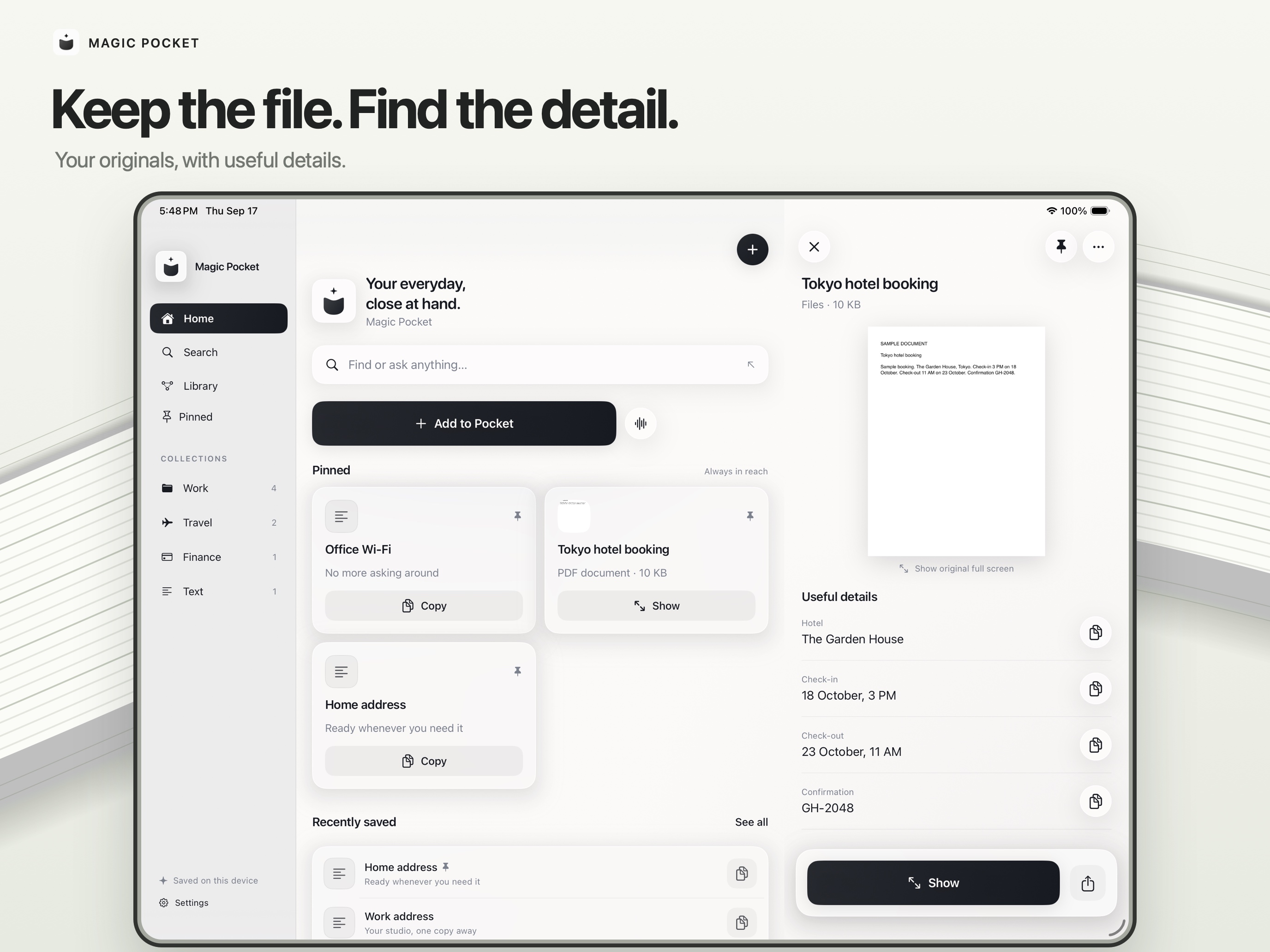
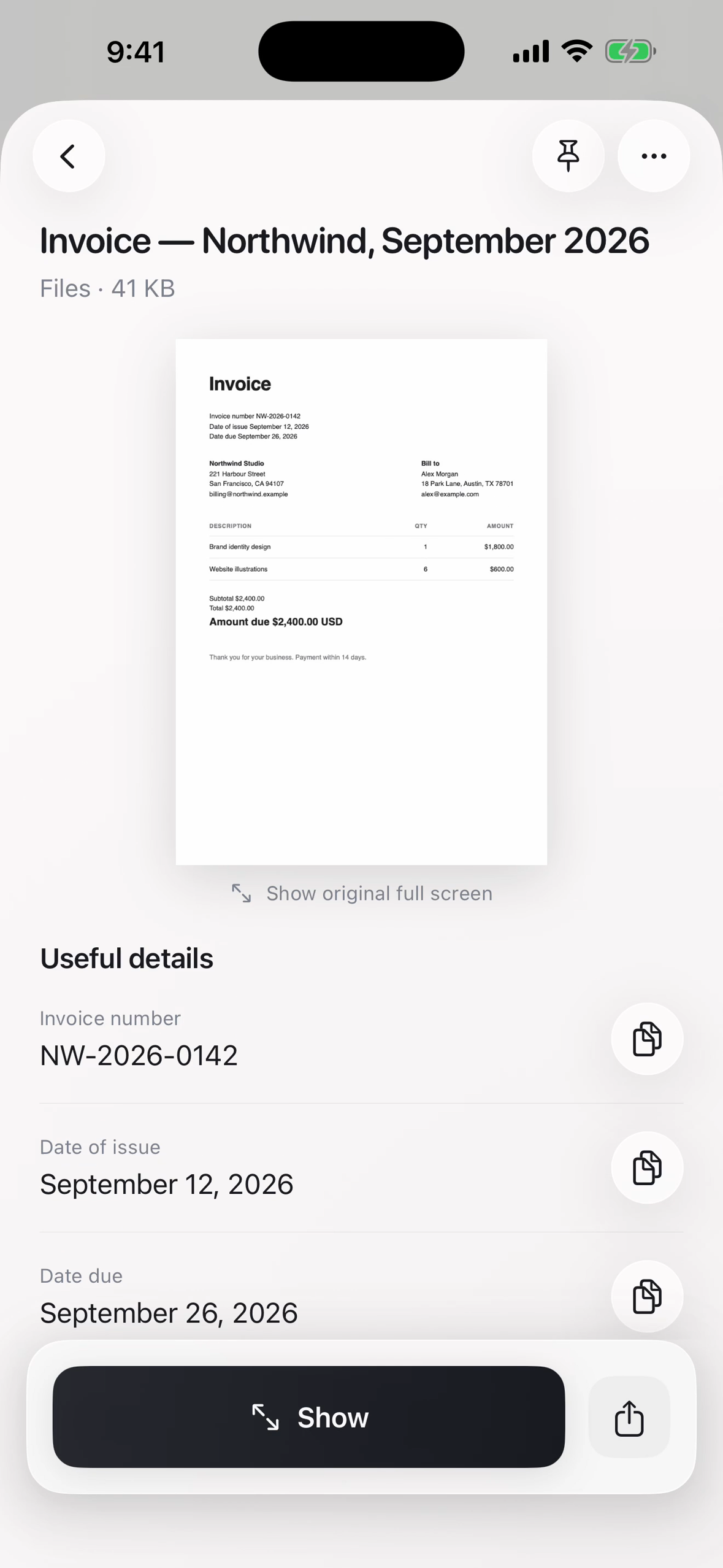
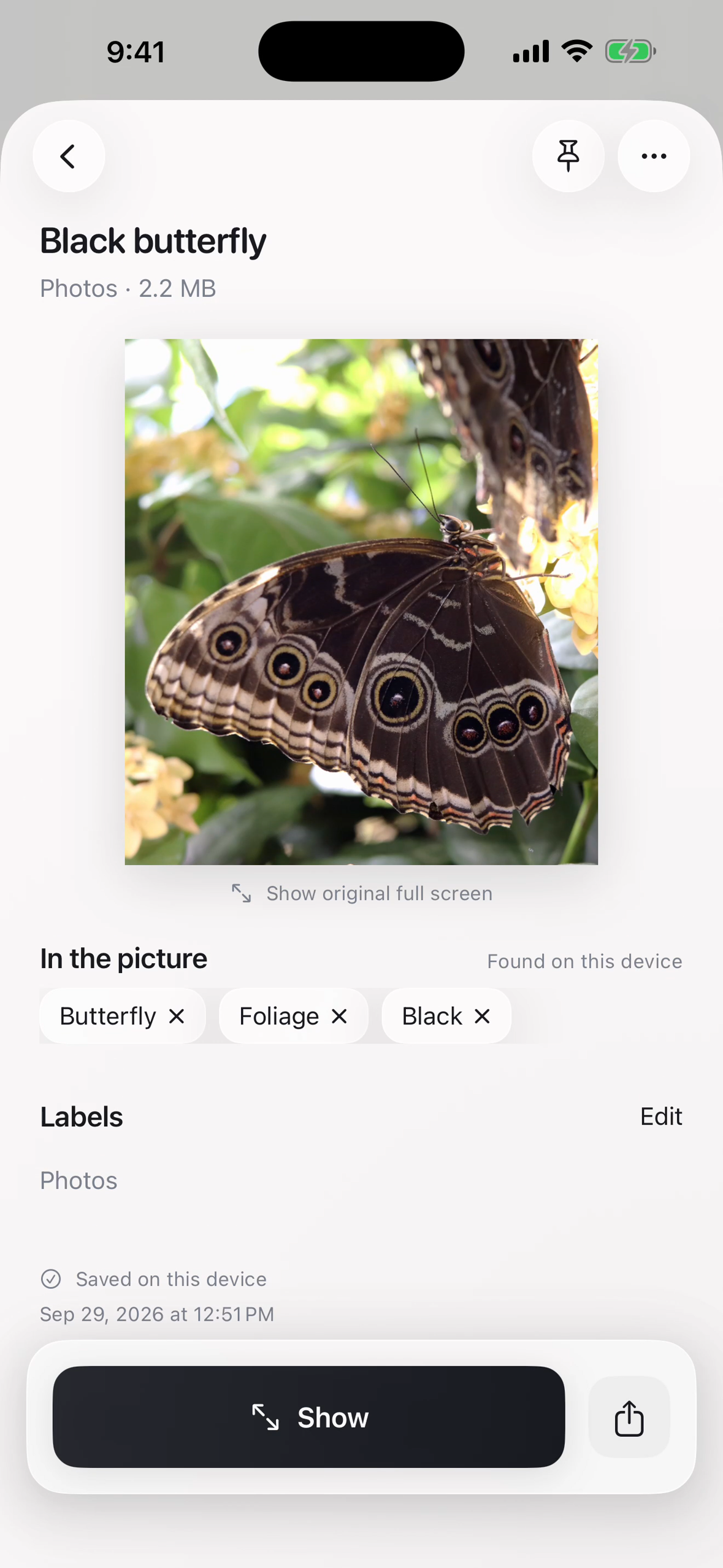
Save anything. Text, screenshots, photos, links, PDFs, documents — from the share sheet on iPhone, Text, screenshots, photos, links, PDFs, documents — from the share sheet on iPhone, by dragging onto the menu bar icon on Mac, by voice ("Remember my gym locker code is 4471"), or by scanning a paper document with the camera. Magic Pocket reads it on arrival: Vision OCR pulls out text, a local understanding pass extracts labeled fields (account number, gate code, invoice total), passports are read via their machine-readable zone, and photos get visual tags from Vision's classifier plus the dominant colour of the subject — so an untitled IMG_4821.jpeg becomes "Red rose". Bills get deterministic titles like "Invoice — Anthropic, July 2026". Titles come from Apple's on-device Foundation Models where available, with local fallbacks everywhere else.
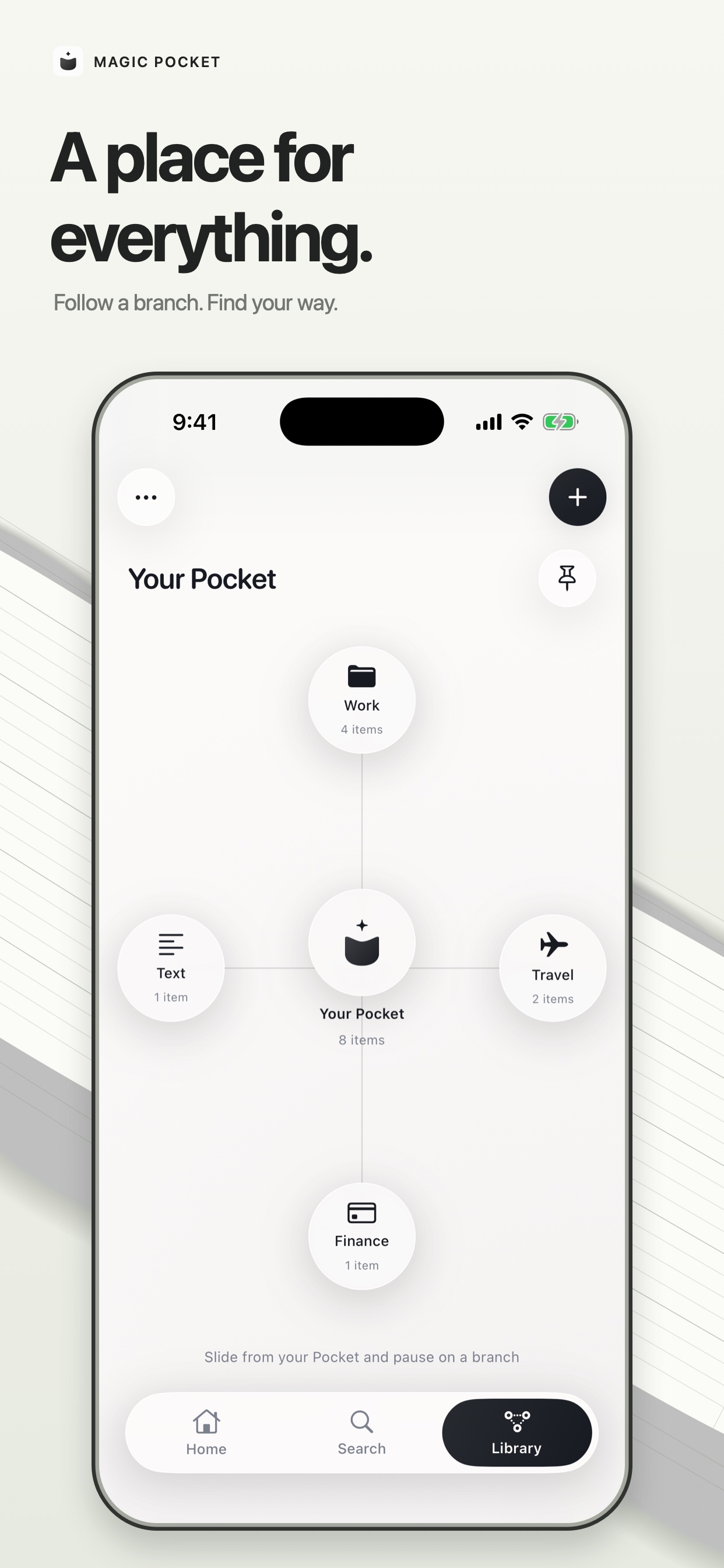
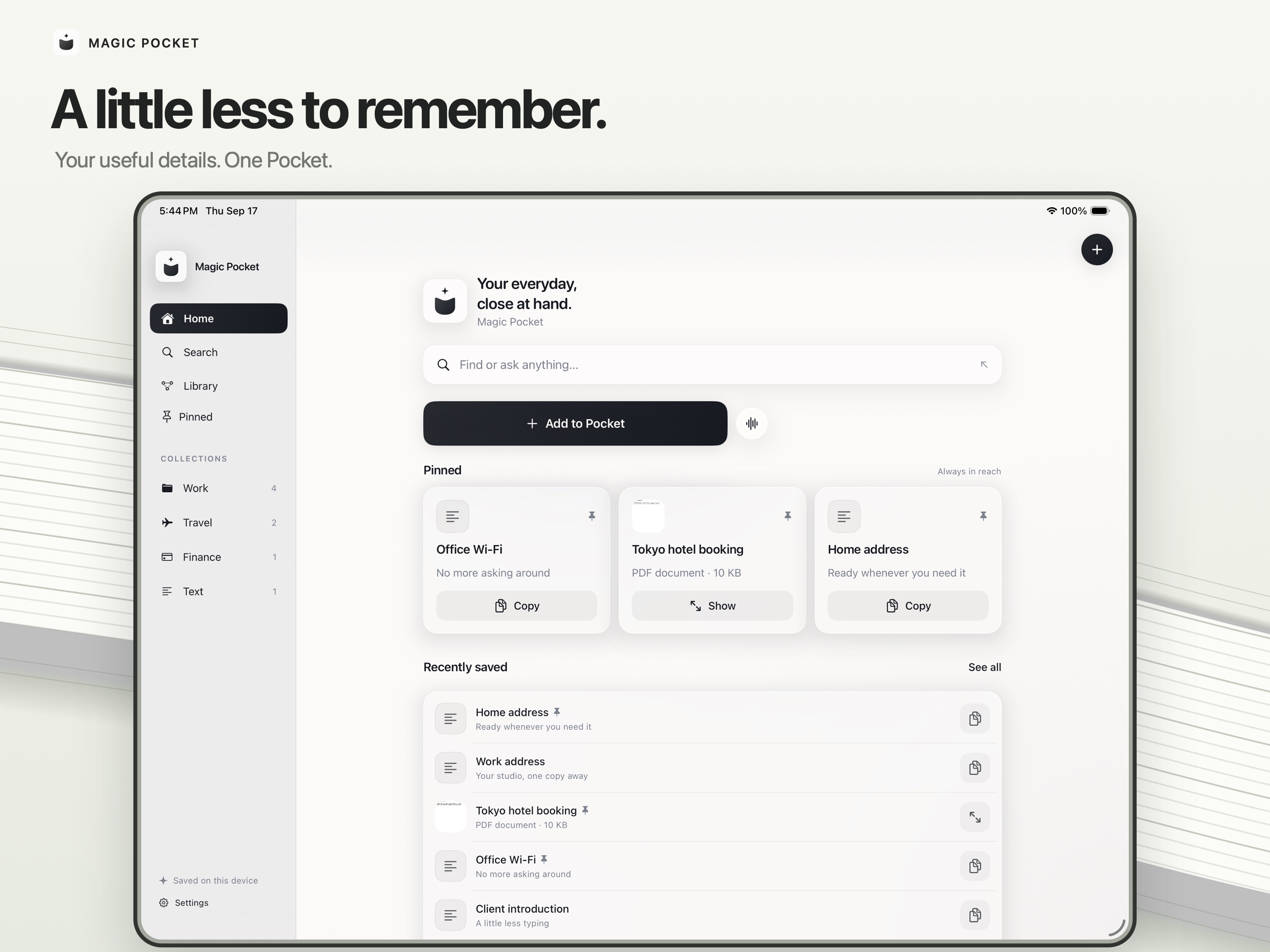
Organise without trying. Every item gets a clear name and a one-line summary, and is filed onto a map of your life (Travel, Finance, Health…) that you can glide across. You never make a folder. Pin everyday essentials; version history and Recently Deleted mean nothing is lost by accident.
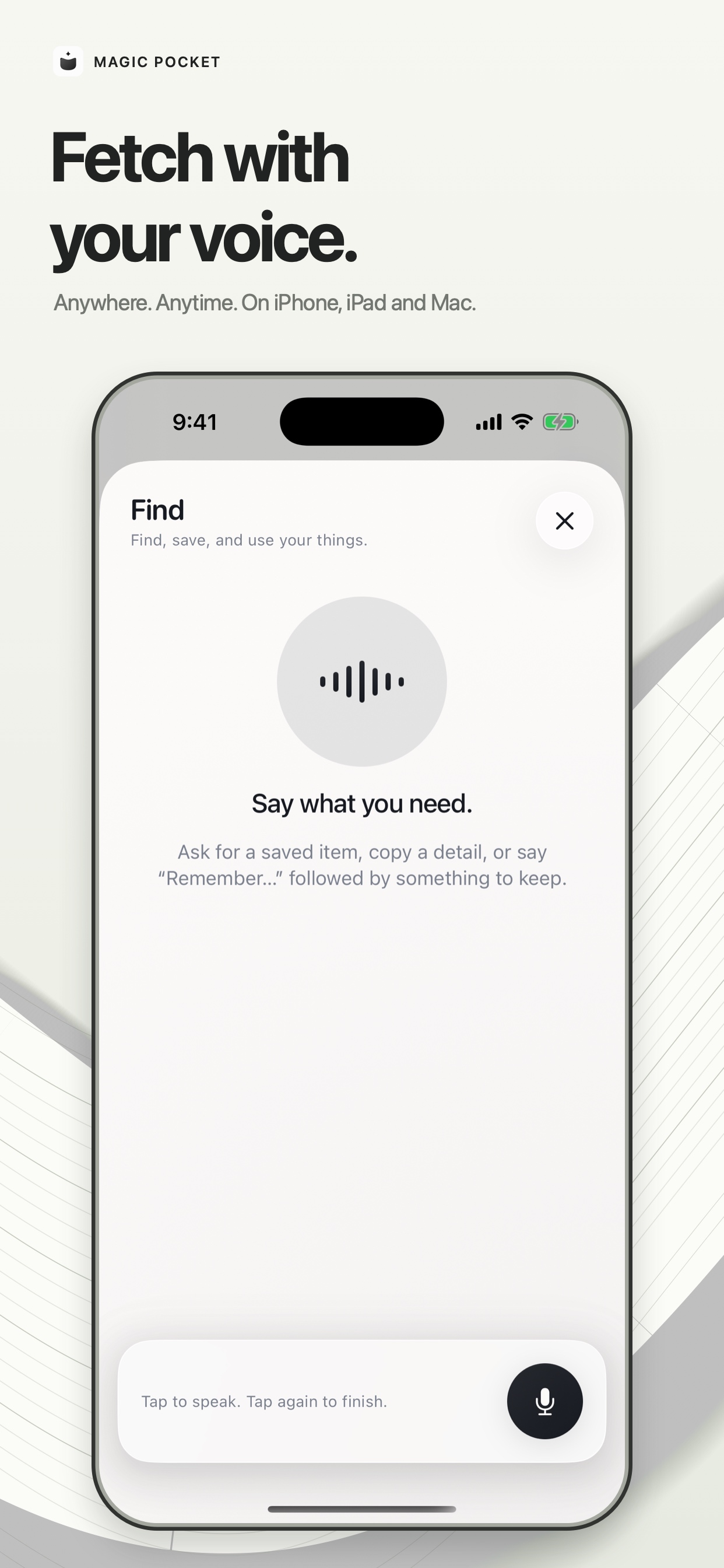
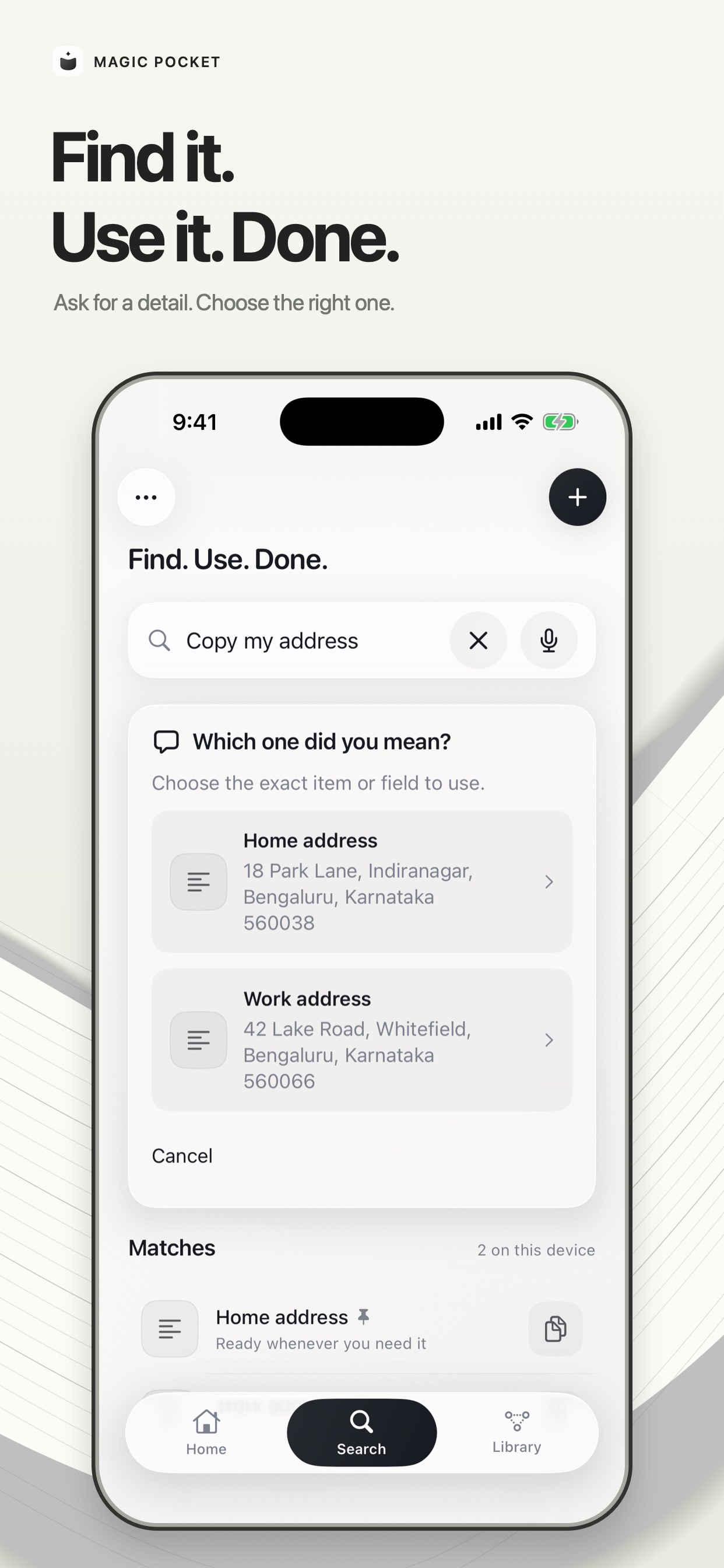
Find it in seconds. Search blends three local signals: SQLite full-text search, a phonetic consonant-skeleton matcher (so a misheard "aadhaar" still lands), and on-device sentence embeddings over what names an item — title, summary, aliases, field labels — rather than its whole body, because nobody searches for paragraph nine. Voice opens already listening, streams partial results, and fires on a pause (1.2s, stretched to 2.5s when the sentence clearly isn't finished, so "give me my…" waits for the noun).
Fast, and measured. Search keeps your library ready in memory and only re-reads it when something changes. On a 5,000-item library, "What's my passport number?" went from 507 ms to 48 ms (median of 30 runs, Apple M5); typed search takes about 15 ms, and a normal library of a few hundred items answers in about 2 ms.
It never guesses. Ask for something you haven't saved and Pocket says "Nothing saved mentions 'marriage' yet" instead of opening the closest thing. It only ever hands back what you put in.
Use it without switching apps. This is the part I care about most:
Pocket Keyboard on iPhone/iPad — your saved text, photos and files inside any app's text field, copied on tap. Ask Pocket in Mac Services — select "my address" in any app, right-click → Ask Pocket, and the selection is replaced in place. No clipboard, no Accessibility permission, no simulated keystrokes. Mac menu bar panel — ⌘⇧P drops it down already listening; drag original files straight out into Mail or Slack. iPad — sits beside your work in Stage Manager; drag a PDF or photo straight from Pocket into Files, Mail or Notes, or find items from Spotlight with ⌘Space. Siri, Spotlight, widgets, Control Center. Reply templates with {today}, {now} and {clipboard} that fill themselves in.
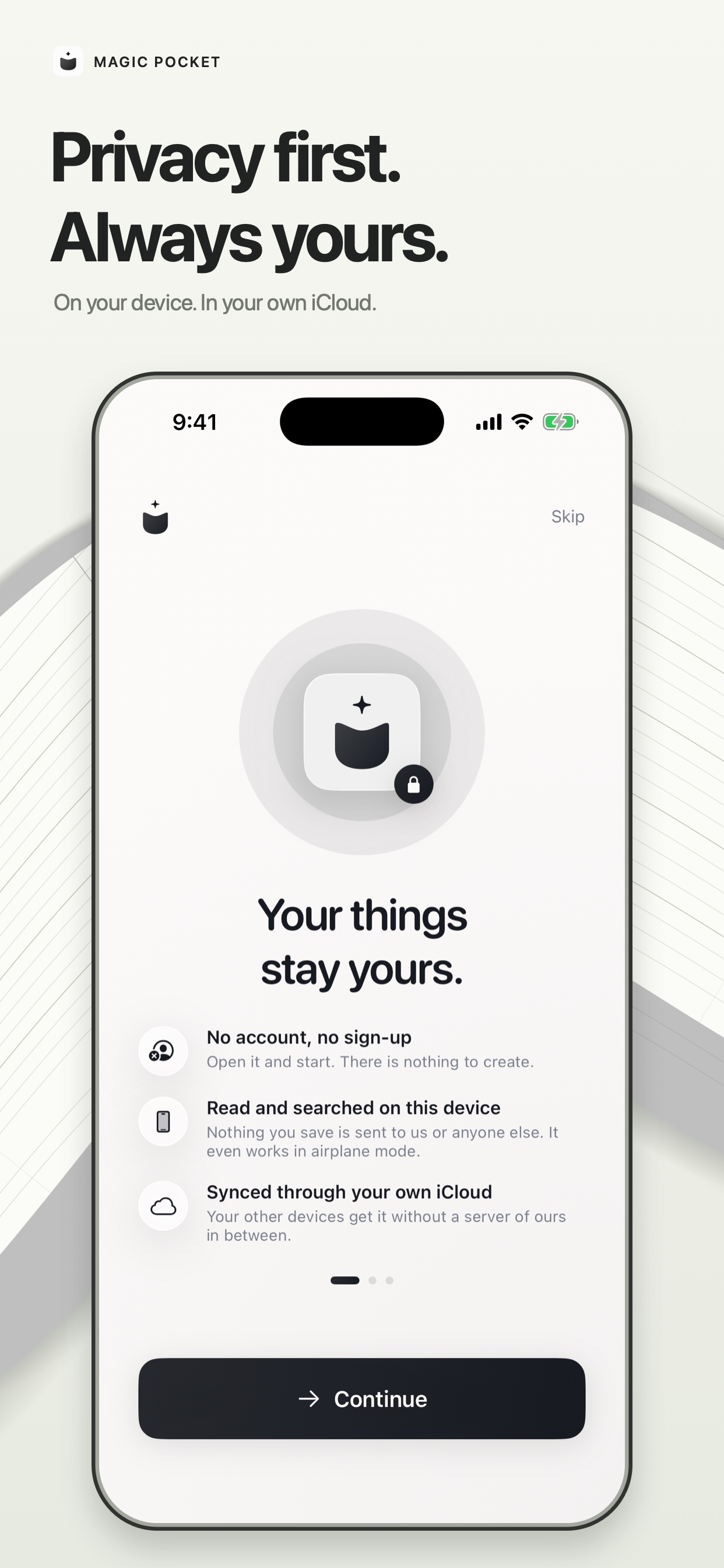
And it never phones home. Saving, reading, filing, search and voice all run on the device. There's no account and no server. The only network traffic is your own iCloud sync, into your private database. Nothing you save is ever sent to me.
It ships on iPhone, iPad and Mac, and it works on a plane.
How we built it
Native SwiftUI, one shared PocketCore package (~13k lines of Swift across the app, core and five extensions), targeting iOS 17 and macOS 15.
Storage: SQLite with FTS5 for text, originals kept as real files, CloudKit's private database for sync (a single PocketItem record type, deployed to production). Understanding: Vision for OCR and image classification, a hand-rolled LocalUnderstanding field extractor, MachineReadableZone for passports, IdentityNumbers for national IDs, Apple Foundation Models for titles when the device has them. Retrieval: NLEmbedding.sentenceEmbedding for on-device vectors (deliberately chosen over anything needing Apple Intelligence, so it runs on an iPhone 15), cosine similarity, plus a custom Phonetics matcher and FTS, combined and ranked in one place. Voice: SFSpeechRecognizer on-device, recognizer picked by language and region (an Indian Mac needs to hear "Aadhaar"), audio session in .voiceChat so Apple's echo cancellation and noise suppression are actually on, partial results with a debounce. No audio ever touches disk. Reuse surfaces: a keyboard extension with its own compact search index, an NSServices provider on Mac, App Intents for Siri, WidgetKit, a share extension, Spotlight indexing. Mac shape: menu-bar-first. Launch shows no window and no Dock icon; the library opens only when you ask, and closing it keeps Pocket running. Monetization: RevenueCat, with a hosted paywall from the dashboard. Ten items free, then a one-time unlock at $4.99 / ₹399. The paywall appears when you save the eleventh item — and only saving is gated. Everything already saved stays searchable and copyable everywhere: app, keyboard, Mac panel, Services, Siri.
Challenges we ran into
Deleting the backend. Magic Pocket started with a Cloud Run gateway doing AI answers over documents. I killed both — the Q&A feature and the server. Two reasons: answering questions about your documents isn't the job (finding, opening and copying is), and 1000 searches over 100 documents was costing $19–58/month, almost entirely in input tokens. Going local dropped per-search cost to zero and made search work offline and before anyone consents to anything. It also broke every stored vector: the old 256-dimension cloud embeddings were a different width from the new on-device ones, and the cosine function silently returned 0 on a mismatch, so items were unmatchable rather than wrong. That needed a schema migration that re-embeds the entire library.
Making local feel faster than cloud. A competing app's voice felt visibly quicker than mine and I assumed it had a better model. Reading its source, the speed was entirely architectural: streaming partial results, firing on a 750ms pause instead of waiting for Apple's isFinal, and matching in RAM. The lookup was never the slow part — the transcription round trip was the whole delay. Fixing that was four ordered changes, not a tuning pass.
Sync that looked fine. A duplicate I deleted on my phone revealed that when a device kept its own newer copy over iCloud's, it marked it "synced" without sending it — so that item lived on one device forever. The fix sends the winner back up, and a one-time repair uploads anything iCloud never had.
Siri fought back. App Shortcuts can't be tested in the Simulator at all — simulator apps are ad-hoc signed and linkd rejects them. An upload failed App Store Connect processing with error 90626 because an intent description contained the word "siri" (Xcode had reported success). And after all that, on-device testing showed Siri only matched near-exact item titles — "Airbnb gate code" worked, "my passport" didn't — so I removed item-name phrases entirely rather than ship something that fails half the time.
Platform edges. A closed SwiftUI window stays in NSApp.windows invisible forever and must never be brought forward directly. Menu bar items are hosted by Control Center, so the app reports zero windows. The keyboard extension needed Full Access before it could copy photos and files, which meant updating the privacy policy, the settings copy and the App Store notes together. StoreKit testing serves products on an iOS 26.2 simulator and returns an empty list on 26.5.
Pricing. I shipped subscriptions, then changed my mind. Looking at what comparable apps charge, a free tier plus one payment was obviously the better fit — and the free tier is the trial, which removed the original reason I'd rejected pay-once (a non-consumable can't carry an App Store free trial). Unwinding that meant a new product, a new RevenueCat offering, a rewritten entitlement check in the app and the share extension, and a careful migration order so the live version kept working until the new one was approved.
Accomplishments that we're proud of
It's live. On the App Store for iPhone, iPad and Mac — not a demo video. The privacy label is almost empty. The only data type collected in the entire app is purchase history, via RevenueCat's anonymous IDs. Not linked to identity, not used for tracking. That's not a marketing claim; it's a consequence of the architecture, and it took deleting a working feature to earn. It works offline, instantly, and costs nothing per search. Ask Pocket on Mac. Select text, right-click, and it's replaced in place — no clipboard, no Accessibility permission, no simulated keystrokes, no dialog. It's the closest thing in the app to actual magic. The restraint. Show mode, clipboard history, bundles, per-item hotkeys, AI-suggested template values — all built or specced, all cut. Suggesting values for template blanks was the tempting one; blanks are what changes each time, so the person always fills them.
What we learned
Deleting a feature can be the feature. Losing document Q&A made the app faster, cheaper, private, offline-capable and easier to explain. Everything good about Magic Pocket comes from what it refuses to do.
Latency is architecture, not effort. I spent real time trying to make a slow path fast before realising the path itself was wrong. Reading a competitor's source beat any amount of guessing.
On-device isn't a compromise any more. Vision, Natural Language, Speech and Foundation Models cover OCR, embeddings, classification, transcription and titling well enough that the server was the weaker option, not the ambitious one.
Ship where the user already is. The app window is the least important surface. Keyboard, Services, menu bar, Siri and widgets are where saved things actually get used, and each one is its own small product with its own constraints.
Storefront work is real work. Privacy labels, review notes, EULA wording, screenshot ordering, encryption declarations — and every code change that touches networking can silently invalidate a promise sitting in three different dashboards
What's next for MagicPocket
Now that it's live and the pricing is settled, the work stops being about building and starts being about people using it.
Getting it in front of people. Magic Pocket solves a problem almost everyone has and nobody has named, which makes it a word-of-mouth product rather than a search-results one. The next stretch is promotion: showing the Mac Services trick and the keyboard to people who'll recognise their own daily friction in them, getting it in front of Apple power users, and making the first thirty seconds after install convincing enough that the tenth save happens.
Keeping the people who paid happy. A one-time purchase is a promise that the app keeps getting better without asking again. Fast fixes, honest release notes, and nothing that quietly walks back the privacy promise.
A high bar for anything new. Every feature still has to pass the same test: does it work with the network off, and does it keep the privacy label empty? Whatever comes next gets built because someone using it asked for it — not because it was fun to build.


Log in or sign up for Devpost to join the conversation.