
Inspiration
I kept running into the same small frustration: photos that were almost perfect, ruined by one thing. A stranger walking through a travel shot, a watermark on a reference image, a photobomber in a family picture. Professional retouching tools could fix it, but they cost money, required skills, and took far longer than the problem deserved. I wanted to know if AI inpainting could shrink that entire workflow down to "brush, click, done" — and make it accessible to anyone with a browser.
What it does
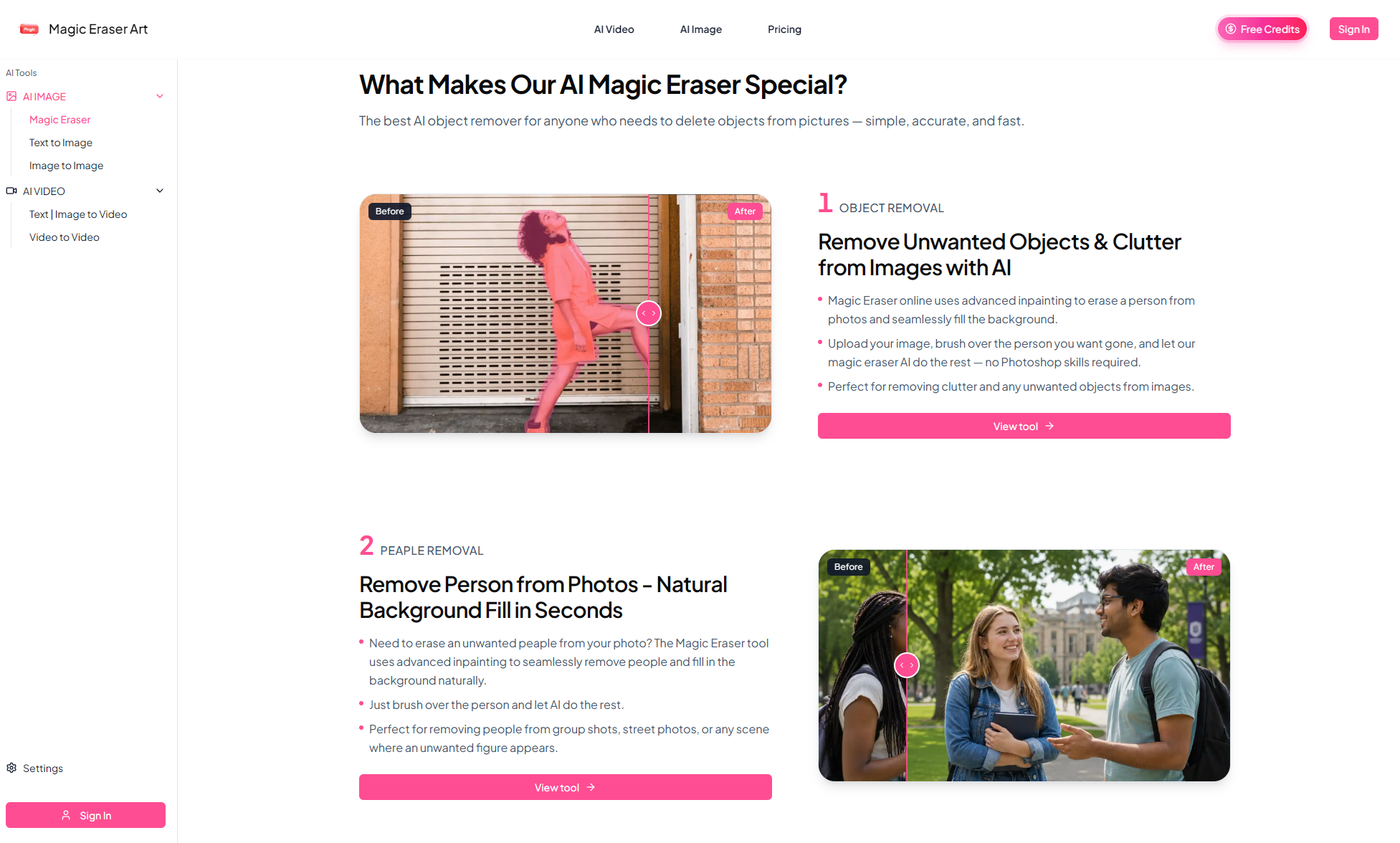
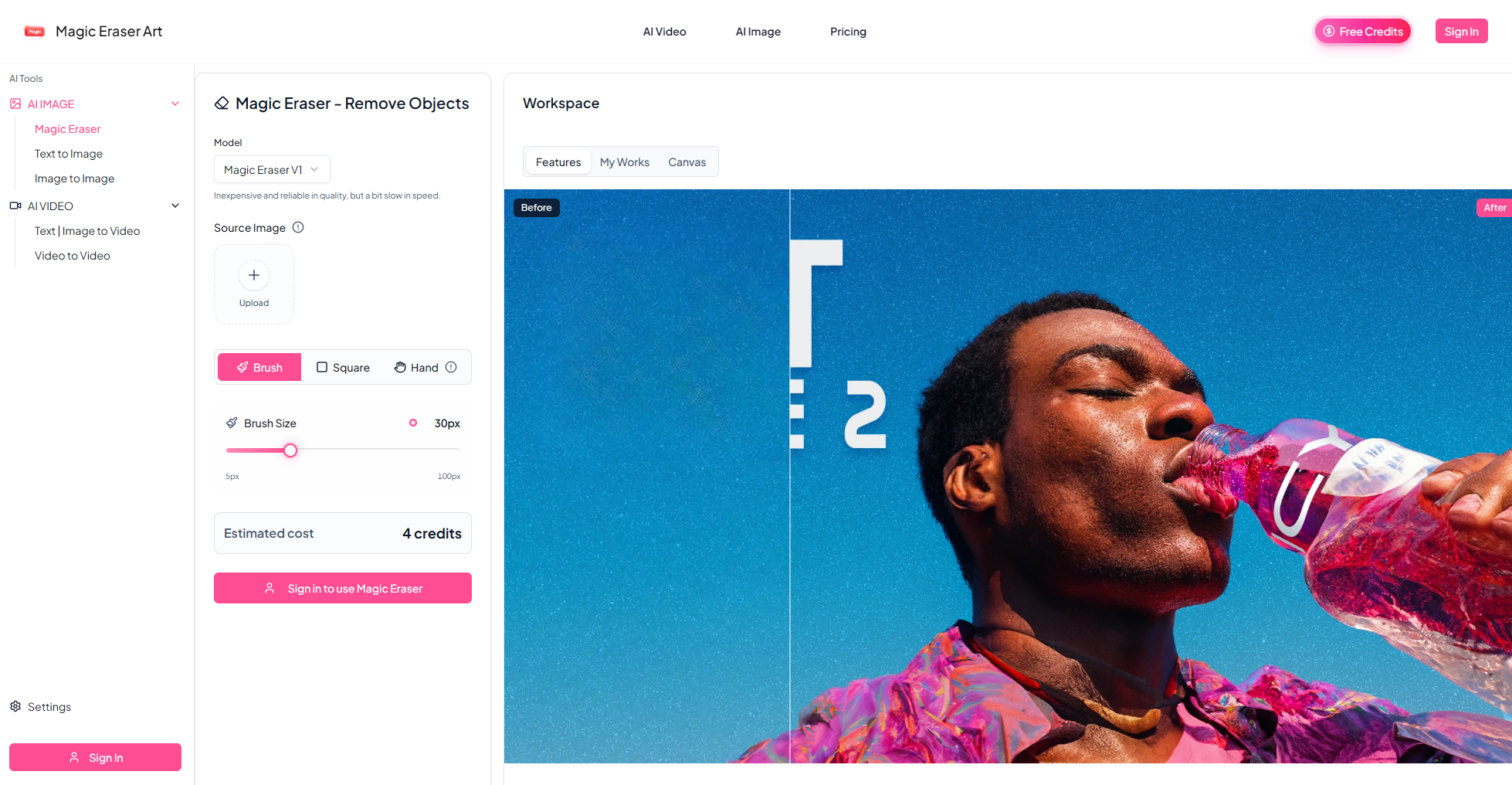
Magic Eraser Art (magicerasr.art) is a browser-based AI photo editing tool that removes unwanted elements from images and reconstructs what should be there. Upload a photo, brush over what you want gone, and the AI analyzes surrounding pixels, textures, and lighting to generate a natural fill that blends into the background. It handles four removal types: objects and clutter, unwanted people, watermarks and logos, and text such as captions or signs. The workflow is deliberately minimal — upload (JPG, PNG, WEBP, no resolution limit), adjust brush size, paint over the target and its shadow, then erase. Results appear in seconds, and if the first pass isn't perfect, erasing the same area again often improves it. A one-step undo and a dedicated eraser let you revert unwanted fills anytime. Use cases range from travel photos with strangers erased, family portraits cleaned of distractions, wedding shots with photobombers removed, to restaurant signage deleted from food photos and secondhand marketplace listings made more presentable.
How I built it
The core is an AI inpainting pipeline wrapped in a lightweight browser interface. The frontend handles upload, canvas-based brushing, zoom and brush-size controls, and mask generation — everything runs client-side so the interaction feels instant. When you hit erase, the masked region and the source image are sent to the model, which analyzes the surrounding context and generates a fill that matches edges, texture, and lighting. The result is composited back at the original resolution. I kept the interface intentionally sparse: no layers, no panels, no learning curve — just the brush, the erase button, and undo.
Challenges I ran into
The hardest part wasn't the model — it was the edges. Shadows are the most common cause of unnatural results. If a user brushes over an object but leaves its shadow behind, the fill looks pasted on. I had to design the UX to nudge people toward including shadows in their selection without adding friction. Another challenge was mask precision: an overly broad or inaccurate brush area produces fills the user didn't intend. Rather than forcing one perfect stroke, I leaned into iteration — letting users erase again on the same area, undo instantly, and refine with a narrower brush. Multiple light passes consistently beat one large stroke. I also had to balance processing speed against quality, since complex images with large erased areas take longer than simple ones, and peak usage can push waits to 10–60 seconds.
Accomplishments that I'm proud of
Getting the tool to a point where someone with zero editing experience can produce a clean result in under a minute. The iterative erase loop turned out better than I expected — the model genuinely improves on subsequent passes, which makes recovery from a bad first attempt trivial. I'm also proud that output preserves the original resolution, with edited areas filled at the same quality as the source image, and that the whole thing runs in a browser with no install, no resolution limit on uploads, and support for all the common formats.
What I learned
Precision beats power. Users don't want more controls — they want the few controls they have to behave predictably. Teaching shadow inclusion and narrow brushing through interface design, rather than documentation, mattered more than any model upgrade. I also learned that iteration is a feature, not a failure state: framing "erase again" as a normal part of the workflow made users far more tolerant of imperfect first results.
What's next for Magic Eraser Art
Expanding beyond removal into a fuller cleanup toolkit — smarter automatic object detection so users can tap instead of brush, batch processing for sellers managing many listings, and stronger handling of complex textures like hair and foliage. I also want to grow the credit and daily check-in system into something that keeps casual users coming back, while giving paid users a clear commercial use license for client work, listings, and advertising. Longer term: making Magic Eraser Art the fastest path from "almost perfect photo" to "done."
Built With
- cloudflare
- javascript
- next.js
- react
- shadcn
- sqlite

Log in or sign up for Devpost to join the conversation.